


10 ClickUp Alternatives for 2026
We selected the ten best alternatives for ClickUp users seeking a more suitable, affordable, or differently featured option.
ClickUp is a respected project management and collaboration tool with built-in time-tracking, but its feature set may not suit everyone’s needs.
With that in mind, we tested leading ClickUp alternatives. To give you the best comparison, we have split them into three categories:
- Full work suite + simple time tracking
- Mid-range project management + time tracking
- Advanced time tracking + simple project and cost management
*Last Updated: June 2026*
Content overview

Top 6 ClickUp Alternatives at a Glance
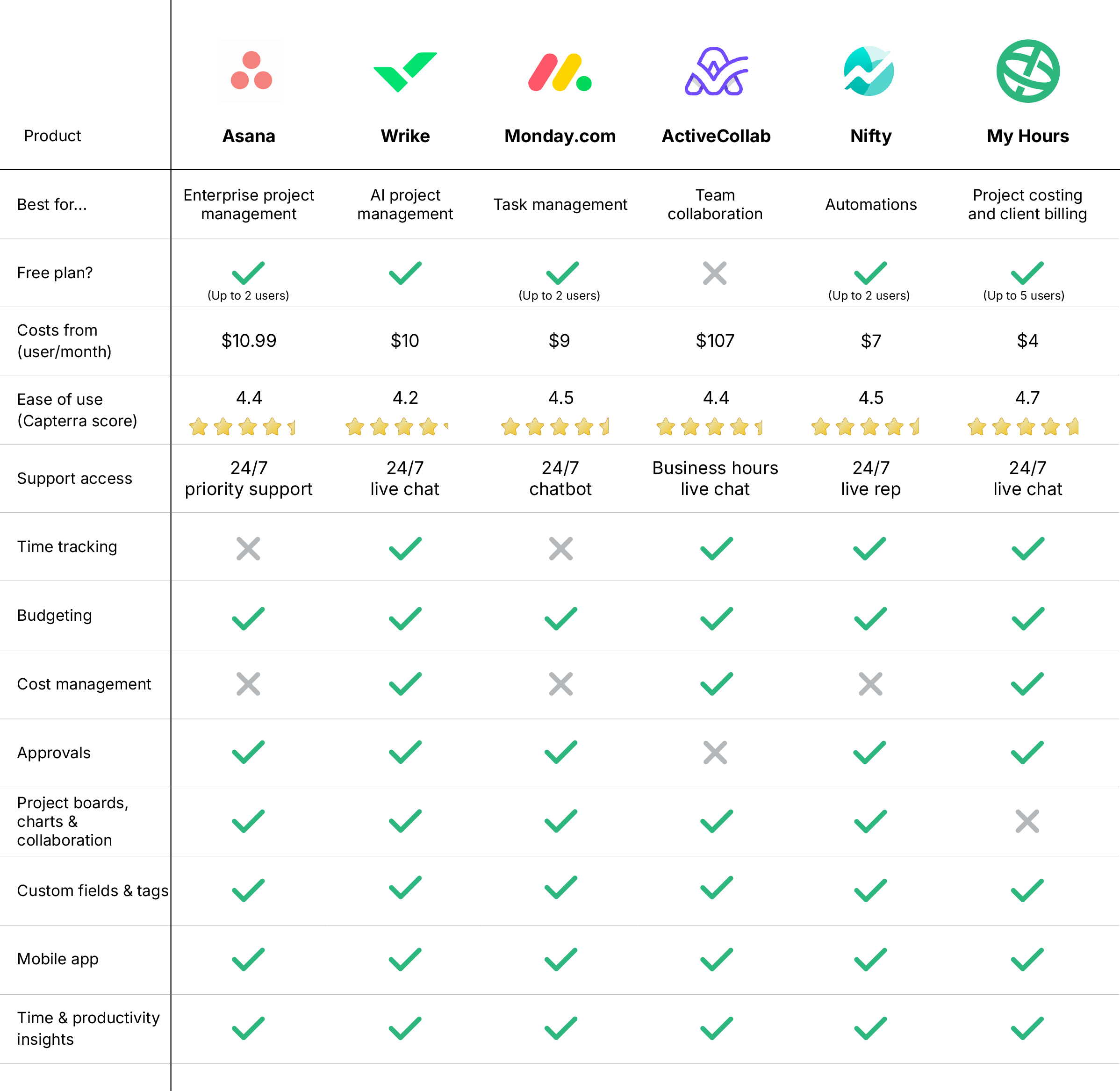

1. Asana: Best for enterprise-level project management
Price:
- Free (2 users)
- $13.49 - $30.49/per user (paid monthly)
- $10.99 - $24.99/per user, per month (paid annually)
- Enterprise pricing available
Available on: Desktop, web, Android, and iOS
Category: Full work suite + simple time tracking
Pros:
 Full project management system
- 100+ integrations
- Automated workflow builder
- List, board, calendar, Gantt chart, and timeline views
- High customization
Cons:
 Expensive plans
- Basic time tracking tools
- No staff scheduling

Why choose Asana over ClickUp?
Asana takes a clean and streamlined approach to project management that doesn't overwhelm users with unnecessary features.
It follows a logical structure, built around projects, tasks, subtasks, and dependencies, giving teams a clear framework to work within. Plus, you get various views to suit different workstreams, like lists, boards, Gantt charts, and more.
The platform is strong when it comes to automations and AI-assisted workflows. You can either use their pre-built automation templates for common scenarios or build your own custom automation rules to handle repetitive tasks.
For time tracking, users can track in real time and then compare progress against project estimates. These metrics help you understand productivity and resource levels across deliverables.
Asana comes with enterprise-level reporting and dashboards, along with solid security features and granular access controls. Plus, its high number of integrations means it will fit into your existing tech stack.
One downside to consider is that Asana’s most powerful capabilities sit behind an expensive per-user paywall, which can significantly increase costs. Yet, its intuitive interface is far less overwhelming than ClickUp’s, making it a user-friendly alternative.

2. Wrike: Best for AI project management
Price:
- Free (unlimited users)
- $10 - $25/per user (paid monthly)
- Annual pricing unavailable
- Bespoke pricing for Pinnacle and Apex plans
Available on: Desktop, iOS, Android
Category: Full work suite + simple time tracking
Pros:
- Comprehensive AI tools
- Multi-language support
- Custom work views
- Strong security and user access
- High customization capabilities
Cons:
- Basic time tracking tools
- All plans have storage limits
- Plans sold by groups of users
Why choose Wrike over ClickUp?
Wrike is a strong ClickUp alternative for teams that need structure, scalability, and firm operational control.
The platform offers top-tier project management tools, like interactive Gantt charts, Kanban boards, and custom workflows, alongside detailed workload and resource planning.
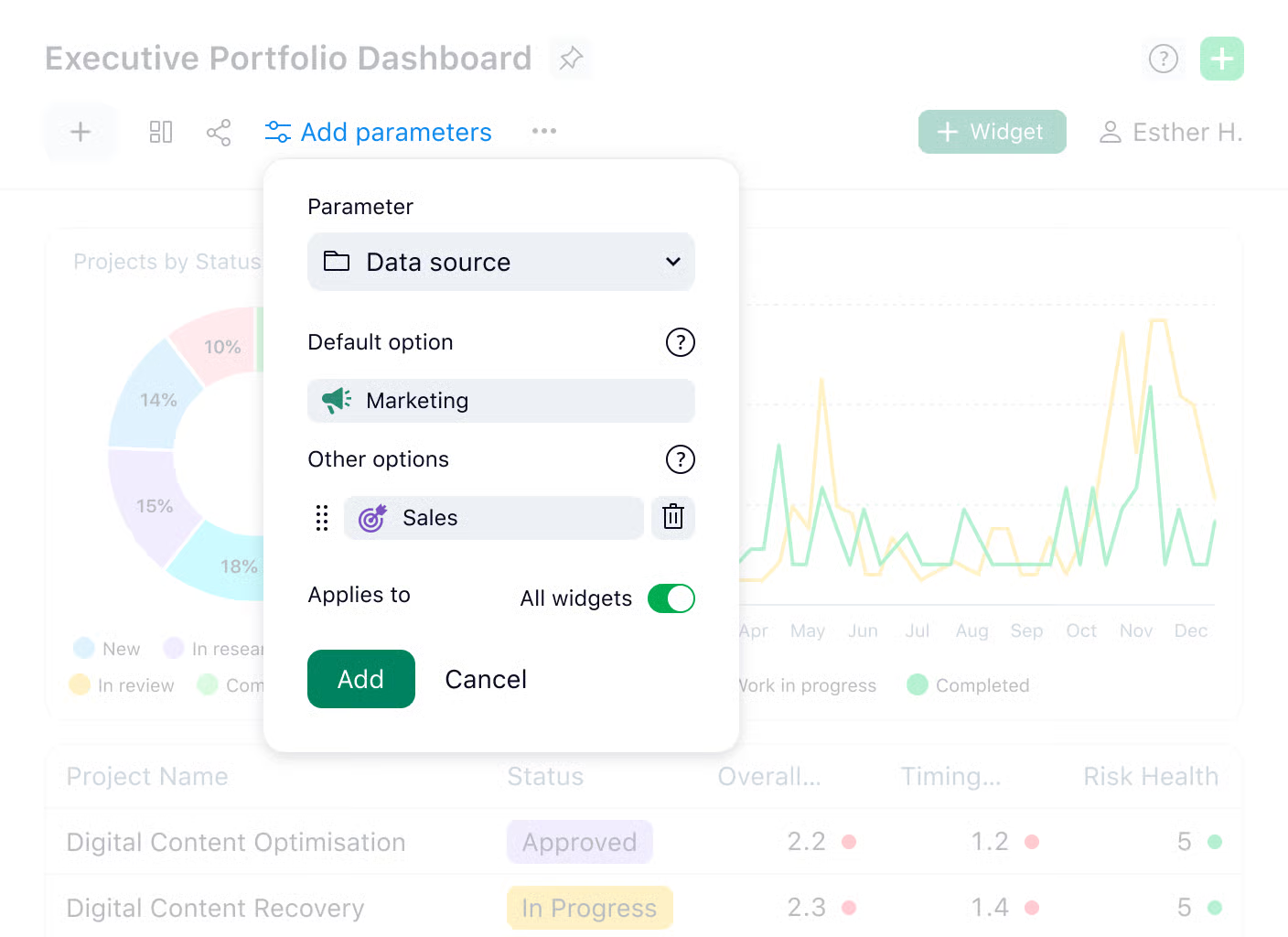
The dashboard system is fully customizable, giving you real-time metrics and detailed visibility into your project data.
Besides workflow automation, Wrike features a full suite of AI tools, including an onboarding assistant, content creation, inbox assistant, form generation, and more. Higher-tier plans also include the Wrike Copilot and natural language processing.
Time tracking includes a start/stop timer and approval workflows for timesheet validation. The system also provides insights into team productivity patterns and helps you understand how resources are being distributed across projects.
Add strong security protocols and access control, tailored workspaces, and portfolio management into the mix, and you have a platform suitable for businesses of all sizes.
It’s a bit frustrating that Wrike’s plans force you to upgrade once you reach a certain user limit. However, given the feature set, it’s still a good value platform.

3. Monday: Best for task management
Price:
- Free (2 users)
- $12 - $24/per user (paid monthly)
- $9 - $19/per user, per month (paid annually)
- Enterprise pricing available
Available on: Desktop, iOS, Android, browser extension
Category: Full work suite + simple time tracking
Pros:
- Highly customizable timesheets
- Visual columns for in-depth task management
- AI, automated workflows
- Fully featured mobile app
- Capture costs, billable hours, and expenses
Cons:
- Time tracking is only available on the most expensive plan
- No invoicing tools
- Steep learning curve
Why choose Monday over ClickUp?
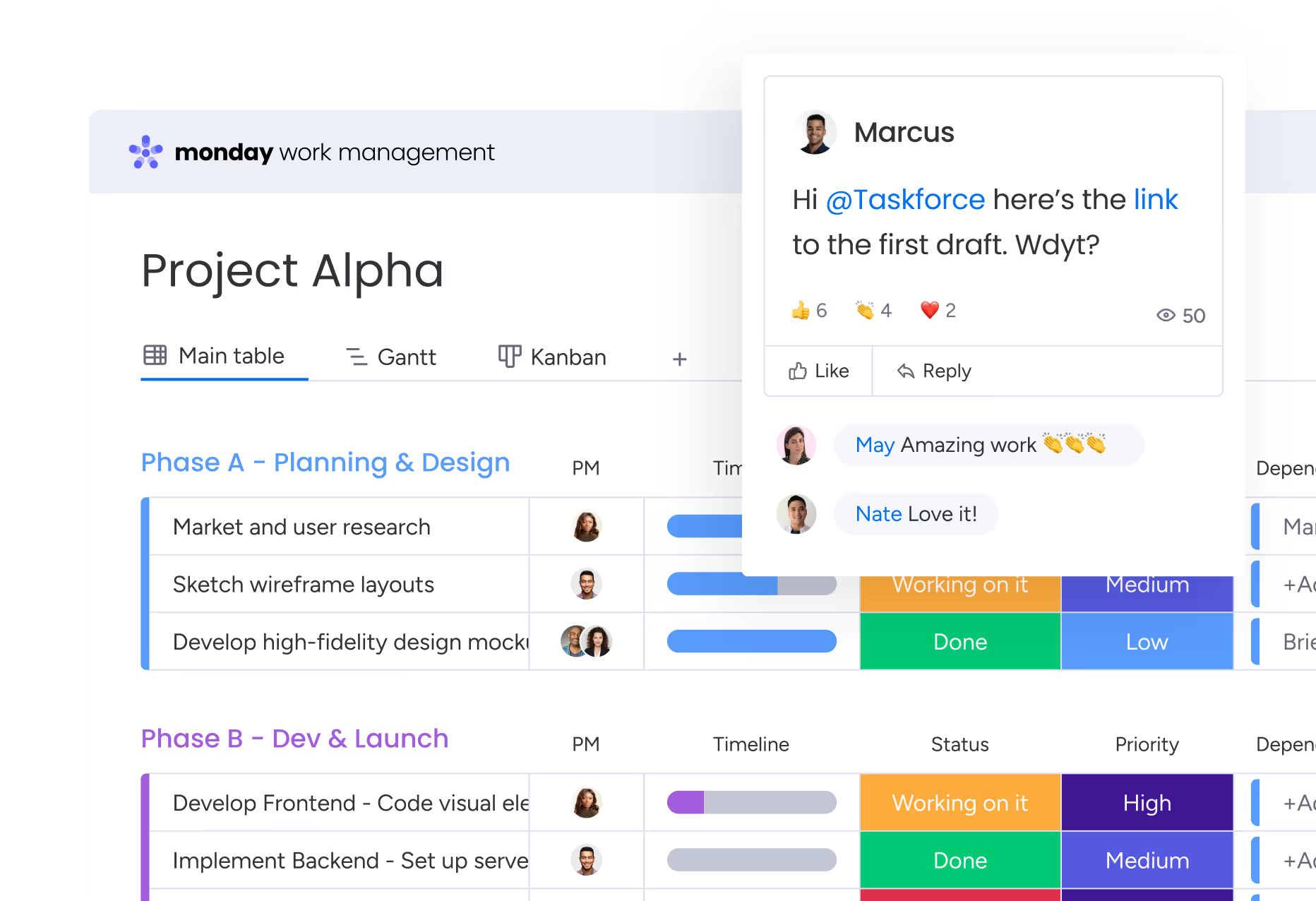
If you need to track tasks in detail, you’ll like Monday’s visual boards and workflows.
The interface is arranged in columns, with tasks separated into to-do, in progress, in review, and other categories. Additionally, you can see exactly who they are assigned to, their status, and other important information.
You also get tools to create project roadmaps, lead pipelines, and even software sprints.
Time tracking works in harmony with Monday’s overall setup, allowing you to set specific timeframes for tasks and update statuses as you work. We love the timesheet customization options: you can add columns for documents, project boards, and other useful elements.
Although like ClickUp, time tracking feels secondary to Monday’s main functions, it does offer a simpler, more visually intuitive interface. The focus is definitely on ease of use and setup.
Annoyingly, though, time tracking is only available on the most expensive plan. Therefore, you should only consider this platform if you need to make use of its other features.
4. ActiveCollab: Best for team collaboration
Price:
- $15 - $17/per user (paid monthly)
- $12.50 - $15/per user, per month (paid annually)
- $3.50/month/per user (for 100+ users)
Available on: Desktop, iOS, Android
Category: Mid-range project management + time tracking
Pros:
- Time tracking on any device
- Team scheduling and time off tools
- Built-in invoicing
- Capture billable time and expenses
- Detailed profitability insights
Cons:
- No timesheet approval workflow
- No automated alerts for time tracking
- Timesheets don’t lock
Why choose ActiveCollab over ClickUp?
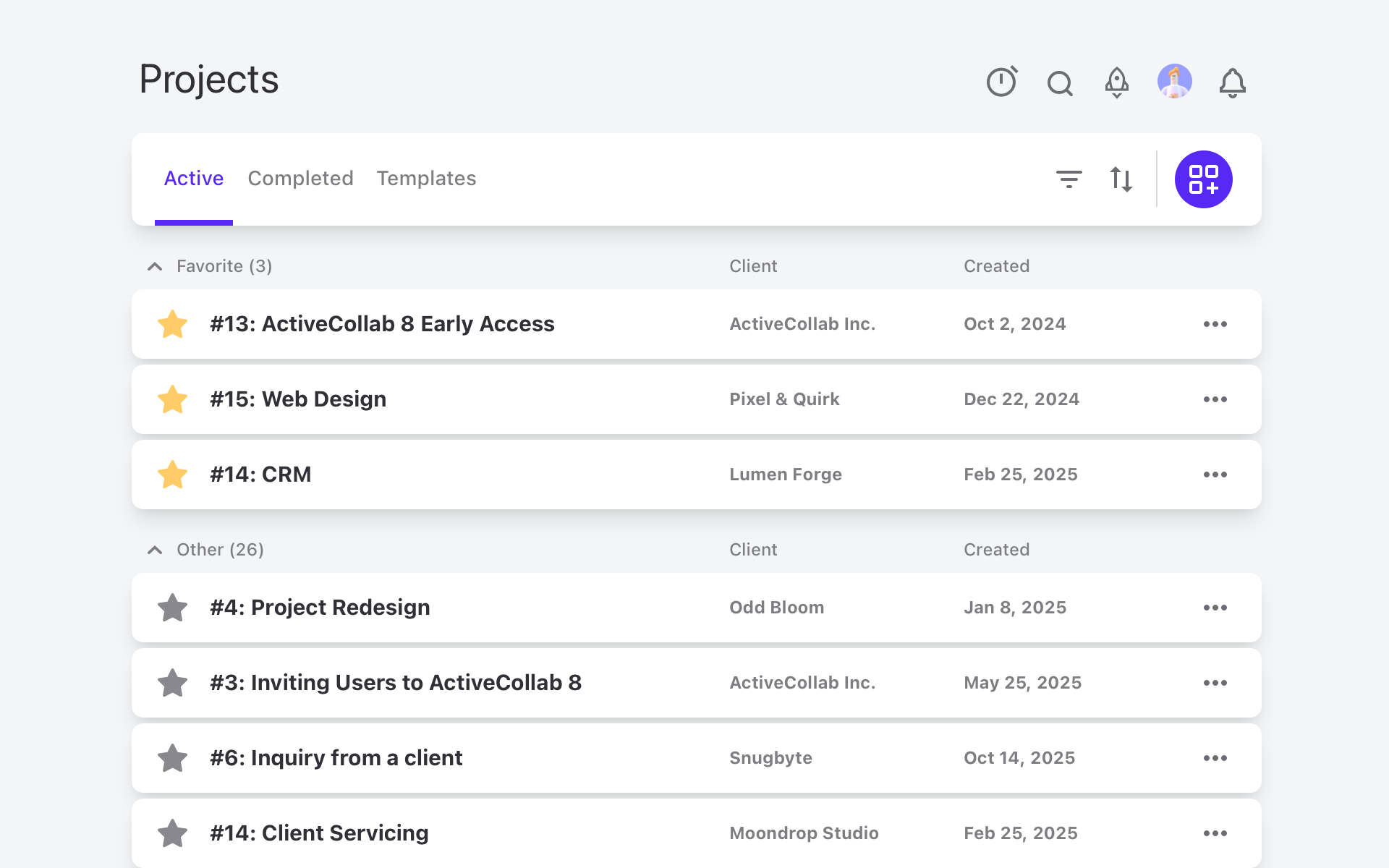
ActiveCollab offers project management, collaboration, scheduling, time tracking, and cost and billing tools.
Time tracking takes place via the mobile or desktop app and can easily record billable and non-billable time. It also incorporates the scheduling and time off tools and automatically inputs absences onto timesheets accordingly.
It’s also very simple to add date and time estimates at the task level, allowing you to keep tight control over deadlines.
Unlike ClickUp, ActiveCollab has built-in multi-currency invoicing and reporting tools that allow you to view the profitability of your projects. Expenses are directly uploaded to projects and tasks.
The only problem is that ActiveCollab doesn’t have timesheet approval workflows, and automated alerts are limited to project and task completion. Yet, as an all-in-one tool with basic time tracking, it’s a pretty solid option.
5. Nifty: Best for automations
Price:
- Free (2 projects)
- $12 - $25/per user (paid monthly)
- $7 - $16/per user, per month (paid annually)
- Enterprise pricing available
Available on: Desktop, iOS, Android, browser extension
Category: Mid-range project management + time tracking
Pros:
- Time tracking on any device
- Automated goal tracking and task progress
- Customizable notifications
- Real-time reporting with project milestones
- Intelligent document storage
Cons:
- Limited billing and cost tools
- No timesheet approval workflows
- Timesheets don’t lock
Why choose Nifty over ClickUp?
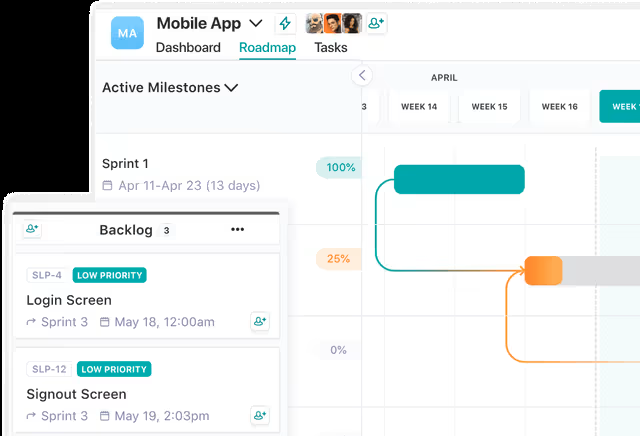
Like ClickUp, Nifty is a project-management-first platform. The main difference is that Nifty is centered around AI-powered automations for ease of use.
We like how task progress and status are automatically updated. Additionally, automation supports goal setting and milestone achievement, updating them as work gets completed.
Real-time tracking is possible via the mobile app and desktop widget, and you can set up customized alerts to control hours worked, timesheet submission, and other activities. Calendar entries are pulled into time logs, making timesheet completion faster.
Again, similar to ClickUp, Nifty only has limited billing and costing tools, so this isn’t a good option if you need to invoice clients.
That said, Nifty is more user-friendly than ClickUp, with a clean, intuitive interface. Even setting up automations is relatively straightforward.
Nifty also has an advanced, centralized document storage system with proofing and collaboration tools, making it a good choice for companies that deal with a lot of paperwork.

6. Paymo: Best for lightweight project management
Price:
- Free (1 user)
- $9.90 - $23.90/per user (paid monthly)
- $5.90 - $16.90/per user, per month (paid annually)
Available on: Desktop, iOS, Android
Category: Mid-range project management + time tracking
Pros:
- Automatic time tracking
- Integrates with payment processors
- Kanban boards and Gantt charts
- Team scheduling and time off
- In-app real-time team chat
Cons:
- No budget tracking
- The mobile app could be better
- Reporting isn’t detailed
Why choose Paymo over ClickUp?
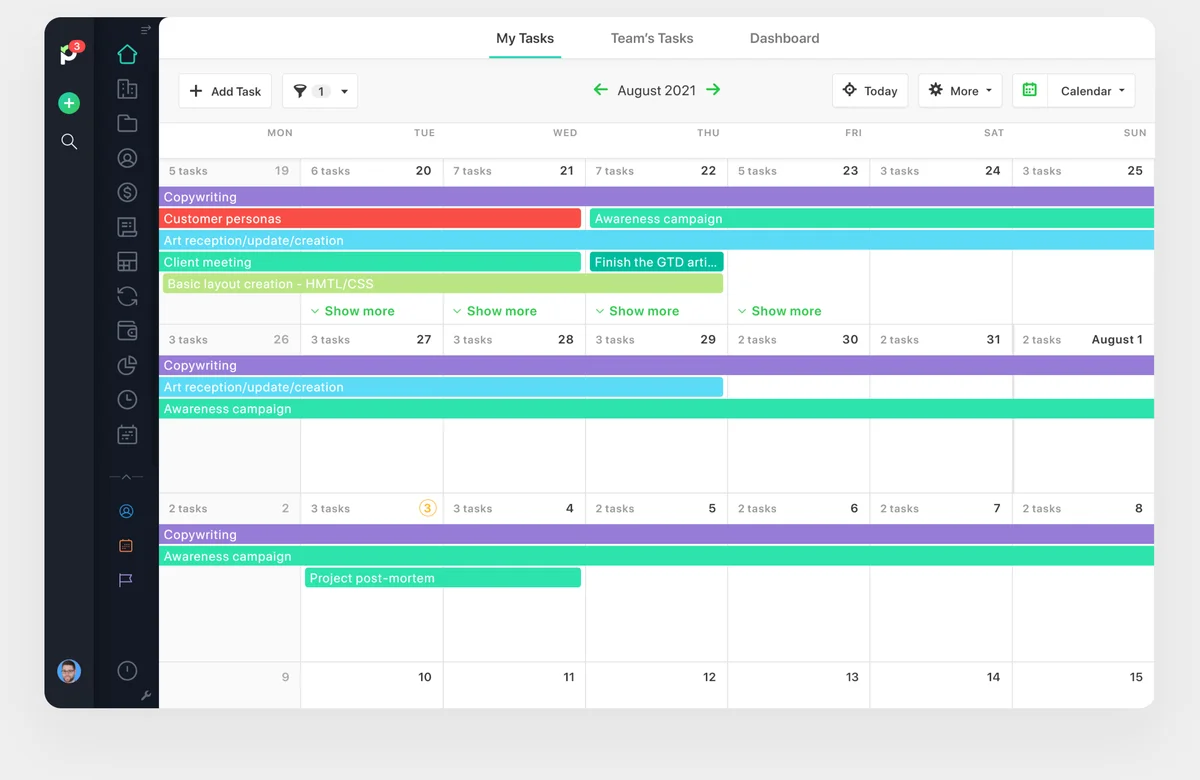
Paymo takes the most useful project management features of ClickUp and connects them to its time tracking tool.
What that means is you get Gantt charts, Kanban boards, and team collaboration, without getting bogged down with too many features. It also has a team scheduling and leave planner, so it’s a good option if you have shift workers.
For time tracking, you can use the stopwatch, manual entry, or even the Pomodoro timer.
However, Paymo is probably most known for its automatic time tracking, where it runs in the background and captures your activity across desktop apps. Timesheets are then generated in a few clicks, saving users from creating them manually.
Paymo handles billable time and expense tracking. And though we wish the platform had a budget tracker, it does connect with a payment gateway, allowing your clients to pay directly.
Overall, Paymo is perfect as a lightweight project management platform. The free plan is pretty decent, though you’re limited to 2 projects only.

7. My Hours: Best for project costing and client billing
Price:
- Free (5 users)
- $5 - $9/per user (paid monthly)
- $4 - $8/per user, per month (paid annually)
- Enterprise pricing available
Available on: Desktop, web, browser extension, iOS & Android
Category: Advanced time tracking + simple project and cost management
Pros:
- Real-time tracking on any device
- In-depth reporting for users and clients
- Fully-featured mobile app
- Flexible project billing and budget structures
- Built-in invoicing tool
Cons:
- Lacks collaboration tools
- Fewer native integrations than ClickUp
With almost 20 years of experience, My Hours is built with one job in mind – tracking time so you can run profitable projects.
Unlimited projects, tasks and clients in the free plan make it the best price performance app on the market.

Why Choose My Hours Over ClickUp?
There’s no doubt that ClickUp is a powerhouse of project management tools, but its built-in time tracking feels more like an add-on rather than a core function.
In contrast, My Hours is purpose-built for the real-time tracking of billable time. Set billable rates for each staff member, and costs will be automatically allocated to each time entry.
This makes My Hours a more reliable choice for teams that rely on precision data for billing, forecasting, and calculating labor costs.
Additionally, My Hours enables expense capture directly on time entries (something which ClickUp notably lacks). This is highly useful if you want to keep all costs within one system for better budget tracking.
Speaking of budgets, it’s easy to set these up and track them at the project or task level. The platform also supports flexible project billing structures, like flat rates and rates by task.
My Hours also has built-in client invoicing and incredibly in-depth reporting features, with complete control over dataset customization.
When navigating ClickUp, it can feel crowded and suffers a little from “feature bloat.” In comparison, My Hours is streamlined, offering a user-friendly choice for teams that don’t need a cluttered interface.

8. Clockify: Best free time tracker
Price:
- Free (5 users)
- $4.99 - $15.99/per user (paid monthly)
- $3.99 - $12.99/per user, per month (paid annually)
- Enterprise pricing available
Available on: Desktop, Web, iOS & Android
Category: Advanced time tracking + simple project and cost management
Pros:
- Time tracking on any device
- Calendar views
- Team scheduling and time off tools
- Pomodoro timer included
- Clock in/out kiosk
Cons:
- Project management is a paid add-on
- Employee surveillance via screenshots
- Basic features are locked behind the highest pricing tier
Why choose Clockify over ClickUp?
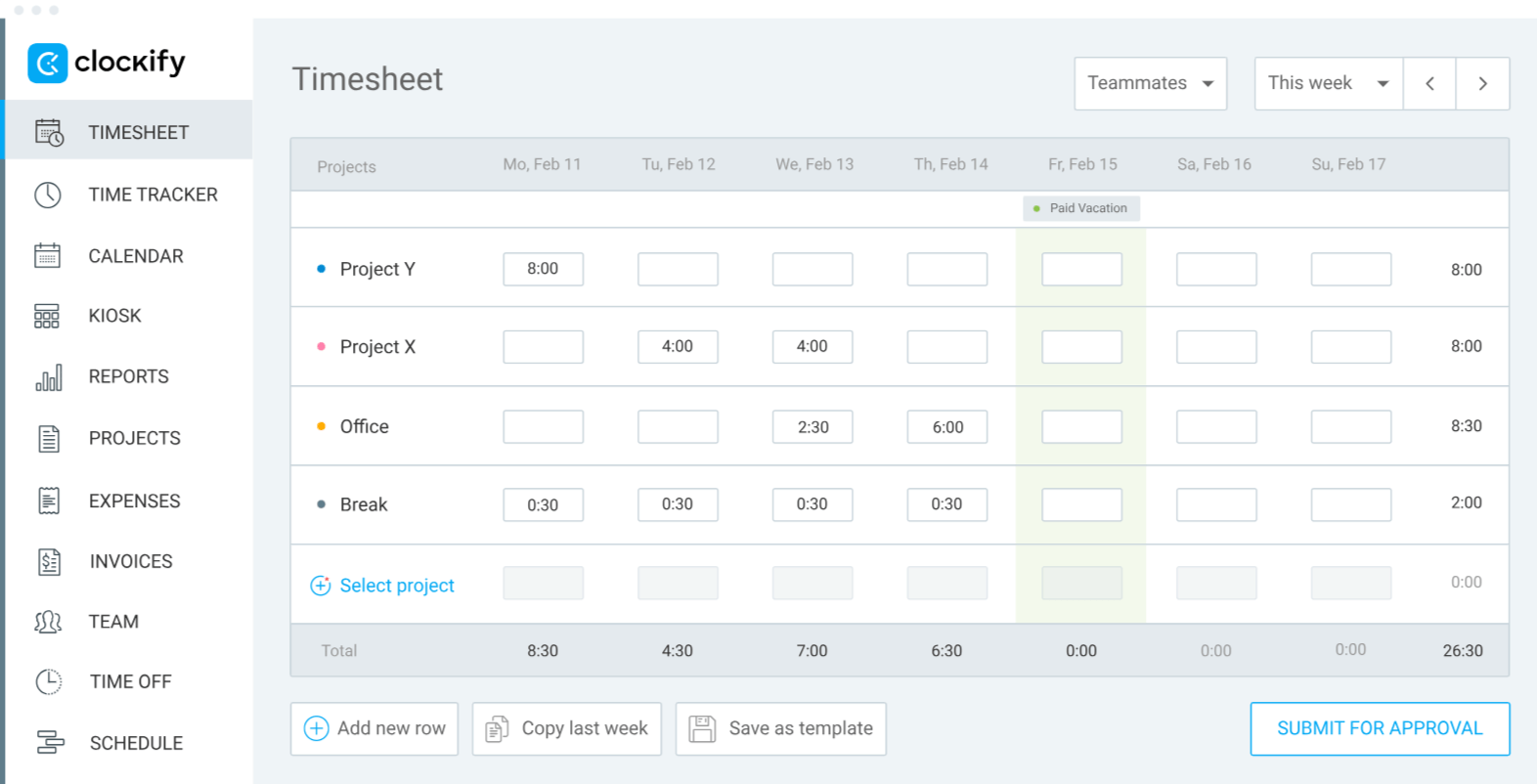
Overall, Clockify is a solid and popular time tracking tool, giving you multiple ways to keep count of your hours. The automatic tracker is especially useful, since it records which websites you visited and for how long.
Project management is lightweight compared to ClickUp. However, it makes up for it with its staff planning tools.
For example, you can create worker schedules and view them in the calendar. There are also features for tracking breaks and absences, and you have a clocking in/out tool that uses a QR code to scan in. For field workers, GPS tracking is available.
Other features like invoicing and in-depth reporting are on hand, along with the tracking of billable hours.
Interestingly, ClickUp supports a direct integration with Clockify, so you can easily use the two platforms together if you so wish.
What we don’t especially love about Clockify is the use of employee surveillance, like taking screenshots, though that feature is optional. It also detects idle time, but this is chiefly for the purposes of ensuring time is captured correctly.
9. Deltek Replicon: Best for global compliance
Price:
- Bespoke
Available on: Desktop, Android, iOS, Browser extensions
Category: Advanced time tracking + simple project and cost management
Pros:
- AI-powered time entries
- Built-in global compliance frameworks
- Multi-currency and multi-language
- Track costs and billable hours
- Visual dashboard data
Cons:
- Customization often requires technical support
- The mobile app has limited features
- Large learning curve
Why choose Replicon over ClickUp?
Replicon was built for enterprise-level organizations with multi-jurisdictional locations.
It includes a built-in rules engine for labor and regulatory compliance, which can be customized to match each location’s laws, and you can display the platform in multiple languages and set rates in multiple currencies.
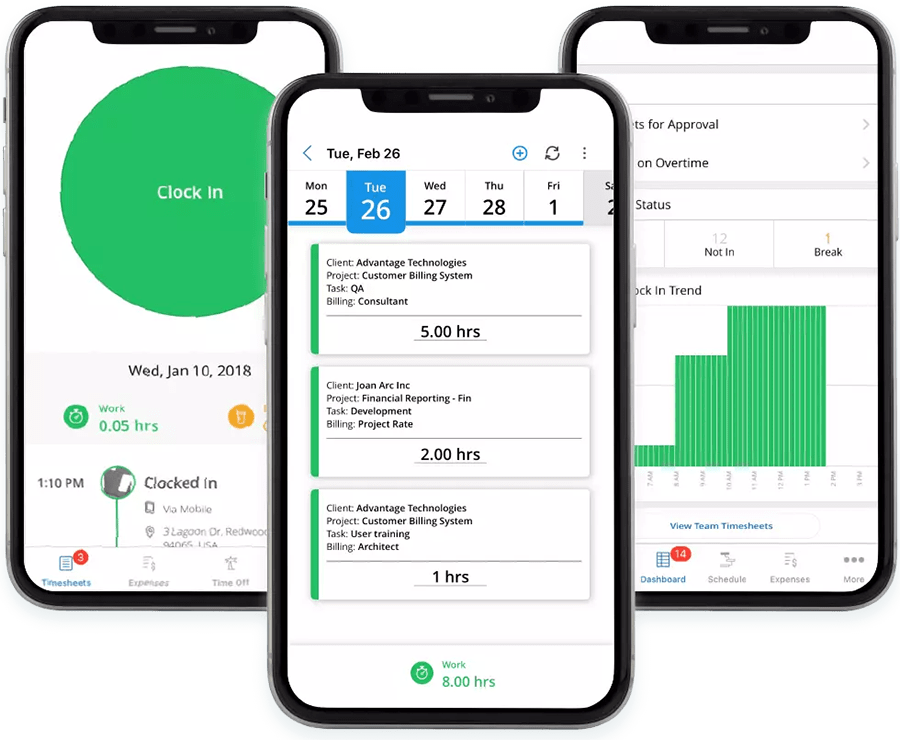
The AI features set Replicon apart from simpler alternatives. The system can analyze text conversations and activities across various apps and turn them into time entries. There are also robust timesheet validation workflows and the ability to upload expenses directly to time logs.
Replicon is also a good option for remote or mobile workforces, as it comes equipped with GPS tracking, geofencing, and a clock-in/out kiosk powered by facial recognition.
Time logs are tracked as billable or non-billable, plus Replicon supports flexible project pricing.
The downside is the platform’s complexity, as it demands a certain level of technical know-how to customize. Also, the learning curve is steeper than other platforms.
That said, it’s one of the only platforms on this list that truly offers global time tracking compliance.

10. Toggl Track: Best for user friendliness
Price:
- Free (5 users)
- $10 - $20/per user (paid monthly)
- $9 - $18/per user, per month (paid annually)
- Enterprise pricing available
Available on: Desktop, Web, iOS & Android
Category: Advanced time tracking + simple project and cost management
Pros:
- Visual, user-friendly platform
- 100+ native integrations
- Pomodoro timer
- Simple invoicing
- Good customization capabilities
Cons:
- Features seem basic compared to other platforms
- Reports lack in-depth data
- Limited compliance features
Why choose Toggl over ClickUp
Toggl Track sells itself on its user friendliness, and this is certainly what makes the platform stand out.
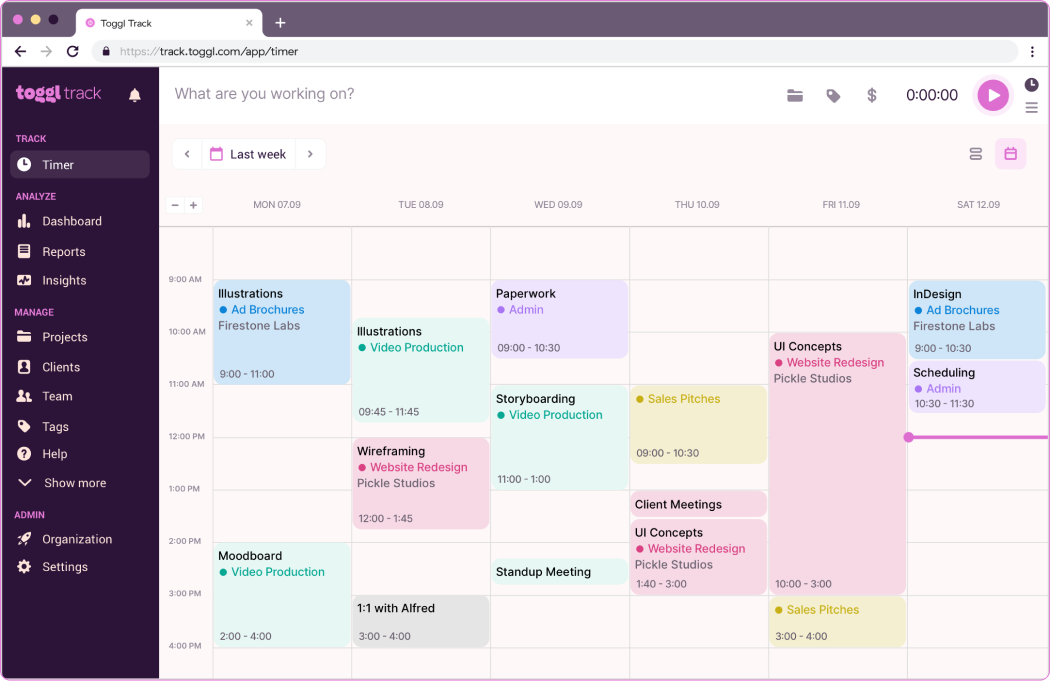
The clean interface and quick navigation make it simple to find what you need, with all your important information clearly displayed. Plus, the learning curve is pretty low for a time tracking tool.
Time tracking runs across all devices, in real time and offline, and you can easily track billable and non-billable hours. The mobile app is also decent, with a good number of features beyond just time tracking.
The user timeline is useful because you can tell at a glance how days are split between tasks. The calendar view is also great for planning out workloads.
Toggl leads in native integrations. It connects with over 100 third-party apps, so it’s worth considering if you already have a mature tech stack.
On the downside, Toggl’s other features are on the basic side, especially for reporting, which lacks granular insights. The timesheet approval workflow and project costing tools could also be better.
How to Choose the Right ClickUp Alternative: Essential Checklist
With so many time tracking tools available, how do you know which is right for your business?
The right platform depends on what you intend to use it for. Every business has different requirements for time tracking, billing, compliance, and team collaboration. So, before you start comparing features and pricing, take time to define what matters most for your workflow.
1. Define your usecase:
- How many employees do you have? Do you want time-tracking suitable for freelancers, single or multiple teams, or an enterprise solution?
- Do you regularly invoice and bill clients? What about staff payroll?
- Do you have to track billable time?
- Are you required to track PTO and other types of time off?
- Do you require project management and tracking tools?
- Is your time-tracking required to comply with any regulators or labor laws?
- Is productivity and employee monitoring important for your business?
- Are your workers accepting of or resistant to time tracking?
- Do you use multiple software that your time-tracking tool might have to integrate with?
- Do you regularly have to report time data to management and other stakeholders?
2. Features and tools: What does your time-tracking tool need for the right functionality?
- Manual, automatic, and real-time time-tracking
- Offline and online tracking capabilities
- GPS tracking and gofencing for remote workers
- Set billable and non-billable hours
- Expense tracking
- Budget management tools and cost optimization
- Inbuilt invoicing
- Payroll and staff payments
- Timesheet approval workflows
- Project and task management
- Multiple client handling
- Calendar or timeline overviews
- Employee PTO management and scheduling tools
- Overtime and workload trackers
- Granular user controls and permissions
- Idle time detection and automatic screenshots
- Focus and productivity features, such as website blocking or Pomodoro timers
- Third-party integrations
- Customized reporting and analytics
- Tracking via a mobile app, browser extension, or desktop
By now, you should have a good idea of your use case and the features you’re looking for. After narrowing down the choice of platforms, compare the following:
- Pricing: Do you want a free plan? For paid plans, are the desired features accessible at the right price point?
- User experience: Is the platform simple to use and navigate? Will your employees enjoy tracking time with it?
- Support and onboarding: Is customer support easily available and responsive? What kind of onboarding package do they offer?
- Data migration: If you have existing time data, can you easily migrate it over to the new platform?
- Security: Does the platform come with up-to-date security protocols for data privacy and protection?
- Online review scores: How do others feel about the platform? Are the reviews mostly positive, or are there some concerning trends?
Most importantly, try before you buy. All time-tracking platforms offer a free trial at the very least. Many of them have free plans, plus you can request a demo of premium features.
Test it out among your workers and see how they like it. Your time-tracking solution has to work just as well for everyone else as it does for you.
This way, when you’re ready to commit to a platform, you will already have employee buy-in and the rollout will be a much smoother process.
Frequently Asked Questions
How do I choose the best ClickUp alternative?
When picking the best ClickUp alternative, start by identifying your specific needs and matching them with the right feature set. Take time to compare each option’s pricing, customer support, usability, and reputation through user reviews before deciding.
Finally, test-drive the contenders using their free plan or trial period, and gather feedback from others who’ve used them to make sure the platform truly fits your organization.
What is the most affordable ClickUp alternative?
Affordable ClickUp alternatives are the platforms that offer a free plan along with low-cost paid options to access advanced features. For example, My Hours, Clockify, Toggl Track, Paymo, and Monday all have free tiers for varying numbers of users.

Waste no more time,
jump right in!

All rights reserved.