


10 HubStaff Alternatives (Free & Paid) in 2026
We reviewed the leading time tracking apps to find the ten best alternatives to HubStaff.
HubStaff is a comprehensive time tracking platform with built-in features for staff payroll and workforce management. However, its tools and extensive employee surveillance features may not entirely match your needs.
With that in mind, take a look below to find your ideal HubStaff alternative.
*Last Updated: June 2026*
Content overview

Top 6 HubStaff Alternatives at a Glance
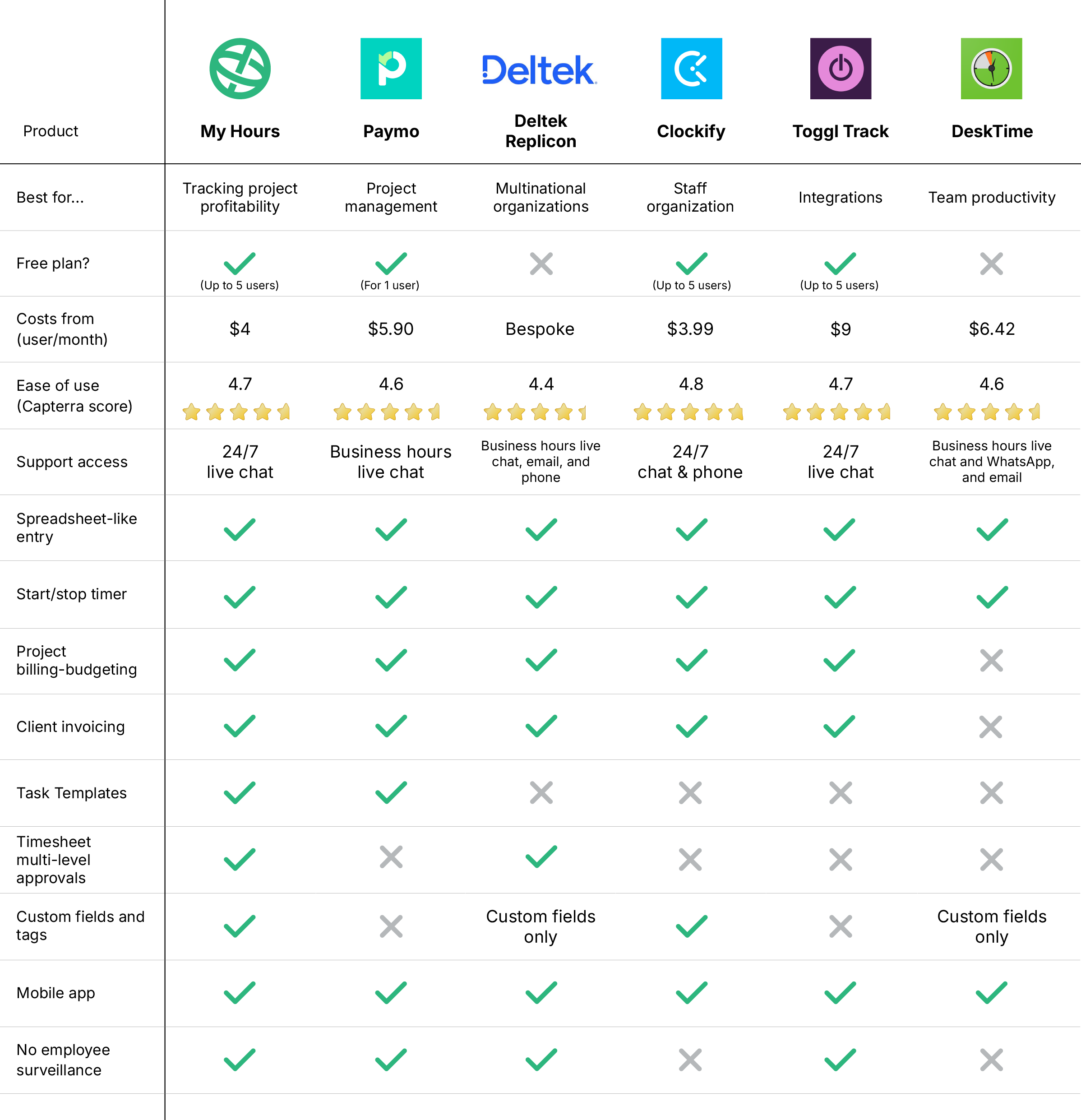
1. My Hours: Best for tracking project profitability
Price:
- Free (5 users)
- $5 - $9/per user (paid monthly)
- $4 - $8/per user, per month (paid annually)
- Enterprise pricing available
Available on: Desktop, web, browser extension, iOS & Android
Pros:
 Free plan
- Very user-friendly
- No surveillance features
- Flexible project costing and billing
- Granular insights and reports
- Compliant with regulatory frameworks and labor laws
Cons:
 No staff scheduling tools
- No native integration for payment processors
With 20 years of experience, My Hours is built with one job in mind – tracking time so you can run profitable projects.
Unlimited projects, tasks and clients in the free plan make it the best price performance app on the market.

Why Choose My Hours Over HubStaff?
HubStaff is more geared toward staff and payroll management, which makes it less suitable for organizations that rely on cost tracking and client billing.
My Hours takes the opposite approach, making it a better solution for smaller businesses that don’t need extensive staff management software.
Instead, it focuses on providing top-tier tools for project cost management with flexible billing structures like flat fee, user rates, individual task rates, and more. You can also set project budgets, track them in real time, and upload expenses directly to time entries.
Set unique billable rates per user or stick with standard labor rates that automatically track as users log their time. You can then invoice clients directly from within the app, using the inbuilt invoicing feature.
In contrast, HubStaff is extremely light on cost and billing tools. Besides budget management, there’s not a lot for teams that rely on tracked data to bill clients.
My Hours also does not believe in employee monitoring tools, and as such, you will find none on the platform (besides a few helpful alerts to remind users to track hours). HubStaff invests heavily into employee monitoring, which can affect worker morale and productivity.
Best of all, My Hours gives you unlimited feature usage with zero add-on costs. HubStaff forces you to upgrade to access its better features, and there are many add-on costs to be aware of.
HubStaff Drawbacks
1. Built for employee management, not profitability:
HubStaff gives you extensive features for resource planning and payroll, but falls short when you need accurate project cost and expense tracking tools.
How My Hours solves this: My Hours supports multiple project billing structures, along with clear budget tracking. Upload expenses and define billable hours for a true picture of profitability.
2. Extensive surveillance tools:
HubStaff supports micromanagement and oversight with screenshotting, URL tracking, and idle time detection.
How My Hours solves this: We feel that individuals work best when they’re not under constant scrutiny. My Hours contains zero employee monitoring tools, allowing workers to focus on their tasks rather than worrying about being watched.
3. Paywalls and add-on costs:
HubStaff has several plans and add-on features that significantly drive up the cost to get the features you need.
How My Hours solves this: My Hours offers a streamlined free plan for up to 5 users. A single paid plan unlocks the entire platform with zero hidden surprise costs.
Bottom line comparison

 Multiple paid plans and add-on costs
- Time tracking on any device and via GPS tracking
- Staff scheduling and time off planning
- Manual timesheet approvals
- Track hours for accurate payroll
- Feature-heavy dashboard

- Free plan and a single affordable paid plan
- Time tracking across all devices
- Project costing, budgets, and expense tracking
- Automated timesheet approvals and locking
- Track hours for accurate client billing
- Clean, user-friendly tools

2. Paymo: Best for project management
Price:
- Free (1 user)
- $9.90 - $23.90/per user (paid monthly)
- $5.90 - $16.90/per user, per month (paid annually)
Available on: Desktop, Web, iOS & Android
Pros:
- Automatic task tracking
- Staff scheduling and time off planning
- Gantt charts and Kanban boards
- Team collaboration
- Task management
Cons:
- Limited mobile app
- Reporting is lightweight
- Paid plans have feature limits
Why choose Paymo over HubStaff?
HubStaff is limited in terms of project management features, and while Paymo is not a heavyweight project platform, it certainly offers more.
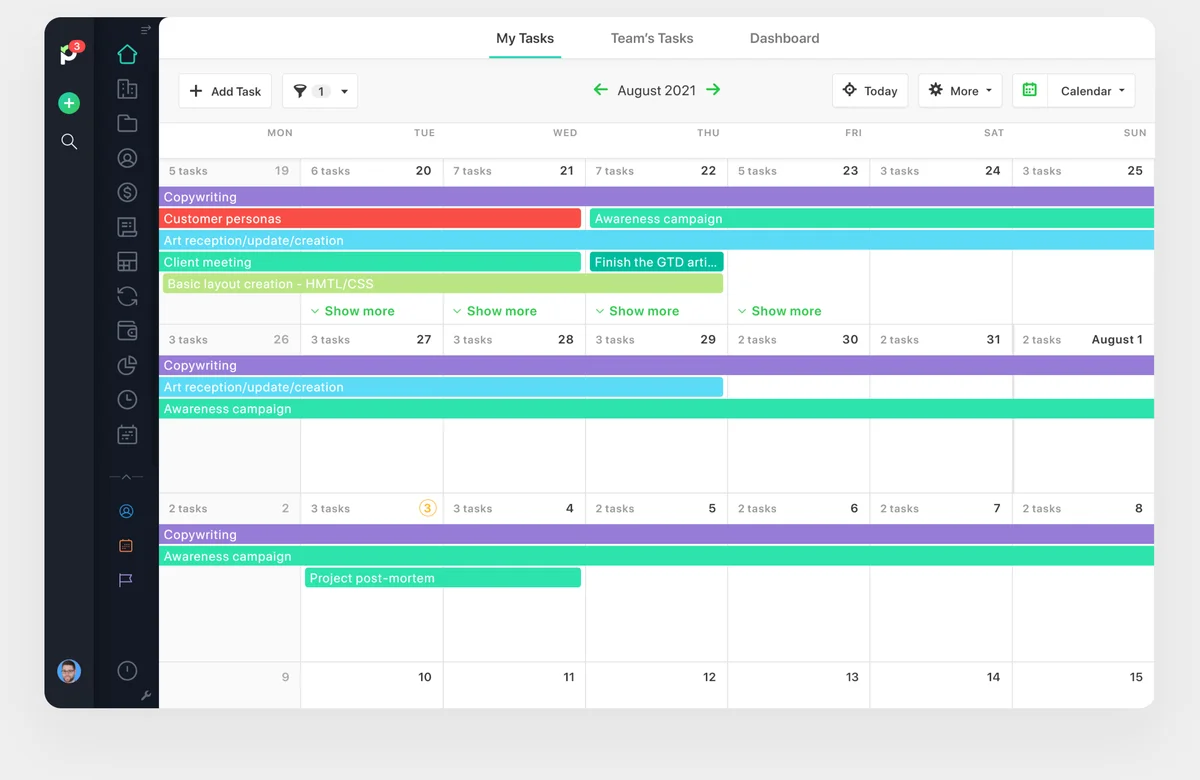
In-app team collaboration keeps everyone up to date in real time, and handy Kanban boards and Gantt charts let you plan out timelines and tasks.
Get a clear view of task priority by assigning statuses and uploading relevant files to tasks to keep everything organized.
For time tracking, you have several options. Automatic tracking works in the background, recording time spent on apps. Alternatively, you can use manual entry, a stopwatch, or a Pomodoro timer.
Staff scheduling and time off planning are included, plus you can track billable hours and expenses and invoice clients directly. Paymo also integrates with payment processors to facilitate smooth transactions.
We don’t like that plans have limits on the number of clients and projects you can have. For instance, if you want more than five projects, you’re forced to upgrade to the most expensive plan.
However, for an all-in-one platform, it covers all the basics and a bit more.

3. Replicon: Best for multinational organizations
Price:
- Bespoke
Available on: Desktop, Browser extensions, iOS & Android
Pros:
- Automated AI time tracking
- Built-in rules engine for compliance
- Supports multiple currencies and languages
- Workforce management tools
- Project cost and expense tracking
Cons:
- Complex platform with a large learning curve
- Limited mobile app
- Customization typically requires support
Why choose Replicon over HubStaff?
Both Replicon and HubStaff target enterprise customers, but Replicon is specifically designed for multinational organizations with complex compliance requirements.
The platform's extensive compliance rules engine can be customized to follow the labor and regulatory rules of any country. Plus, it supports over 28 languages and multiple currencies, making it ideal for global teams.
The platform also features staff management, time off, and resource planning tools at a global scale.
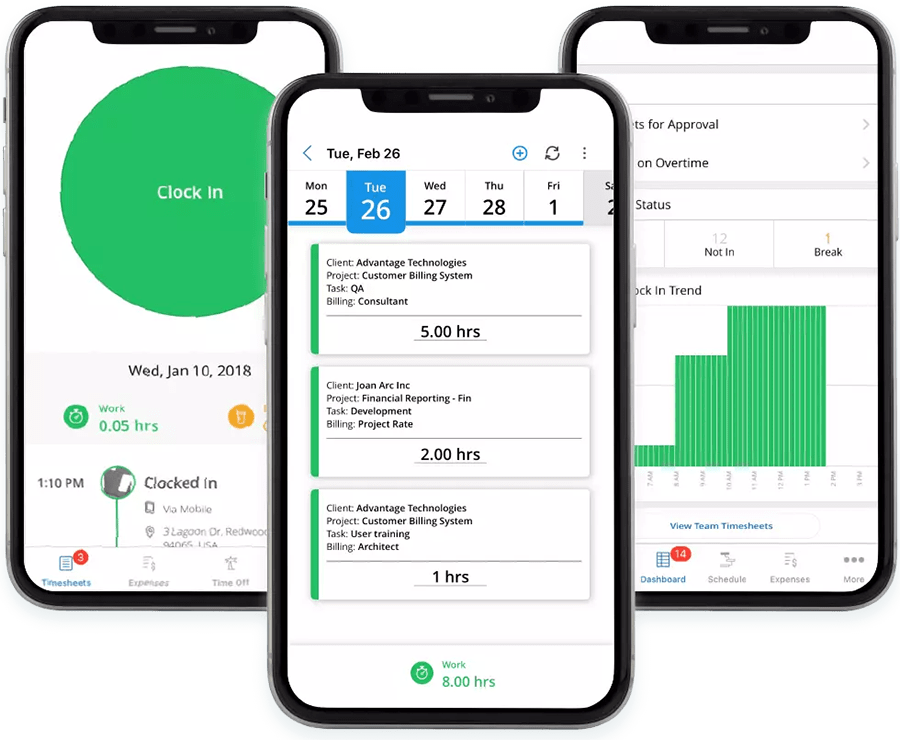
We like Replicon’s AI time tracking. It can analyze work activity and even calendar bookings and text conversations, and transform them into time logs.
It’s also a solid pick for teams that work offsite, since it supports geofencing, GPS tracking, and facial recognition for clocking in/out.
You can also track billable hours, which gives you flexibility around setting up project rates.
The trade-off is that Replicon isn’t exactly plug-and-play. It requires in-depth setup, and new users may face a steep learning curve. This is somewhat similar to HubStaff; however, we prefer Replicon’s dashboards for usability.

4. Clockify : Best for simple staff organization
Price:
- Free (5 users)
- $4.99 - $15.99/per user (paid monthly)
- $3.99 - $12.99/per user, per month (paid annually)
- Enterprise pricing available
Available on: Desktop, Web, iOS & Android
Pros:
- Time tracking across all devices
- Automatic website tracking
- Team scheduling and time off planning
- Pomodoro timer for focus
- Kiosk and GPS tracking
Cons:
- Project management costs extra
- Screenshots and idle time detection
- Essential features locked behind a paywall
Why choose Clockify over HubStaff?
Clockify is the one to choose if you require staff organization tools alongside time tracking for a reasonable price. Its top-tier plan contains pretty much every feature yet still costs less than half compared to the Hubstaff equivalent.
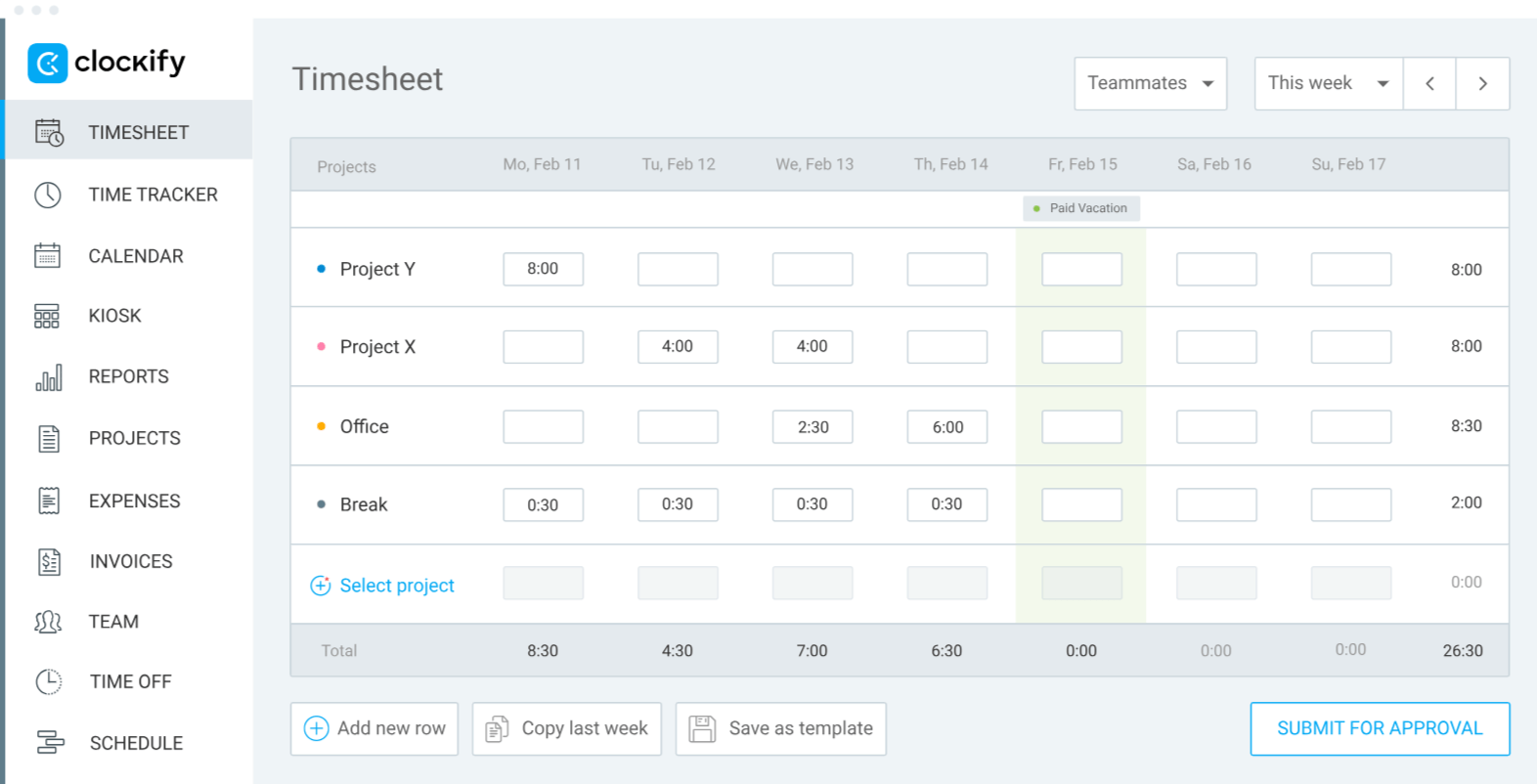
For the price, you get time off and break tracking, staff scheduling tools, and full calendar views of the workforce. Additionally, GPS tracking and a QR-based kiosk for clocking in/out are included.
And, although Clockify does not have geofencing like Hubstaff, it’s still a great choice if workforce planning is the priority.
Besides that, Clockify can record billable time, generate invoices, and has flexible project settings. And, of course, multiple ways to track time.
Like HubStaff, Clockify has employee monitoring tools, which include screenshotting and idle time detection. However, they’re definitely less invasive than HubStaff’s, and you can turn them off as needed.

5. Toggl Track : Best for integrations
Price:
- Free (5 users)
- $10 - $20/per user (paid monthly)
- $9 - $18/per user, per month (paid annually)
- Enterprise pricing available
Available on: Desktop, Web, iOS & Android
Pros:
- Visual and user-friendly
- 100+ native integrations
- Calendar view for workload planning
- Built-in invoicing
- Automated desktop time tracking
Cons:
- No staff scheduling tools
- Reporting options are limited
- Basic project management
Why choose Toggl over HubStaff
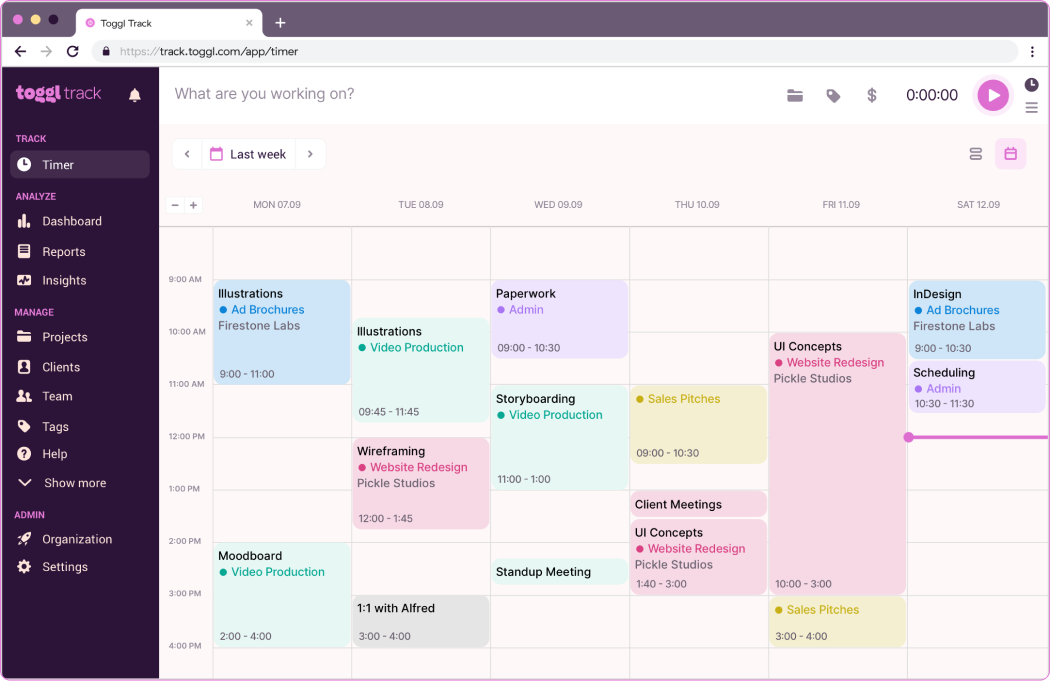
Toggl Track’s big appeal is its ease of use. The interface is clean, uncluttered, and quick to navigate, so you can get to what you need without digging around.
As far as time-tracking tools go, the learning curve is gentle, and its visual interface is a good option if you’re facing resistance to time tracking.
You can log hours in real time, manually, or offline, and the system syncs smoothly across every device. Tracking billable vs. non-billable work is straightforward, and the mobile app is fully featured, giving you access to reporting and other tools.
The timeline view is very handy for seeing exactly how days are split by tasks, while the calendar layout helps with planning and keeping workloads balanced.
Integration-wise, Toggl stands out. With connections to 100+ apps, it fits easily into existing tech setups. In contrast, HubStaff only has 30 integrations, which can be limiting for teams that rely on multiple software tools.
The trade-off is that some of Toggl’s broader features feel a bit lightweight. Reporting doesn’t go very deep, and tools like project costing or timesheet approvals feel quite basic. The lack of staff scheduling may also put off some users.

6. DeskTime: Best for team productivity
Price:
- $7 - $10/per user (paid monthly)
- $6.42 - $9.17/per user, per month (paid annually)
- Enterprise pricing available
Available on: Desktop, Web, iOS & Android
Pros:
- Deep productivity insights
- Staff scheduling, absence, and time off management
- Automatic time tracking
- Break reminders
- Personalized onboarding
Cons:
- No project billing and costing tools
- No billable rate tracking
- Screenshots and URL tracking
Why choose DeskTime over HubStaff
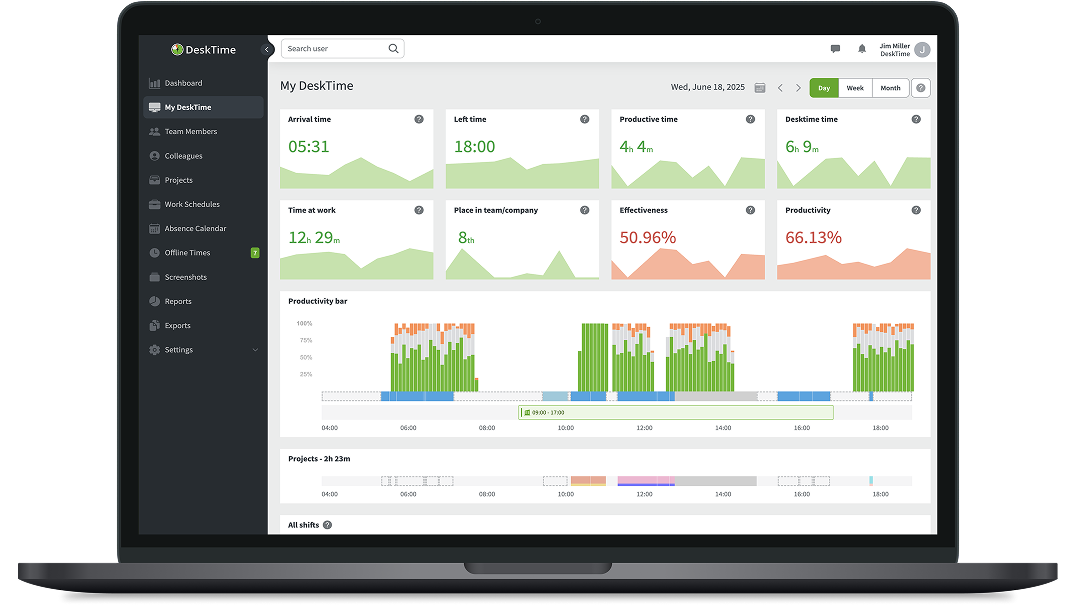
DeskTime is built for teams that want detailed insight into how work hours are actually being spent.
Its strength lies in automatic time tracking: once it’s running, it logs apps, URLs, and documents without requiring users to start and stop timers. That makes it appealing for teams that struggle with manual entries or frequently forget to track their time.
The platform also includes productivity categorization, letting you tag tools and websites as productive, unproductive, or neutral. Over time, this creates a clear picture of how focused the team really is during the day.
The real-time dashboard is especially handy for managers who want a quick snapshot of who’s active, who’s offline, and what’s getting done.
DeskTime also includes shift scheduling, an absence calendar, and a time off planner.
Like HubStaff, DeskTime does include (optional) employee monitoring tools. However, we really appreciate the break time reminders and the ability to take private time for off-the-clock device usage.
This app is not for tracking costs, though. There are no project billing or cost features, nor can you track labor or billable rates. To do this, you’ll need to integrate with a third-party tool.

7. Harvest: Best for client invoicing
Price:
- Free (1 user)
- $11 - $17.50/per user (paid monthly)
- $9 - $14/per user, per month (paid annually)
Available on: Desktop, Web, iOS & Android
Pros:
- Customizable invoicing tool
- Real-time tracking
- Intuitive interface
- 50+ native integrations
- Decent timesheet approval workflows
Cons:
- Limited project management
- No live customer support
- Expensive compared to the feature set

Why choose Harvest over HubStaff?
Harvest is a respected time tracking tool that gives you a clear calendar view to understand team workloads and capacity.
Track time using the start/stop timer or add time logs manually, and record billable hours as needed. Customized alerts help users avoid overtime and late timesheet submissions.
Harvest is not built for staff management, so you won’t find any scheduling or resource planning tools. Instead, it stands out for its invoicing features.
Create customized invoices that show clients exactly what they're paying for with detailed line items. You can email invoices directly to clients and set up automated payment reminder emails to reduce late payments.
The dashboard keeps track of everything that’s due or overdue, making it easy to follow up on outstanding payments. Harvest also connects with payment processors so clients can pay their invoices directly through the system.
Add expenses to time logs, which then get included on the invoice. You also have a few project costing tools, but keep in mind that there are no budget trackers.
You may also find the lack of live support an issue. You can schedule phone support, which is great, but there’s no line of contact if you need help in real-time.

8. ZoomShift: Best for shift workers
Price:
- Free (up to 20 users)
- $2.50 - $5/per user (paid monthly)
- $2 - 4/per user, per month (paid annually)
Available on: Desktop, Web, iOS & Android
Pros:
- Team scheduling tools with shift swapping
- Kiosk for clocking in/out
- Shift aligned timesheet reports
- Time off and overtime tracking
- Clear insight into labor costs
Cons:
- No project billing and budgeting tools
- Reporting overall is basic
- No live support
Why choose ZoomShift over HubStaff?
ZoomShift is built primarily for scheduling hourly staff and keeping tabs on attendance, making it a strong fit for retail, restaurants, and other businesses that rely on shift work.
Its drag-and-drop scheduler is a standout feature; simply drop shifts onto daily, weekly, or monthly calendars, and you’re set. The platform also supports shift swaps and replacement requests, so you’re not scrambling when someone can’t make it into work.
Employees can record their time by clocking in and out or using the start/stop timer, and the mobile app makes it easy to track hours from anywhere.
You also get automatic overtime and break tracking, which helps you comply with labor laws, especially since you can customize the rules around both. For instance, anything tracked beyond assigned hours will be flagged as overtime, and labor cost increases accordingly.
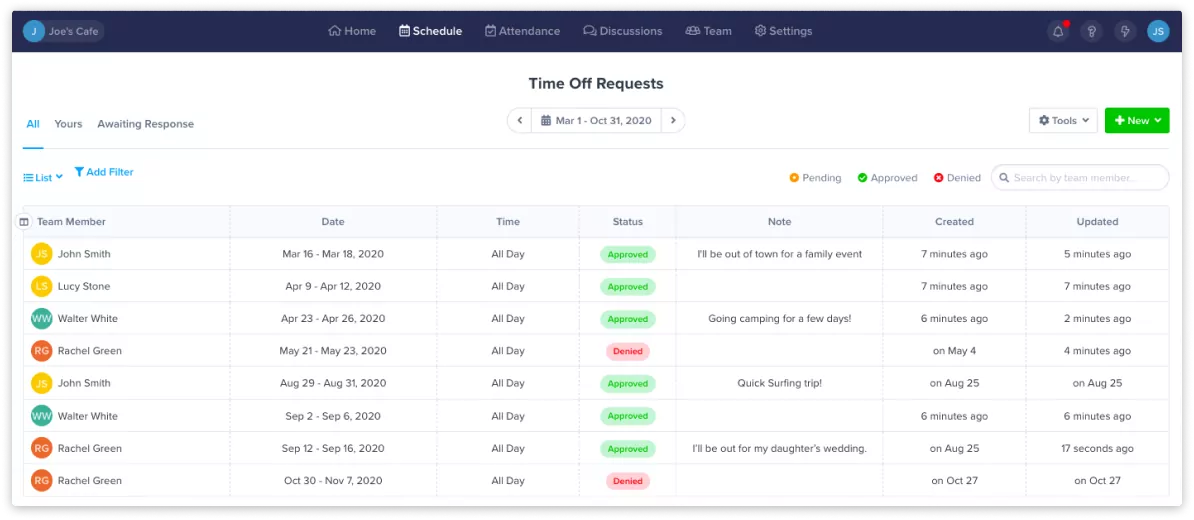
ZoomShift can also manage PTO balances and provides built-in workflows for requesting and approving time off.
While it offers a clear picture of labor costs, it’s not built for teams that need project-based billing and cost management. Yet it’s a frontrunner for managing hourly staff.
9. QuickBooks Time: Best for built-in accounting
Price:
- $10 - $20/month base fee (includes 1 Admin user)
- $8 - $10/per user per month
Available on: Desktop, iOS & Android
Pros:
- Works within the wider QuickBooks ecosystem
- Staff scheduling and time off management
- Geofencing and clicking in/out kiosk
- Project costing and budget tracking
- Unlimited customer support
Cons:
- Expensive plans
- Only worth it if you already use QuickBooks
- The mobile app isn’t reliable
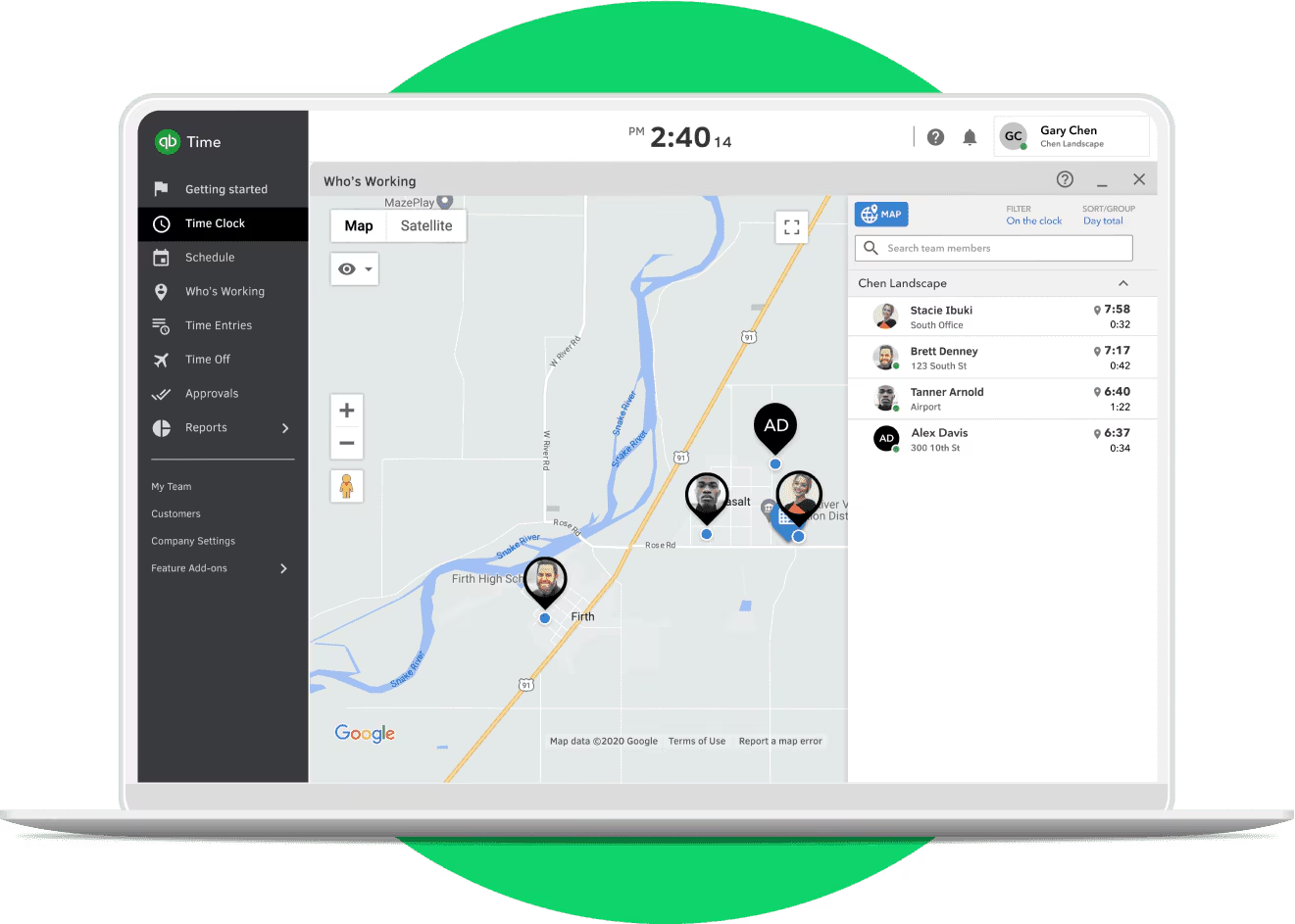
Why choose QuickBooks Time over HubStaff
QuickBooks Time’s biggest strength is its tight integration with the broader QuickBooks ecosystem.
Because it’s already tied into your accounting and payroll tools, you avoid complex integrations that many other time-tracking platforms require.
It’s also well-suited for teams working in the field thanks to geofencing and kiosk-based clock-ins. Otherwise, users can track using the start/stop timer.
Scheduling, shift management, and time-off tracking are all baked in, so you can manage your workforce and plan resources accordingly.
Upgrade to the higher plan, and you’ll unlock project tracking, task-progress oversight, and a full approval workflow for timesheets.
Unlike HubStaff, QuickBooks Time skips the surveillance, so it’s a friendlier, less intrusive option. And, of course, QuickBooks is an established payroll and accounting tool, so you get more functionality than you do with HubStaff.
The flip side is the price; there’s a monthly base fee plus a per-seat charge, which makes it more of an enterprise-friendly option than a budget pick.
But if you’re already running your financials through QuickBooks, adding the time module is by far the simplest way to bring time tracking into your setup.

10. HiveDesk: Best for productivity analysis
Price:
Available on: Desktop, Web, iOS & Android
Pros:
- Automatic time tracking
- Resource management and overtime tracking
- Task and project tracking
- Built-in invoicing
- Client management tools
Cons:
- Extensive employee monitoring
- No GPS tracking or geofencing
- Lacks advanced reporting
Why choose HiveDesk over HubStaff
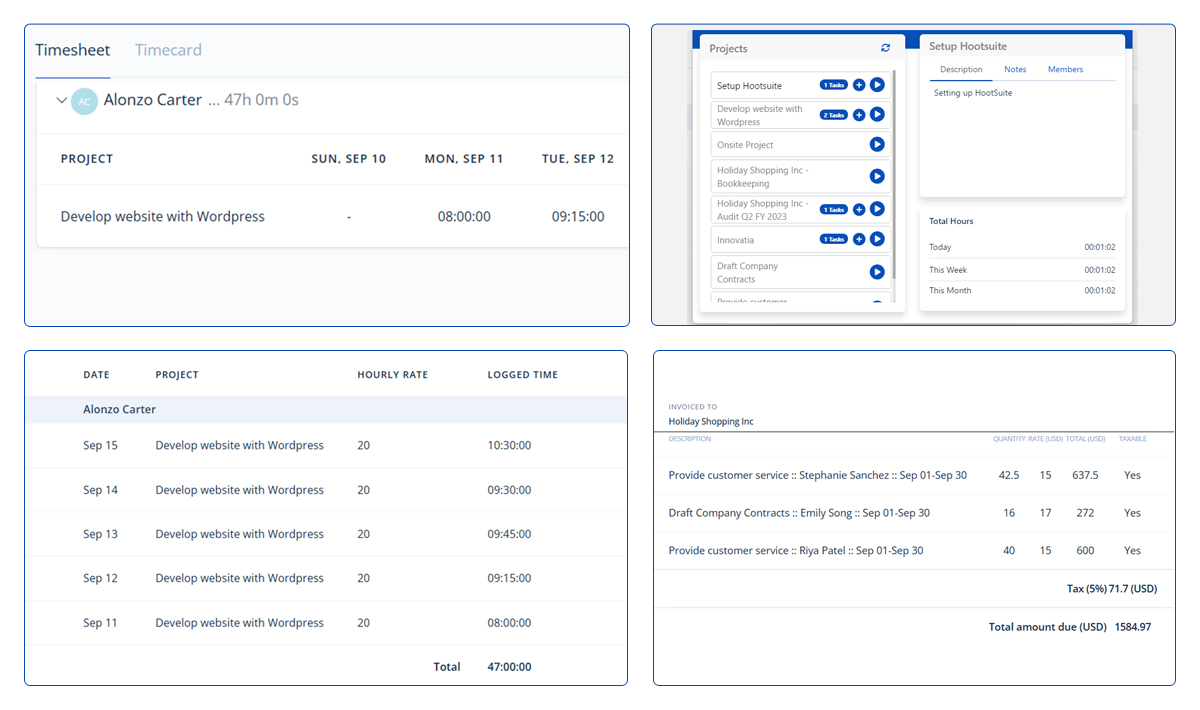
HiveDesk gives you straightforward tools to see who’s working, when they’re working, and what they’re working on.
Its automatic time tracking keeps logs accurate without relying on manual inputs. Meanwhile, built-in task management lets you assign work, track progress, and keep projects on schedule.
Activity reports also break down app usage and productivity trends, making it easier to spot inefficiencies or workload issues before they become real problems.
You get lots of tools for staff management, including attendance and vacation tracking, shift scheduling, and overtime management. You can add custom policies and rates to comply with labor laws and internal requirements.
HiveDesk includes project-level tracking, too, so you can see exactly how much time each task or client is consuming. This makes it useful for service-based teams that need to keep an eye on billable hours or compare estimated time vs. the actuals.
Compared to HubStaff, HiveDesk is less complex and generally more budget-friendly. However, it’s still heavy on the employee monitoring features, which we’re far less keen on.
How to Choose the Right HubStaff Alternative
With so many time-tracking platforms, it’s easy to feel swamped by the possibilities.
To narrow things down, you need to focus on what your business needs from a time-tracking solution. This clarity will make it easier to match features to your goals and find a tool that fits your workflow.
Use this handy checklist:
1. Define your usecase:
- How many employees do you have? Do you want time-tracking suitable for freelancers, single or multiple teams, or an enterprise solution?
- Do you regularly invoice and bill clients? What about staff payroll?
- Do you have to track billable time?
- Are you required to track PTO and other types of time off?
- Do you require project management and tracking tools?
- Is your time-tracking required to comply with any regulators or labor laws?
- Is productivity and employee monitoring important for your business?
- Are your workers accepting of or resistant to time tracking?
- Do you use multiple software that your time-tracking tool might have to integrate with?
- Do you regularly have to report time data to management and other stakeholders?
2. Features and tools: What does your time-tracking tool need for the right functionality?
- Manual, automatic, and real-time time-tracking
- Offline and online tracking capabilities
- Tracking via a mobile app, browser extension, or desktop
- GPS tracking and geofencing for remote workers
- Set billable and non-billable hours
- Expense tracking
- Budget management tools and cost optimization
- Inbuilt invoicing
- Payroll and staff payments
- Timesheet approval workflows
- Project and task management
- Multiple client handling
- Calendar or timeline overviews
- Employee PTO management and scheduling tools
- Overtime and workload trackers
- Granular user controls and permissions
- Idle time detection and automatic screenshots
- Focus and productivity features, such as website blocking or Pomodoro timers
- Third-party integrations
- Customized reporting and analytics
By now, you should have a good idea of your use case and the features you’re looking for. After narrowing down the choice of platforms, compare the following:
- Pricing: Do you want a free plan? For paid plans, are the desired features accessible at the right price point?
- User experience: Is the platform simple to use and navigate? Will your employees enjoy tracking time with it?
- Support and onboarding: Is customer support easily available and responsive? What kind of onboarding package do they offer?
- Data migration: If you have existing time data, can you easily migrate it over to the new platform?
- Security: Does the platform come with up-to-date security protocols for data privacy and protection?
- Online review scores: How do others feel about the platform? Are the reviews mostly positive, or are there some concerning trends?
Most importantly, try before you buy. All time-tracking platforms offer a free trial at the very least. Many of them have free plans, plus you can request a demo of premium features.
Test it out among your workers and see how they like it. Your time-tracking solution has to work just as well for everyone else as it does for you.
This way, when you’re ready to commit to a platform, you will already have employee buy-in and the rollout will be a much smoother process.
Frequently Asked Questions
How do I choose the best HubStaff alternative?
To choose the best HubStaff alternative, begin by identifying your organization’s needs and matching them with the feature sets offered by different apps.
Compare each option’s pricing, customer support, reputation, and user-friendliness. Then, test each platform using a free plan or trial period. Also, gather feedback from other users to gauge if the platform is a true fit for your organization.
What is the most affordable HubStaff alternative?
The most affordable HubStaff alternative is one that offers a free plan with low-cost upgrades.
Clockify, My Hours, Toggl, Paymo, and ZoomShift all provide free plans for multiple users. When you're ready to upgrade to paid features, these platforms offer competitive per-user rates that won't strain your budget.

Waste no more time,
jump right in!

All rights reserved.