
.png)
What Is the CapEx and OpEx Labor Close?
At the end of each month, finance teams must determine:
- CapEx labor — work that contributes to building long-term assets (such as software development or infrastructure projects)
- OpEx labor — work related to daily operations (such as support, maintenance, and administration)
This classification directly affects financial statements, tax treatment, and asset valuation.
Accurate classification ensures compliance and prevents costly corrections later.
Most companies complete the CapEx/OpEx labor close within 3–5 business days after month-end, as part of the overall financial close process.
Step 1: Capture and Lock Labor Data
The first step is collecting complete and accurate labor data.
Finance and payroll teams must ensure:
- The final payroll register is complete for the month
- Off-cycle payroll, bonuses, and overtime have been included
- Time entries are exported for the full period
- There are no missing timesheets
- There are no negative or obviously incorrect hours
- There are no entries dated after the cut-off
- Timesheets are locked, or changes are restricted
Without accurate time data at this stage, errors will cascade into reporting, financial statements, and audits.
Step 2: Classify Labor as CapEx or OpEx
Next, finance reviews time entries and assigns each one to the correct classification based on predefined rules.
This involves:
- CapEx/OpEx mapping is applied to all time entries
- Preliminary labor dollars are calculated
- Draft allocation file is prepared
- Team-level summaries are sent to managers
- Managers have reviewed and flagged misclassifications
- Corrections are submitted within the deadline
- Finance updated allocations
- Audit trail is kept for all changes
- Corrected time is re-approved where required
This step ensures labor costs are accurately categorized before posting to the accounting system.
Step 3: Record Labor Costs in the Accounting System
Once classifications and corrections are complete, finance formally records the labor costs.
- Final corrected allocation file is approved
- CapEx labor is aggregated by asset/project
- OpEx labor is aggregated by cost center/department
- CapEx journal entries are prepared
- OpEx labor journal entries are prepared
- Journals are posted to the general ledger
- Labor allocation period is locked
Step 4: Reconcile and Finalize Reports
In the final step, finance reconciles labor costs with payroll and accounting records to ensure accuracy.
This includes verifying that:
- Payroll totals are reconciled to the general ledger
- CapEx labor ties to fixed assets / CIP
- OpEx labor ties to payroll expense lines
- Clearing and accrual accounts are reviewed
- Benefits and taxes are validated
- Month-over-month variances are reviewed
- Anomalies are documented
- Labor allocation pack is saved
- Clean dataset is exported for FP&A, tax, and reporting
- Management CapEx/OpEx dashboard is updated
This ensures the final dataset is complete, accurate, and audit-ready.
Why Time Tracking Software Makes This Process Faster and Easier
Without structured time tracking, finance teams often spend days reconstructing labor data, chasing missing timesheets, and fixing classification errors.
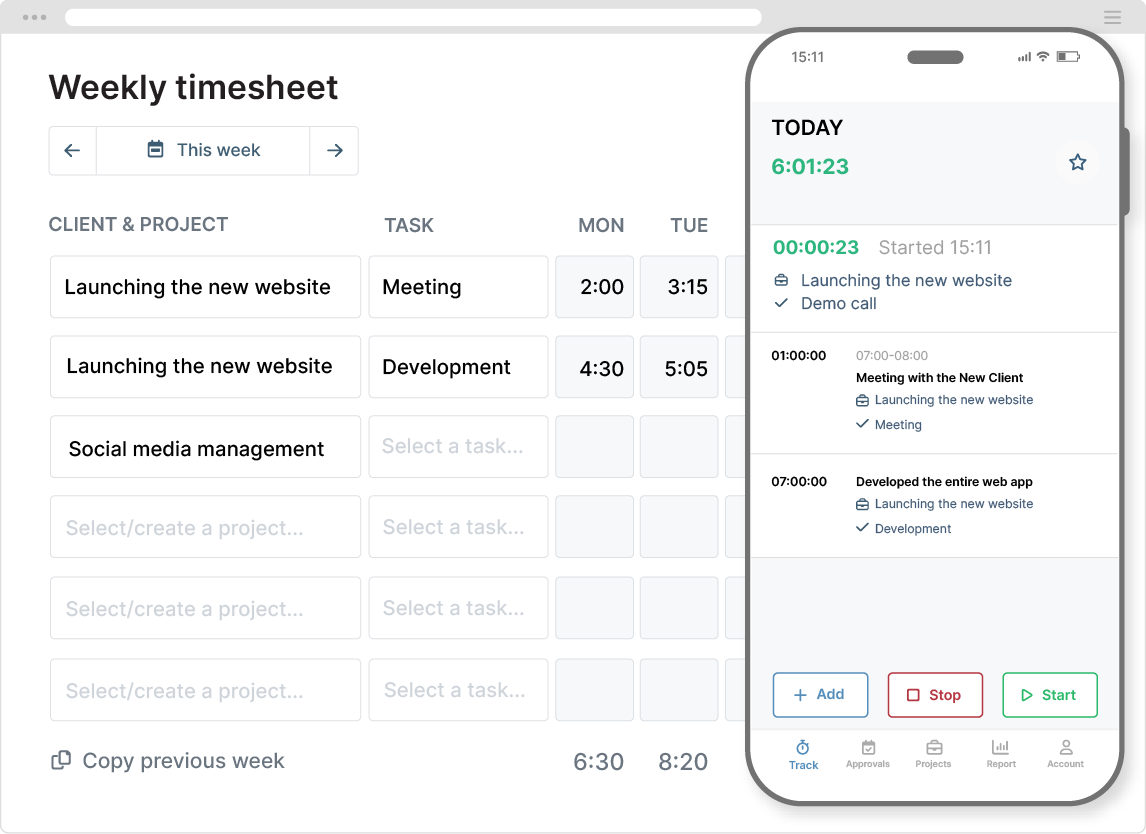
Time tracking software simplifies this by capturing accurate labor data at the source.
Automatic labor cost calculation
Labor rates can be assigned to employees or roles, allowing costs to be calculated automatically as time is logged. This eliminates manual spreadsheet calculations and reduces errors.
Accurate CapEx and OpEx classification
Time tracking systems allow work to be organized using projects, tasks, and tags. This ensures labor is classified correctly from the start, reducing rework during month-end close.
Built-in approvals and validation
Approval workflows ensure timesheets are complete and accurate before finance reviews them. Once approved, entries can be locked to prevent unauthorized changes.
This significantly reduces delays and corrections.
Clean, audit-ready data
Finance teams can export structured reports showing hours worked, project classifications, and labor costs. This makes reconciliation, reporting, and audit preparation much easier.
Audit trails also track all changes, ensuring full transparency and compliance.
GET MY HOURS FREE
Best Practices for a Faster CapEx and OpEx Close
Organizations that close labor efficiently follow a few key practices:
- Define clear rules for CapEx vs OpEx classification
- Require employees to submit time entries regularly
- Use structured project and task hierarchies
- Apply standard labor rates consistently
- Lock timesheets after approval
- Use time tracking software instead of spreadsheets
These practices prevent errors and reduce close time significantly.
Final Thoughts
Closing CapEx and OpEx labor doesn’t need to be slow or stressful. Most delays are caused by incomplete time data, unclear classification rules, or manual spreadsheet processes.
By using a clear, repeatable process and reliable time tracking software, finance teams can close labor faster, improve accuracy, and maintain audit-ready records.
The result is cleaner financial data, fewer corrections, and a more efficient month-end close.


