
8 Best Time Tracking Software for Contractors 2026
We selected the best time tracking tools for contractors, all tested and reviewed by our team with over 20 years of experience in time tracking software.
We focused on features contractors rely on every day, accurate project and cost management tracking, billable hours capture, and in-depth reporting.
Whatever your setup looks like, there’s something here that’ll fit your workflow.
By Miha Stanovnik and Mitja Puppis






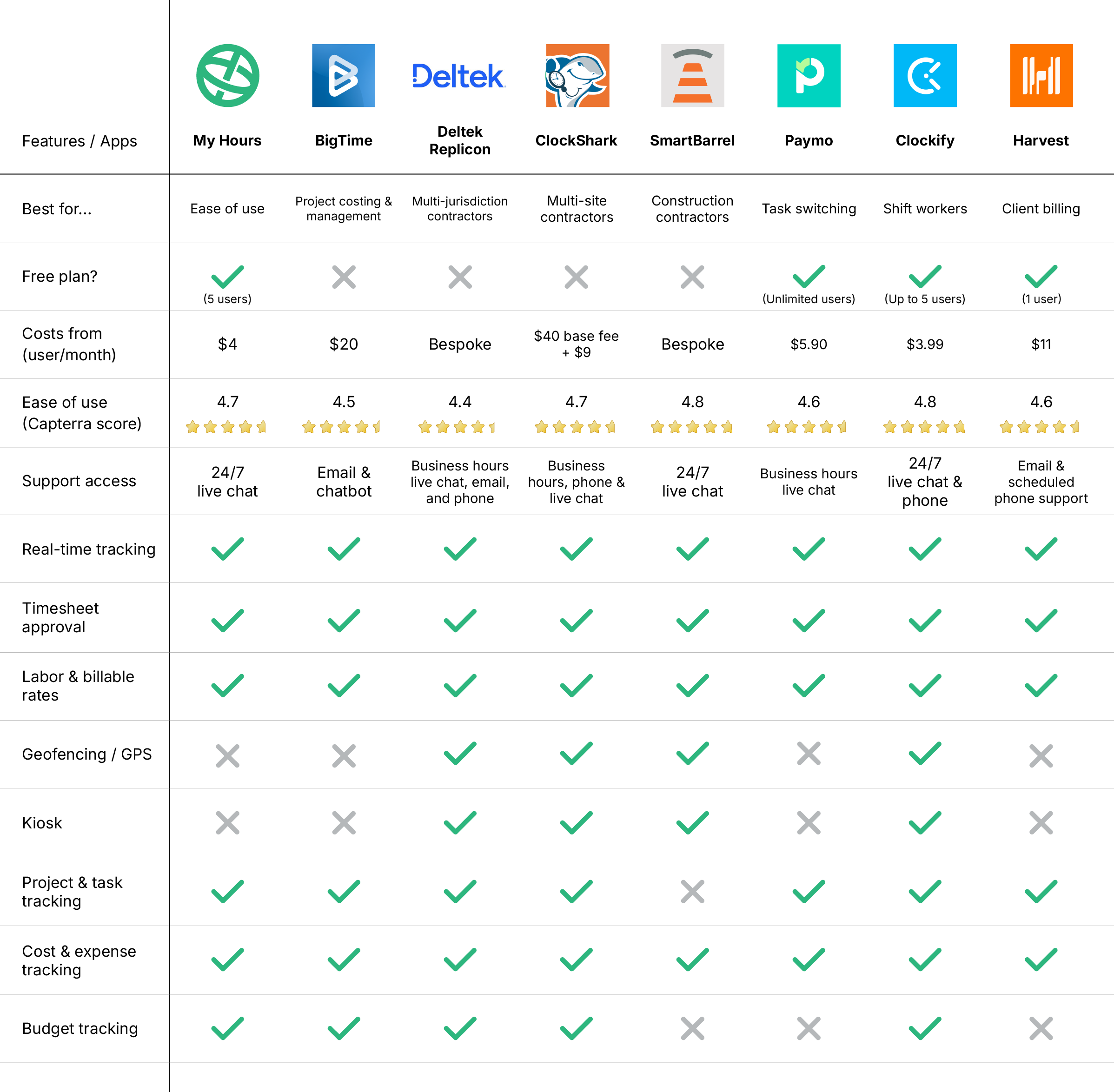
Content overview

Top 8 Contractor Time Tracking Software


1. My Hours: Best user-friendly app
Price:
- Free (5 users)
- $5 - $9/per user (paid monthly)
- $4 - $8/per user, per month (paid annually)
- Enterprise pricing available
Available on: Desktop, Web, Android, iOS, Browser extensions
 Supports offline tracking with a full-featured mobile app
- Extensive project billing and budget management tools
- Watertight timesheet approval workflows
 Limited project management tools

My Hours has the right mix of value, contractor-friendly tools, and user-friendliness.
The intuitive interface makes it simple to track time, including billable hours, and link to specific projects and tasks.
The platform supports flexible project billing structures, whether you work with flat fees, time and materials, or other arrangements, and you can invoice clients directly from the platform according to your contract terms.
Time tracking is available via the mobile app, the browser extensions, and the desktop app. All data is centralized and syncs instantly for a real-time view of time and resource allocation.
My Hours’ timesheets are also fully compliant with US labor laws, DCAA, and major privacy laws. Its timesheet approval workflows are solid and maintain accuracy, while the granular user permissions determine who can access different types of data.
Reports are highly detailed, giving you deep visibility into profitability, resource allocation, and other key metrics.
My Hours also lets you set project budgets and connect expenses to specific time logs, so you have clear insight into profitability.
While it’s not a full project management platform, it does support unlimited clients, projects, and tasks, and it connects effortlessly with your preferred PM tools.
“I've used My Hours for 9 years and have turned several other contractors over to this software because of the ease of use, functionality, AND if you missed starting the clock, then you can go back in and set it afterwards. It's accurate and so very simple to use.”

“There are so a lot of ways to organize your time logs by clients, projects, tags, and others, which takes a bit to get used to.”


2. BigTime: Best for project costing and management
Price: From $20/user per month
Available on: Desktop, Android, iOS, Browser extensions
- Flexible project billing models
- Detailed resource management tools
- Extensive dashboard data
- Pricing is not clear upfront
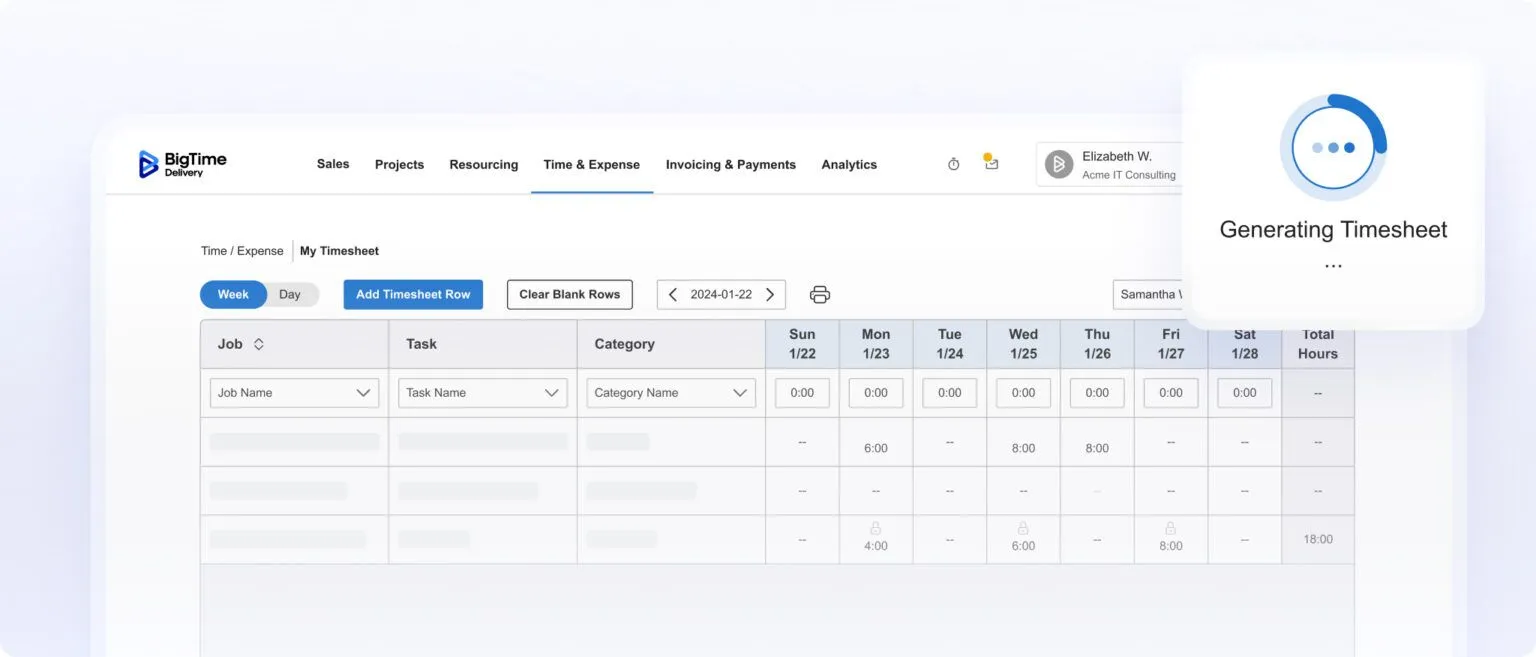
BigTime was designed for professional services, so it’s a solid option for engineering or consulting contractors.
Time tracking works through both mobile and desktop, with autofill functionality and smart presets that help you complete timesheets faster than manual entry.
The AI time agent ensures hours are logged accurately. It pulls in your desktop activity and calendar entries, letting you review your entire day's work and submit it to your timesheet in just a couple of clicks.
BigTime also comes equipped with project scoping and quoting tools and AI-powered staffing recommendations, so you can plan projects with precision. There are also multiple project management tools and built-in client invoicing.
BigTime has several plans and add-on modules, which can make things confusing and potentially expensive, especially since pricing isn’t transparent.
But if you like AI-powered tools, BigTime continues to invest in this area. Besides AI time tracking and resource management, it’s due to release an AI expense agent and a project assistance agent very soon.
“I use BigTime to enter all my hours worked on a project for a client as a contractor. BigTime is easy to use to enter my time each day and keep track of total hours billed to projects.”
“Although there are not a lot of issues happening with invoice processing, when it does experience an issue, the resolution takes a long time. Worst is that sometimes we just have to work around it because it can't be solved.”

3. Deltek Replicon: Best for multi-jurisdiction contractors
Price: Bespoke
Available on: Desktop, Android, iOS, Browser extensions
- Built-in rules engine for compliance
- Global workforce management and scheduling
- Supports multiple languages and currencies
- Complicated setup and lengthy onboarding

Replicon delivers substantial value for its price point. It’s stacked with features that let you track billable hours in real time, compare them against project deadlines, and even calculate gross pay for crews or subcontractors.
Where it really stands out is in multi-region work. If you take on projects across different states or countries, Replicon handles varying labor rules, currencies, and languages using its built-in rules engine.
Scheduling and capacity planning also scale well for dispersed teams.
The platform includes useful extras like AI that turns conversations into time entries, GPS tracking for field teams, and facial-recognition clock-ins for job sites with rotating workers.
The approval workflow is clear and easy to navigate, which helps when clients or managers need to review and sign off on submitted hours.
The system is a bit feature-heavy, though, and not the simplest to learn. Still, it’s one of the few tools built with multi-jurisdiction projects in mind, making it worth the initial investment for contractors who work across different regions.
“Replicon is robust and can be used in so many different time reporting contexts. Given that, I think it's a good system in terms of flexibility.”
“The customer service is the aspect that is the least appealing as a Replicon User. It can be hit or miss, sometimes requiring users to seek internal IT support, which is not ideal considering we pay for the platform and support is included.”

4. ClockShark: Best for multi-site contractors
Price:
- $40 - $60/month (base price)
- $9 - $11/month (per user)
Available on: Android, iOS, Desktop
- User-friendly, intuitive tools
- Geofencing and GPS tracking
- Geofencing and GPS tracking
- Mobile app has limited functionality
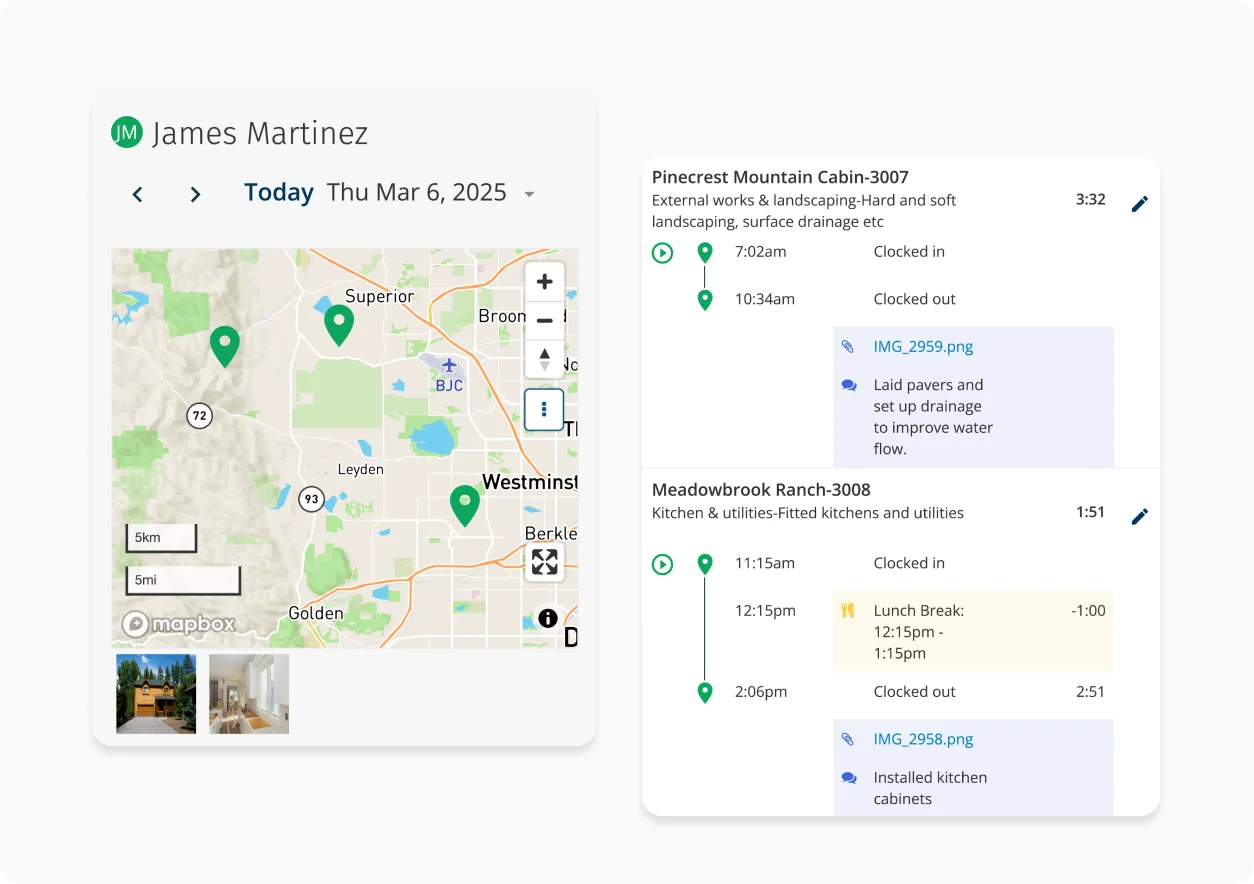
ClockShark gives contractors quick, one-tap time tracking through its mobile app, along with crew clock-ins and a kiosk mode that supports facial recognition.
You can assign hours to specific clients or jobs in seconds, and switch task easily when moving between projects during the day.
GPS tracking and geofencing show where each crew member is in real time, helping you gauge productivity and confirm who was on which site.
Reporting isn’t available in the mobile app, but the desktop version offers detailed, drill-down insights into team activity.
You also get crew scheduling, time-off management, and solid job-costing tools.
The built-in CRM is a useful feature, keeping client details organized and giving teams a space to discuss job updates in one place.
“First of all, the setup and training were super easy!!! I love that it can be used via both web & cell phones. This app tracks employees far beyond time-in and time-out. It also allows you to follow the total hours taken when completing tasks/projects with no hassle. The jobs, tasks, and employees were all easily added, and the reports are also the best and precise on hours for projects and employees.”
“There are some features that could be better. For example, scheduling, I would like to see the availability to only pick cost codes that are in the budget. Similarly, when switching cost codes administratively for a field employee who picked the wrong one, I'd like to see only the budgeted cost codes. Lastly, there should be a way to remove inactive cost codes. We have a ton that are no longer used, and I want to remove them from CS entirely.”

5. SmartBarrel: Best for construction contractors
Price: Bespoke pricing
Available on: Android, iOS, portable time clocks
- Clock in via app, kiosk, or physical time clock
- Includes facial recognition, geofencing, and offline tracking
- Customer support responds quickly
- Pricing is not transparent upfront
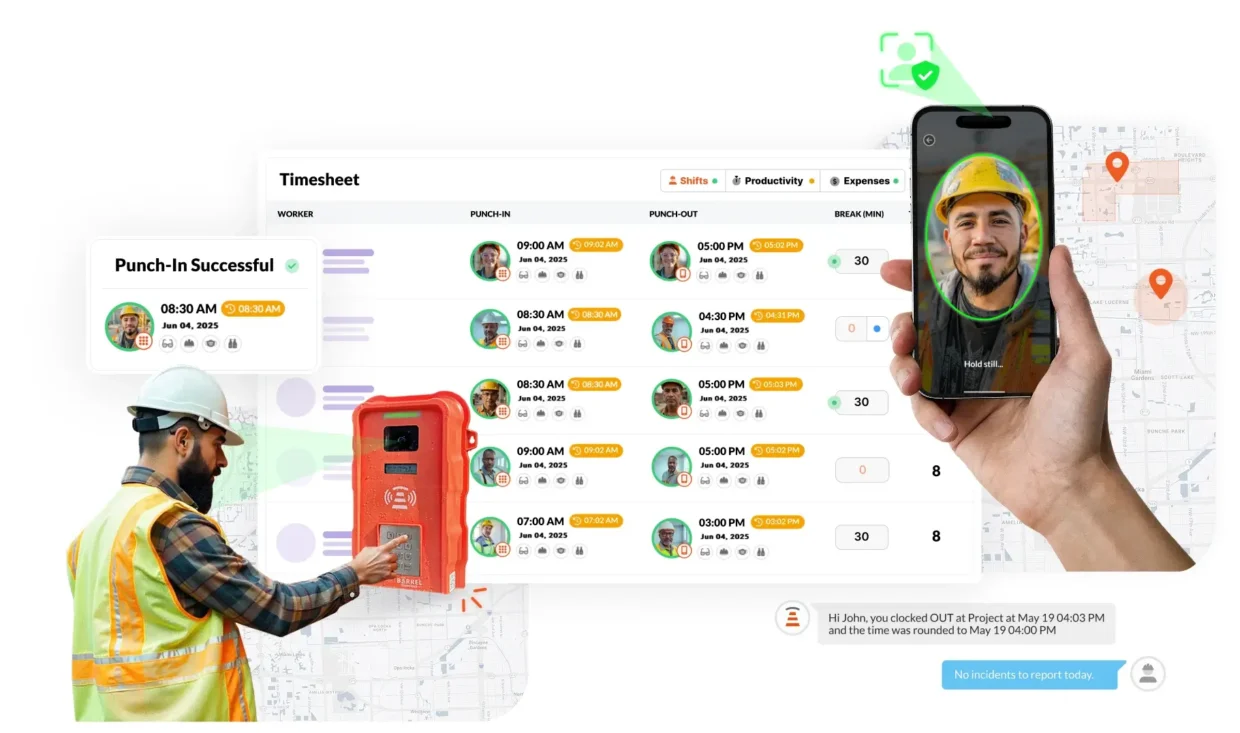
SmartBarrel was designed specifically for construction contractors and provides time tracking, attendance, and project oversight.
Crews can record hours through the mobile app or kiosk mode, and teams with 10 or more workers can add portable, solar-powered time clock stations that function offline.
Geo-fencing is included, and AI-based facial recognition helps verify identities and prevent buddy punching. Timesheets are generated automatically based on clock-in data and any custom break or rounding rules you set.
Additional features include shift approvals, job management, productivity tracking, access control, and PPE verification to ensure workers meet safety requirements.
Pricing could be more transparent, but overall, SmartBarrel is a strong option for contractors managing large teams or multiple job sites.
“Smart. Seamless. Future-Ready tracking. Removing handwritten and Excel timecards from our field has improved communications and saved so much time!”
“I would say my least favorite thing is how new it is, although this comes with benefits as well. I just think it is lacking in some basic interface areas. The initial dashboard, I think, is too cluttered.”

6. Paymo: Best for task switching
Price:
- Free (1 user)
- $9.90 - $23.90/per user (paid monthly)
- $5.90 - $16.90/per user, per month (paid annually)
Available on: Desktop, iOS, Android
- Automated time tracking and timesheet generation
- Accepts direct client payments
- Kanban board layouts for quick reference
- Lacks budget management tools
Paymo’s standout feature is its automatic time tracking. It records the time you spend in different desktop apps and turns that activity into draft time entries. All you have to do is assign each entry to the right job or task, which is convenient if you tend to bounce between projects all day.
If you prefer traditional tracking, Paymo also offers a simple start/stop timer, manual time logs, and even a Pomodoro timer.
It covers billable hours, tracks expenses, and lets you link a payment gateway so you can invoice and get paid without switching tools.
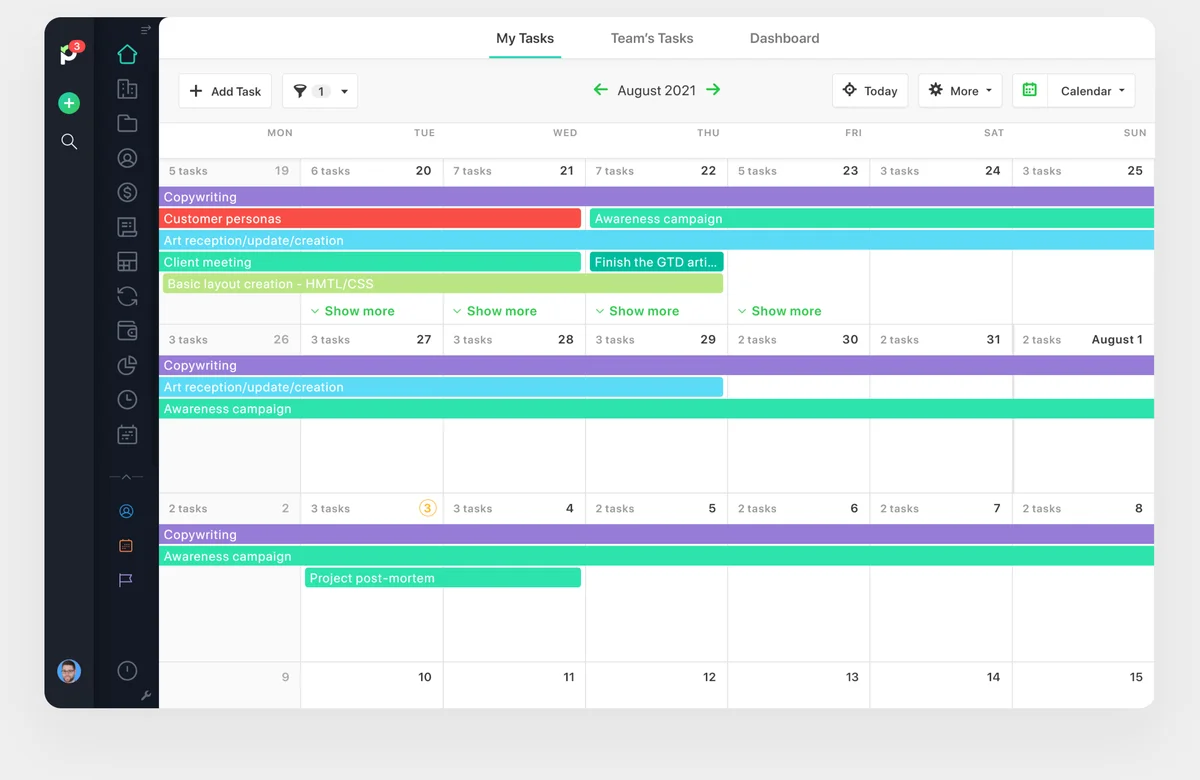
You also get helpful extras like appointment scheduling, a built-in calendar, team planning, and Kanban boards for mapping out client work. The interface is clean and easy to navigate.
The main drawback is the lack of budgeting tools, which isn’t ideal for contractors who need tight control over job costs. But, for lightweight project management, Paymo is a great tool.
“We love the time tracking and project management combined in Paymo, it allows for one tool for our team rather than having multiple software to do what we need. We use time tracking + the task/project management heavily, so it's awesome to have it in one product.”
“Paymo is best for small teams, so it might not be as suitable if your team grows beyond 20 people. This makes me wonder what I will use if I hire more employees, but we shall cross the bridge when we reach there.”

7. Clockify: Best for shift workers
Price:
- Free (5 users)
- $4.99 - $15.99/per user (paid monthly)
- $3.99 - $12.99/per user, per month (paid annually)
- Enterprise pricing available
Available on: Desktop, Web, iOS & Android
- Calendar view for planning workloads
- Time off and breaks tracking
- Easy setup and intuitive interface
- Project management is a paid add-on
Clockify has long been the leading choice for contractors who need a proven time tracker along with decent scheduling tools.
You can track time (and billable rates) manually, with the automatic tracker, or use a Pomodoro timer if you like working in focused sprints. Idle time detection is handy on job days where interruptions are constant.
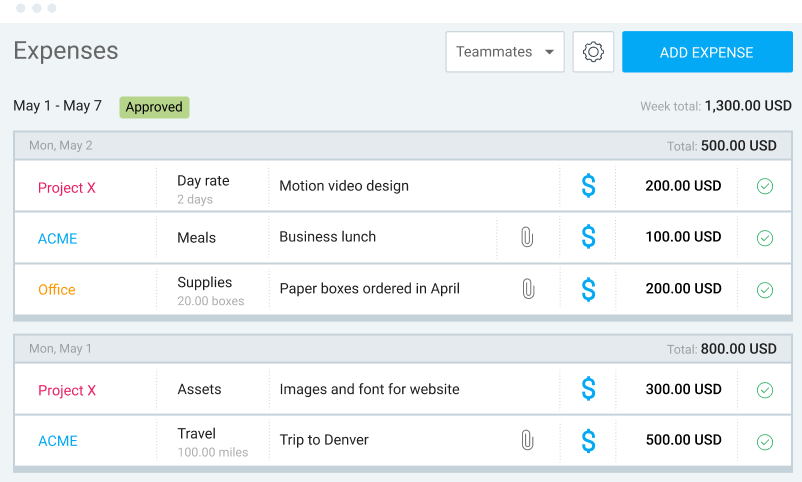
You also get a calendar view, a simple QR code-based clock-in/out kiosk for offsite crews, and team activity insights, all useful for maintaining oversight on resource allocation. The scheduling tool is great for organizing shift workers, plus you get tools to plan breaks and time off.
For projects, you can track billable time, budgets, and expenses. The reporting feature is good, but not as flexible as other choices on this list.
While Clockify might lack the depth of staff planning features compared to other platforms, this is offset by the reasonably priced plans. Therefore, we recommend it for smaller teams on a budget.
“What I liked most about Clockify is its user-friendly interface and the flexibility it offers for tracking time across multiple projects. The reporting features are also fantastic for gaining insights into productivity. Plus, the free tier is quite generous!”
“What I liked least about Clockify is that some advanced features are only available in the paid plans, which might limit its usefulness for users on a budget. Additionally, the mobile app could use some improvements for a smoother experience.”

8. Harvest: Best for client billing
Price:
- Free (1 user)
- $11 - $17.50/per user (paid monthly)
- $9 - $14/per user, per month (paid annually)
Available on: Desktop, Web, iOS & Android
- 50+ integrations
- Accepts payments directly
- Strong invoicing tool
- No real-time customer support
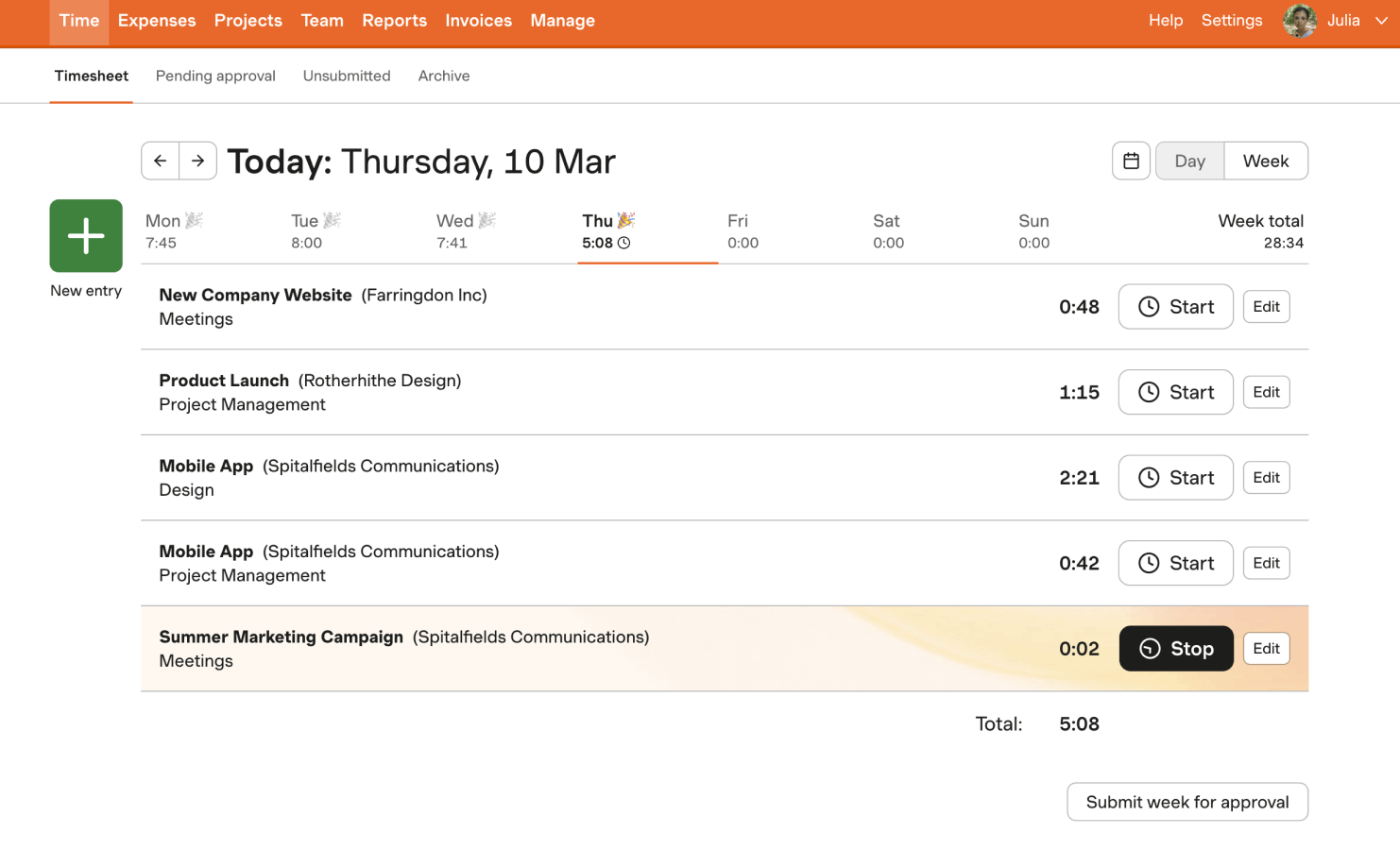
Harvest covers the essentials contractors need: a simple start/stop timer, manual time entry, and clear tracking of billable hours. The interface is clean and easy to master, even if you’re juggling managing contracts with different billing requirements.
Its biggest strength is invoicing. You can create branded, itemized invoices directly within the app and set automated payment reminders. Harvest also tracks which invoices are still open and connects with payment processors so clients can pay you directly.
You can log expenses on specific time entries and use basic project-costing features. We also like the project profitability report, which gives you precise visibility into how much money each contract actually generates.
Customer support isn’t ideal, though. Phone help must be scheduled, which isn’t great when urgent situations arise mid-contract.
Overall, we feel that Harvest suits contractors who want simple time tracking and invoicing in one place.
“I have used Harvest for almost 3 years now. Overall, I am satisfied with it. I used it with some contractors and also for myself. It does the job it is designed for. Quite easy to track time on a project.”
“The calendar is set to a standard working week (Mon to Fri); however, when working with clients in Saudi Arabia, the working week is Sunday to Thursday, so a week is split over 2 time sheets and can't be adjusted. It does make it a little manual when creating client invoices and timesheet matching.”
How to Choose the Best Time Tracking App for Contractors
There are tons of time tracking apps out there, and choosing the right one really depends on your agency and what you’re looking for in a tool.
This will help you decide whether to go with a simple time tracking solution or a tool that contains additional features to help you run your business.
To help you decide, consider the following:
- The size of your agency
- Your budget
- The number of clients you typically have
- If work is carried out in the office or off-site.
- Whether you want a standalone time tracking tool or one that’s combined with project management
In our opinion, there are several “bare minimum” features that we feel agencies need the most. So, at the very least, ensure your chosen app includes:
- Simple stop/start time tracking from any device
- The ability to assign time entries to projects and tasks
- Customizable reports
A combined time tracking and project management tool could be the right solution if you are looking for new software in both areas.
However, if you are currently satisfied with your project management tools, it’s best to pick a time tracking app that integrates with your existing software.
How We Chose the Best Contractor Time Tracking Apps for 2026
With so many apps fighting for attention, we zeroed in on tools that actually fit how contractors work day-to-day.
We read real user reviews to see which apps contractors trust and why. Then we dug into our own experience and evaluated features against what a contracting business genuinely needs from a time-tracking system.
Here’s what that looked like:
- Studying reputable review sites like Capterra and G2
- Browsing contractor-focused discussions and recommendations on Reddit and Quora
- Testing every recommended app to see how well the features hold up
- Checking each product’s customer support for responsiveness and quality
- Our 20+ years in the time-tracking world also helped us steer clear of generic tools and focus on options that truly support contractor workflows
Disclaimer: Yes, My Hours is on the list!
Why include it?
My Hours won’t be the perfect fit for every contractor, but many of our users contractors themselves, so we know it hits the mark for this line of work.
While it’s not a full project management system, it offers an incredibly intuitive way to log billable hours from anywhere, whether you’re in the office or on a job site.
Its biggest advantage is simplicity. And since My Hours features built-in compliance, it’s suitable for all types of contractors.

Waste no more time,
jump right in!

All rights reserved.
Product
Resources
Use Cases
Integrations
Looking for employee attendance and absence tracking? Visit All Hours.
