
Compliance Checklist: General, R&D, and DCAA
For timekeeping, documentation, and labor laws
The checklist is easy to use. Just run through your existing processes and check them off. Any gaps will become obvious fast, giving you a clear picture of what needs to be addressed.


Who is the Free Compliance Checklist for?
This checklist is essential for US-based organizations of any size.
The Fair Labor Standards Act (FLSA) has clear expectations around time tracking and document retention. These rules apply to all organizations that employ staff, and they govern how compliance with labor laws is maintained.
For organizations that engage in research and development (R&D), there are stricter obligations for time tracking and documentation. Non-compliance can result in your company not qualifying for the R&D tax credit.
Lastly, any business that takes on government contracts must follow the strict timekeeping standards enforced by the Defense Contract Audit Agency (DCAA).
These rules are designed to ensure that labor costs charged to federal contracts are accurate, verifiable, and supported by clear documentation. Failure to follow them can lead to audit findings, rejected costs, or even the loss of contract eligibility.
Because each of these areas has different expectations, this guide provides three separate compliance checklists, so organizations can quickly assess where their current processes may fall short.
What Does the Compliance Checklist Download Contain?
The single download contains three separate checklists for:
- General compliance with labor laws
- R&D tax credit claims
- DCAA compliance
You will also find a simple scoring method that will help you assess your level of risk.
The checklists also contain links to helpful resources that you can use to strengthen your timekeeping process and audit readiness.
Ensure compliance with My Hours time tracking
Many compliance gaps result from using outdated or manual systems to track time.
For instance, a spreadsheet system is notoriously unreliable and prone to containing errors. On top of that, spreadsheets lack the safeguards required by DCAA or tax authorities to protect data integrity.
Switching to digital time tracking software, like My Hours, quickly addresses these problems.
Built for compliance, it ensures your time data is accurate and adheres to rules set out by the FLSA, DCAA, and the relevant tax authorities.

Daily contemporaneous tracking
My Hours features real-time tracking via a simple start/stop timer.
- Works on any device, including Android, iOS, and various browser extensions
- Use the client/project/task hierarchy and custom tags to track breaks, all types of leave, and different work categories

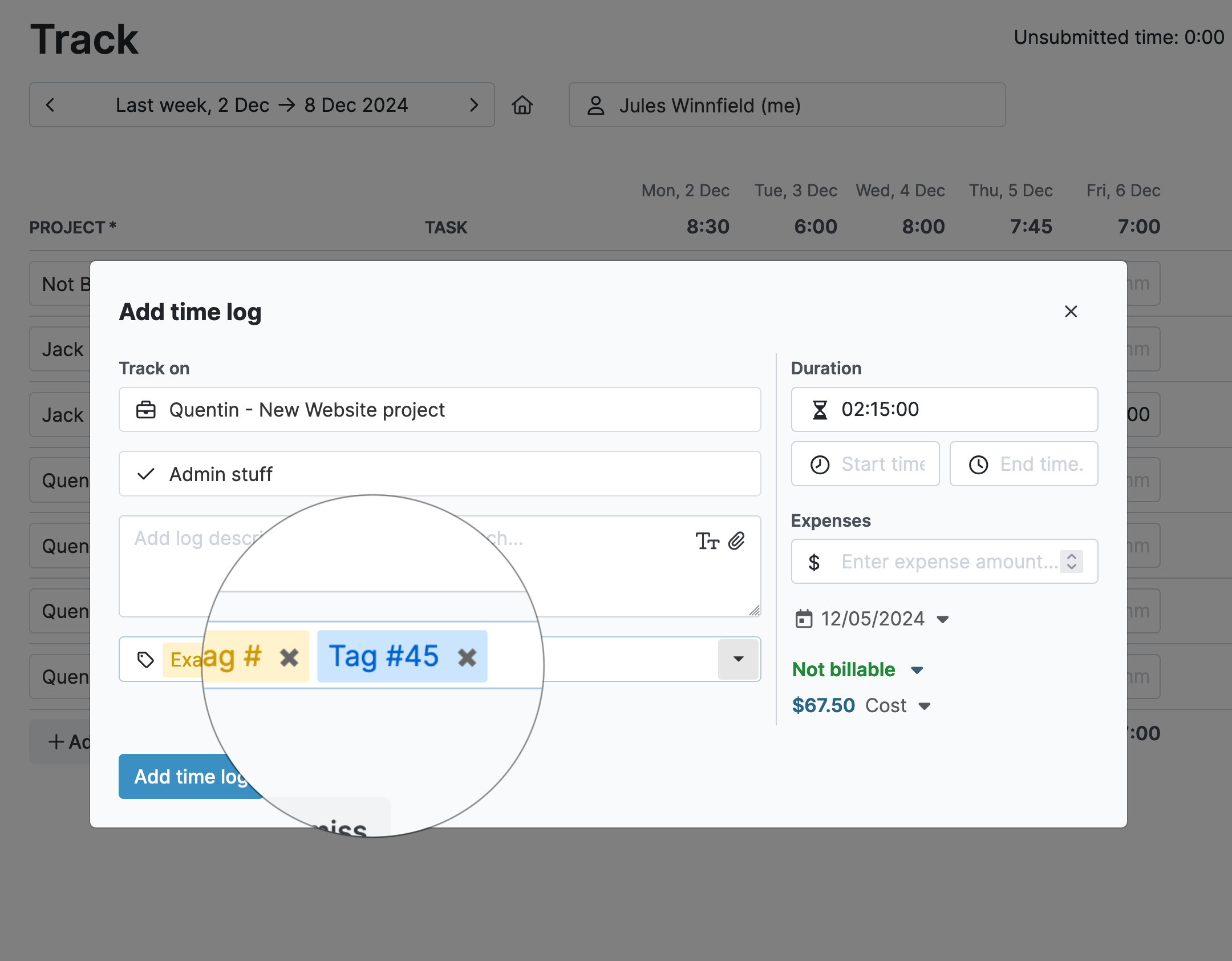
Detailed time entries
Customize timesheets to ensure they match your compliance obligations:
- Use custom tags and custom fields
- Set up mandatory project and task allocation and time entry descriptions to ensure workers add the right context
- Choose which additional fields appear on the time entry form, like budgets and start and end times
Helpful alerts for timesheet completion
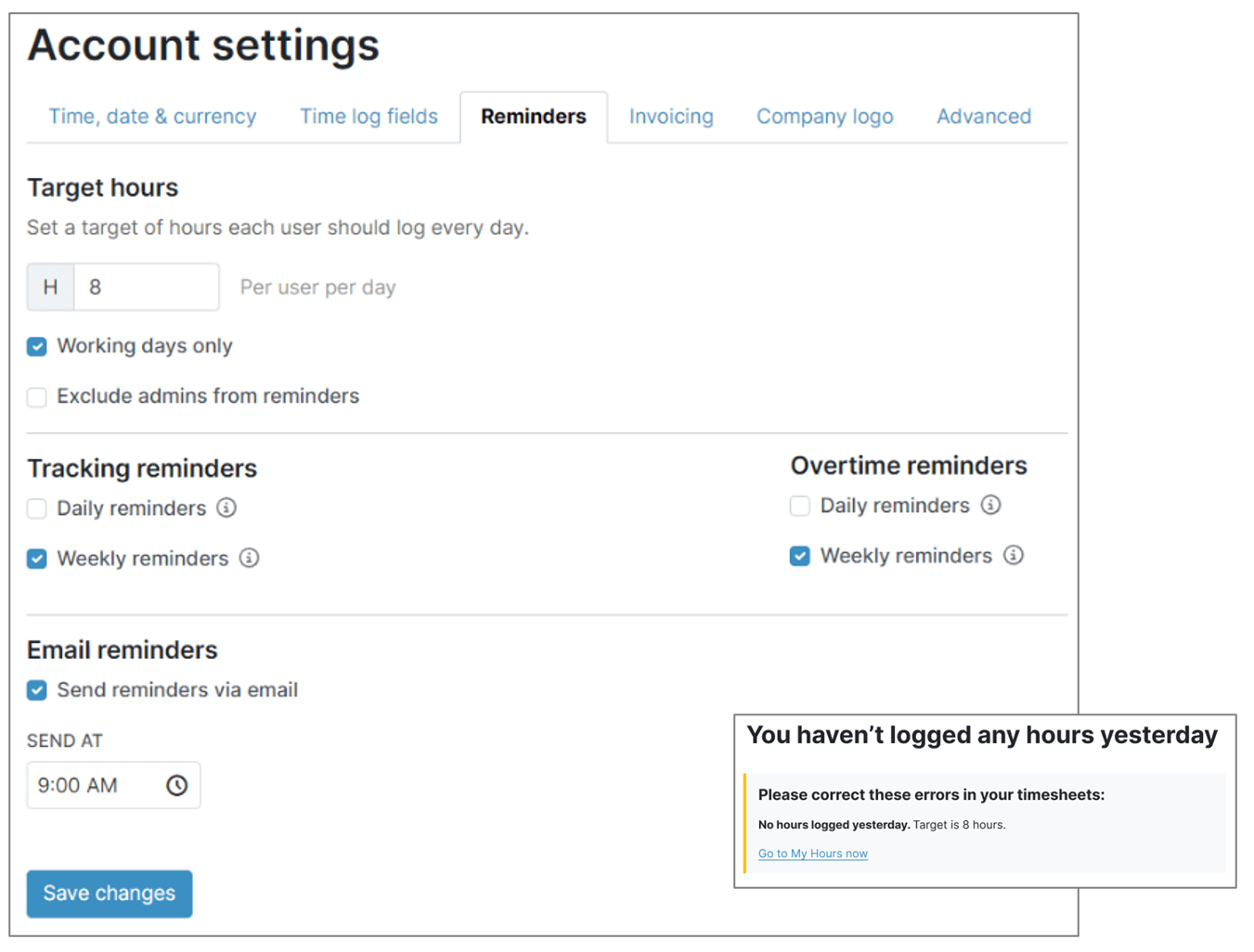
My Hours will send automated alerts to help users complete and submit their timesheets on time:
- Set daily target hours for each user; an alert will be sent if a user does not log their target hours
- My Hours can also send a pre-submission warning if a timesheet contains errors
Track labor costs alongside time
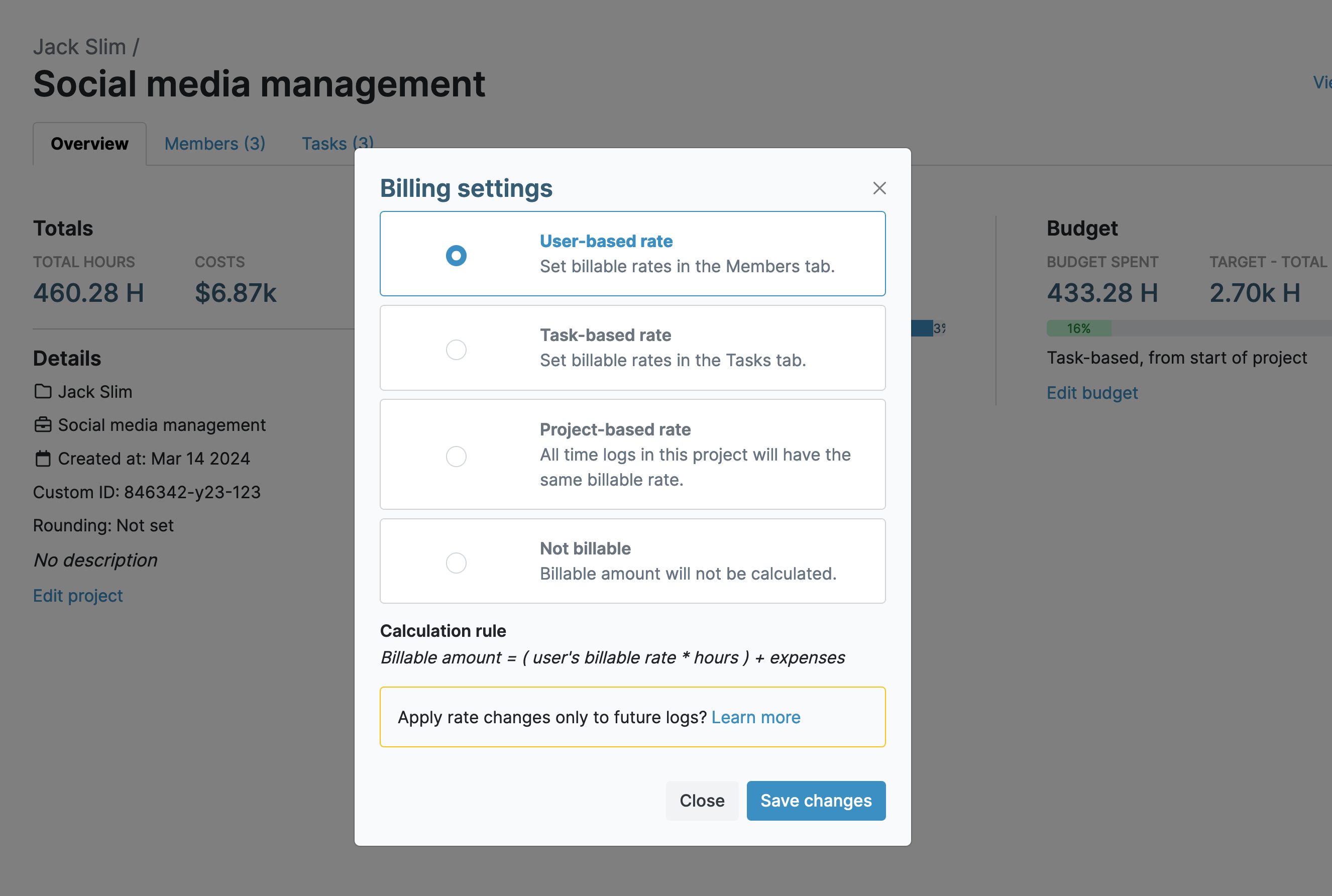
Easily align time with labor costs by tracking hourly rates.
- Assign each user a unique hourly labor rate; as time is tracked, so is the rate, providing an accurate cost for each time entry
- Organizations that bill clients can also input a unique billable rate
- Additional expenses can be added to time entries, linking them directly to specific deliverables
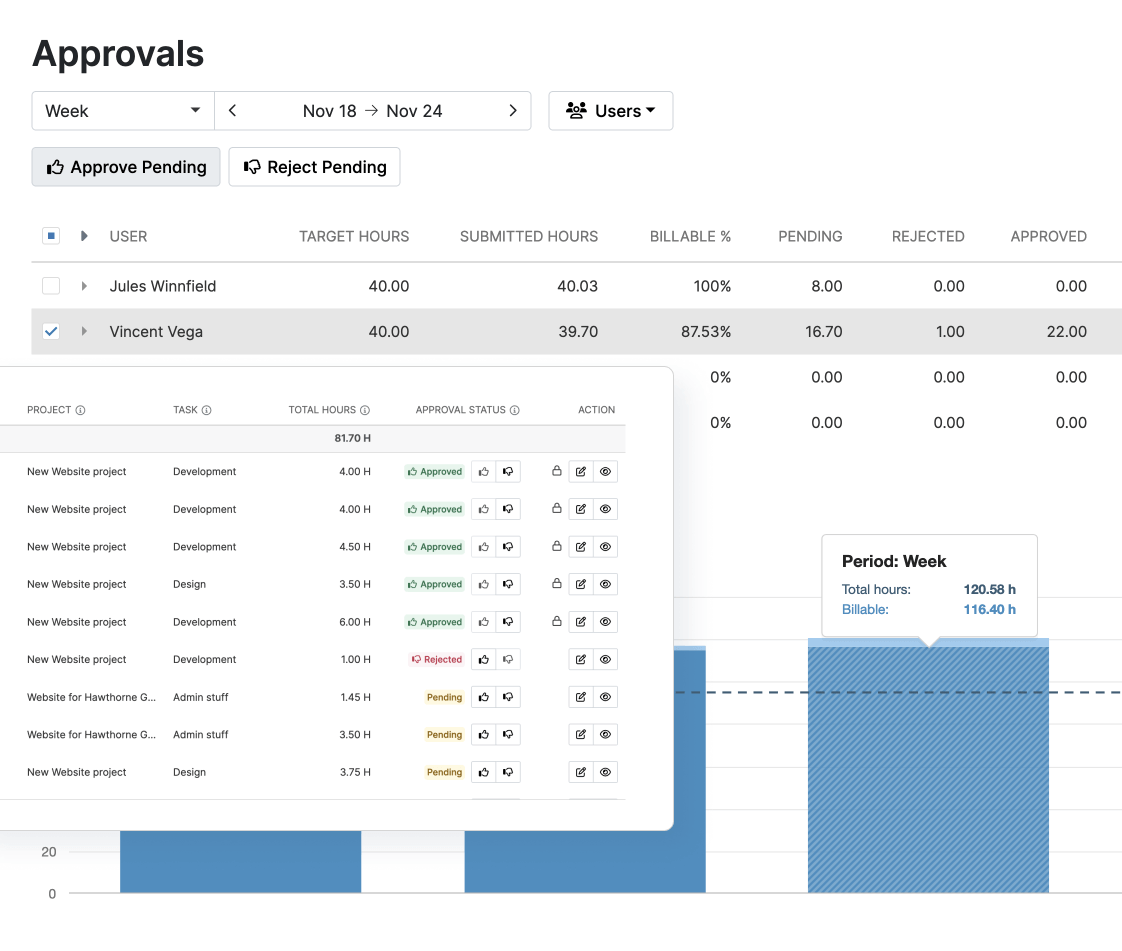
Timesheet validation and approval
My Hours features a simple yet robust approval workflow to ensure that timesheet data is checked and validated before it reaches payroll.
- Supervisors can approve or reject entire timesheets or individual time entries
- All requests for adjustments are documented with a reason and timestamped
- After timesheets are approved, the data is locked, preventing further edits
Documented audit trail
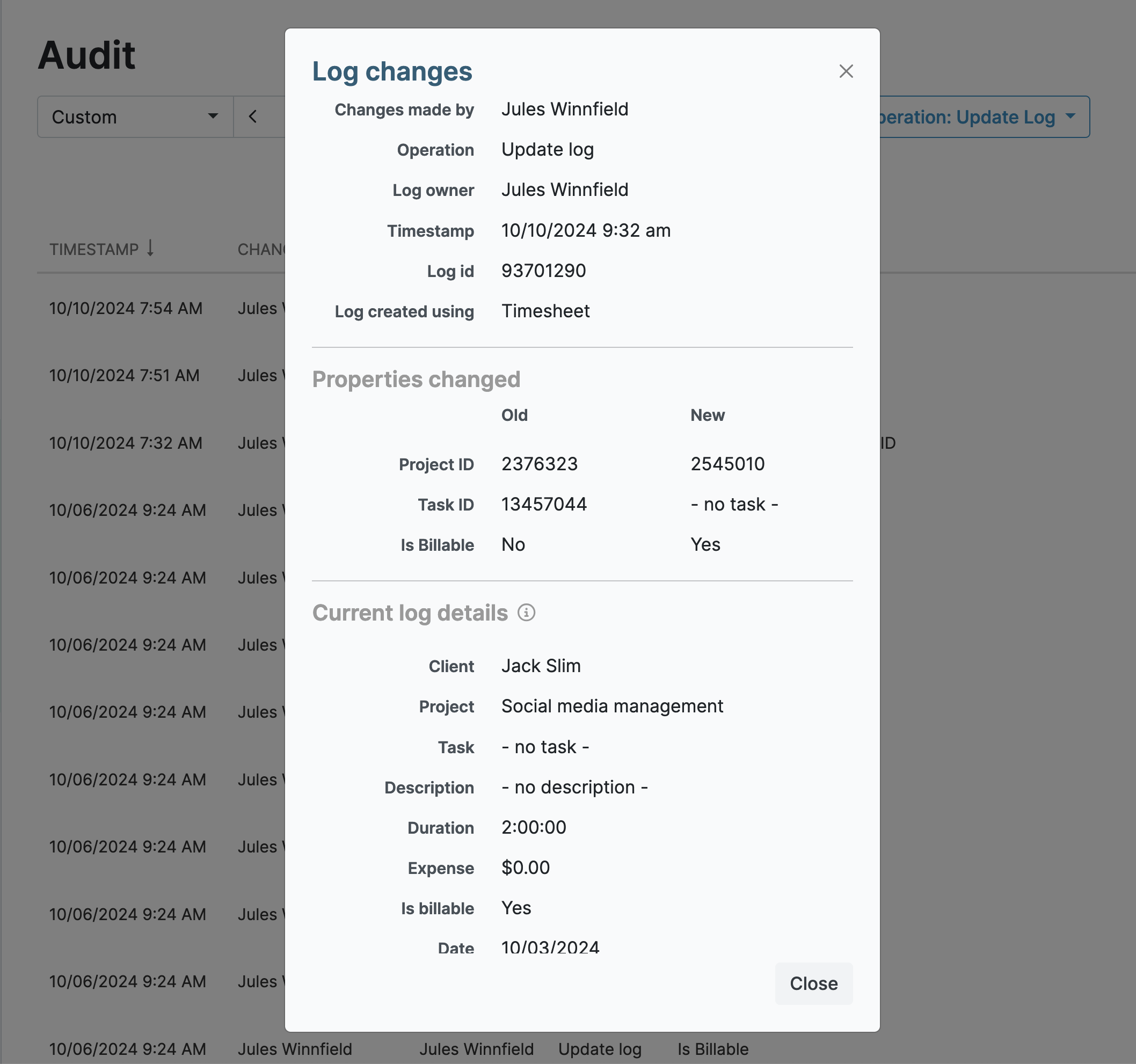
All actions, changes, and adjustments that take place within My Hours are documented within the audit log.
- Filter the audit log by time and date, user, and operation
- Export the log in XLS format
Customized reporting
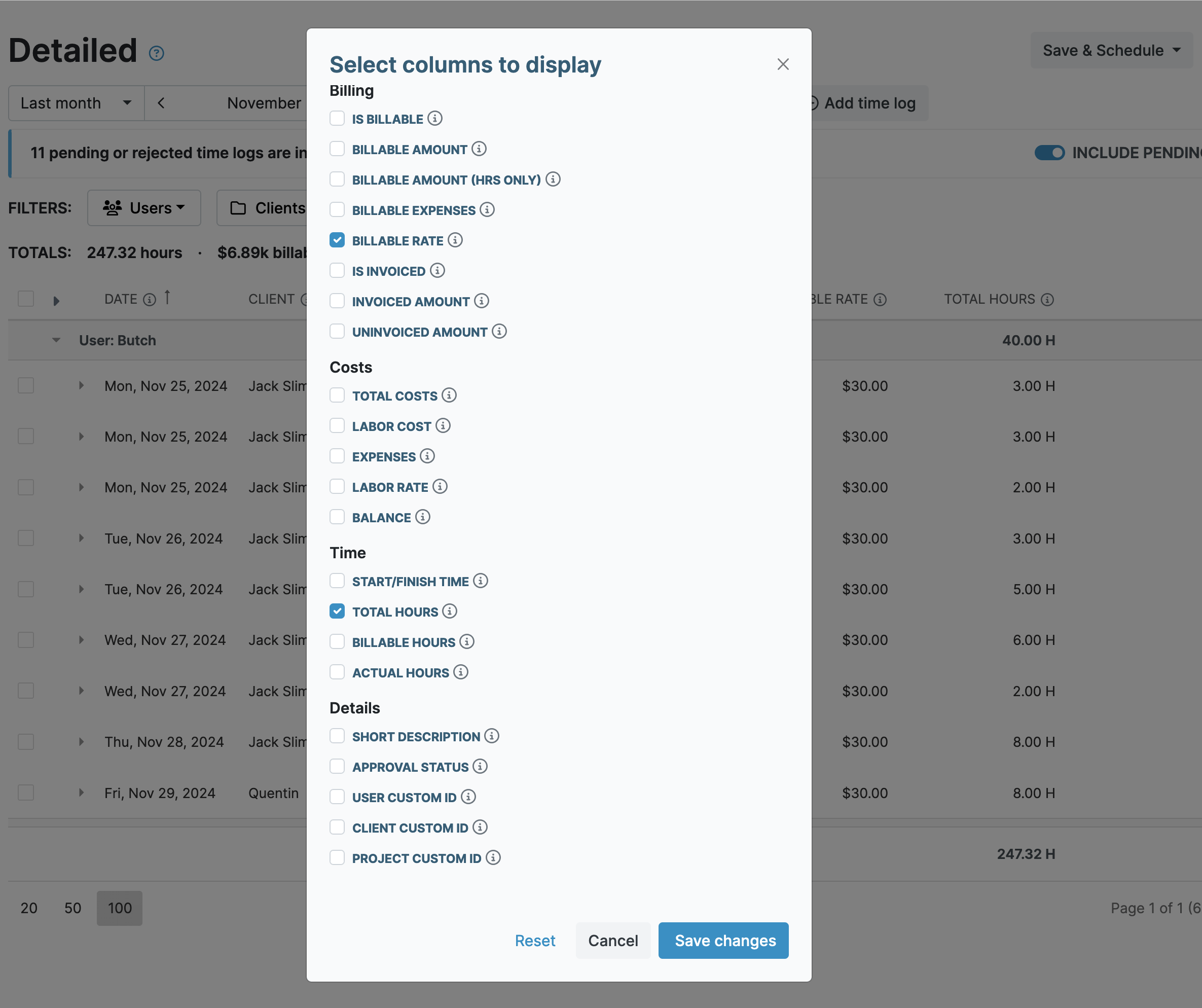
Generate as many reports as you need for compliance, audits, and regular reporting requirements.
- Choose from the detailed, timesheet, or dashboard report; simply pick the filters and data columns to display the desired data
- Report settings can be saved as templates
- Export reports in XLS or PDF formats and email them from within My Hours directly to recipients
Strong access controls and security
My Hours ensures platform security with controls that define who can access data:
- Role-based access controls (Admin, Manager, and Normal User) prevent users from accessing or viewing others’ data
- Users can only track time against the projects and tasks to which they’ve been assigned
- All data in My Hours is kept secure and according to the newest TLS 1.3 security protocol


Waste no more time,
jump right in!

All rights reserved.