
Cost Center Tracking Software
Track and Allocate Costs by Cost Center in One System
 Assign cost center allocation on time entries using custom tags and fields
- Track user hourly labor rates with the structured time entry form
- Upload expenses and assign to relevant cost centers
- Filter reports by cost center, department, projects, and more
Tracking by cost centers just got easier with My Hours
Understanding the total project cost is essential, but knowing where those costs originate is the key to better financial control.
For larger organizations, costs are typically spread across departments, internal initiatives, and support functions. But without structured tracking, data gets messy.
Which teams consume the most resources? How does internal work affect budgets? Which departments are driving overhead? Where is non-billable time increasing?
You won’t get the answers to these questions unless you start tracking time by cost centers.
Track time and expenses by cost center with My Hours and get a clear view of how resources are allocated. No matter which area of the business you are monitoring, all data is captured in one centralized place, giving you complete visibility into expenditure.


Trusted by more than 100.000 businesses worldwide


Custom Tags for Flexible Cost Center Tracking
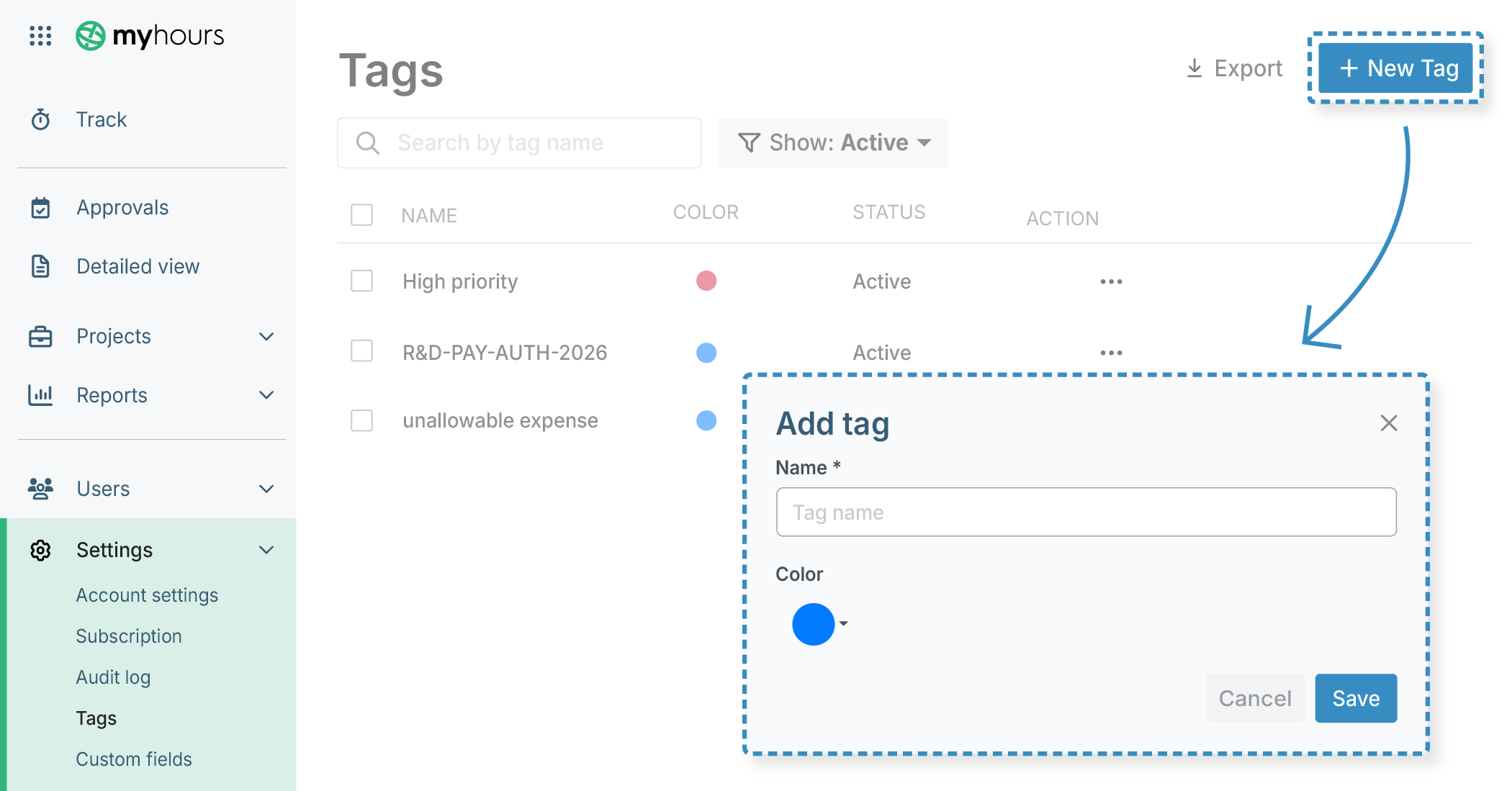
My Hours lets you create unlimited tags. Flexible and convenient, they offer a consistent way to categorize time, without adding complexity to the process.
- Add multiple tags to time and expense logs
- Use tags for cost center codes, CapEx vs. OpEx, and allowable/unallowable costs
- Organize tags into color-coded groups for easier identification
- Use tags for dynamic categories that change over time
Custom Fields for Structured Tracking Across Entities
Custom fields allow you to apply consistent classifications across every level of your workspace.
.png)
- Create up to two custom fields for clients, projects, tasks or users
- Choose from flexible field types: text, dropdown, multi-dropdown, and date
- Add up to three numeric custom fields to the tracking form for additional data
Define Labor Costs
Tracking costs is easy with My Hours, and flexible too, since you can adjust labor rates according to the assigned projects.

- Assign an hourly labor rate per user or apply a standard rate across the organization
- Automatically track labor costs alongside time entries
- Customize labor rates by project
- Set different rates for the same user across projects
Track Team Expenses
Labor isn’t the only cost that affects budgets. Therefore, My Hours enables users to log expenses, just like they do for time.
.png)
- Assign every expense entry to a project and task for accurate cost allocation
- Add tags and custom fields to categorize expenses by cost center and deliverables
- Upload invoices and receipts to each expense entry
Filter Reports by Cost Center
My Hours reports give you big-picture overviews or granular insights. Whether you want to update departmental heads or perform in-depth cost analysis, My Hours has you covered.
.png)
- Use the Dashboard report for a high-level visual overview of spending
- Analyze data in detail with the Detailed report
- Filter by cost center, department code, projects, teams, and more
- Export reports in Excel or PDF format
- Email reports directly from within My Hours
Set Budgets to Control Project Spending
My Hours lets you define cost limits to ensure that departmental spending stays under control. Compare expenditure with budgets to monitor how much each team or cost center consumes.
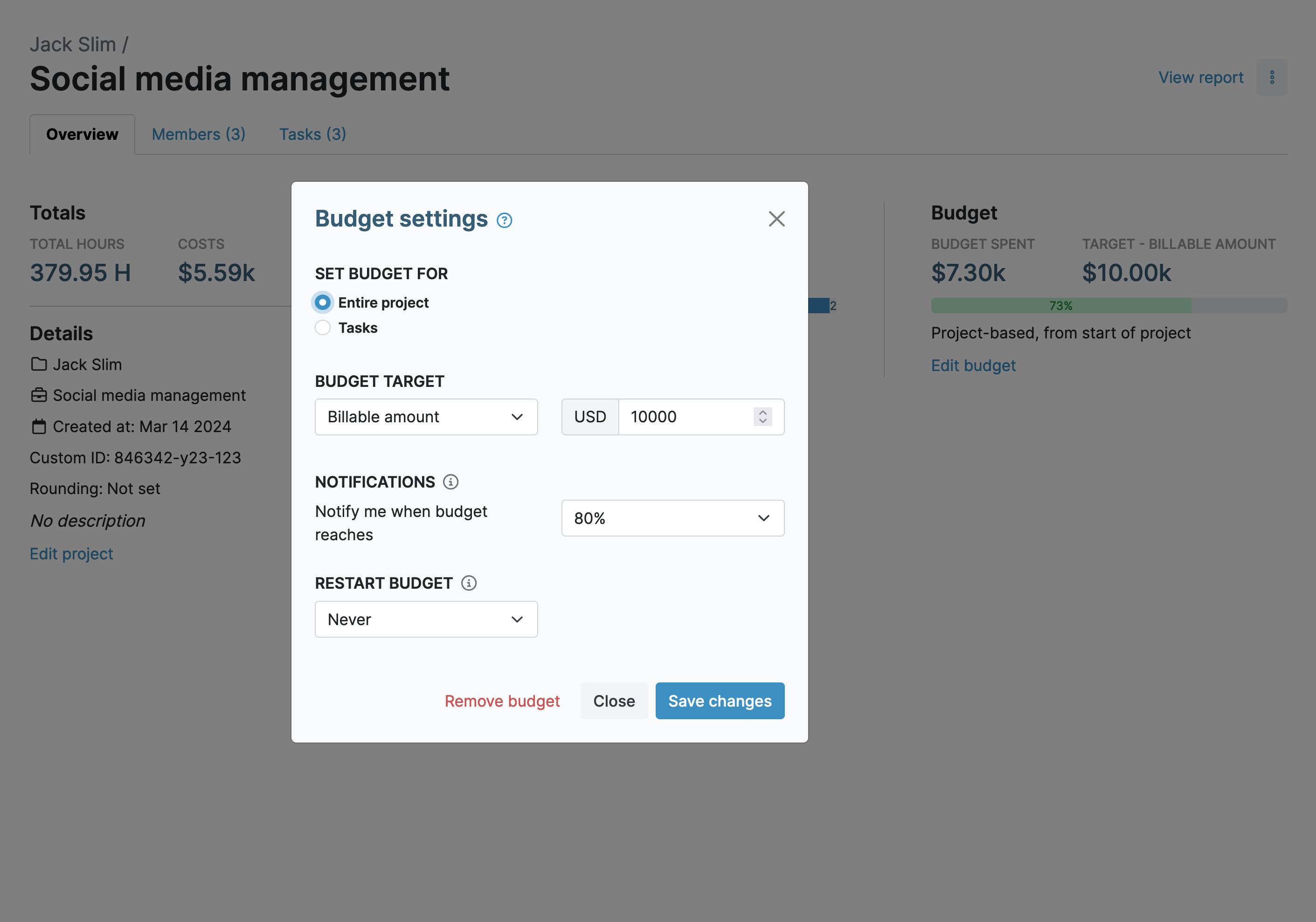
- Set time or cost budgets for projects or individual tasks
- Set a billable budget for client work
- Receive automated alerts as budget usage increases
- Get notified at custom thresholds (e.g. 60% of budget used)
My Hours time tracking features

Timer or weekly timesheet
Track time with our seamless timer or enter your time through our keyboard-friendly timesheet. Add a description and custom inputs.

Set billable rates and budgets
Automate calculation of billable amounts by setting precise hourly rates by project, task or team member. Add a project budget to monitor its progress.

Analyze logged hours & expenses
With the Dashboard you’ll get a bird’s-eye view of billable vs non billable hours, earned income by project, under- or over-utilized employees and more.

Generate custom reports
Detailed reports are completely customizable and display as much information as needed. Print to PDF, export to XLS or send schedule it via email.

Manage tasks
Add and assign tasks with an estimated budget. Create templates when identical tasks appear across projects.

Submit and approve timesheets
Supervisors get email whenever timesheets are submitted. Each timesheet can be approved or rejected with an email message.

Set flexible roles
Invite your team to track time on their projects without seeing each other’s hours and rates. Designate managers to oversee their team and manage their work.

Prevent inconsistent reporting
Lock team’s time logs to prevent editing or adding new logs in a selected period. Download the audit log report to keep your books in order.

Streamline invoicing
Create numbered invoices straight from hours logged. Integrations with the most popular invoicing apps are available to all customers.

Integrate with other tools
Connect My Hours data with other tools or vice versa through Zapier connectors. Alternatively, use our API to develop your own integration.

Access from anywhere
My Hours is a cloud-based app with nothing to install. View and manage your hours from any web browser or install our native mobile apps.

Secure infrastructure
My Hours is hosted in Microsofts Azure cloud and we are proud of 99.95% uptime. We perform regular security checks to keep your data in safe hands.
Highest praise from our customers


Waste no more time,
jump right in!

All rights reserved.