
EMPLOYEE ATTENDANCE TRACKER
Stop chasing hours in Excel. Learn who's missing and who's working overtime.
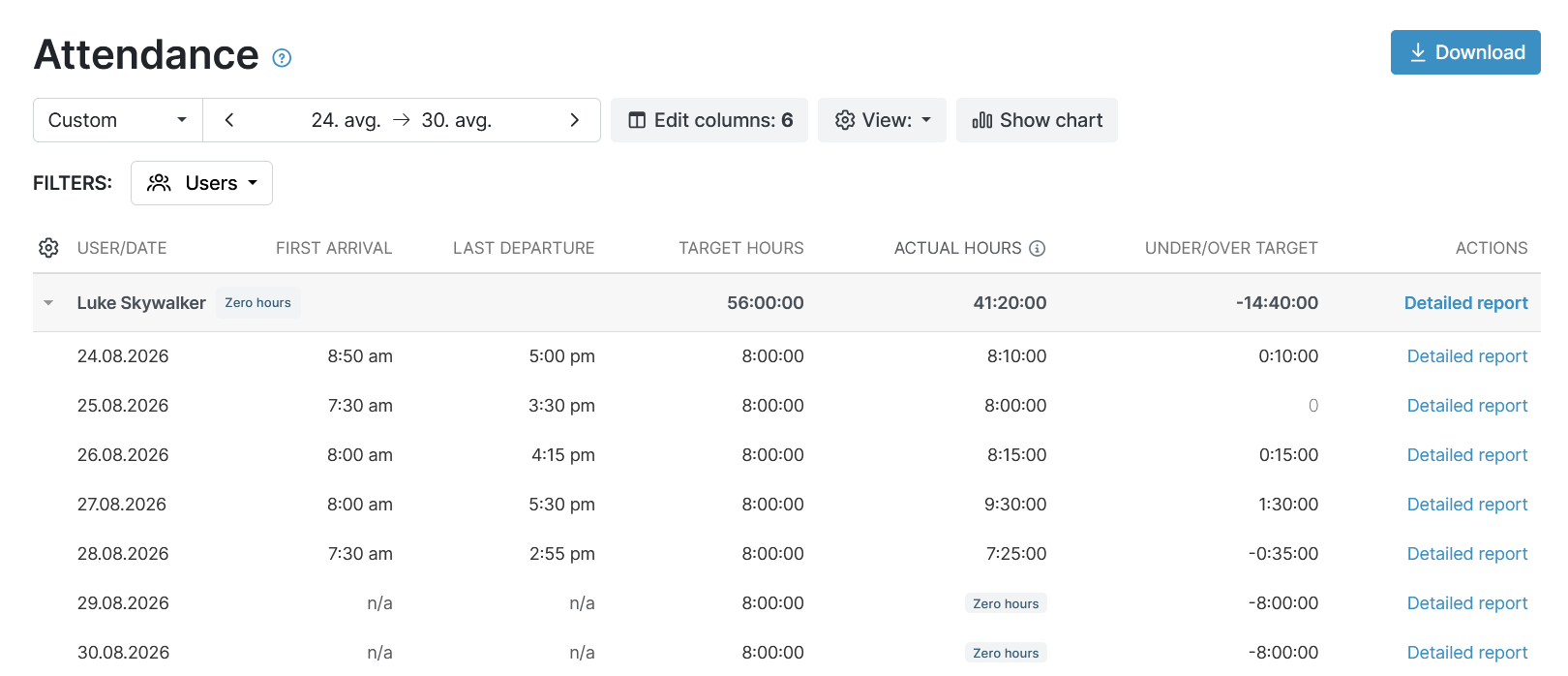
 Set target hours and instantly spot overtime or missing hours.
- See who arrived, who left, and who is working right now.
- Exact hours you can trust for payroll. Never rounded.

Trusted by more than 100.000 businesses worldwide


What makes this employee attendance tracker special?
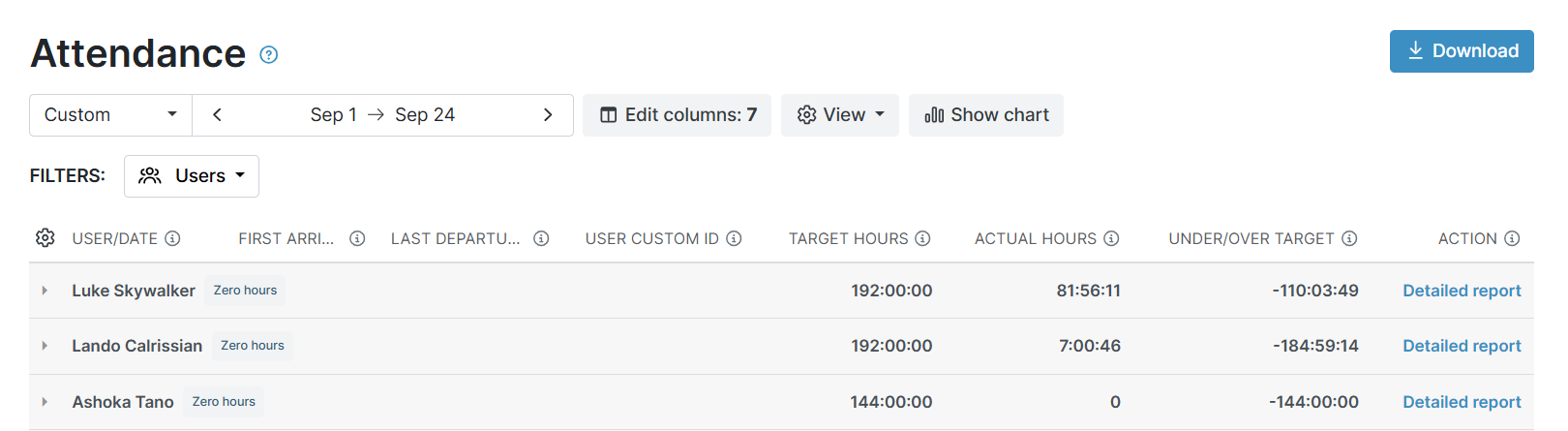
Accuracy.
My Hours makes time tracking simple, so your team keeps up with it. Tracked time has to be accurate, or it soon shows in payroll and in proving compliance.
The report shows how much each team member actually worked, so you can trust the number without checking it by hand.
No extra columns and no noise. Just the attendance data a manager needs from an employee attendance tracker.
Available in the Basic and Pro plans.
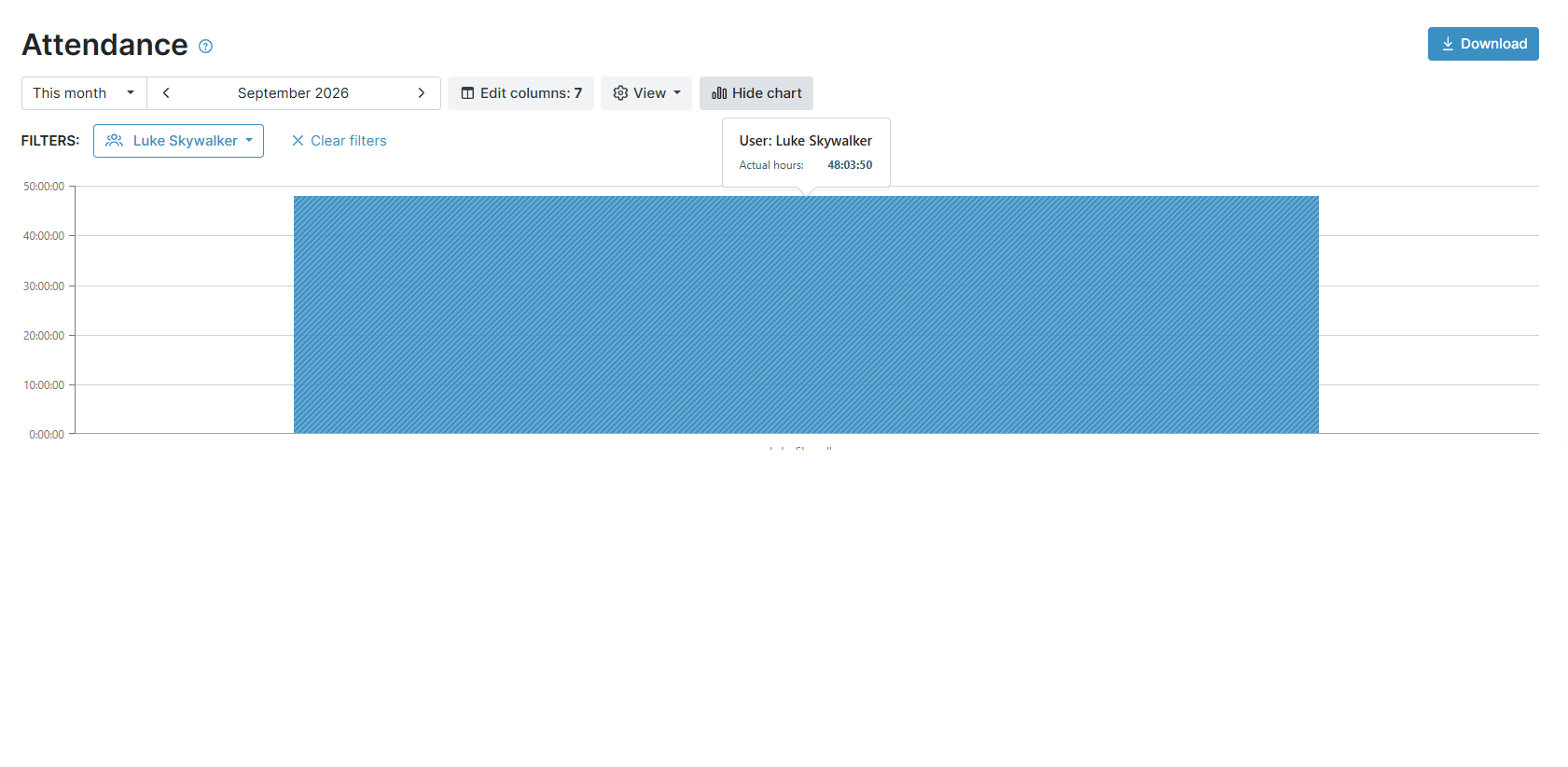
Actual tracked hours, without rounding
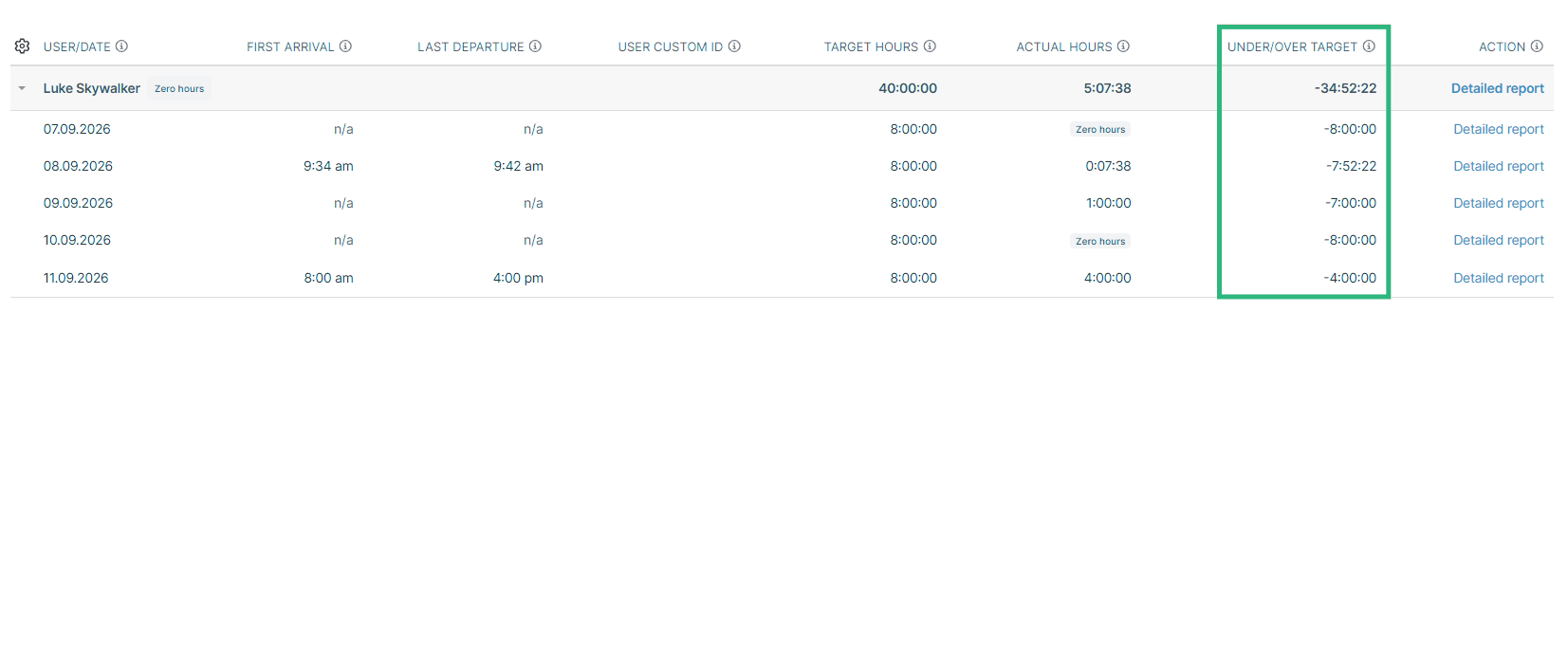
The report shows the exact hours of each team member, by day.
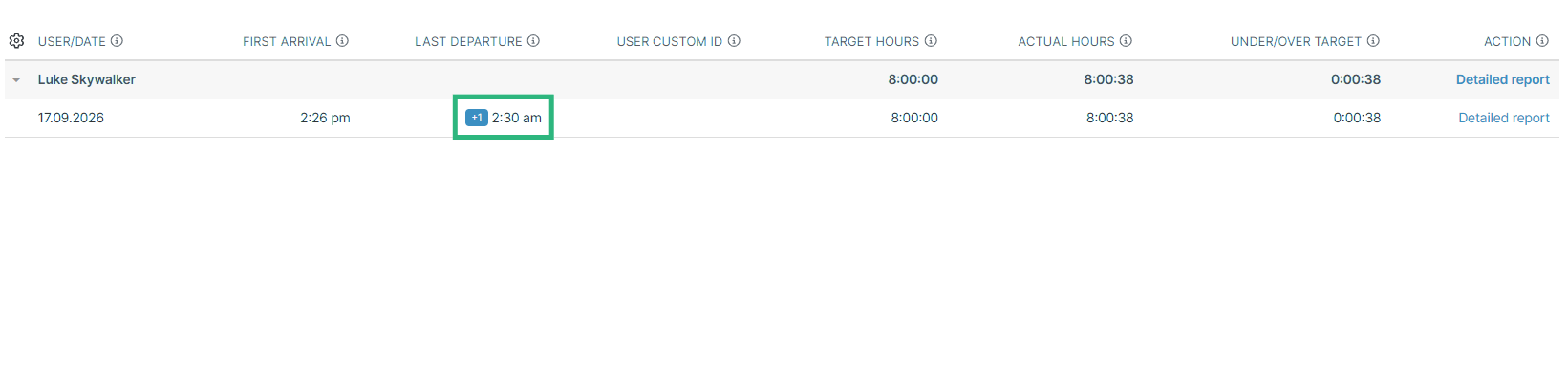
First arrival and last departure (FALD)
For each day, the report shows the first arrival and the last departure from work.
Target hours and overtime
Set target hours, and the report calculates if the employee went over or under them.
Who is working right now
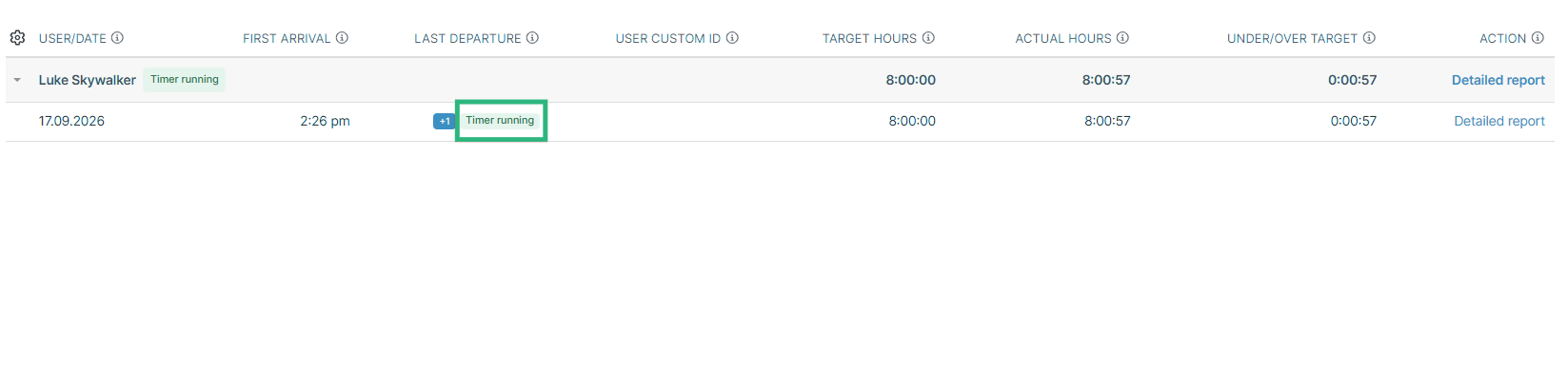
The report also shows running timers.
All the features you need, and none you don’t

Timer or weekly timesheet
Track time with our seamless timer or enter your time through our keyboard-friendly timesheet. Add a description and custom inputs.

Set billable rates and budgets
Automate calculation of billable amounts by setting precise hourly rates by project, task or team member. Add a project budget to monitor its progress.

Analyze logged hours & expenses
With the Dashboard you’ll get a bird’s-eye view of billable vs non billable hours, earned income by project, under- or over-utilized employees and more.

Generate custom reports
Detailed reports are completely customizable and display as much information as needed. Print to PDF, export to XLS or send schedule it via email.

Manage tasks
Add and assign tasks with an estimated budget. Create templates when identical tasks appear across projects.

Submit and approve timesheets
Supervisors get email whenever timesheets are submitted. Each timesheet can be approved or rejected with an email message.

Set flexible roles
Invite your team to track time on their projects without seeing each other’s hours and rates. Designate managers to oversee their team and manage their work.

Prevent inconsistent reporting
Lock team’s time logs to prevent editing or adding new logs in a selected period. Download the audit log report to keep your books in order.

Streamline invoicing
Create numbered invoices straight from hours logged. Integrations with the most popular invoicing apps are available to all customers.

Integrate with other tools
Connect My Hours data with other tools or vice versa through Zapier connectors. Alternatively, use our API to develop your own integration.

Access from anywhere
My Hours is a cloud-based app with nothing to install. View and manage your hours from any web browser or install our native mobile apps.

Secure infrastructure
My Hours is hosted in Microsofts Azure cloud and we are proud of 99.95% uptime. We perform regular security checks to keep your data in safe hands.
FAQ
The most common questions about attendance and the Attendance Report
Highest praise from our customers


Waste no more time,
jump right in!

All rights reserved.