
Free Expense Report Template
for Microsoft Excel & Google Sheets


Who is this Expense Report Template for?
The expense report is most useful for those who require reimbursement for purchases made in relation to business activities.Expense reports are used to track business expenses.
However, it’s also an important document for keeping managers and finance teams aligned on where the money is going.
It’s also necessary to ensure compliance with company policies and regulatory frameworks, and maintain audit-ready financial records.
What Information is Required for an Expense Report?
A compliant expense report typically contains the following details:
- Name: The individual submitting the expense report
- Department: The team or division they belong to
- Date: The specific day each cost was incurred
- Description: A short explanation of what the expense covered
- Category: The classification of the cost, such as travel, meals, lodging, or mileage
- Subtotal: The combined amount of all recorded expenses
- Advances: Any funds provided upfront by the company
- Total Reimbursement: The final amount owed after subtracting any advances
- Authorized By: The name of the individual granting approval
Each line item must also be backed up with proof. Therefore, you have to attach all receipts and invoices so amounts can be quickly verified.
How to Use Our Free Template to Log Expenses
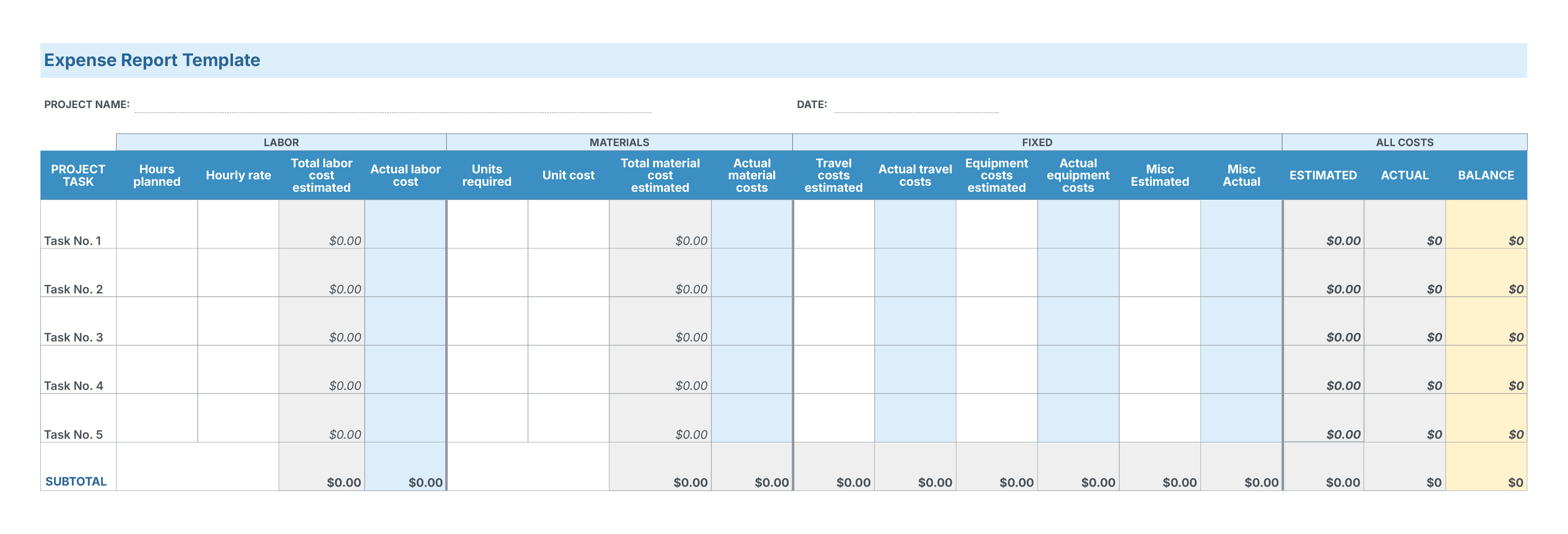
Our free template is adaptable to multiple expense types. The design allows for easy adaptation based on your specific business needs and reporting requirements.
Expenses are categorized by labor, materials, and fixed, but you can adjust these to fit your requirements. Likewise, the expense sub-categories can be modified to cover specific items like accommodation, office supplies, equipment purchases, and travel-related costs.
- Add your name and date in the space provided
- For each line item, input your tasks
- Input each expense under the relevant heading and against the right task
- The spreadsheet will calculate totals on your behalf
To make the expense report template more beneficial, you can input estimates for each expense type.
This allows you to quickly compare them against actuals, so you know exactly where you’re staying on budget and where costs are overrunning. This should give you the insight to make adjustments for future reports.
Speed Up Reporting with My Hours Expense Tracker
Because expense report templates are not typically updated in real time, expenses often go forgotten, receipts go missing, and important details get left out.
An easier and simpler option is to use a My Hours expense tracker that lets you log expenses the moment they’re incurred.
Accessible from any device, record and calculate expenses on the go, and keep all your tracked time and other business costs on a single, centralized platform.

How My Hours Handles Expense Tracking and Cost Control
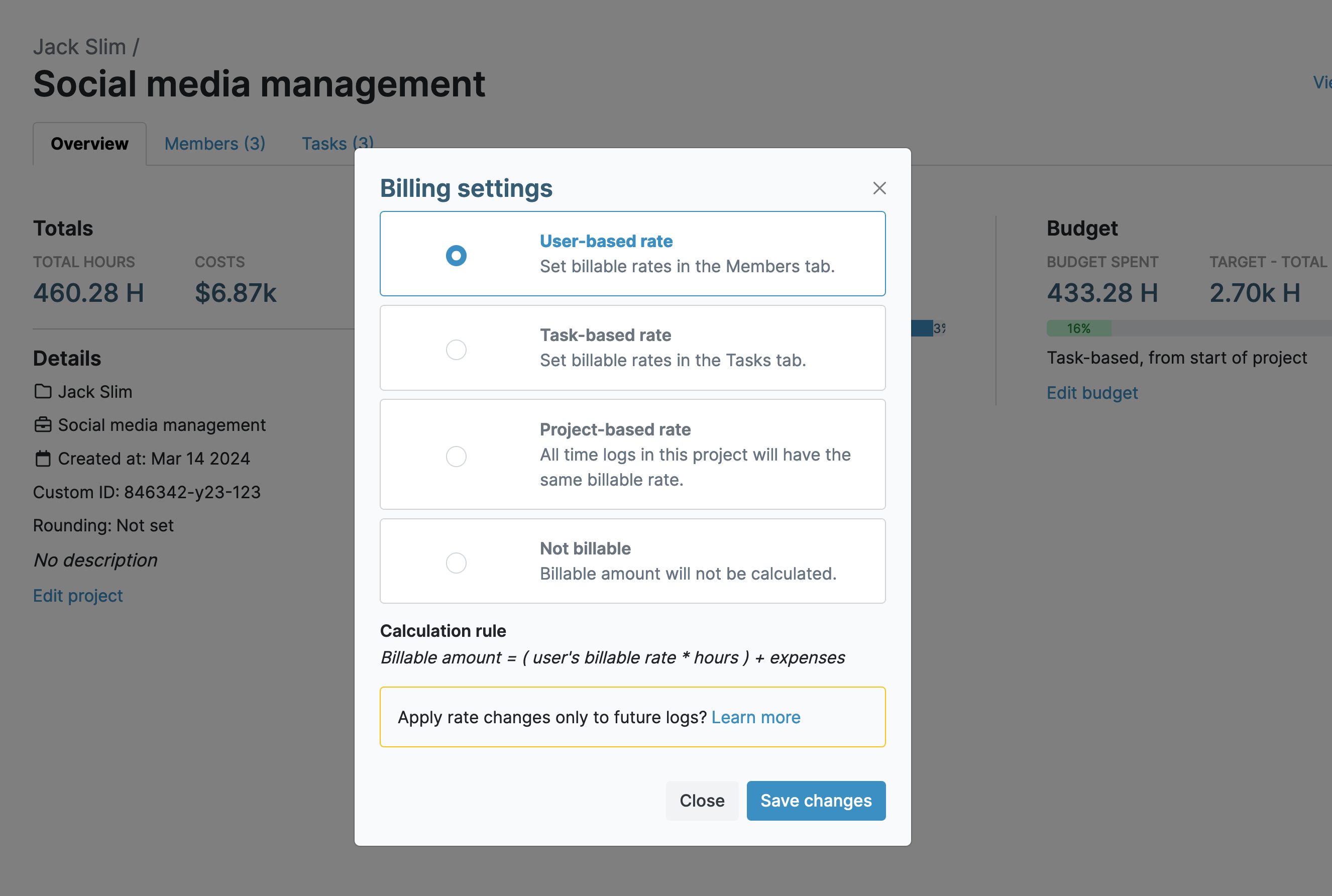
1. Track labor rates and billable time
As time is tracked against deliverables, so are the user labor and billable rates, giving you a clear picture of costs.
Custom fields on time logs, projects, and tasks let you capture expense-related data like job codes, mileage, or department.
2. Upload expenses
- Assign the expense log to the relevant project and task
- Simply input the expense details
- Click the box if it’s a billable expense
- Snap a photo of the receipt and upload it, or upload a digital copy
.png)
3. Set budgets
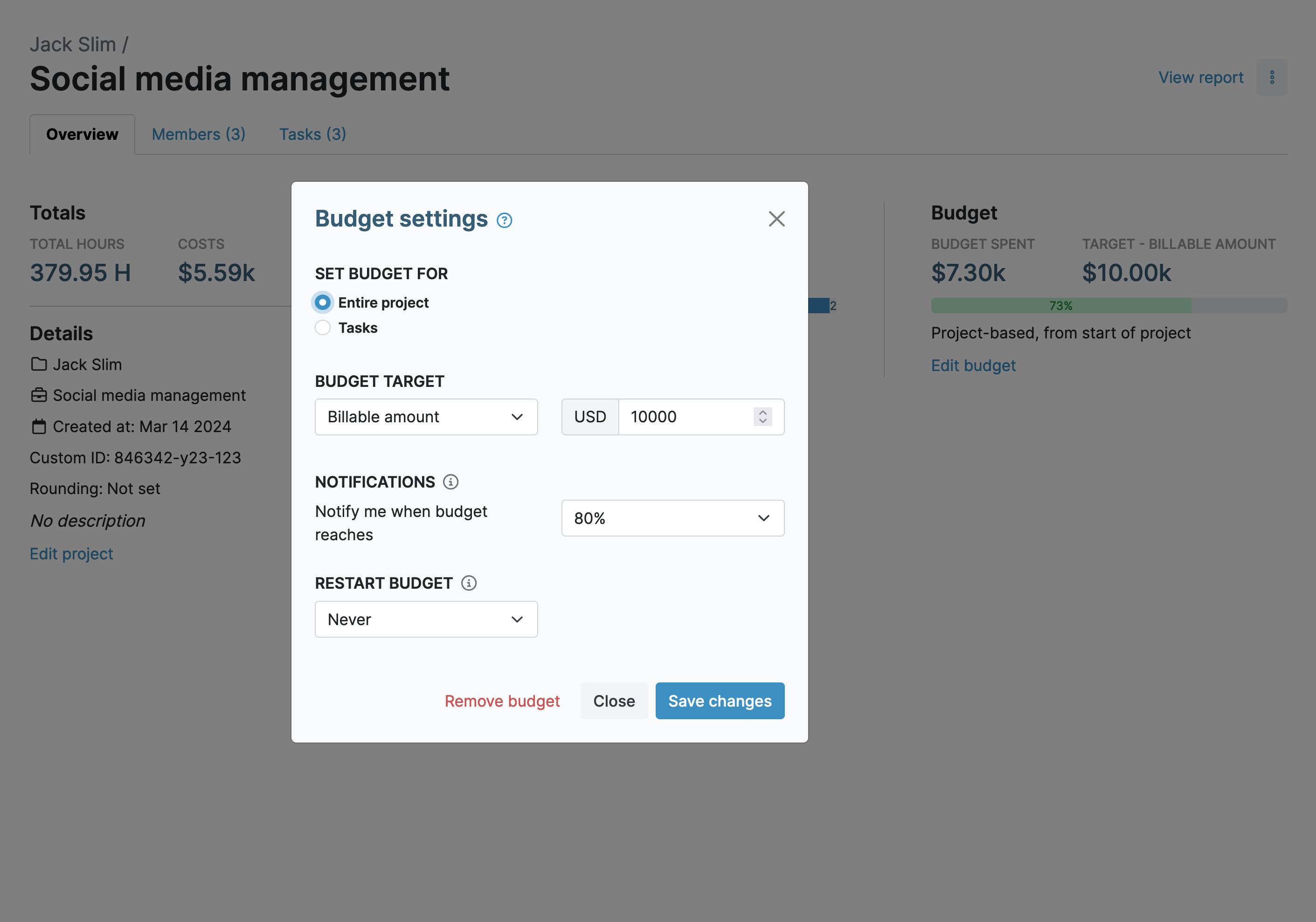
- Set budgets for your projects and tasks;
- As you upload expenses and track user rates, they count against the budget;
- Custom reminders will automatically alert you when a certain budget percentage is set;
- Budgets can be set to restart every month. Ideal if you have a monthly allowance for expenses.
4. In-depth reports
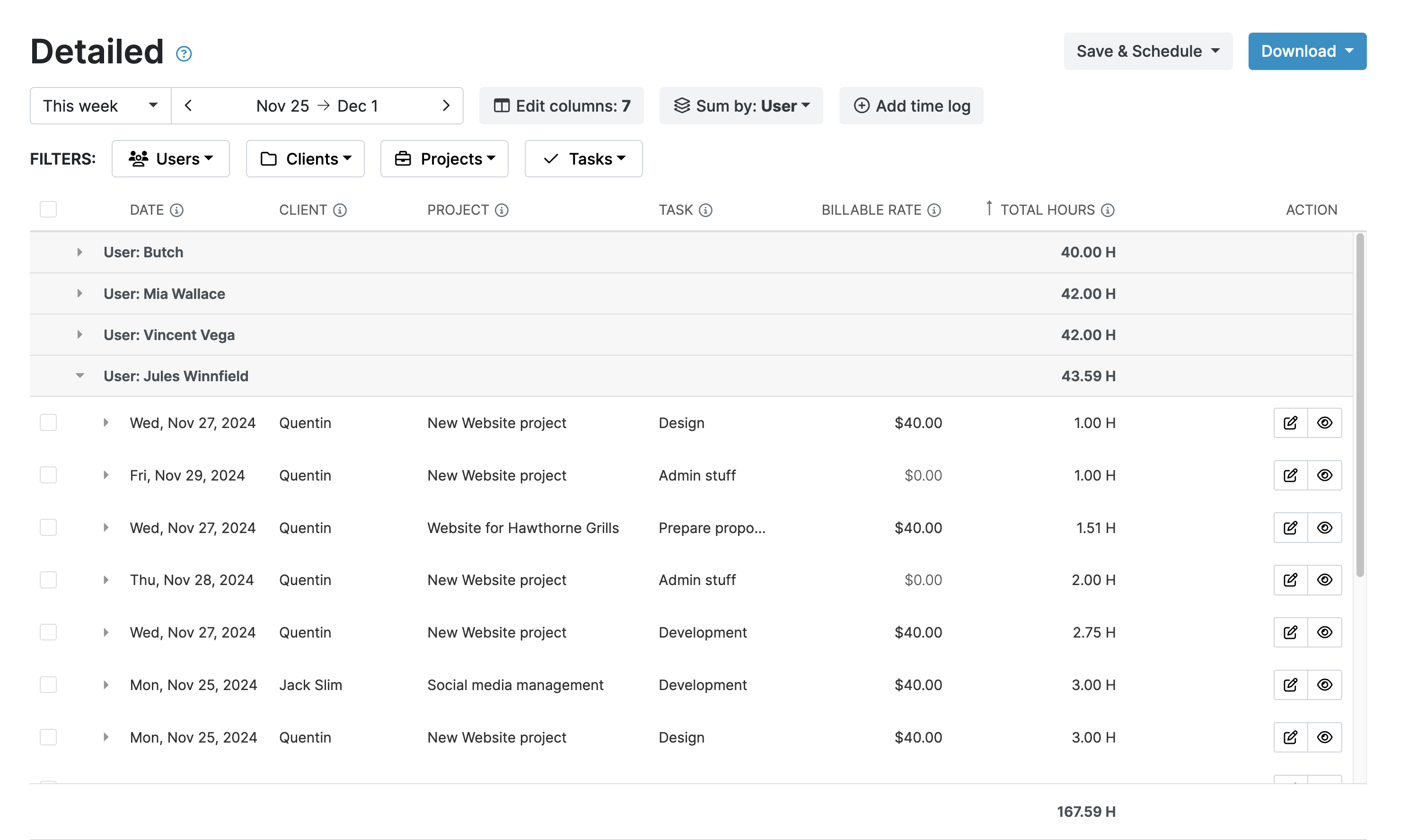
My Hours offers deep insights into costs and expenses via its granular reporting feature.
Analyze the Detailed View or gain quick insights with the Dashboard Report. Available in PDF or XLS format.

Waste no more time,
jump right in!

All rights reserved.