
Finance-Ready Exports for Capitalization and Audit support
Allocate costs with one-click reporting for CapEx/OpEx labor
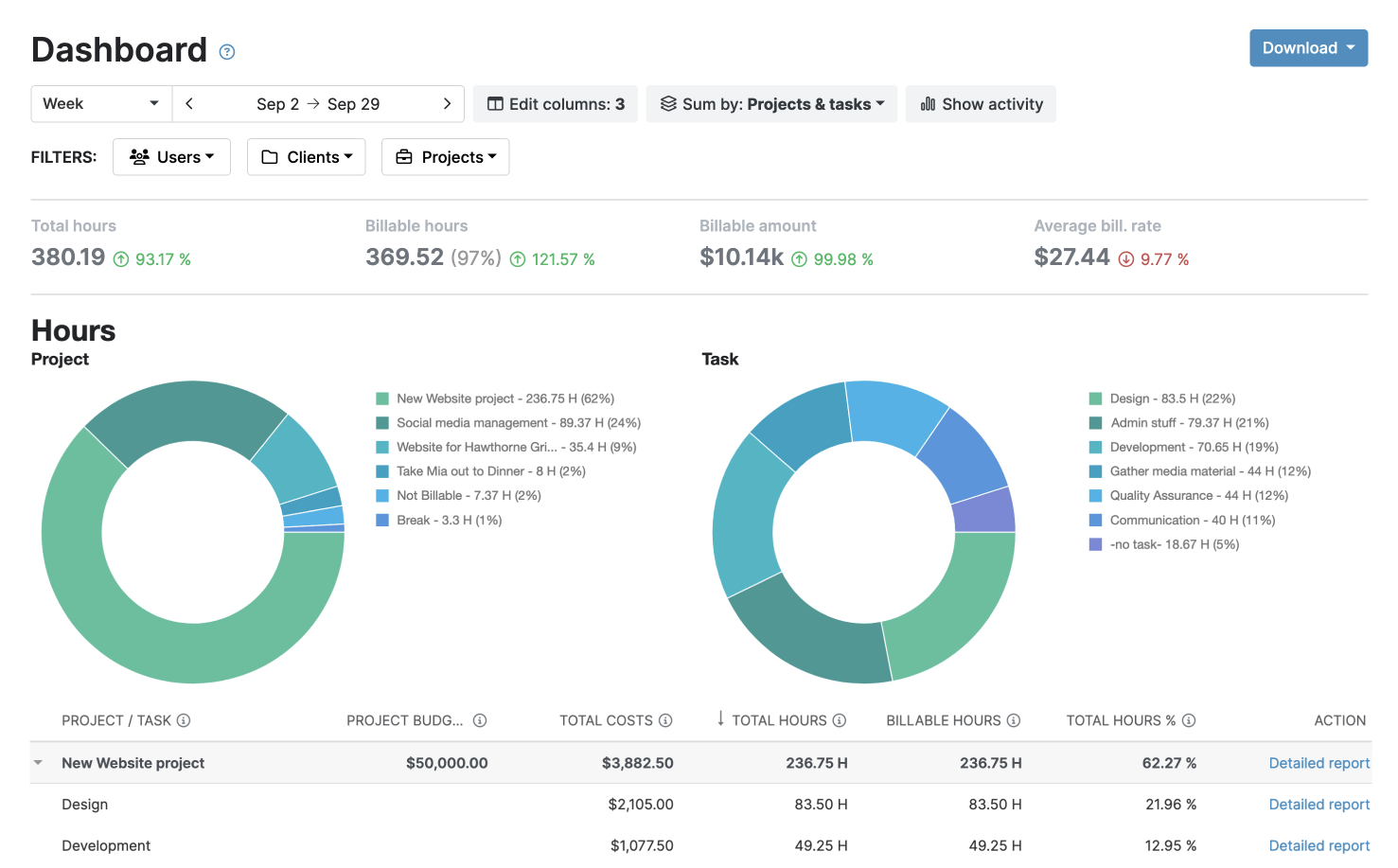
 Clean, classified CapEx/OpEx datasets in a finance-ready format
- Trace work to its financial treatment for audit purposes
- Export reports in PDF or XLS, or integrate My Hours with accounting tools

Trusted by more than 100.000 businesses worldwide


Why finance teams struggle with
CapEx/OpEx reporting
Many organizations still use spreadsheets to track project time, allocate labor, and prepare capitalization schedules.
But spreadsheets are unreliable—over 95% contain errors. As work scales, they create:
- inconsistent CapEx/OpEx labels,
- missing context around performed work,
- misapplied labor costs, and
- multiple conflicting report versions.
The result is unreliable data, slower month-end close, and higher misclassification risk.
My Hours replaces spreadsheets with structured, real-time time tracking
By applying consistent classifications and tracking accurate labor costs, the platform generates the data required for finance-ready reporting.

The 6 Essential Reports
1. Capitalizable labor summary
A smart overview that calculates all employee hours (and their labor cost) flagged as eligible for CapEx treatment. Provides a quick snapshot of total CapEx labor costs per project or period.
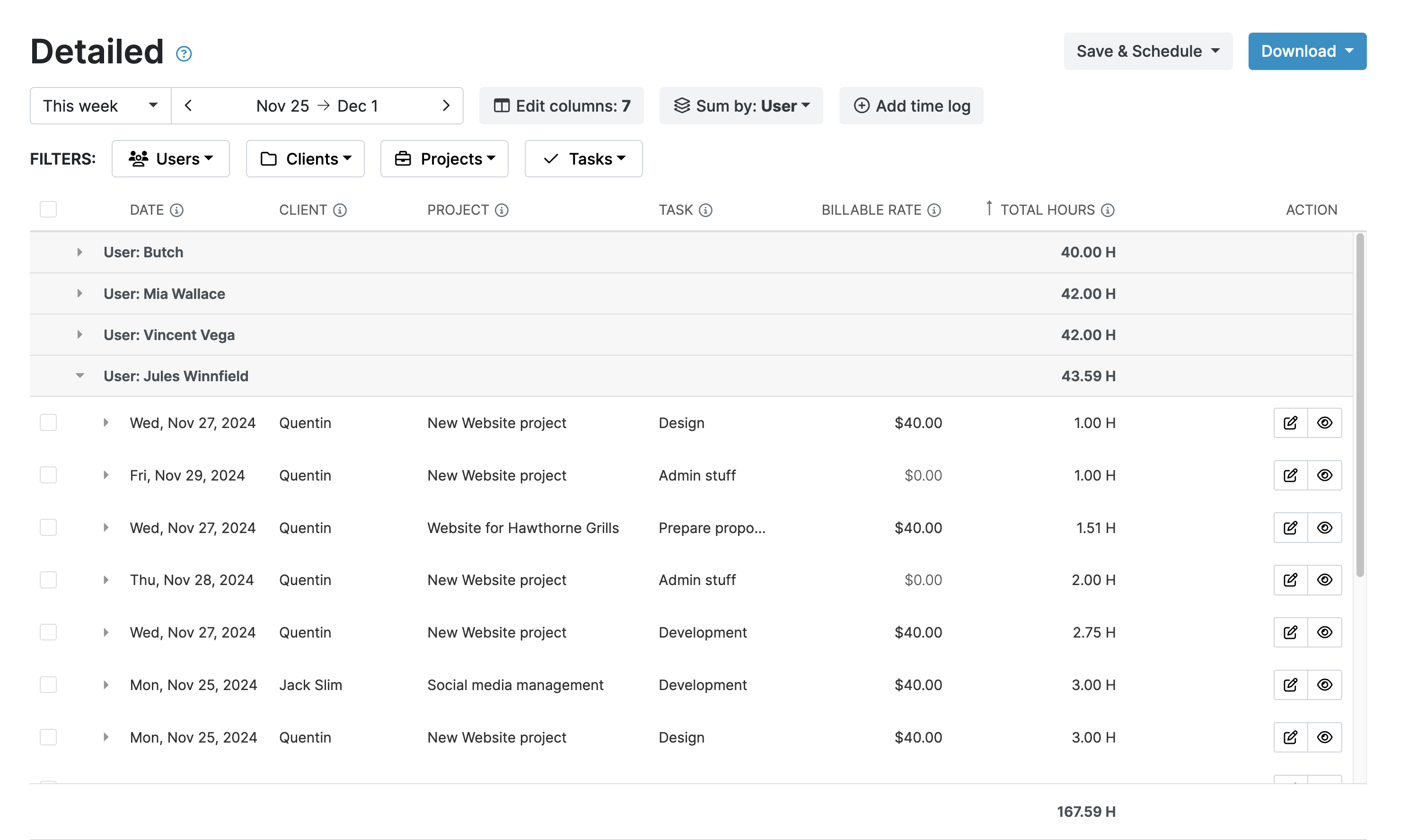
2. Operational expense breakdown
A clear split of employee hours (and their labor cost) for operational activities, like support maintenance or routine tasks.

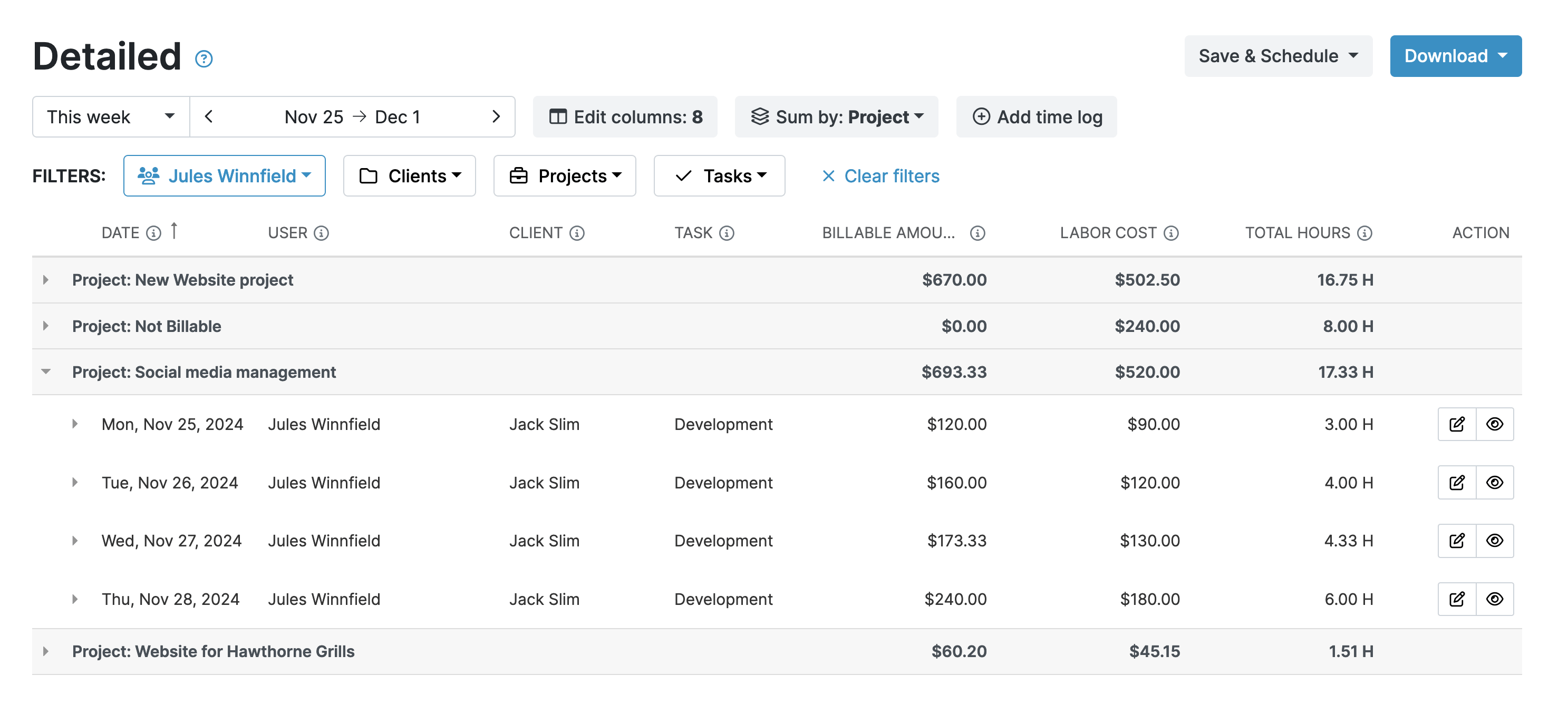
3. Labor cost allocation report (CapEx vs. OpEx)
A comparison that tallies up employee labor costs split between CapEx and OpEx and often shows percentages, totals, and breakdowns by project or team.

4. Project cost roll-forward
A simple month-to-month summary that tracks how a project’s total costs change over time (what was added, spent, or adjusted).
.png)
5. Time categorization
A report listing every time entry logged by employees for a specific period.
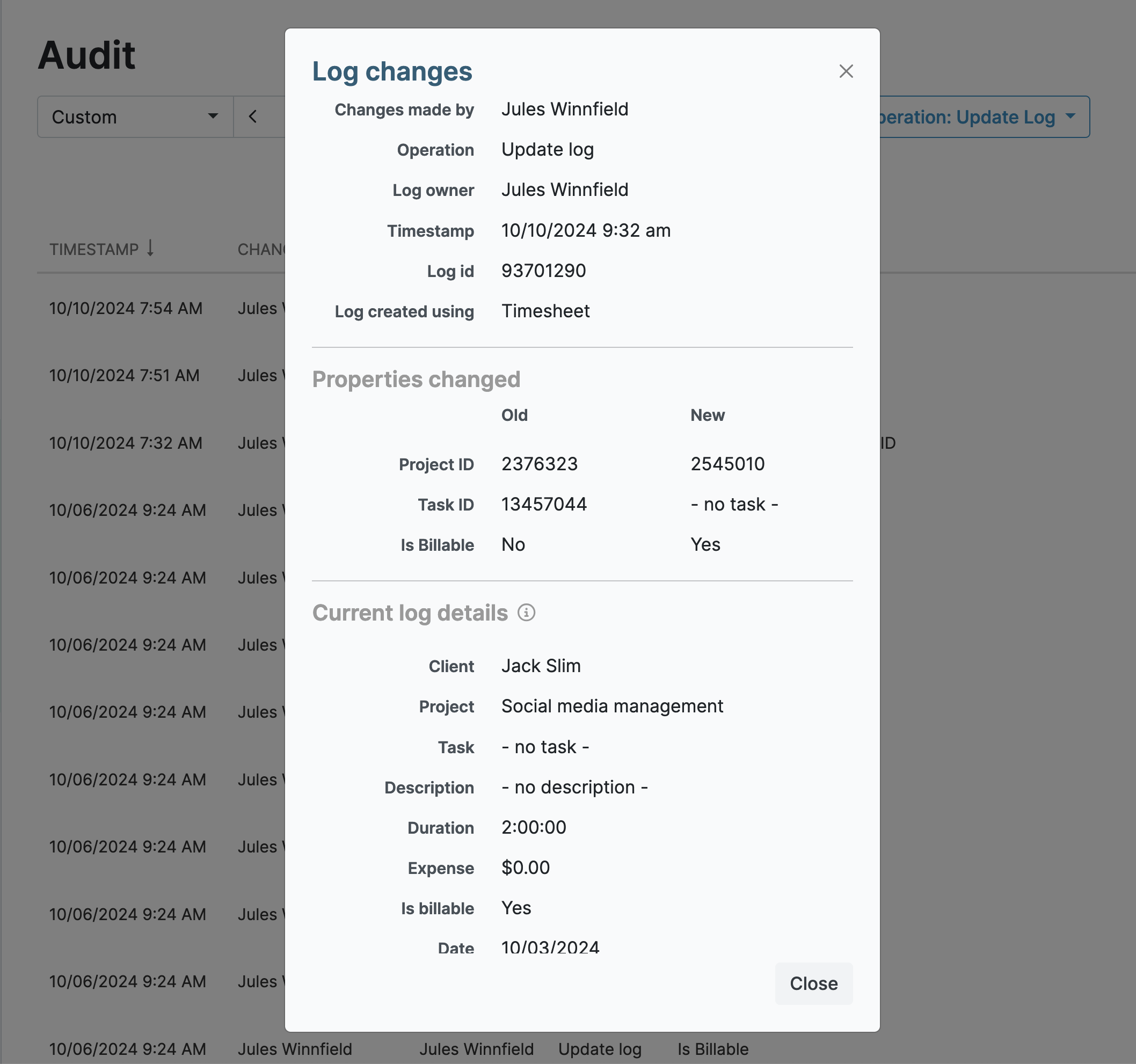
6. Audit trail and entry detail
A complete log that records every single action within time tracking software, including who logged what, when it happened, and any changes or adjustments made.
All the features you need, and none you don’t

Timer or weekly timesheet
Track time with our seamless timer or enter your time through our keyboard-friendly timesheet. Add a description and custom inputs.

Set billable rates and budgets
Automate calculation of billable amounts by setting precise hourly rates by project, task or team member. Add a project budget to monitor its progress.

Analyze logged hours & expenses
With the Dashboard you’ll get a bird’s-eye view of billable vs non billable hours, earned income by project, under- or over-utilized employees and more.

Generate custom reports
Detailed reports are completely customizable and display as much information as needed. Print to PDF, export to XLS or send schedule it via email.

Manage tasks
Add and assign tasks with an estimated budget. Create templates when identical tasks appear across projects.

Submit and approve timesheets
Supervisors get email whenever timesheets are submitted. Each timesheet can be approved or rejected with an email message.

Set flexible roles
Invite your team to track time on their projects without seeing each other’s hours and rates. Designate managers to oversee their team and manage their work.

Prevent inconsistent reporting
Lock team’s time logs to prevent editing or adding new logs in a selected period. Download the audit log report to keep your books in order.

Streamline invoicing
Create numbered invoices straight from hours logged. Integrations with the most popular invoicing apps are available to all customers.

Integrate with other tools
Connect My Hours data with other tools or vice versa through Zapier connectors. Alternatively, use our API to develop your own integration.

Access from anywhere
My Hours is a cloud-based app with nothing to install. View and manage your hours from any web browser or install our native mobile apps.

Secure infrastructure
My Hours is hosted in Microsofts Azure cloud and we are proud of 99.95% uptime. We perform regular security checks to keep your data in safe hands.
FAQ
Highest praise from our customers


Waste no more time,
jump right in!

All rights reserved.