
Free Basecamp time tracking integration
Bring Basecamp projects and todos into My Hours for clean timesheets, approvals, and reporting.
- Import your Basecamp projects and todos
- Keep My Hours in sync with Basecamp
- Analyze time with powerful reports
- Use smart timesheet approvals

Trusted by more than 100.000 businesses worldwide


Time tracking that fits how Basecamp teams organize work
Basecamp is where conversations, files and to-dos live. My Hours adds a simple place to record how long that work actually took.
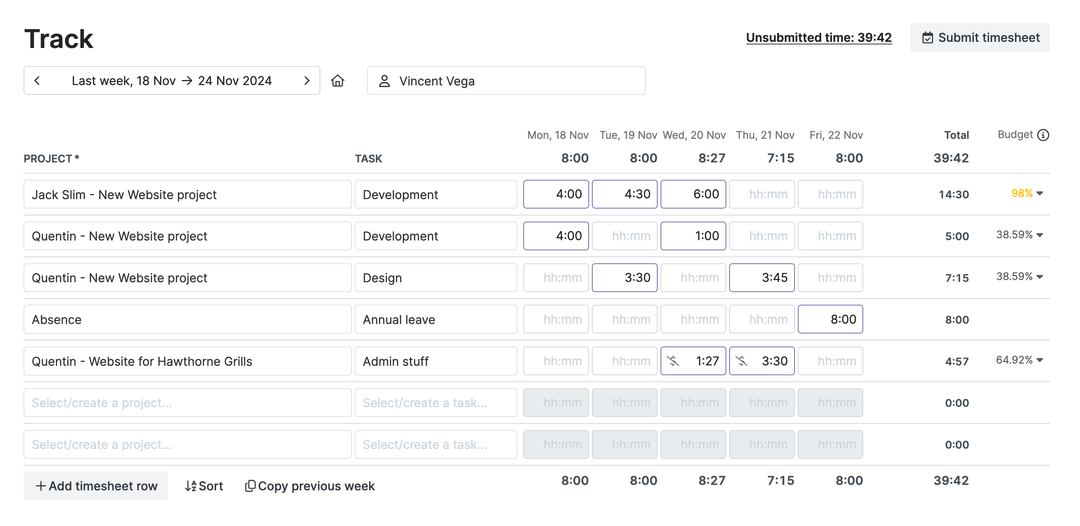
With the timesheet view, your team can quickly fill in work hours. You get clean, structured time data linked back to your Basecamp work.
Sync your Basecamp structure into My Hours in minutes
My Hours pulls in your Basecamp hierarchy so you don’t need to rebuild anything by hand.
.png)
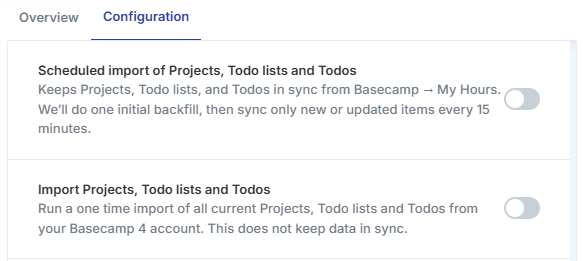
You can run a one-time import or enable an ongoing sync (~15 minutes) that keeps bringing new and updated projects, lists and to-dos from Basecamp into My Hours.
Add clear timesheet approvals on top of Basecamp
Team members track time in My Hours on tasks that came from Basecamp, than you generate powerful reports.
-p-1080.png)
Managers can review submitted timesheets, send them back if something needs fixing, or approve them and lock the time period.
Turn Basecamp projects into budgets, rates and invoices
Basecamp keeps everyone on the same page about what needs to be done. My Hours helps you understand what that work costs.
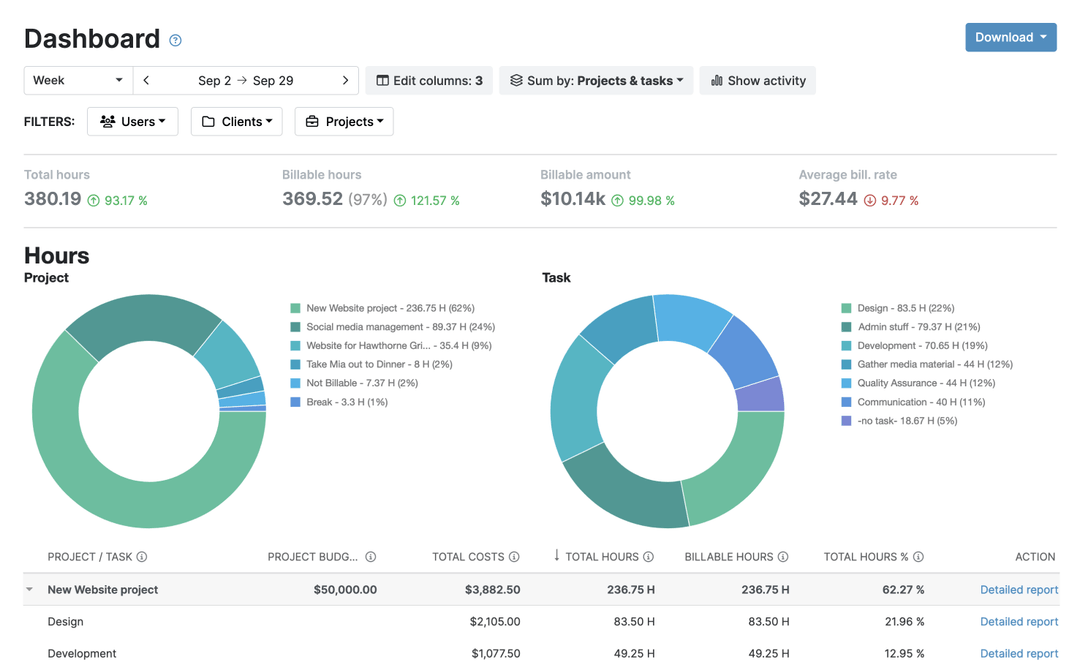
Set budgets that mirror your Basecamp projects, choose hourly rates add expenses.
See where your Basecamp projects really spend time
Create a report in My Hours, send it to your client, or export it to your accounting tool.

Break time down by client, project, task, tag, user or billable status and save, schedule and export your favorite report views.
How to integrate in 3 easy steps
1) Connect: Basecamp to My Hours
.png)
2) Choose: One-time import or ongoing 15-minute sync
3) Start tracking time.
.png)
FAQ
Highest praise from our customers


Waste no more time,
jump right in!

All rights reserved.