
Salesforce integration for time tracking
You close deals in Salesforce. With My Hours, you track time on the same clients, with no re-typing.
- Track time in My Hours, with your client structure from Salesforce
- Automatically import and sync new Salesforce accounts and tasks
- Use timesheet approvals
- Analyze your time with different reports

Trusted by more than 100.000 businesses worldwide


Your team tracks time on clients it already knows
Once a deal closes in Salesforce, the client work starts, and that work needs to be tracked. Manual data transfer can lead to errors, which is something My Hours solves with automatic syncing.
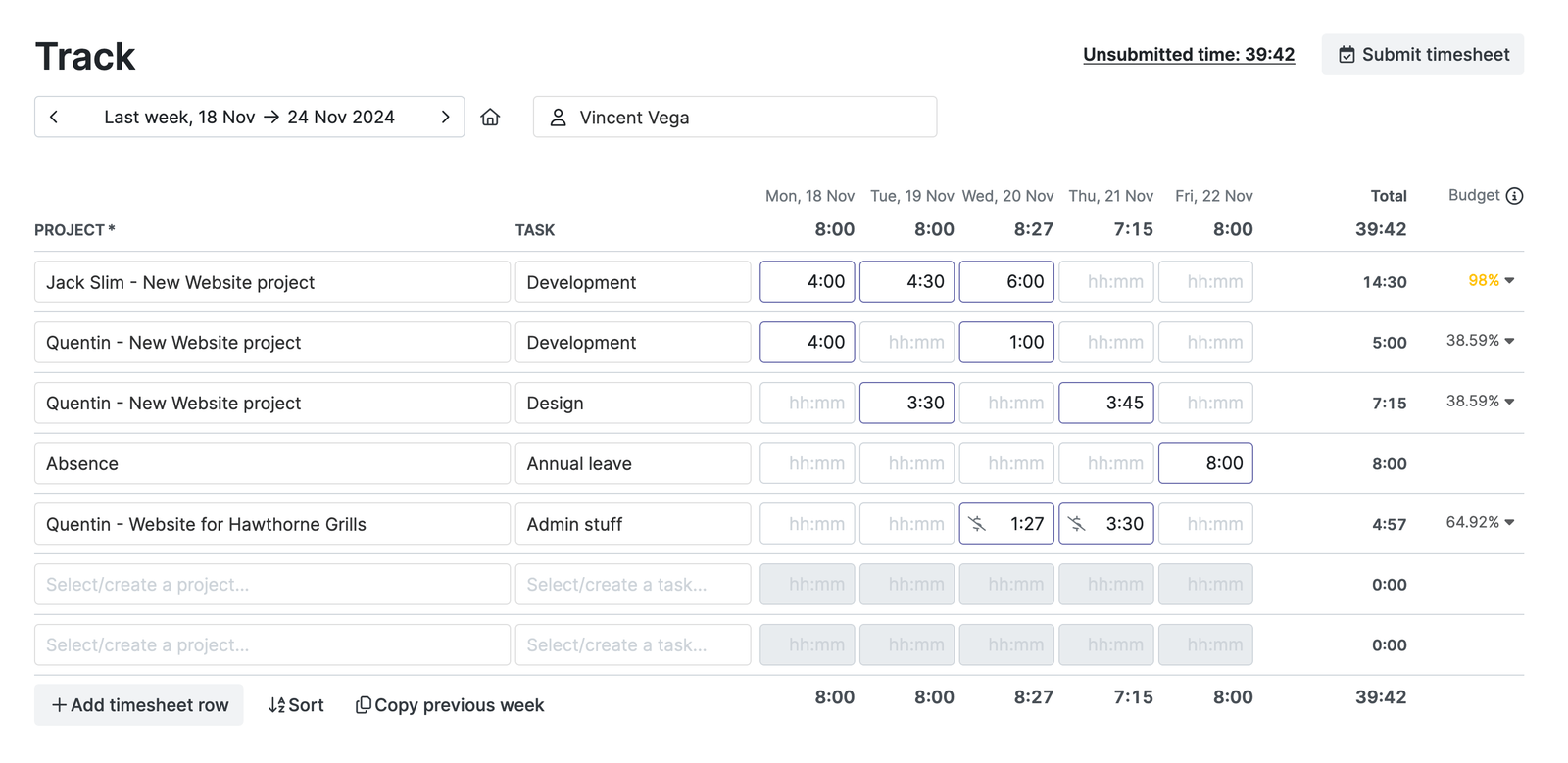
Your team logs hoursin a weekly timesheet or measures them with a timer. Every hour is tied to theright client, without retyping anything.
Salesforce Accounts and Tasks in My Hours, no manual work
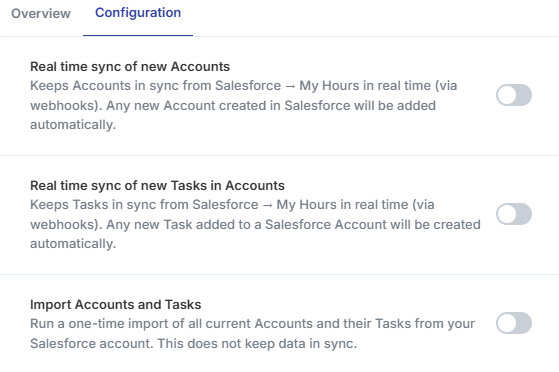
My Hours pulls in your accounts and tasks from Salesforce, so you do not have to set anything up from scratch. Run a one-time import of everything that is in Salesforce today, or turn on real-time sync.
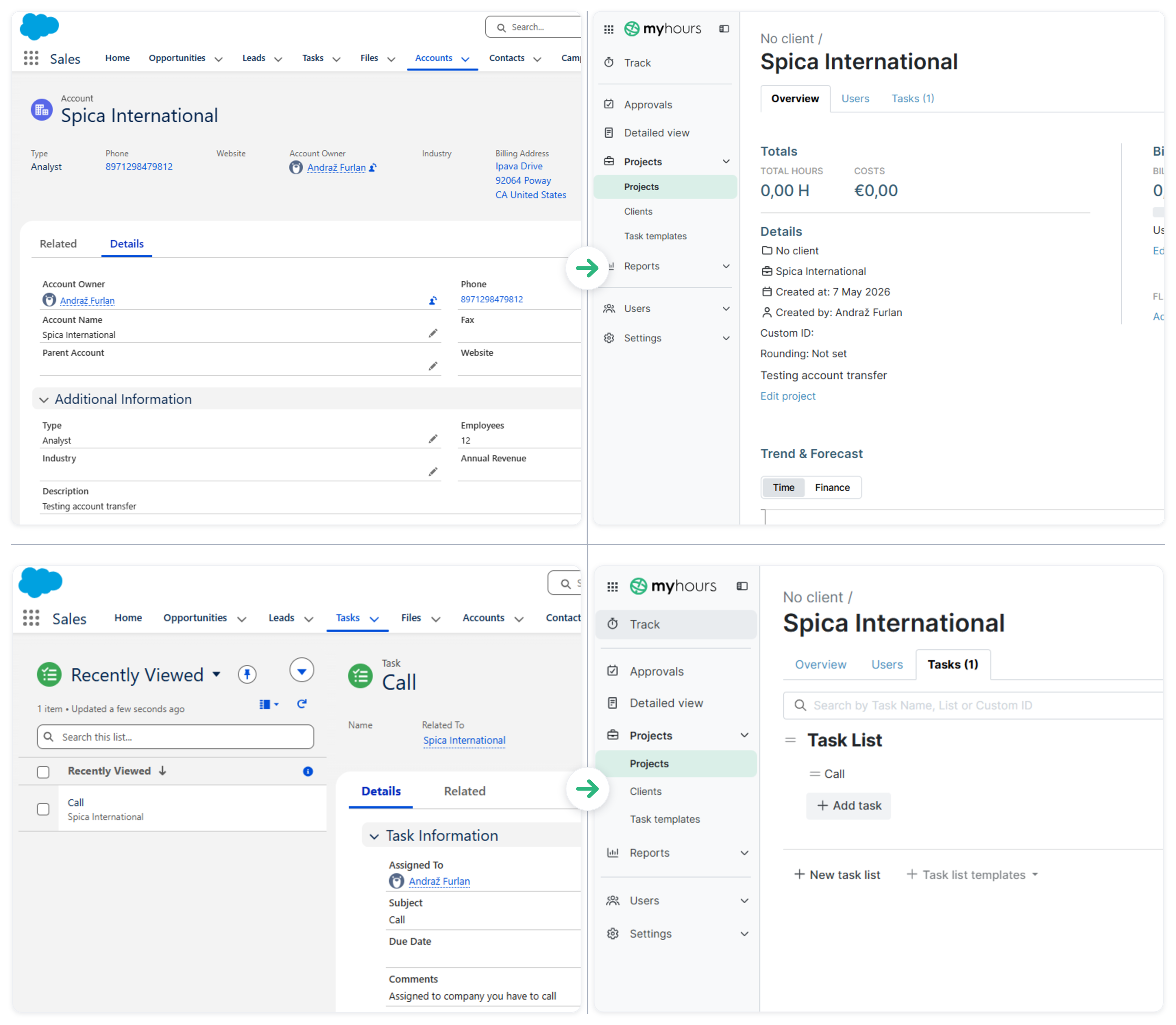
New Account in Salesforce → New Project in My Hours
New Task in Salesforce → New Task in My Hours
Timesheet approvals in My Hours, clients in Salesforce
Salesforce stays the place for clients and sales. My Hours adds time tracking with an approval flow.
.png)
Yourteam submits their hours, and managers review them, send themback for edits, or approve and lock the period.
See how much time each client really takes
Build a report in My Hours, send it to the client, or export it to your accounting tool.
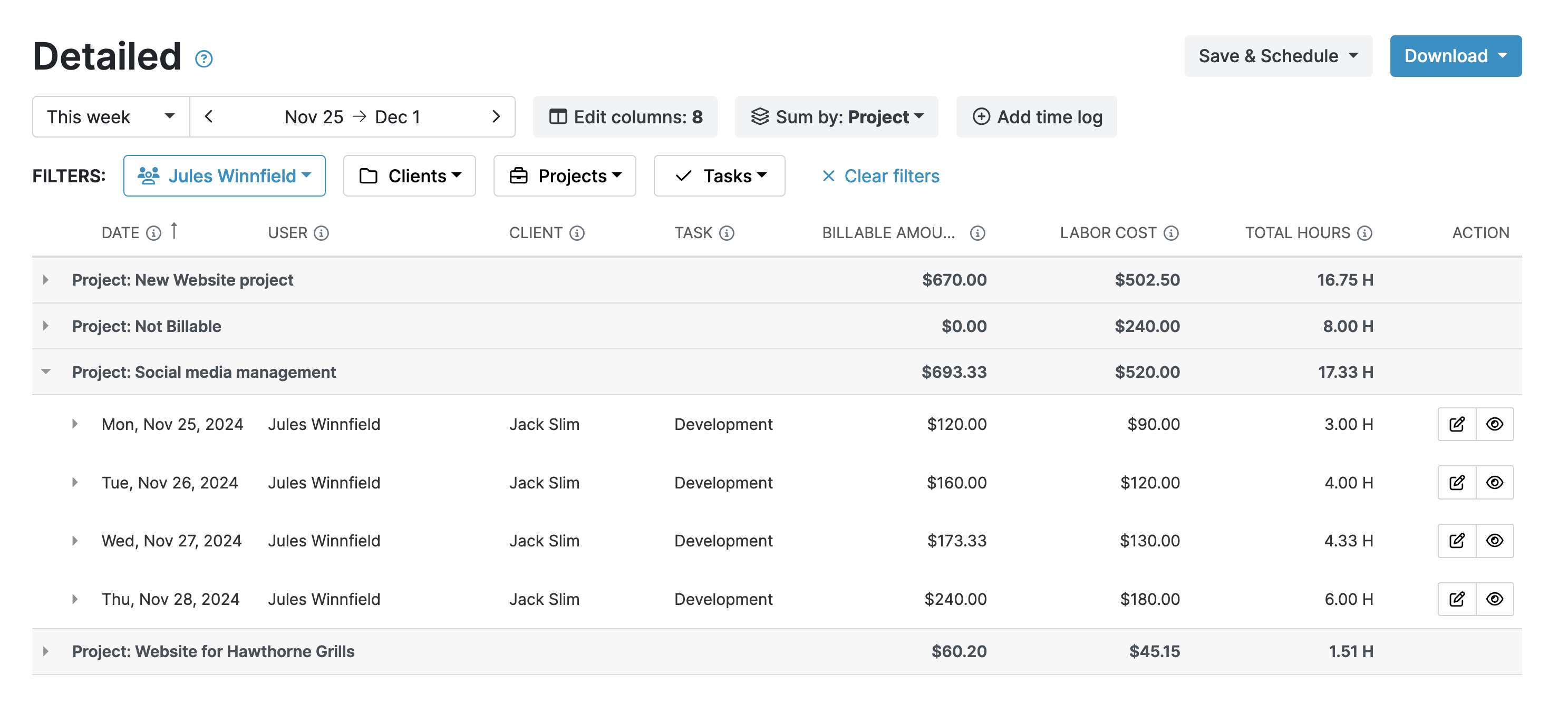
Which clients takemore time than they pay for? Break down time by client, project, task, tag,user, or billability, and save, schedule, and export your favoritereports.
Turn Salesforce accounts into budgets, rates, and invoices
Salesforce tells you who you do business with. My Hours tells you what that work costs.
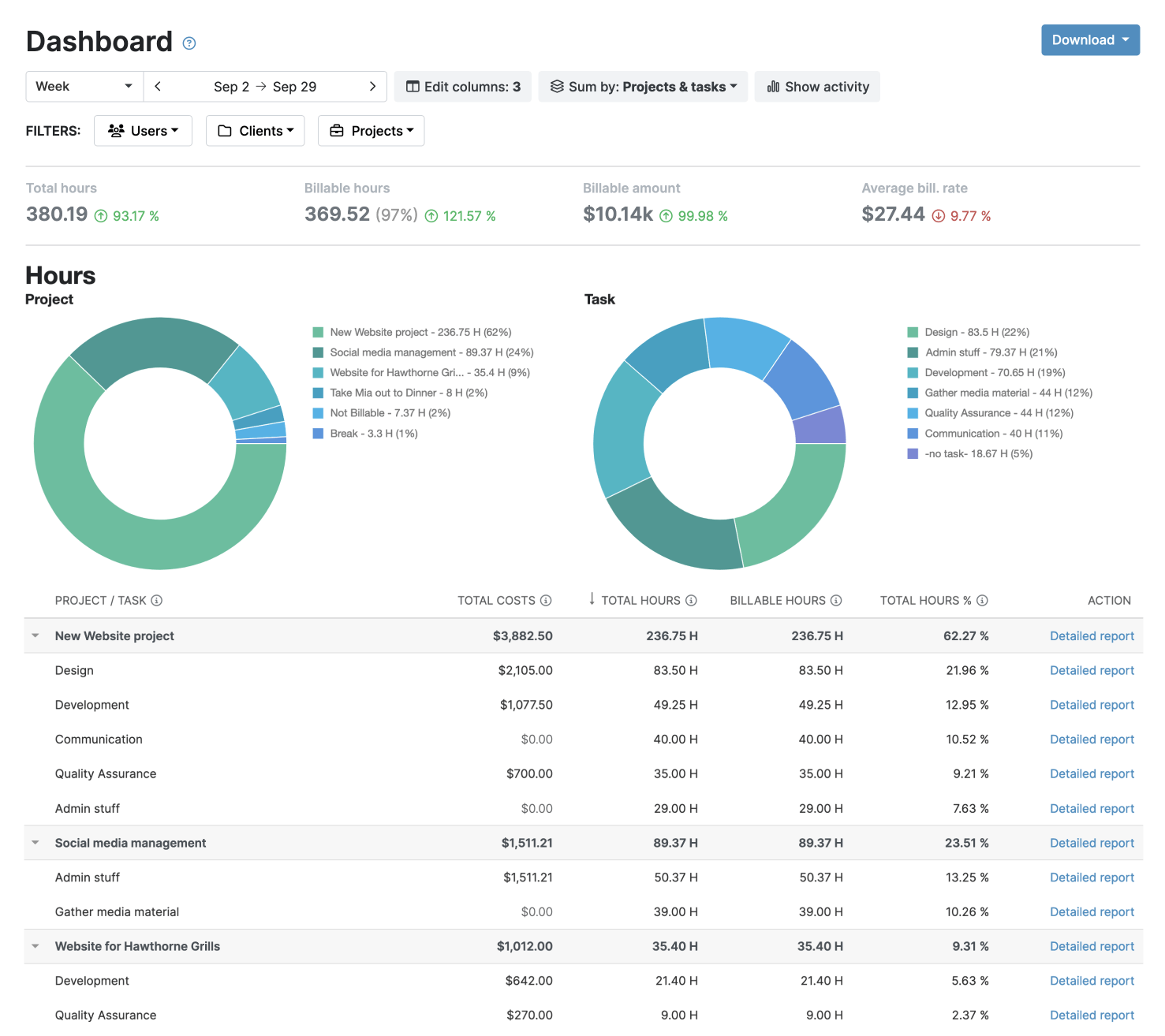
Set budgets on the projects you imported from Salesforce and see when a client is close to going over. Choose hourly rates, mark billable time, and add expenses. When it is time to bill, create an invoice.
How to set up the Salesforce integration in 3 steps
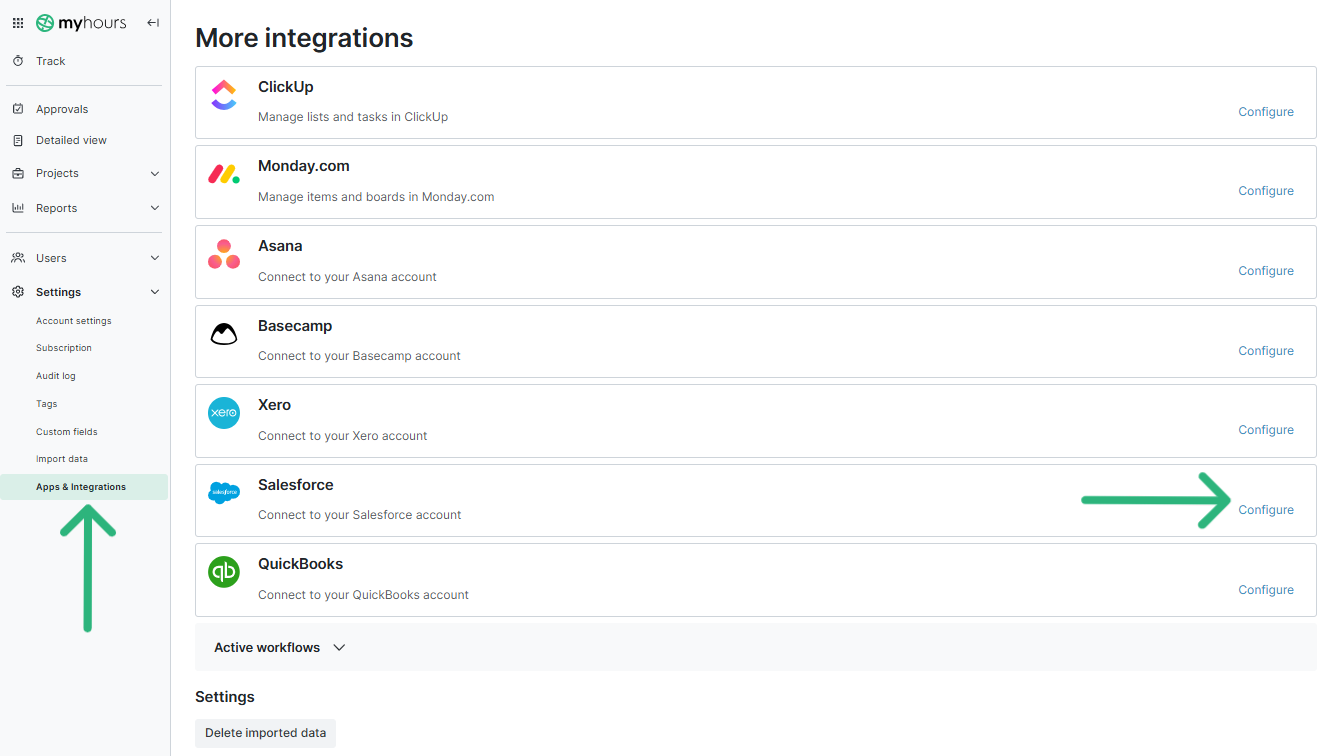
1) Connect: Salesforce to My Hours
2) Choose: aone-time import or real-time sync
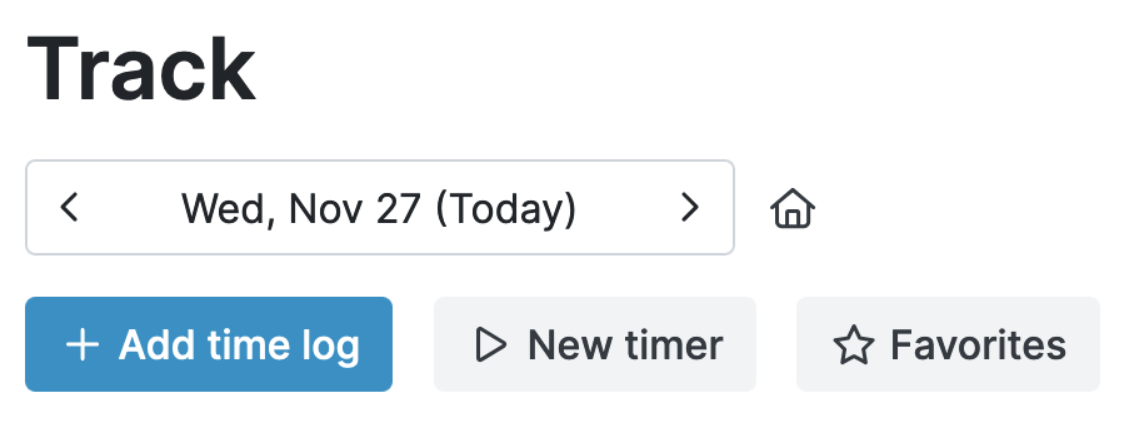
3) Start tracking time.
.png)
FAQ
Highest praise from our customers


Waste no more time,
jump right in!

All rights reserved.