
Time Tracking Software for Consultants
Track billable hours, manage clients, and invoice accurately
 Track billable hours per client, project, and task
- Set billing and labor rates by user, project, or task
- Generate client reports and invoices from logged time
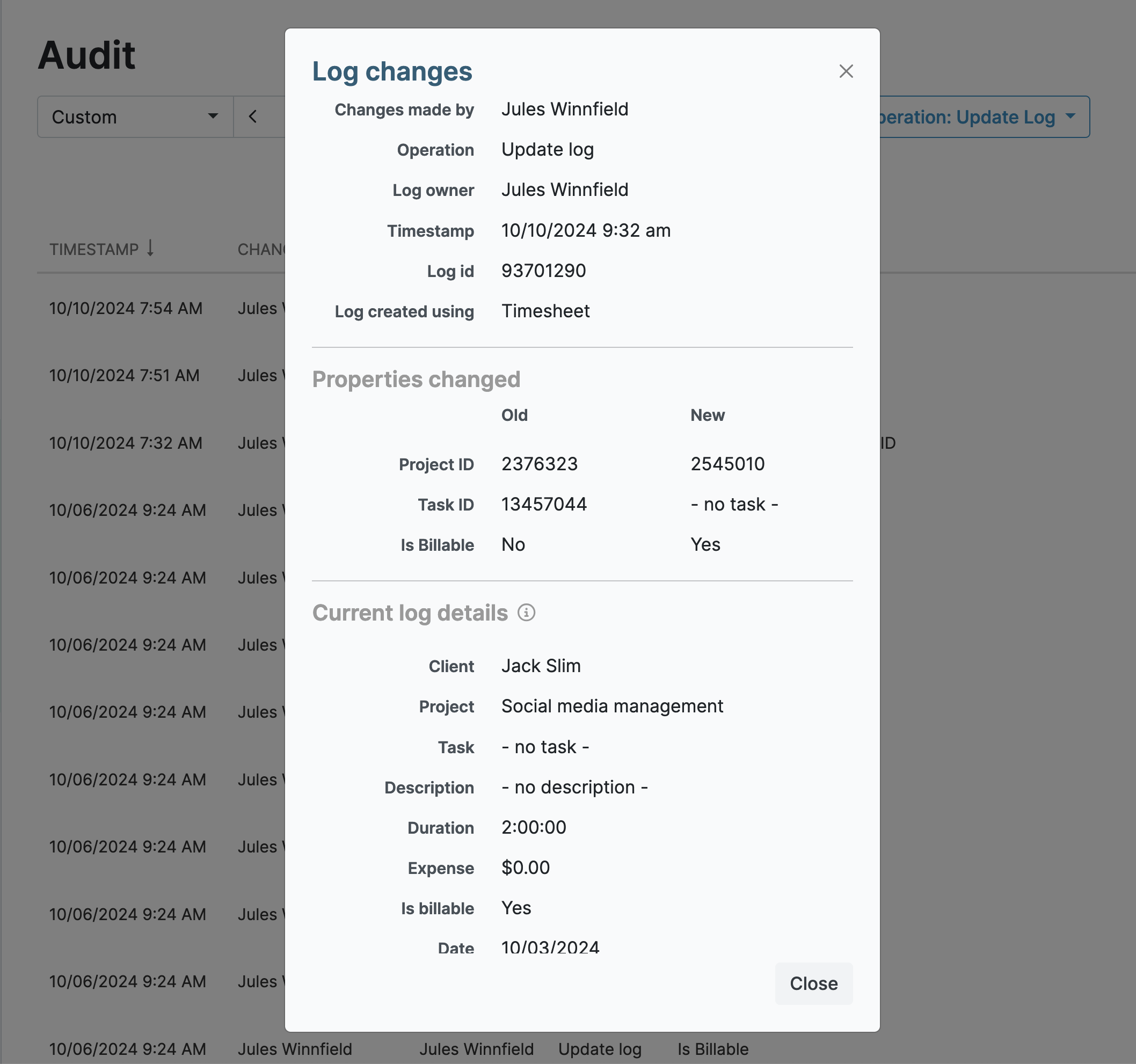
- Full audit log for contractual and DCAA compliance

1 in 4 My Hours users on Capterra
is a consultant


The time tracker built for how consultants actually work.

Billing clients accurately means knowing exactly where every hour went — across every project, every task, and every client, all at once.
My Hours gives you that clarity. A simple timesheet that takes minutes to fill, billing rates that calculate automatically, and reports you can send straight to a client without touching a spreadsheet.
Reduce the Time Tracking Burden
Time tracking for consultants should make life easier, not harder. My Hours effortlessly captures every billable minute and gives you better control over your workload.
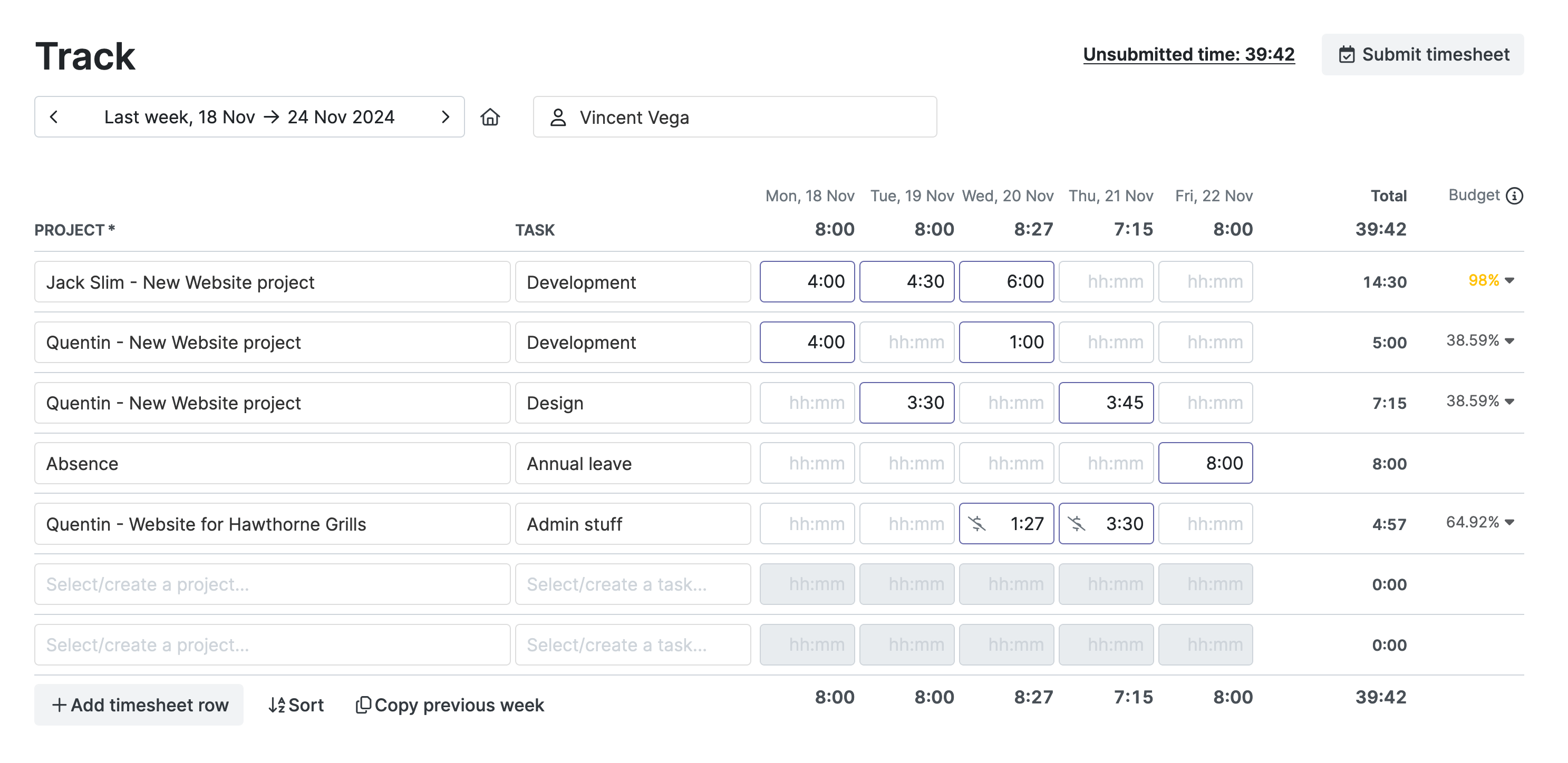
Available on web, mobile, and as a browser extension for Chrome, Edge, and Firefox.

"It's a fantastic tool for consulting professionals to map their work and bill.
The paid version also helps manage and monitor teams."

Juggling Multiple Clients
Effective multi-client management requires a system that separates client data and tracks hours to the correct deliverables to ensure accurate billing.
.png)
"I find it to be intuitive and very user friendly - and creates administrative efficiencies so that I can focus on the actual work!
Great value for the price!"
Separating Billable and Non-Billable Hours
My Hours lets you distinguish between billable and non-billable work and tailor billing structures to suit client contracts.
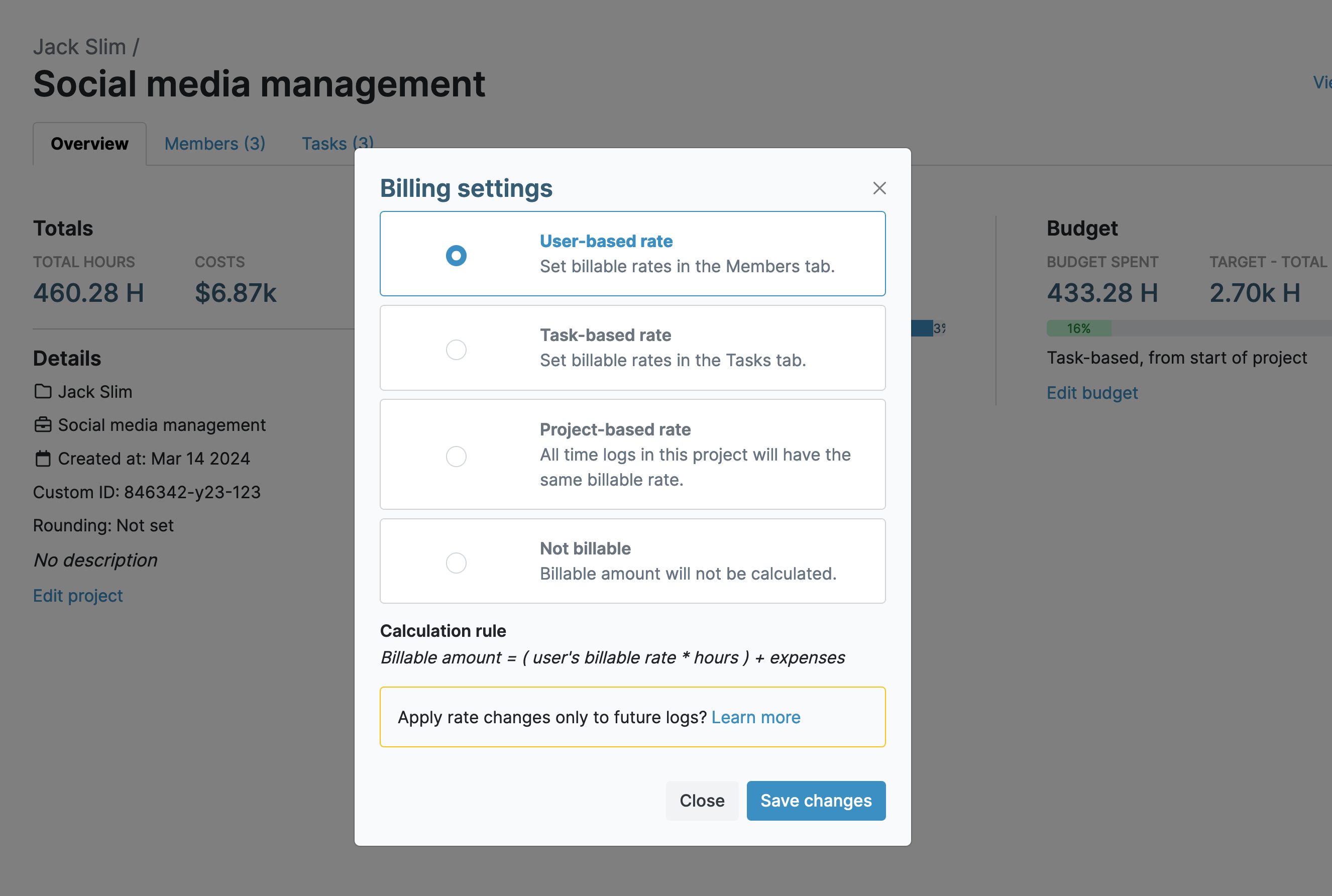
2. Task-based rate allows you to tailor rates at the task level
4. Non-reimbursable work is marked as non-billable
" I like that it's simple.
I also like that Tasks that have the same name across different Projects are grouped together - it helps me see how much I'm in meetings or doing individual tasks or doing field work."
Optimizing Billable Time
Admin tasks, travel, and meetings eat into billable time—and clients often set strict hourly quotas. My Hours helps you meet those quotas while keeping non-billable work under control.

"My Hours is saving me lost hours of billable time!
Very impressed with the thoughful design of the input functions and the customized reporting features right down to individual clients."
Tracking Expenses
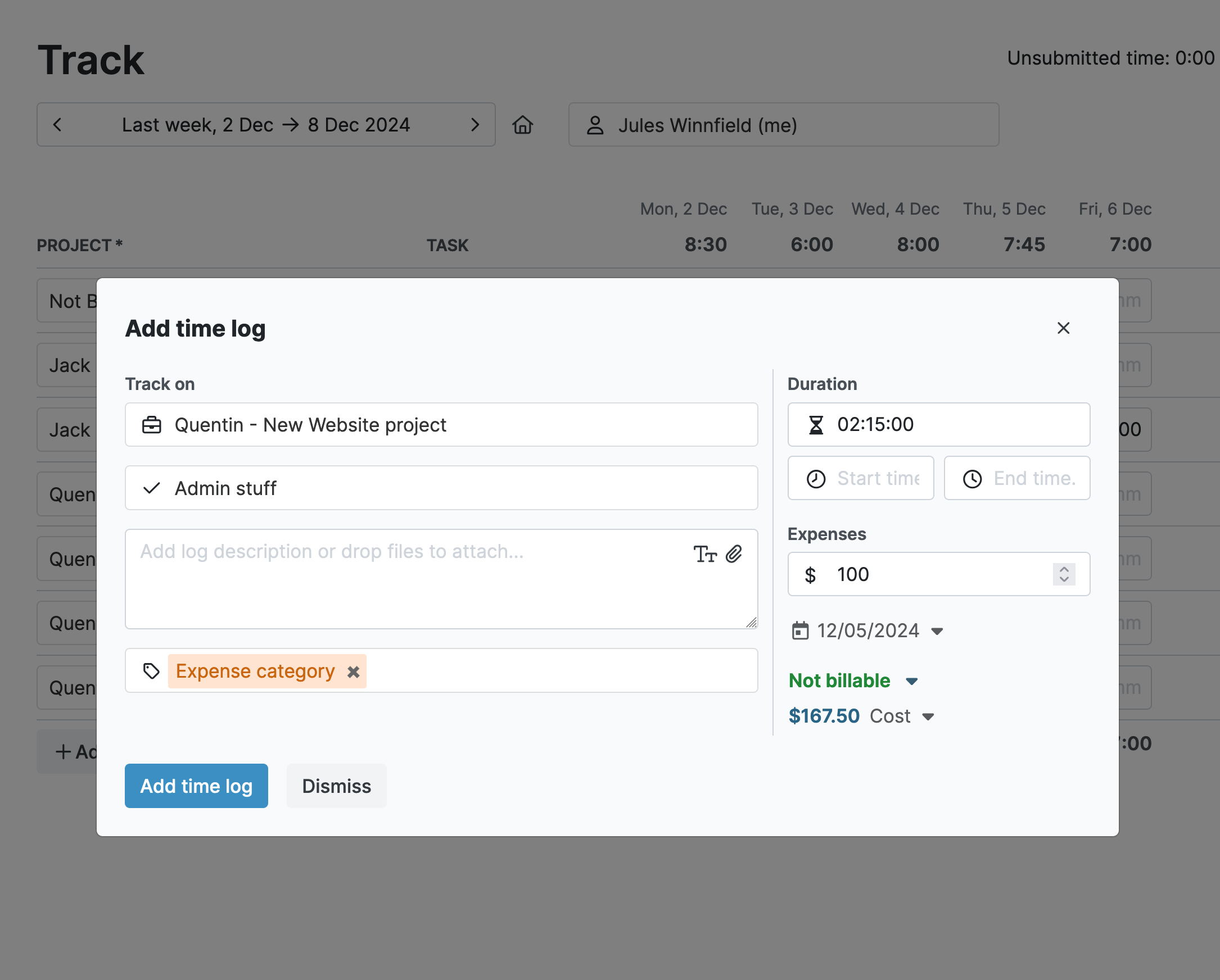
Expenses billed to clients must be transparent, backed up with proof to qualify expenditures.
"An absolutely essential tool as a consultant.
Very easy to set up and easier to use, it makes one of the more burdensome tasks a snap."
Accurate Client Invoicing
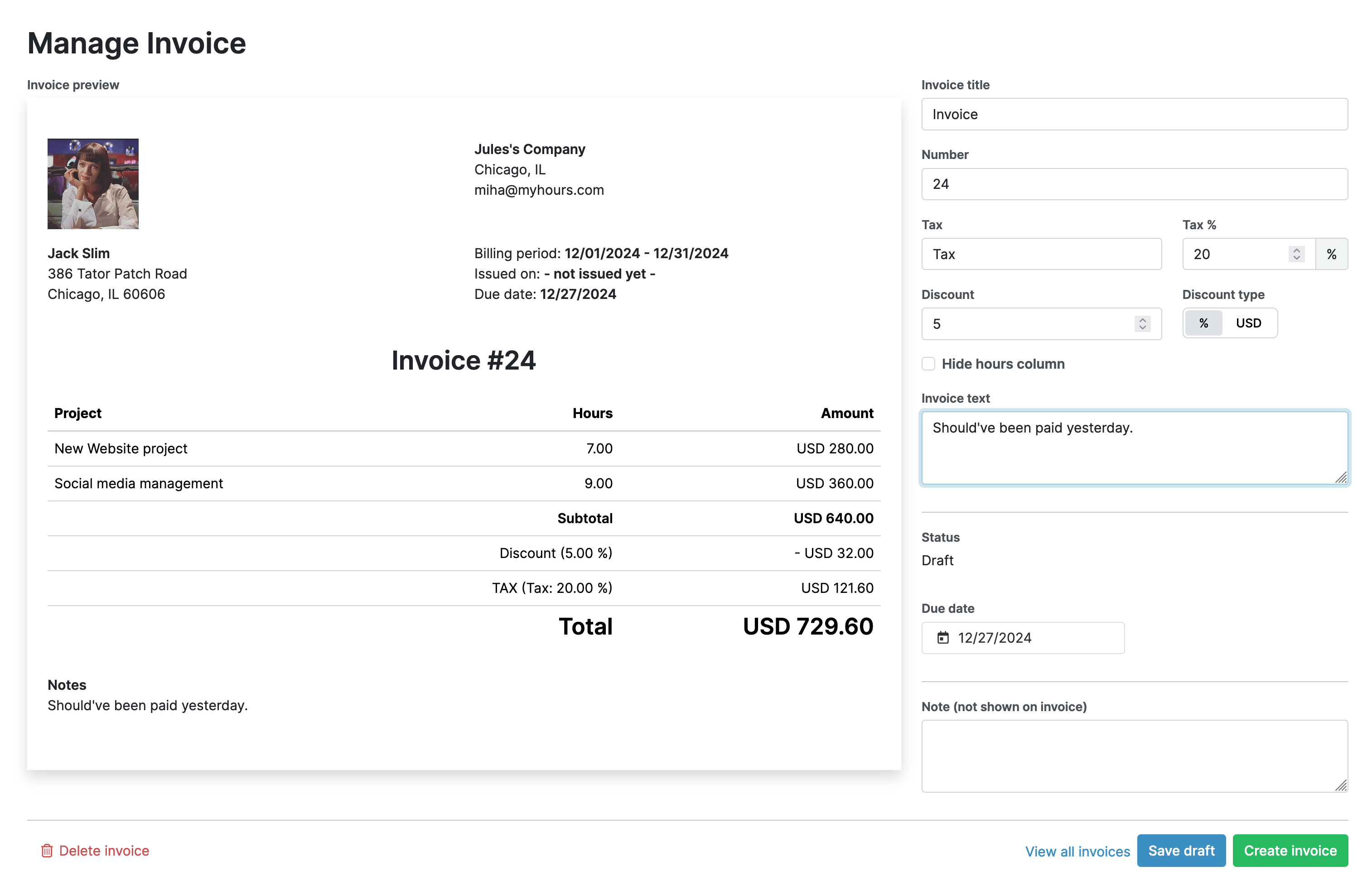
Invoicing your consulting clients should be a straightforward process.
"I tried may other tools, but this one was the one.
The whole structure and layout of tool is super intuitive, no unnecessary features are there. I think this is a hidden gem."
Compliance and Transparency
A client’s contractual terms are non-negotiable, especially around amounts billed and hours worked. This is especially true for government consultants who must adhere to the strict DCAA time tracking requirements.
"I have been very happy since purchasing this product and the amount I've saved in ensuring proper billing has more than covered the cost of purchasing My Hours."
Keepin Clients Updated
Consulting clients require different reports, ranging from detailed insights to brief updates, performance reports, cost analysis, and more. You are expected to provide these reports in full and on time.
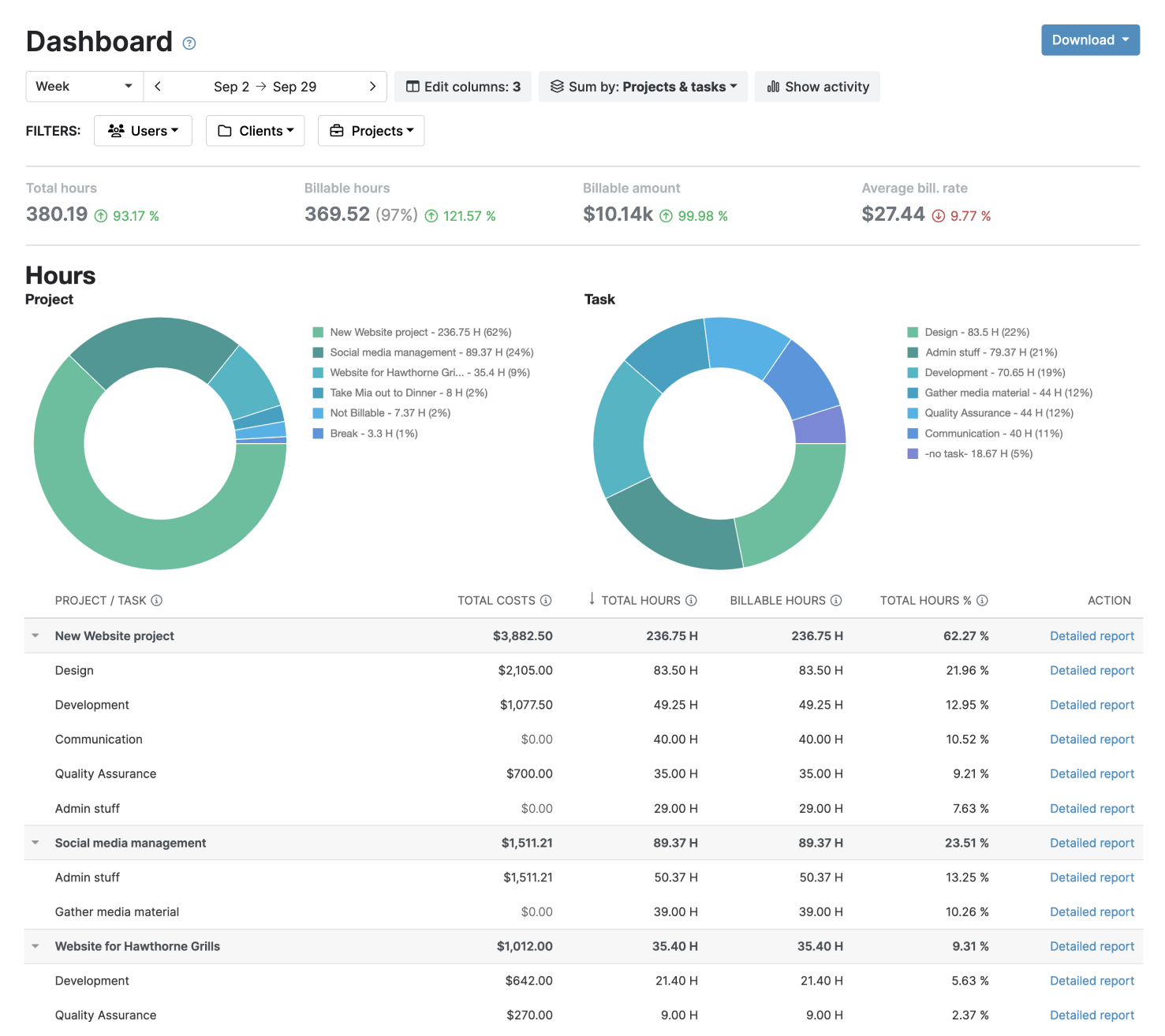
The Detailed report for deep insights and analysis
The Timesheet report for a full picture of team time and activities
Your data stays protected and compliant at every step.




Frequently Asked Questions
My Hours time tracking features

Timer or weekly timesheet
Track time with our seamless timer or enter your time through our keyboard-friendly timesheet. Add a description and custom inputs.

Set billable rates and budgets
Automate calculation of billable amounts by setting precise hourly rates by project, task or team member. Add a project budget to monitor its progress.

Analyze logged hours & expenses
With the Dashboard you’ll get a bird’s-eye view of billable vs non billable hours, earned income by project, under- or over-utilized employees and more.

Generate custom reports
Detailed reports are completely customizable and display as much information as needed. Print to PDF, export to XLS or send schedule it via email.

Manage tasks
Add and assign tasks with an estimated budget. Create templates when identical tasks appear across projects.

Submit and approve timesheets
Supervisors get email whenever timesheets are submitted. Each timesheet can be approved or rejected with an email message.

Set flexible roles
Invite your team to track time on their projects without seeing each other’s hours and rates. Designate managers to oversee their team and manage their work.

Prevent inconsistent reporting
Lock team’s time logs to prevent editing or adding new logs in a selected period. Download the audit log report to keep your books in order.

Streamline invoicing
Create numbered invoices straight from hours logged. Integrations with the most popular invoicing apps are available to all customers.

Integrate with other tools
Connect My Hours data with other tools or vice versa through Zapier connectors. Alternatively, use our API to develop your own integration.

Access from anywhere
My Hours is a cloud-based app with nothing to install. View and manage your hours from any web browser or install our native mobile apps.

Secure infrastructure
My Hours is hosted in Microsofts Azure cloud and we are proud of 99.95% uptime. We perform regular security checks to keep your data in safe hands.
Highest praise from our customers


Waste no more time,
jump right in!

All rights reserved.