


My Hours vs. ClickTime
Choosing the Right Tool for R&D Documentation Compliance
Time tracking for R&D must do more than record hours—it needs to clearly link employee time to qualified research activities (QRE) and costs while standing up to IRS audit scrutiny.
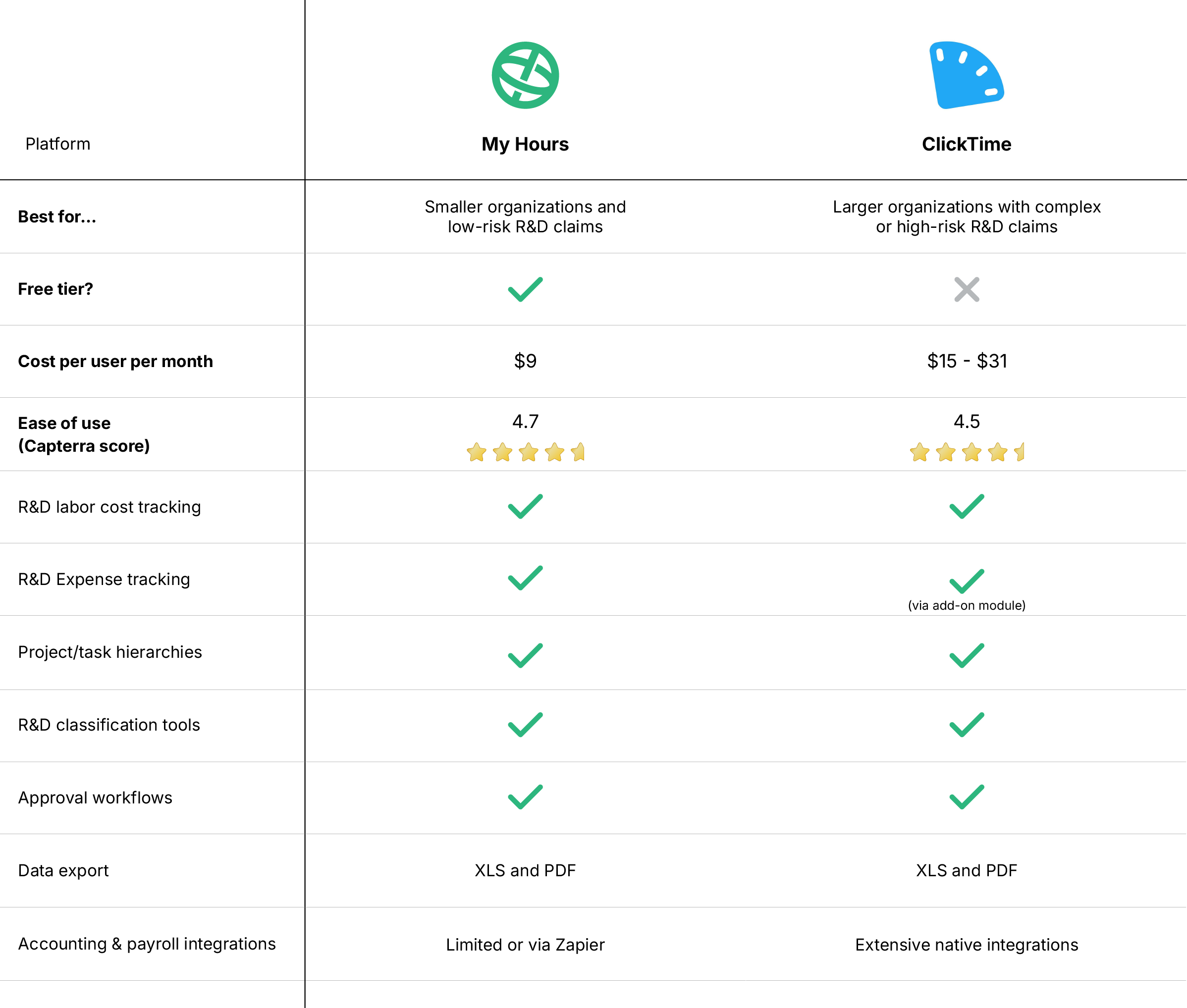
My Hours and ClickTime both track time and projects, but they differ in how they support R&D data capture from a finance perspective.
*Last Updated: February 2026*

My Hours vs. ClickTime: At a Glance
1. Cost Allocation
To calculate R&D costs, labor rates must be captured alongside time. This ensures that every claimable minute has an accurate associated cost and prevents finance from having to make the calculations separately.
My Hours
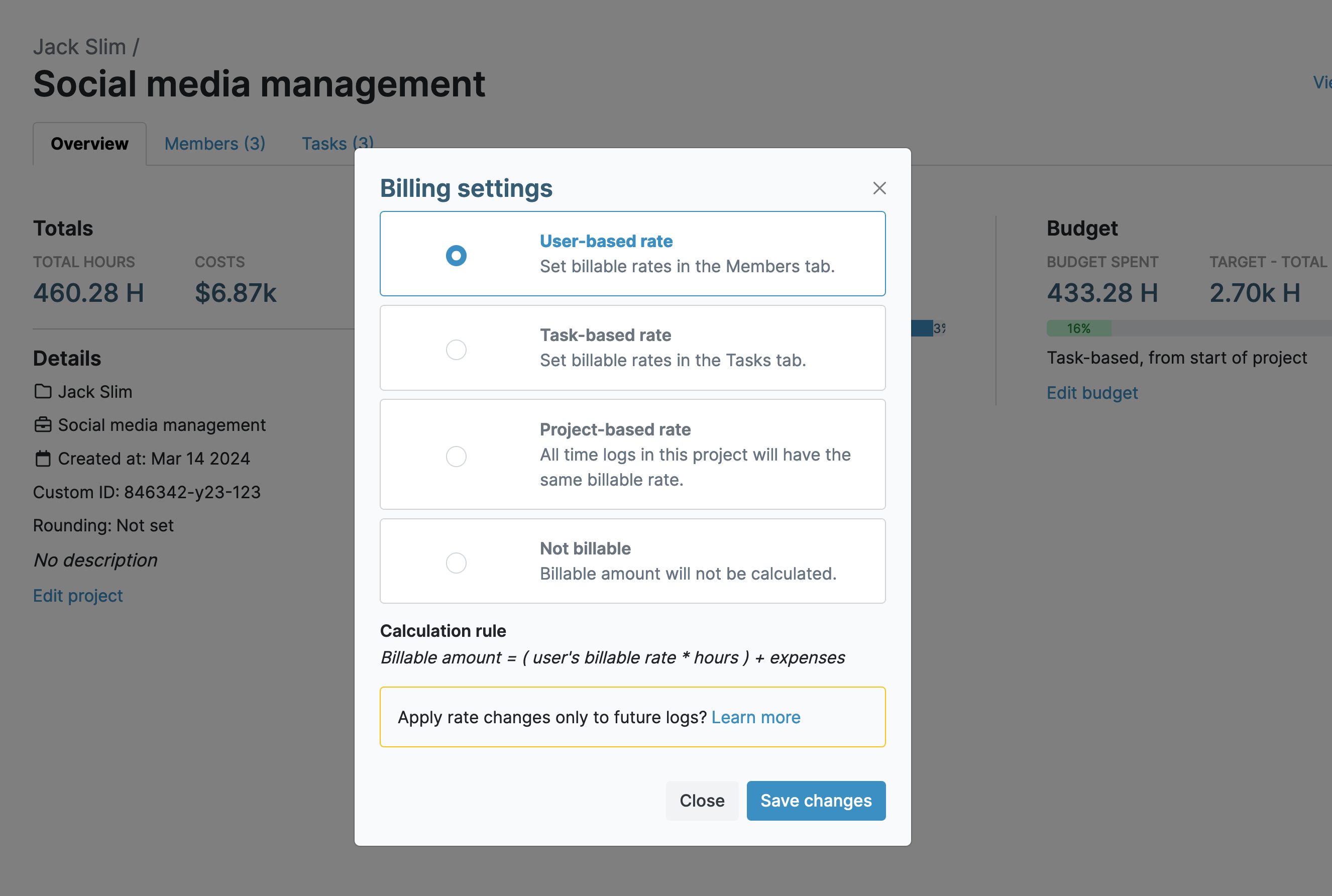
My Hours features flexible labor rate assignment to all users. A default rate can be applied across all deliverables, or unique hourly labor rates can be assigned to users for specific projects.
As time is tracked, so is the labor rate, and My Hours will correctly calculate the totals for each time entry. Additionally, R&D expenses can be uploaded directly onto time entries along with copies of receipts to provide proof of expenditure.
This means that all costs are directly tied to specific R&D deliverables for ease of reporting.
ClickTime
ClickTime also enables hourly labor rates per user and has an additional feature where you can input a weekly amount for salaried workers. When time is tracked, the system calculates and attributes the correct portion of the user’s salary to each of their time entries.
However, it’s a bit more complicated at the project level since ClickTime only lets you configure billable rates rather than the actual labor rates. This means you have to match each user’s billable rate to their labor rate, which can make reporting a little messy.
ClickTime also has a separate module for expenses (as an add-on cost). While you can capture R&D costs in detail, they are not tied to time entries. And although you can link expenses to specific projects, users have to manually input which tasks the cost relates to.
Cost allocation verdict
Each platform allows costs to be directly linked to time spent on R&D activities.
My Hours offers a cleaner way to configure labor rates and makes expense tracking more straightforward for the user.
ClickTime better suits organizations with salaried staff and more complex payroll and expense processes.
2. Project/Task Granularity
Every R&D time entry must capture who did the work and what project/task it belongs to. The goal is to push as much of this work as possible to the time-entry stage, so finance is not recoding everything at month-end.
My Hours
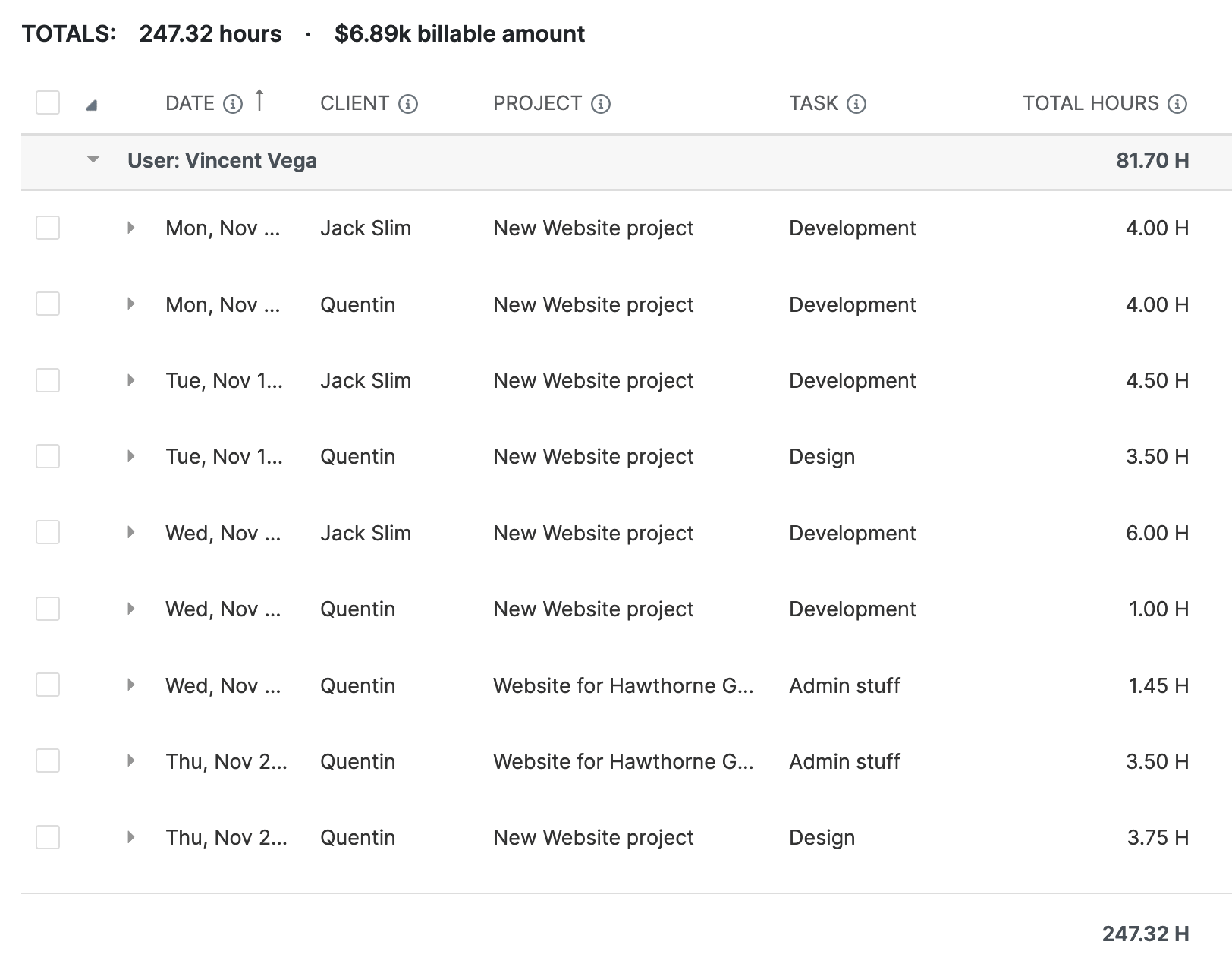
My Hours uses a clear hierarchical structure - Client > Project > Task - and time entries are tied to each of these. To organize tasks more cleanly, it’s possible to create task lists.
Time is also clearly linked to each user and their assigned team and supervisor, providing a fully mapped record without overcomplicating matters.
ClickTime
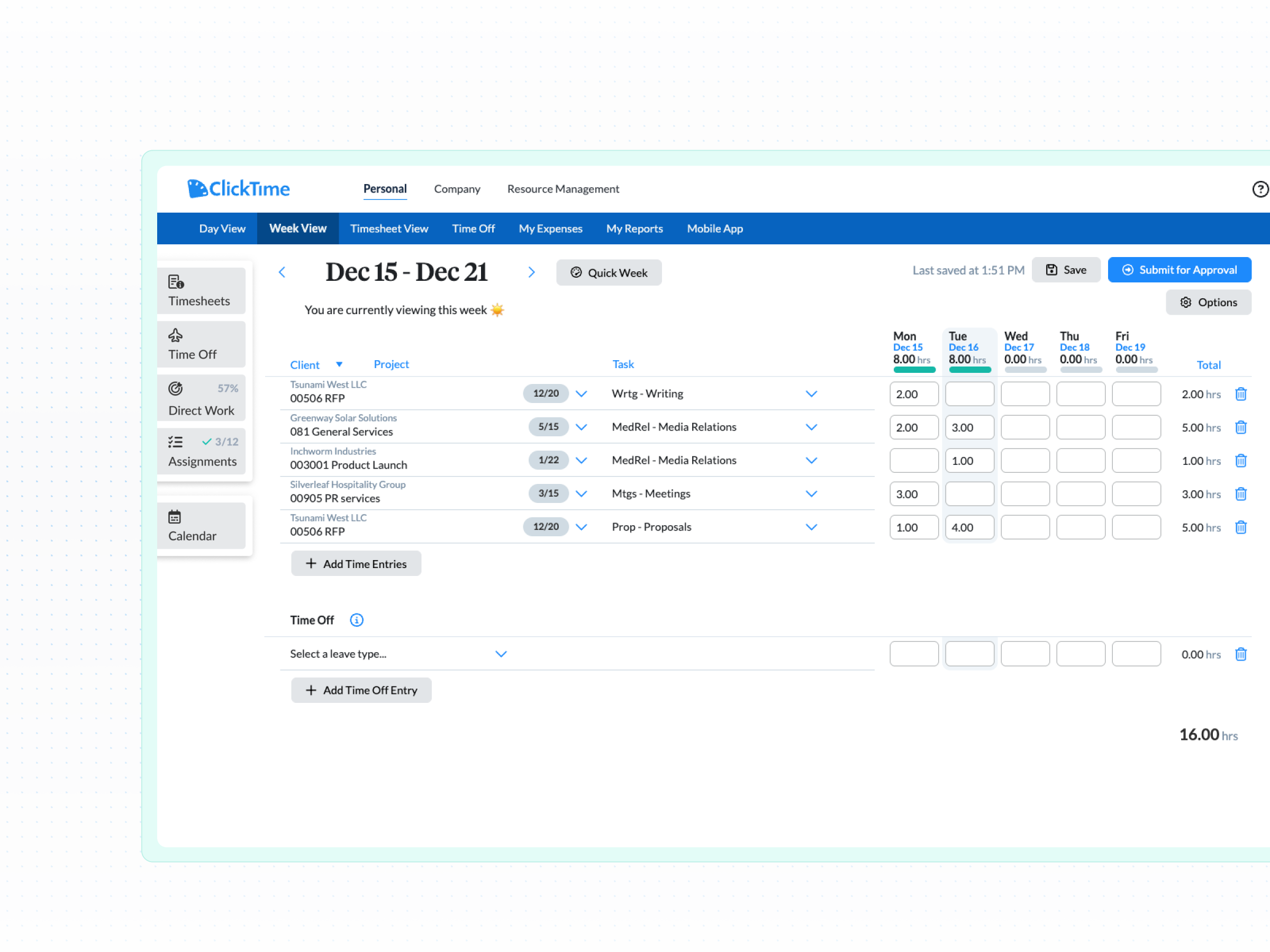
ClickTime similarly approaches projects and tasks. Like My Hours, time is recorded against users, clients, projects, and tasks, but it has an additional option to add project phases or milestones.
This allows larger organizations to break R&D work into more formal stages, which can be useful when aligning time data with accounting structures or internal cost tracking.
Project/task granularity verdict
Both platforms offer the breakdown required to support R&D documentation. The difference lies in how much structure is enforced.
My Hours favors simplicity and flexibility, while ClickTime supports more complex structures that better suit larger or higher-risk R&D environments.
3. Classification and Categorization
The correct classification and categorization are essential for successful R&D tax credit and expense claims. Every cost must be clearly labeled to indicate whether it falls under Section 174, Section 41, or both.
My Hours
My Hours uses custom tags to classify costs on time entries. This is as simple as creating a tag for each type of R&D classification required. Tags can also be used for other types of categorization, such as noting cost centers or work types.
My Hours also supports the creation of custom fields, though they are limited to numerical fields only on time entries. Other types of custom fields can be created for users, clients, projects, and tasks. Plus, a default ID field is included for every project and task for easier tracking.
ClickTime
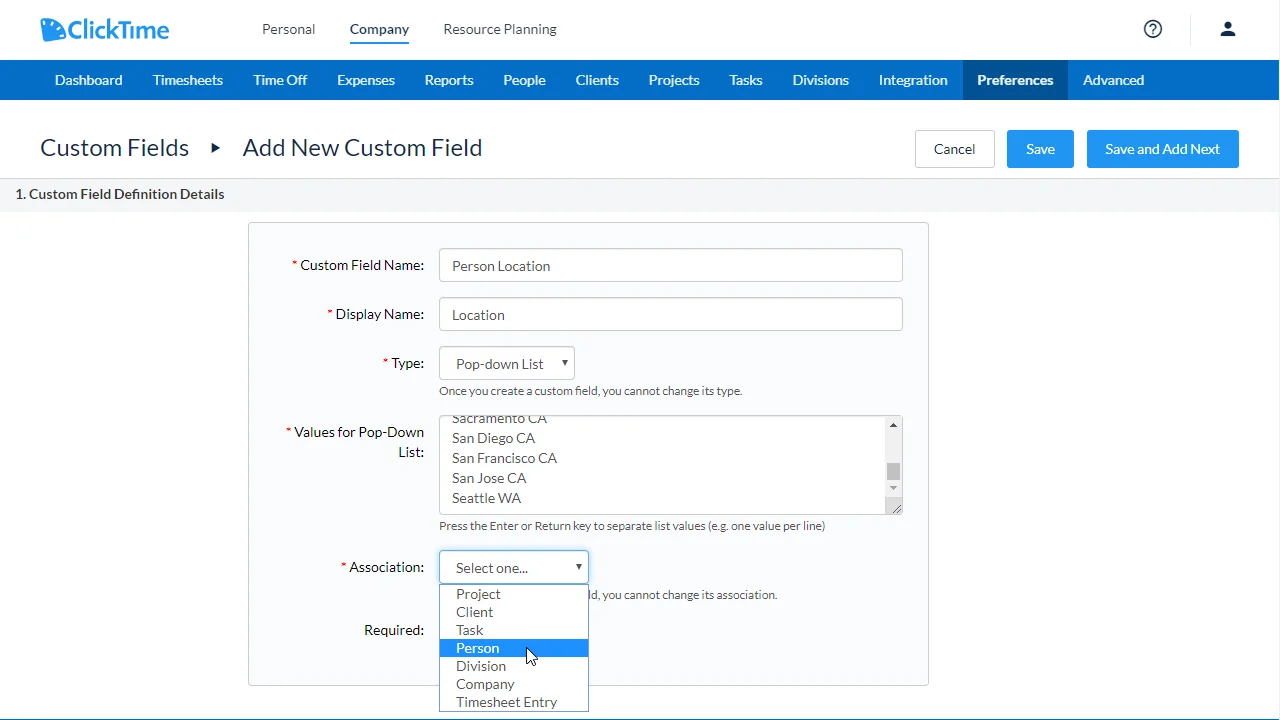
ClickTime also supports custom tags (though they call them labels), which can be added to time entries as needed.
It offers more flexibility around custom fields since you can choose between numerical, text, multiple choice, and other options. This allows you to tailor time entries according to finance requirements and add a more rigid classification structure for R&D.
Classification and Categorization
My Hours is well-suited for teams that want a simple, tag-based way to classify R&D time and costs without overcomplicating data entry. It works best when classifications are stable and clearly defined upfront.
ClickTime is better for organizations that need more detailed or varied classification rules, thanks to its broader custom field options, which support more complex R&D and tax reporting requirements.
4. Approve and Lock
Time entries for R&D also require a verifiable chain that shows who reviewed the hours and how any corrections were handled.
My Hours
Both platforms provide robust approval workflows, but they differ slightly in how they are approached.
My Hours enables managers to approve or reject their team’s time entries and includes a mechanism to prevent managers from approving their own time sheets.
Rejected entries go back to the user for correction, with a timestamped note that explains the purpose of the adjustment.
ClickTime
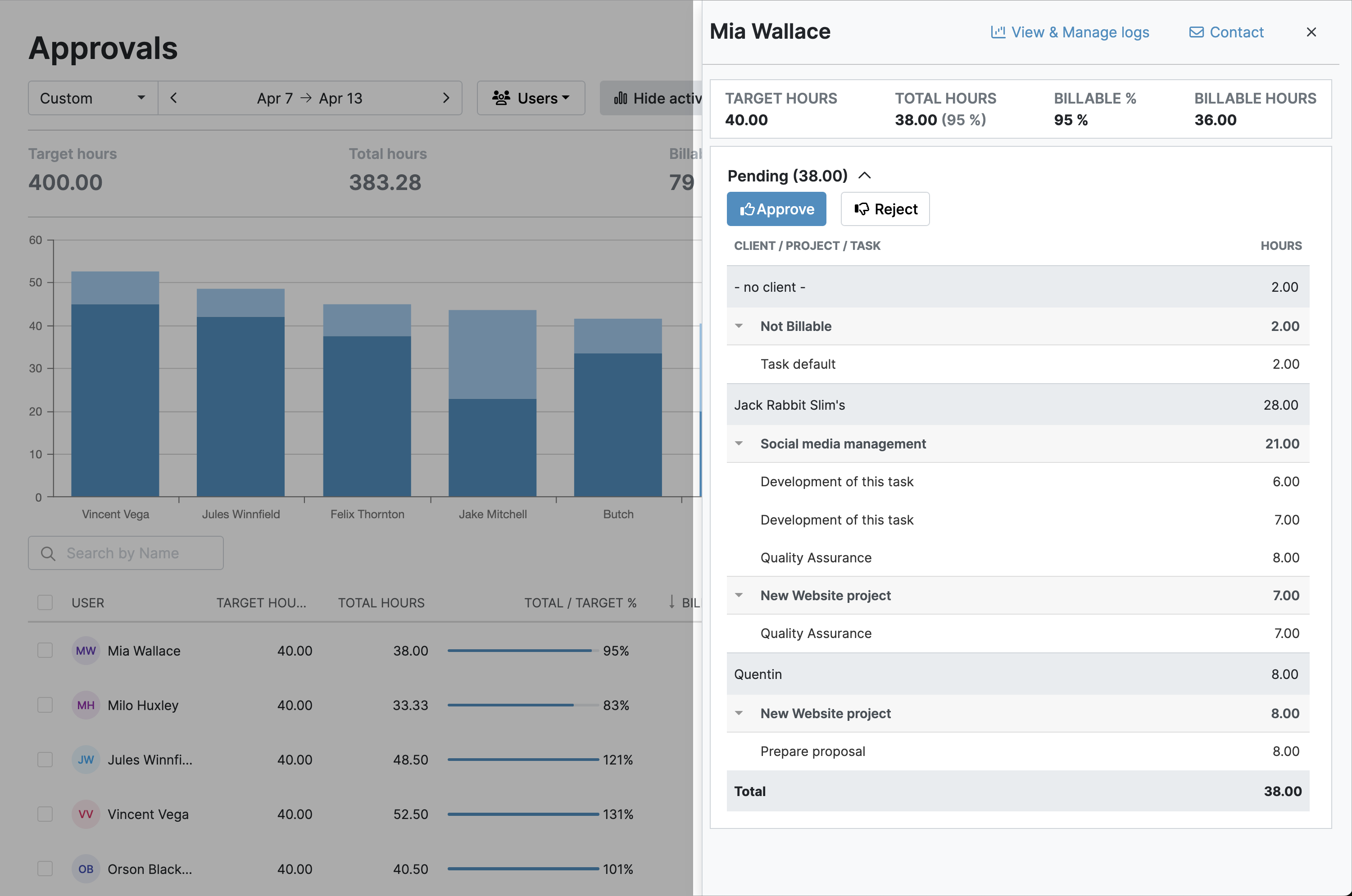
ClickTime’s approval process operates similarly, only here project managers must approve timesheets before they are sent to the supervisor for final approval.
Approvals can also include a custom attestation to confirm that the hours reviewed are correct.
Both My Hours and ClickTime auto-lock timesheets to prevent further edits by the users who submitted them. Timesheet locking can occur right after submission or after approval.
Approve and lock verdict
Each platform’s approval workflow is more than sufficient for R&D requirements.
ClickTime’s extra approval layer can be advantageous in heavily regulated environments. My Hours’ workflow is more streamlined and easier to manage.
5. Export and Data Outputs
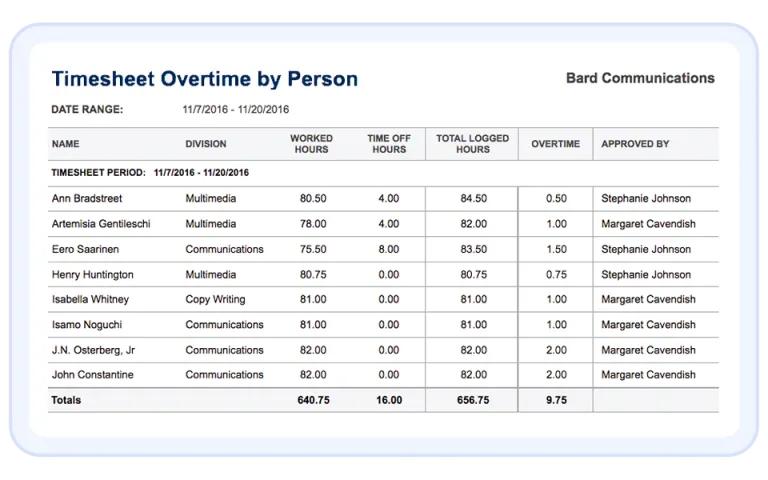
No matter how good the time capture and approval processes are, finance ultimately needs to transform that data into structured reports for R&D forms, tax filings, and internal processing.
My Hours
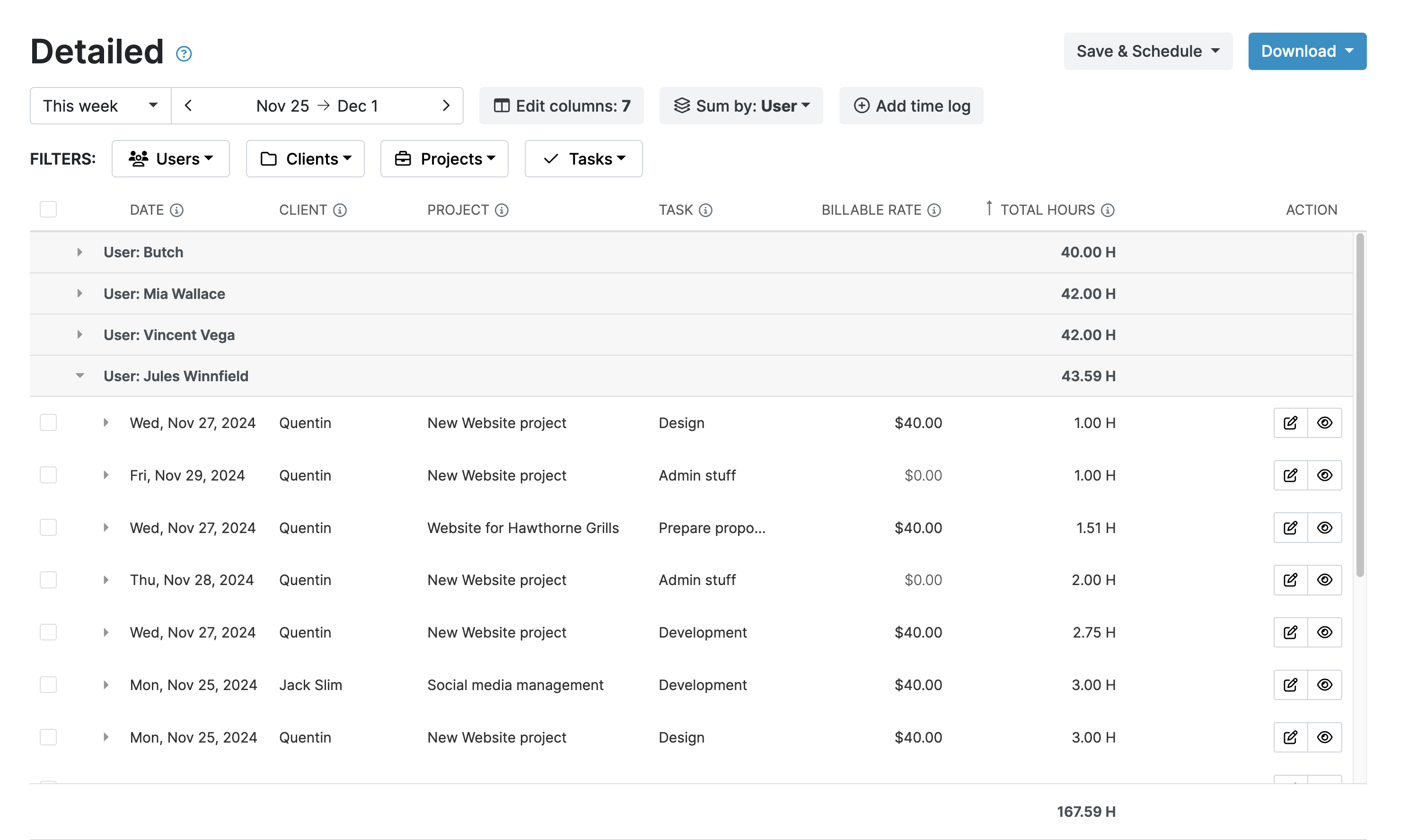
My Hours provides a range of flexible reports, including the Detailed report, which can be filtered by tags and custom fields to display granular data.
For example, you can create saved reports that pull time coded as R&D, broken down by project, user, and cost. Reports are exportable in XLS and PDF and can be emailed directly from My Hours.
My Hours also integrates with key business software, including accounting platforms QuickBooks and Xero. Integration with payroll and other finance platforms is possible by using Zapier.
ClickTime
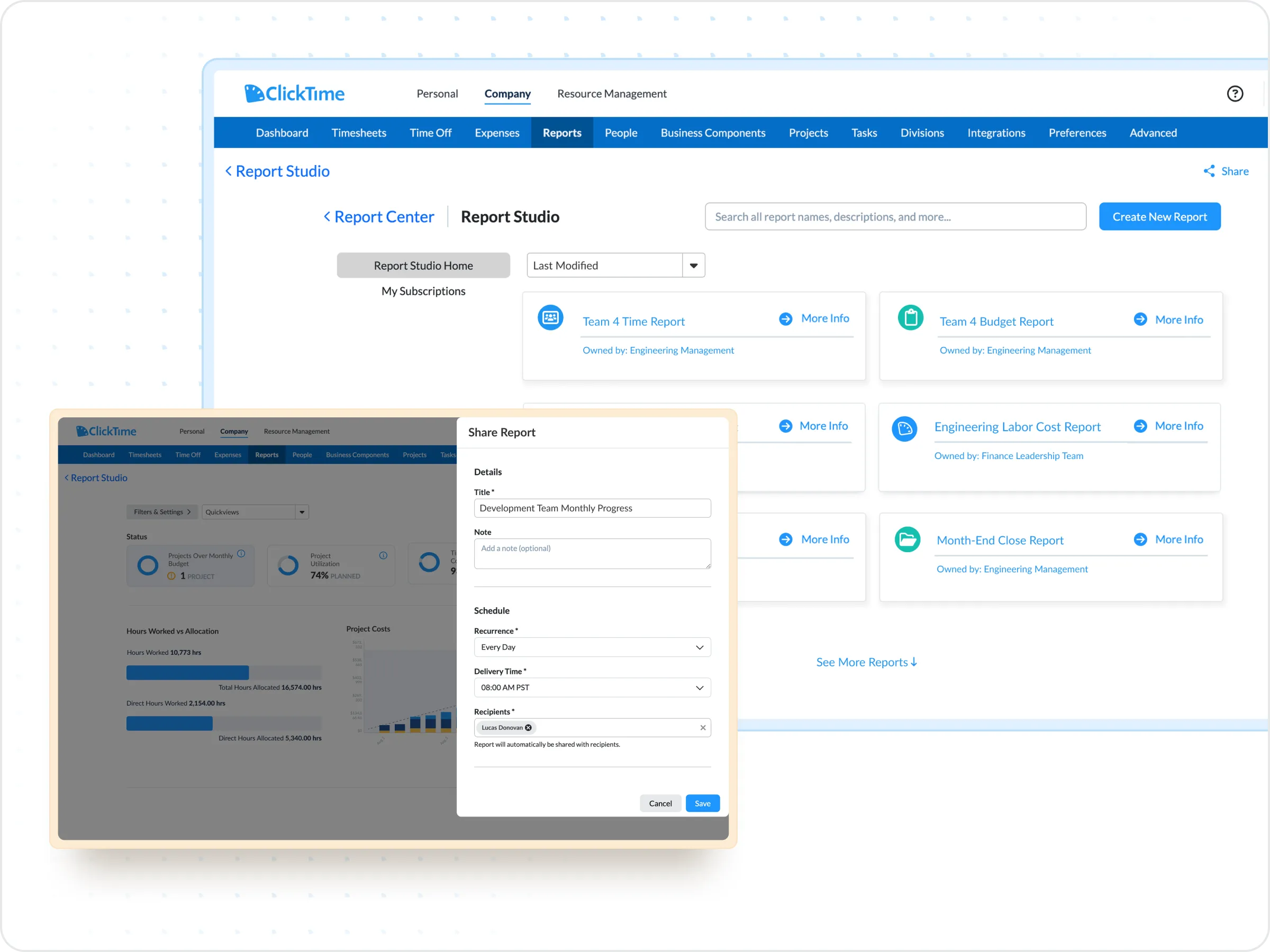
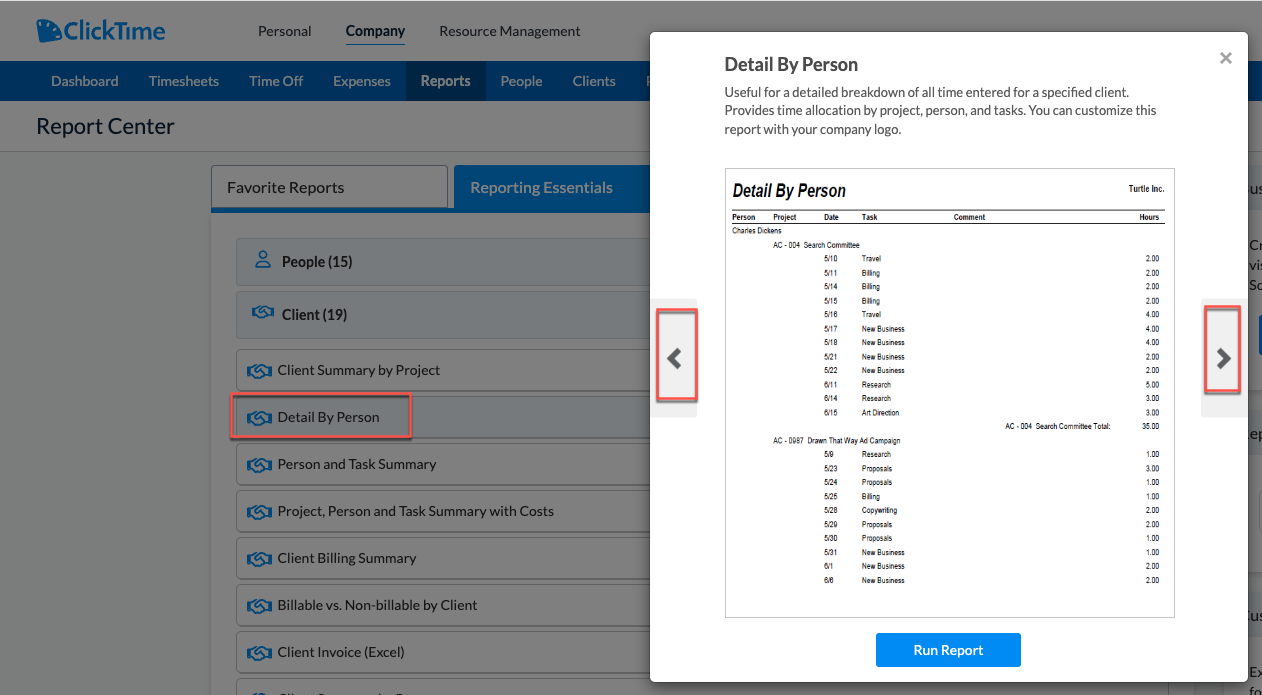
ClickTime offers over 60 standard reports and a Report Studio where you can build your own custom R&D reports using a wide array of filters and data points.
Custom report data is refreshed daily, or you can manually refresh it whenever you need to. Like My Hours, they export to XLS and PDF.
Additionally, ClickTime features a large array of native integrations with finance platforms, project management, data tools, and more.
It can also export pre-built payroll reports specifically for major payroll providers and sync records between platforms.
Export and data outputs verdict
Overall, My Hours provides a quick and easy way to generate R&D data and is a great option for smaller organizations.
Since ClickTime’s reporting is more in-depth and offers more integrations, it’s a good choice for larger organizations with complex R&D claims.
Pros and Cons of Each Tool
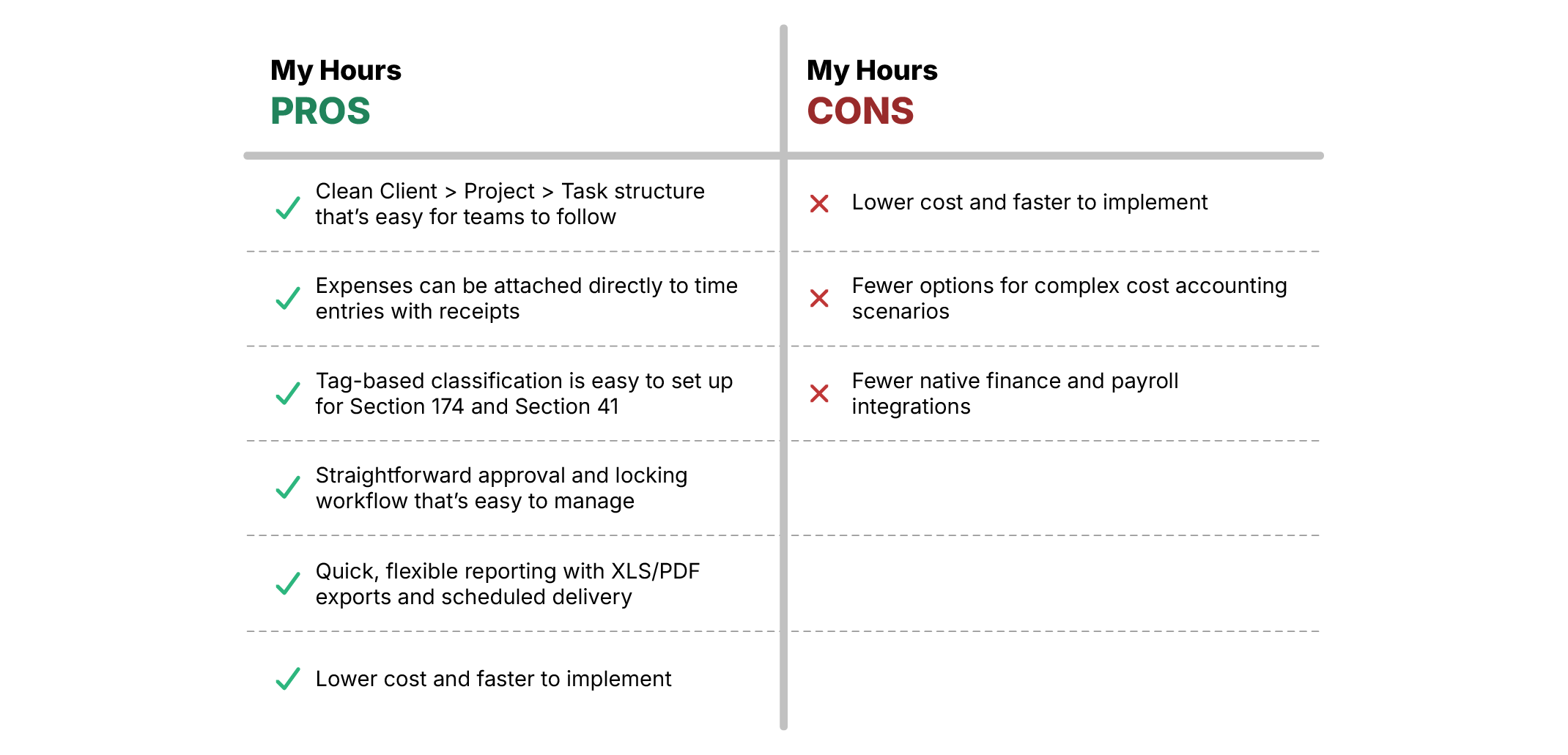
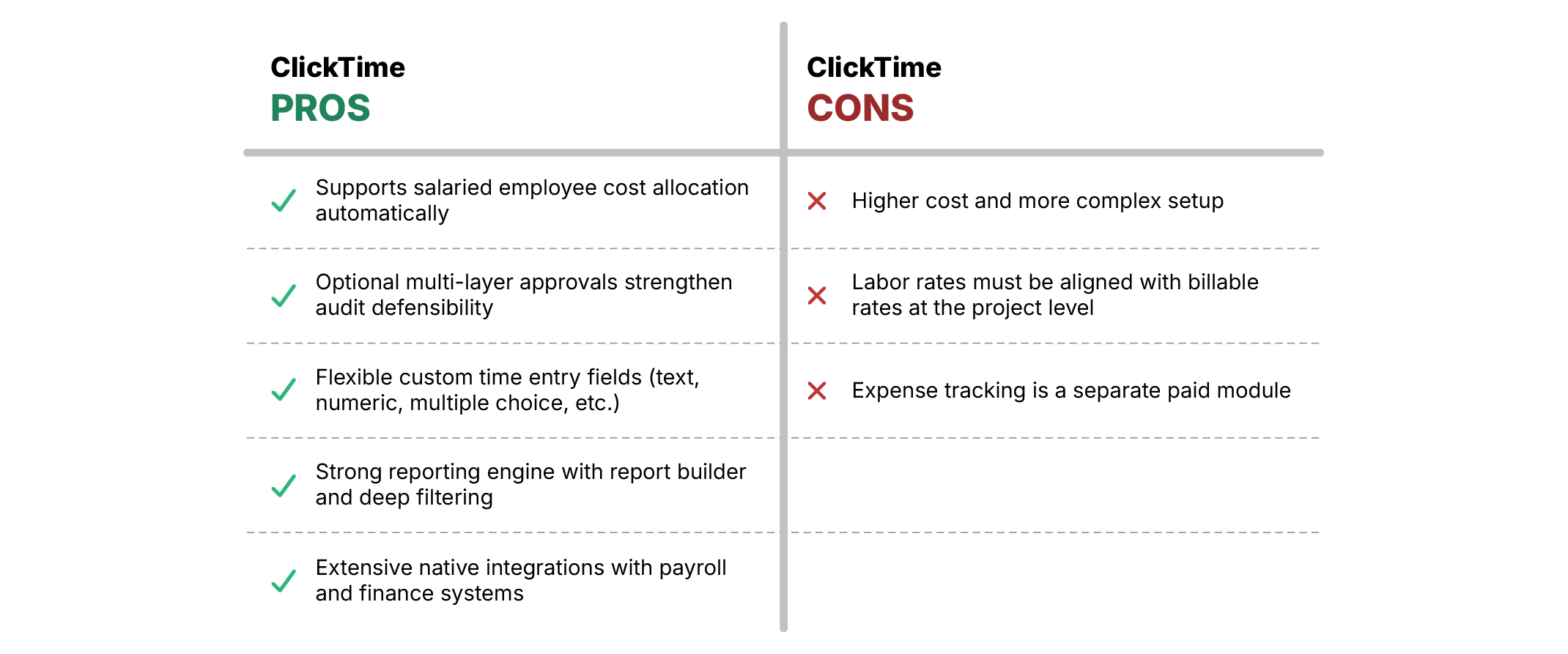
Here’s an at-a-glance look at the best and worst of each platform:
My Hours: Pros and Cons
ClickTime: Pros and Cons
Bottom Line
Both My Hours and ClickTime support IRS-compliant R&D documentation, but one may be more suitable for your organization than the other.
My Hours gives finance teams control without the enterprise overhead and works best for smaller businesses and low-risk claims. It offers clean cost allocation, simple classification, and detailed reporting without heavy configuration.
ClickTime is ideal for larger organizations with higher-value or higher-risk R&D claims. Its deeper approval layers, flexible classification, and extensive integrations make it a stronger fit for complex environments where audit defense and scalability matter most.

Waste no more time,
jump right in!

All rights reserved.