
Project Cost Management Software
Track and Control All Your Project Costs in One Place
 Centralized platform for tracking labor costs, expenses, and profits
- Monitor project costs in real time as time entries are logged
- Set budgets with automated alerts
- Generate detailed cost reports in one click
My Hours: Project cost tracking software that saves time and effort
Tracking project costs across multiple systems is neither efficient nor easy.
When figures exist in time tracking software, accounting platforms, and even spreadsheets, comparing data becomes an admin headache.
My Hours brings time and cost tracking together on a centralized platform. Whether you want to manage costs, budgets, or identify which tasks are wasting money, My Hours gives you the right tools.
You get a clear, real-time picture of project costs, without having to constantly switch between platforms.


Trusted by more than 100.000 businesses worldwide


Track Labor Costs Alongside Time
Labor is undoubtedly the largest component of the total project cost. My Hours automatically tracks and records labor costs, removing the need for manual calculations.
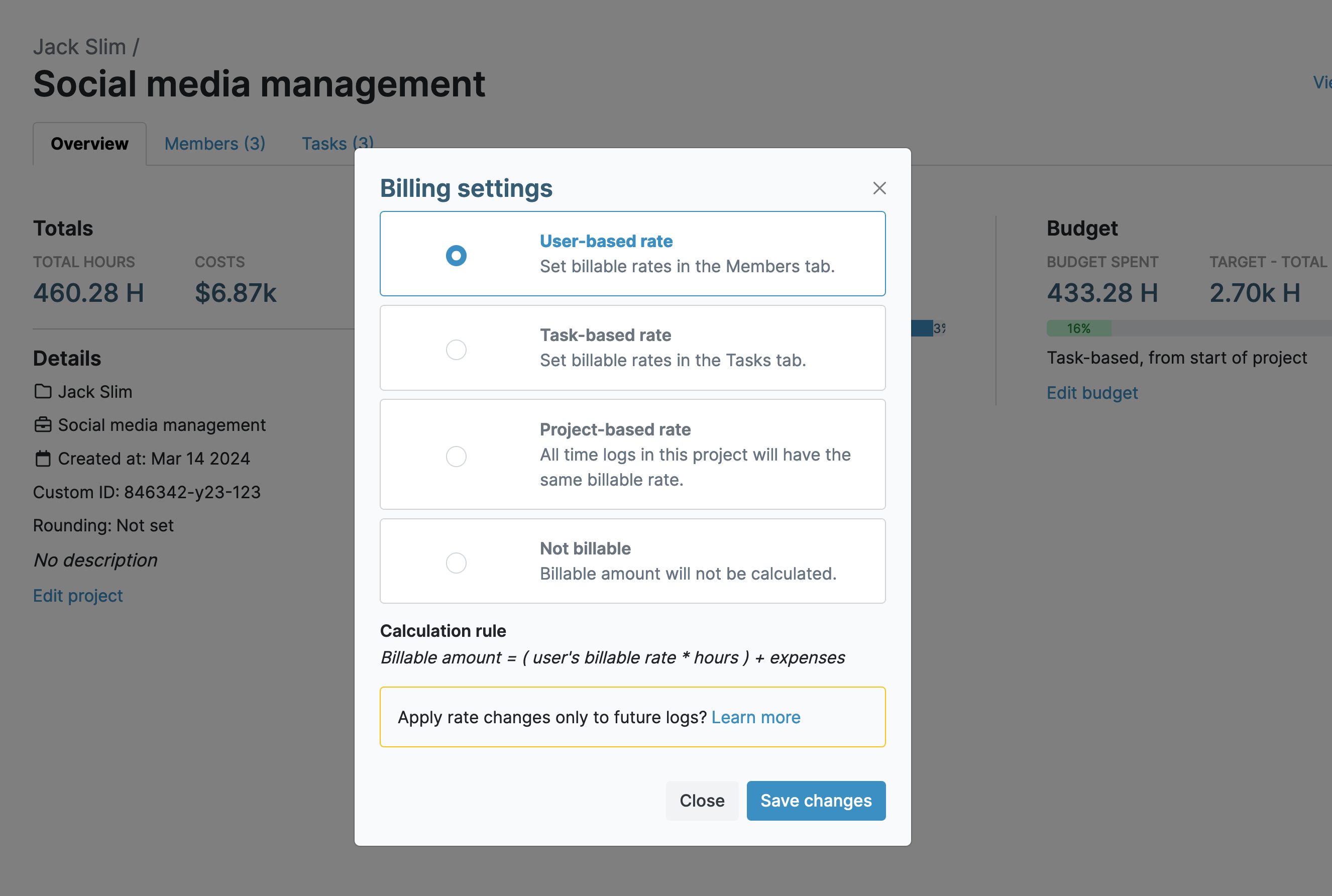
- Assign unique hourly labor rates to each user
- Adjust rates by project, role, or responsibility
- Automatically calculate labor costs as time is tracked
- Link time entries to projects and tasks
- View the true cost of each deliverable
Monitor Labor vs. Billable Costs
If you bill clients, you can also set a unique hourly billable rate per user. Both labor and billable rates are tracked simultaneously.

- Compare labor vs. billable rates in real time
- Maintain project profitability with clear cost insights
- Mark time entries as billable or non-billable
- Include non-billable time in total project costs
- Exclude non-billable entries from client invoices
Upload Expenses in a Few Clicks
Labor isn’t the only cost that affects project budgets. Travel, material purchases, and even subcontractor costs can quickly increase overall spend. Keep a record of all expenses as they happen by logging them in My Hours.
.png)
- Log expenses just like time entries
- Assign expenses to projects and tasks
- Add descriptions for additional context
- Upload receipts or invoices for each entry
Set Budgets with Automated Alerts
Budget tracking is one of the best ways to keep costs under control. My Hours offers multiple budget types that can be added to entire projects, or, if you want more granular cost tracking, you can assign budgets at the task level.
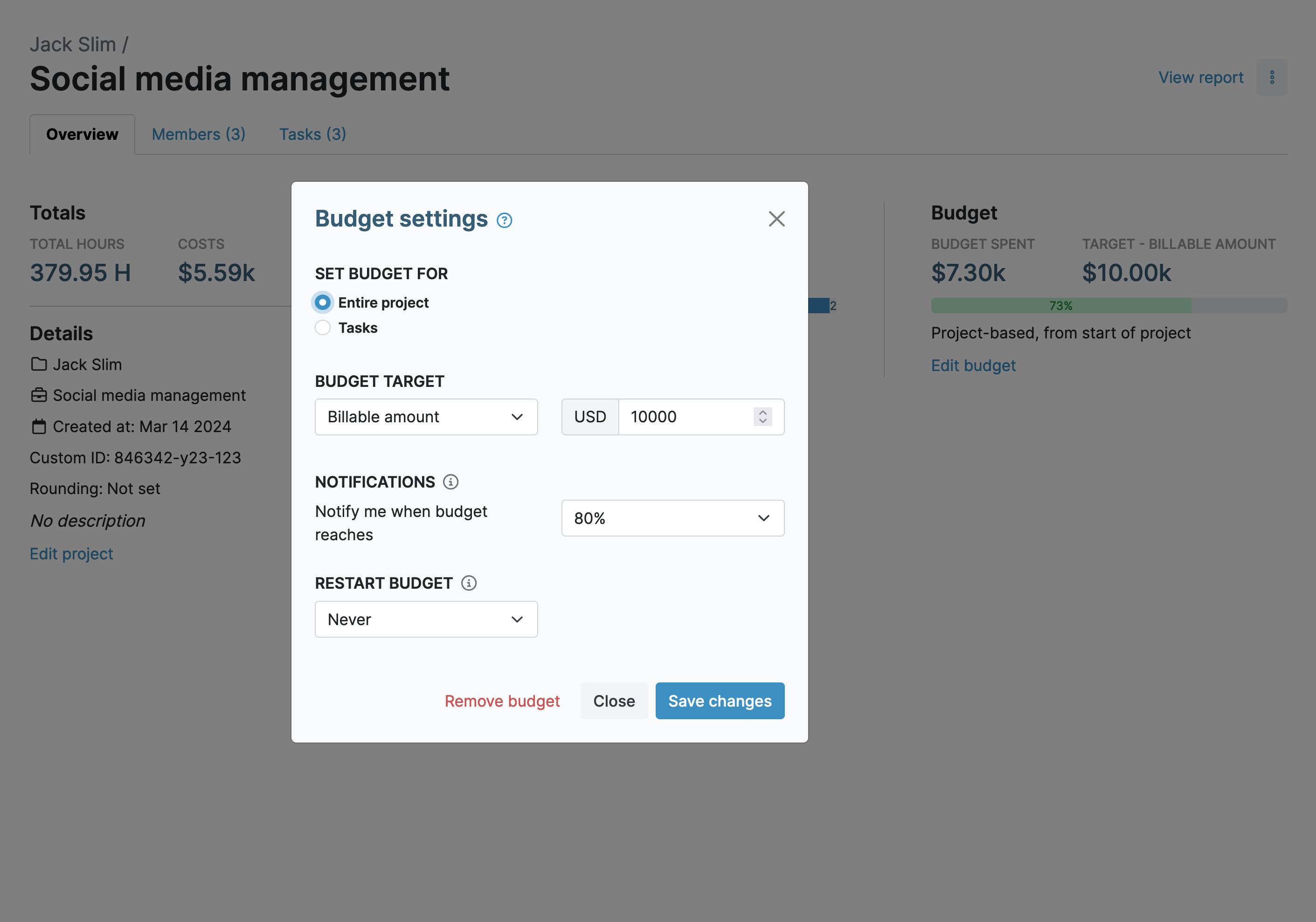
- Set budgets based on billable amount, hours, or total costs
- Track progress with real-time budget updates
- Use visual progress bars to monitor spending
- Get automated alerts when budgets reach set thresholds
- Set alert levels between 50% and 90%
Track Costs with Custom Fields and Tags
My Hours lets you categorize time and expense logs using custom fields and tags. These give you the ability to filter data in reporting for deeper cost analysis. Additionally, they are an essential tool for charging costs to internal departments.
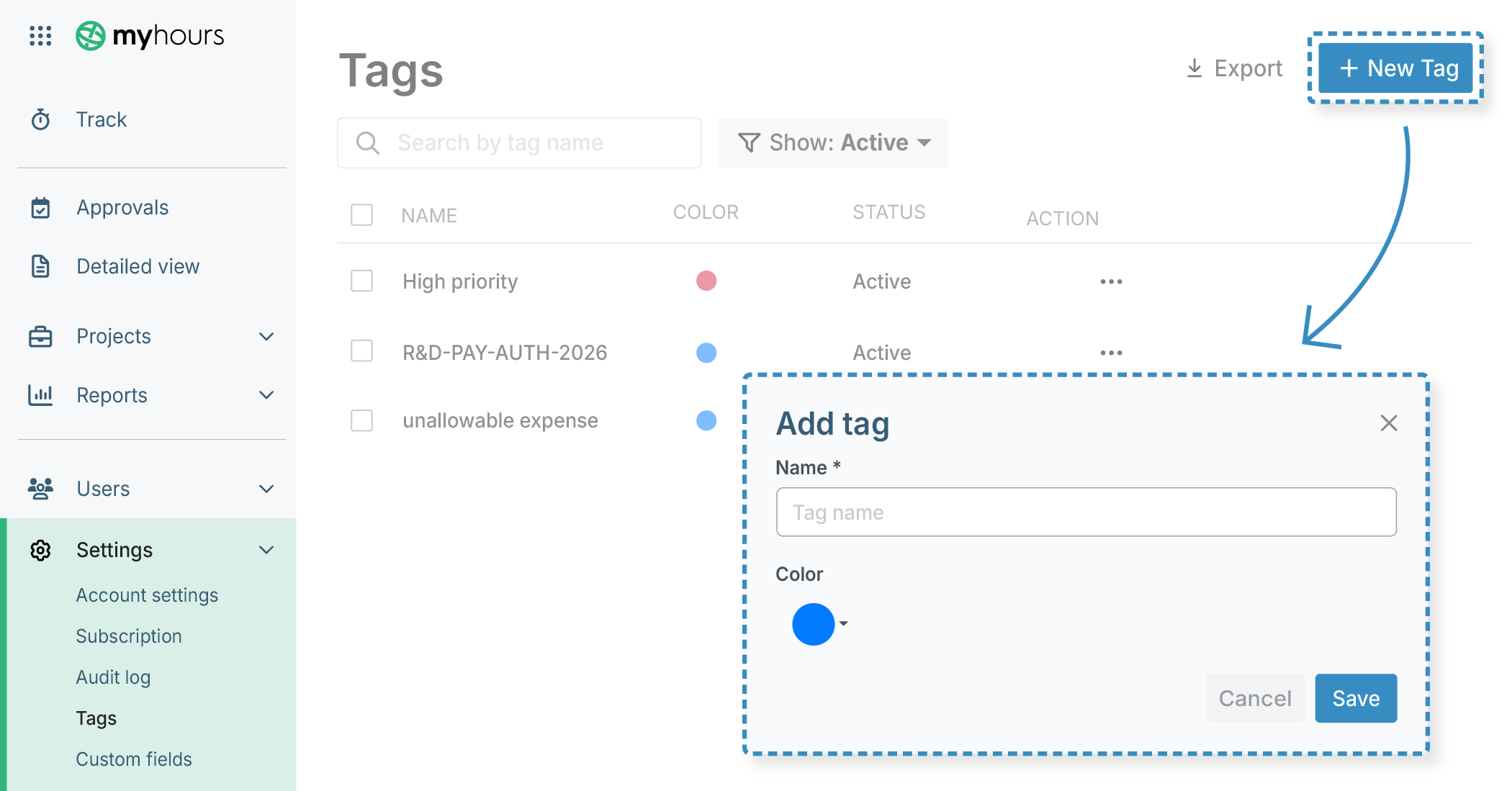
- Assign custom tags to time and expense logs
- Categorize work (e.g., direct vs. indirect, departments, allowable costs)
- Add up to two custom fields per user, client, project, and task
- Use custom fields for charge codes and internal identifiers
Monitor Costs vs. Profitability
Cost control is especially important for billable projects, where increasing labor or expenses can quickly reduce margins. My hours lets you compare total costs against billable values as work progresses.
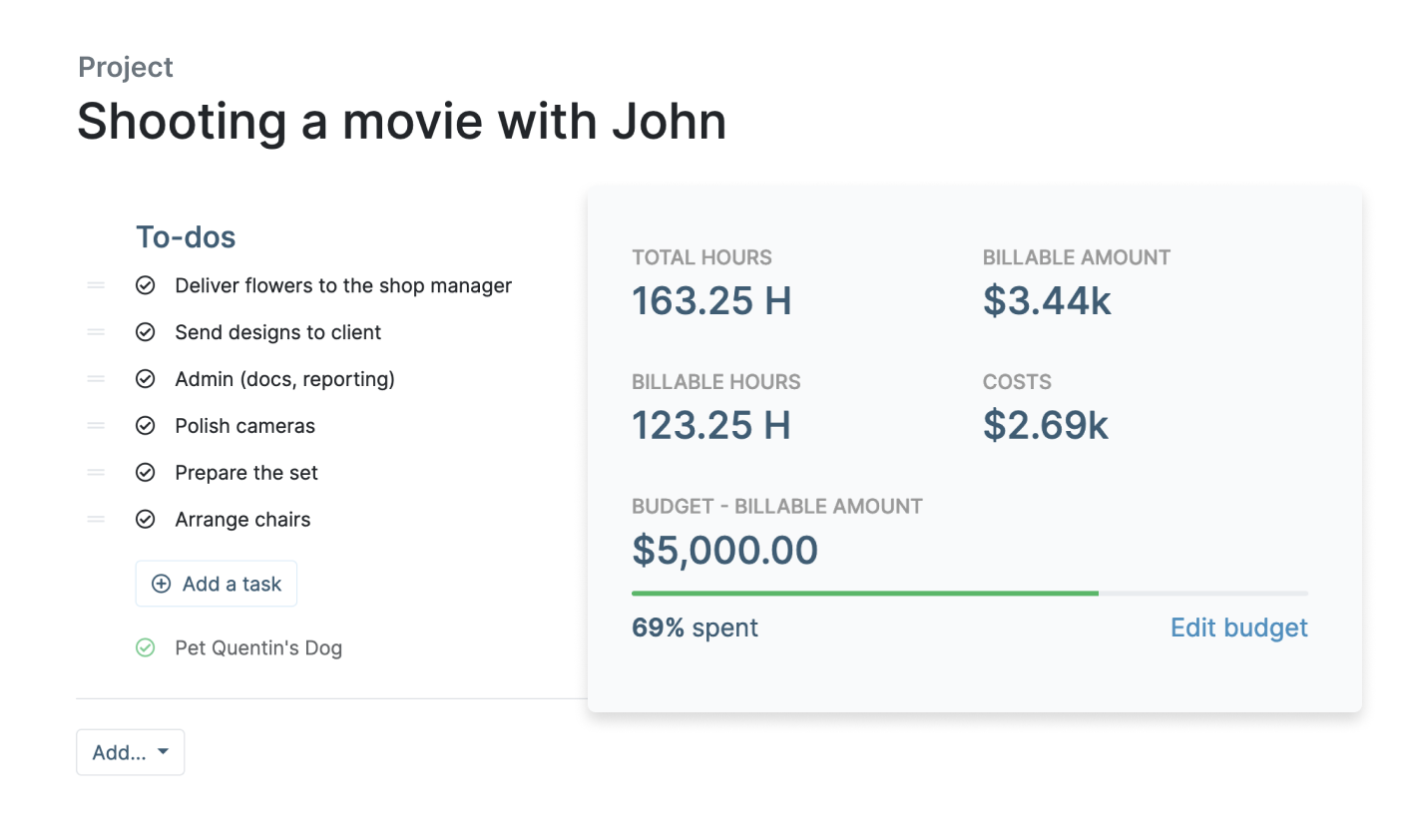
- Choose a project billing structure that matches your client contracts
- View accumulated costs (labor + expenses) in one place
- Compare costs against billable amounts
- Monitor and maintain project profitability margins
Real-Time Project Cost Dashboards and Reports
My Hours has advanced reporting options to help you analyze project cost data, giving you immediate insight into spending.
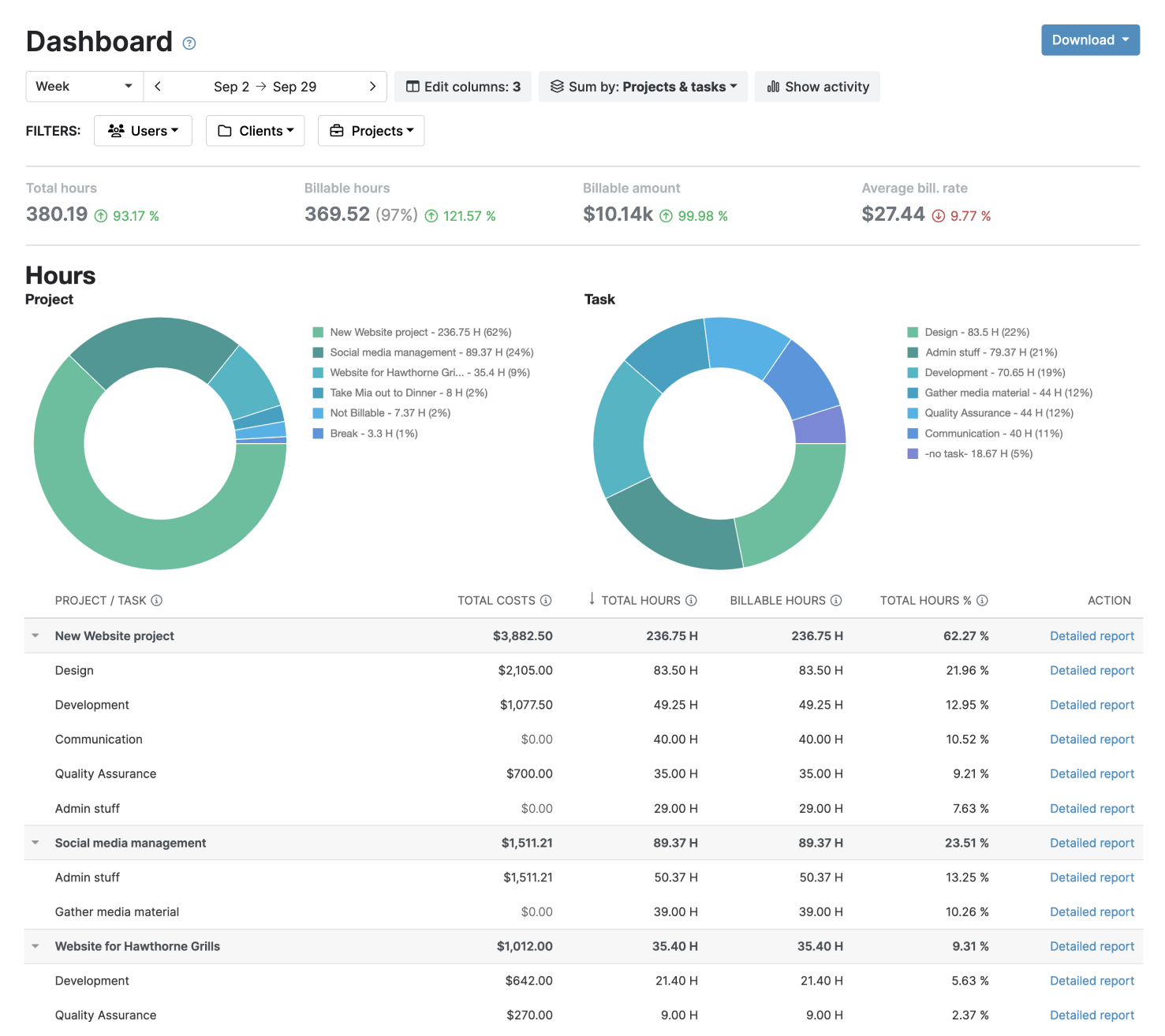
- Choose between detailed, timesheet and dasboard views
- Customize reports with filters and data columns
- Use visual dashboards to identify high-cost projects
- Analyze granular data with detailed reports
- Export reports in XLS or PDF format
- Send reports via email directly from My Hours
Reduce Overtime Costs
Overtime payments can quickly accelerate project expenditure, especially if hours are not monitored and controlled. My Hours helps you stay on top of this with features to help prevent unapproved overtime.
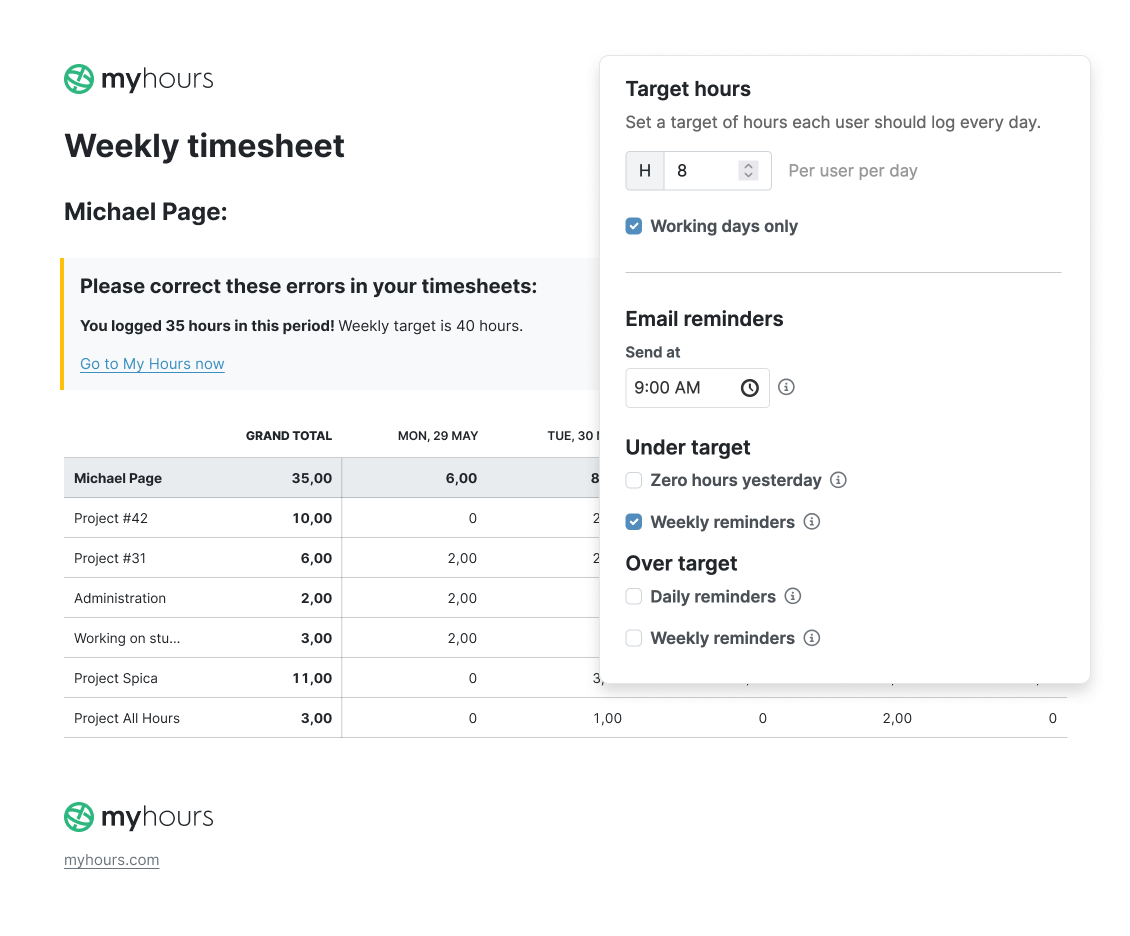
- Set daily target hours for each user
- Get alerts when users enter overtime
- Use approval workflows to verify timesheets
- Ensure timesheets are checked before payroll
My Hours time tracking features

Timer or weekly timesheet
Track time with our seamless timer or enter your time through our keyboard-friendly timesheet. Add a description and custom inputs.

Set billable rates and budgets
Automate calculation of billable amounts by setting precise hourly rates by project, task or team member. Add a project budget to monitor its progress.

Analyze logged hours & expenses
With the Dashboard you’ll get a bird’s-eye view of billable vs non billable hours, earned income by project, under- or over-utilized employees and more.

Generate custom reports
Detailed reports are completely customizable and display as much information as needed. Print to PDF, export to XLS or send schedule it via email.

Manage tasks
Add and assign tasks with an estimated budget. Create templates when identical tasks appear across projects.

Submit and approve timesheets
Supervisors get email whenever timesheets are submitted. Each timesheet can be approved or rejected with an email message.

Set flexible roles
Invite your team to track time on their projects without seeing each other’s hours and rates. Designate managers to oversee their team and manage their work.

Prevent inconsistent reporting
Lock team’s time logs to prevent editing or adding new logs in a selected period. Download the audit log report to keep your books in order.

Streamline invoicing
Create numbered invoices straight from hours logged. Integrations with the most popular invoicing apps are available to all customers.

Integrate with other tools
Connect My Hours data with other tools or vice versa through Zapier connectors. Alternatively, use our API to develop your own integration.

Access from anywhere
My Hours is a cloud-based app with nothing to install. View and manage your hours from any web browser or install our native mobile apps.

Secure infrastructure
My Hours is hosted in Microsofts Azure cloud and we are proud of 99.95% uptime. We perform regular security checks to keep your data in safe hands.
Highest praise from our customers


Waste no more time,
jump right in!

All rights reserved.