
task tracker
Track tasks, assign work, and monitor time and costs in one place

 Create and organize tasks across projects
- Assign tasks and track progress in real time
- Log time directly on tasks (manual or timer)
- Monitor labor costs and billable work as tasks are completed

Trusted by more than 100.000 businesses worldwide


What makes this task tracker special?

A Task Tracker That Connects Work to Time and Costs
How many tasks do you perform in an average workday? Admin, project work, meetings… it all adds up.
And when you’re constantly switching between them, accurate tracking goes out of the window, especially if you’re relying on spreadsheets.
However, if you bill clients or want to monitor departmental costs, tracking time spent on tasks is essential.
That’s why My Hours has made it as easy and effortless as possible to allocate time entries to the right deliverables. Whether you’re a multi-tasking wizard or a methodical worker, My Hours’ features were created to fit your workflow.
With My Hours, tasks are not just checkboxes—they become measurable units of work.
Effective Project/Task Hierarchies
My Hours uses a simple client > project > task hierarchy that takes moments to set up.
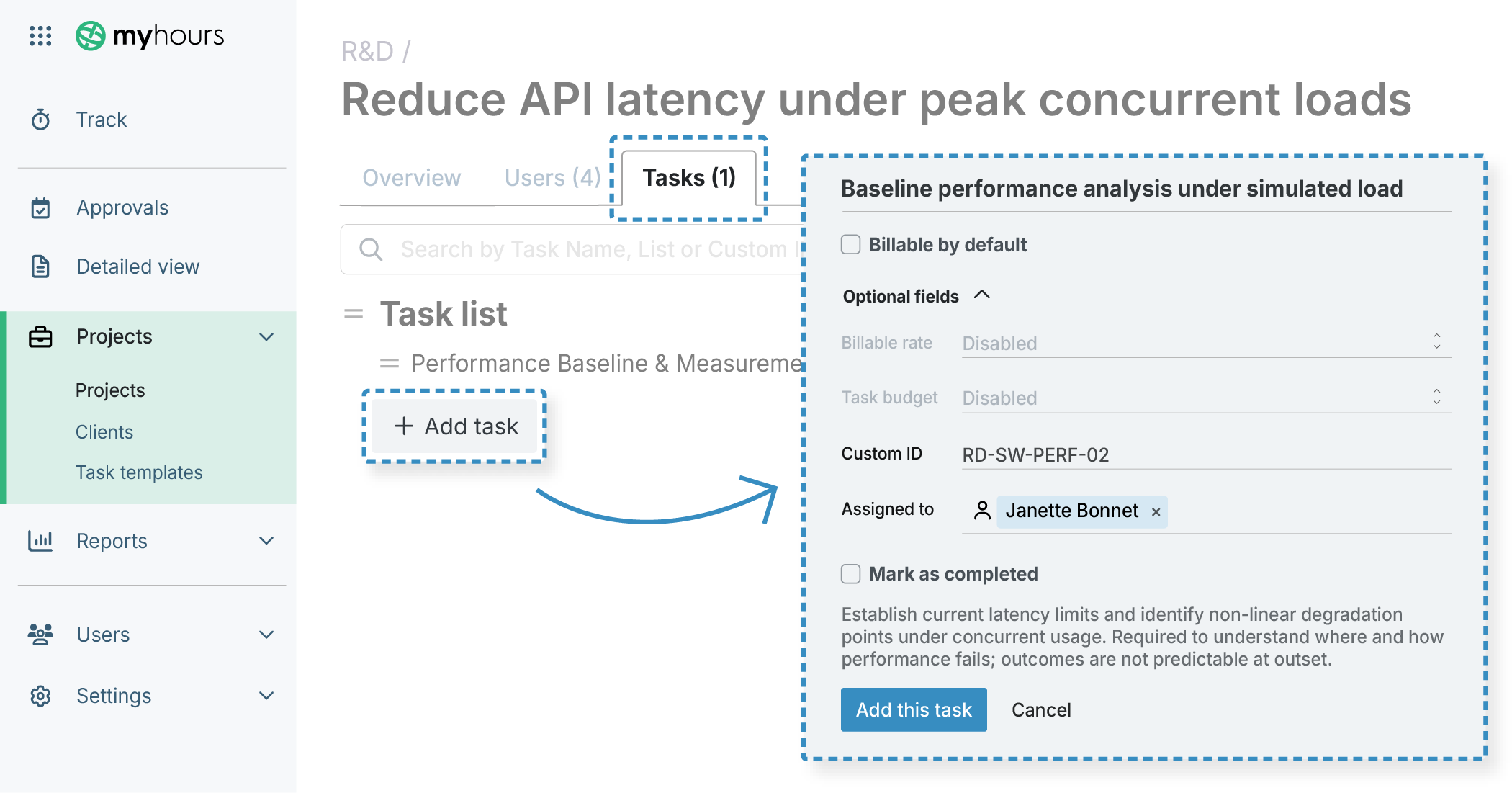
Organize tasks into task lists to keep everything neat.
Real-Time Tracking with Task Switching
Users track time using a start/stop timer available on all devices.

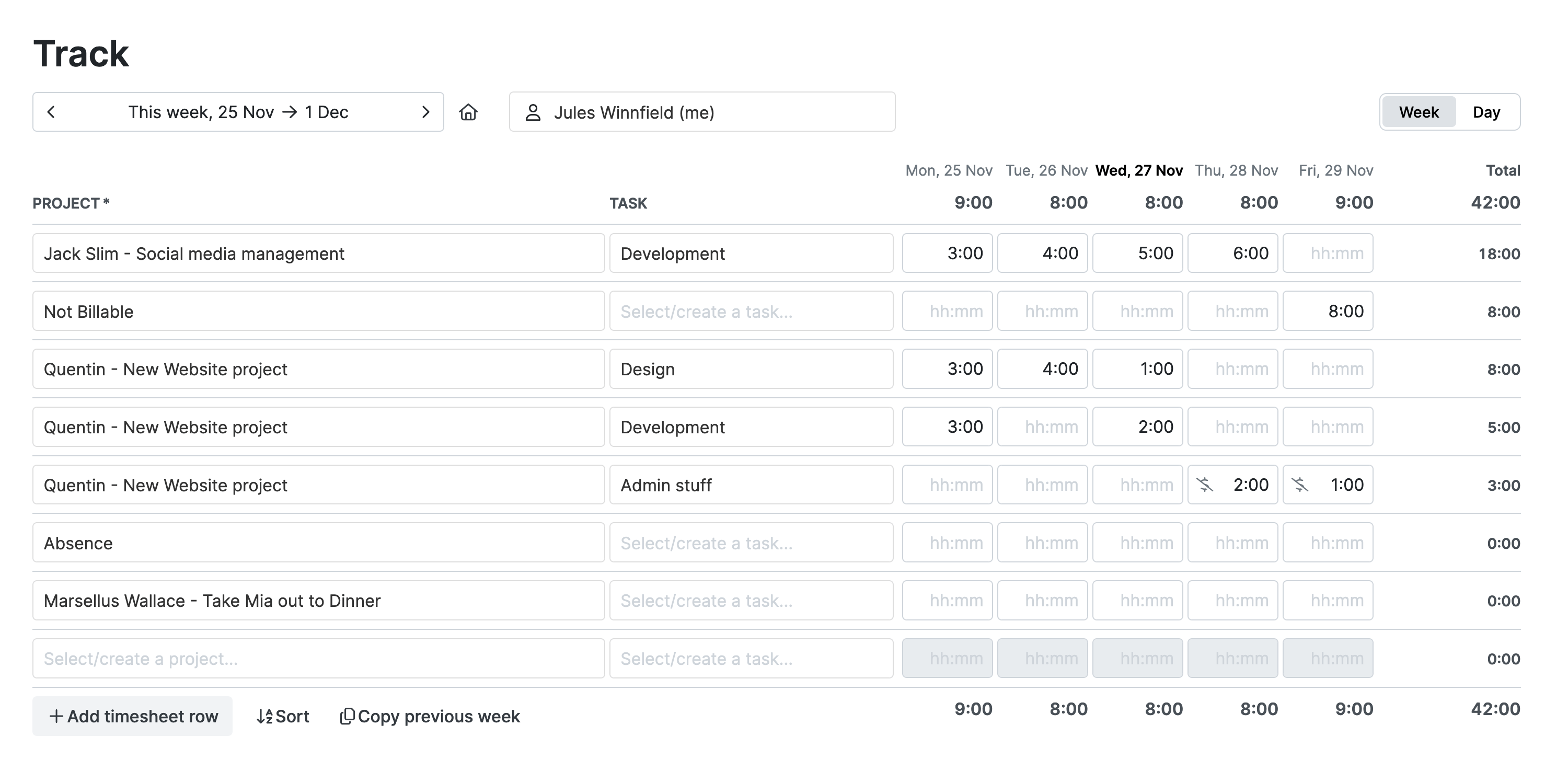
Prefill Timesheets with Weekly Tasks
To help you plan ahead, set up each team member’s timesheet, so they know what to expect.
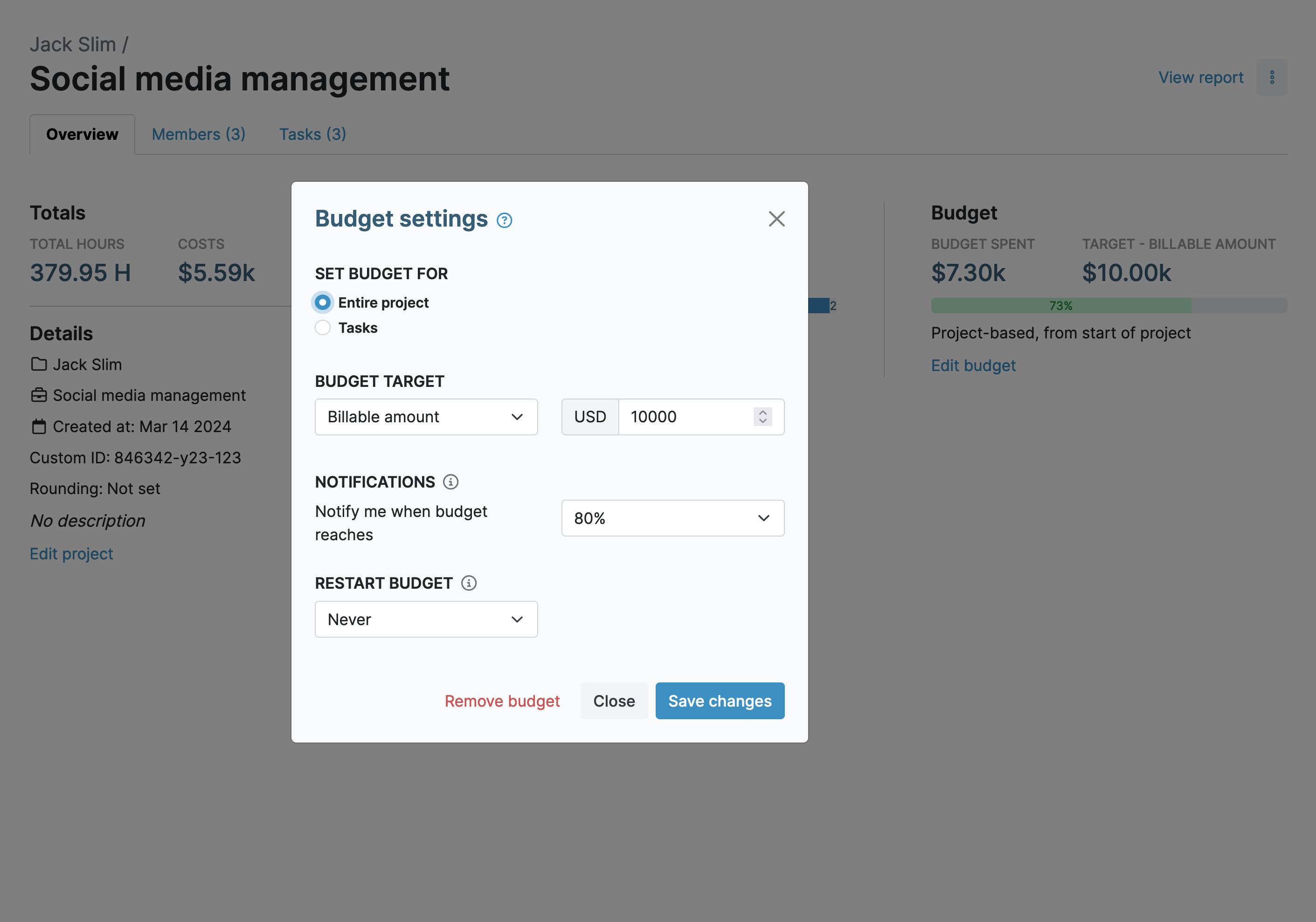
Task-Based Budget Tracking
Budgets let you gain more control over how much time is being spent on specific activities.
Reports for Task-Based Insights
My Hours reports enable you to understand how time is spent at the task level, giving you valuable insight into team productivity and project efficiency.
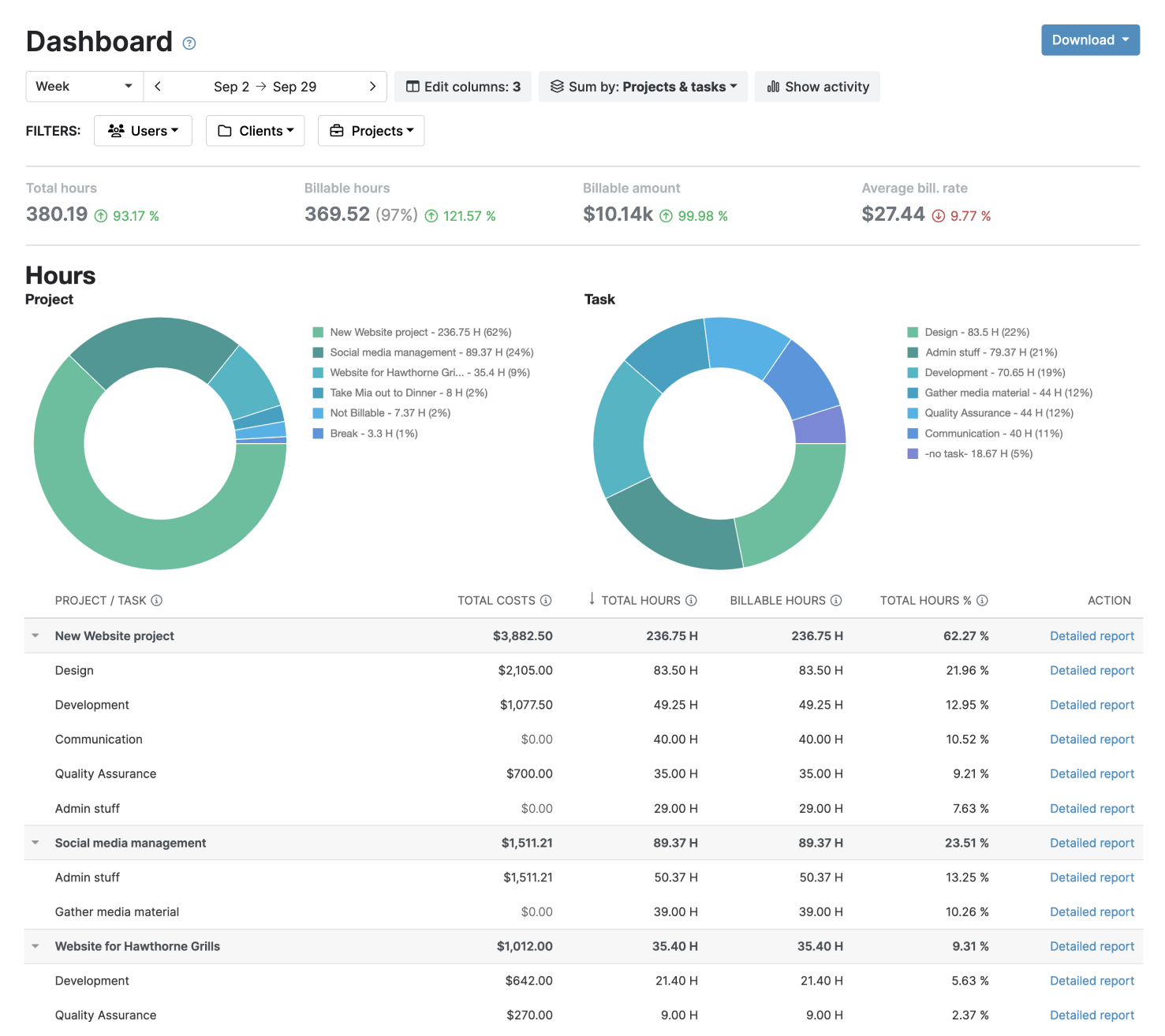
Export reports in PDF or XLS and email them from within My Hours.
Invoicing
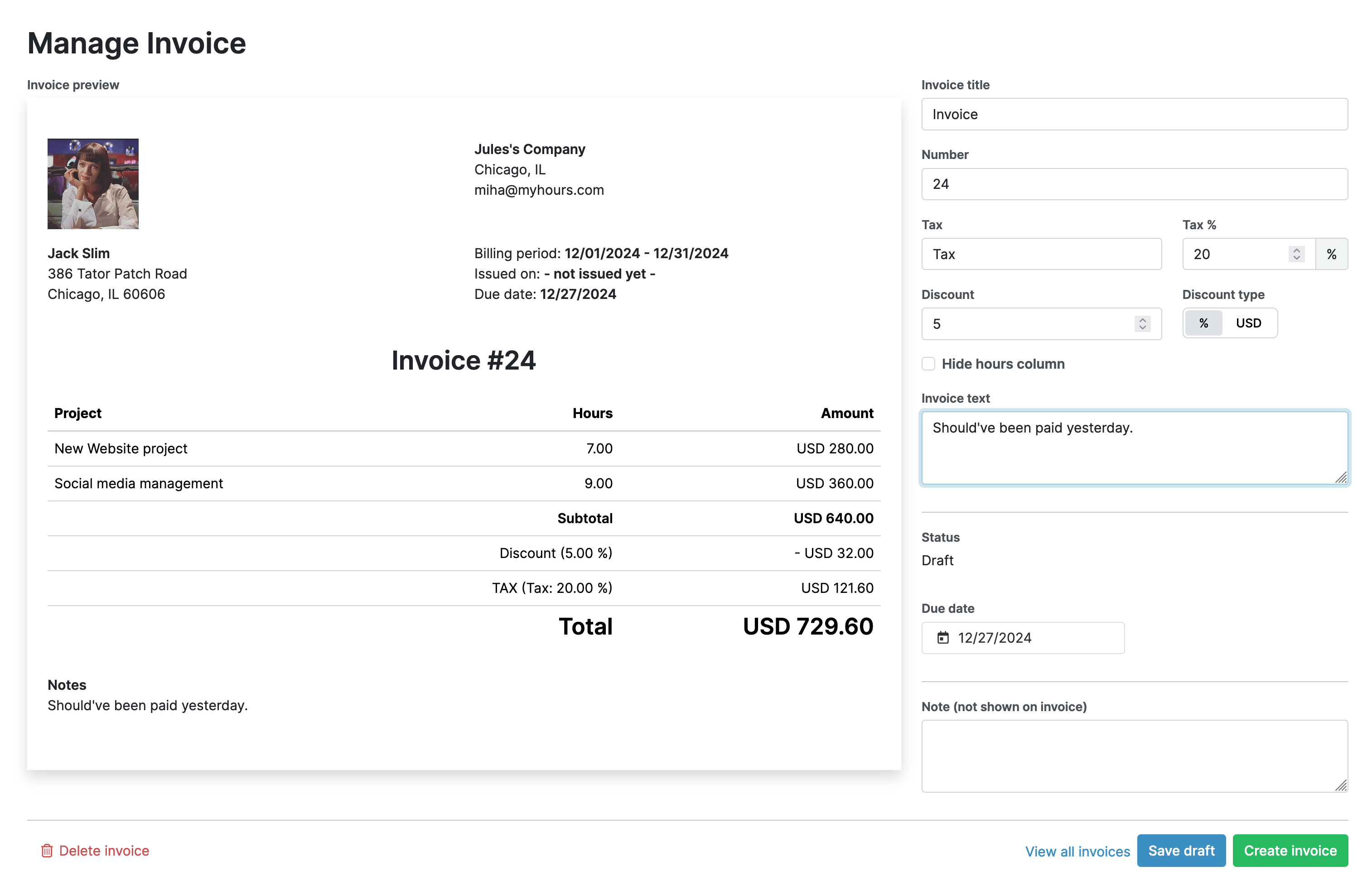
Create personalized invoices and send them to your clients via email or download them as PDF.
All the features you need, and none you don’t

Timer or weekly timesheet
Track time with our seamless timer or enter your time through our keyboard-friendly timesheet. Add a description and custom inputs.

Set billable rates and budgets
Automate calculation of billable amounts by setting precise hourly rates by project, task or team member. Add a project budget to monitor its progress.

Analyze logged hours & expenses
With the Dashboard you’ll get a bird’s-eye view of billable vs non billable hours, earned income by project, under- or over-utilized employees and more.

Generate custom reports
Detailed reports are completely customizable and display as much information as needed. Print to PDF, export to XLS or send schedule it via email.

Manage tasks
Add and assign tasks with an estimated budget. Create templates when identical tasks appear across projects.

Submit and approve timesheets
Supervisors get email whenever timesheets are submitted. Each timesheet can be approved or rejected with an email message.

Set flexible roles
Invite your team to track time on their projects without seeing each other’s hours and rates. Designate managers to oversee their team and manage their work.

Prevent inconsistent reporting
Lock team’s time logs to prevent editing or adding new logs in a selected period. Download the audit log report to keep your books in order.

Streamline invoicing
Create numbered invoices straight from hours logged. Integrations with the most popular invoicing apps are available to all customers.

Integrate with other tools
Connect My Hours data with other tools or vice versa through Zapier connectors. Alternatively, use our API to develop your own integration.

Access from anywhere
My Hours is a cloud-based app with nothing to install. View and manage your hours from any web browser or install our native mobile apps.

Secure infrastructure
My Hours is hosted in Microsofts Azure cloud and we are proud of 99.95% uptime. We perform regular security checks to keep your data in safe hands.
FAQ
The burning questions about My Hours and online timesheet apps in general.
Highest praise from our customers


Waste no more time,
jump right in!

All rights reserved.