
My Hours helps me better manage my workload and understand the time commitment that certain types of projects require. This assists in future planning.
- Colleen P., Marketing and Communications Officer
Set Capacity and Target Hours
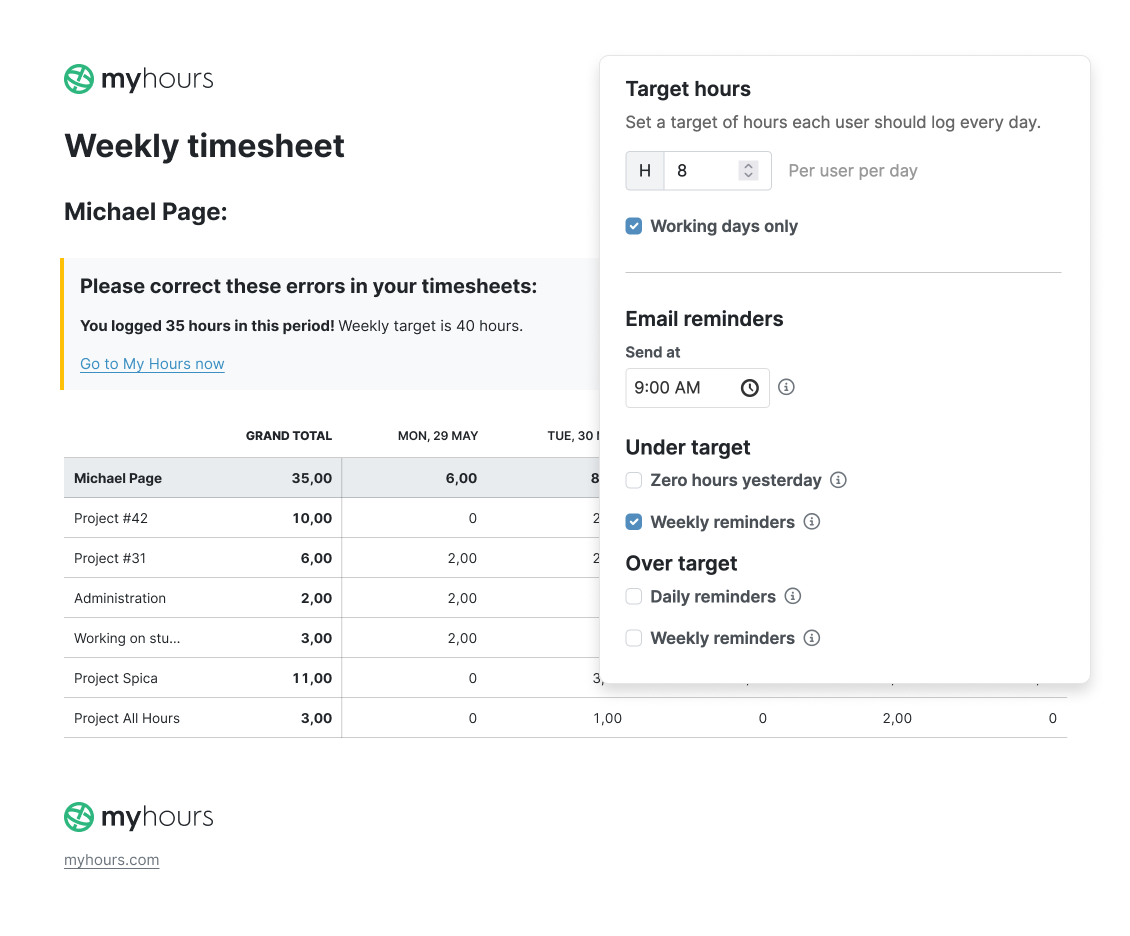
Keep track of how much everyone should be working by setting daily hour targets in My Hours.
You have two ways to do this:
- Set a universal number of target hours. This will apply to all users by default.
- Set custom target hours for each user. This is especially useful for part-time or shift workers.
For example, the norm for full-time workers is eight hours per day (40 hours per week). However, you might set a custom target of four hours per day (20 per week) for a part-time staff member.
- When setting target hours, the universal number will apply to all, unless you override it with a custom target.
- As users work and track time, the system keeps count of the number of hours logged and alerts individuals if they exceed the target.
While this helps employees stick to set hours and avoid overtime, it’s also essential for data analysis. When workers consistently exceed or fail to meet target hours, you can quickly spot where changes must be made.
Assign Project and Task Budgets
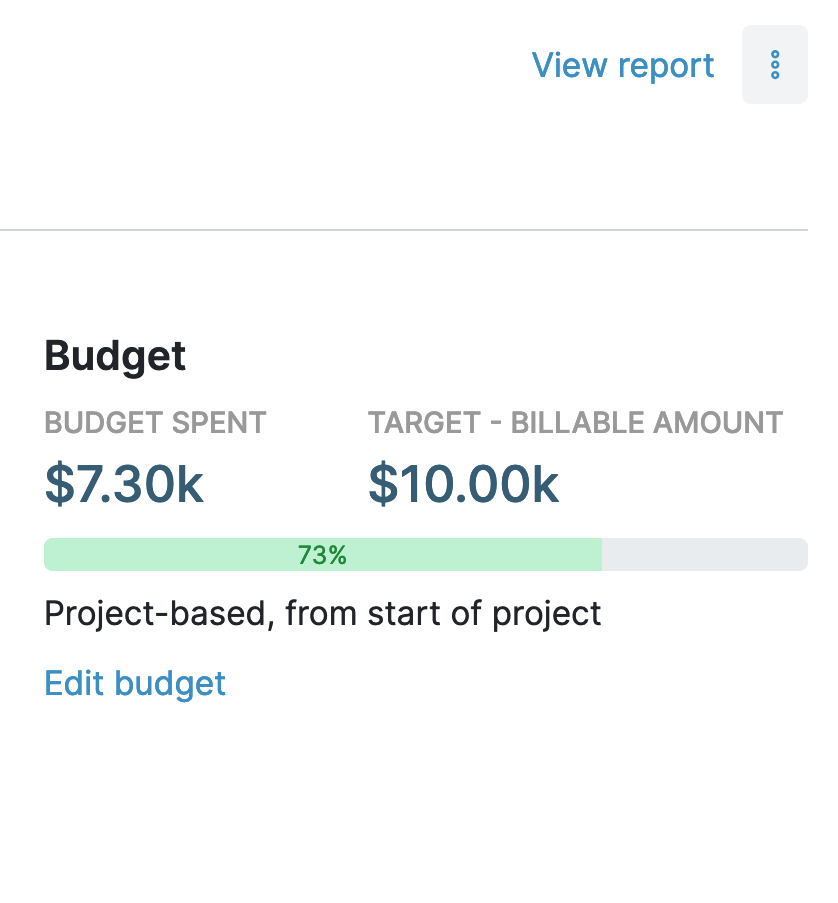
Another way to monitor workloads is to set time-based budgets for projects and tasks.
This goes deeper than user target hours and gives you the specifics on how much time deliverables take vs. the amount of time they should take.
Let’s take a research and development project. By breaking it down into separate tasks (admin, competitive analysis, data collation, testing, and so on) and setting a time budget for each, you can quickly see which deliverables are taking longer than anticipated.
Equally, you can understand which tasks are coming under budget and getting completed faster.
This gives you valuable information:
- Tasks going over budget signal process inefficiencies or a capacity issue.
- If tasks are over budget, you know where additional support, tools, or adjustments are needed before deadlines arrive.
- When tasks finish under budget, you can redirect available time and resources to higher-priority or delayed activities.
Ultimately, using time budgets arms you with the right information to make adjustments while there's still time to meet your deadlines.
I needed a tool to help me understand the ACTUAL amount of time I was spending on projects, not so much for billing reasons. My Hours has been great for enabling me to do that without being buried behind a million other features.
- George P., Producer
Automated Alerts
My Hours comes equipped with helpful, automated alerts to keep workers on track with their hours and deliverables:
- When target hours are set, you can choose to notify workers when they are under or over their capacity.
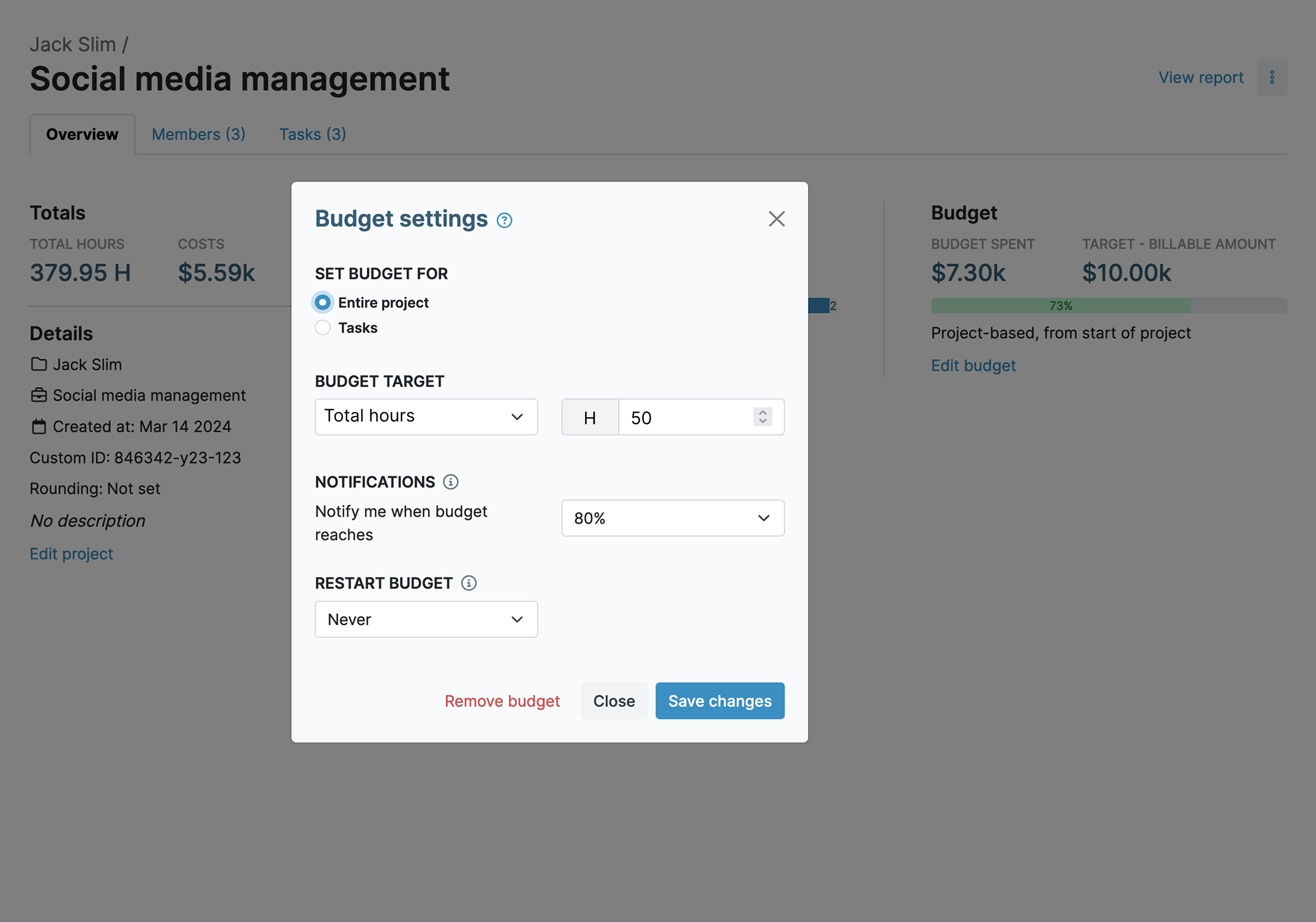
- For projects and tasks with time-based budgets, an alert can be sent once a certain percentage of the budget gets spent.
These alerts help limit overtime and keep your team compliant with labor rules. They also flag workload issues early, so managers can step in before anyone gets overwhelmed.
View Capacity vs. Actual Reports
The My Hours reporting feature gives you access to both quick overviews and deep insights.
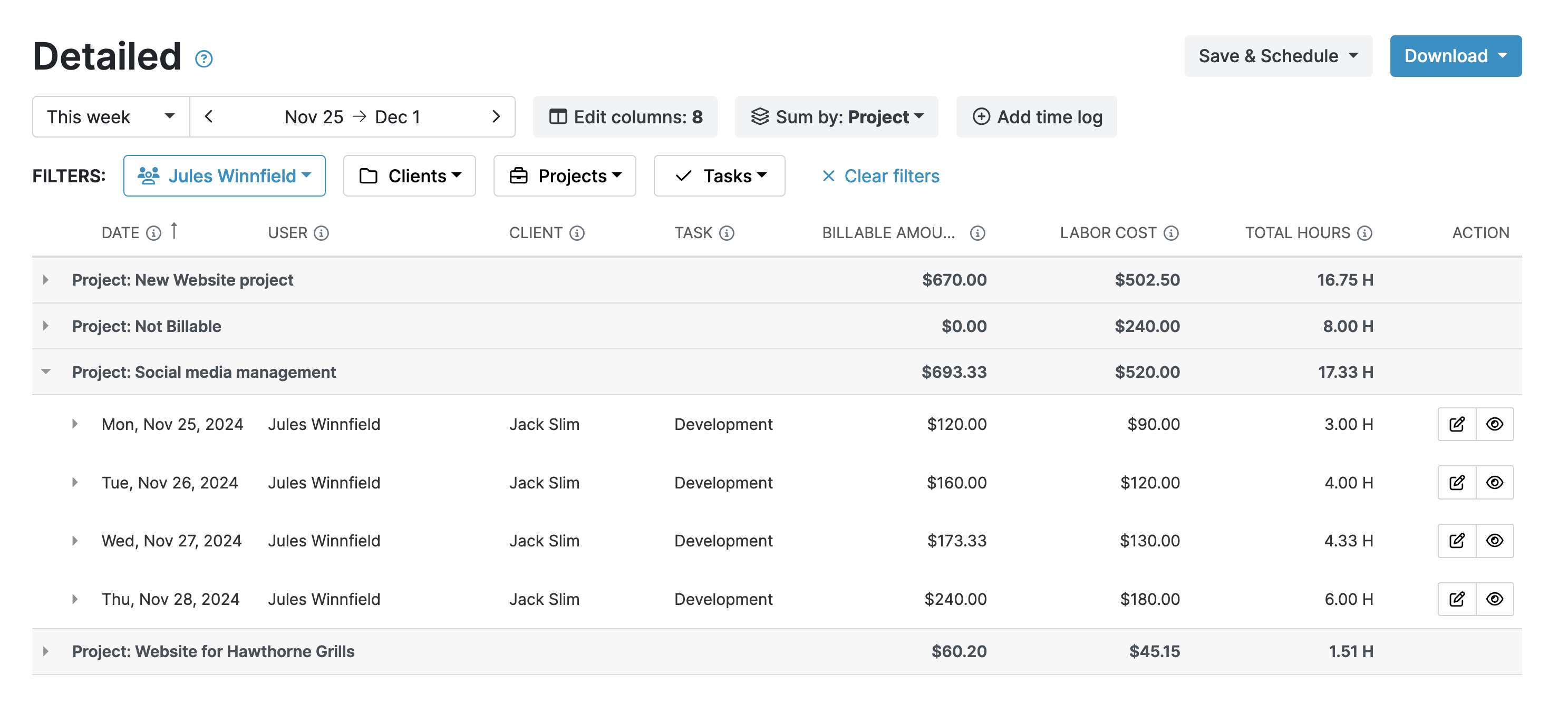
The Detailed report is especially useful as it shows exactly who's working above or below their target hours in a given period.
For example, you can immediately spot that:
- Employee A consistently logs 50 hours per week (overcapacity)
- Employee B constantly logs 30 hours per week (undercapacity)
This insight helps you redistribute tasks or address underlying issues. Maybe employee B needs more assignments, while employee A is at risk of burnout.
The Detailed report also shows how much time projects and tasks actually took compared to their budgets
At a glance, you can see what type of work is taking longer than planned vs. which tasks your team completes ahead of schedule.
These reports can be sent to stakeholders for faster decision-making on capacity adjustments:
- Reports are downloadable in PDF or XLS format.
- Save report settings to generate future reports in one click.
- Email reports to relevant individuals directly from My Hours.
- Schedule reports so they automatically send after a defined period.
Remove Bottlenecks and Timesinks
Beyond tracking capacity, My Hours helps you find the processes and tasks that create capacity issues in the first place.
By analyzing the data, you can identify:
- Business processes that slow down workflows.
- Tasks that eat up time without adding much value
- Repetitive manual tasks that could be automated.
- Scope creep, so you can stop it in its tracks.
- Recurring bottlenecks so you can eliminate their root causes.
- Approvals or handovers that might be slowing down progress.
Better Future Workload Planning
The more you know about past projects, the better you can plan for future ones.
The historical data you get in My Hours helps you make better decisions for upcoming projects.
Once you understand how capacity played out in previous work, you can:
- Forecast capacity requirements with greater accuracy.
- Anticipate which tasks need a greater or lesser time budget.
- Balance workloads to avoid burnout or underutilization.
- Set more realistic timelines and deadlines.
- Replicate successful workflows and avoid past mistakes around capacity planning.
Convenient Integrations
My Hours integrates with popular third-party platforms through Zapier to support workload planning:
- Outlook and Google Calendar: Pull in scheduled work for a fuller picture of worker commitments.
- Power BI: Allows for deeper data analysis and advanced reporting on capacity.
- Jira: Send projects and tasks from Jira into My Hours to gain total insight into workloads.

Try My Hours for Free
My Hours keeps you compliant with labor regulations while helping you run a more efficient business where employees stay engaged and productive.
Since 2002, we've helped over 100,000 companies track time and manage capacity. Our platform works for solo freelancers, small teams, and large enterprises alike.
With 24/7 live customer support and enterprise-level security, My Hours delivers the data you need without the complexity you don't want.
Try it out for yourself. Sign up for your 14-day free trial today.
Overall, I have had a great experience. I've been able to better understand where my time goes with multiple clients and various tasks.
- Michi R., Business Owner


