
R&D Time Tracking Software
Know exactly where your project hours and budget are going
 Track hours against clients projects and tasks
- Stay on top of budgets before they blow
- Generate reports your finance team will actually trust
- Automated reminders and validation rules keep the whole team compliant

Trusted by more than 100.000 businesses worldwide


Timesheet software for research and development teams

R&D teams juggle multiple projects, shifting priorities, and budgets that can't afford surprises.
My Hours gives R&D teams a clear, real-time view of hours spent per project, budget consumed, and where resources are going — so managers can make decisions before problems escalate.
Why R&D Departments Should Track Time
Tracking time is vital for R&D teams for several reasons:
- Obtaining the R&D tax credit
- Optimizing existing resources
- Better planning for future funding and resource needs
- Gaining control over expenditure and costsss
- Ensuring accurate billing
- Demonstrating responsible fund usage

"It's the main reporting and project tracking tool for our company.
Having 20+ active clients and 100+ active projects I would be impossible to track the hours of our team members without this tool.
It's easy, intuitive, responsive and answers all our needs. The My Hours team has great customer service, it's fast and efficient."
- Alex E. | CEO, Research
Handling Multiple R&D Projects
My Hours is a complete tracking solution, not just for time but also for multiple projects and deliverables.
.png)
Projects and tasks break workstreams into deliverables or phases.
Custom fields capture unique data.
"Great time tracking tool from My Hours.
Easy to set up and navigate. Ability to set up projects and tasks. Good reporting capability even with the free version."
- Ruth S. | Recruiter & Researcher
R&D Billing
My Hours supports multiple billing structures, allowing departments to choose the most appropriate model for each project or funding agreement.
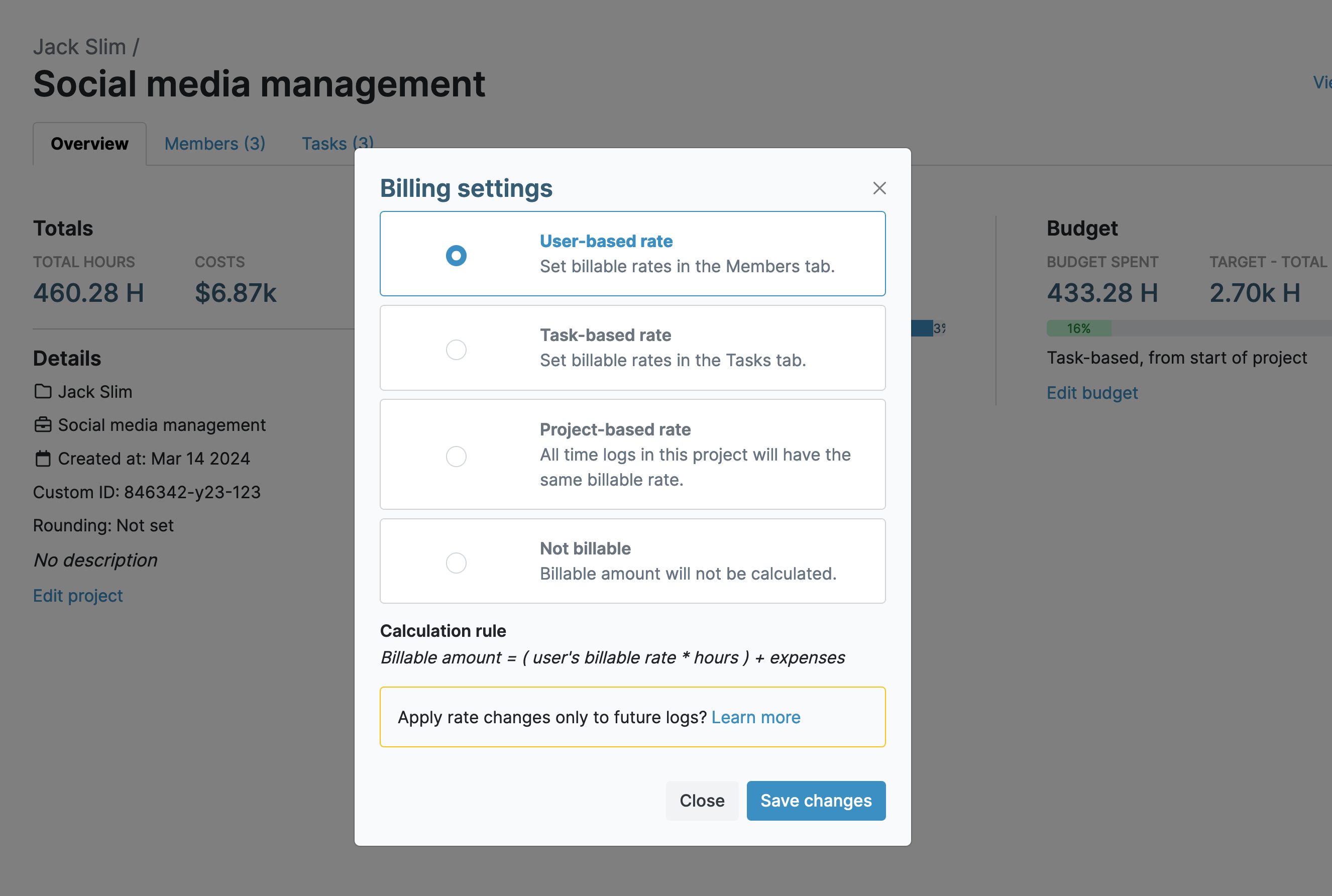
2. Task-based rate allows you to tailor rates at the task level
4. Non-reimbursable work is marked as non-billable
"Essential in my time-keeping!
The ability to edit/personalise the different levels of information (project and task) is really helpful, because we work on so many projects for different clients, with tasks that are similar across projects."
- Skye M. | Senior Consultant, Research
Cost and Budget Control
Clear budget tracking ensures there is funding left over for other essential aspects of R&D. Plus, it increases stakeholder confidence that their investment is being responsibly handled.

"Good process to manage the internal project under development by the engineers."
- Anonymous User | R&D Manager
Keep Stakeholders Informed
Stakeholders often view R&D as costly with uncertain returns, so they expect clear reports that justify spending and show efficient resource use.
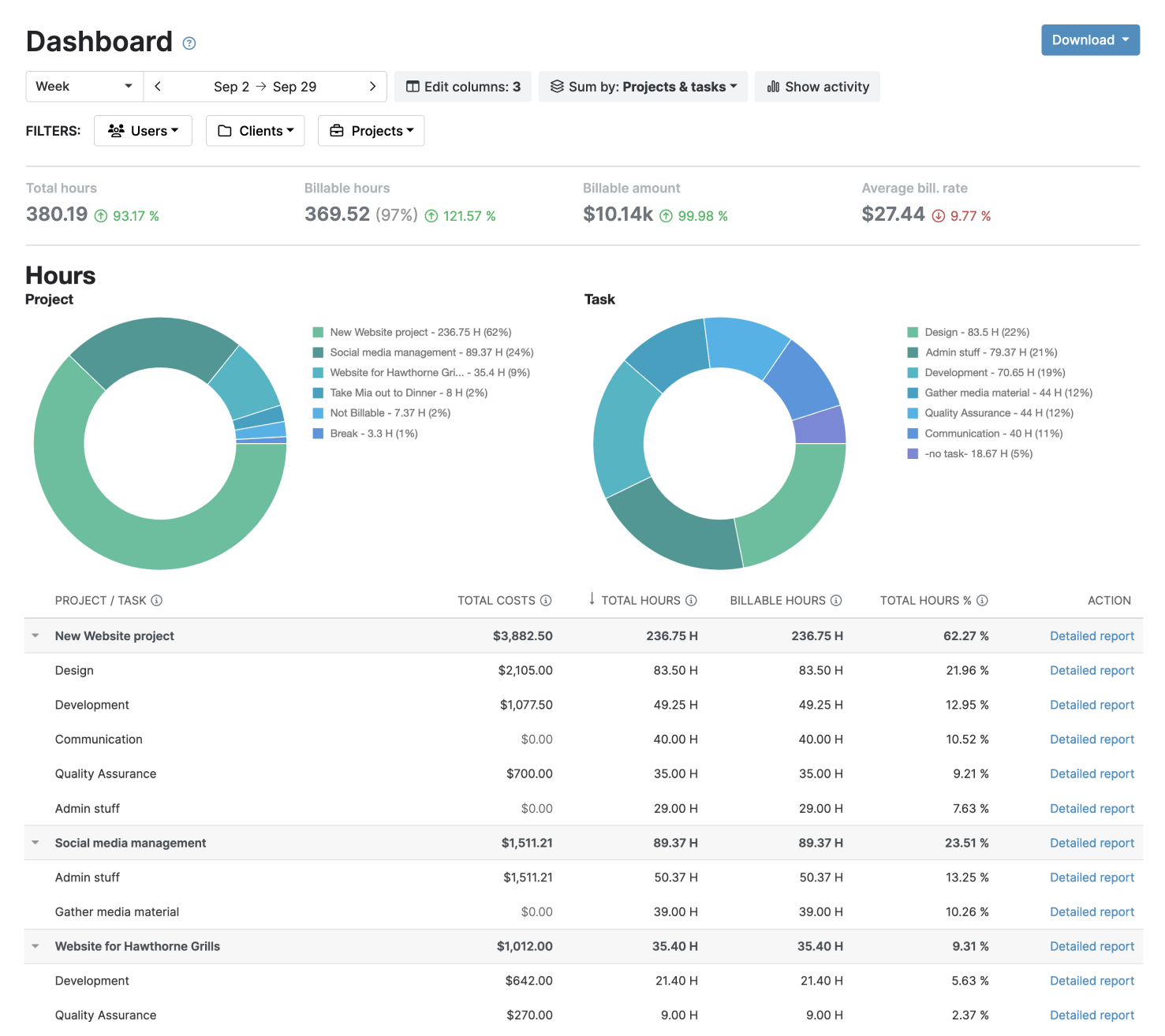
The Detailed report for deep insights and analysis
The Timesheet report for a full picture of team time and activities




Your clients' data stays protected and compliant at every step.
My Hours time tracking features

Timer or weekly timesheet
Track time with our seamless timer or enter your time through our keyboard-friendly timesheet. Add a description and custom inputs.

Set billable rates and budgets
Automate calculation of billable amounts by setting precise hourly rates by project, task or team member. Add a project budget to monitor its progress.

Analyze logged hours & expenses
With the Dashboard you’ll get a bird’s-eye view of billable vs non billable hours, earned income by project, under- or over-utilized employees and more.

Generate custom reports
Detailed reports are completely customizable and display as much information as needed. Print to PDF, export to XLS or send schedule it via email.

Manage tasks
Add and assign tasks with an estimated budget. Create templates when identical tasks appear across projects.

Submit and approve timesheets
Supervisors get email whenever timesheets are submitted. Each timesheet can be approved or rejected with an email message.

Set flexible roles
Invite your team to track time on their projects without seeing each other’s hours and rates. Designate managers to oversee their team and manage their work.

Prevent inconsistent reporting
Lock team’s time logs to prevent editing or adding new logs in a selected period. Download the audit log report to keep your books in order.

Streamline invoicing
Create numbered invoices straight from hours logged. Integrations with the most popular invoicing apps are available to all customers.

Integrate with other tools
Connect My Hours data with other tools or vice versa through Zapier connectors. Alternatively, use our API to develop your own integration.

Access from anywhere
My Hours is a cloud-based app with nothing to install. View and manage your hours from any web browser or install our native mobile apps.

Secure infrastructure
My Hours is hosted in Microsofts Azure cloud and we are proud of 99.95% uptime. We perform regular security checks to keep your data in safe hands.
Highest praise from our customers


Waste no more time,
jump right in!

All rights reserved.