
Free R&D Audit Packet:
Folder Structure & Documentation Framework


How does the R&D audit packet download help R&D teams?
Claiming the R&D tax credit requires a lot of documentation. From qualifying research papers to timesheets, expense capture, and more, everything must be neatly and properly organized.
By following a clean folder structure and performing monthly and quarterly reviews, R&D teams can ensure that all documentation is up-to-date and cleanly organized.
When the time comes to file the claim or if the organization is flagged for an audit, all information will be ready and easy to find.
What does the free R&D audit packet contain?
Inside the download, you’ll find the following:
- A compliant folder structure for R&D documentation
- A monthly R&D documentation checklist
- A quarterly R&D documentation checklist
- Best practices for R&D file naming conventions
How to use our free framework and checklists
Our free framework is adaptable to any industry and suitable for R&D teams of any size:
- The folder structure provides a suggested format that contains everything required for the R&D tax claim or an audit. It can be adjusted to suit an organization’s way of working.
- The monthly checklist serves as a guideline to ensure that all required documentation is present and correct.
- The quarterly checklist includes sense-checks and mock audit practices to help you remain audit-ready at all times.
- Finally, the file naming convention best practices make documentation fast and easy to find, no matter the file type or the purpose it serves.
As a final tip, train the relevant teams on how the file naming convention and folder structure work. Ensure they understand that documentation must be contemporaneous, meaning added as it happens, not after the fact.
Do this, and the monthly and quarterly checks will become a fast and easy process.
How My Hours Assists R&D Documentation Audit-Readiness
For R&D claims to be successful, all documentation must be clearly linked to time and costs.
Using My Hours creates a simple and easy process for R&D staff to ensure this happens.
Time is tracked in real-time, providing contemporaneous records that clearly demonstrate when work was performed, what it related to, and how costs were incurred.

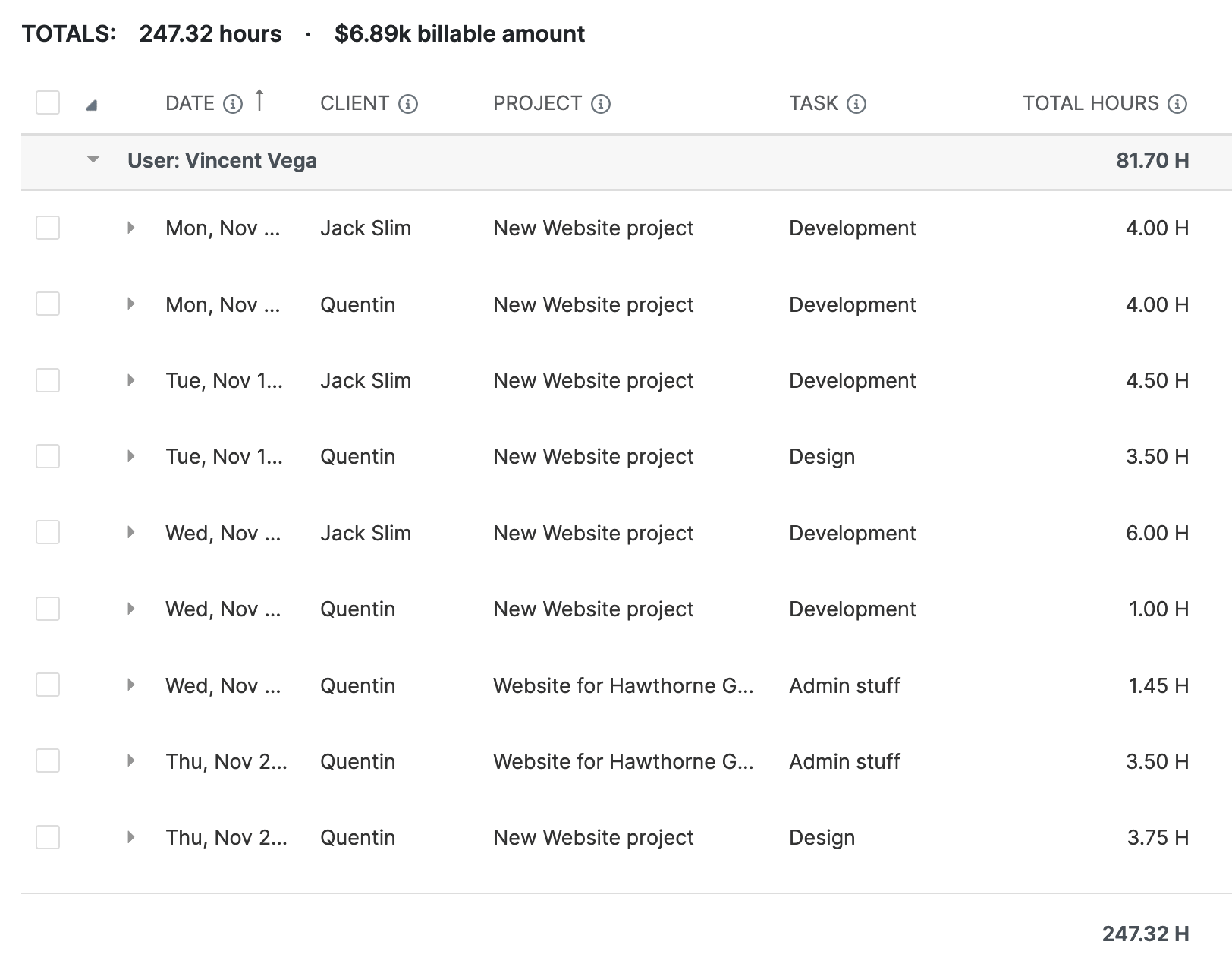
1. Link time and costs to R&D projects and tasks
My Hours uses a clean hierarchical structure - clients -> projects -> task lists -> tasks - to organize R&D work.
- Each time entry is linked to a specific project and task.
- Time entries are tied to the individual, their team, and supervisor.
- Description fields document the R&D work performed for audit support.
2. Match time entries to R&D files and documentation
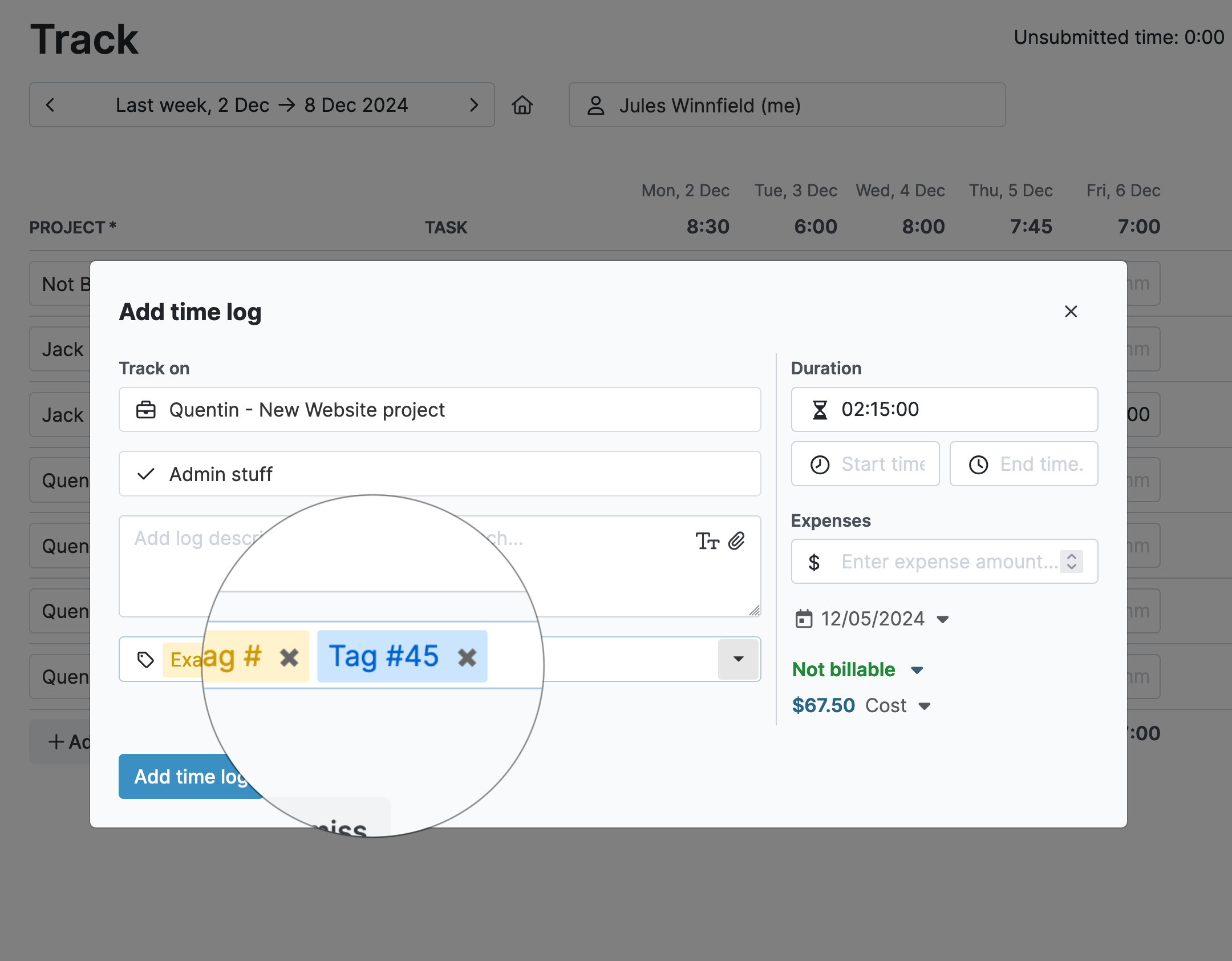
- Create custom tags for any purpose. Use them to define work type, cost centers, qualified vs. unqualified R&D work, and more.
- Create custom fields on time entries, users, clients, projects, and tasks.
- Use custom fields to input job codes, role codes, and other details that match R&D documentation.
3. Helpful alerts to ensure documentation completeness
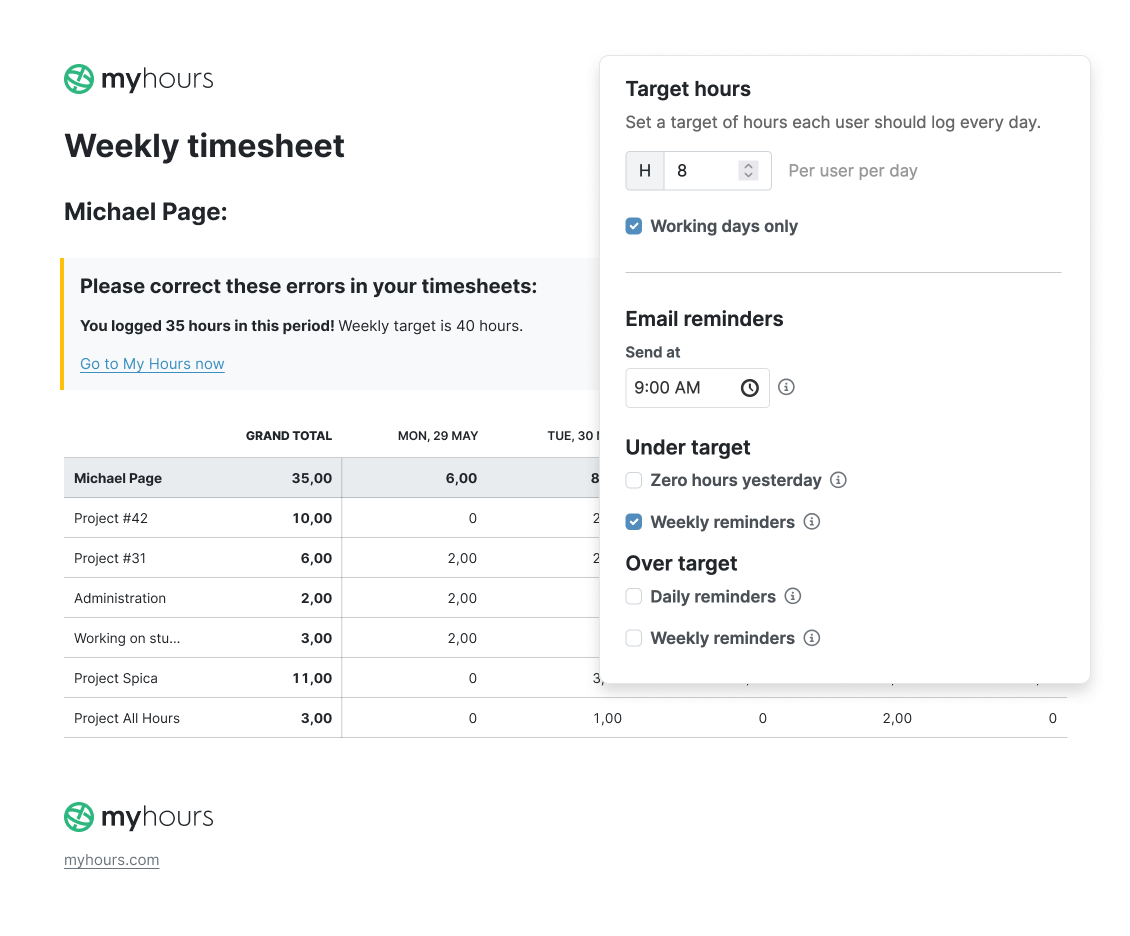
- My Hours can send automatic daily or weekly alerts if timesheets are not complete.
- Set unique daily target hours per user, and My Hours will email or ping users if they fail to log sufficient hours.
- Similarly, My Hours can alert users if they have logged over their target hours.
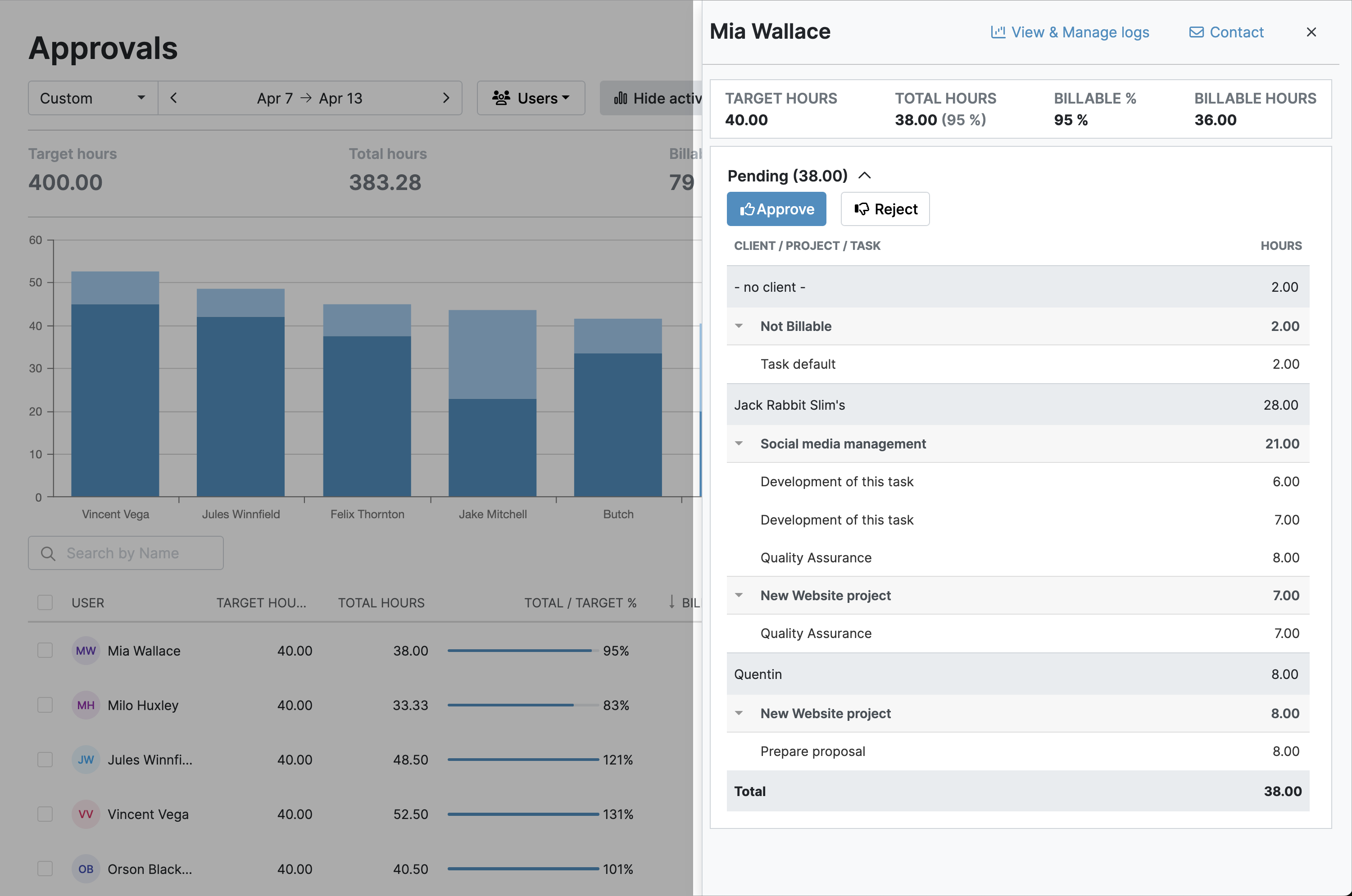
4. Validation workflows for sense-checking
- Supervisors get pinged when timesheets are submitted.
- Approve or reject entire timesheets or individual time entries in one click.
- Rejected time entries go back to the user for correction.
- Once timesheets are approved, they are locked, preventing further edits.
- All timesheet adjustments are captured in the audit log.
5. Export customized reports on autopilot
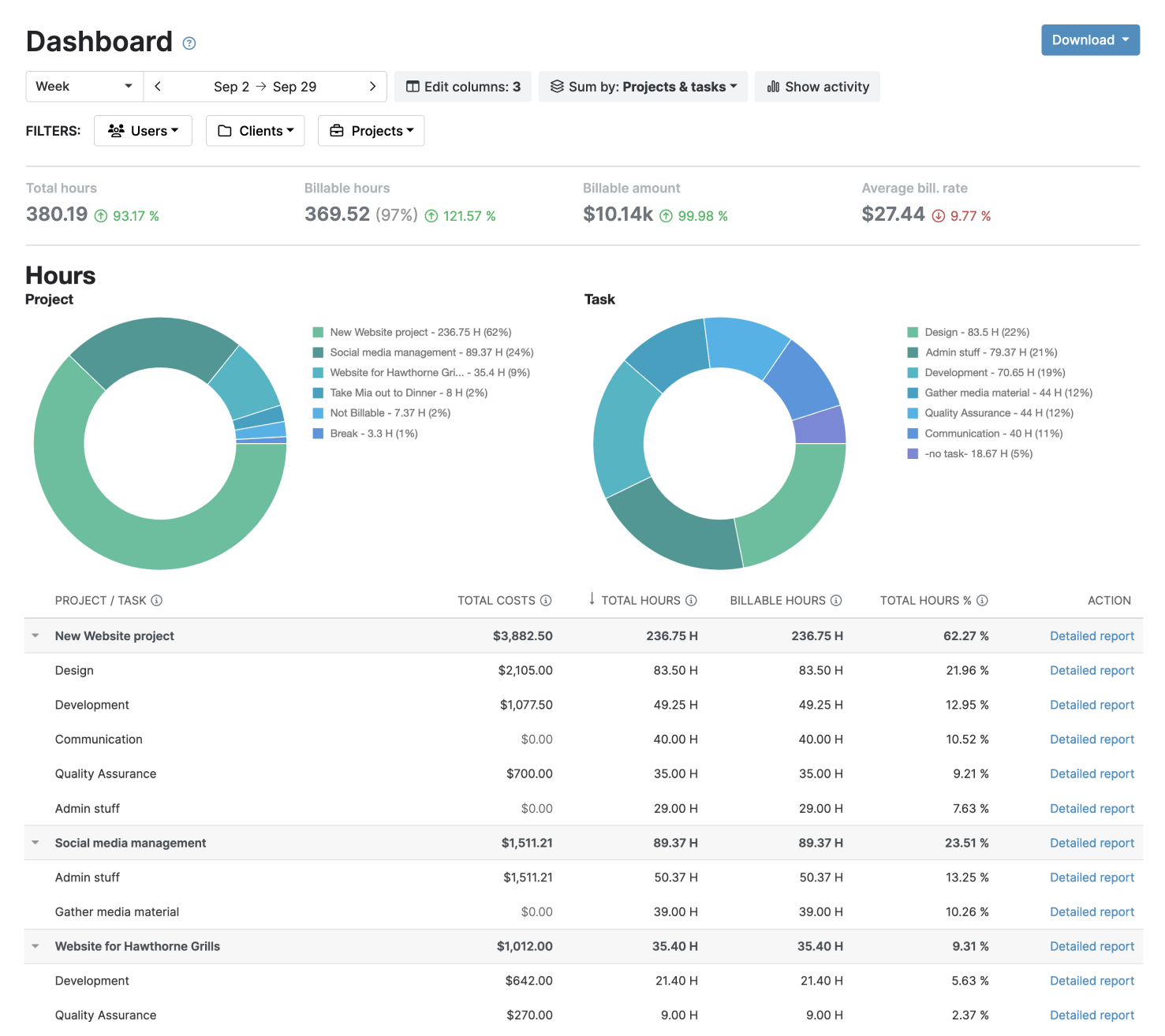
- Once report settings are saved, future reports are generated in one click.
- Export reports in PDF or XLS format.
- Schedule reports to send automatically at a preferred date and time.
- Reports are emailed directly to recipients from within My Hours.

Waste no more time,
jump right in!

All rights reserved.