
DCAA Timekeeping Policy and Staff Training Deck
Easy to implement: Simply download and adjust as needed



Why Implement a DCAA Timekeeping Policy?
Organizations with government contracts must follow strict rules for recording and charging labor hours. Non-compliance can trigger audits, penalties, or even contract loss.
A strong timekeeping policy and proper staff training prevent mischarging and create clear, defensible records for government work.
What Does the Download Include?
Inside the download, you’ll find:
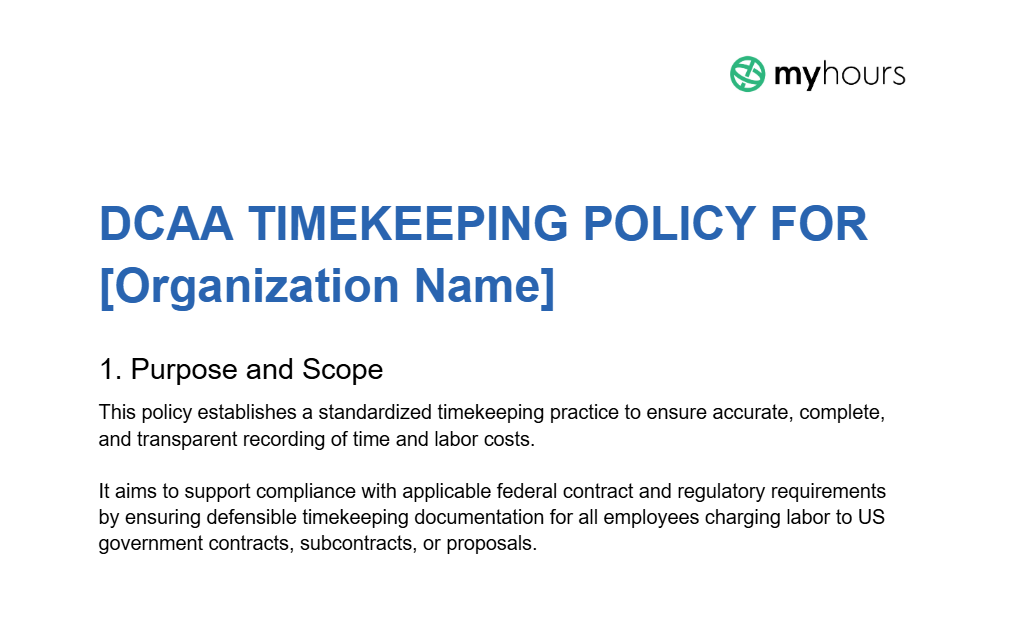
- A full, DCAA-compliant timekeeping policy: It’s ready to use; all you have to do is input the information relevant to your organization.
- A staff training slide deck: A full set of plain-text slides with everything you need on them to ensure staff understand their responsibilities and duties.
- A full presenter script for each slide: Use this to guide you in what to say during the training session.
How to Use the DCAA Timekeeping Policy and Staff Training Deck
Once you have adjusted the timekeeping policy with relevant company information, you must:
- Communicate it to all employees via training sessions and onboarding
- Make it readily available to all staff
- Keep it accessible and ready to produce during an audit
- While not mandated, it’s also good practice to post policy summaries to increase visibility. Examples are in staff break rooms or next to time clocks
The policy must also be regularly reviewed and updated as needed.
Use the slide deck to train staff on DCAA timekeeping practices. You must:
- Carry out initial training for all staff
- Implement training within the company's onboarding process
- Provide annual refresher training
- Schedule additional training sessions for system changes or policy updates
Note: While the training deck covers what staff must do to carry out compliant timekeeping, it doesn’t detail a specific time tracking system.
Whether you choose digital time tracking software or an alternative method, ensure you train all staff on how to use it properly and in accordance with DCAA requirements.
How My Hours Facilitates DCAA-Compliant Timekeeping
My Hours is digital time tracking software that gives government contractors an audit-ready way to record labor hours and costs.
Time entries link directly to projects, tasks, and charge codes, creating the clear, traceable records DCAA and FAR reviews expect.

1. Easy daily time tracking
A straightforward start/stop timer lets staff record their work hours in real time.
- Real-time tracking is available on any device, including Android, iOS, and browser extensions
- Automatic timesheet submission prevents workers from missing deadlines
- Labor costs are tracked alongside time for accurate charging
2. Link time entries to projects, tasks, and charge codes
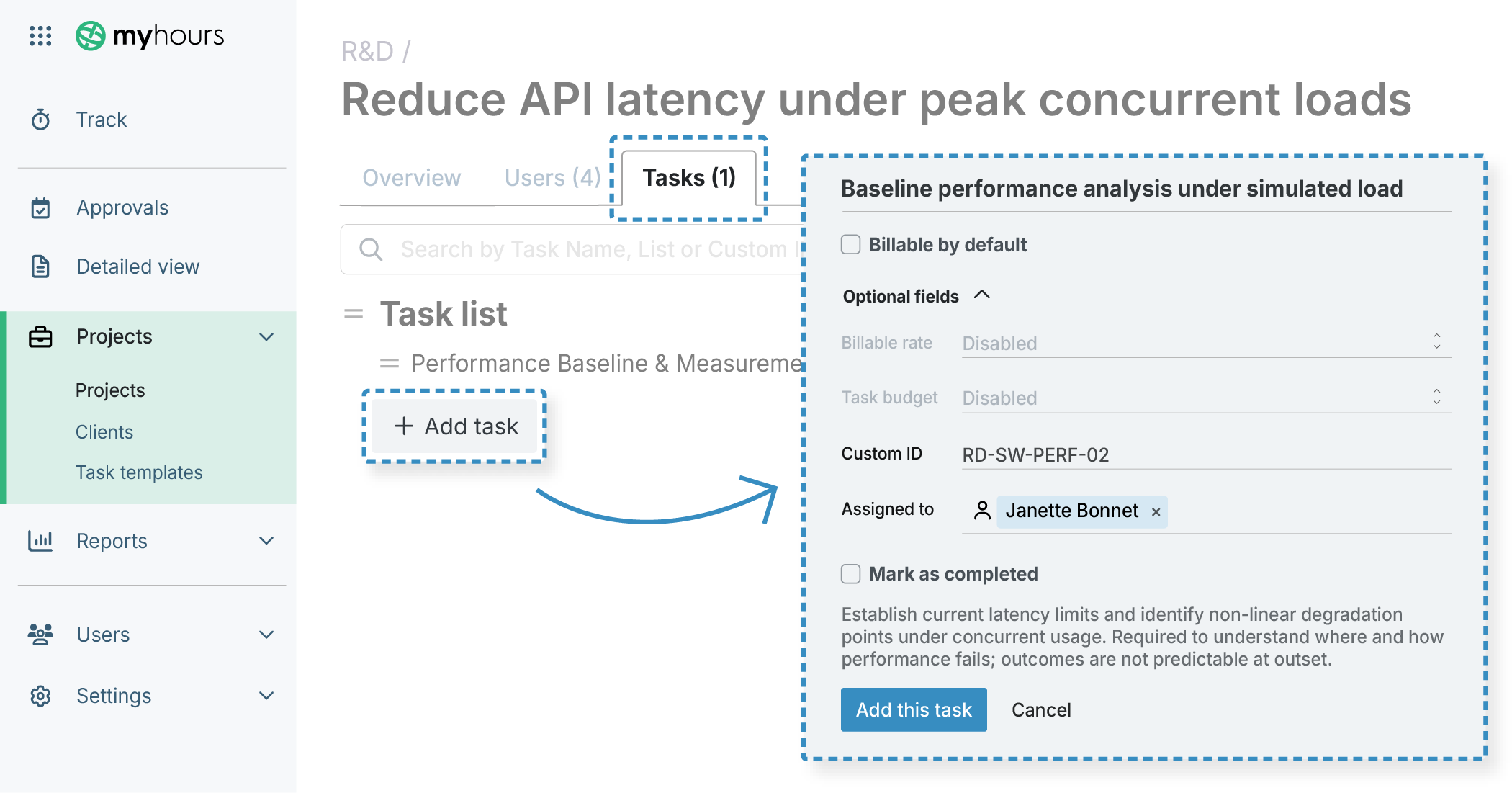
Set up mandatory fields on time entries so all tracked hours must be connected to a specific project and task.
- Time entry descriptions can also be enforced (required for DCAA compliance)
- Use custom tags to label direct/indirect work, overtime, time off, and to assign the correct charge codes
- Track project and task codes by using the Custom ID field
3. Useful alerts to complete timesheets
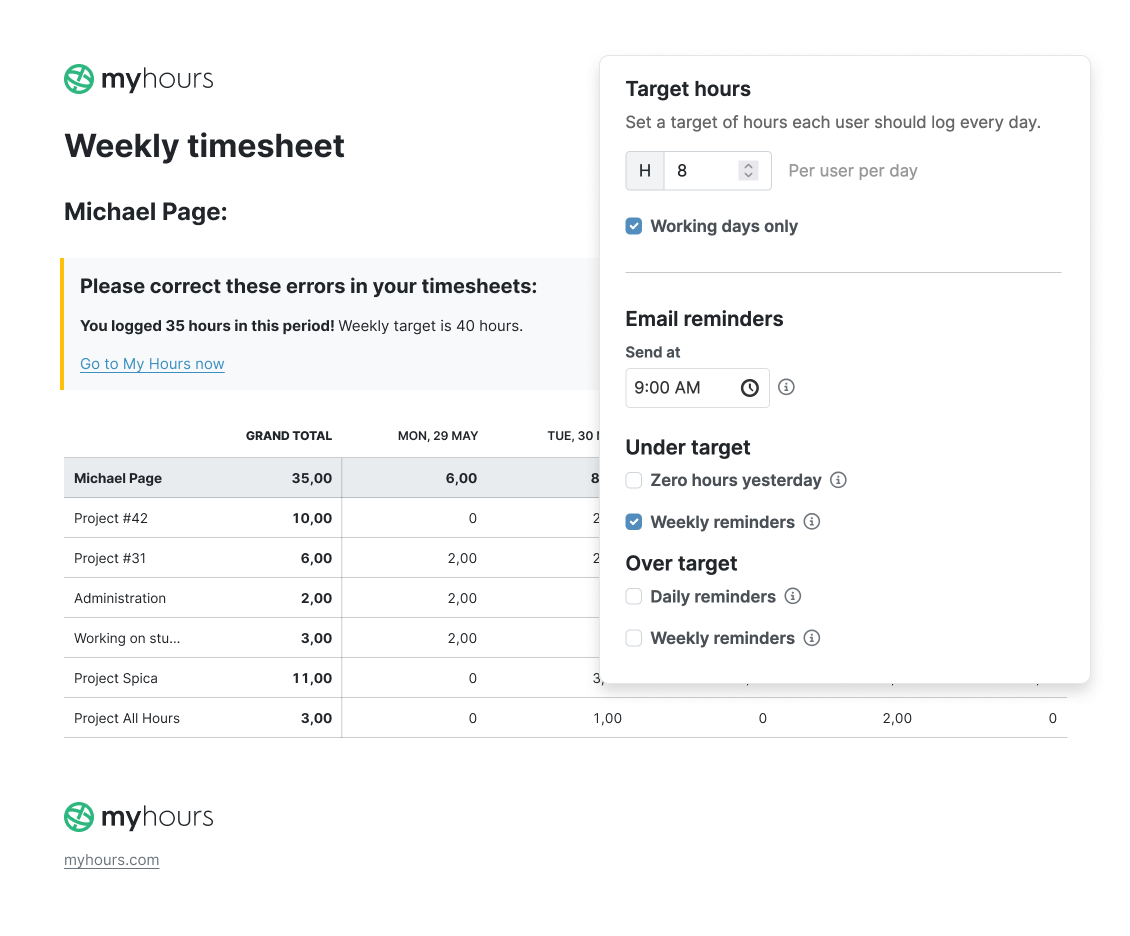
Prevent timesheet omissions and ensure completeness by using My Hours automated alerts.
- Set daily target hours per user, and the system will send an alert when insufficient hours are logged
- A reminder will also be sent if users log more than their target hours, helping them track overtime more efficiently
4. Robust approval workflows
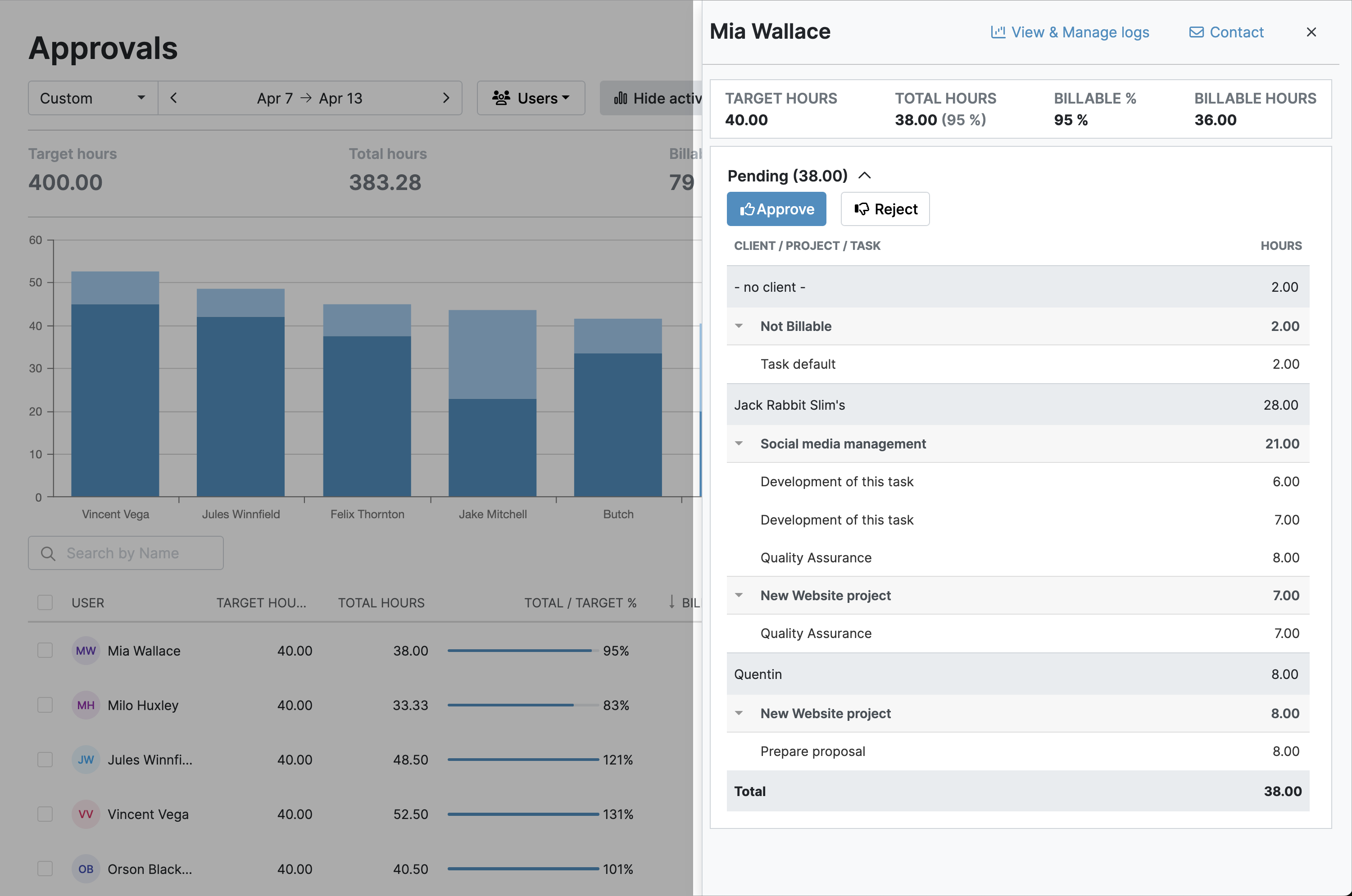
All timesheets require managerial review and sign-off. My Hours sends automated alerts when a timesheet is ready for approval.
- Timesheets (or individual time entries) can be approved or rejected in one click
- Any corrections/adjustments are clearly documented and tracked in the audit log
- Timesheet data is locked after submission and approval, preventing data manipulation
5. Role-based user permissions
Tight controls prevent users from adjusting time data and ensure time entries are mapped correctly.
- Users can only log time against the projects and tasks to which they’ve been assigned
- Unique login credentials prevent users from entering time on another user’s behalf
- Only managers and admins are permitted to add or edit projects and view others’ time logs and labor rates

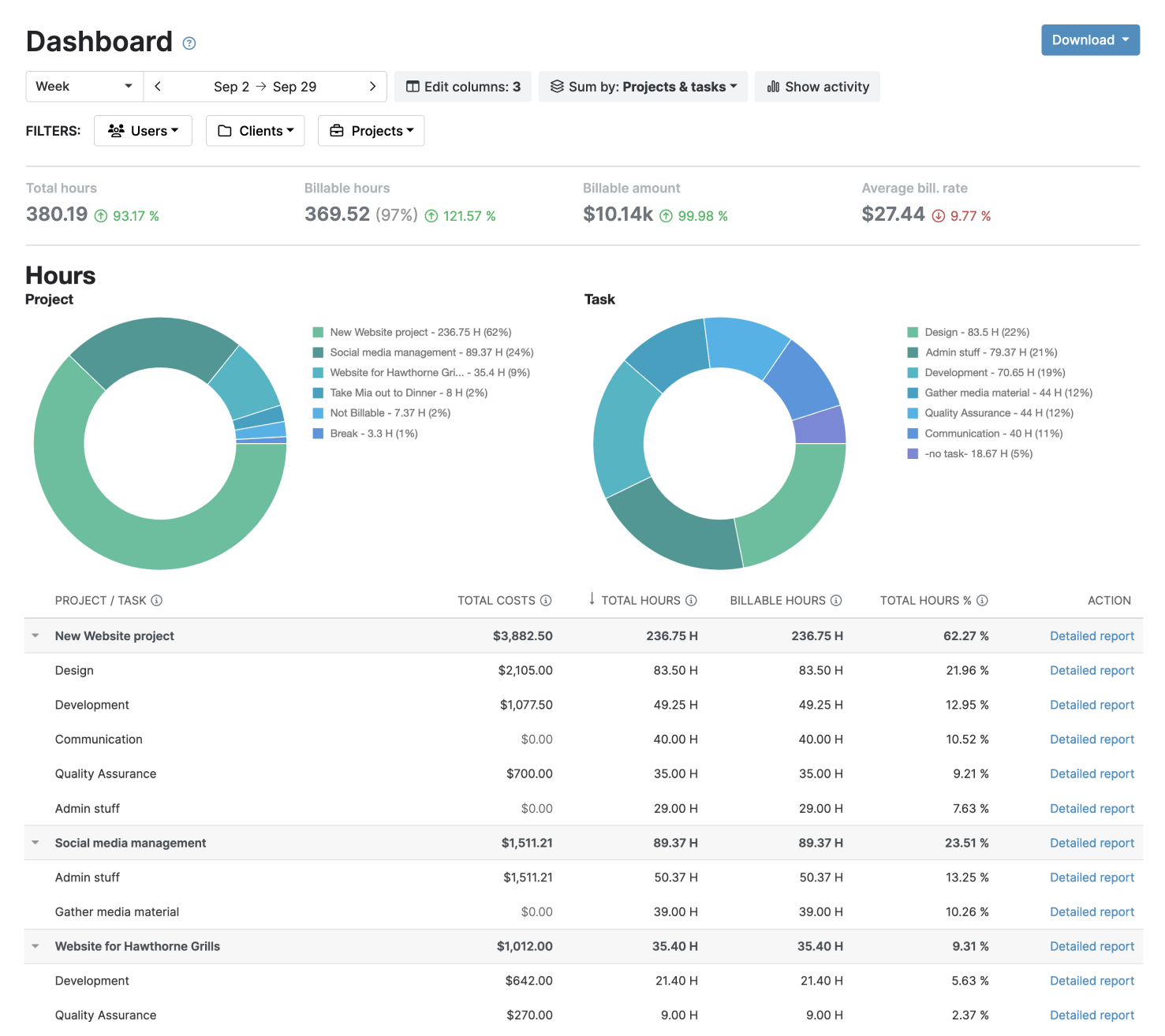
6. Customized reporting and audit trail
My Hours keeps a full audit log of all actions, changes, and adjustments within the system.
- The customizable reporting feature allows you to collate the cost and time data required for governmental updates and audits
- All customizable reports can be downloaded as XLS, PDF, or emailed directly to stakeholders
- Save report settings and schedule regular reports. My Hours will send them automatically, so reporting deadlines are met

Waste no more time,
jump right in!

All rights reserved.