


10 Everhour Alternatives (Free & Paid) for 2026
The ten best alternatives for Everhour users searching for a more affordable, suitable, or differently featured option.
Everhour has great features, especially for staff scheduling and resource planning, but its tools won’t suit all businesses.
To find the right fit, we’ve put together ten platforms that stand out as legitimate Everhour alternatives. And to help you choose, we’ve split them into two categories:
- Time tracking for billing and project profitability
- Time tracking with built-in staff management tools
*Last Updated: August 2026*
Content overview

Top 6 Everhour Alternatives at a Glance
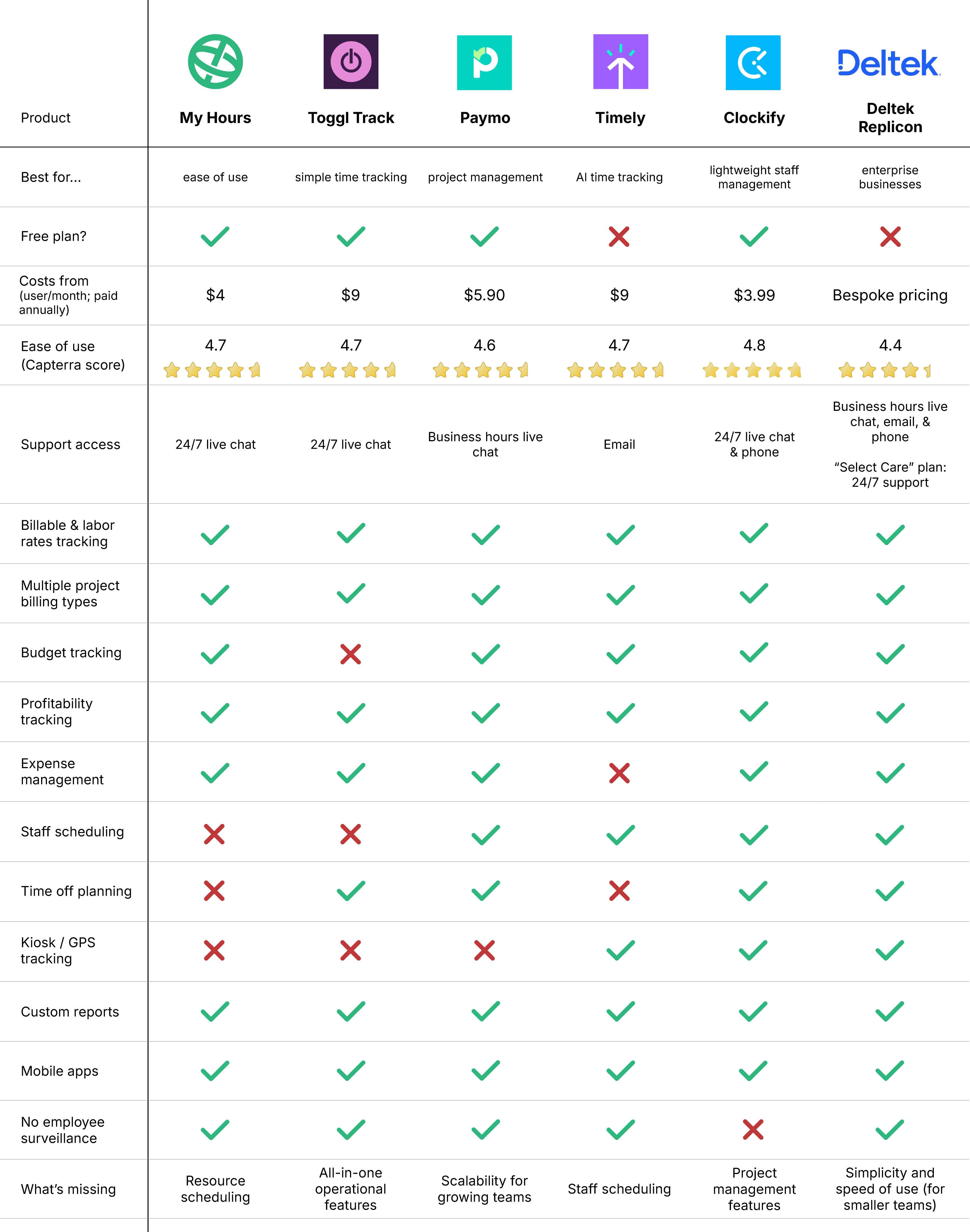

1. My Hours: Best for ease of use
Price:
- Free (5 users)
- $5 - $9/per user (paid monthly)
- $4 - $8/per user, per month (paid annually)
- Enterprise pricing available
Available on: Desktop, web, browser extension, iOS & Android
Category: Time tracking for client billing and project profitability
Pros:
 Free plan includes billable rates
- Minimal setup
- No employee surveillance
- Flexible project costing and billing
- Granular insights and reports
- Automated approval workflows
Cons:
 No staff scheduling tools
- Basic invoicing tool
Why choose My Hours over Everhour?
Running on 20 years of experience, My Hours was designed to maintain profitability through accurate time tracking. Known for its ease-of-use and unlimited projects, tasks, and clients on its free plan, it is the best price-performance app on the market.
That ease of use is one of its biggest highlights. Teams can hit the ground running with minimal setup, and most users learn it in around an hour (or less!).
In contrast, some users find Everhour's interface more cluttered and report that it can take longer to locate specific features, while others have no issue navigating the platform.
Note, though, that My Hours does not include any staff management tools on its platform (although there are easy workarounds for recording time off, breaks, etc.). Instead, it focuses on providing an intuitive experience for tracking billable time and project costs.
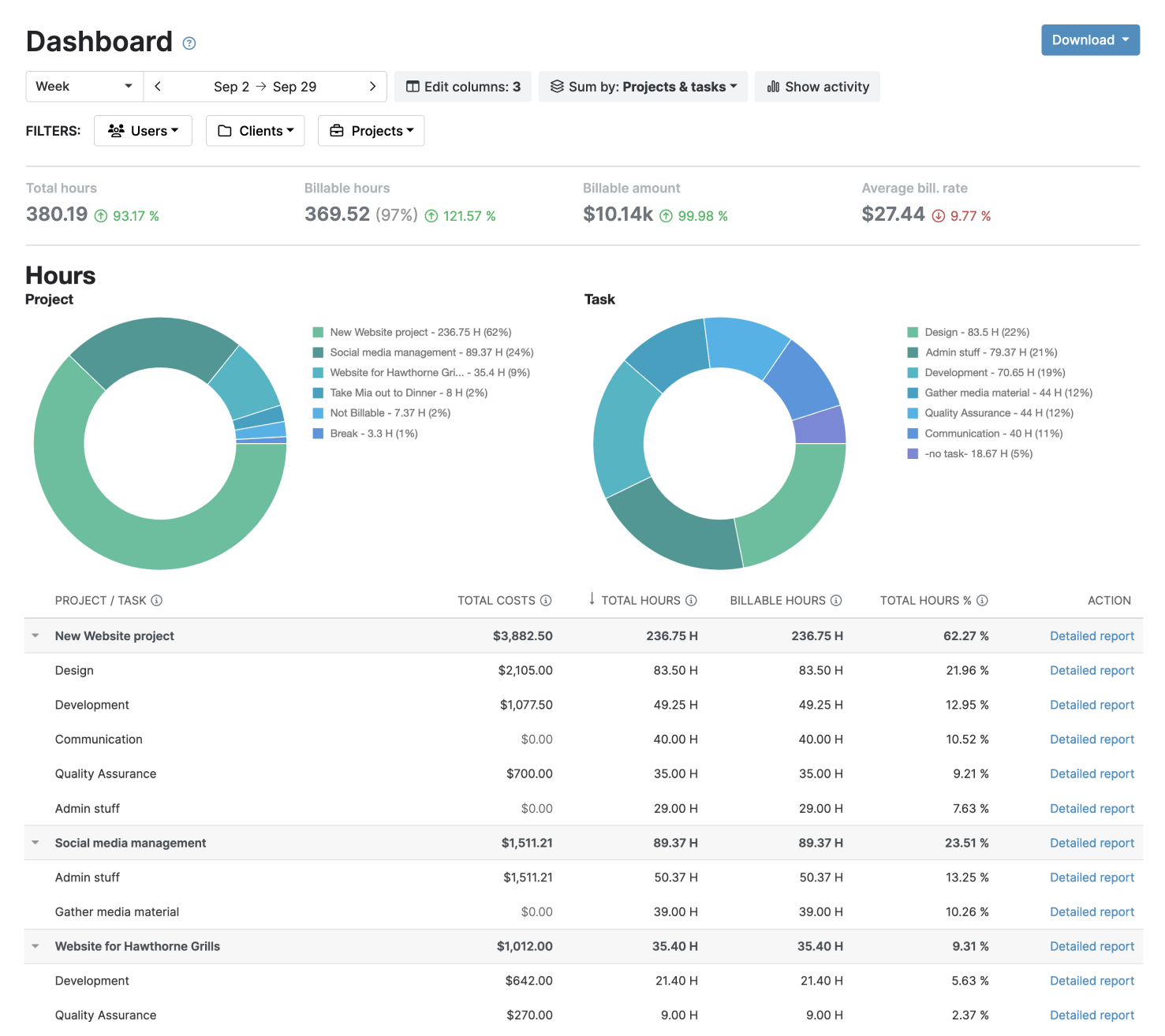
With multiple ways to bill projects, users track time against projects and tasks. The data then flows into the streamlined invoicing tool, so your clients can pay you.
Keep track of profitability using the various budget tracking options, the at-a-glance forecasts, and the highly customizable reporting tool. Using the filters in reports, you can compare everything from labor costs to expenses, and more.
While Everhour is primarily designed to complement external project management platforms, My Hours provides a complete workflow for managing the financial side of project work.
This makes it particularly well-suited to agencies, consultants, and service-based businesses that need clear visibility into project profitability.
See what users say: Capterra reviews | G2 reviews
Everhour drawbacks:
1. Complex user interface
The user experience is not very intuitive, and it takes a long time to find the feature you are looking for. Some find that the screens can feel cluttered with too many options.
How My Hours solves this: My Hours is incredibly user-friendly and takes minimal time to learn. Screens provide the necessary information without overloading the user.
2. Expensive for solo users
Upgrading to the paid plan unlocks all features, including billing, budgeting, and invoicing. However, you must purchase at least 5 seats to do so. This will price out many individual users who don’t have a need for multiple seats.
How My Hours solves this: There is no minimum user requirement for My Hours paid plans. Individuals can purchase a subscription for a single monthly or annual rate.
3. Includes employee surveillance
Although optional, Everhour features screenshot monitoring, which can create issues around sensitive data exposure and employee trust if used.
How My Hours solves this: My Hours does not include any worker surveillance and never will. There is no risk of data exposure, and employee oversight can be maintained through time tracking and task completion.
Bottom line comparison

 Free plan (max 5 users)
- Staff planning
- Time off tracking and accrual
- 40+ native integrations
- Optional screenshots

- Free plan (max 5 users)
- User-friendly interface
- Multiple project billing options
- Track expenses and budgets
- Automated approval workflows

2. Toggl Track: Best for simple time-tracking
Price:
- Free (up to 5 users)
- $10 - $20/per user (paid monthly)
- $9 - $18/per user, per month (paid annually)
- Enterprise pricing available
Available on: Desktop, Web, iOS & Android
Category: Time tracking for client billing and project profitability
Pros:
- Free plan includes most integrations
- User-friendly interface
- No employee surveillance
- Simple billable rates tracking
- PTO tracking
Cons:
- Not great for budget tracking
- Reporting feature lacks depth
- The best features are locked behind the top pricing tier
Why choose Toggl Track over Everhour?
Toggl is another user-friendly and visually appealing platform; however, its features are less in-depth compared to other tools, such as Everhour.
While Toggl Track may technically have more integrations than Everhour “on paper”, there are only 10 native integrations that are designed, built, and managed by their team.
Everything from project management to HR, accounting, support desks, and communication apps is covered, so it’s a great option if you want a time tracker to fit seamlessly within your existing tech stack.
Toggl also supports billable rates and multiple billing methods, making it a good choice for freelancers and agencies. For tracking project costs, you can access historical cost data in the Reports Dashboard and even add in labor costs for each team member.
Overall, Toggl is good for keeping an accurate account of time plus billable hours. However, since project- and expense management features are spread across three platforms (Toggle Track, Toggle 2.0, and Toggle Work), it may feel less streamlined compared to Everhour’s all-in-one approach.
See what users say: Capterra reviews | G2 reviews

3. Paymo: Best for client payments
Price:
- Free for 1 user
- $9.90 - $23.90/per user (paid monthly). Additionally, a reduced rate is provided for the first three months
- $5.90 - $16.90/per user, per month (paid annually)
Available on: Desktop, Web, iOS & Android
Category: Time tracking for client billing and project profitability
Pros:
- Free plan supports unlimited tasks
- Accepts online payments
- Comprehensive project management tools
- Task dependencies
- Automatic time tracking
Cons:
- Mobile apps lack functionality
- Client and project limits on some plans
- Basic reporting
Why choose Paymo over Everhour?
If you need a way to keep projects organized as well as bill them accurately, Paymo could fit your needs.
The platform features strong task management capabilities, including a dependencies chart that shows which deliverables are relying on other tasks to be completed first. Gantt charts and Kanban boards further keep things organized.
Profitability tracking is nicely laid out and includes easy ways to identify unprofitable activities.
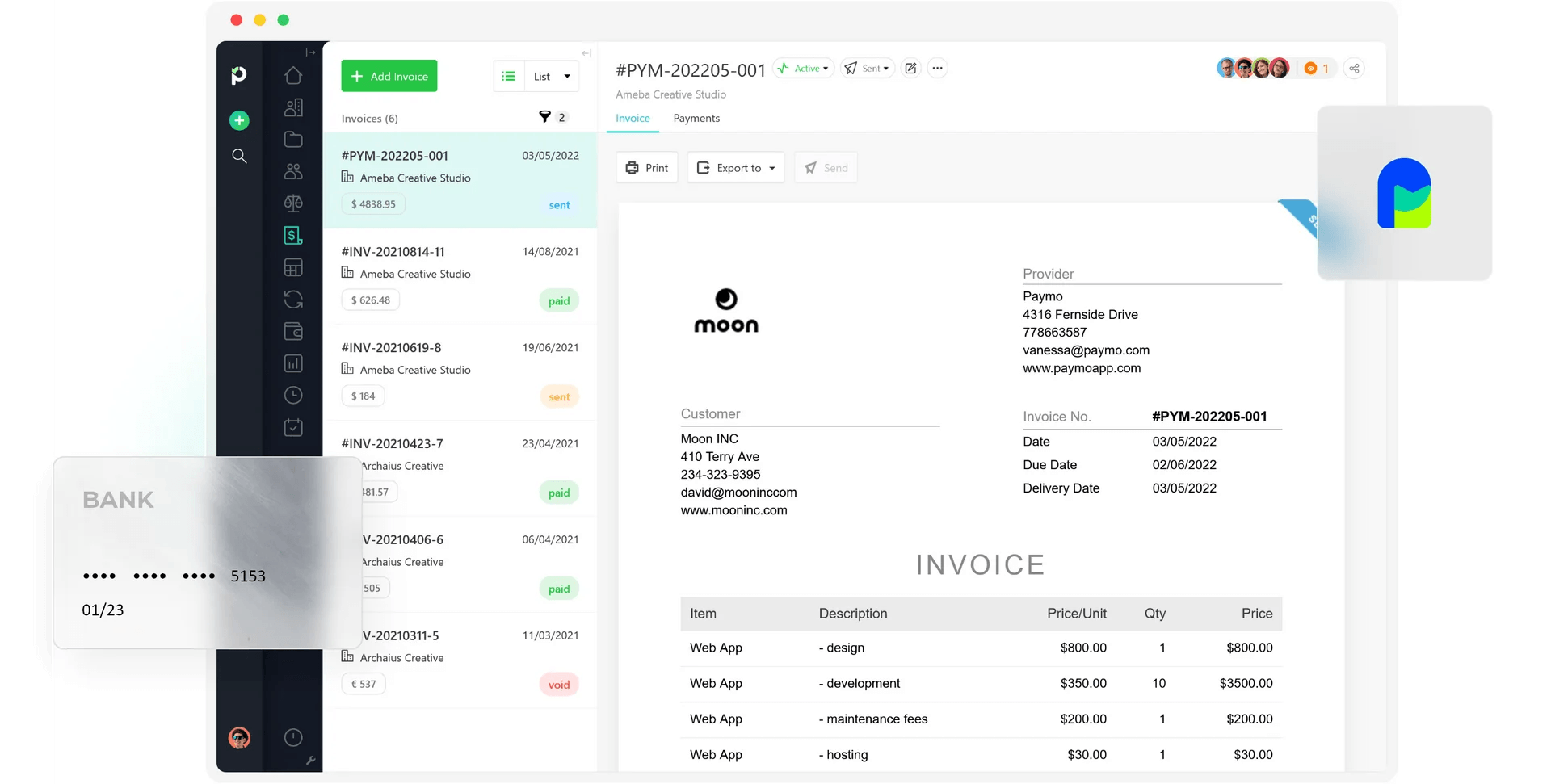
What stands out most is Paymo’s detailed invoicing tool. It supports recurring invoices in multiple languages and 85+ currencies. Better yet, it connects with a range of payment gateways, allowing clients to pay you directly.
Just bear in mind that Paymo’s mobile app is mainly suited to basic time tracking, with limited support for deeper project views, team scheduling, or granular reporting.
It’s a good fit for small teams and individuals that don’t want to pay for Everhour’s minimum user fee, but less suited to enterprise businesses.
See what users say: Capterra reviews | G2 reviews

4. Timely: Best AI time tracker
Price:
- Free 14-day trial
- $11 - $28/per user (paid monthly)
- $9 - $22/per user, per month (paid annually)
- Enterprise pricing available
- Add-on task management for $5/per user per month
Available on: Desktop, Web, Android & iOS
Category: Time tracking for client billing and project profitability
Pros:
- Fully hands-off time tracking
- AI auto-allocates work to projects and clients
- Timesheet validation and data locking
- Includes invoicing
- Workspace capacity management
Cons:
- No free plan (only a free trial)
- No expense management tools
- Task management costs extra
Why choose Timely over Everhour?
If you’d rather not have to start and stop timers to track billable hours, then Timely’s AI capabilities might suit you best.
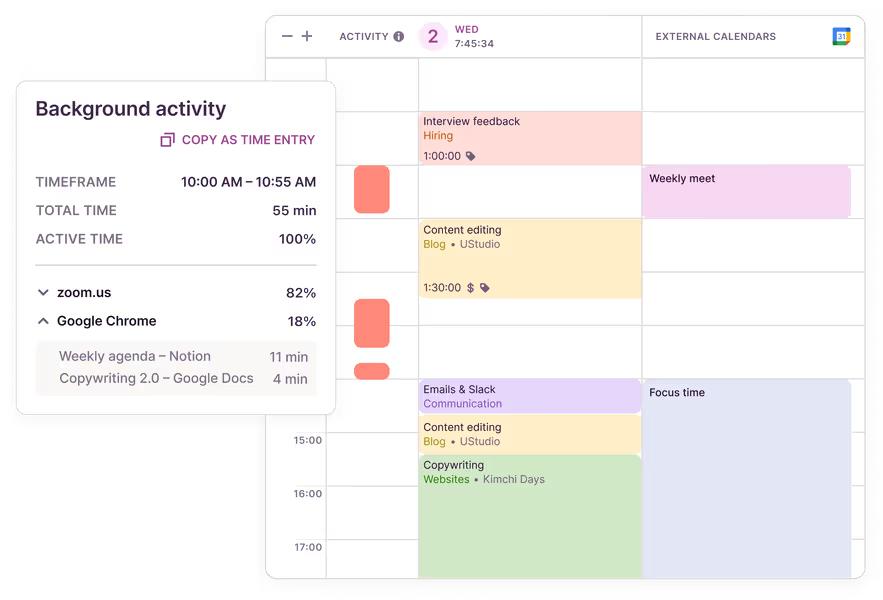
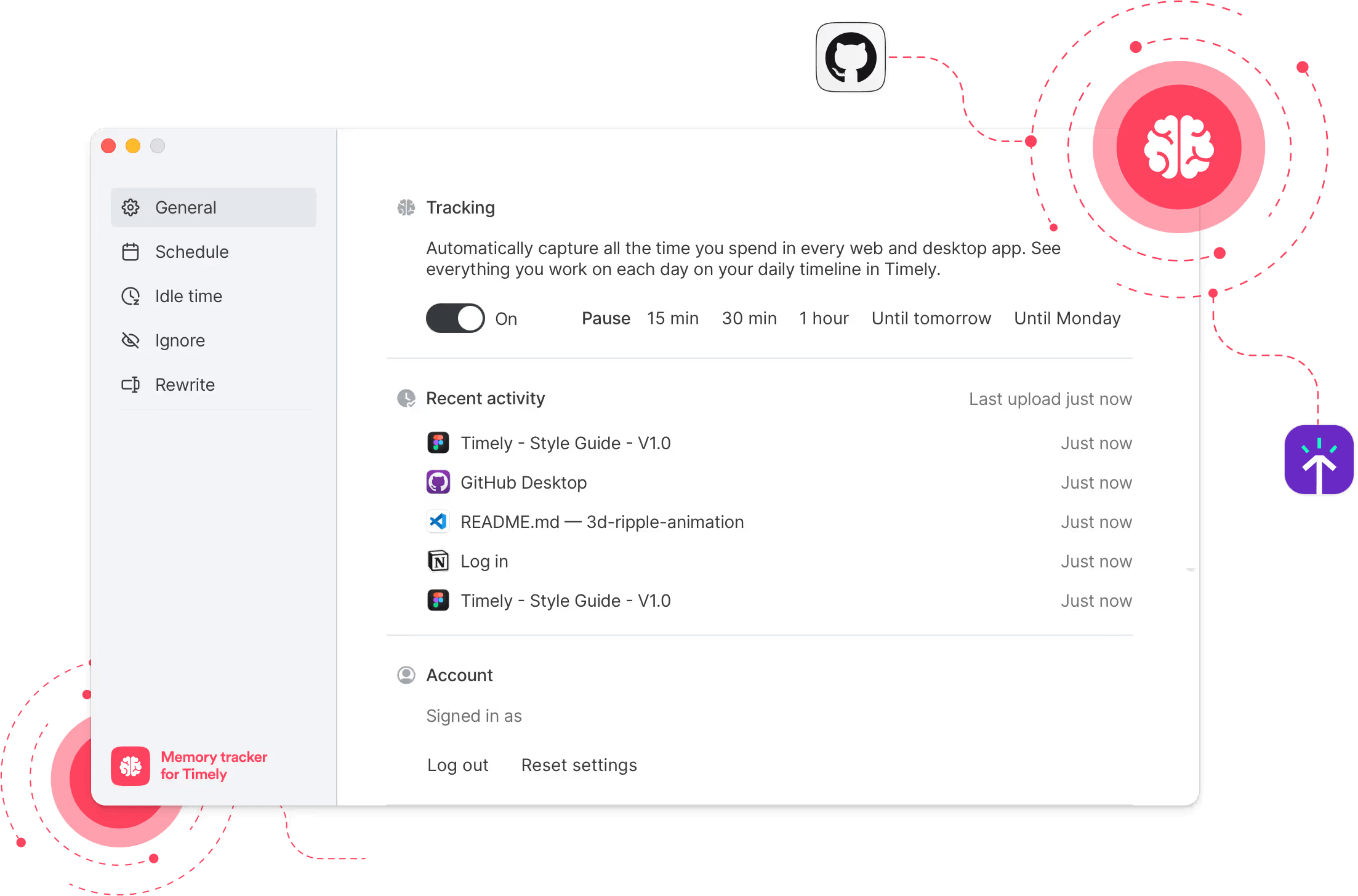
The automatic tracker captures time spent on various digital apps and then transforms it into time entries. The platform also features a memory tracker, which pulls in calendar items, projects, and records what you’ve been working on throughout the day.
The AI assistant will also make suggestions on what it thinks should go in your timesheet.
Projects can support different rates at the task level and include multiple budget tracking types. Unfortunately, unlike all other options on this list, Timely doesn’t support expense uploads, so this will have to be done on another platform.
Although Timely’s biggest selling point is the AI tracking, it also supports more traditional methods, such as manual entry and a start/stop timer. However, if your team is very resistant to time tracking, using the automated options might make them more accepting.
See what users say: Capterra reviews | G2 reviews

5. TimeCamp: Best for profitability insights
Price:
- Free forever plan (unlimited users and projects)
- $3.49 - $6.99/per user (paid monthly)
- $2.49 - $4.99/per user, per month (paid annually)
- Enterprise pricing available
Available on: Desktop, web, browser extension, iOS & Android
Category: Time tracking for client billing and project profitability
Pros:
- Free forever plan
- AI time tracking option
- Automatic time tracking
- Detailed productivity and profitability reports
- Budget tracking with alerts when approaching limits
- Project estimates vs actuals comparisons
- 100+ integrations
Cons:
- Mobile app is strong, but desktop offers deeper reporting views
- Strongest profitability tools available in Premium and Ultimate plans
Why choose TimeCamp over Everhour?
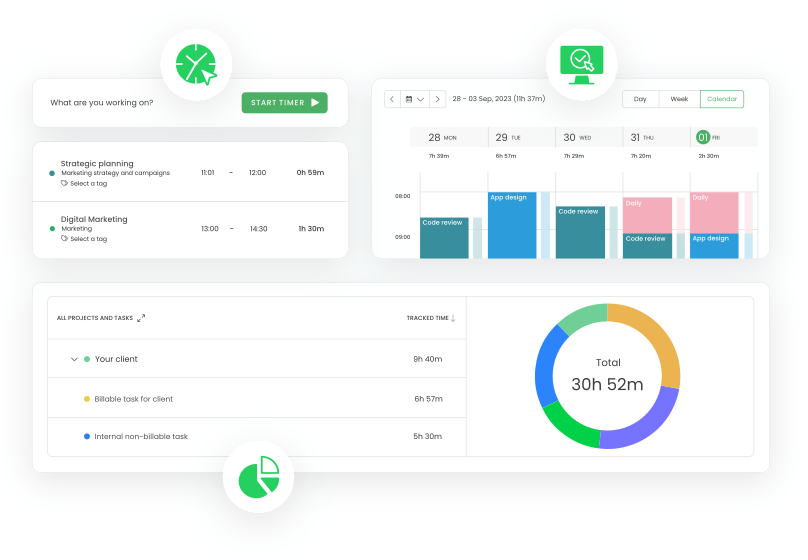
TimeCamp helps teams track hours, calculate labor costs and revenues, and analyze project profitability. It also automates billing calculations based on predefined employee or project rates, which is useful if you regularly convert timesheets into invoices.
What helps TimeCamp stand out is how much it reduces manual admin.
Its keyword-based automatic tracker can log time to the right tasks whenever staff work on something containing the keywords they’ve defined. This is particularly helpful for multitasking teams that move quickly between clients, jobs, and internal work.
Complementing this is the AI Time Tracker, which analyzes activity in real time and assigns it to the right projects.
Reporting is another major strength. With 20+ report types, you can analyze time by day, week, or month and get clearer visibility into project efficiency and overall profitability.
Overall, TimeCamp is a strong Everhour alternative for those who want accurate time tracking tied directly to billing, budgets, and profitability.
See what users say: Capterra reviews | G2 reviews

6. Clockify: Best for lightweight staff management
Price:
- Free for up to 5 users
- $4.99 - $15.99/per user (paid monthly)
- $3.99 - $12.99/per user, per month (paid annually)
Available on: Desktop, Web, iOS & Android
Category: Time tracking with built-in staff management tools
Pros:
- Automatic time tracking
- Staff scheduling and time off planning
- Track billable time and costs
- Clocking in/out kiosk and GPS tracking
- Pomodoro timer
Cons:
- Includes screenshot monitoring
- The best features are locked behind higher-priced plans
Why choose Clockify over Everhour?
Clockify is a popular time tracking app with built-in staff management features, many of which are at a cheaper price point compared to Everhour.
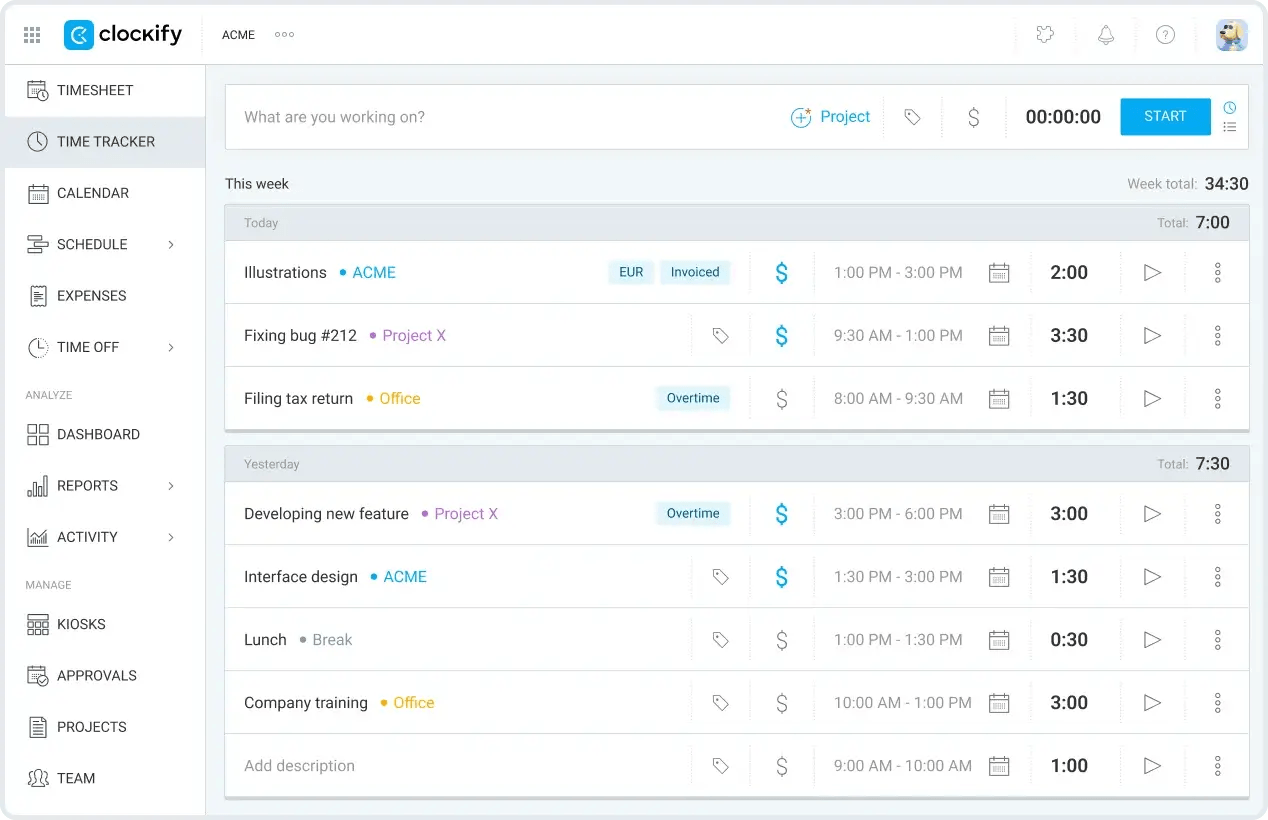
The platform offers staff scheduling and time off planning, along with a basic clocking in/out kiosk and GPS tracking. The calendar view is also handy, allowing you to view team workloads at a glance.
It’s arguably more user-friendly than Everhour, and with multiple ways to track time, it’s an ideal solution if your team is resistant to time tracking.
Clockify straddles the gap between client billing/project profitability and staff management.
Although it’s a good all-rounder, it doesn’t particularly specialize in a single area. Therefore, its features are less comprehensive compared to some other alternatives.
As such, Clockify is best for lightweight staff management among mid-sized teams rather than an enterprise solution.
See what users say: Capterra reviews | G2 reviews
7. Deltek Replicon: Best for enterprise-sized businesses
Price:
- Free 14-day trial
- Bespoke - pricing is provided after talking with the sales team
Available on: Desktop, Browser extensions, iOS & Android
Category: Time tracking with built-in staff management tools
Pros:
- Supports multi-jurisdiction and global businesses
- Built-in compliance engine
- Detailed workforce management tools
- Handles complex project billing
- Multiple ways for staff to track time
Cons:
- Extensive setup is required
- Pricing is not transparent
- Unsuitable for small to mid-sized organizations
Why Choose Deltek Replicon Over Everhour?
Most time tracking tools don’t have the capabilities to properly support larger organizations with multiple locations. Deltek Replicon is one such exception.
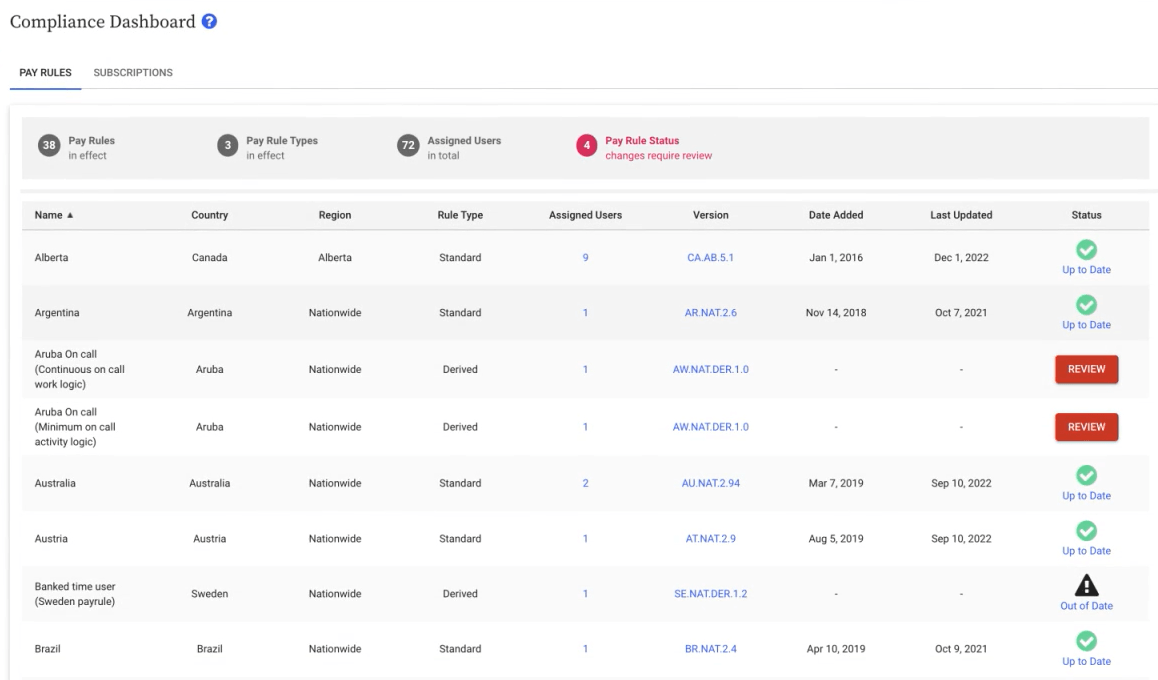
Built for global time tracking, it has a built-in compliance engine that covers labor laws and regulatory requirements across 145+ jurisdictions and 75+ countries.
Additional staff management tools include workforce attendance tracking, scheduling, and time off planning.
The platform also handles complex project scopes and billing setups common in large companies. Its reporting is detailed, offering advanced analytics along with custom reports and dashboards.
Deltek Replicon is built for organizations with sophisticated business needs, so it isn’t the best fit for small to mid-sized teams. But for enterprises seeking a comprehensive time tracking and project management solution, it delivers the depth and flexibility they need.
See what users say: Capterra reviews | G2 reviews

8. Connecteam: Best for field-based teams
Price:
- Free (up to 10 users)
- $35 - $119/up to 30 users (paid monthly)
- $29 - $99/up to 30 users, per month (paid annually)
- Different pricing for every additional user
- Enterprise pricing available
Available on: NFC tag, iOS & Android, Desktop, Physical Clock
Category: Time tracking with built-in staff management tools
Pros:
- Free plan for 10 users
- Supports off-site clocking in/out and tracking
- AI-powered resource planning
- Simple billable rates tracking
- Handles shift scheduling
Cons:
- Expensive plans if you don’t have 30 users
- Not well-suited to office-based teams
- No project management tools
Why choose Connecteam over Everhour?
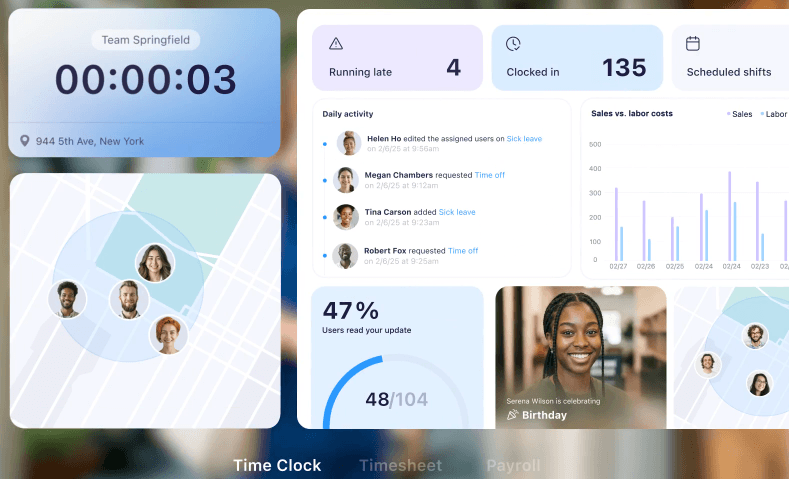
Connecteam offers multiple ways for employees to clock their hours, making it a strong choice for mobile or off-site teams.
Staff can use an NFC tag on their phone, an app-based clocking in/out kiosk, or even a physical clock, depending on what suits your setup best.
GPS tracking and geofencing are also available, as is manual time entry.
Staff scheduling is supported by AI, allowing you to plan resources in a few clicks. The platform also supports task planning and assignments, complete with checklists and document uploads.
Shift scheduling comes complete with templates and recurring shift capabilities. And while it’s fairly basic, you can also track labor rates and billable rates alongside time.
The only sticking point is the cost. It’s expensive compared to Everhour, but the trade-off is that you get more powerful tools for staff management.
See what users say: Capterra reviews | G2 reviews

9. ZoomShift: Best for shift workers
Price:
- Free (up to 20 users)
- $2.50 - $5/per user (paid monthly)
- $2 - $4/per user, per month (paid annually)
Available on: Desktop, Web, iOS & Android
Category: Time tracking with built-in staff management tools
Pros:
- Free plan for up to 20 users
- Comprehensive scheduling and staff planning tools
- Labor cost tracking and forecasts
- Clock in/out and GPS tracking
- Payroll-ready reports with overtime and PTO
Cons:
- No project management tools
- No billable rates tracking
Why choose ZoomShift over Everhour?
ZoomShift is specifically designed for organizations that employ hourly workers or shift workers, such as restaurants and retail stores. It has a range of staff management features that make schedule planning easy to manage.
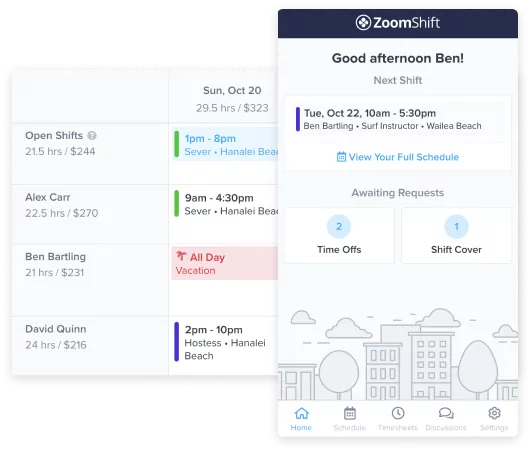
The calendar view is nicely laid out, with quick tools for finding replacement workers when someone calls in. There’s also a labor forecasting tool that helps you predict upcoming labor costs and potential workforce shortages.
Workers track time according to their schedules, which include built-in time-off and absence tracking. For field or mobile workers, you can also use the clocking in/out system or GPS feature to track hours.
Since the platform records labor costs, you can quickly generate payroll-ready reports in a matter of clicks, complete with any overtime or PTO payments.
While it’s not designed for project management, it’s a stronger option than Everhour for real-time staff management.
See what users say: Capterra reviews | G2 reviews
10. Jibble: Best for those on a budget
Price:
- Free plan
- Enterprise plan available
- They also have other packages whose price list is not publicly announced
Available on: Desktop, Web, browser extension, iOS & Android
Category: Time tracking with built-in staff management tools
Pros:
- Free plan for unlimited users
- Built-in verification tools
- Multiple clock-in methods and geofencing
- Strong scheduling, leave, and attendance management
- Automatic timesheets and payroll exports
Cons:
- Client billing features are more basic compared to other platforms
- Less compelling if your team rarely works in shifts or from multiple locations
Why choose Jibble over Everhour?
Jibble is a practical, mobile-first platform built to make attendance and time tracking reliable for both office and field-based teams.
Timesheets are created automatically the moment someone clocks in or out, whether they use their phone, a shared kiosk, Microsoft Teams, or Slack. You then get a quick visual overview of hours worked and attendance patterns without having to review every individual time entry.
Another plus is how well it handles day-to-day staff management. You can group employees into teams, assign managers, set roles and permissions, build work schedules, and track leave with structured approval flows.
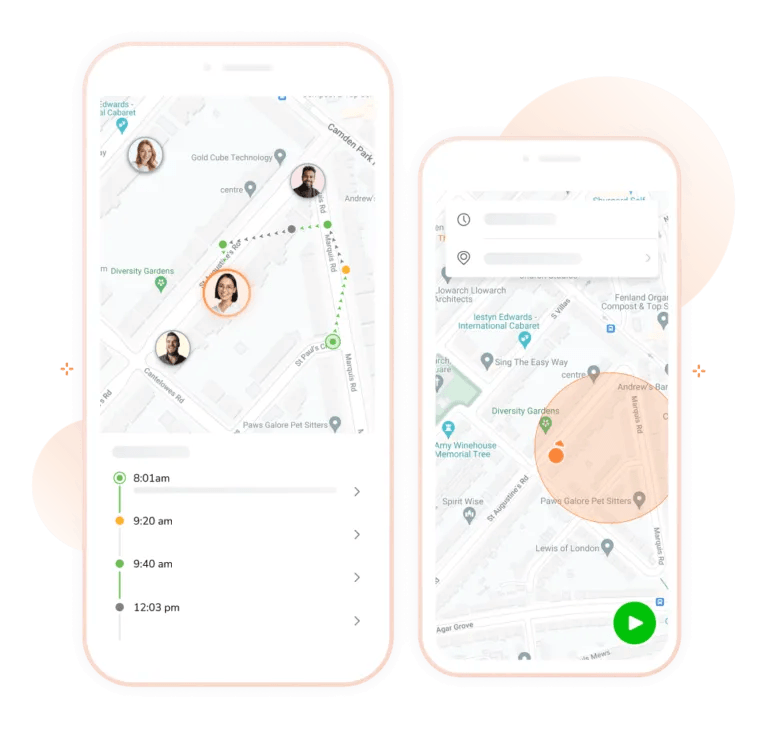
Clocking in is flexible and secure, thanks to facial recognition to prevent buddy punching, selfie verification for an audit trail, GPS location stamps, and geofencing so staff can only clock in at approved sites. For field teams, live location tracking shows where people are in real time.
Overall, Jibble is a good Everhour alternative for businesses that need staff management and attendance accuracy as much as they need time tracking.
See what users say: Capterra reviews | G2 reviews
Best Everhour Alternative by Team Size
Each time tracking app best supports a specific use case and team size. Therefore, matching features to what your organization needs is essential if you want a tool that your workers will actually find valuable.
Best Everhour alternative for teams of 1-5
Smaller teams typically only need basic time tracking features with the ability to record billable hours and labor rates. Maintaining profitability tends to also be a priority.
My Hours is one of the strongest contenders because it balances features with usability. Toggl is great if you want to connect time tracking with other platforms, while the Paymo free plan is an excellent choice for freelancers on a budget.
Best Everhour alternative for teams of 6-30
Once a team grows to mid-size, staff planning features become more important.
A good option to choose here is Clockify, since it has lightweight staff management combined with good tracking and billing tools.
My Hours can also work if you want a simple way to record time off inside projects. ZoomShift is perfect if you require strong scheduling and staff planning tools for shift or hourly workers.
Best Everhour alternative for teams of 30+
Larger teams benefit from more robust staff planning tools and multi-jurisdiction support.
Deltek Replicon is built to handle enterprise-level organizations across countries and differing compliance obligations. Connecteam has very strong tools for automatically tracking mobile and off-site teams, while Jibble has secure clock-in methods and automatic timesheets and payroll exports for unlimited users.
How to Choose the Right Everhour Alternative: Checklist Guide
There are plenty of time tracking platforms, and each has its strengths and weaknesses.
To choose the right one, focus on what your company needs from a time tracking app. For example, are you looking to track billable hours, or are you more concerned about resource planning?
Once you have defined the key use case, it becomes a lot easier to find platforms that match it.
Use this handy checklist:
1. Define your use case:
- How many employees do you have? Are you looking for a solution aimed at solo users, teams, or enterprise-level users?
- Do you have to track billable time?
- Does the time tracking data need to feed into invoicing?
- Are you required to track PTO and other types of time off?
- Do you run multiple projects and need a way to organize deliverables?
- Is your time-tracking required to comply with any regulators or labor laws?
- Is employee monitoring important for your organization?
- Do your workers accept or resist time-tracking tools?
- Does your time tracking tool need to integrate with an existing tech stack?
- Are you required to generate and send regular reports on time and cost data?
2. Features and tools: What does your time-tracking tool need for the right functionality?
- Automatic or real-time time-tracking plus manual time entry
- Tracking available on and offline
- Tracking via a mobile app, browser extension, or desktop
- GPS tracking and geofencing for field-based workers
- Client, project, and task organization
- Set user billable rates and labor rates
- Expense tracking with receipt upload
- Budget setting and tracking tools
- Inbuilt invoicing
- Timesheet approval workflows with data locking
- Calendar or timeline overviews
- Kanban boards or Gantt charts for project planning
- Worker time off and scheduling tools
- Overtime tracking
- Staff break planning
- Granular user controls and permissions
- Screenshot monitoring or other employee surveillance
- Focus and productivity tools (Pomodoro timers, etc.)
- Third-party integrations
- Customized reporting and analytics
Once you have outlined the use case and desired features, compare the following:
- Pricing: Are you searching for a free plan? If so, does it support the right features? For paid plans, are the desired features within budget?
- User experience: Is the platform simple to use and navigate? Will your employees enjoy tracking time with it?
- Support and onboarding: Can you reach customer support easily, and is it easy to get hold of a human? Is onboarding available, and if so, how much support do they offer?
- Data migration: Can you migrate existing time and user data onto the new platform?
- Security: Are there up-to-date security protocols for data privacy and protection?
- Online review scores: What do others say about the platform? Are reviews mostly positive, or are there widely reported issues?
- Compliance: Does the platform comply with any regulatory authorities you report to?
Most crucially, don’t commit to a platform until you’ve thoroughly tested it out. All time-tracking tools offer a free trial, a free plan, or a live demo, so be sure to make use of it.
Additionally, let your workforce test it out to see if they like it. Whichever platform you decide on has to work for your employees just as much as it does for the business. This way, you’ll have less resistance and a smoother rollout when you implement the platform.
Frequently Asked Questions
How do I choose the best Everhour alternative?
To choose the best Everhour alternative, begin by identifying why you want to leave the platform and what its limitations are. Then compare alternatives that tick all the boxes for what you need, including pricing, features, support, and usability.
Before committing to a single platform, use the free trial, plan, or demo to test the tools among team members to ensure it fits into your daily workflows.
Which Everhour alternative is most affordable?
If you’re a small team, the most affordable Everhour alternative is one that doesn’t require a minimum number of users on paid plans. For example, single users of My Hours, Clockify, Toggl, Jibble, and Paymo can upgrade to paid plans without any additional costs.
For larger teams, consider platforms that offer enterprise pricing, since this often comes with a lower per-seat fee along with customized features.
Should I switch from Everhour or upgrade to the Team plan?
If you are currently on the Everhour free plan, it could be worth upgrading if you have five or more users and the features suit your business needs.
However, since Everhour requires you to pay for a minimum of five seats, it can work out to be very expensive if you are a solo worker or have a very small team. In this case, an alternative platform with no minimum user requirement might be more suitable.

Waste no more time,
jump right in!

All rights reserved.