
Switch from Excel Timesheets to My Hours
Ditch Spreadsheets and Automate Time Tracking
 Real-time tracking on any device
- Detailed time logs accurately map time to deliverables
- Automated alerts
- Approval workflows
- Customized reports
Over 95% of Spreadsheets Contain Errors. My Hours Can Fix That.
It’s time to face facts. Manual spreadsheets just weren’t built for time tracking. They’re labor-intensive and very, very prone to human error.
My Hours replaces all of that with a purpose-built system for time and cost tracking.
Whether you’re tracking for billing purposes, payroll, compliance, or all of the above, My Hours provides a user-friendly and simple way to do it.
- Hours are calculated automatically,
- The totals are updated in real-time.
- Data is centralized
Plus, you get handy additional features, such as:
- automated timesheet submission,
- clear user roles, and
- approval workflows.
Getting started is straightforward, and timesheet migration from spreadsheet formats can be completed quickly without rebuilding your entire process.


Trusted by more than 100.000 businesses worldwide


Track in Real Time
One of the key advantages of moving from Excel to time tracking software is that users can track time as it happens using a simple start/stop timer.

- Track time using Android, iOS, or browser extensions
- Create manual time logs when needed
- Time logs are automatically added to timesheets
- Choose between manual or automatic timesheet submission
Comprehensive Time Logs
Our time logs have been fine-tuned to contain all the data you need for payroll and billing.
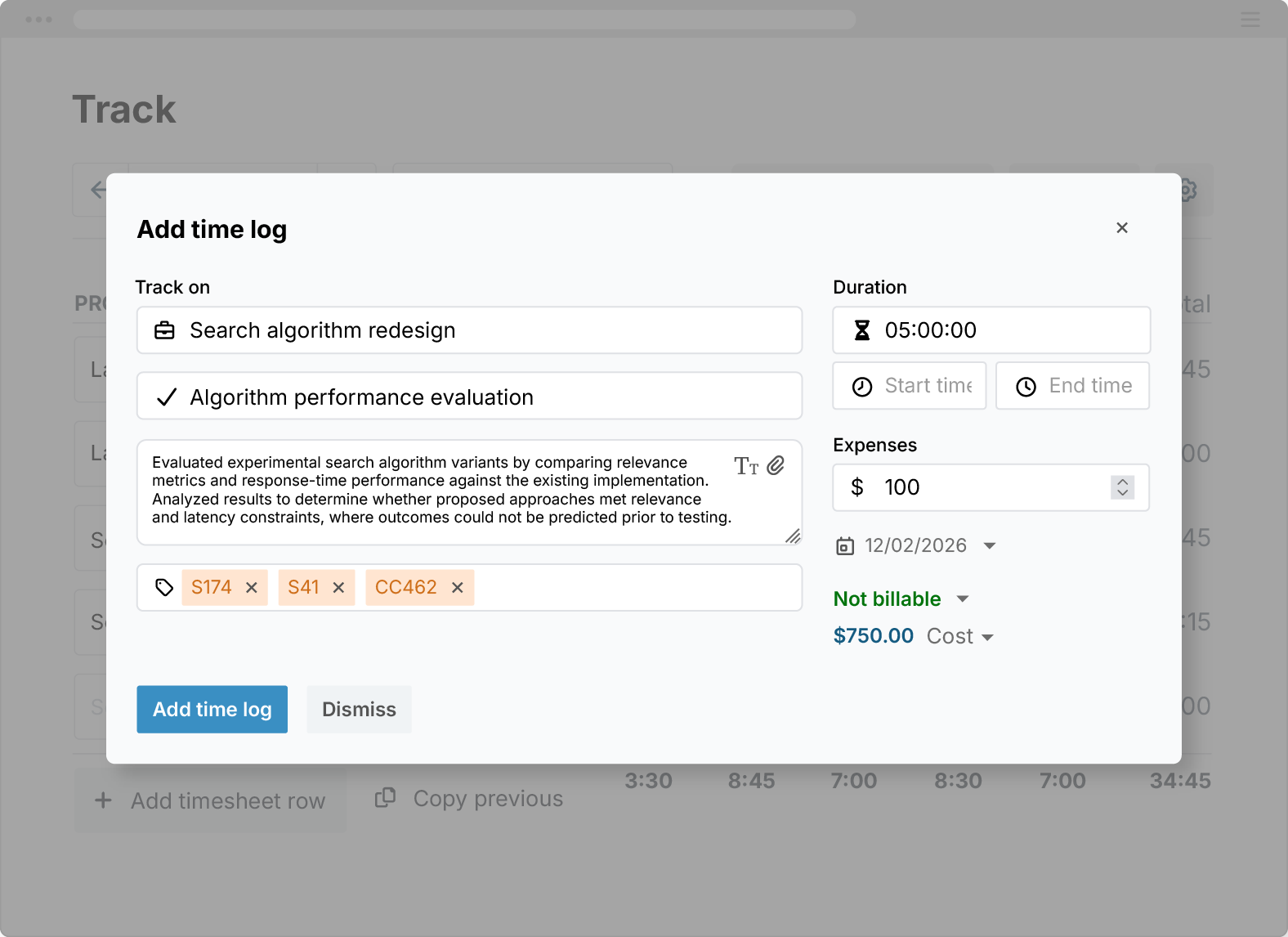
- Map each time log to clients, projects, and tasks
- See who performed the work and where time was spent
- Add descriptions for additional context when needed
- Set fields as mandatory or optional
- Use custom tags to categorize data
- Add custom fields to capture payroll or billing-specific data
Control User Hours
Excel can’t alert workers if they have logged over or under their daily number. My Hours can!
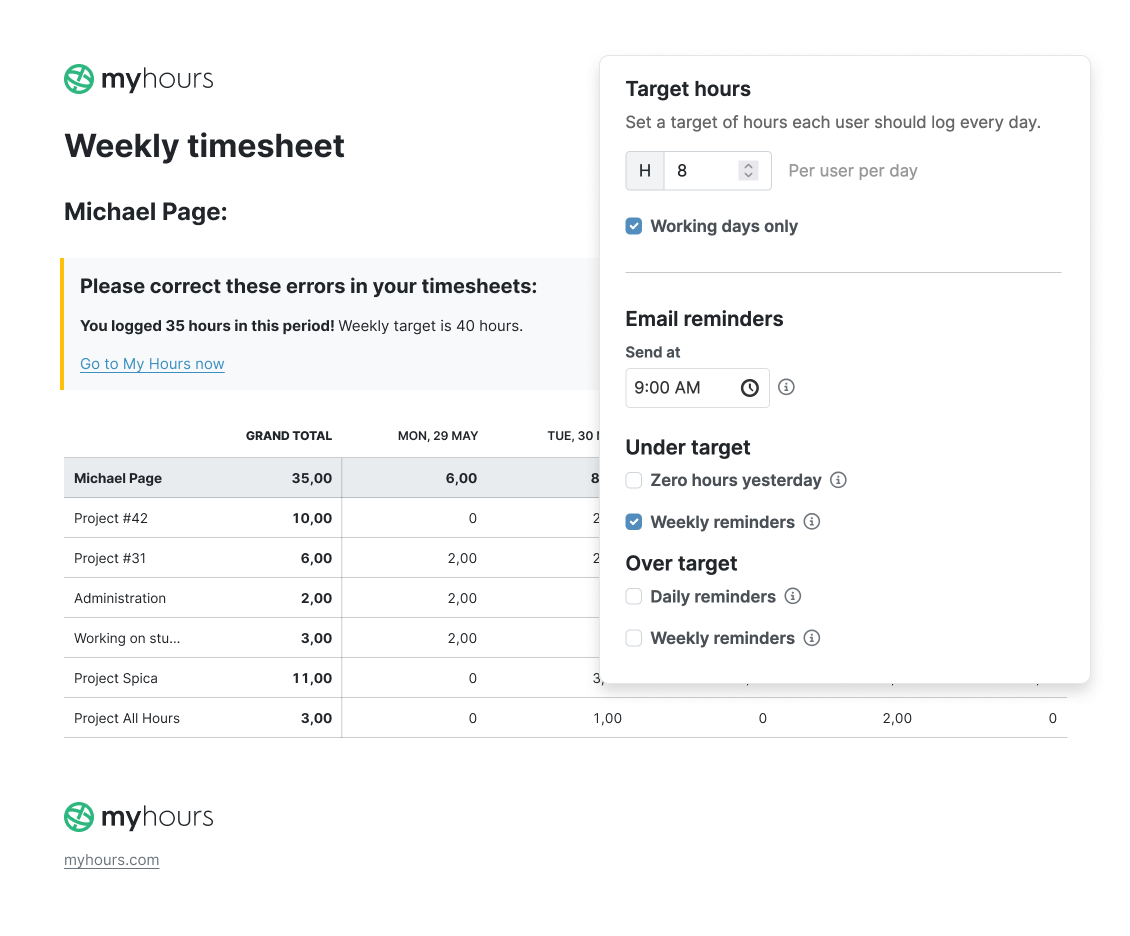
- Set daily target hours per user or across the entire team
- Get automatic alerts when users hit or miss their targets
- Define the working week and weekends based on your schedule
- Automatically calculate expected hours for each user
- Highlight missing or incomplete time entries
Instant Labor and Billing Cost Calculations
Zero formulas required, My Hours performs calculations on your behalf, giving you payroll or billing-ready data.
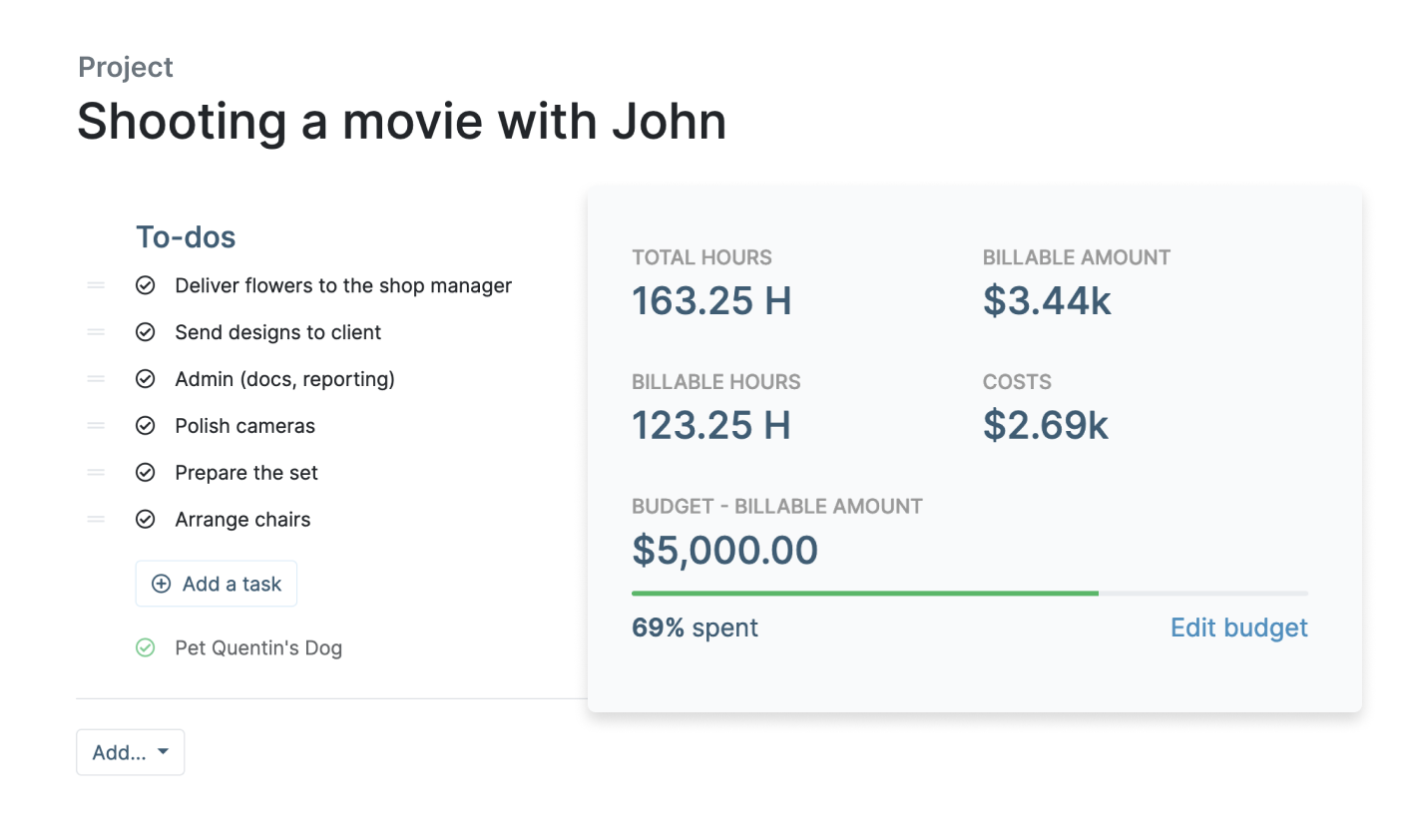
- Assign hourly labor rates for payroll tracking
- Set hourly billable rates for client invoicing
- Track both rates automatically as time is logged
- Get accurate cost data without manual calculations
- Log additional expenses (travel, equipment, etc.)
- Link expenses to projects and tasks
Built-in Budget Monitoring
Spreadsheets don’t warn you when time exceeds expectations. My Hours tracks budgets in real-time, helping you identify overruns and control them before they escalate.
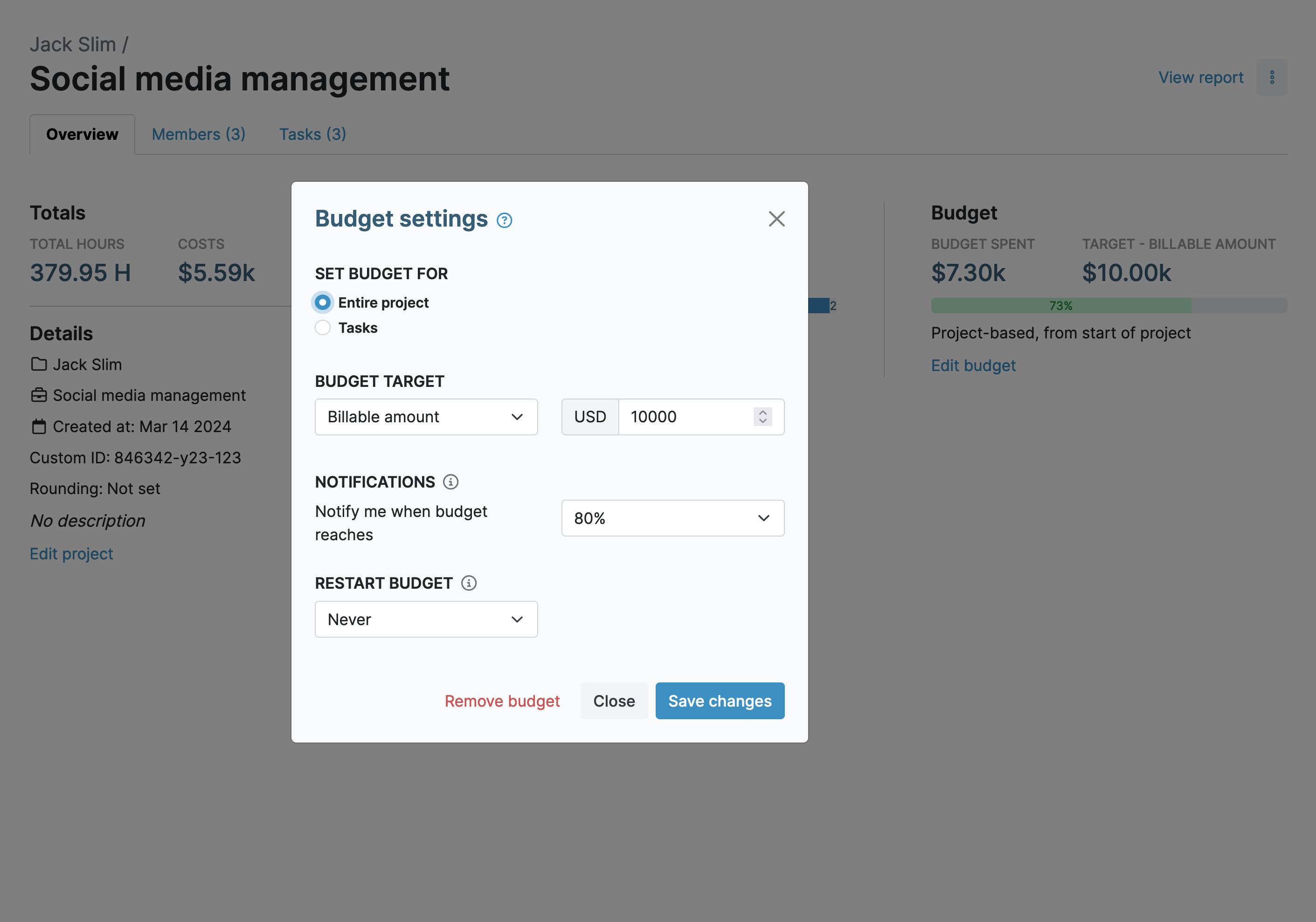
- Set budgets at the project or task level
- Track time with hour-based budgets
- Track costs with monetary budgets
- Receive automated alerts when budgets reach set thresholds
- Choose alert levels between 50% and 90%
- Get notified via email when limits are reached
Approval Workflows
While My Hours does the heavy-lifting by reminding users to track their time, the approval workflows add an extra layer of security.
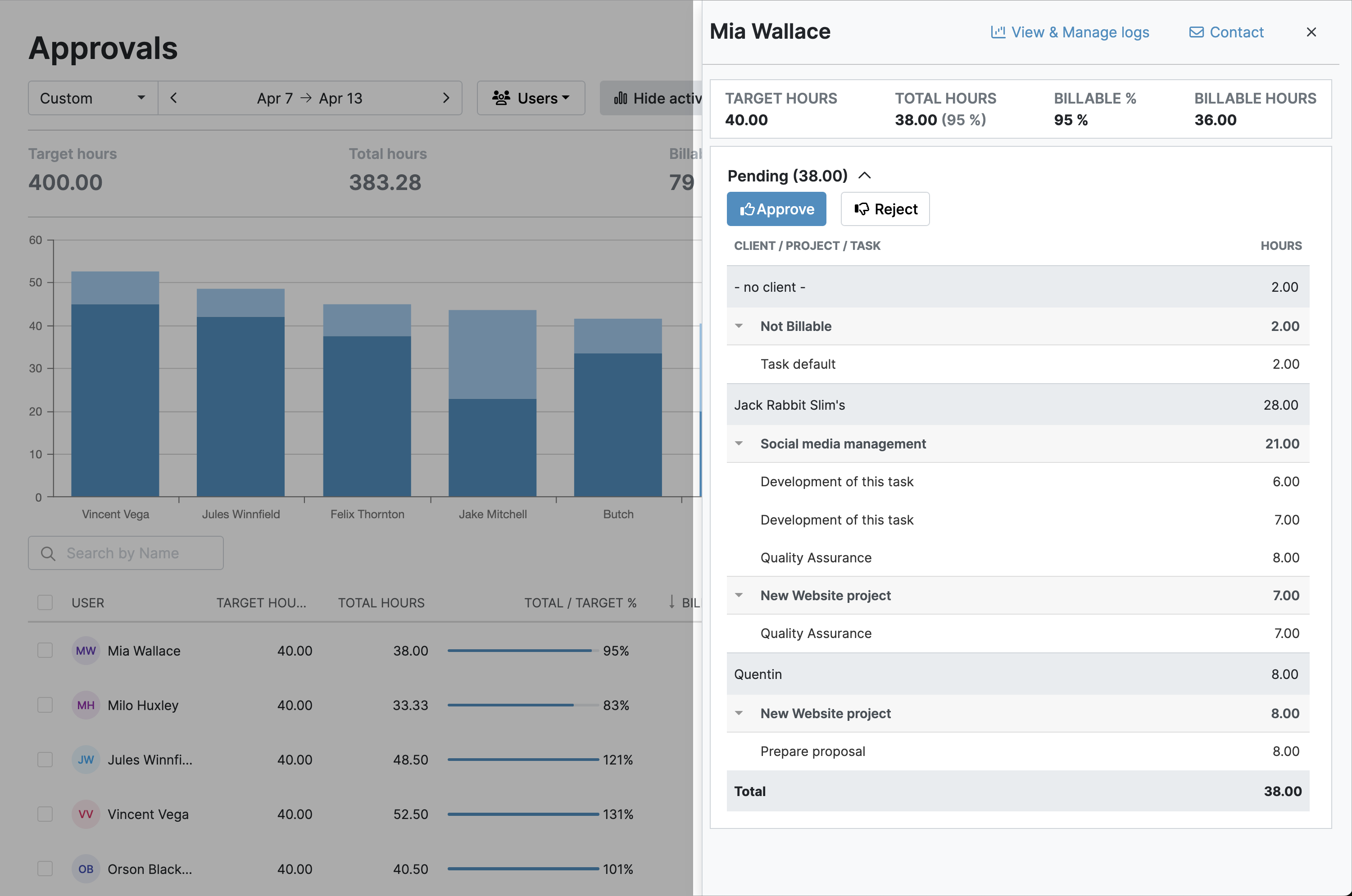
- Notify supervisors automatically when timesheets are submitted
- Approve or reject timesheets or individual time logs in one click
- Track all changes with timestamps and audit logs
- Lock approved timesheets to prevent unauthorized edits
User Roles and Access Restrictions
With spreadsheets, it’s difficult to control who can access what data. My Hours provides straightforward user roles that determine who can see what.

- Assign user roles with controlled access (Admins, Managers, Users)
- Give each user a unique login to protect data access
- Prevent unauthorized changes or data visibility
- Restrict time tracking to assigned projects and tasks
- Ensure time is logged to the correct deliverables
Centralized View for Reporting
Complex pivot tables and unreliable linked spreadsheets are a thing of the past. My Hours is centralized, giving you instant reports whenever you need them.
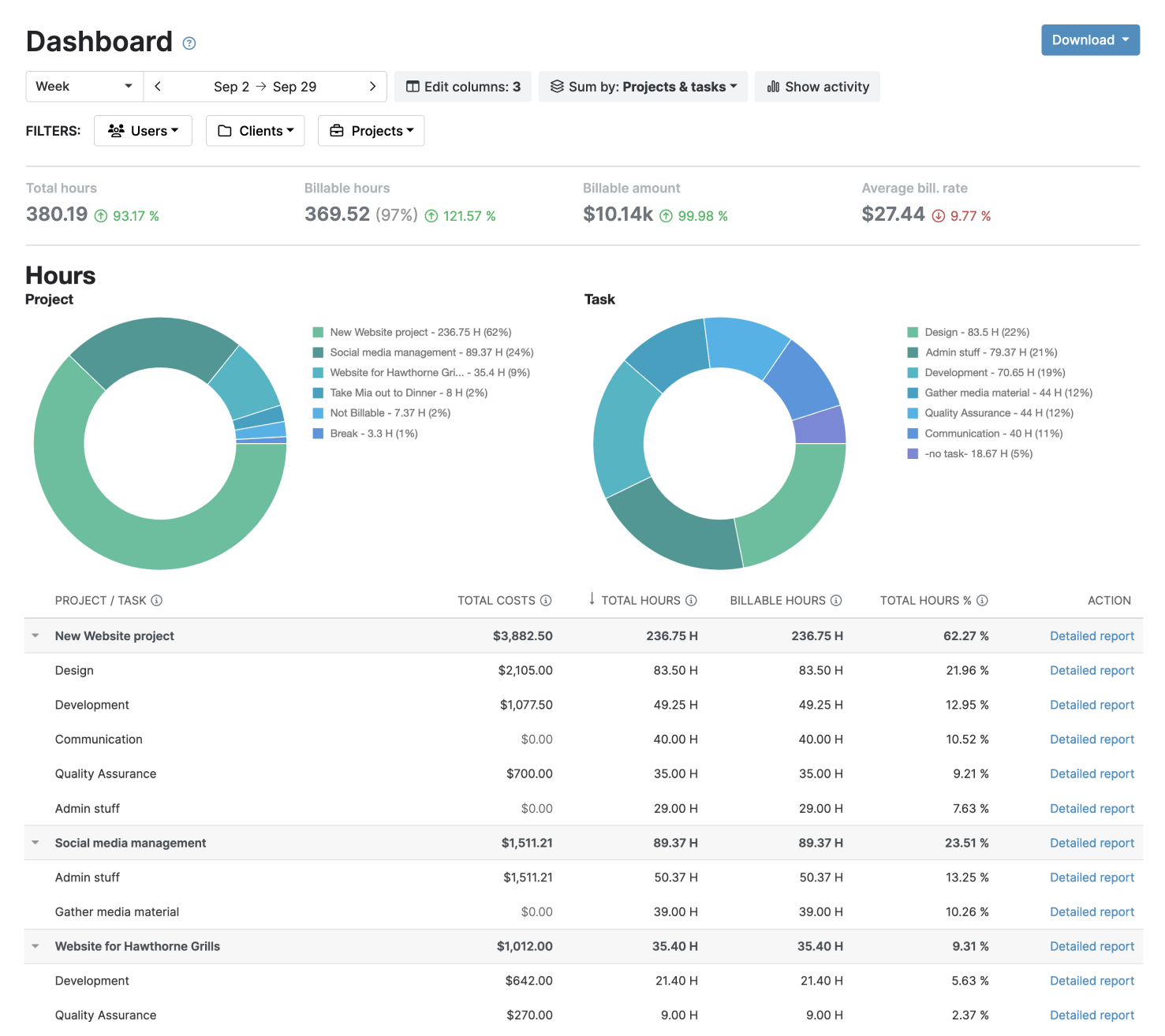
- Choose between detailed, timesheet and dasboard views
- Customize reports with date ranges, filters, and data columns
- Save report settings for one-click future reports
- Export reports in PDF or XLS format
- Send reports via email directly from My Hours
- Schedule reports to be automatically emailed
My Hours time tracking features

Timer or weekly timesheet
Track time with our seamless timer or enter your time through our keyboard-friendly timesheet. Add a description and custom inputs.

Set billable rates and budgets
Automate calculation of billable amounts by setting precise hourly rates by project, task or team member. Add a project budget to monitor its progress.

Analyze logged hours & expenses
With the Dashboard you’ll get a bird’s-eye view of billable vs non billable hours, earned income by project, under- or over-utilized employees and more.

Generate custom reports
Detailed reports are completely customizable and display as much information as needed. Print to PDF, export to XLS or send schedule it via email.

Manage tasks
Add and assign tasks with an estimated budget. Create templates when identical tasks appear across projects.

Submit and approve timesheets
Supervisors get email whenever timesheets are submitted. Each timesheet can be approved or rejected with an email message.

Set flexible roles
Invite your team to track time on their projects without seeing each other’s hours and rates. Designate managers to oversee their team and manage their work.

Prevent inconsistent reporting
Lock team’s time logs to prevent editing or adding new logs in a selected period. Download the audit log report to keep your books in order.

Streamline invoicing
Create numbered invoices straight from hours logged. Integrations with the most popular invoicing apps are available to all customers.

Integrate with other tools
Connect My Hours data with other tools or vice versa through Zapier connectors. Alternatively, use our API to develop your own integration.

Access from anywhere
My Hours is a cloud-based app with nothing to install. View and manage your hours from any web browser or install our native mobile apps.

Secure infrastructure
My Hours is hosted in Microsofts Azure cloud and we are proud of 99.95% uptime. We perform regular security checks to keep your data in safe hands.
Highest praise from our customers


Waste no more time,
jump right in!

All rights reserved.