
Top 15 Time Trackers Under $10/User: What You Actually Get
Tested and reviewed by our team with more than 10 years of experience in time tracking software, we’ve compiled a comprehensive list of six time trackers that cost less than $10/user per month, plus nine extra trackers we recommend.
By Tjaša Fatur


Content overview

- ZoomShift: Best for Managing Complex Shifts
- RescueTime: Best for Focus
- DeskTime: Best for Desk-Based Teams
- ShiftFlow: Offsite Shift Workers
- TimeCamp: Best for AI Time Tracking
- Paymo: Best for Solo Project Management
- Beebole: Best for Workforce Planning
- Toggl Track: Best for Ease of Use
- Time Doctor: Best for Employee Monitoring
Top 6 Time Trackers Under $10/User at a Glance
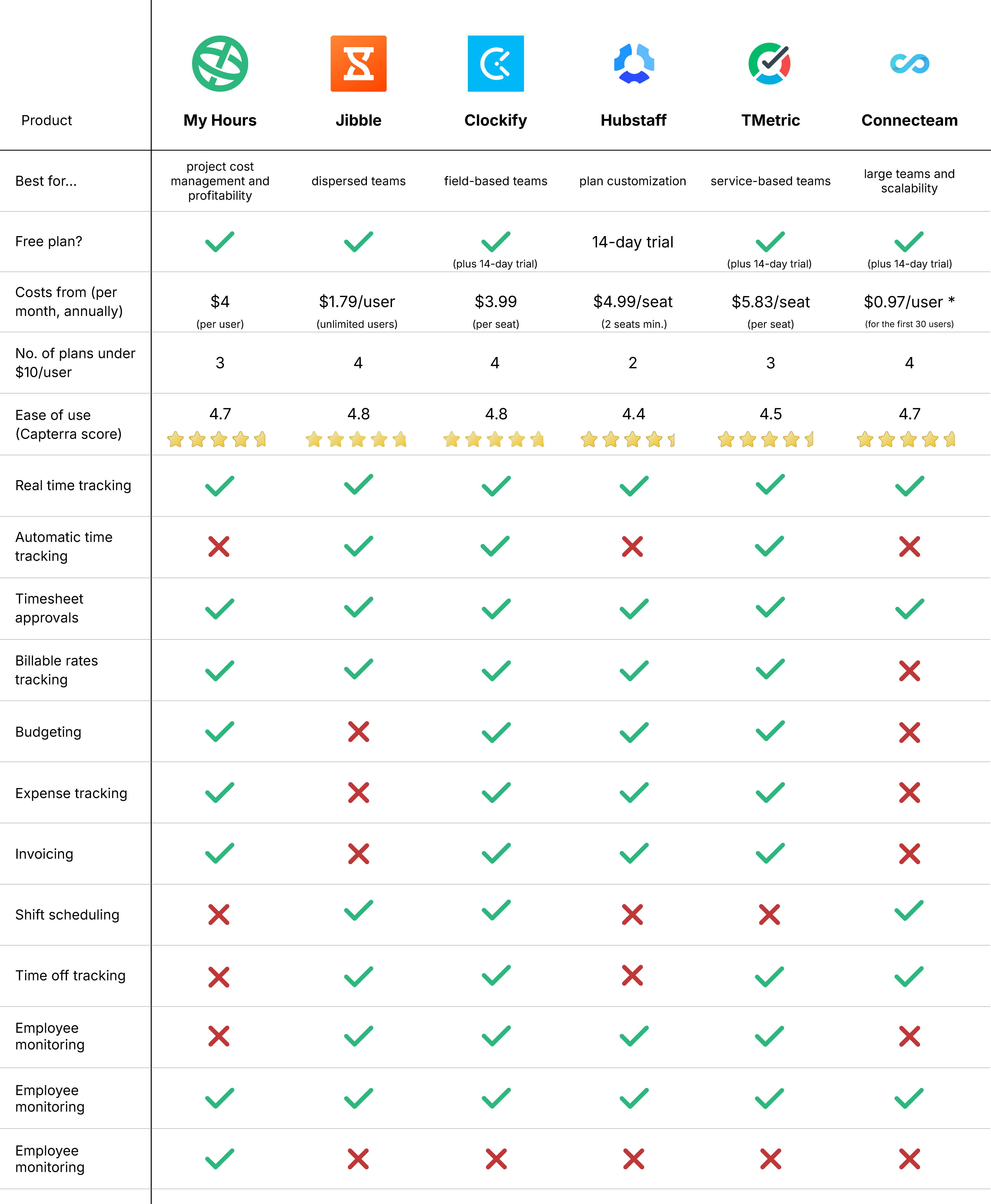


1. My Hours: Best for Project Cost Management and Profitability
Plans available for under $10:
- Free plan (up to 5 users)
- Basic: $5/month or $4/month paid annually
- Pro: $9/month or $8/month paid annually
Available on: Desktop, browser extension, Web, iOS & Android
 All standard plans are available for less than $10/user
- Perfect for tracking billable rates and maintaining profitability
- Unlimited projects and tasks on all plans
 Custom integrations are only accessible on the Enterprise plan


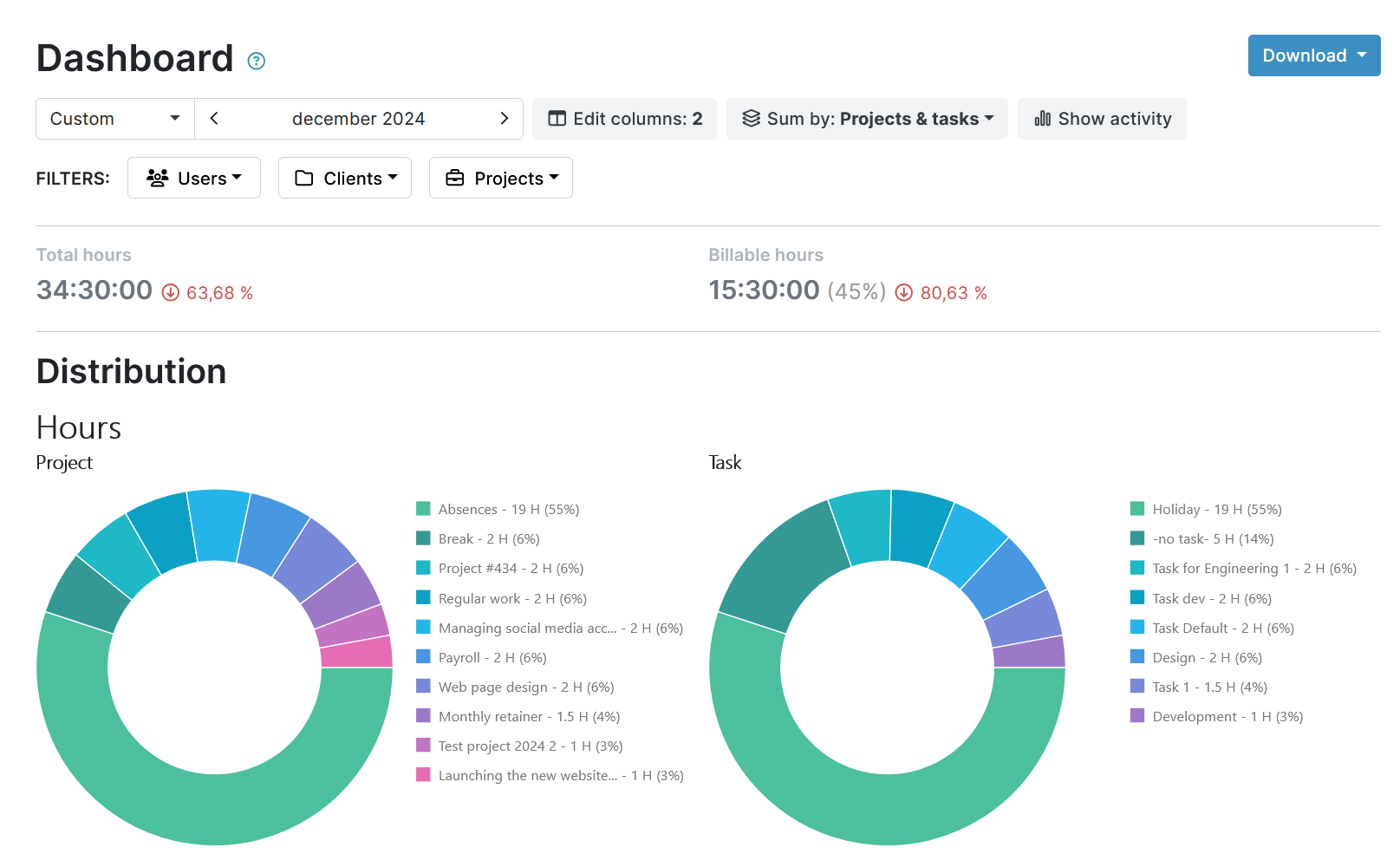


My Hours offers scalable plans, which means you can choose one that fits your requirements for under $10/user.
The free plan provides good functionality for up to five users, complete with real-time tracking, expense tracking, and billable rates.
Upgrading to the Basic plan unlocks unlimited users, API access, and the ability for managers to adjust team time logs.
On the Pro plan, for $9/month/user ($8/month if you pay annually), you gain access to all timesheet controls and editing options and can also set and track budgets, use the timesheet approval workflow, and activate the audit log. You are also given granular user permissions and a 90-day audit log.
For teams that bill clients, a complete range of project costing and tracking tools is on offer, including profit and loss comparisons. Plus, you get additional budgeting tools and advanced reporting options.
My Hours is a good fit for freelancers, agencies, and small businesses that need to track billable hours and monitor profitability without stretching their software budget. You can begin with a plan that suits your needs, then upgrade when you need to without sacrificing affordability.
"With the invoicing feature, you can see immediately what's been invoiced, what's to be invoiced. As a freelancer, this is great as you don't necessarily invoice all your clients at the end of a month."

"Filtering is limited. For example, I have two clients that are close partners and even though I invoice them separately, projects are intertwined. I need to group those two clients together when I report and analyze time spent on projects"


2. Jibble: Best for Dispersed Teams
Plans available for under $10:
- Free plan (unlimited users)
- Essential: $2.99/month or $1.79/month paid annually
- Growth: $4.99/month or $3.79/month paid annually
- Pro: $9.29/month or $6.79/month paid annually
Note: To view Jibble’s pricing, you must first create a free account and then choose the “upgrade” option. You will then be able to see all plans, plus monthly and annual prices.
Available on: Desktop, Web, iOS & Android
- All plans cost less than $10/user
- Includes multiple identity verification tools
- Includes leave planning and scheduling
- Jibble features extensive employee surveillance
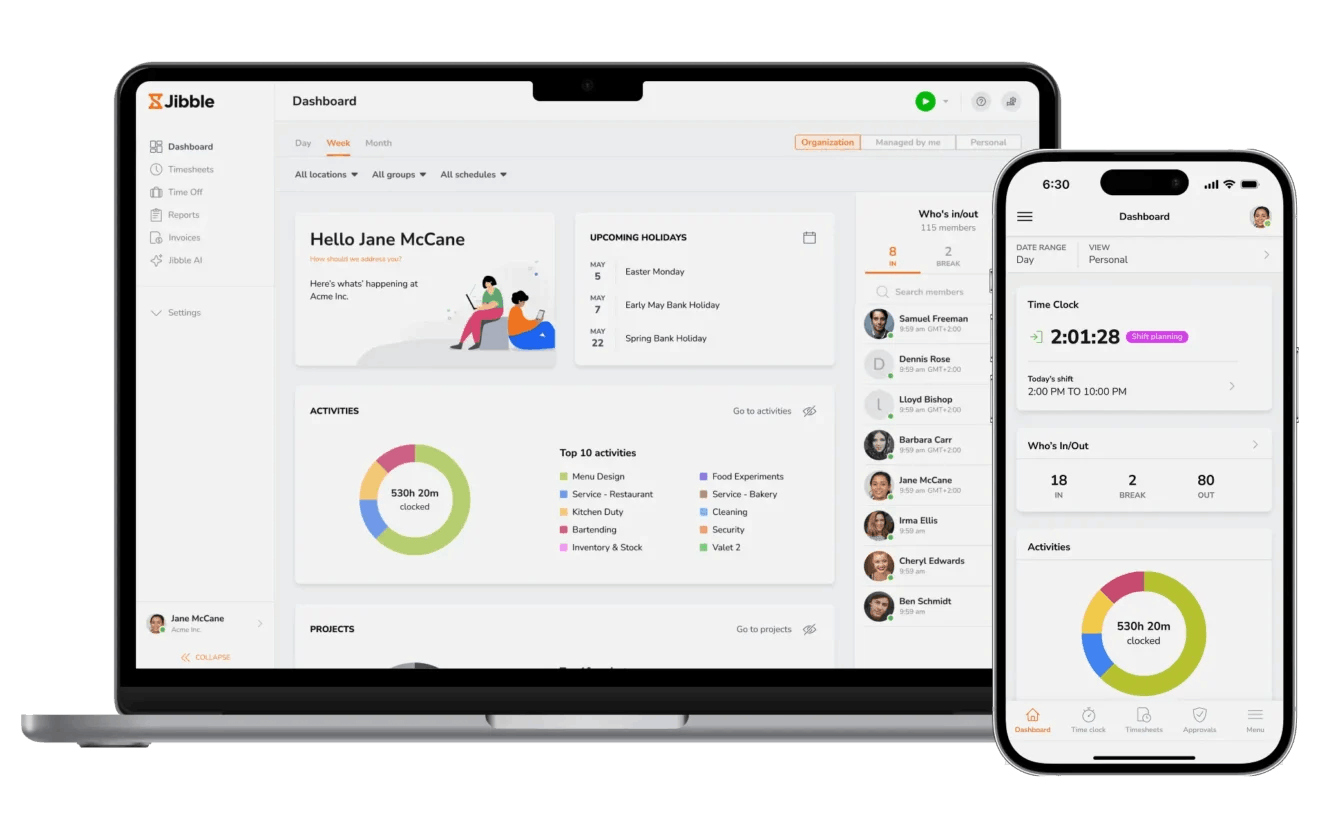
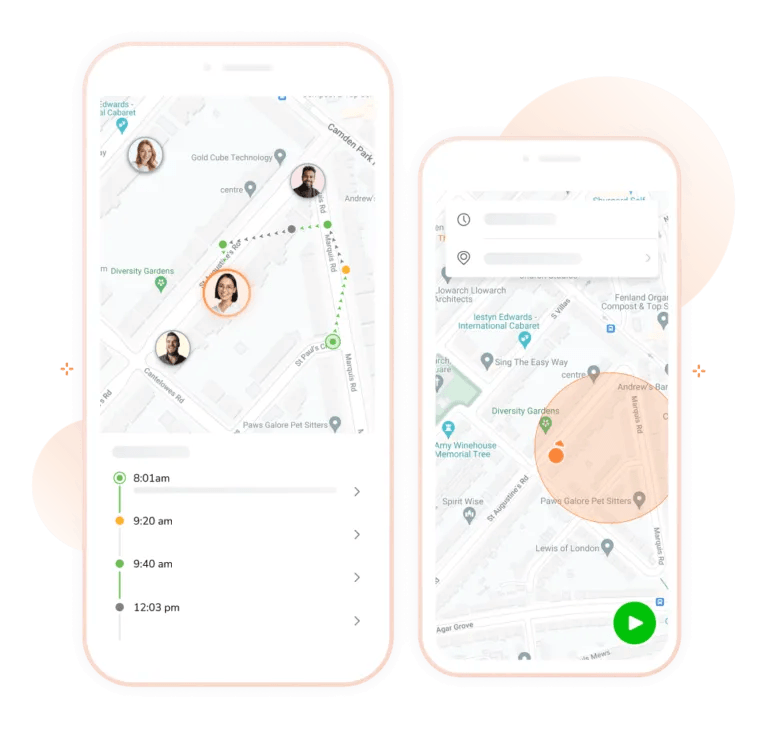
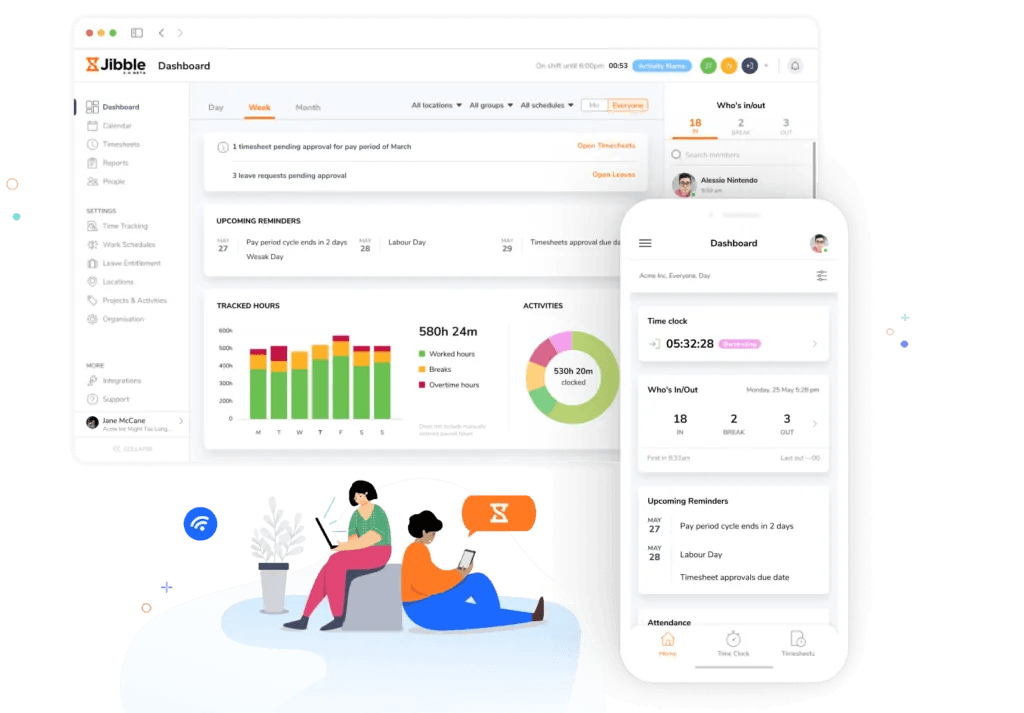
Jibble is one of the lowest-priced platforms out there, with every plan coming in at under $10/user, whether you pay annually or monthly.
Starting with the free plan, you get time tracking with automatic overtime calculation. You also have ID verification tools, like facial recognition and PIN verification. Location tracking and clocking in/out are also fully available for up to two locations.
The Essential plan unlocks access to smart reminders and automated deductions, along with the ability to set custom verification rules. This plan also includes timesheet approvals and the ability to create time tracking policies.
The Growth plan provides you with unlimited location additions and work schedules, up to 10 onsite clocking in/out kiosks, and detailed time-off workflow tools.
The Pro plan is the most comprehensive and offers all features on an unlimited basis. You also get higher customization for permissions and approvers, plus face spoofing prevention for identity verification.
Jibble is well-suited to and very affordable for keeping track of dispersed teams that work across multiple sites. And thanks to the verification tools, it’s also a good choice for organizations that have a high level of security over who enters their premises.
"The break setup in Jibble is exceptionally convenient because it automates the tracking of downtime, ensuring highly accurate time management across the entire workforce. With just a few simple taps on the mobile app or desktop interface, employees can log their rest periods, which immediately updates the system."
"Currently, if an employee steps away from their computer or forgets to clock out at the end of the day, the timer simply continues running indefinitely until someone manually stops it."
3. Clockify: Best for Field-Based Teams
Plans available for under $10:
- Free plan (5 users)
- Basic: $4.99/month or $3.99/month paid annually
- Standard: $6.99/month or $5.49/month paid annually
- Pro: $9.99/month or $7.99/month paid annually
Available on: Desktop, Web, iOS & Android
- Four plans are available for less than $10/user
- Ideal for teams that require GPS tracking or a clock-in/out kiosk
- Idle detection and reminders on all plans
- Audit log only available on Enterprise plan (over $10/user)
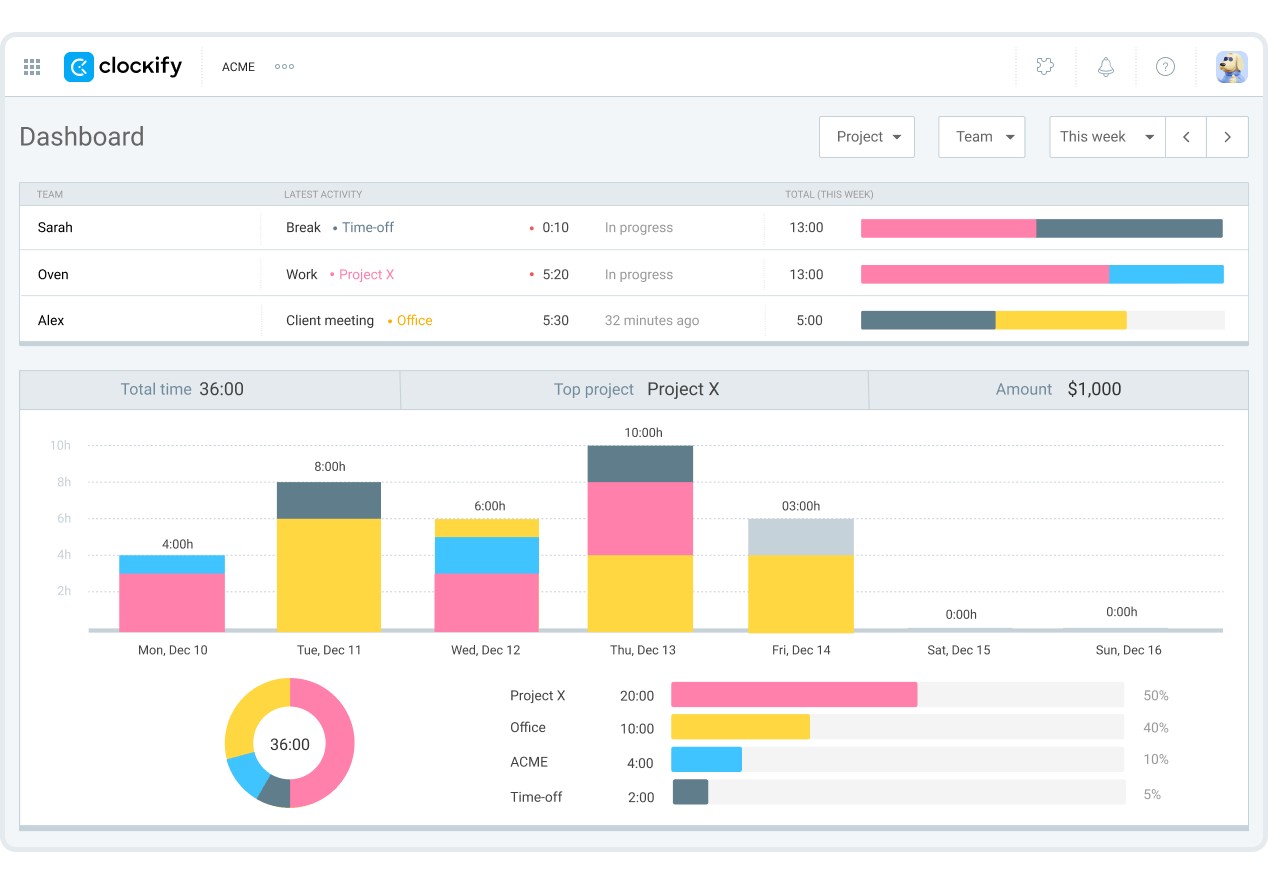
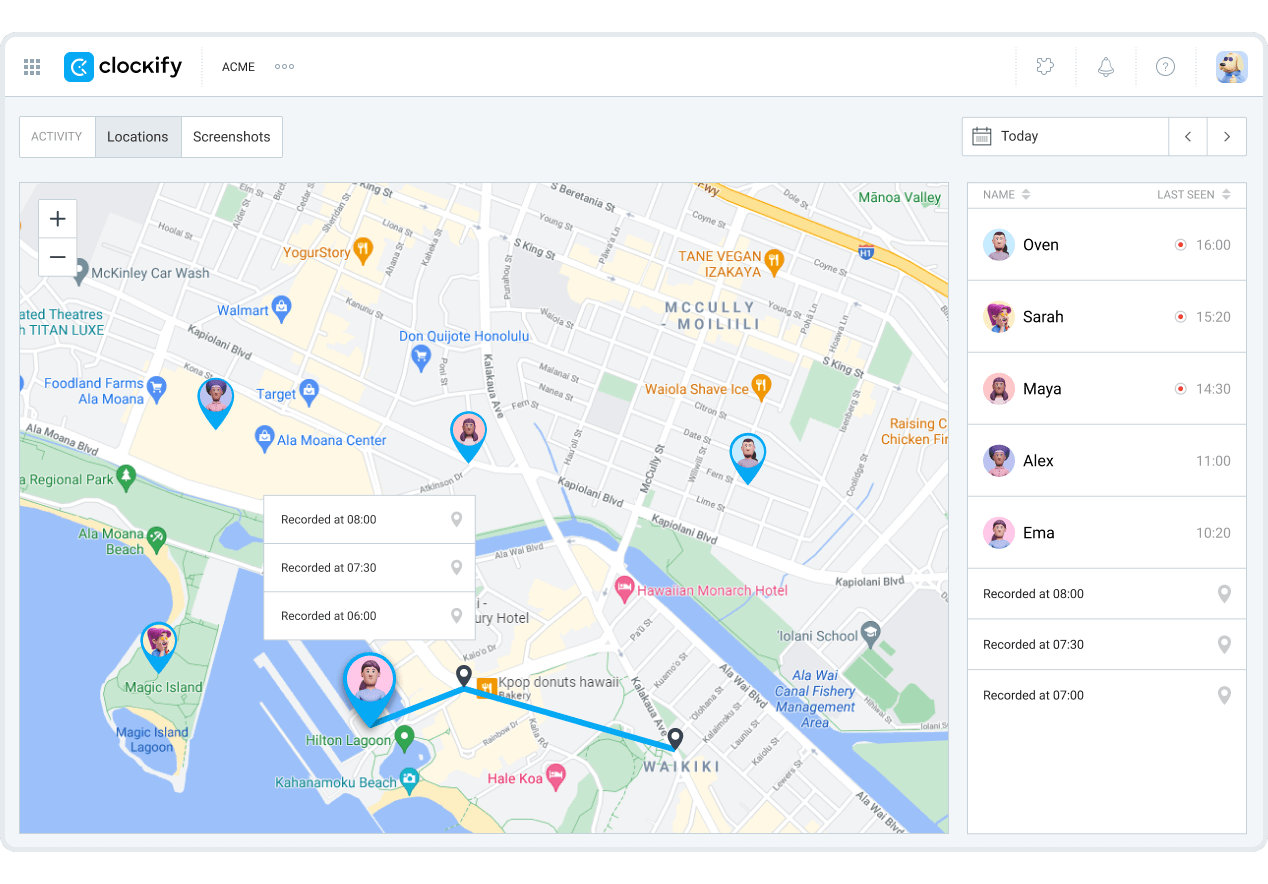
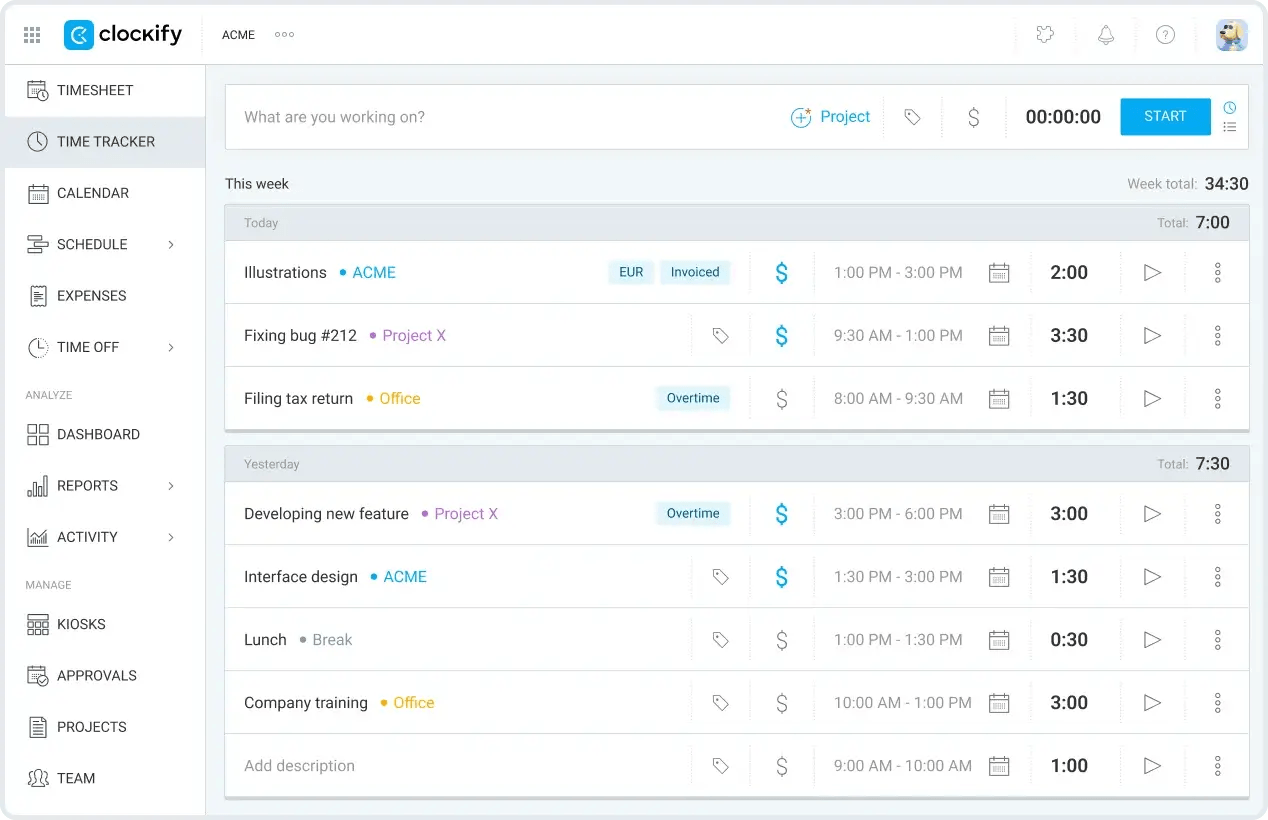
Clockify provides a choice of four plans under $10/user.
Unfortunately, it recently reduced its free plan to five users, from unlimited, and removed some of the features. Still, it’s a good option for freelancers who only require basic time tracking.
The Basic plan is an affordable way to access a clocking-in/out kiosk and break tracking, making it an ideal option for field-based teams. This plan also gives you access to billable rates, time estimates, and historical rates, so it’s also a lightweight option for project cost management.
The Standard plan is the one you need if timesheet approvals and data locking are important for your business. This plan also comes with automated reminders and invoicing.
For GPS tracking, the Pro plan is necessary. This is also the one to choose if you require the full range of cost and profitability tools, like budgets and estimates, expense tracking, and forecasting.
Clockify remains a solid choice for field-based and off-site teams that need flexible attendance tracking and project cost visibility at an affordable price. However, we find it a shame that an audit log is only available with the Enterprise plan (which costs more than $10/user).
"Overall, Clockify has been a reliable and straightforward tool for tracking my time on personal projects and tasks. It helped me understand my productivity patterns better without needing to pay for a premium plan, which makes it a great starting point for individuals."
"Some of the more advanced features like detailed billing and automation are locked behind paid plans, so as a free/individual user I don't get access to everything. The mobile app can also feel a bit sluggish at times compared to the web version"

4. Hubstaff: Best for Plan Customization
Plans available for under $10:
- No free plan (14-day trial only)
- Starter: $7/month or $4.99/month paid annually (minimum 2 users)
- Grow: $9/month or $7.50/month paid annually (minimum 2 users)
Available on: Desktop, Web, iOS & Android
- Time sheets, invoicing, and scheduled reports available on all plans
- Project budgets and idle time on the Grow plan
- Screenshots available on Starter (500/seat) and Grow (1,500/seat) plans
- Only offers a 14-day free trial
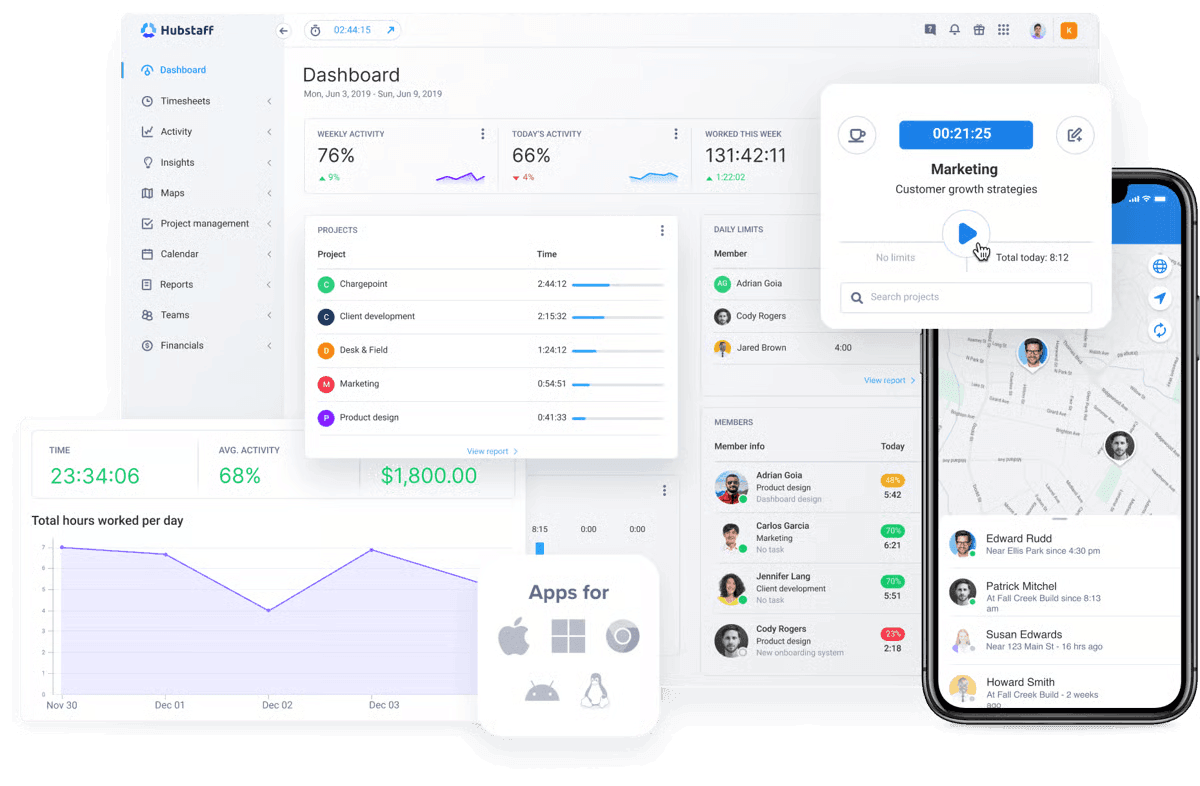
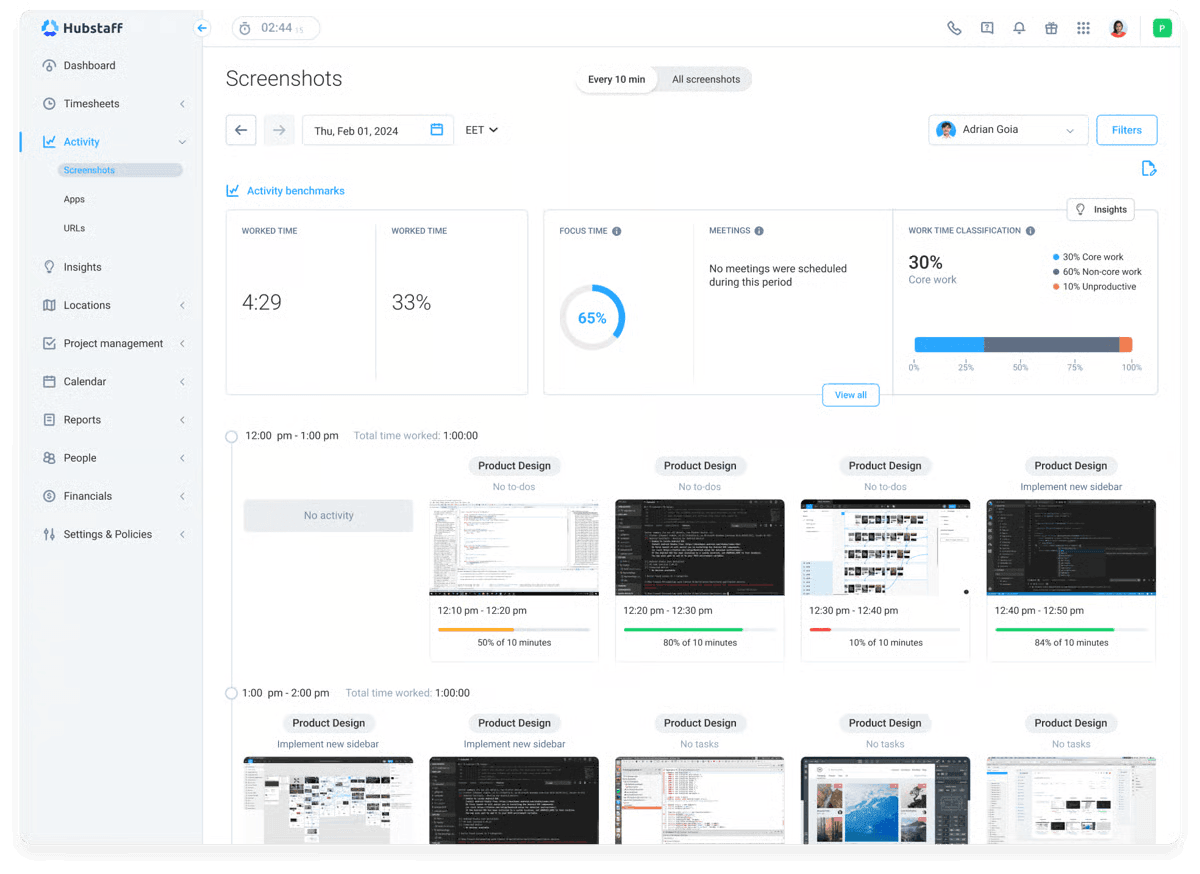
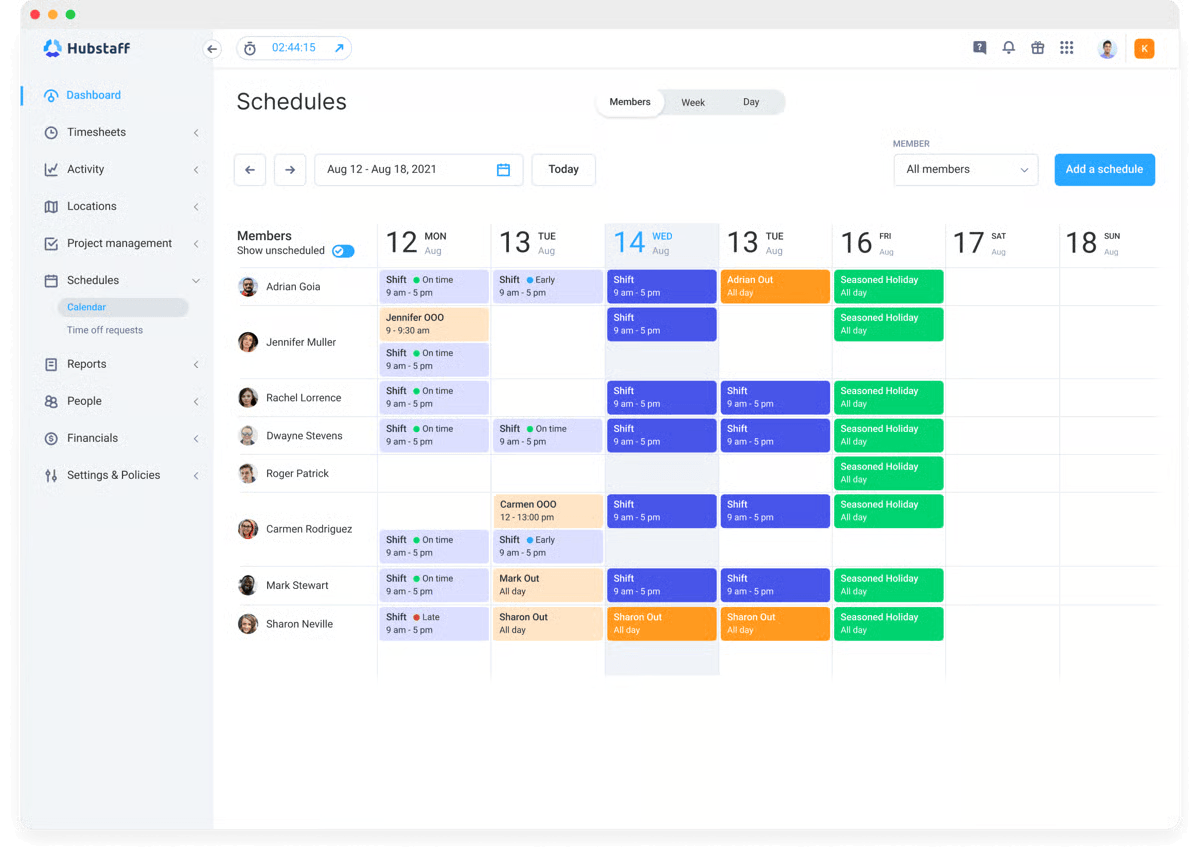
Out of Hubstaff’s four plans, only two come in at under $10/user, and it’s one of the few platforms without a free plan, as they only offer a 14-day trial.
The Starter plan is the cheapest option, offering time and activity tracking, invoicing, and limited payments. You do have a limit of five clients, though.
The Grow plan offers unlimited clients and introduces Hubstaff’s task management hub, where you can create Kanban boards, use automatic check-ins, and use customizable templates. You also gain access to project budgets and expense tracking, making it a better plan for cost management.
Although Hubstaff’s best features are only available in the higher-priced Team and Enterprise plans, there is a range of optional add-ons to choose from.
For example, the Insights hub starts at an additional $2.50/seat per month, and the Data Retention hub is $1.67/seat per month, when billed annually.
Depending on which add-on you need and the plan you pick, you can still end up with a cost of less than $10/user. This plan customization is useful if you want to select specific features for your organization.
Hubstaff works well for small businesses that want time tracking, activity monitoring, and invoicing, with the option of additional customizations and workforce management tools as your team grows.
"It gives clear insights into productivity, screenshots, and app usage, which helps ensure that devices are being used properly and securely during work hours."
"What I like least is that some employees may feel uncomfortable with the level of monitoring, especially the screenshot feature."

5. TMetric: Best for Service-Based Teams
Plans available for under $10:
- Free plan (up to 2 seats)
- Professional: $7/month or $5.83/month paid annually
- Business: $9/month or $7.50/month paid annually
Available on: Desktop, Web, iOS & Android
- Unlimited projects and clients, even on the free plan
- Professional plan includes billable rates and expenses
- Business plan offers team timesheets and time off tracking
- Includes employee surveillance
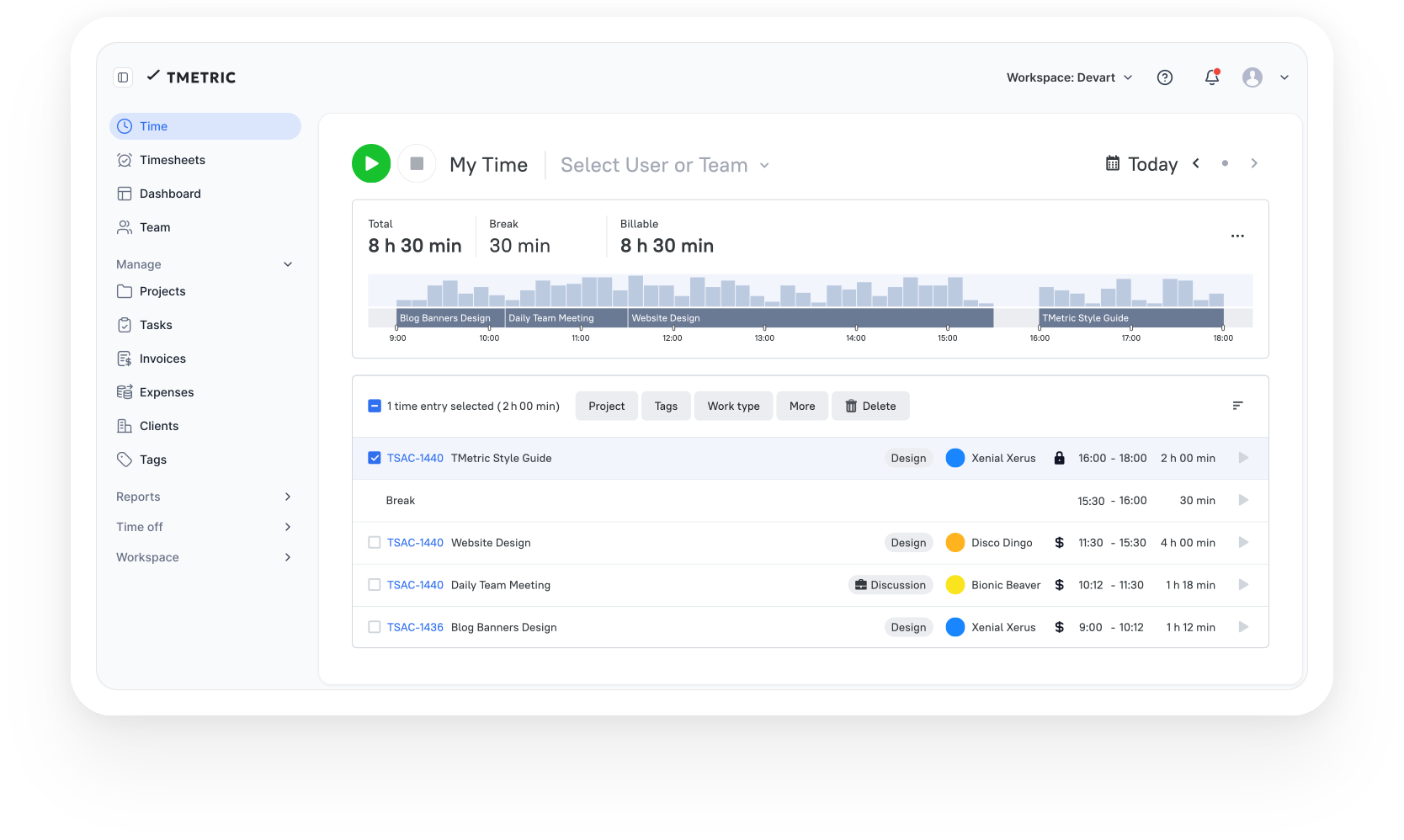
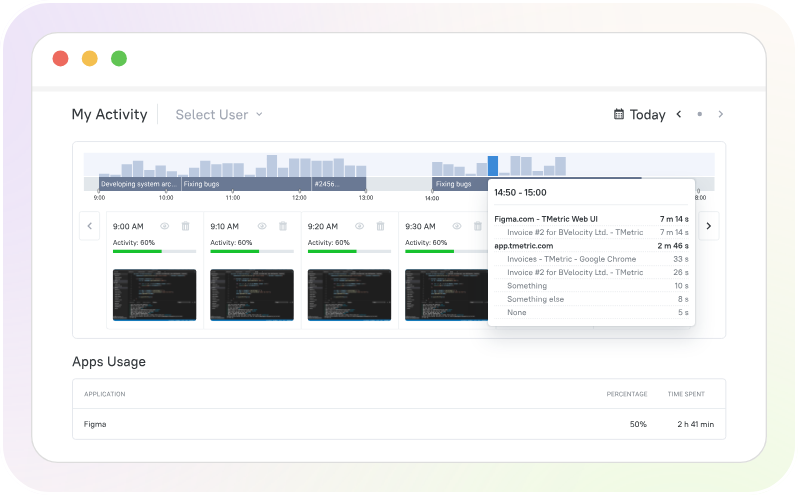
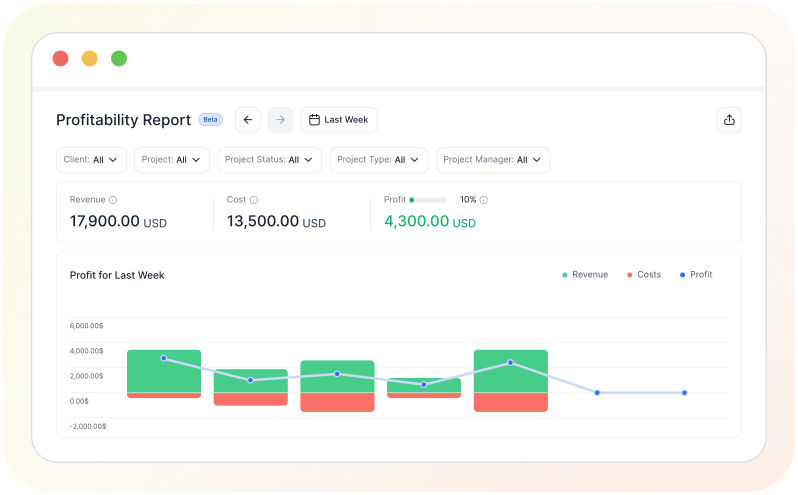
All TMetric plans, aside from its Enterprise plan, come in at under $10/user, whether you pay monthly or annually.
The free plan is quite generous, with no limits on clients and projects, and includes most reporting tools and limited team and project management features.
The Professional plan also has a lot to offer, since you get the complete set of reporting and project tools, including billable rate tracking, budgeting, expenses, and invoicing. It’s also possible to personalize timesheets to better fit your workflows.
Team management, like time off tracking and payroll tools, can be found on the Business plan. And you also get 6 months' worth of screenshot storage.
Ultimately, if you’re not interested in surveillance or time off planning features but want all the cost management tools, then the Professional plan is more likely to fit your needs. Or, pick the free plan if you just want simple tracking capabilities.
TMetric is well suited to service-based teams, giving you the right tools to keep track of billable hours at an affordable rate.
"TMetric has been a very practical solution for our team. The interface is intuitive, so onboarding new team members is quick and easy. We especially appreciate the accurate time tracking, timesheets, and detailed reporting. It helps improve project transparency, monitor team workload, and optimize billable hours across multiple client projects."
"Some advanced customization options in reports and dashboards could be more flexible. Occasionally, the desktop app may require re-syncing after updates, but overall these issues are minor and do not significantly affect daily use."

6. Connecteam: Best for Larger Teams and Scalability
Plans available for under $10 (for Operations hub):
- Free plan (up to 10 users)
- Basic: $35/month or $29/month paid annually
- Advanced: $59/month or $49/month paid annually
- Expert: $119/month or $99/month paid annually
Note: Prices are for the first 30 users. All users above 30 cost an additional fee per month when billed annually: $0.80/Basic, $2.50/Advanced, and $4.20/Expert
Available on: Desktop, Web, iOS & Android
- Free plan for up to 10 users
- Unlimited jobs (projects, tasks, etc.) and checklists
- Add up to 12 employee schedules on Expert plan
- Only suitable for larger teams
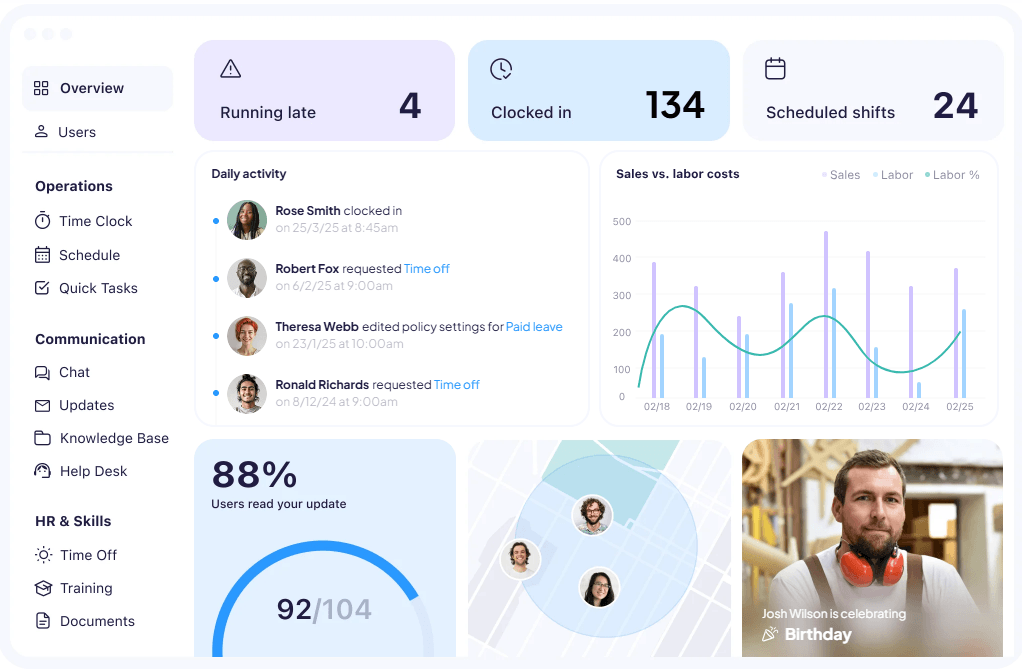
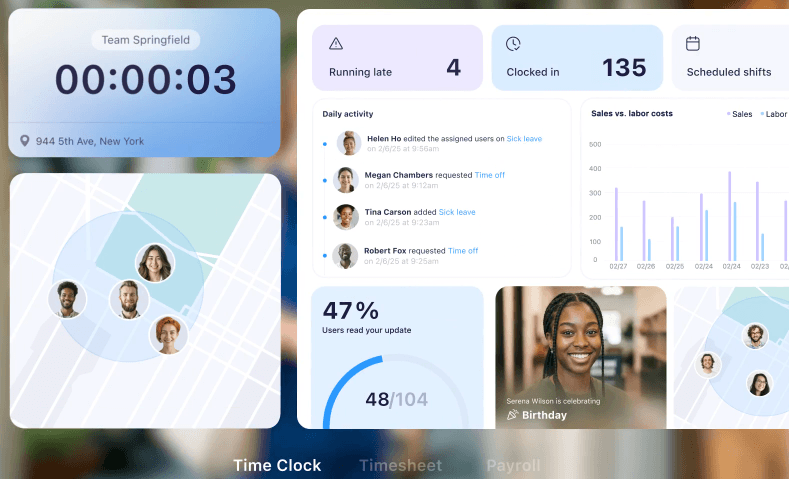
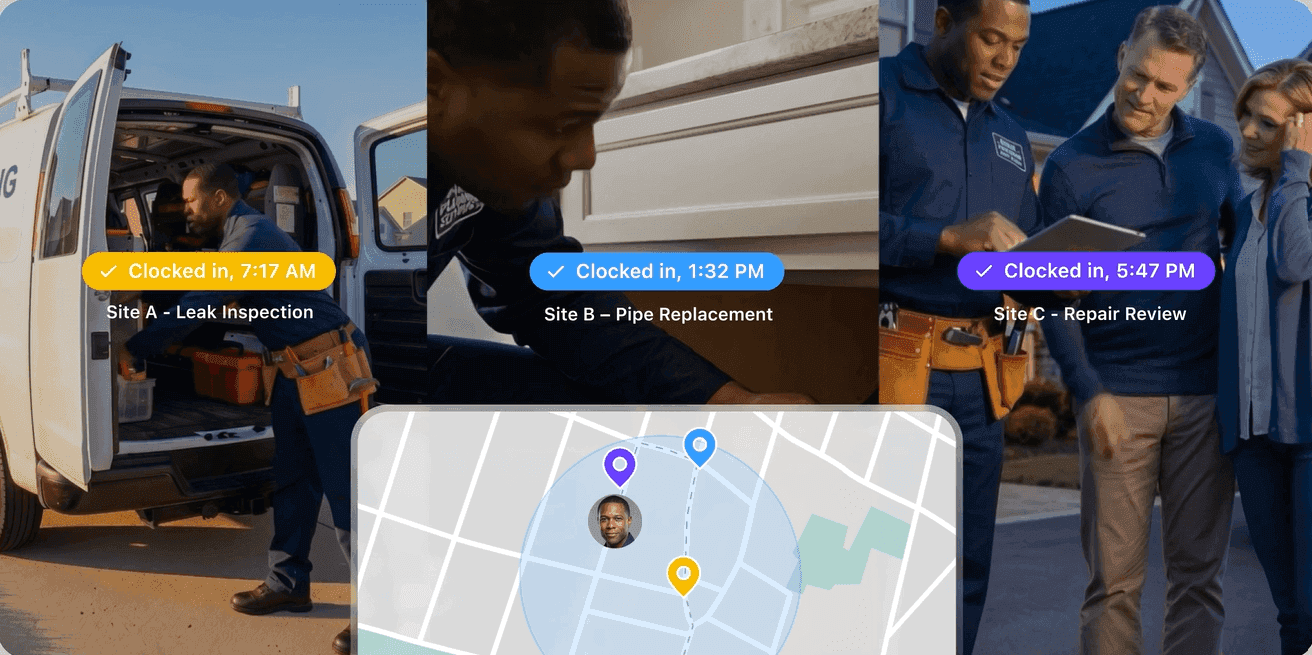
Connectteam takes a different approach from most time tracking by basing its pricing on a fixed number of users (30), rather than a per-user fee.
While this makes it expensive for smaller teams, it’s incredibly cost-effective when you break the prices down across 30 users. For instance, if you pay monthly (billed annually), the Basic plan only costs $0.96/user, and the Expert plan is $3.30/user.
Plus, the free plan has a generous user limit (10), supporting basic time tracking, payroll integration, and limited staff management tools.
The Basic plan expands on the free plan to include GPS geolocation timestamps and basic scheduling filters (single). Upgrading to the Advanced plan unlocks greater customization, automation, and advanced tools for scheduling (up to 6 schedules), as well as repeating shifts and weekly templates.
Lastly, the Expert plan adds features, such as advanced automation and more sophisticated reporting.
Connecteam excels at built-in scalability; with the ability to add on the Communications and HR hubs (for an additional cost), you can use the platform to affordably build a complete human resource management system (HRMS).
"I love being able to communicate with my team through an app and making group chats. The scheduling feature is also great."
"I don’t like its ability to only have one person complete a form at a time. Being able to have 2 people working on a form would make things so much easier."
How we choose the best apps for 2026:
Keeping the monthly price below $10/user was the starting point, not the deciding factor. Plenty of affordable time trackers exist, but low cost doesn’t always translate into good value.
To identify the best options, we:
- Shortlisted only platforms with entry-level plans priced below $10/user for both monthly and annual billing.
- Compared the features included at that price point, paying particular attention to what was not locked behind more expensive plans.
- Tested each platform ourselves, evaluating user experience, features, and support responsiveness.
- Drew on our 10+ years of experience in the time tracking industry to assess which tools provide the strongest balance of affordability, functionality, scalability, and ease of use.
DISCLAIMER: Yes, My Hours appears at the top of this list.
Why? We believe that rankings should reflect overall value, not just price. While every business has different requirements, My Hours consistently offers one of the strongest feature lists for under $10/user.
While it won’t be the perfect fit for every organization, based on our evaluation criteria, we believe it delivers the best overall value in this price range.
+9 Additional Time Trackers for Under $10/user We Recommend

7. ZoomShift: Best for Managing Complex Shifts
Plans available for under $10:
- Free plan (up to 20 users)
- Starter: $2.50/month or $2/month paid annually
- Premium: $5/month or $4/month paid annually
Available on: Desktop, Web, iOS & Android
- Decent Starter plan with unlimited users
- Detailed shift planning features
- Geofence time clock on Premium plan
- Not suitable for tracking billable rates
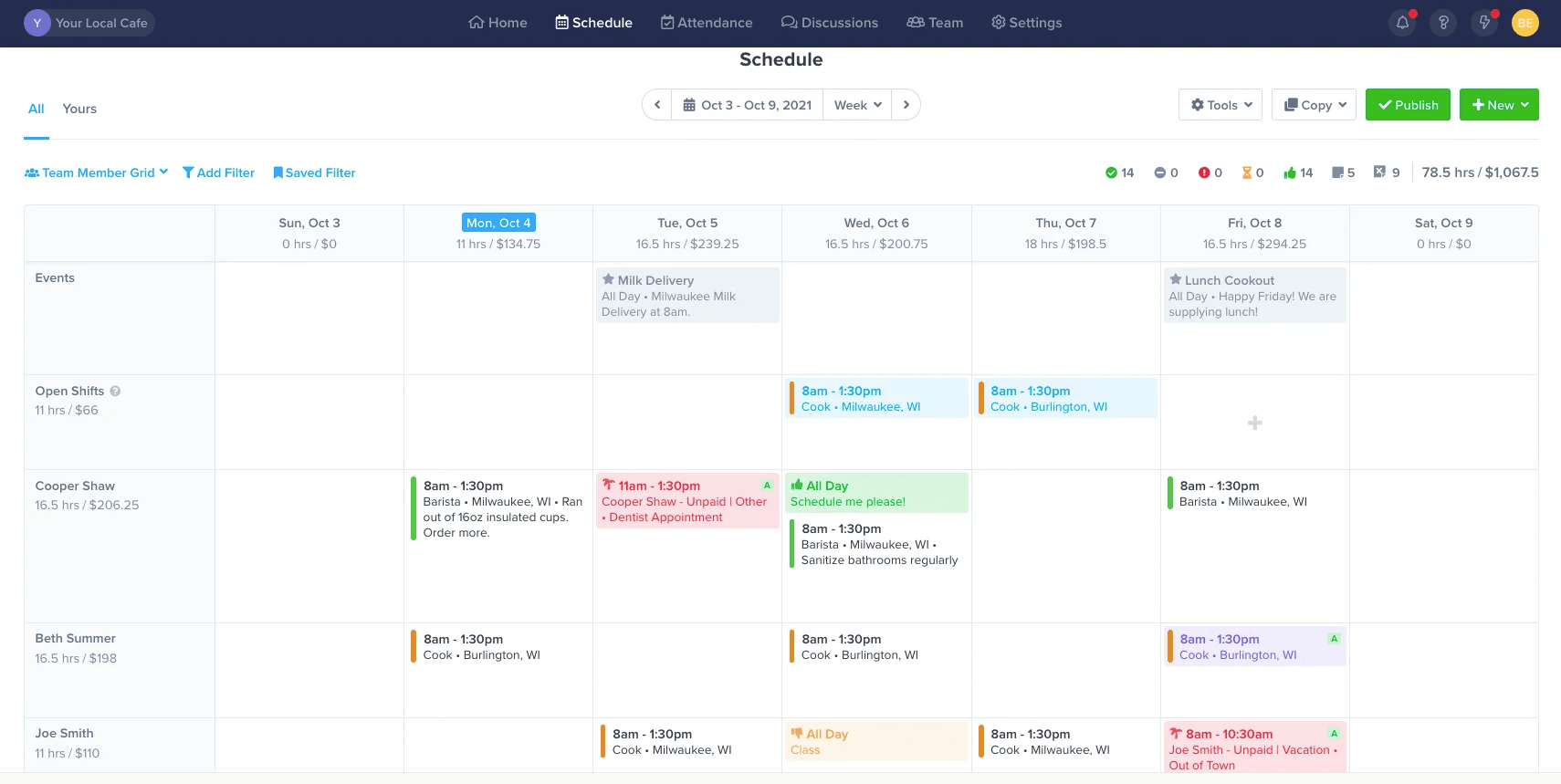
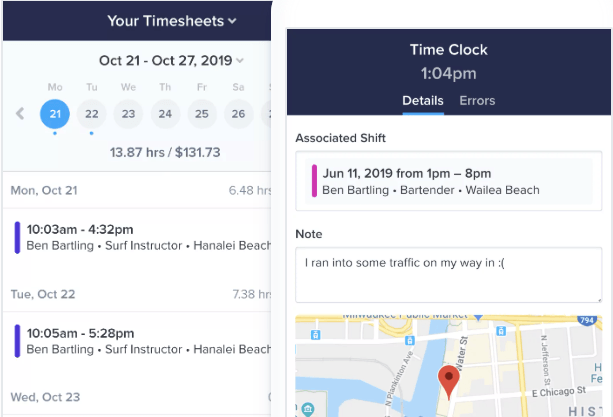
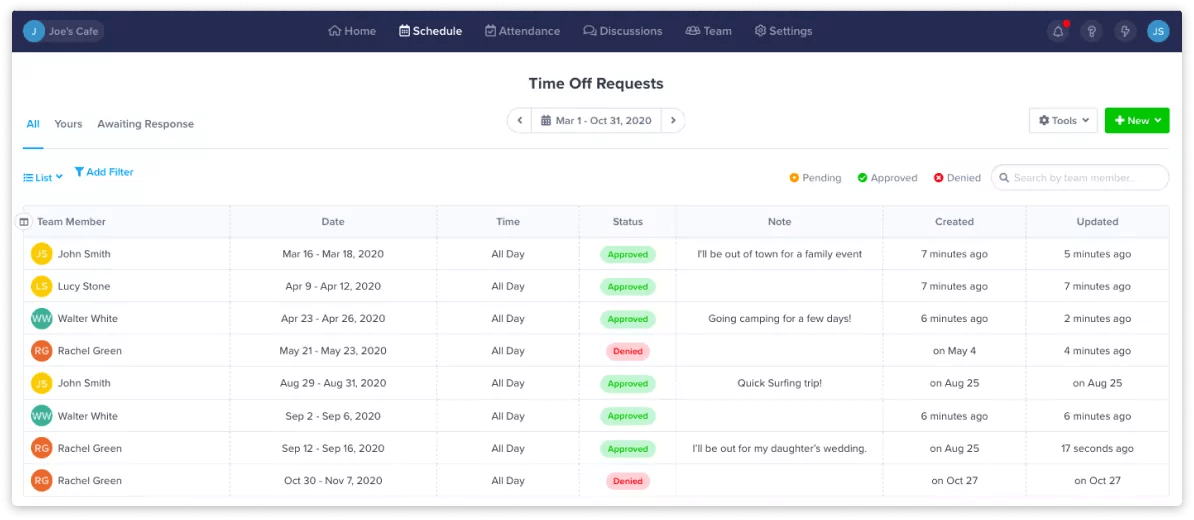
ZoomShift is aimed squarely at businesses that manage shift workers rather than project-based teams.
The free "Essentials" plan is a great starting point, allowing up to 20 users and including employee schedules, shift confirmations, and automatic reminders. However, it’s pretty limited as far as time tracking is concerned.
The Starter plan offers deeper scheduling tools, complete with availability tracking, PTO, and break tracking. This plan also introduces full timesheets and the time clock, so you’ll need to choose at least this plan to access proper time tracking.
The Premium plan gives access to geofencing and overtime warnings. You can also take advantage of the auto-scheduling tool and other useful features like preventing early/late clock-ins or shift overlaps.
On both paid plans, the per-user pricing is extremely affordable, which makes it a strong contender for large teams with more complex shift patterns, like retail or hospitality.
ZoomShift is a good fit for retail, hospitality, and other shift-based businesses that need to coordinate employee schedules, track attendance, and manage breaks without paying for more complex software.

8. RescueTime: Best for Focus
Plans available for under $10:
- Free plan (RescueTime Lite)
- Solo (Focus): $9/month or $7/month paid annually
Available on: Desktop, Web, iOS & Android
- Detailed activity reports
- Peak focus hours detection
- Goal tracking with alerts
- Unsuitable for teams
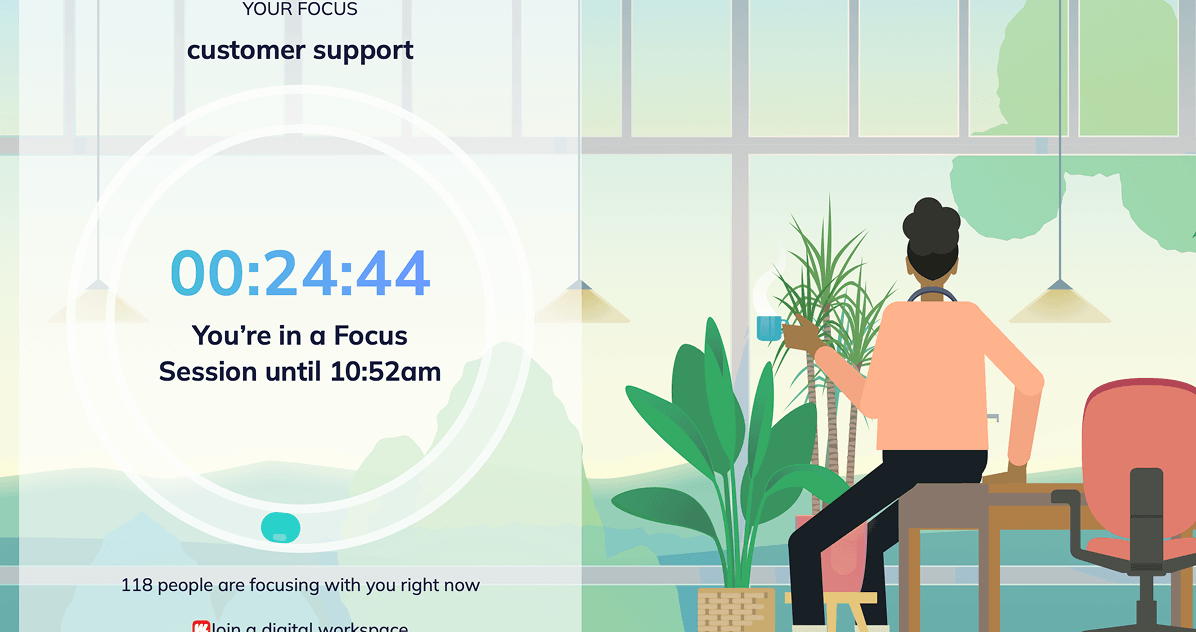
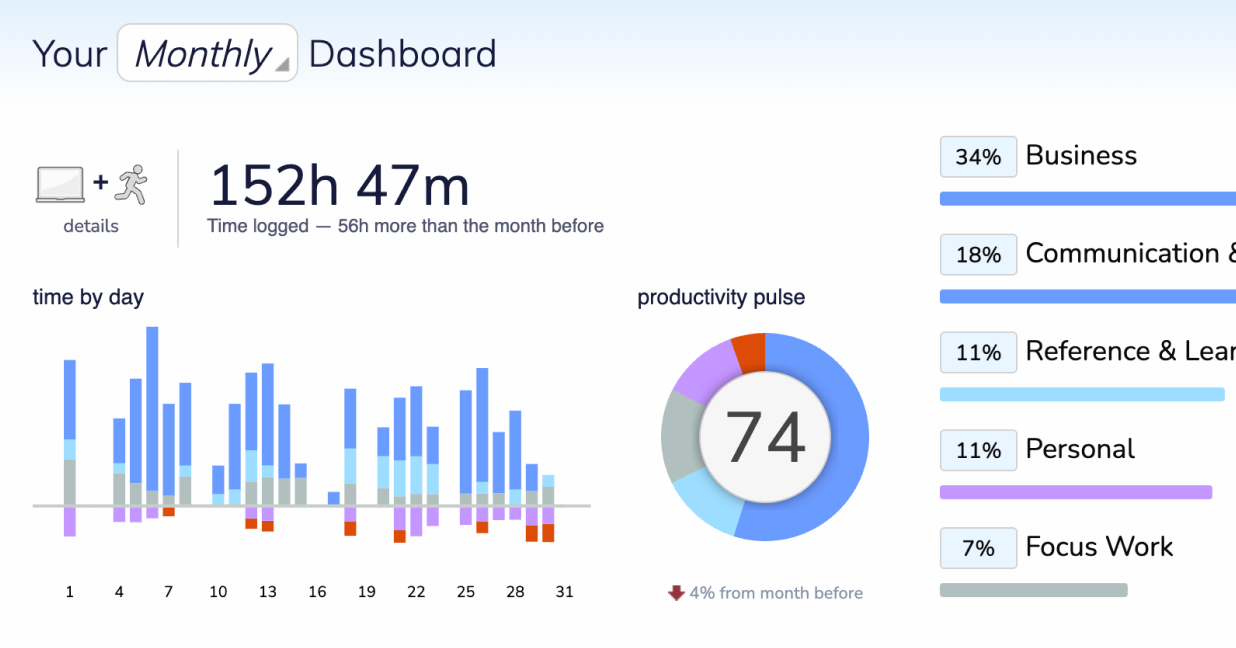
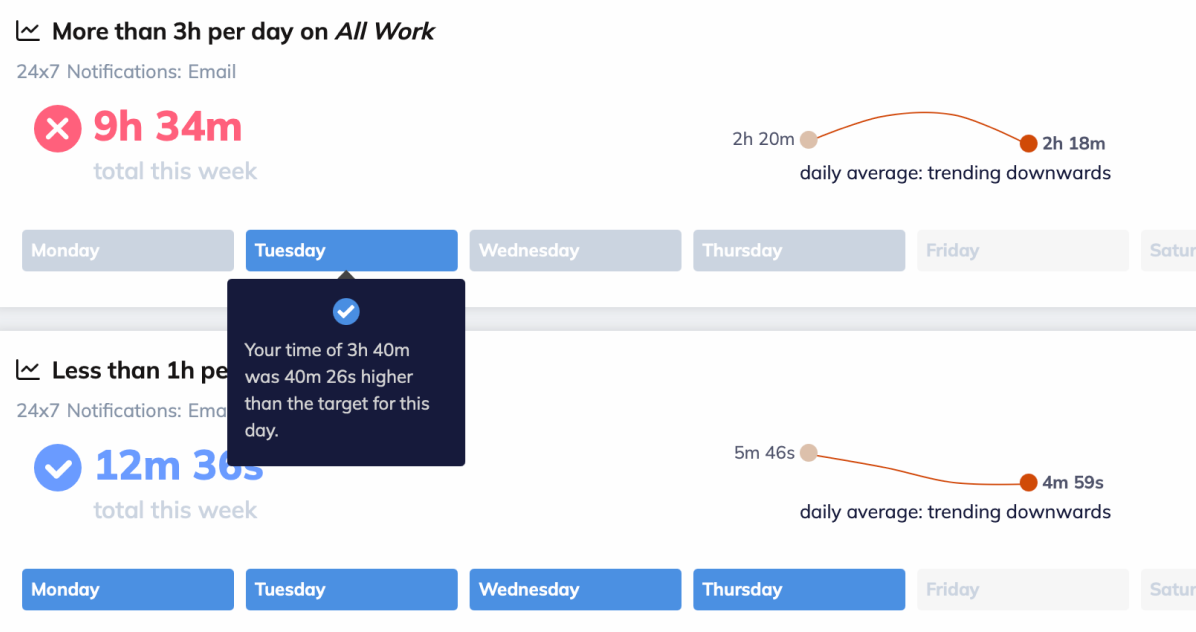
RescueTime has several plans, including a free plan (RescueTime Lite), but it only offers automatic website tracking, two weeks of report history, and the ability to set one goal. There are four other plans, but only the Solo Focus plan is under $10/user. Also, it’s designed specifically for one user and, as such, has no team management features.
Furthermore, the platform is split into two products: Focus and Timesheets. Only Focus is available for under $10/user.
Focus concentrates on automatically tracking websites and apps to create time logs. It also comes with productivity tools, like goal setting and distraction blocking (blocking websites, etc., for a set period).
From the data gathered, you can identify patterns in your habits and make meaningful changes to the way you work.
If you want to track projects and clients or use calendar views, then you’ll need Timesheets, which will push the cost over the $10 limit. Because of this, we think that RescueTime will work best for creatives who want a way to increase concentration and reduce distractions.
RescueTime Solo Focus works well for (individual) freelancers, creatives, or remote professionals. It’s more suited to personal productivity than client billing or team oversight.
9. DeskTime: Best for Desk-Based Teams
Plans available for under $10 (excl. VAT):
- No free plan (14-day trial only)
- Pro: $7/month or $6.42/month paid annually
- Premium: $10/month or $9.17/month paid annually
Available on: Desktop, Web, iOS & Android
- Automatic break time reminders
- Meeting and video time tracking
- Shift and absence management on the Premium plan
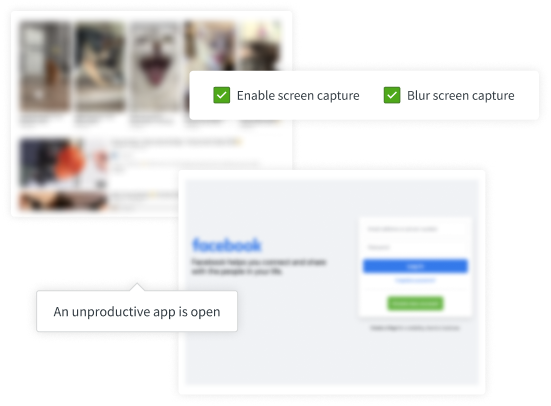
- Premium plan includes screenshot monitoring
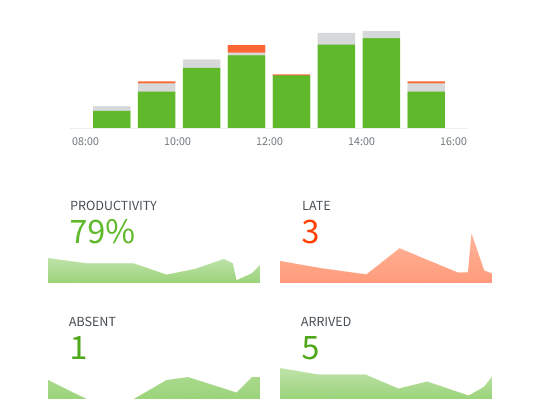
DeskTime was created for teams, and both plans cost less than $10/user when paid annually.
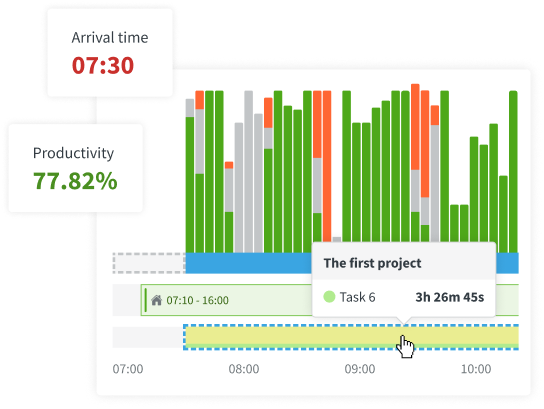
The Pro plan is designed for small, in-office teams and features multiple ways to track time, including tracking during meetings and video calls, offline time, and idle time detection.
Tracking is done automatically, removing the need to start and stop a timer each time you change what you are doing.
All reporting features are included, plus workers can receive break time reminders and block off private time if they need to use their computer off-the-clock.
The Premium plan has the addition of shift scheduling and an absence management calendar and is, therefore, designed for hybrid teams.
It also has the full range of integrations, which, on the Pro plan, are rather limited.
Compared to other apps, it has fewer detailed tools for project cost management. As such, it’s a better option for teams that need to track time for payroll purposes.
DeskTime is good for desk-based working environments that want automatic time tracking and attendance visibility for payroll and workforce management. Its shift scheduling and offline timers can help businesses understand where logged time went, but for those who need billable rates, budgeting, and profitability reports, it isn’t a good fit.
10. ShiftFlow: Offsite Shift Workers
Plans available for under $10:
Available on: Desktop, Web, iOS & Android
- Automatic time tracking
- Geofencing and GPS tracking
- Shift scheduling and overtime tracking
- One plan means you might outgrow it
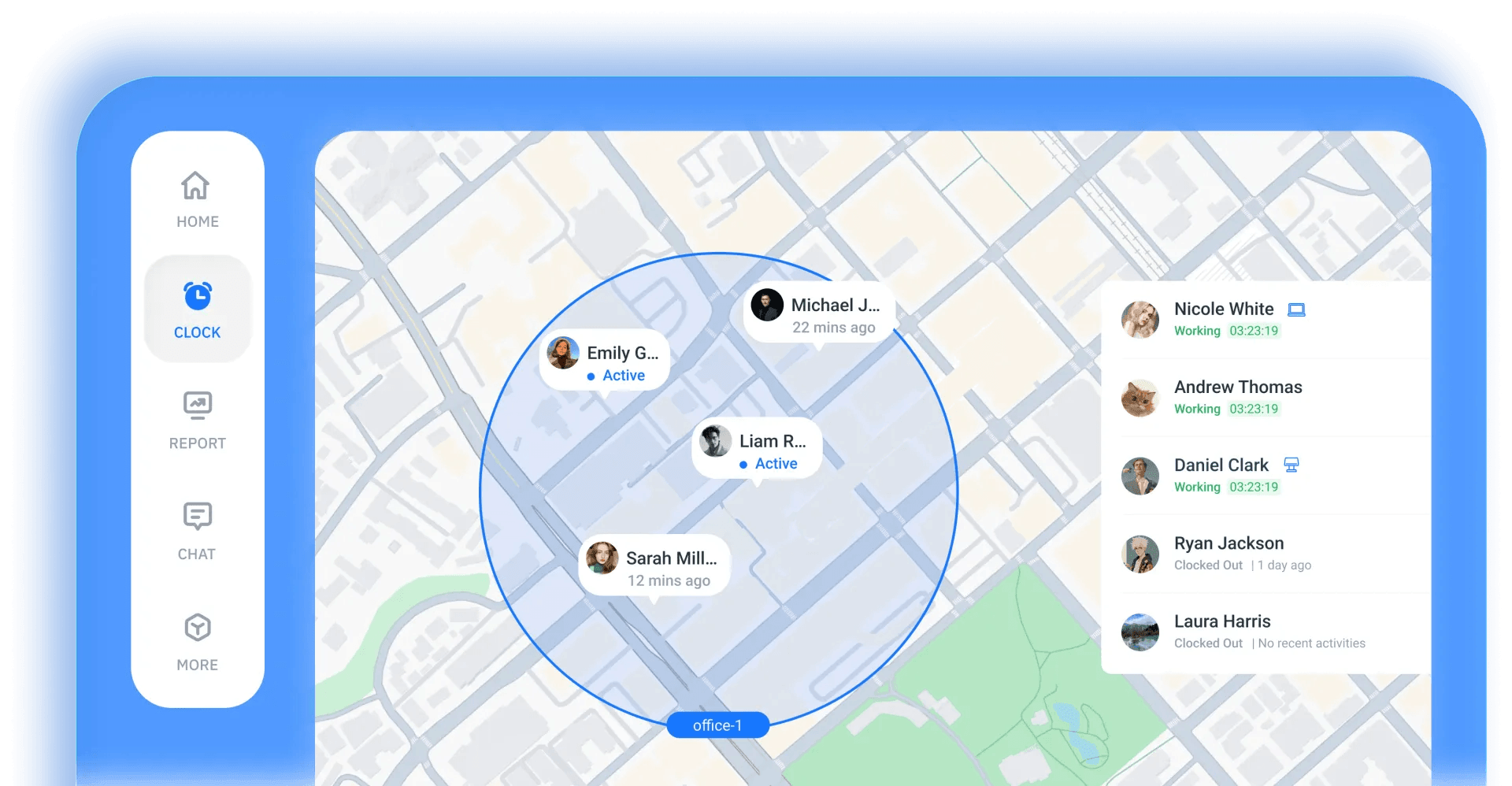
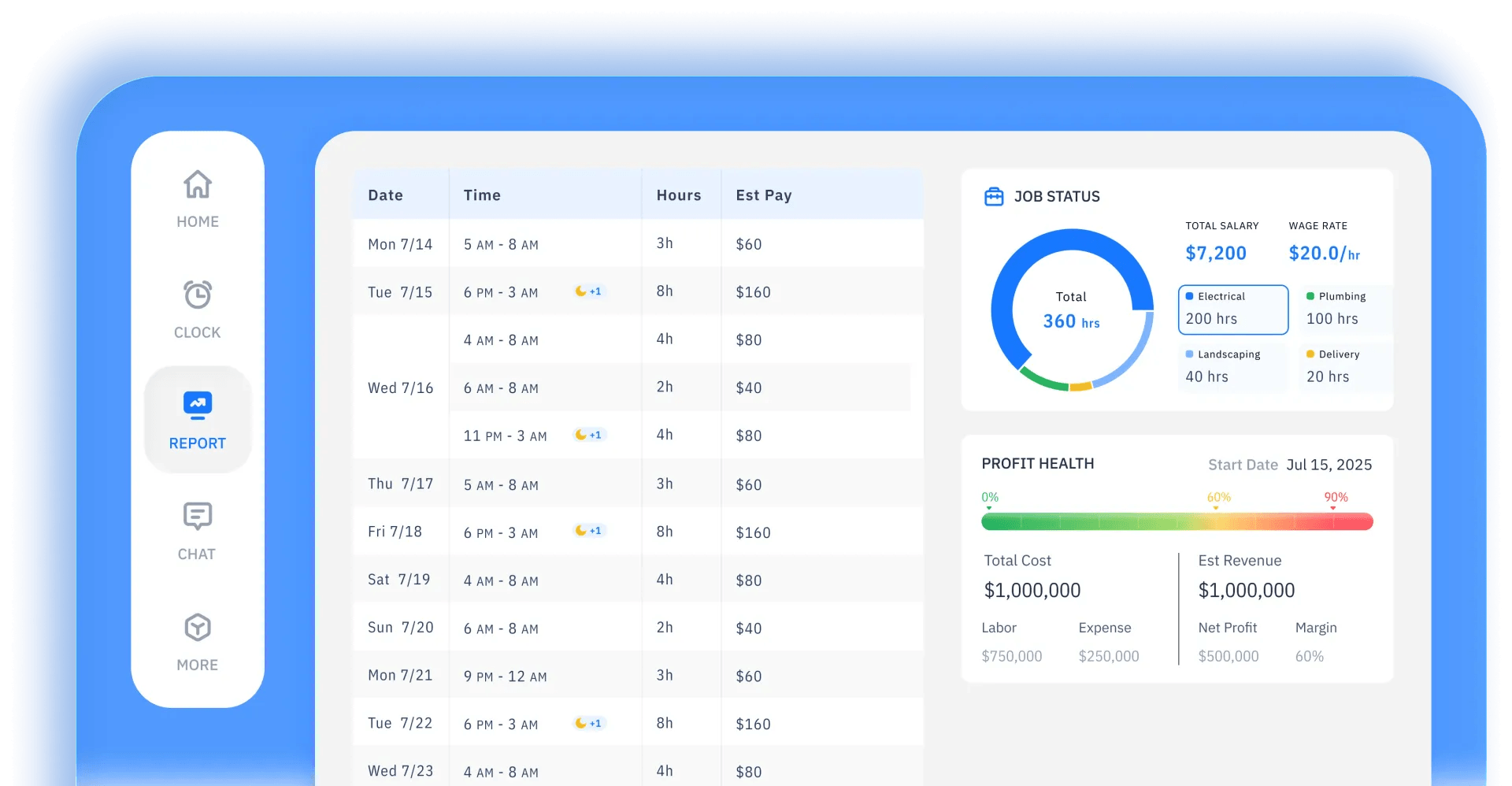
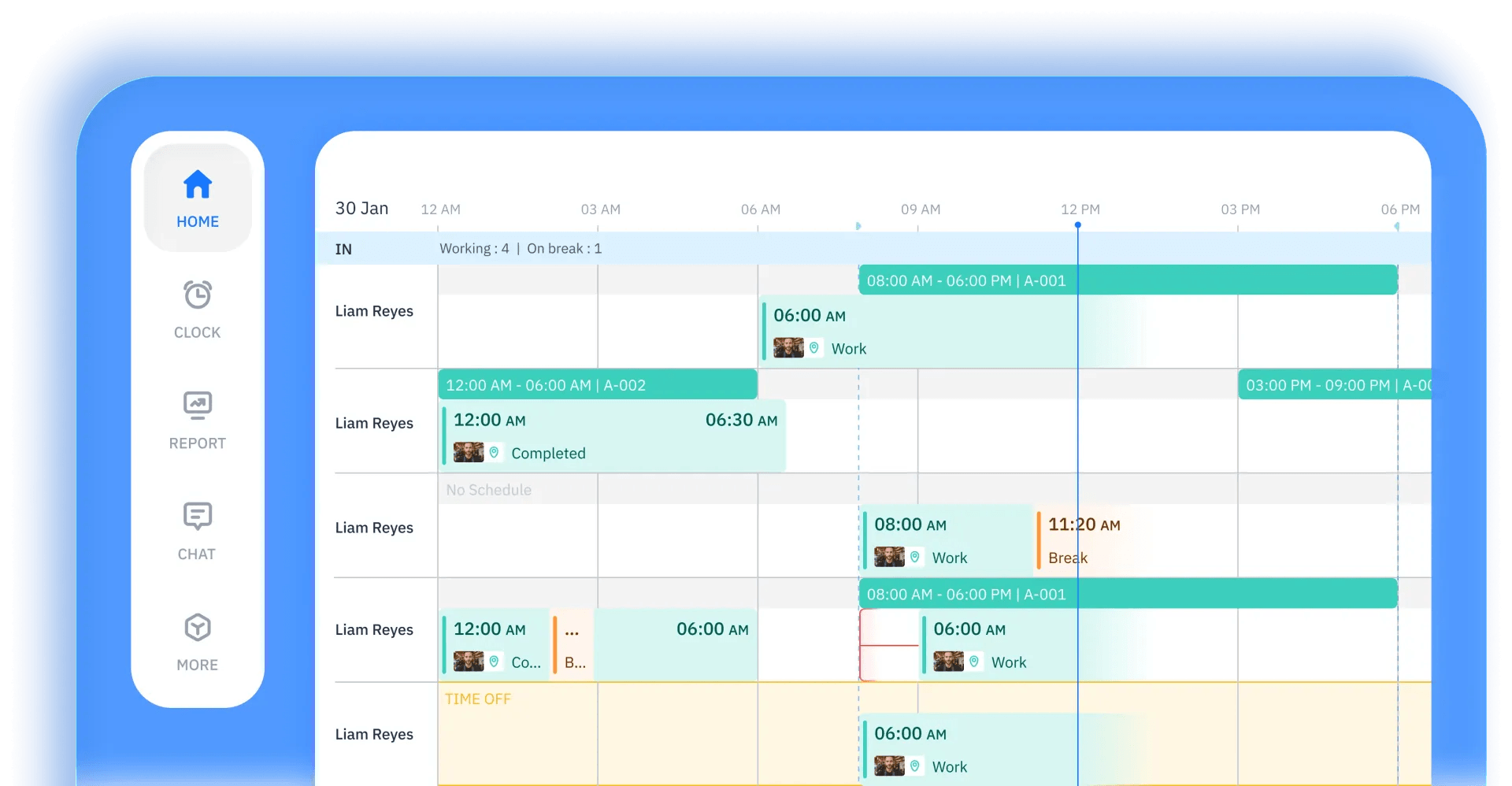
ShiftFlow keeps things simple with a single plan that costs under $10/user, whether you pay monthly or annually.
Rather than splitting functionality across multiple pricing tiers, you get everything, including automatic time tracking along with off-site tracking, such as clock in/out kiosk, GPS tracking, and geofencing reminders.
Shift scheduling is also pretty detailed, with customizable break rules, job assignments, and overtime management.
A team chat tool enables workers to communicate efficiently, while the built-in alerts help prevent missed clock-ins and working beyond shift times.
The selfie verification tool is also handy for preventing buddy punching.
ShiftFlow is good for teams of mobile workers who don’t work regular hours, with location verification and attendance tracking. However, if your team eventually outgrows the features, you will have to move to a different platform since you cannot upgrade your plan.
11. TimeCamp: Best for AI Time Tracking
Plans available for under $10:
- Free plan (unlimited users)
- Starter: $5.49/month or $3.99/month paid annually
- Premium: $9.99/month or $6.99/month paid annually
- Ultimate: $13.99/month or $9.99/month paid annually
Available on: Desktop, Web, iOS & Android
- AI time tracker (billed by token usage)
- Invoicing, time-off, and overtime tracking available on Starter plan
- Premium plan includes a resource planner
- Custom integrations only on Enterprise plan
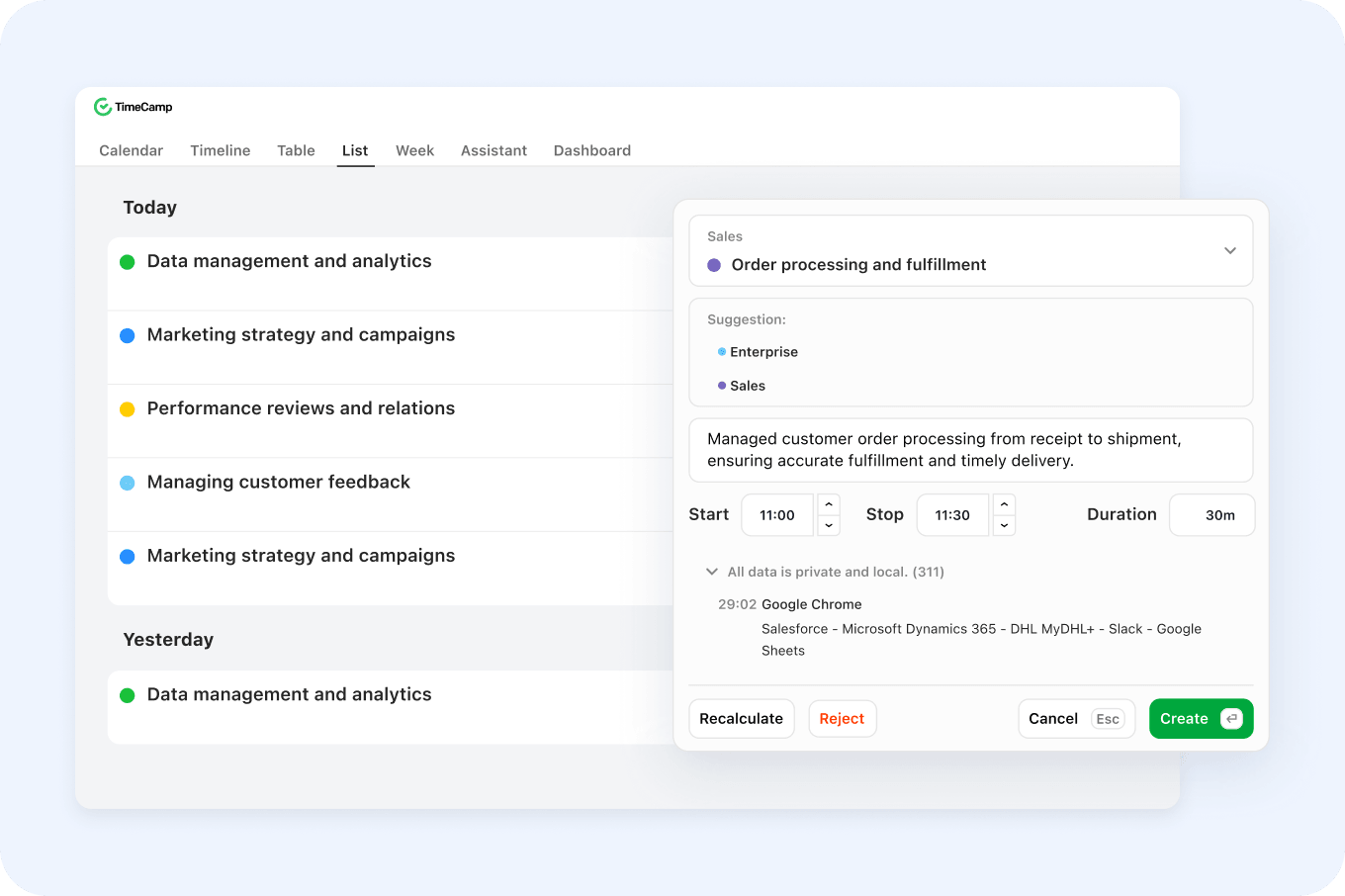
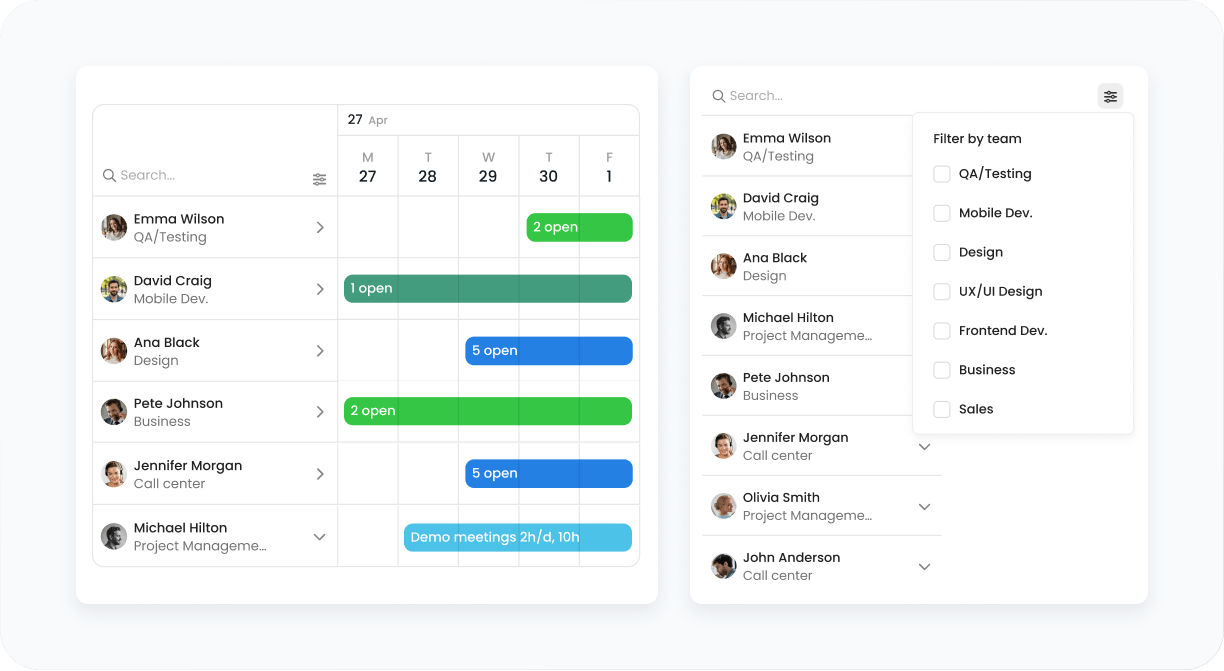
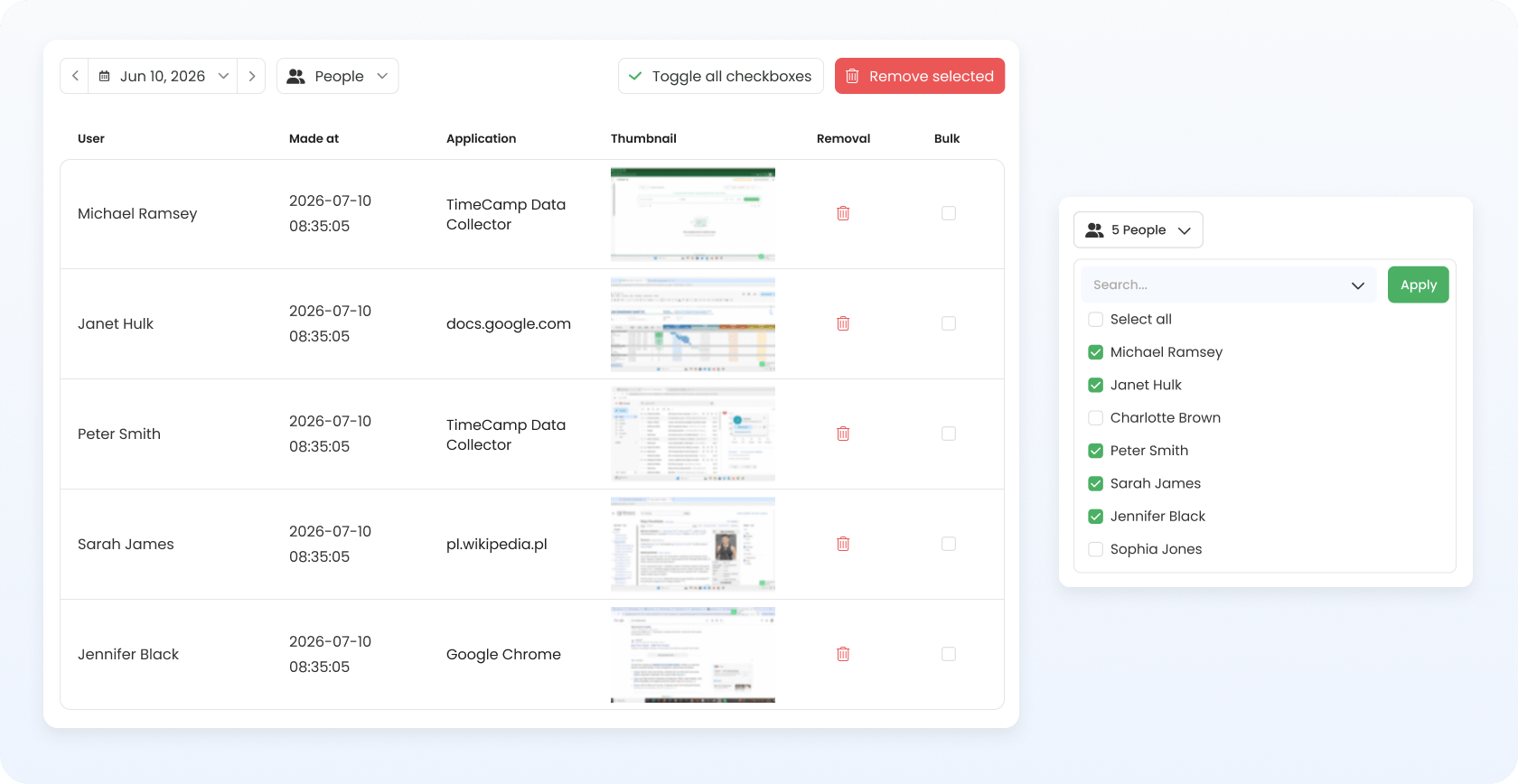
TimeCamp has five plans, including a free plan with a limit of unlimited users. The Starter and Premium plans cost less than $10/user regardless of monthly or annual payments. The Ultimate plan only costs under the limit if you choose to pay annually.
Regarding the free plan, it doesn’t offer much more than time tracking and timesheets.
The Starter plan is a more attractive option if you need more than basic tracking. For this, you can track tasks as well as manage attendance and time off, and invoice clients. There is also a specific tool for tracking overtime.
The Premium plan is the one to pick if you need to track billable time and schedule email reports. Here you can also set budgets and use the resource planner to organize the workforce.
Customized billable rates, screenshots, expense tracking, and timesheet approvals are only available on the Ultimate plan.
One caveat is that regardless of your chosen plan, using the AI time tracker costs extra. It’s charged on usage rates, which, according to the platform, equate to around $6/month per user. It’s optional, though, so you can avoid the charge.

12. Paymo: Best for Solo Project Management
Plans available for under $10:
- Free plan (1 user; 2 projects)
- Solo: $9.90/month or $5.90/month paid annually
Available on: Desktop, Web, iOS & Android
- Generous discount for annual payments
- Unlimited invoices and tasks
- Kanban and calendar views on the Solo plan
- Limits on the number of clients and projects
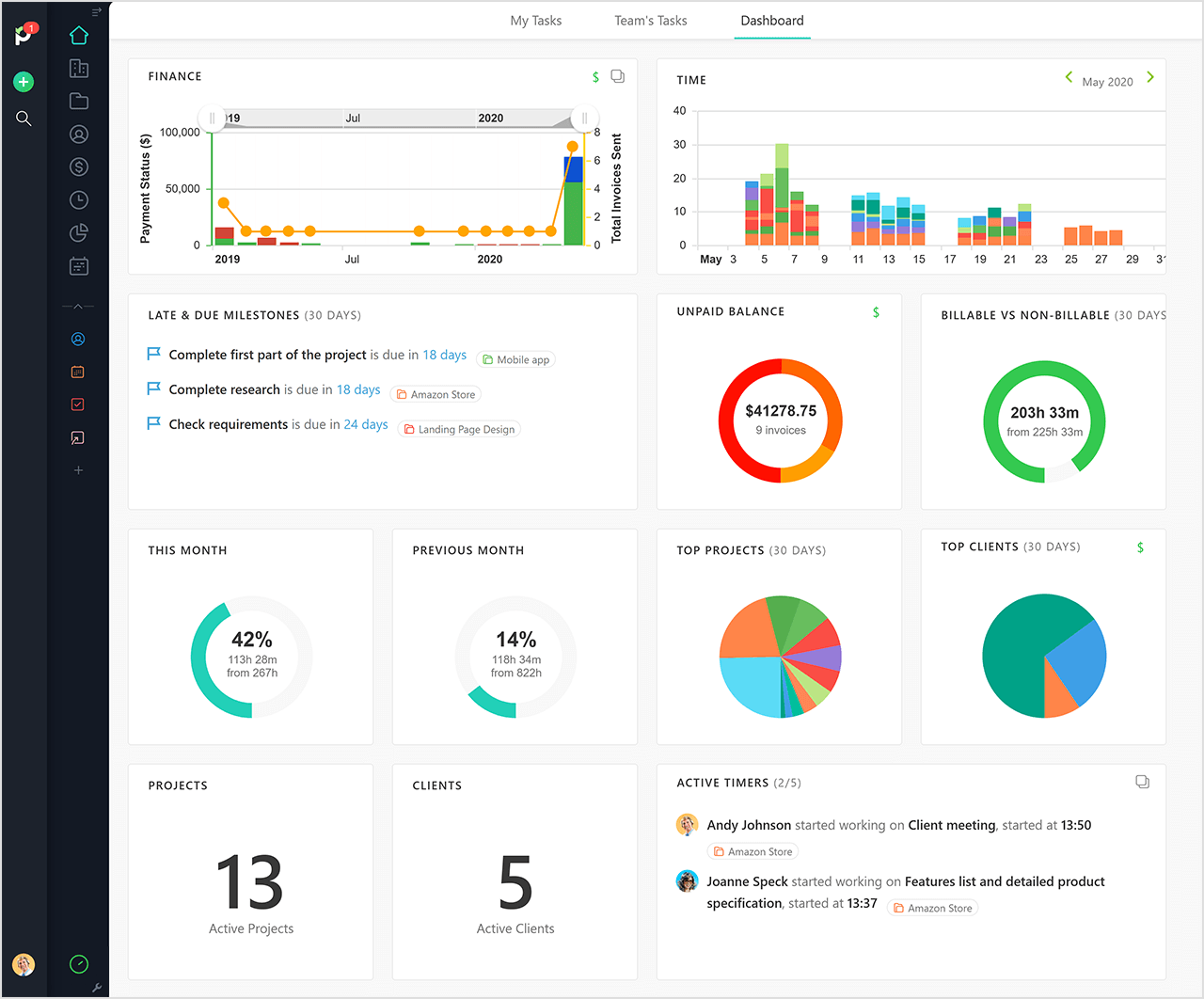
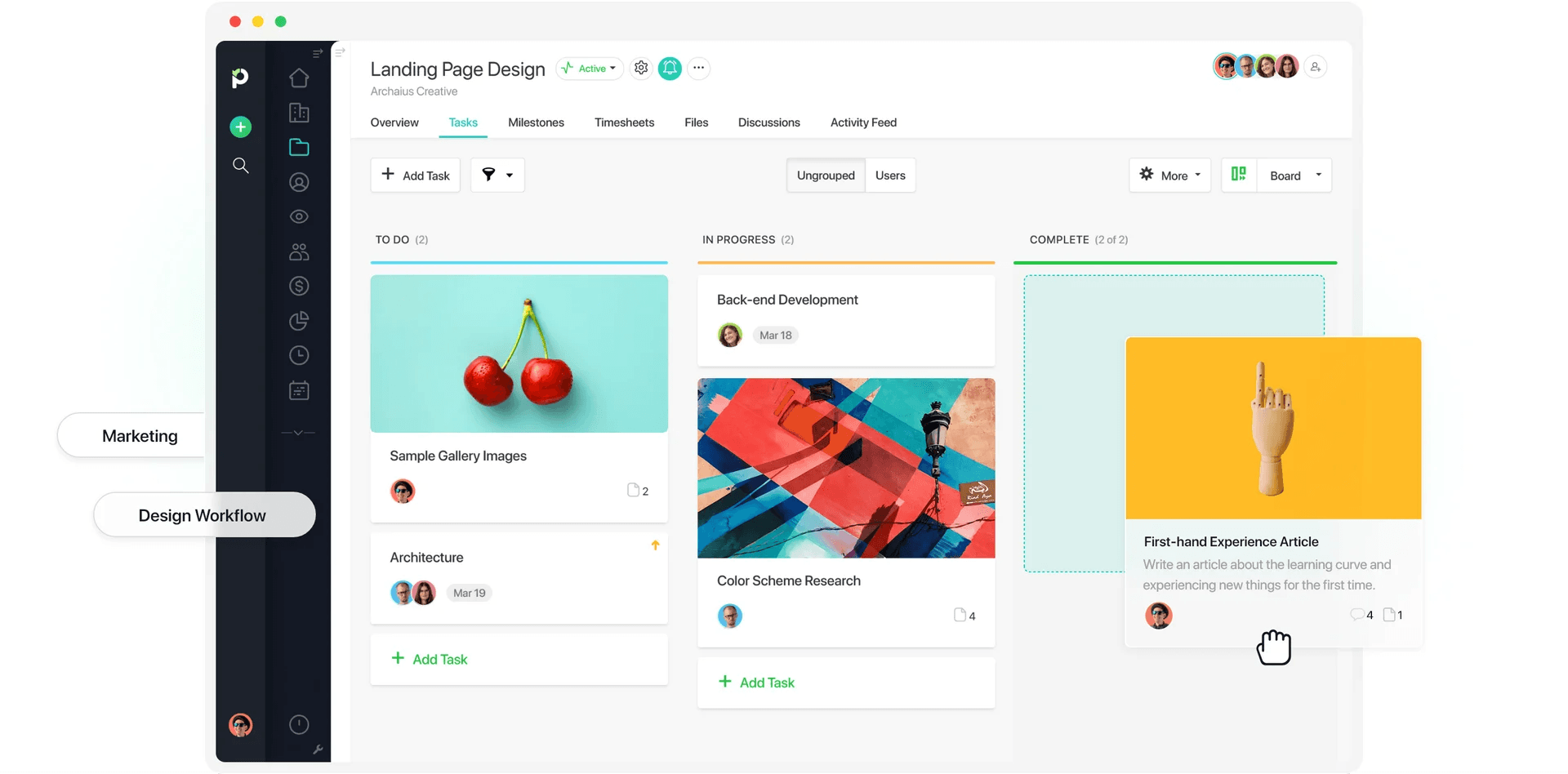
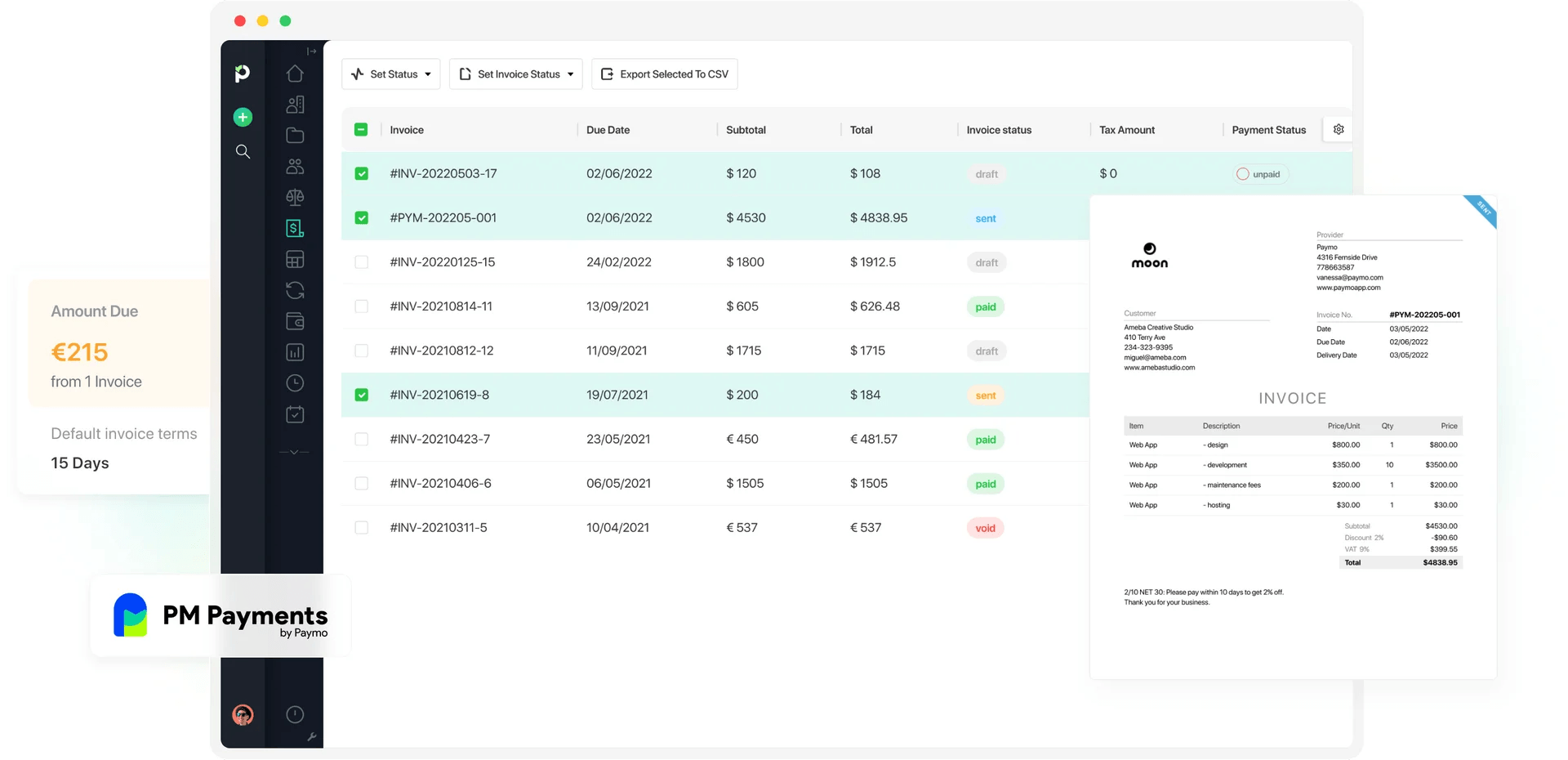
Paymo is a bit of a mixed bag in terms of the value you get for under $10/user. On one hand, you have unlimited invoices and tasks, but on the other, there’s a limit to the number of clients and projects you can have.
The free plan allows one client and two projects, along with time tracking on all devices. Other than that, it’s a very limited plan and not ideal if you bill clients.
The Solo plan allows up to three clients and five projects, which can be set up on a retainer or flat-rate basis. The Kanban board and task calendar are also useful features for managing and planning workloads.
The majority of the features, though, come under the Plus or Pro plans, which start from $10.90/user and $16.90/user, respectively.
Paymo’s affordable plans are best suited to individuals looking for basic project management along with accurate time tracking. However, for more complex project-based features, a bigger budget is necessary.

13. Beebole: Best for Workforce Planning
Plans available for under $10:
- Free plan (up to 5 users)
- Essential: $10/month or $9/month paid annually
Available on: Desktop, Web, iOS & Android
- Free plan offers resource planning and basic time off tracking
- Billable rates on the Essential plan
- Custom reports on all plans
- Project cost management is locked behind the Advanced plan
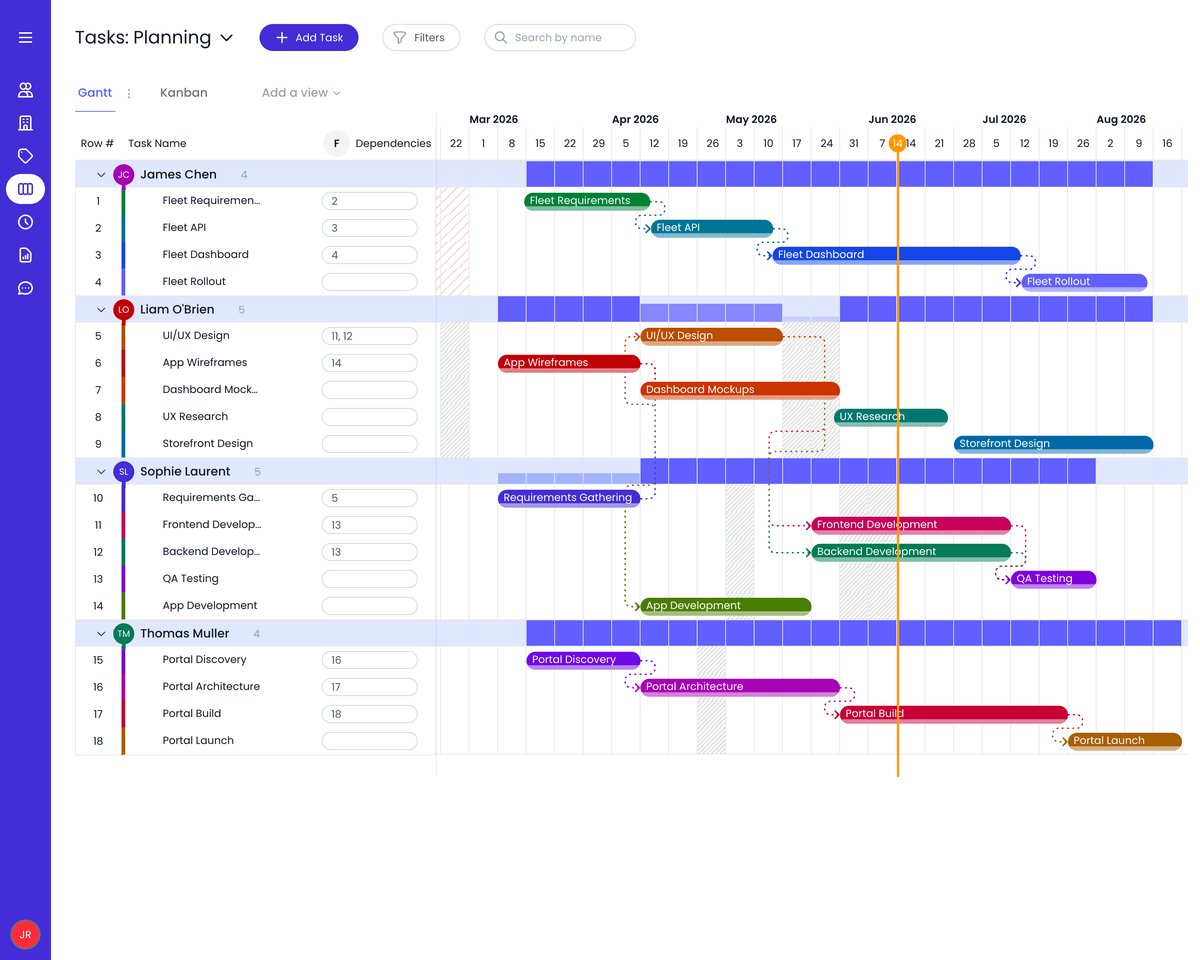
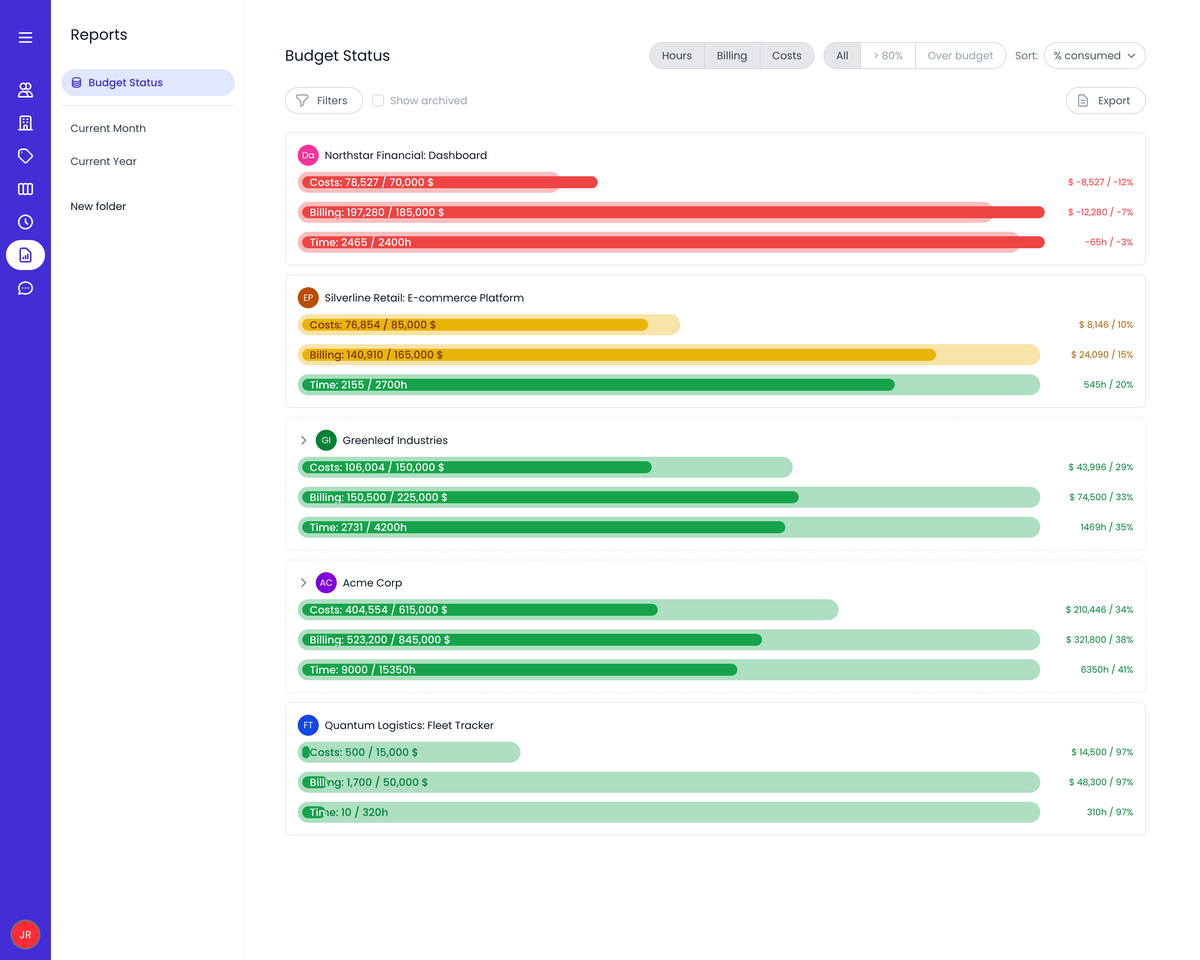
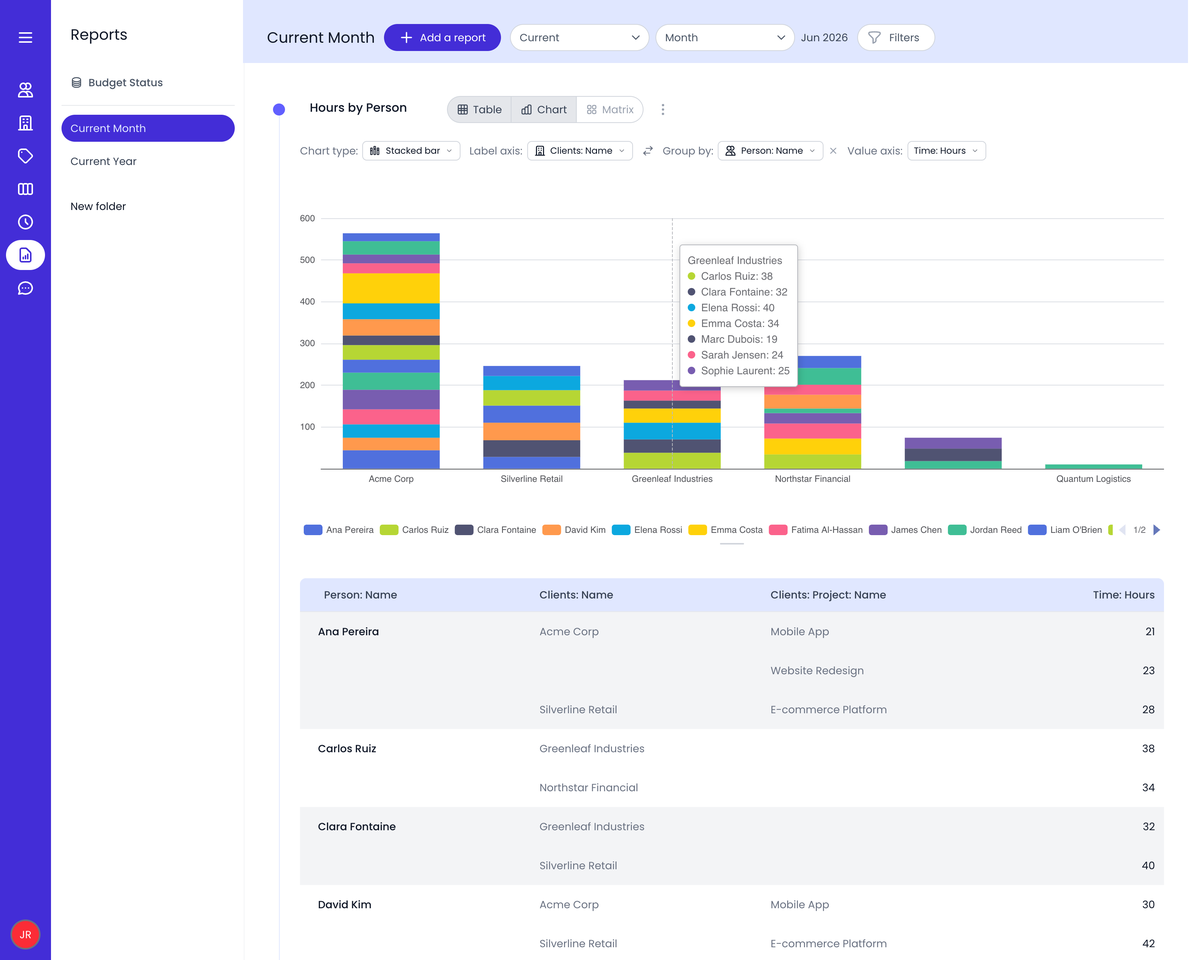
Beebole positions itself as a time tracker with complete visibility into costs and capacity. However, you soon realize that to get that cost visibility, you need the Advanced plan, which costs from $18/user per month when paid annually.
The Essential plan, which sits right at the top end of our budget, only offers billable rates and revenue tracking, but does support multiple currencies.
What is useful is that the free and Essential plans both include the work scheduling and resource planning tools. These include public holidays and time off tracking across the whole team.
The Essential plan provides slightly more depth, with time off allowances and balances, plus the ability to integrate with HR systems.
Because of this, Beebole’s cheaper plans are not the best choice for project cost tracking, but they are a worthwhile option for teams that need comprehensive workforce planning tools.

14. Toggl Track: Best for Ease of Use
Plans available for under $10:
- Free plan (3 users)
- Starter plan: $9/month per user, but only if you pay annually
Available on: Desktop, Web, iOS & Android
- Time tracking on all devices
- 100+ integrations via browser extension
- Billable rates and project estimates available on the Starter plan
- Limited choice of plans and features for under $10/user
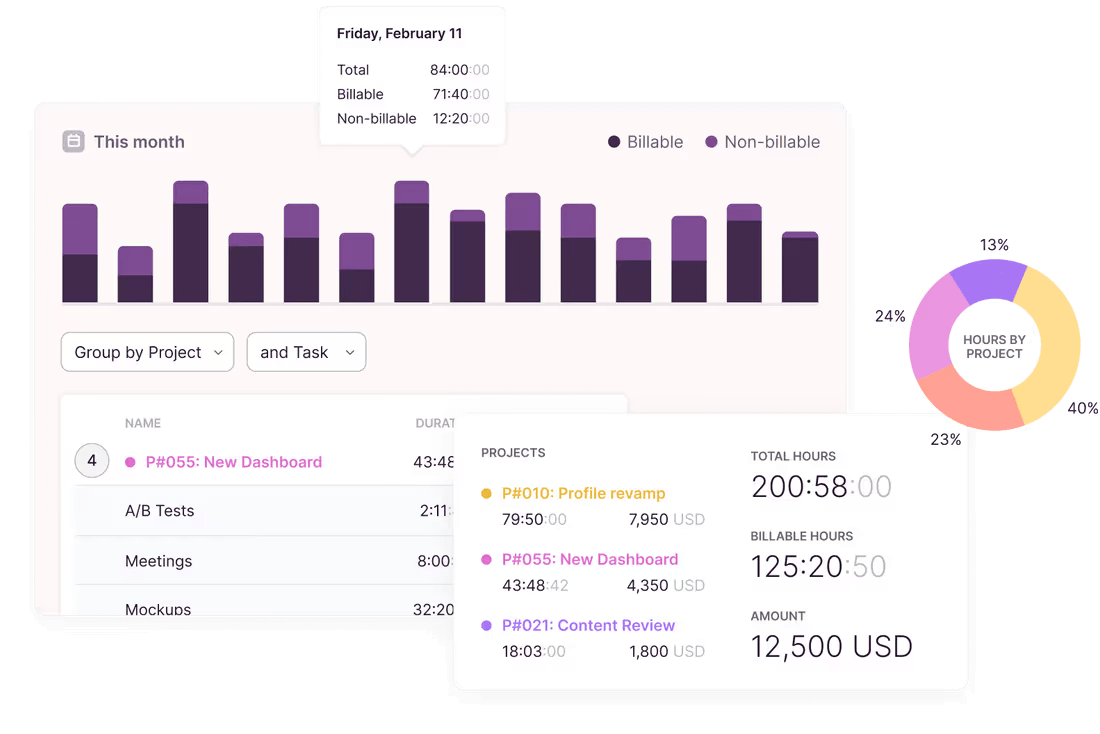
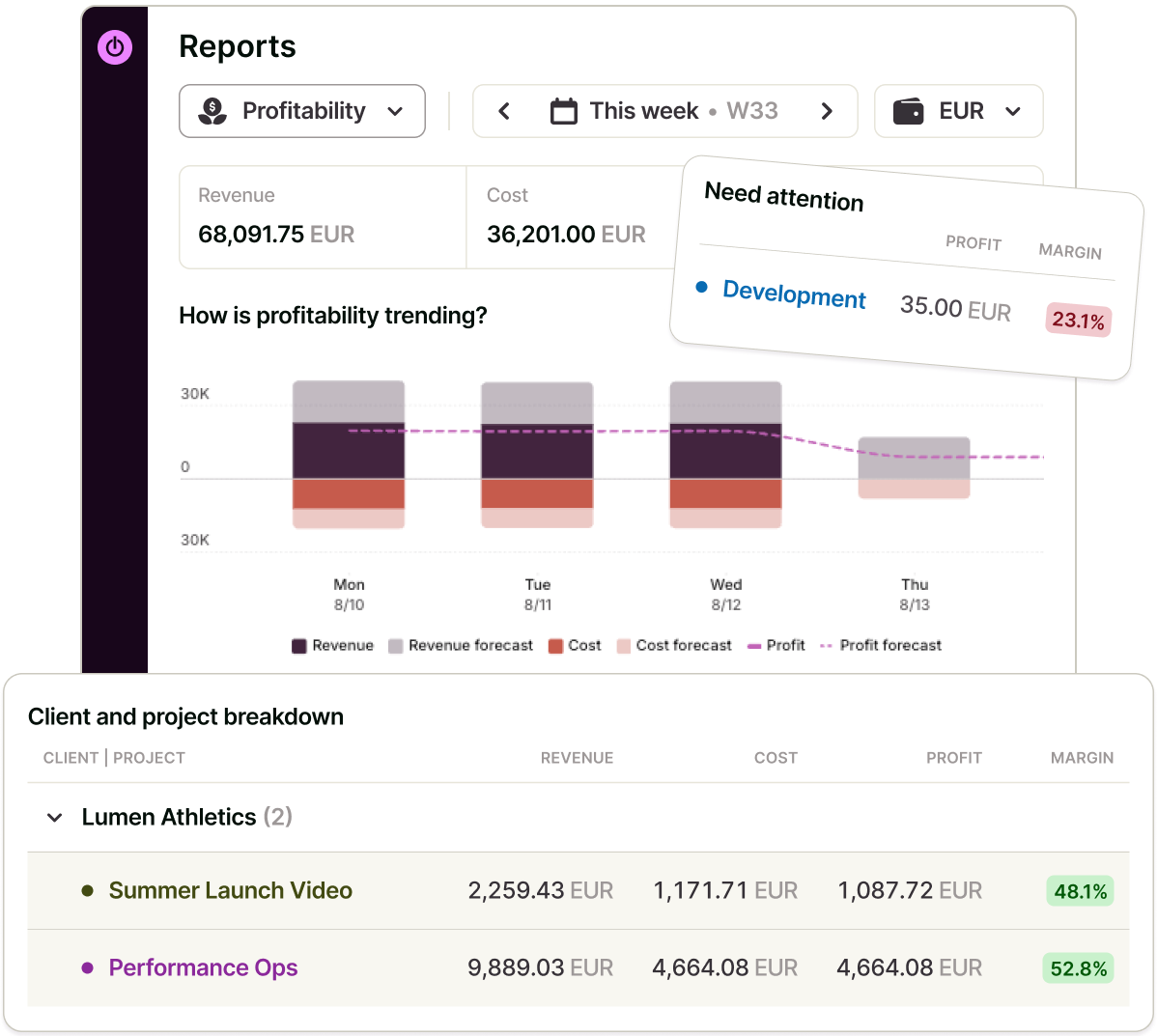
Toggl Track is known for its ease of use and simplicity. Unfortunately, though, most of its plans cost more than $10/user.
The free plan, which is limited to 3 users, can work well for small teams or individual users, especially if they are looking for a friction-free way to track time. Additionally, the integrations via the browser extension make it easy to connect Toggl to your favorite tools.
The Starter plan offers more depth, with billable rates and basic project management features. You also gain access to the team collaboration tools. The only caveat is that you have to be prepared to pay annually to keep the cost under $10/user.
For deeper project costing tools and the full set of reporting options, you’d have to go for the Premium plan, which is above the $10/user limit.
Overall, it’s somewhat expensive compared to the features you get, but some users may prefer the simplicity and ease-of-use that Toggl offers.

15. Time Doctor: Best for Employee Monitoring
Plans available for under $10:
Available on: Desktop, Web, iOS & Android
- Automatic tracking against projects and tasks
- Timeline reports
- Individual and team dashboards
- Most features sit on higher-priced plans
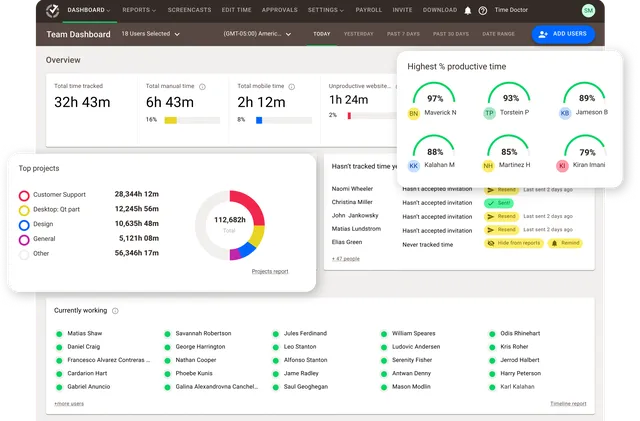
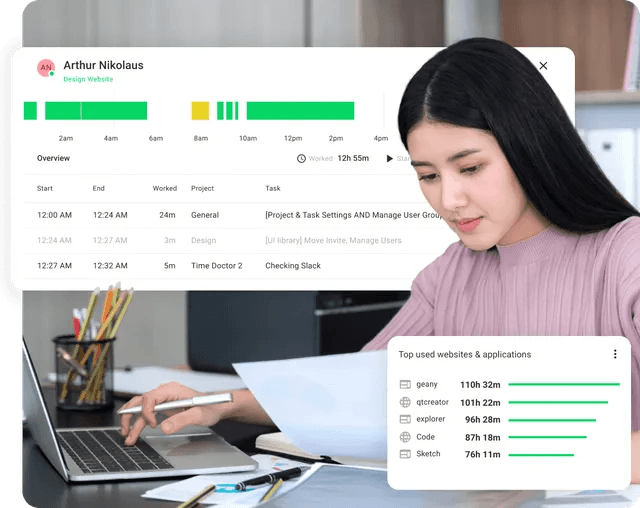
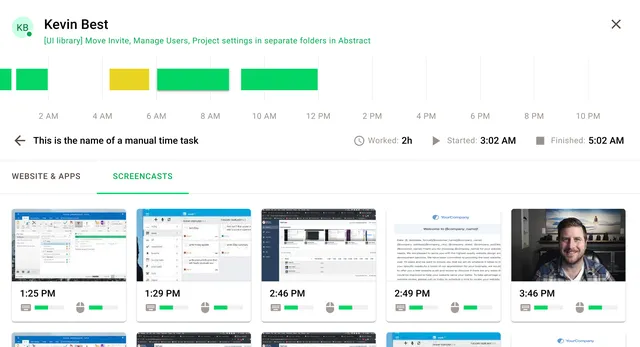
Out of the four TimeDoctor plans, only one costs less than $10/user.
With the Basic plan, users can track their time against projects and tasks, which are then compiled into a timeline report for analysis.
Time tracking is enabled on and offline, with automatic tracking available. The app will also take screenshots of user activity as they work.
Optional add-ons cost from $2/user extra per month and range from meeting insights to video screen recording and unusual activity reporting. If you pay for your plan annually, you can include an add-on and still keep the price under $10/user.
On the whole, TimeDoctor is heavy on the surveillance and monitoring tools, but if you want these, you have to subscribe to the higher-priced plans.
When comparing TimeDoctor’s Basic plan with other platforms, it’s clear that most offer free plans with similar or better features, especially if you’re not interested in worker surveillance tools.
How to Choose the Best Time Tracker for Under $10/User
When working with a set budget, it’s essential to determine your primary use case before you go ahead and pick a time tracker.
Match the tool to your main job:
- Bill clients and track project profit: My Hours, Clockify, TMetric, Hubstaff
- Manage shifts and hourly staff: ZoomShift, Connecteam, Jibble
- Monitor productivity or need screenshots: Hubstaff, DeskTime, TMetric, Jibble
- Solo focus and habit tracking: RescueTime, Clockify
- Manage project budgets and expenses: My Hours, TMetric, Clockify
For example, do you need to track billable time to invoice clients? Or are you looking for time tracking with built-in scheduling and time off planning? Maybe a tracker with built-in project management features is most important to you.
Once you know your main use case, narrow down the platforms that offer the features you need. Then check two things before you commit:
- Does the plan you need actually stay under $10/user? Some features, such as GPS tracking or advanced reporting, may require higher-tier plans or paid add-ons.
- Does the free plan or trial period cover our team size? Check user/seat limits, trial timeframes, and whether you’ll need to pay to access essential features.
Before committing to a platform, take advantage of a free trial to test out the ones on your shortlist. If you are planning to use a tracker among your team, make sure they test it out too to see if they like using it.
Finally, you should also consider scalability. While you might not require advanced features now, they may become necessary in the future. Therefore, choose a platform that enables you to upgrade or customize as needed.
You should also consider the cost of upgrading and whether it’s likely to fit into a future budget.

Waste no more time,
jump right in!

All rights reserved.