
.png)
The Disconnect Between Jira and Accounting
Jira tickets are written for humans, not accounting practices.
Titles can be vague, descriptions inconsistent, and they don’t always clearly indicate what type of work was carried out. Despite this, the relevant teams can still look at them and understand exactly what’s going on.
But accounting wants to know one thing above all else: which work should be classified as CapEx (capital expenditure) or OpEx (operating expenditure).
On paper, this sounds straightforward. In reality, if accounting teams have to analyse and interpret every entry, then the system has already failed.
Therefore, the key issue isn’t that teams aren’t tracking their work. It’s that the way work is described in Jira doesn’t naturally line up with how accounting needs to see it.
OpEx is the default setting
To explain further, here’s an example.
A ticket might say something vague like “Fix algorithm” or “Improve onboarding.”
Both of these make sense to the people doing the work because they already have the context.
Unfortunately, without that vital context, finance has no idea what these mean. To classify the work correctly, they need the answers to the following questions:
- Is this creating something new or maintaining what already exists?
- Does this substantially improve the product, or just keep it running?
- Is this experimental work with uncertainty, or a known operational effort?
“Fix algorithm” or “Improve onboarding” answers none of these questions.
And when the intent isn’t clear, finance has two options.
They can stop and investigate each item, chasing engineers for explanations weeks or months after the work was done. Or, more commonly, they make a conservative call and classify the cost as OpEx.
Why?
Because OpEx is the default classification and CapEx is the exception.
Most work in a business is routine, expected, and necessary just to keep things running.
Capitalizing costs requires a higher bar: clear evidence that the work created something new or delivered long-term value. Without documentation that proves that intent, finance cannot justify treating the cost as CapEx.
What Does Jira-Style Tagging Look Like in Practice?
Freestyle entry, where users write codes within ticket descriptors, opens up a whole world of errors and omissions.
Instead, a practical way to implement a tagging map is to use:
- A required field with dropdown options, or
- A tag or label system with predefined entries
This ensures that the tags are correct for every ticket and can be easily filtered for reporting purposes.
You must also establish clear definitions that explain how each tag should be used. And train staff on the process. Everyone has to be on the same page regarding the tagging map and, more importantly, know how it works.
A Practical CapEx/OpEx Tagging Map
Most teams only need a handful of core tags to cover the vast majority of work.
Below is an example of a map that works well for software and product teams:
- CapEx, New Feature Development: For building something that did not previously exist.
- CapEx, Material Enhancement: For significantly improving functionality on an existing product, such as major performance gains, new features, and so on.
- CapEx, Technical Feasibility / R&D: For experimental work where the outcome is uncertain, and investigations are done to determine whether something is technically possible.
- OpEx, Maintenance & Bug Fixes: For fixing defects and keeping existing systems working as intended.
- OpEx, Operational Support: For production support, customer issues, incident response, and on-call work.
- OpEx, Internal Tooling & Admin: For internal systems, documentation, automation, and other non-product work.
Examples of use within a Jira-style system
Instead of asking if a ticket is OpEx or CapEx after the fact, the decision is made upfront based on the type of work.
Therefore, the tags are added when the ticket is created. For example:
- A ticket titled “Build recommendation engine” would signal a new functionality and should have the CapEx, New Feature Development tags applied.
- A ticket titled “Speed up search queries” indicates a substantial enhancement and should carry the CapEx, Material Enhancement tags.
- “Fix checkout bug” indicates routine maintenance. Therefore, the OpEx, Maintenance & Bug Fixes will be applied.
- A ticket for “User login issues” signals customer support, so the OpEx, Operational Support tags are appropriate.
What Happens When CapEx and OpEx Work is Mixed?
This is a common problem for agile teams because they don’t work linearly. CapEx and OpEx work gets intertwined, making it harder to distinguish between the two.
The blunt truth is that finance does not care. They still require clear classification.
In this case, two approaches can work:
- Split work into separate tickets and tag them appropriately
- Classify at the time entry stage, rather than the ticket stage
Why Classify at the Time Entry Stage?
The first approach, splitting tickets, can be messy. You end up with a ton of micro-tickets just to satisfy accounting, and it makes Jira a complete nightmare to navigate.
Another outcome is that you end up applying a single classification that “mostly fits,” but ultimately doesn’t give accounting the correct information.
As such, it can be far more effective to classify during time entry.
How time entry classification works
Here’s an example of how it works in practice.
A single ticket is issued titled “Improve onboarding flow.” On the surface, it sounds like build work, but the actual work might look like this:
- 3 hours investigating why users drop off (OpEx)
- 6 hours investigating and building a new onboarding step (CapEx)
- 2 hours fixing an unrelated bug discovered along the way (OpEx)
Therefore, the Jira ticket can retain the primary tag. In this example, it would be Material Enhancement.
Then, when people log time, they select a CapEx/OpEx tag on the time entry itself.
So, the single ticket will end up with three separate time entries like:
- 3h - OpEx: Analysis / Investigation
- 6h - CapEx: New Feature Development
- 2h - OpEx: Maintenance & Bug Fix
This is clean, easy, and doesn’t involve any extra work from the team’s perspective.
Integrating Jira-Style Platforms with Time Tracking Software
The good news is that your ticket software does not have to work in isolation from your time tracking methods.
By integrating the two platforms, you bridge the gap between work intent (tickets) and real financial data (time and labor costs).
Teams using Jira usually choose its native tool, Tempo. Others prefer to connect Jira or other ticketing platforms with dedicated time tracking platforms, such as My Hours, where labor rates, approvals, and reporting are handled separately.
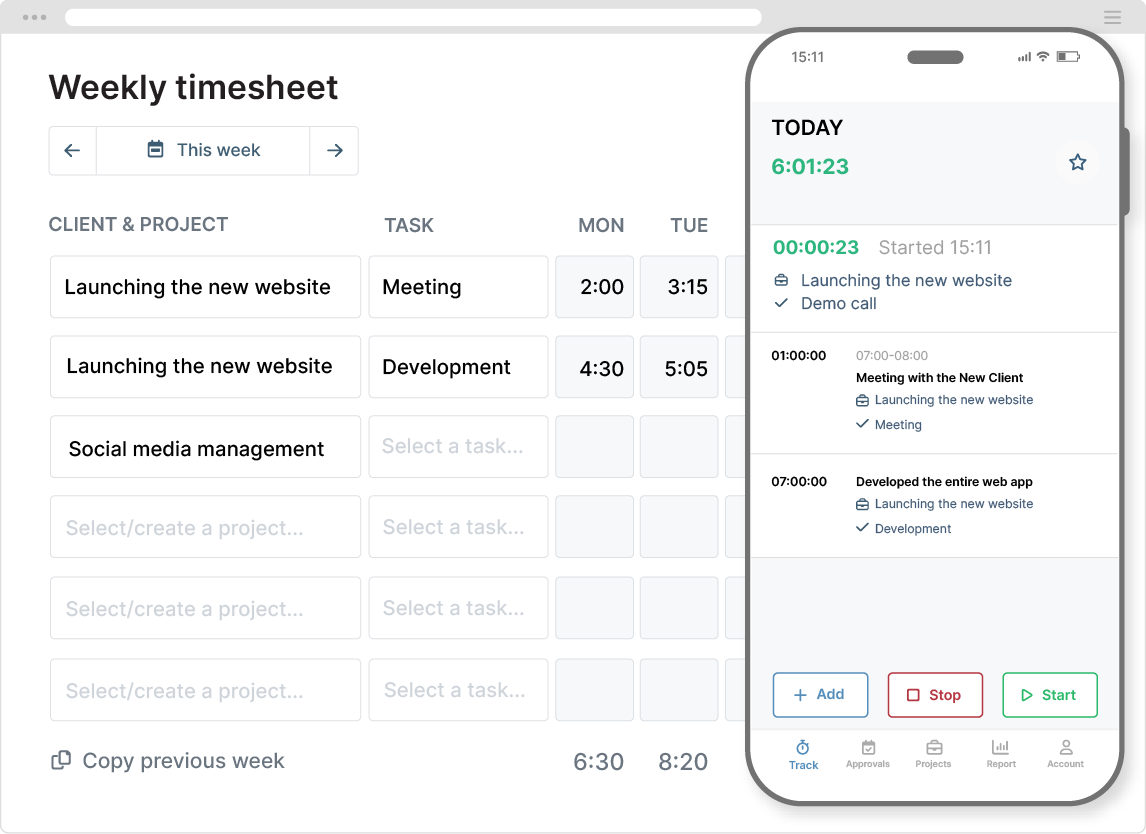
Whatever the tech stack is, the CapEx and OpEx tagging map acts as a common language across systems. The same tags applied to tickets are carried through to time entries, ensuring that hours and costs are consistently classified no matter where they are recorded.
The result is finance-ready data without the need for manual reconciliation.
Review Rules and Pitfalls to Avoid
Let’s be clear, a tagging map does not mean you can set and forget it. Although it’s not necessary to review everything, there are certain instances where a ticket or time entry should come under closer scrutiny.
The key is to set clear rules as to when something should be flagged for review. We recommend reviews for the following instances:
- R&D and feasibility tags: This type of work sits in a gray area. Some of it legitimately supports a future CapEx asset, and some of it doesn’t and should, therefore, be expensed. Flagging it for review here prevents teams from capitalizing on open-ended research that should really be OpEx.
- CapEx tickets over a certain hour threshold: Large amounts of CapEx time can attract scrutiny in audits. Assigning a threshold helps you catch over-capitalization early and ensures there’s enough evidence to support the claim.
- Long-running tickets: Work can drag on over multiple releases, yet still be assigned to a single ticket. Reviewing these tickets prevents outdated CapEx tags from being carried forward after the intent has changed.
- Mixed tickets: Single tickets with CapEx and OpEx have a higher risk of misclassification. Reviewing them periodically against time entries will ensure the split is reasonable and defensible.
Besides regular reviewing, there are also some common pitfalls you should avoid.
Watch out for:
- Letting teams create free-text tags: When everyone can invent their own labels, the system quickly becomes useless. Assign one person to create and control the tag set and apply it across the whole organization.
- Creating too many tags: If your tagging list is too long or detailed, people won’t use it correctly. A tagging system only works if someone can choose the right option in a few seconds. If they can’t, then your tagging setup is too complex.
- Assuming innovation equals CapEx: CapEx work creates a long-term asset. Treating all interesting, creative, or exploratory work as CapEx inflates capitalized costs and creates real risk if classifications are challenged later.
- Leaving classification until month-end: By the time finance reviews tickets, the context is gone, and they are forced to make conservative assumptions (default to OpEx). Therefore, capture intent upfront as the work happens.
Final Thoughts
CapEx and OpEx classification doesn’t fail because teams lack discipline or tools. It’s generally down to the intent getting lost between planning, delivery, and reporting.
A simple tagging map gives accounting what it needs without adding on unnecessary admin or getting in the way of how people like to work.
The adjustment is small, yet it transforms everyday data into something finance can rely upon.


