
.png)
Capital Expenditures (CapEx) Explained
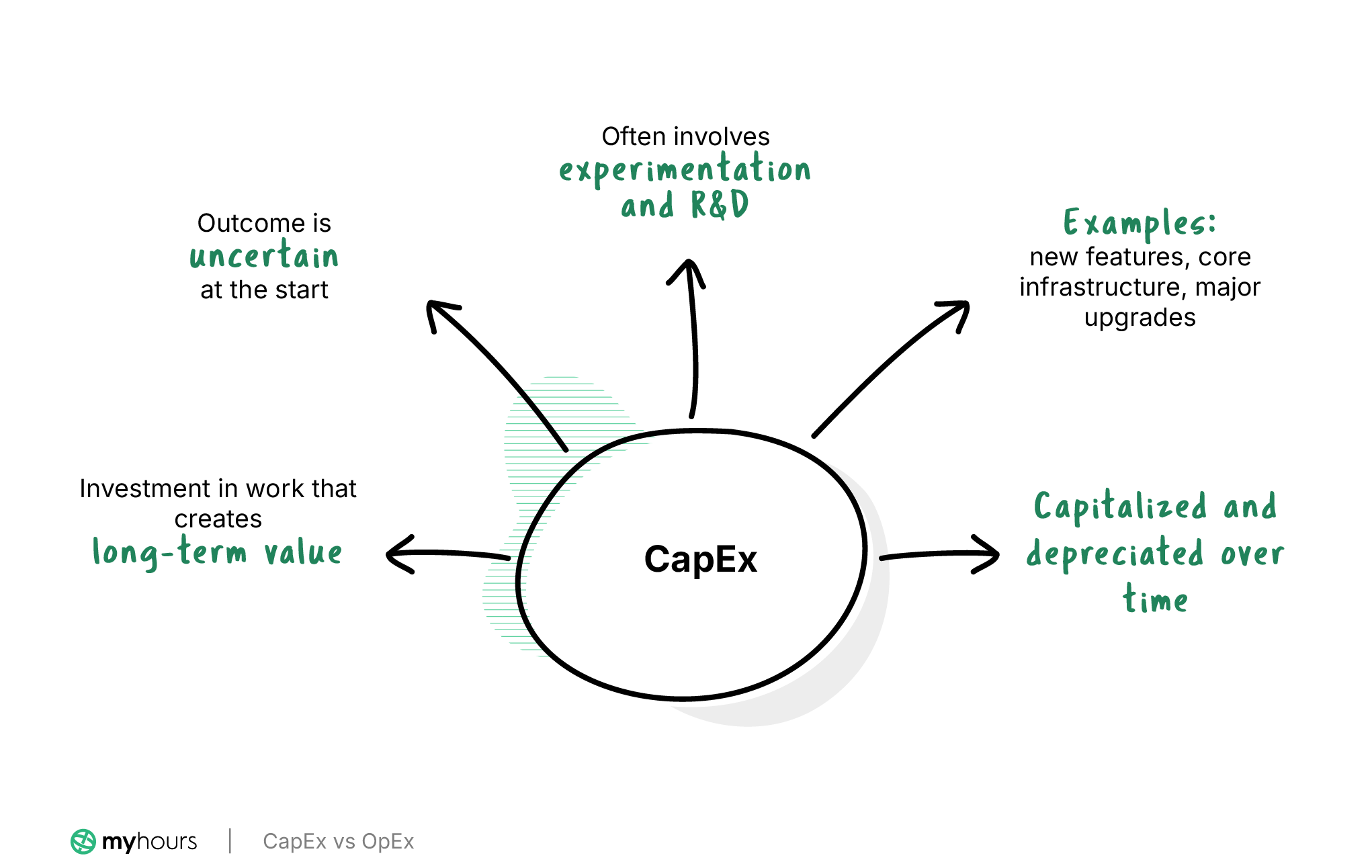
CapEx specifically refers to the money and time invested in projects that create long-term value for an organization.
The key element here is uncertainty, where the outcome of the expense is not yet known. As such, CapEx work normally involves experimentation, where R&D teams might test new approaches or validate assumptions.
We’re talking about new product development, major upgrades to IT infrastructure, large equipment purchases, and even the acquisition of intangible assets like patents or trademarks.
From a product and engineering perspective, typical CapEx work includes designing new features, developing core infrastructure, and solving technical problems where the solution is not known at the start.
What this means from a financial perspective
If you want a simple way to think about CapEx, consider it an investment rather than a cost associated with running the business on a day-to-day basis.
This means that CapEx costs don’t immediately hit the income statement. Instead, they are capitalized and recognized over time as fixed or long-term assets. Therefore, they are subject to depreciation, rather than being expensed upfront.
Because of this, profitability, taxability, and how the organization measures growth are all affected.
Operational Expenses (OpEx) Explained
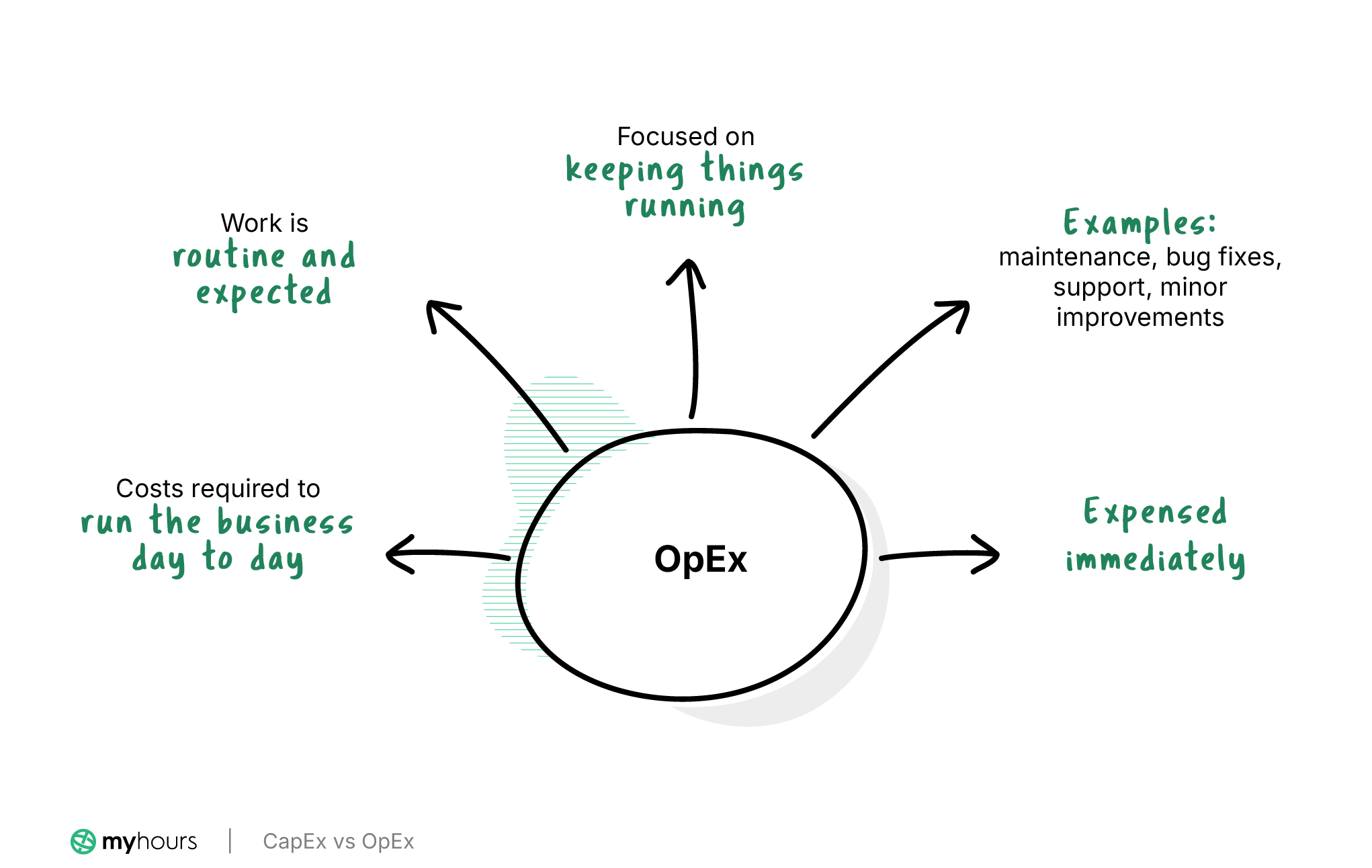
OpEx encompasses all the expenditures required to keep an organization running. In other words, routine business operations.
Everything from employee salaries, office rental, and utilities to software subscriptions, property taxes, and insurance can be counted as an OpEx expense.
Although these expenses might fluctuate month to month, they are routine, normal, and expected.
Within product and engineering, typical OpEx examples include maintenance, customer support, bug fixes, and minor enhancements.
Any activity that keeps things running without adding major new capabilities counts here, no matter how the company invests in future growth.
What this means from a finance perspective
Because OpEx does not result in new long-term assets, it is expensed immediately.
For ease of reporting and financial management, OpEx is usually divided into different “buckets” (payroll, IT, utilities, facilities, etc.) and allocated to each department’s cost center.
Tight OpEx oversight is required because it’s key to improving cash flow and the overall profitability of the business.
What Happens When CapEx and OpEx are Misclassified?
Correctly classifying CapEx and OpEx is essential because misclassification can have some pretty dire consequences for an organization’s financial position.
Here are some of the main concerns:
- Distorted financial statements with inflated profits or understated investments.
- A boosted or depressed EBITDA, which can affect performance reporting and investor confidence.
- Reduced tax deductions and weakened R&D tax credit claims.
- Increased likelihood of receiving a financial audit.
- Unreliable forecasting and analysis due to inconsistent reporting of data.
- Reduced accuracy when planning budgets.
How to Identify CapEx vs. OpEx (Handy Decision Tree)
Misclassification is easy for product and engineering teams because the way they work doesn’t always line up with the way costs are accounted for.
A single sprint can mix experimentation with new development, bug fixes, and maintenance. While it might look like one project on the surface, its individual components can actually carry different financial treatment.
Therefore, when tracking time for projects and tasks, it’s crucial to classify the activity in the moment, not after the fact, when context might be lost.
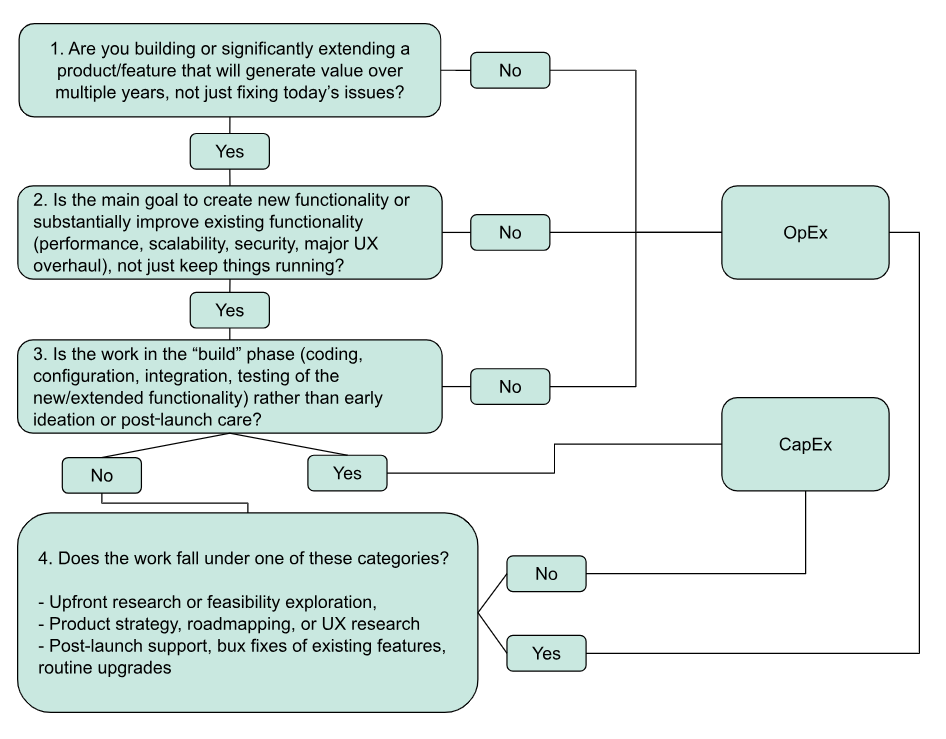
When creating a time entry, follow this flowchart to correctly classify the activity:
Why CapEx and OpEx Should Be Classified During Time Entry
As discussed above, creating retroactive time entries for work completed is problematic.
Workers can easily forget what they were working on and for how long, especially when several different OpEx and CapEx tasks were completed in a relatively short period.
For example, a single day might include experimenting with a new architecture (CapEx), fixing a production bug (OpEx), and reviewing logs to keep a system stable (OpEx).
If time is only labeled at a basic level, then finance has no defensible way to separate these costs later.
The result is a blanket classification (typically to OpEx), which then affects the overall financials and tax calculations.
On the other hand, creating contemporaneous and clearly classified time records creates the link between what was done -> why it was done -> how it should be treated financially.
Additionally, from an operational perspective, this distinction is also useful. It allows organizations to see exactly how much effort is going into growth vs. maintaining a business. For instance, leaders can view where investment is paying off and where operational bottlenecks ight be stifling innovation.
In this case, CapEx and OpEx classification don’t just act as accounting labels; they also serve as important decision-making tools.
How Time Tracking Software Supports CapEx and OpEx Classification
Manual time tracking has its limitations, and you can’t always rely on it to be correct.
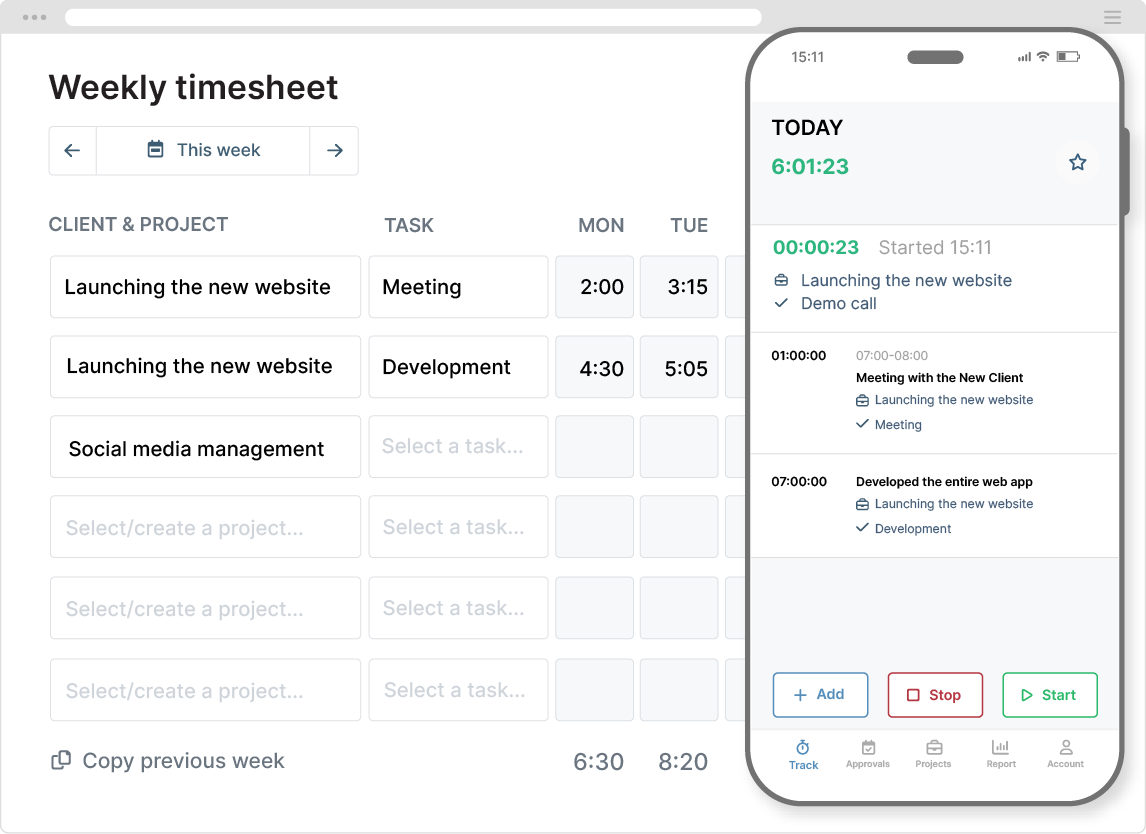
In contrast, time tracking software like My Hours allows teams to easily capture their work as it happens. By tracking time (in real time) on any device, the software produces clear, defensible records that make it easy for finance to process.
Here are some of the most helpful features:
- Project/task hierarchy: Set up clients, projects, and tasks. All time entries are linked to a specific deliverable and user, creating a distinct map between costs and work carried out.
- Flexible cost tracking: Set unique labor and billable rates by user, project, or task to capture accurate costs as time is tracked. This ensures each department is billed correctly for work performed.
- Custom fields and tags: Custom tags allow quick OpEx and CapEx classification on time entries. Custom fields enable unique data capture, like job codes, billing codes, and cost centers.
- Expense capture: Record expenses directly on time entries (complete with a copy of the receipt or invoice). This links the expense directly to the work activity and the correct CapEx or OpEx classification.
- Validation workflows: Timesheets require supervisor approval before being sent to finance. This checks for completeness and that all classifications have been correctly applied.
- Detailed reporting: Filter data by CapEx and OpEx tags to get a detailed breakdown of time and costs. Break it down further to show CapEx and OpEx expenditure for specific projects or deliverables.
Read more: My Hours for CapEx and OpEx tracking
CapEx and OpEx Tracking: Best Practices for Production and Engineering to Follow
CapEx/OpEx tracking works best when finance establishes simple rules. Production and engineering teams should also follow consistent habits regarding the tools and timesheets they use.
Below is a concise set of practices you can apply (a bonus is that they can be adapted to work across the whole organization):
- Publish a short list of work types that are usually CapEx, and another for OpEx. Use plain English examples so teams don’t have to decipher accounting terminology.
- Incorporate the decision tree above, so if anyone isn’t sure, they can follow it to find the right classification.
- Train staff on how to recognize and classify work and how to use the time tracking software correctly.
- During time entry, require additional tags to define work type (prototyping, maintenance, support, etc.). These further explain why a time entry was classified as CapEx or OpEx.
- Set up specific clients or projects within your time tracking software for pure OpEx activities (for example, one for maintenance, one for support, etc.). This helps you see where OpEx is going and prevents workers from classifying it as CapEx by accident.
- Review CapEx/OpEx ratios by value stream/product at least quarterly and look for unhealthy trends (for instance, too much flowing into generic support or everything getting labeled as CapEx). Feed findings back into training so classification gets more accurate over time.
- Enforce timesheet validation to ensure that timesheets are complete and have the appropriate classifications.
Final Thoughts
CapEx and OpEx classification only works successfully when it happens as the work happens.
The combination of clear guidance and using the simple decision tree and time tracking software gives finance the data it needs, without adding unnecessary friction for product and engineering teams.


