


8 Replicon (Deltek) Alternatives for 2026
The eight best alternatives for Replicon users seeking an option better suited to their needs.
Replicon is a powerful platform with deep customization capabilities. As such, it’s well-suited for enterprise-level organizations. For other types of business or smaller teams, other time tracking tools may be a better fit.
We tested the most popular Replicon alternatives, and these are the eight that proved their worth.
*Last updated: September 2026*
Content overview

- 1. My Hours: Best for simplicity and compliance
- 2. Paymo: Best for freelancers
- 3. Timely: Best for AI time tracking
- 4. Jibble: Best attendance tracker
- 5. Hubstaff: Best productivity tracker
- 6. Connecteam: Best for deskless teams
- 7. QuickBooks Time: Best for built-in accounting
- 8. HiveDesk: Best for remote teams
What Did Replicon Change?
In 2023, Deltek completed its acquisition of Replicon and made the platform a part of the Deltek solution portfolio.
Since the acquisition, Replicon no longer offers tiered plans at a set price. Now, all pricing is bespoke according to feature need and user numbers.
To learn how much the platform costs, it’s now necessary to speak with the sales team and organize a personalized demo.
Top 6 Replicon (Deltek) Alternatives at a Glance
%20Alternatives%20-%20at%20a%20Glance%20tabela.png)

1. My Hours: Best for simplicity and compliance
Price:
- Free (5 users)
- $5 - $9/per user (paid monthly)
- $4 - $8/per user, per month (paid annually)
- Enterprise pricing available
Available on: Desktop, Web, browser extension, iOS & Android
Pros:
 Works out of the box with minimal setup
- 24/7 live customer support
- Compliant with privacy laws, labor laws, and DCAA
- Flexible project costing and billing
- Comprehensive and customizable reporting
- Strong timesheet validation workflows
Cons:
 No staff scheduling tools
- No AI time tracking
- Basic invoicing tool
With more than two decades of development behind it, My Hours helps businesses boost profitability by tracking time accurately and turning it into meaningful project insights.
Designed to be both easy to use and exceptional value, the platform offers unlimited projects, tasks, and clients on its free plan. For teams looking to make the most of features without stretching their budget, My Hours is the best price-performance app available.

Why choose My Hours over Replicon?
While My Hours doesn’t have detailed compliance controls like Replicon, its platform does comply with major frameworks, including DCAA, R&D tax credit claims, and major privacy laws, like GDPR.
This makes it a suitable platform for teams that want compliance-first time tracking, without the complex setup processes or maintenance.
For example, it features strong timesheet validation controls with data locking, plus a full audit trail of actions that take place within the platform. All changes to time data are logged and timestamped, and include descriptions of why the changes were made.
Additionally, all time entries link directly to deliverables, creating transparent, defensible records to show during checks and audits.
Beyond compliance, My Hours is an intuitive platform for tracking billable time, controlling costs, and maintaining project profitability. The in-depth reporting feature provides you with real-time data with which you can make informed decisions.
Custom fields and tags give you flexibility over data capture, without introducing unnecessary complexity.
Combined with a user-friendly interface and straightforward configuration, My Hours is particularly well-suited to growing organizations. Especially those that need reliable compliance features alongside practical project and financial management.
Replicon drawbacks:
1. Complex setup:
Replicon requires a lot of customization and setup process for it to work for your business. Therefore, implementation can be a slow process.
How My Hours solves this: The platform features a minimal setup time and works right out of the box. Most teams can learn how to use it in a matter of hours.
2. Pricing is not transparent:
Pricing can only be obtained by contacting the sales team, making it difficult to know right away if it’s within budget.
How My Hours solves this: My Hours has a basic free plan and two clear paid plans, which are suitable for most teams. If you require additional customization, then enterprise pricing is available.
3. Feature overload for smaller teams:
Replicon is aimed at larger businesses with an extensive feature set. This is overkill for smaller businesses looking for a simple time tracking solution.
How My Hours solves this: The platform was designed with usability in mind. Therefore, it isn’t overloaded with tools that most businesses won’t use. With a focus on project profitability and cost, and billable time capture, My Hours concentrates on providing the best features for this purpose.
Bottom line comparison
 Multi-jurisdiction compliance engine
- AI-powered time tracking
- Billable hour capture
- Workforce management
- Expense tracking
- Built-in compliance for major frameworks
- Real-time tracking on any device
- Approval workflow with data locking
- Flexible project billing
- Custom data capture

2. Paymo: Best for freelancers
Price:
- Free for 1 user
- $9.90 - $23.90/per user (paid monthly). Additionally, a reduced rate is provided for the first three months
- $5.90 - $16.90/per user, per month (paid annually)
Available on: Desktop, Web, iOS & Android
Pros:
- Decent free plan
- Built-in payment gateway
- In-depth project management
- Guest access
- Time off management
- Responsive support
Cons:
- Lacks scalability for growing teams
- Basic mobile app functionality
- Some features and plans have usage limits
Why choose Paymo over Replicon?
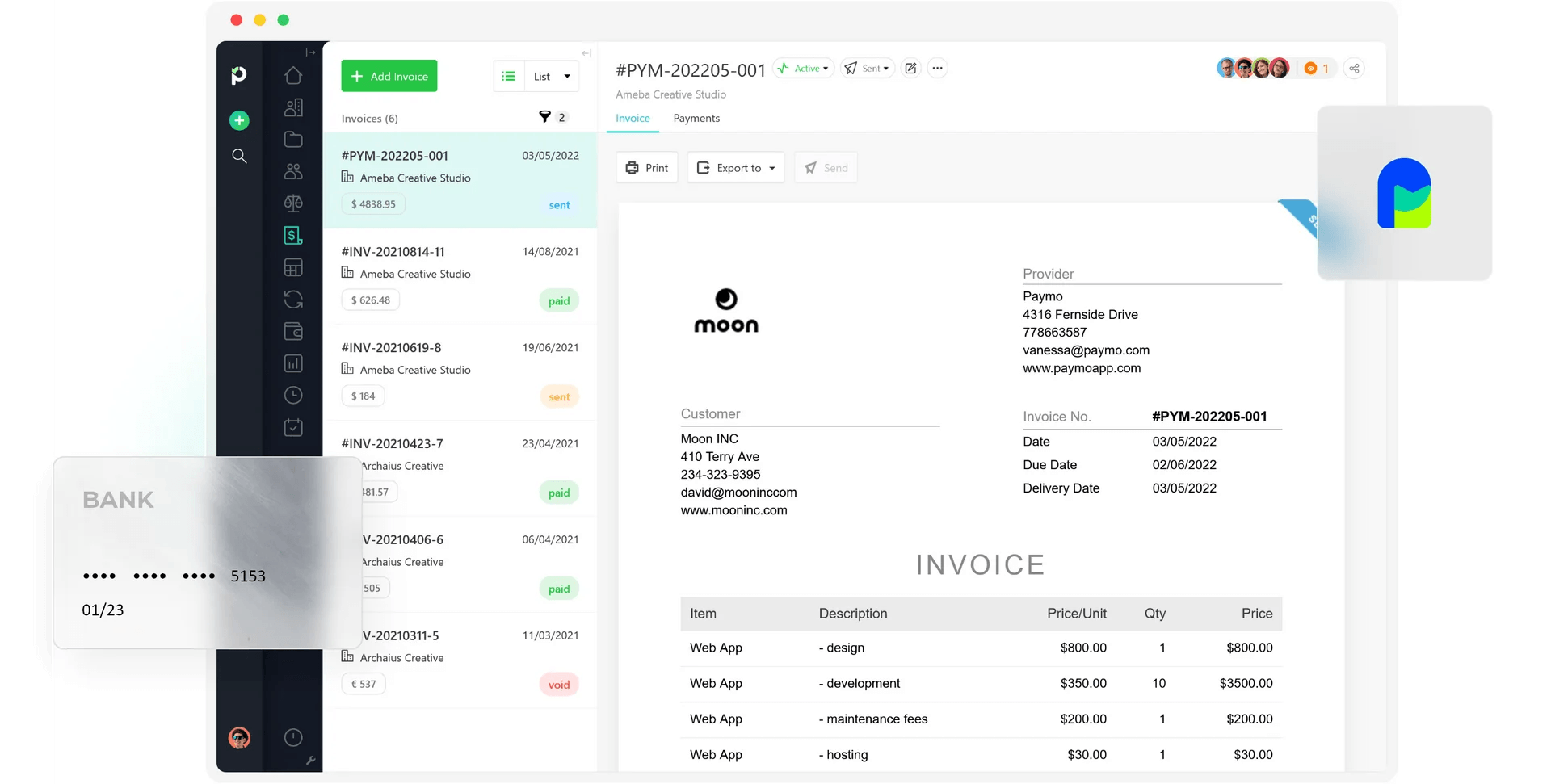
Whereas Replicon was built for larger businesses, Paymo focuses on individual tracking needs.
As such, it’s a time tracking tool with lightweight project management features and invoicing all rolled into a single platform.
Task lists and the calendar make it simple to see what your workload is like. You can also use Kanban boards and Gantt charts to organize your projects. If you work with others occasionally, you can also provide guest access that makes collaboration easier.
Billable hours, expenses, and other costs are tracked alongside time, and all data is quickly pulled through to an invoice. The platform also supports recurring invoices if required.
Perhaps one of the most standout features, though, is Paymo’s ability to take online payments. This means you can send an invoice, and clients can pay you directly from the invoice itself, providing a seamless experience for both you and the client. Plus, it keeps all your financial data in one place.
Because Paymo combines tracking, project management, and payment services, you don’t have to maintain multiple subscriptions for different software. And this is why we recommend it for freelancers or solopreneurs.

3. Timely : Best for AI time tracking
Price:
- Free 14-day trial
- $11 - $28/per user (paid monthly)
- $9 - $22/per user, per month (paid annually)
- Enterprise pricing available
- Add-on task management for $5/per user per month
Available on: Desktop, Web, iOS & Android
Pros:
- AI-powered time tracking
- Memory tracker for frequent task switchers
- Resource planner
- Track billable rates and labor rates
- Timesheet approval workflows
- Custom tags for data organization
Cons:
- No staff scheduling tools
- Reports could be more detailed
- Task management is a paid add-on
Why choose Timely over Replicon?
If you like the idea of AI-powered time tracking, but don’t want the complexity of Replicon, then Timely could be a good alternative.
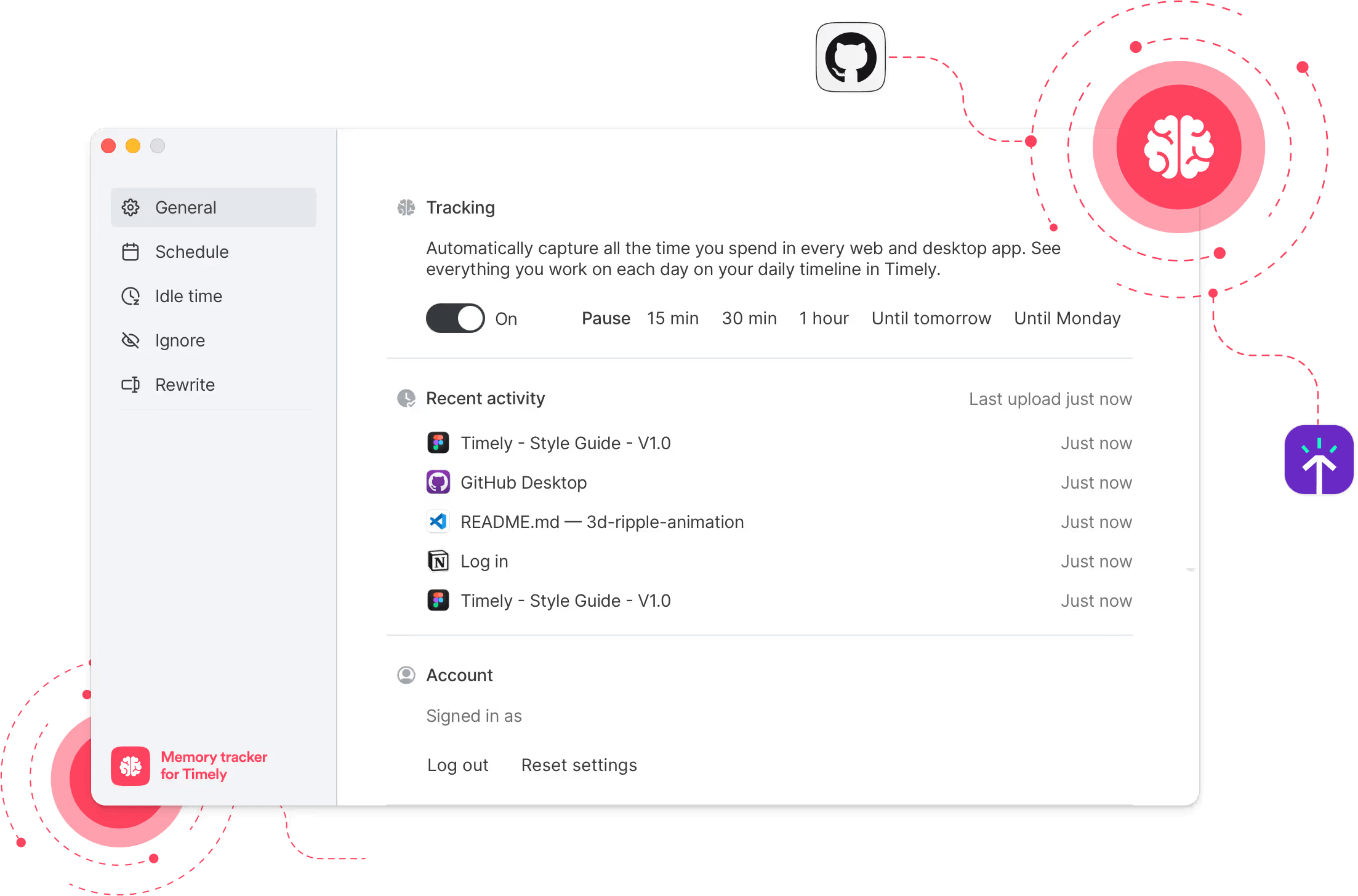
Timely’s AI capabilities extend to automatic capture, which tracks your activity in the background. The AI agent completes timesheets and collates time entries to projects and clients.
The memory tracker is particularly useful, since it gives you a complete timeline of your day, remembering what you did down to the minute. This is especially useful for teams that task-switch frequently.
We also like that all data within Timely is kept private and isn’t used to train wider AI models. The platform also does not have any surveillance tools.
Beyond AI, Timely includes tools for capturing billable time and expenses, which can pull straight through to invoicing.
The workspace capacity planner and people dashboard are other useful features. You can map out resources, see who’s under- or over-utilized, and discover insights into team performance.
It isn’t as powerful as Replicon, with more limited customization options and reporting that lacks depth. Additionally, having to pay for extra task management tools can feel frustrating for teams expecting a more complete solution.
But, if you prefer hands-off time tracking, it definitely gives Replicon a run for its money.

4. Jibble: Best attendance tracker
Price:
- Free (unlimited users)
- $4.99 - $9.99/per user (paid monthly)
- $3.99 - $6.99/per user, per month (paid annually)
- Enterprise pricing available
Available on: Desktop, Web, iOS & Android
Pros:
- Unlimited free users
- Biometric software and facial recognition for attendance
- GPS tracking and geofencing
- Workforce scheduling
- Time off planning
- In-depth reporting
Cons:
- No labor rate tracking
- No expense upload
- Includes employee surveillance
Why choose Jibble over Replicon?
Jibble is one of the only remaining platforms that provides a free plan with unlimited users. Plus, you get a decent amount of features without having to upgrade.
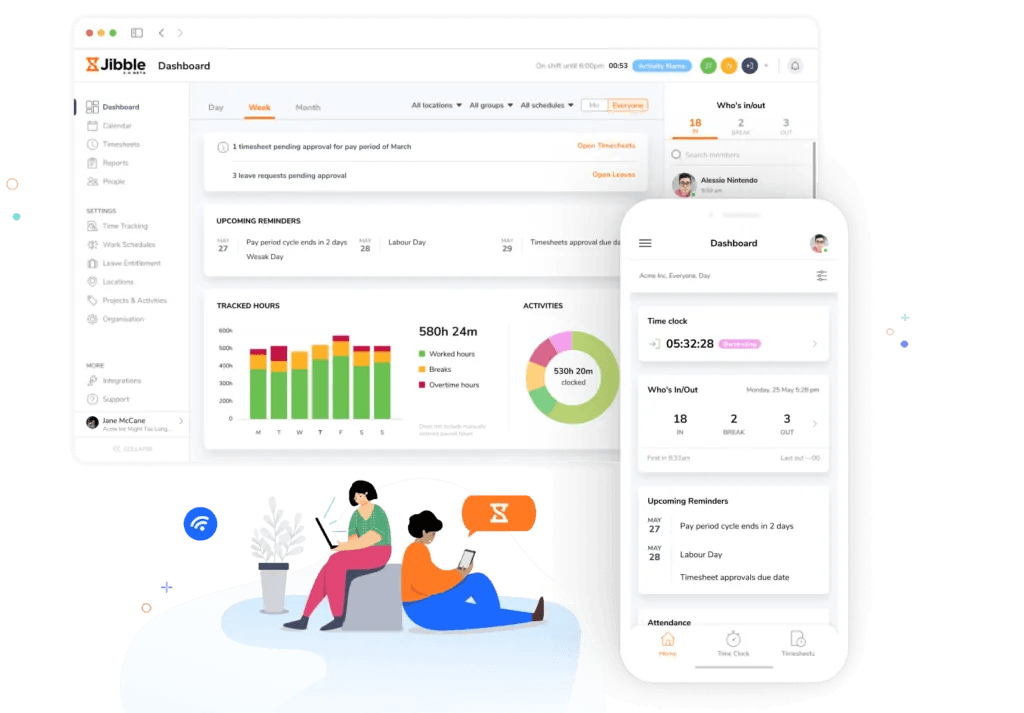
For example, you can track time via the mobile apps or web browser, or use the clocking-in/out kiosk. You can also set time tracking rules according to your team’s workday, use GPS tracking, and even verify clock-ins using facial recognition.
Upgrading to the paid plans unlocks more features, such as workforce scheduling, calendar management, and detailed reporting.
With multiple paid plans on offer, Jibble is a scalable platform that can support organizations once they reach the enterprise level. Yet, it’s far easier to manage and use compared with Replicon.
One thing to keep in mind, though, is that Jibble was only designed to track time and attendance. This means it’s not a powerful platform when it comes to project management or tracking billable time and costs.
However, it is a very budget-friendly solution for teams that require simple time tracking for attendance and payroll, particularly for multi-site organizations.

5. Hubstaff: Best productivity tracker
Price:
- Free 14-day trial
- $7 - $12/per user (paid monthly, 2 seats minimum)
- $4.99 - $10/per user, per month (paid annually, 2 seats minimum)
- Enterprise pricing: $25/per user (paid annually)
Available on: Desktop, Web, iOS & Android
Pros:
- Productivity insights
- Project workflow management
- In-built payment system
- Track billable rates and labor rates
- HIPAA compliant
- Expense upload
Cons:
- Employee surveillance tools
- Lots of paid add-ons
- Complex setup
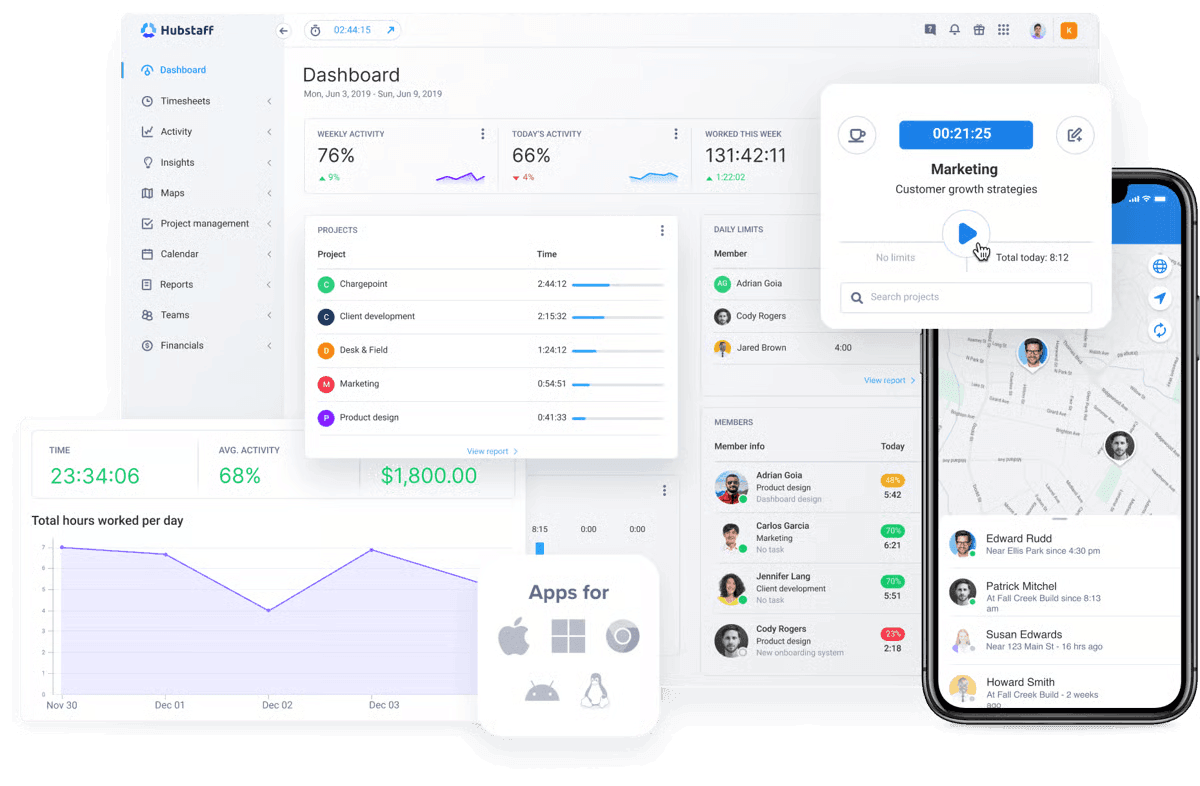
Why choose Hubstaff over Replicon?
Hubstaff is an ideal platform if your chief concern is improving productivity across the workforce.
It can track worker activity and show real-time activity levels, and displays them on a dashboard (without collecting users' private information). It will then highlight the tasks and trends that are low input or don’t add value.
There is also the inclusion of worker surveillance tools, like screenshot monitoring and computer and internet usage tracking. However, these are optional features and can be customized according to job roles and privacy concerns. For example, you can limit data visibility and blur screenshots.
Hubstaff also has some pretty solid project tracking tools, including a workflow tool that integrates with popular project management apps. You also get controls to manage budgets, deadlines, and costs.
It’s also ideal if you need workforce scheduling and time off planning. These features will allow you to map out resources efficiently and track attendance within each team.
One thing to note is that Hubstaff does come with a lot of paid add-ons. Although they are not essential, if you want additional data insights, task management, and extended data retention, they all come at an extra per-seat cost.

6. Connecteam: Best for deskless teams
Price:
- Free (up to 10 users)
- $35 - $119/for 30 users (paid monthly)
- $29 - $99/for 30 users, per month (paid annually)
- Enterprise pricing available
Available on: NFC tag, iOS & Android, Desktop, Physical Clock
Pros:
- Multiple clocking-in/out systems
- Task checklists and updates
- Collaboration tools
- Fast to implement
- HR management hub
- Time off planning
Cons:
- Pricing is for a minimum of 30 users
- Basic reporting
- The communication and HR hubs come at an extra cost
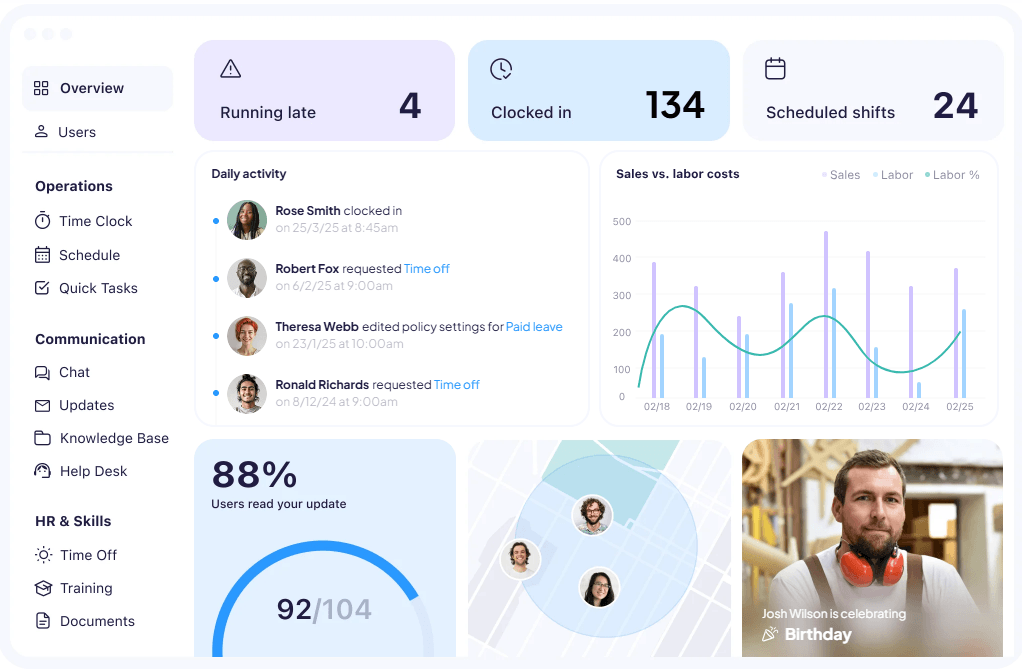
Why choose Connecteam over Replicon?
Connecteam is built to handle teams that work in the field or off-site. As such, it acts as an all-in-one hub with everything you need to manage attendance, resources, and team communication.
It also offers lightweight HR workflows, complete with training and onboarding tools, org charts, and more, although this costs extra.
For day-to-day operations, Connecteam offers team scheduling, task updates, forms, and checklists. Team members can chat within the platform and provide updates on work progress.
The platform also offers a broad range of ways to track attendance and time. From GPS tracking and geofencing to NFC tags and physical clocking stations, it’s flexible enough to handle attendance on any type of worksite.
Although it sounds complex, Connecteam is built for simplicity and quick adoption. And instead of forcing field teams to bounce between separate systems, the platform keeps data centralized with essential functions accessible from a phone.
So, if your biggest need is practical workforce coordination and visibility across a distributed team, Connecteam can manage it without making the experience feel heavy or overly complicated.

7. QuickBooks Time: Best for built-in accounting
Price:
- $20 - $40/month base fee (includes 1 Admin user)
- $10 - $12/per user per month
Available on: Desktop, Web, iOS & Android
Pros:
- Designed for QuickBooks Online users
- Connects directly to payroll and invoicing services
- On-site clocking in/out kiosk
- Workforce app for offsite tracking
- Unlimited customer support
- Time off tools
Cons:
- Features are not in-depth compared to other options
- Must upgrade to gain greater capabilities
- Expensive plans
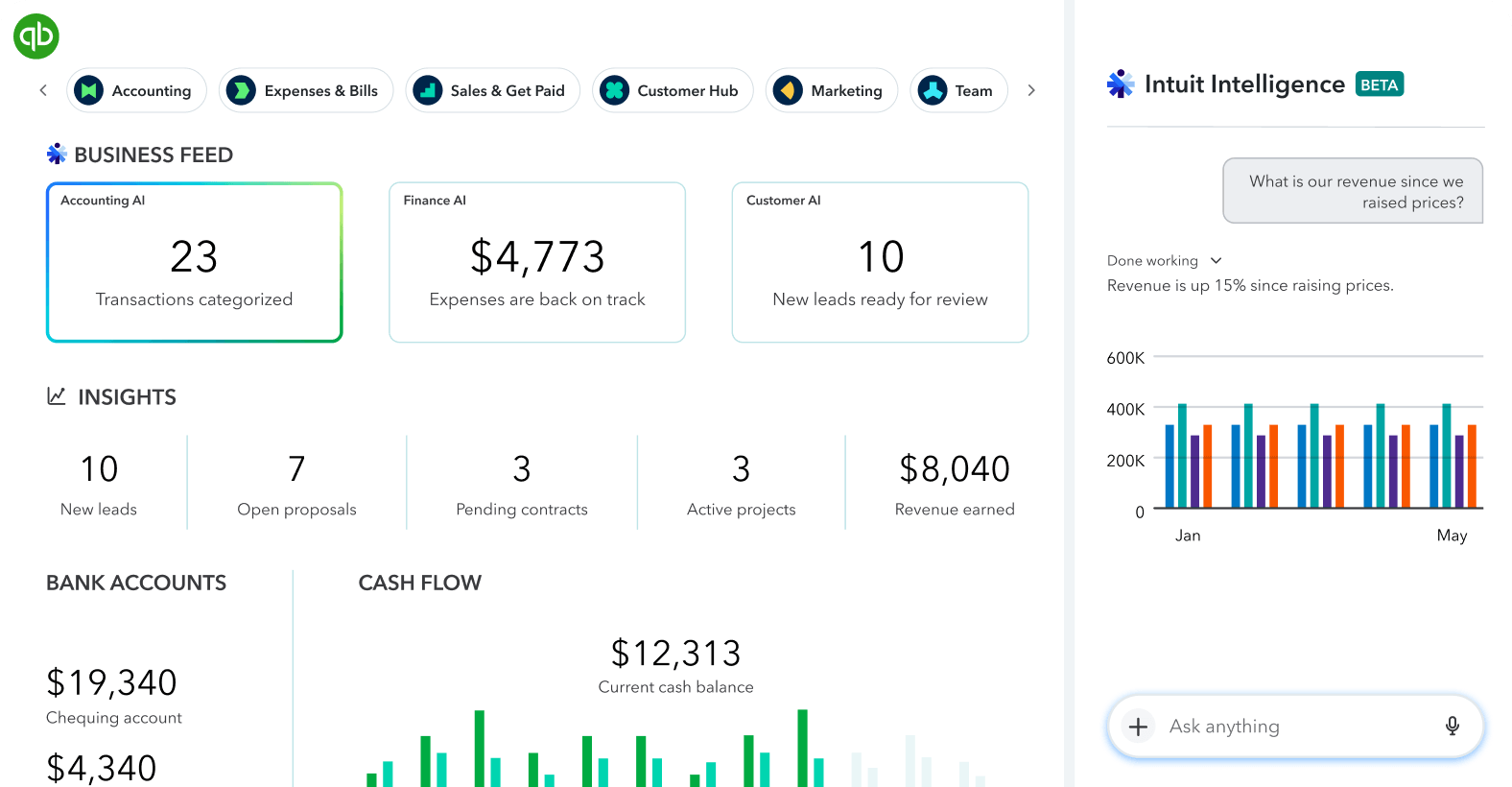
Why choose QuickBooks Time over Replicon?
QuickBooks Time forms part of Intuit’s product range and is specifically designed for teams that are already using QuickBooks Online.
Therefore, syncing to payroll and invoicing is seamless and pretty much instant.
Besides basic time tracking, QuickBooks offers a time kiosk for on-site clocking in and out, plus the Workforce app, which allows time tracking from anywhere.
For additional transparency, users can attach photos to timesheets directly from their phone. This is a great feature for when proof of work or before-and-after shots are required.
A detailed time off planner is also provided, so you can easily manage your workforce capacity. Meanwhile, the project tracker enables collaboration so teams can stay updated or share important information.
We will say that the features are quite basic compared with Replicon, so QuickBooks Time works best if you primarily track time for payroll purposes.
If you do want more power, however, it’s possible to upgrade to the Workforce Premium plan. This includes the time tracking tools, but also full-service payroll and a whole host of team management tools, including hiring and onboarding, time off management, and even background checks (facilitated by Checkr and charged separately from $29.99 per report).

8. HiveDesk: Best for remote teams
Price:
- 14-day free trial
- $5/user per month
Available on: Desktop, Web, iOS & Android
Pros:
- Real-time activity dashboard
- Multi-time zone scheduling
- Time off management
- Task progress monitoring
- Detailed productivity reports
- Custom overtime and leave policies
Cons:
- Extensive employee surveillance
- Long implementation
- No budget tracking
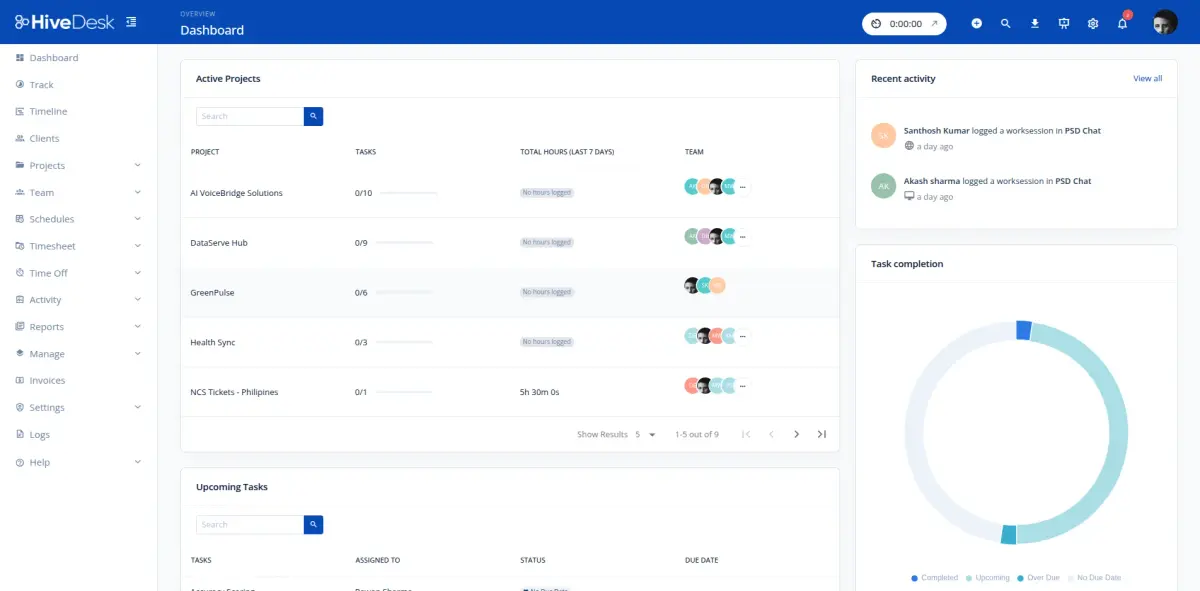
Why choose HiveDesk over Replicon?
If your team works at a desk but remotely, then HiveDesk could be a great alternative to Replicon.
Its strongest fit is for teams that work from laptops and where managers need a simple way to track and monitor activity as well as plan out workloads and resources.
The platform features a real-time dashboard that displays which workers are currently online and what they are working on. You can view individual users or monitor team activity as it happens.
Additionally, shift scheduling works across multiple time zones, so you can maintain coverage round the clock. Timesheets are auto-generated from tracked hours, and you can also set up approval workflows to ensure data accuracy.
Overtime hours tracking and break time records are built in, supporting labor law requirements across jurisdictions. Leave policies are customizable and include request and approval workflows for time off.
While the employee monitoring tools are too extensive for office-based teams, they do give a level of reassurance that work is progressing.
Overall, HiveDesk is best suited to organizations that place a high value on workforce visibility and straightforward attendance tracking, rather than enterprise-grade management capabilities.
Best Replicon Alternatives by Team Size
Each time tracking app is best suited to a specific team size. When considering the different apps, it’s important to match the features to what your organization needs the most. This way, the tracker you choose will have the best impact.
Best Replicon alternatives for teams of 1-5
Smaller teams likely value simplicity and quick setup over complex customization options. Choose a tracker that offers flexible time tracking with the ability to track labor rates and billable costs.
My Hours has one of the best balances between usability and features.
Paymo is useful if your team requires extra project management tools.
Timely and its AI-powered time tracking is good for frequent task switching.
Best Replicon alternatives for teams of 6-30
As a team grows, some organizations find they require more robust controls over data accuracy and compliance. For other teams, staff scheduling and planning tools become a necessity.
My Hours offers compliance-first time tracking with strong approval workflows.
Jibble focuses on staff attendance and time off tracking.
QuickBooks Time is perfect for teams already using the QuickBooks ecosystem.
Best Replicon alternatives for teams of 30+
Larger teams typically require higher levels of customization and possibly multi-jurisdiction support, as well as maintain visibility over workforce productivity.
Connecteam is the strongest choice for dispersed teams.
Hubstaff is ideal for digging deep into staff productivity.
HiveDesk is built for remote desktop teams.
How to Choose the Right Replicon Alternative: Essential Checklist
With so many time tracking platforms available, choosing the right one can feel overwhelming. The key is to start with your business requirements rather than comparing feature lists.
Ask yourself what problem you're trying to solve.
- Are you primarily tracking billable hours for client invoicing?
- Do you need to manage employee attendance?
- Is project profitability your priority?
- Are you looking for a workforce management solution with scheduling and leave management?
Once you've identified your primary use case, narrowing down the right software becomes much more straightforward.
Use the checklist below to evaluate your options.
1. Define your requirements:
Start by understanding how your business will use the platform:
- How many people will use the software?
- Do you need a solution for freelancers, growing teams, or a larger organization?
- Will you be billing clients based on tracked time?
- Should timesheets feed directly into invoices?
- Do you need to record leave, holidays, or other non-working time?
- Will employees be tracking time across multiple projects or clients?
- Are there industry regulations or labor requirements your records must satisfy?
- Do you need workforce oversight features, such as GPS tracking or employee monitoring?
- How likely is your team to adopt a time tracking system?
- Will the software need to connect with your existing payroll, accounting, or project management tools?
- What reporting capabilities will managers or finance teams require?
2. Prioritize the features that matter
Once you've established your requirements, create a shortlist of the features that genuinely support your workflow.
Consider whether you need:
- Automatic timers alongside manual time entry
- Mobile, desktop, browser, and offline tracking
- GPS tracking or geofencing for remote workers
- Project, client, and task organization
- Billable rates, labor costs, and expense tracking
- Budget management and profitability reporting
- Built-in invoicing
- Timesheet approvals and record locking
- Scheduling, leave management, and overtime tracking
- Project planning tools such as Kanban boards or Gantt charts
- User permissions and role-based access
- Productivity or monitoring features
- Integrations with the rest of your software stack
- Custom dashboards, reports, and analytics
3. Compare your shortlist:
Once you've identified a few suitable platforms, compare them across the following key areas:
- Pricing: Does the free plan meet your needs, or do you require a paid tier? Is it a good value as your team grows?
- Ease of use: Can employees learn it quickly, and is the interface intuitive enough for daily use?
- Implementation and support: How straightforward is onboarding, and how responsive is customer support?
- Data migration: Can you easily import existing users, projects, and historical time records?
- Security: Does the platform meet your expectations for data protection and privacy?
- Customer feedback: Do reviews consistently highlight strengths, or do recurring complaints appear?
- Compliance: If you operate in a regulated industry, does the platform support the standards you need to meet?
Finally, don't decide without testing the software in a real working environment. Most vendors offer a free trial, free plan, or guided demo, allowing you to evaluate how the platform performs before committing.
Where possible, involve the people who will use the software every day. A platform that works well for both managers and employees is far more likely to be adopted successfully, resulting in fewer implementation issues and a smoother rollout.
Frequently Asked Questions
How do I choose the best Replicon alternative?
To choose the best Replicon alternative, start by considering what you feel the platform’s limitations are. Then identify your primary use case and compare suitable alternatives.
Be sure to look at pricing, support, features, and usability, and test out platforms thoroughly before making a final decision.
Which Replicon alternative is most affordable?
The most affordable Replicon alternative is a platform that offers a free plan with scalable paid plans and transparent costs. Jibble offers the lowest entry point with its free plan for unlimited users. However, if you require stronger tools for tracking and managing project finances, My Hours provides the best balance of features and value.
In contrast, Replicon does not reveal its pricing upfront, making it difficult to determine if it’s affordable or offers genuine value.
Which Replicon alternative is suitable for enterprise-level organizations?
My Hours, Timely, Jibble, HubStaff, and Connecteam are all suitable Replicon alternatives with plans available for enterprise-level organizations.
Each platform has its strengths, depending on what is required for the business. My Hours is strong for simplicity and compliance, while Timely excels for AI time tracking. Jibble is a good choice for attendance tracking tools, HubStaff for productivity tracking, and Connecteam works well for deskless teams.
How difficult is it to switch from Replicon to another platform?
The difficulty of switching from Replicon to a new platform depends on the platform you choose and the complexity of your existing setup.
Many Replicon alternatives, like My Hours, offer migration tools and assistance, allowing you to import users, projects, clients, historical time entries, and other data.
Before switching, audit your existing workflows and decide which data is essential to migrate. It's also worth running the new platform alongside Replicon for a short pilot period to verify workflows before fully committing. This helps minimize disruption and gives teams time to adapt to the new system.

Waste no more time,
jump right in!

All rights reserved.