
Time Tracking for Design Studios
Turn creative hours into invoices clients trust
 See exactly how much time each client and project is taking
- Charge the right rate for every designer, task, or project
- Turn tracked hours straight into client invoices
- Keep a complete record of every logged hour
Content overview

- Set Up Packaged Work Once, Reuse It Every Time
- Run Project Work and Retainers Side by Side
- Track Hours In the Studio, On Site, or Remote
- Bill a Mixed-Rate Creative Team Correctly
- Don't Let Revision Rounds Eat the Fee
- Keep Flat-Fee Packages From Running You Into a Loss
- Log Every Cost a Project Picks Up
- Show Clients Exactly Where Their Budget Went
- Send Invoices Without Re-Entering a Single Number

Trusted by more than 100.000 businesses worldwide


Time tracking for design studios

A time tracker built for design studios turns scattered client work and open-ended revision requests into billing that actually holds up.
Design studios often handle several clients at once, each with their own project types, deliverables, and deadlines.
Without a solid system, hours can get logged against the wrong project, or a round of client revisions can affect profitability without anyone noticing until it's too late.
My Hours gives design studios one place to track time by client and project, keep revision work separate, bill a team with mixed rates correctly, and see revenue generation and profitability at a glance.
Give Every Client and Project Its Own Space
Studios are rarely working with just one client, and each one usually needs its work organized differently.

Assign team members only to the work they're responsible for, so time doesn’t accidentally land against the wrong client.

"I like that MyHours tracks precisely the amount of hours used to create any material/job/service execution. It has helped me to organize all my jobs, including the companies/advertising agencies/offices plus freelancer works, and by so, I can show to my clients exactly how much time I invest on creating their artworks."

Set Up Packaged Work Once, Reuse It Every Time
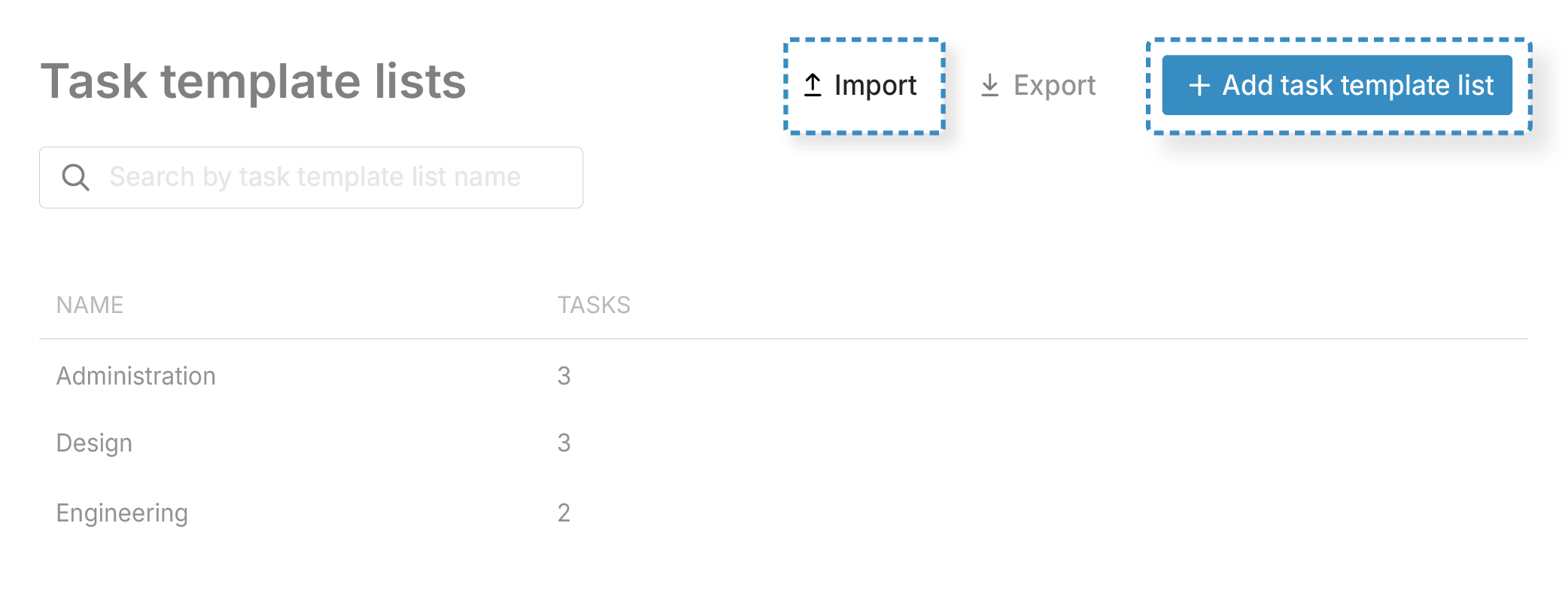
Studios that repeatedly sell the same kind of package, such as a logo package, a full brand identity, or website development, don't need to rebuild that project’s structure from scratch for every new client.
Run Project Work and Retainers Side by Side
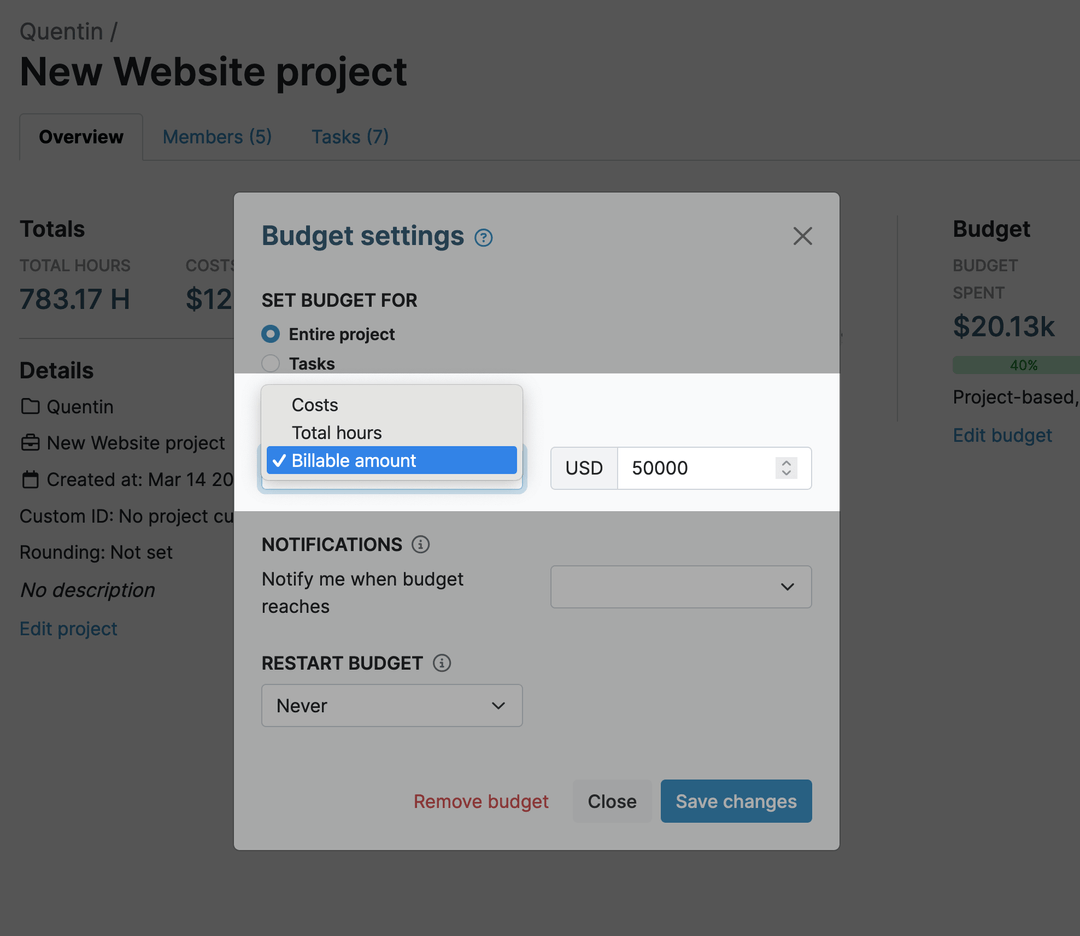
Most design studios manage a mix of one-off projects and ongoing retainer work.
"I have multiple jobs and My Hours has been easy to track what is needed with each of them."
Track Hours In the Studio, On Site, or Remote
Creative work doesn’t happen in one place. Client meetings, on-site shoots, or remote collaboration keep your team moving between locations and devices.
.png)
Bill a Mixed-Rate Creative Team Correctly
A single project can involve a junior designer's production time, a senior designer's concepting, and an art director's sign-off, each charging different hourly rates.With My Hours, you can set rates in three ways, depending on how your studio prices its services.
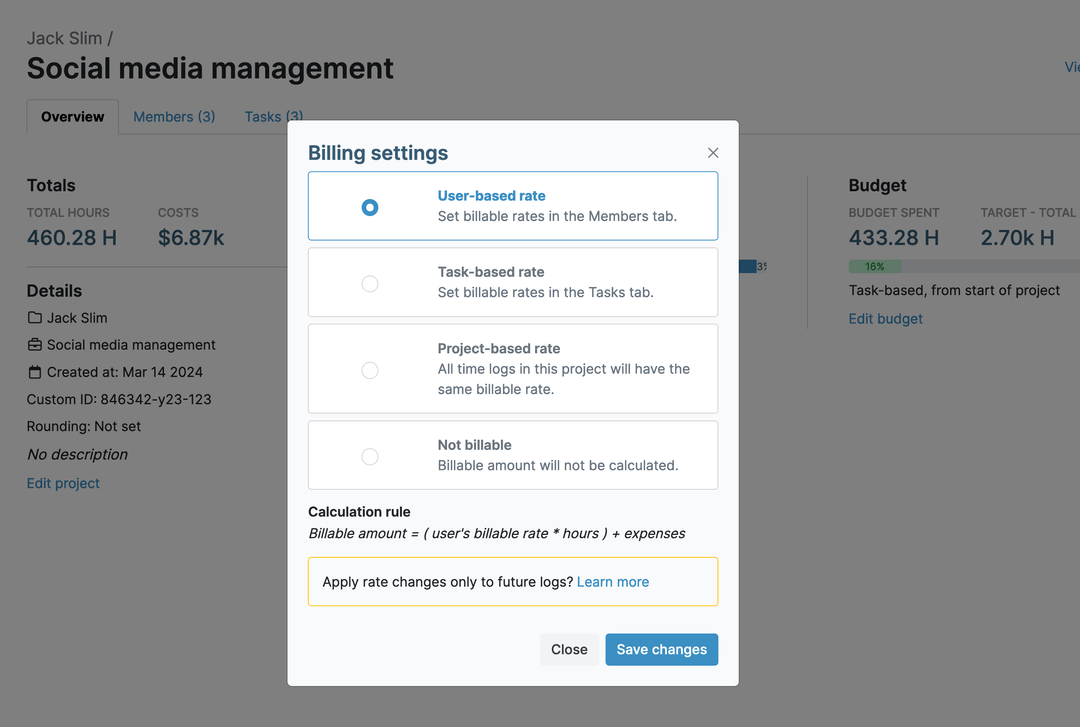
Task-based billable rates mean certain types of work, like concepting versus production, always bill at their own rate regardless of who does them.
You can mark internal work as non-billable at the project, task, or individual entry level, so it never gets added to a client invoice.
"I love the automated billing feature for every individual project created that ensures I bill my clients fairly and give them a detailed report on how their hours were spent."
Don't Let Revision Rounds Eat the Fee
Most design contracts cap the number of revision rounds included in the price. Once a client goes past that cap, extra requests should be billed separately, but it's easy to lose count of which round you're actually on.
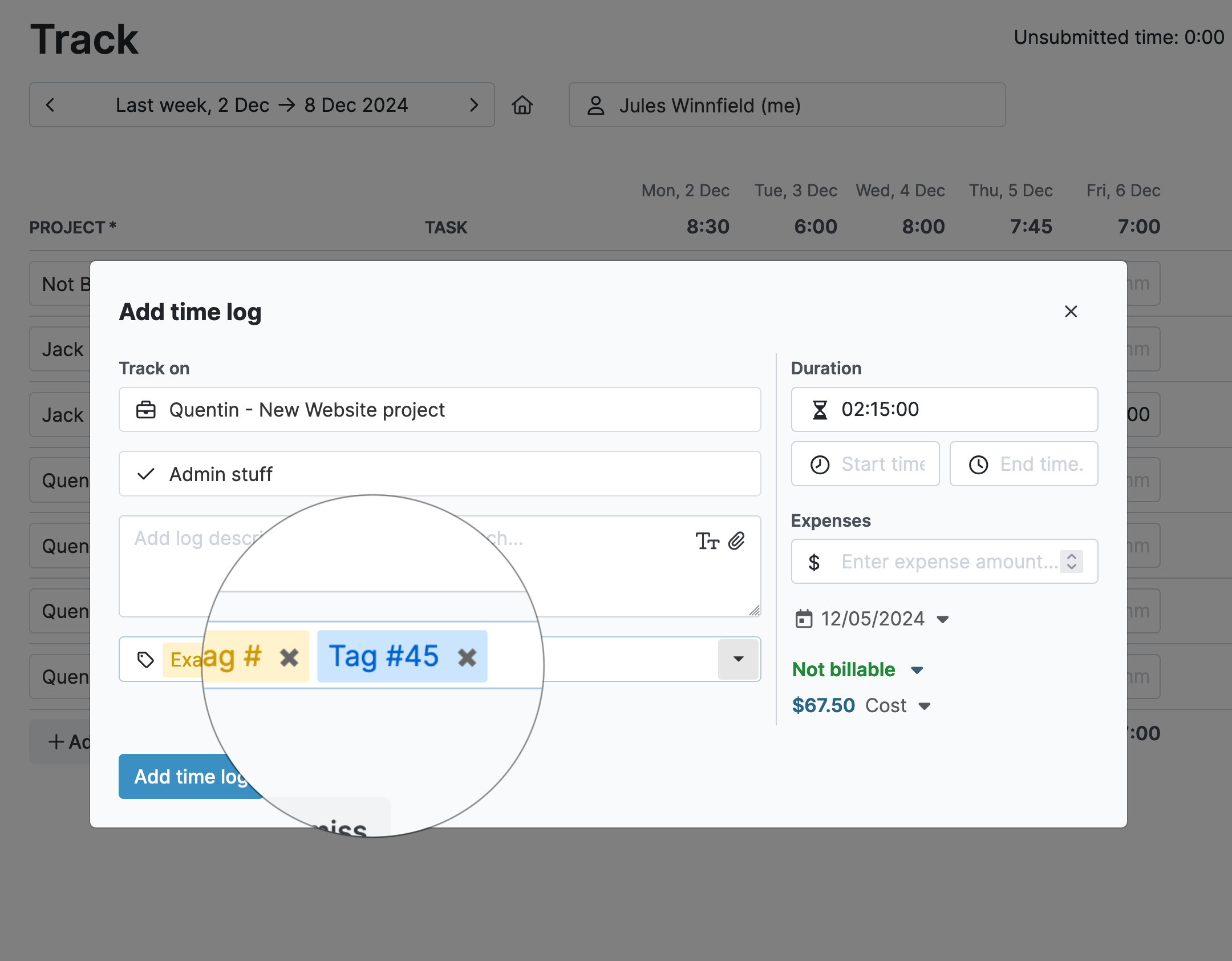
"I like that it's easy to use and mostly user-friendly. Being able to use tags is paramount for me, as I like to categorize my projects so that I can give more accurate pricing quotes to my clients."
Keep Flat-Fee Packages From Running You Into a Loss
Set a target number of hours or a dollar budget on the project or task, whichever matches how the package is priced.
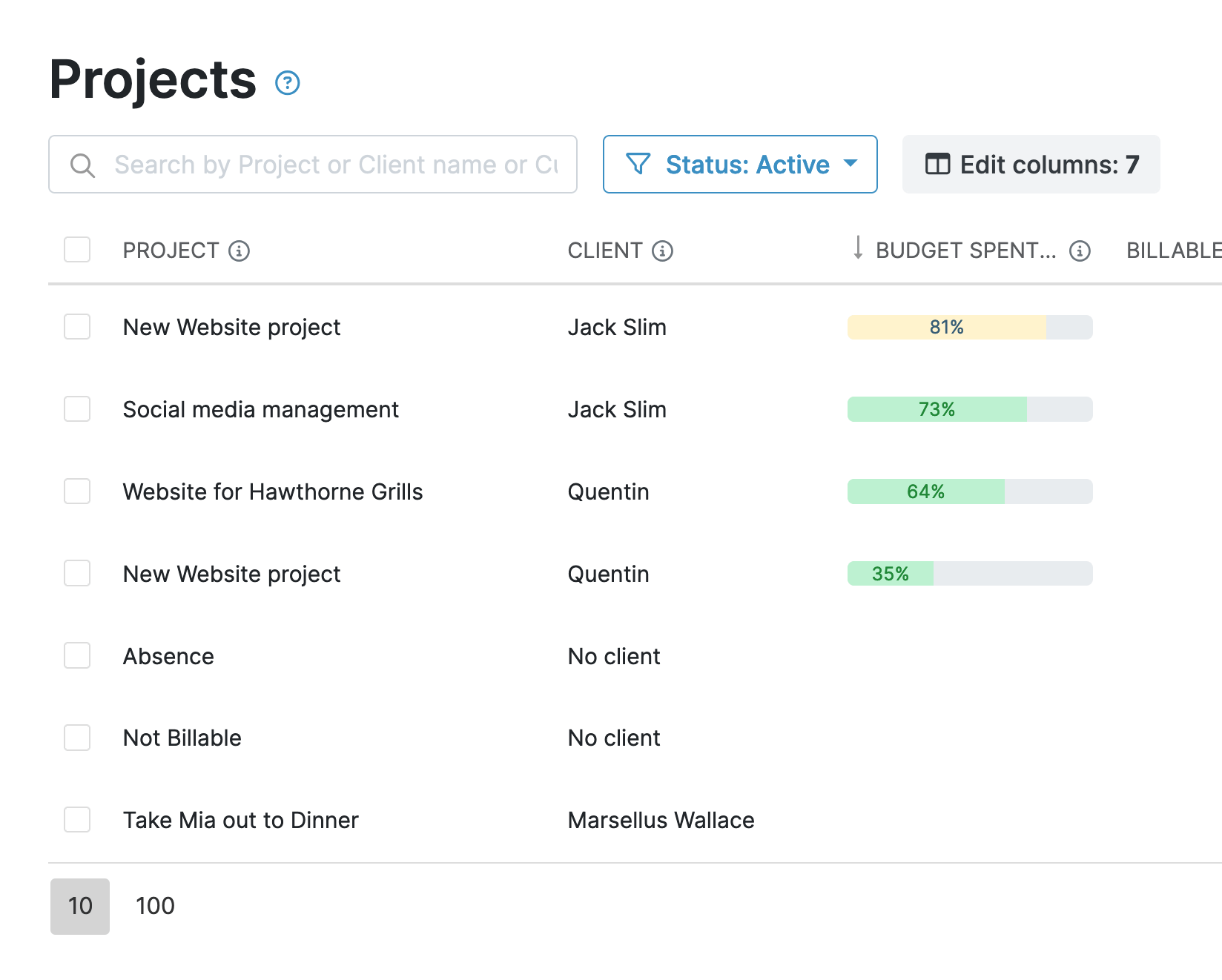
"Ease of use, no math for me to do. I can look back at previous projects to estimate."
Log Every Cost a Project Picks Up
Labor isn’t the only cost a project incurs. Design studios also need to account for expenses like stock assets, printing, travel, and courier fees without relying on separate spreadsheets.
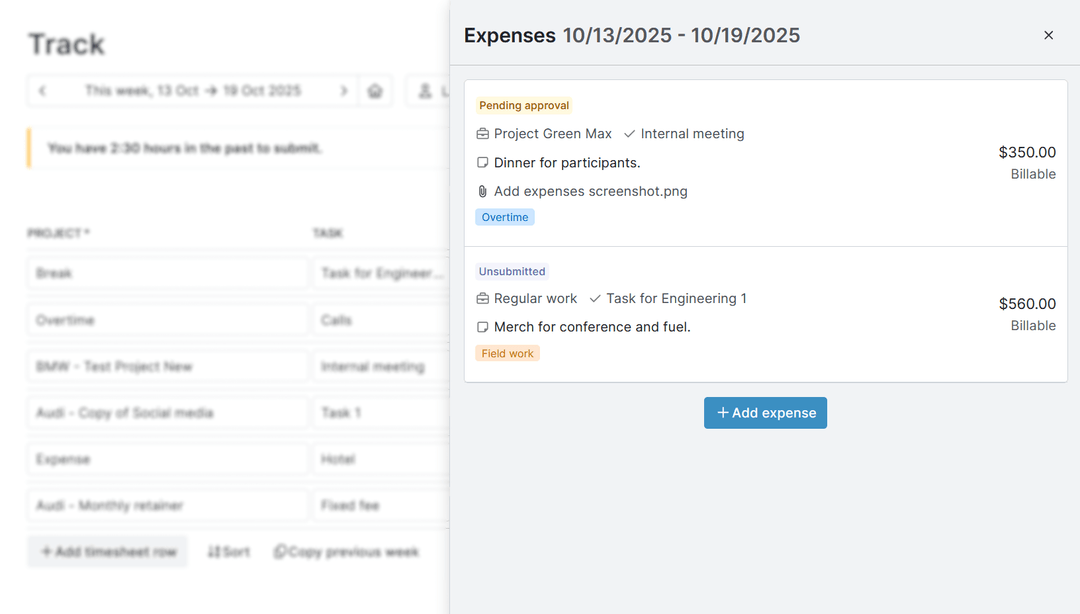
Attach receipts for supporting documentation.
"My Hours is our go-to app in the studio to track time for projects and tasks. It is very useful when it comes time to bill our clients for the hours worked - and our clients really appreciate a comprehensive breakdown of the hours worked on daily, weekly and monthly basis."
Show Clients Exactly Where Their Budget Went
Clients expect regular reports showing how their budget was spent, whether it’s a quick progress update or detailed project summary.
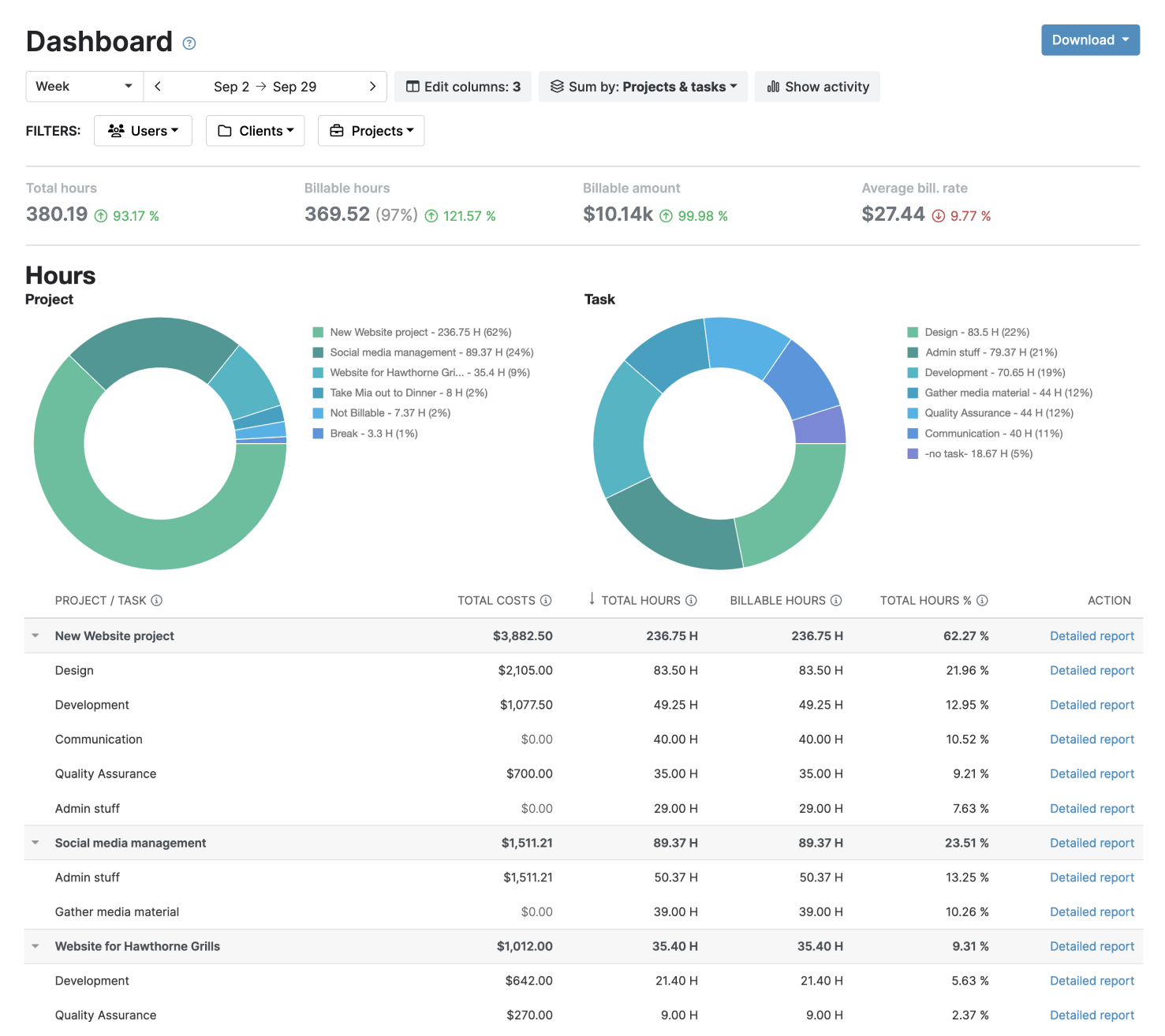
An audit log records every change, giving both your studio and clients a transparent history of project activity.
"The fact you can create customers, activities, and tags that you can easily filter on the analytics works very well for me. Also the Week view where you can see all the activities and also the stopwatch option to track activities on the go."
Send Invoices Without Re-Entering a Single Number
Since billable hours and expenses are calculated directly from approved time entries, you don’t need to manually copy hours or recalculate totals in another tool.
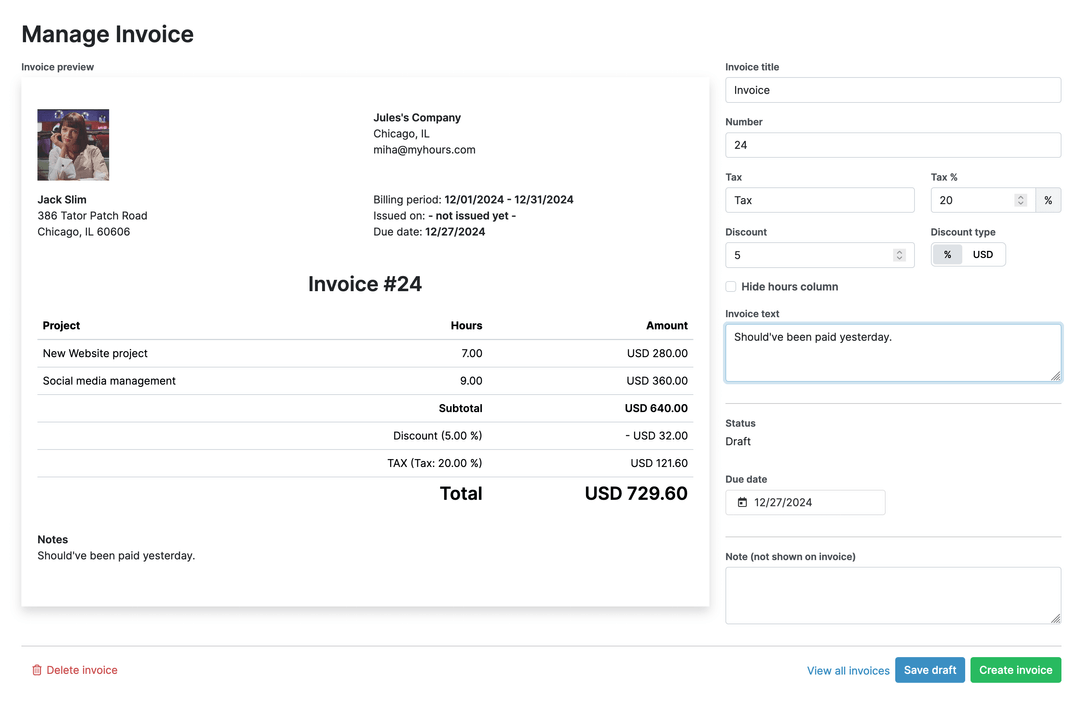
Your data stays protected and compliant at every step.




Frequently Asked Questions
My Hours time tracking features

Timer or weekly timesheet
Track time with our seamless timer or enter your time through our keyboard-friendly timesheet. Add a description and custom inputs.

Set billable rates and budgets
Automate calculation of billable amounts by setting precise hourly rates by project, task or team member. Add a project budget to monitor its progress.

Analyze logged hours & expenses
With the Dashboard you’ll get a bird’s-eye view of billable vs non billable hours, earned income by project, under- or over-utilized employees and more.

Generate custom reports
Detailed reports are completely customizable and display as much information as needed. Print to PDF, export to XLS or send schedule it via email.

Manage tasks
Add and assign tasks with an estimated budget. Create templates when identical tasks appear across projects.

Submit and approve timesheets
Supervisors get email whenever timesheets are submitted. Each timesheet can be approved or rejected with an email message.

Set flexible roles
Invite your team to track time on their projects without seeing each other’s hours and rates. Designate managers to oversee their team and manage their work.

Prevent inconsistent reporting
Lock team’s time logs to prevent editing or adding new logs in a selected period. Download the audit log report to keep your books in order.

Streamline invoicing
Create numbered invoices straight from hours logged. Integrations with the most popular invoicing apps are available to all customers.

Integrate with other tools
Connect My Hours data with other tools or vice versa through Zapier connectors. Alternatively, use our API to develop your own integration.

Access from anywhere
My Hours is a cloud-based app with nothing to install. View and manage your hours from any web browser or install our native mobile apps.

Secure infrastructure
My Hours is hosted in Microsofts Azure cloud and we are proud of 99.95% uptime. We perform regular security checks to keep your data in safe hands.
Highest praise from our customers


Waste no more time,
jump right in!

All rights reserved.