
The State of Free Time Tracking in 2026
We've drawn on over 20 years of experience to compare the best free time tracking apps in 2026, what their free plans include, who they're best for, and where they fall short.
By Tjaša Fatur



Content overview

- My Hours: Overall free time tracker
- Jibble: Employee attendance tracking
- TimeCamp: AI-powered time tracking
- Clockify: Multilingual teams
- TrackingTime: Project tracking for large teams
- actiTIME: Best for time tracking with leave planning
- Everhour: Best for free reports and data exports
- Toggl: Best for automated time tracking
- Harvest: Best for client invoicing
- Paymo: Best for combining time tracking with task management
- Kimai: Best open-source free time tracker
- TMetric: Best for tracking time across multiple apps
Top 5 Free Time Tracking Apps for 2026


1. My Hours: Best overall free time tracker
Price:
- Free (up to 5 users)
- $5 - $9 per user (paid monthly)
- $4 - $8 per user, per month (paid annually)
- Enterprise pricing available
Available on: Desktop, web, browser extension, iOS & Android
 Free for up to 5 users
- No minimum seat count on paid plans
- Dashboard, Detailed, and Timesheet reports with PDF export
- Billable rates per project
- Expense tracking on the free plan
 No project management views
- Project budgets, advanced user permissions, and timesheet approvals require Pro


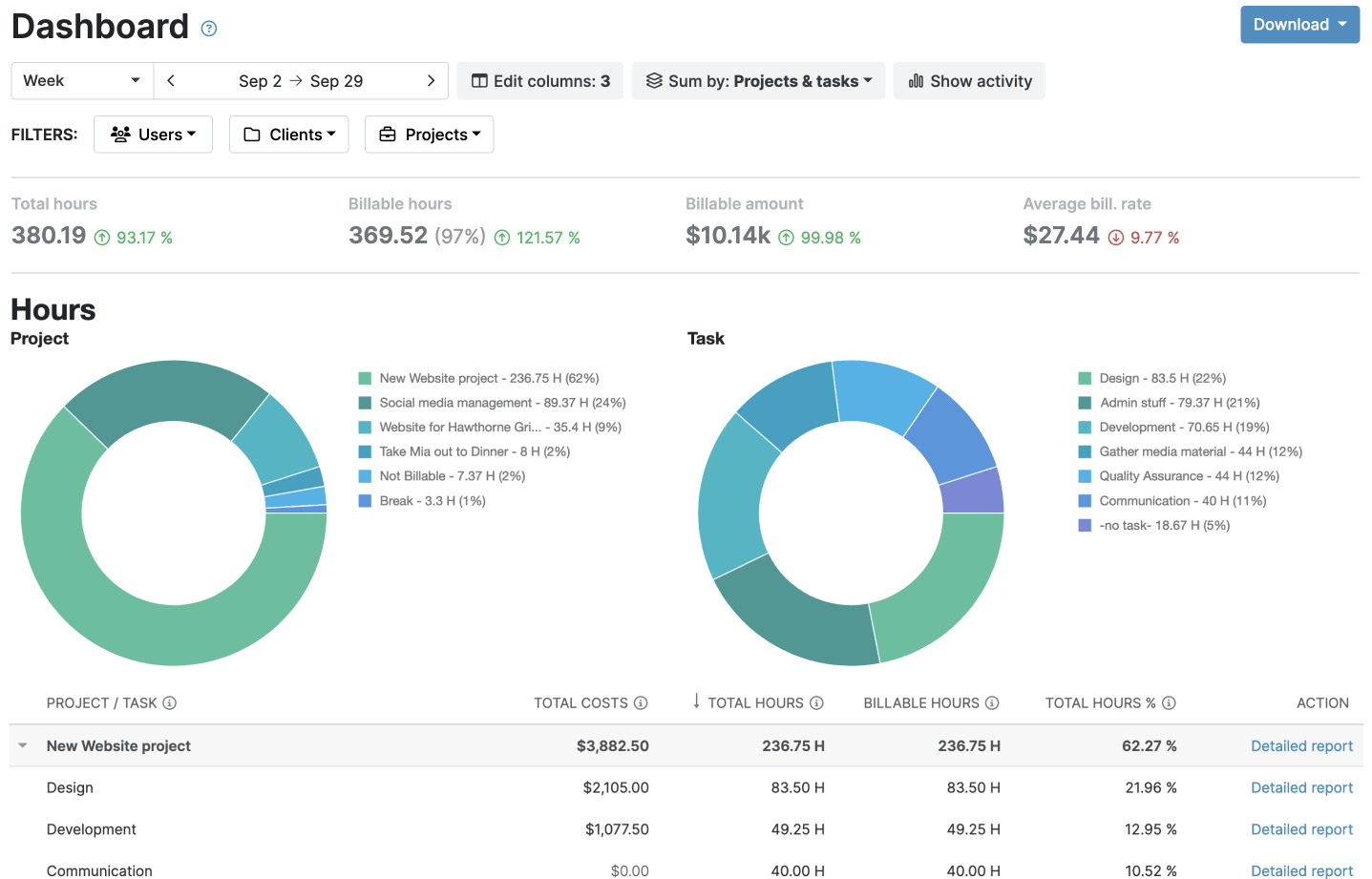


My Hours is a focused, lightweight free time tracker that helps teams track hours accurately and bill for them without extra clutter.
Up to five people can log hours against unlimited clients, projects, and tasks, using a timer or manual timesheet entries in daily or full timesheet views. You can add descriptions and attachments to entries, and log expenses alongside your hours.
You can also set a billable rate per project and mark time as billable or non-billable. Mobile app tracking reminders are free, while timesheet validation, available on paid plans, helps catch errors and missing entries early.
You can also use the Dashboard, Detailed, and Timesheet reports to get useful insights into your operations. Attendance reports are available on the Basic plan.
The free plan is ideal for freelancers and small teams. You'll want to upgrade once you grow past five users and need to turn tracked time into invoices, keep projects on budget, or approve timesheets.
"Great value for money — the features you get at this price point are solid. Dashboard, Insights, and team management work well for project collaboration. Custom columns and budget tracking (monthly/fixed) give good flexibility for managing multiple projects. Time tracking core functionality is reliable, and the learning curve is low for new team members."
- Zeya M., Associate Data Analyst, Marketing and Advertising

"Historical team names aren't tracked, which creates gaps in reporting. Invoicing could be more powerful with better filtering options."
- Zeya M., Associate Data Analyst, Marketing and Advertising


2. Jibble: Best for employee attendance tracking
Price:
- Free (unlimited users)
- $0.79 - $2.49 per user (paid monthly)
- $0.49 - $1.99 per user, per month (paid annually)
- Note: Jibble offers localized pricing for specific markets
Available on: Desktop, web, browser extension, iOS & Android, kiosk
- Free plan with unlimited users
- Geofence-based time entries, selfie capture, and facial recognition
- Offline time tracking
- Reminders, approvals, and automatic clock-out require a paid plan
- Reporting on Free is limited to a tracked time report
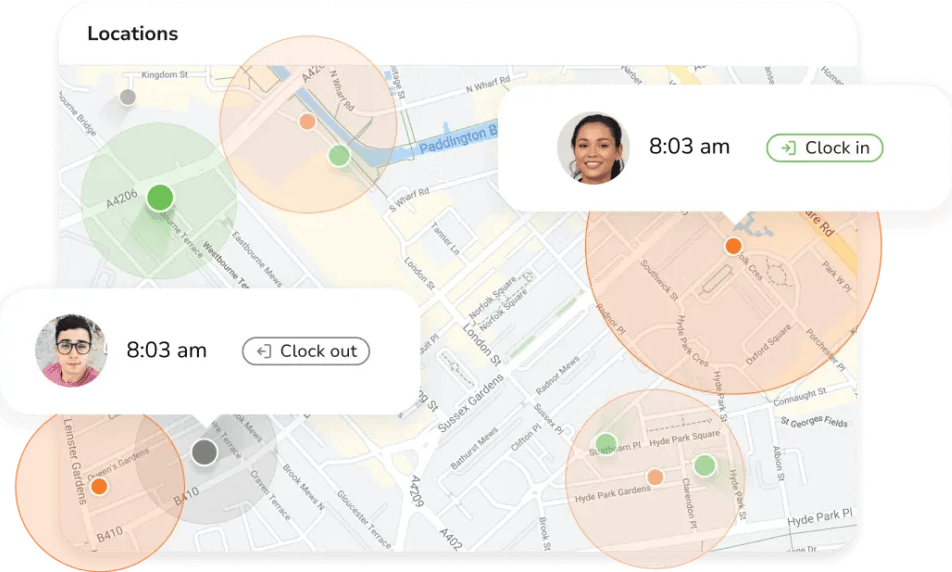
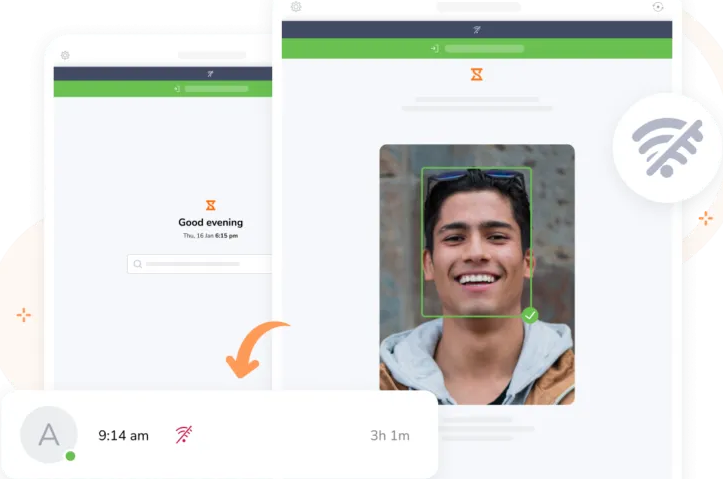
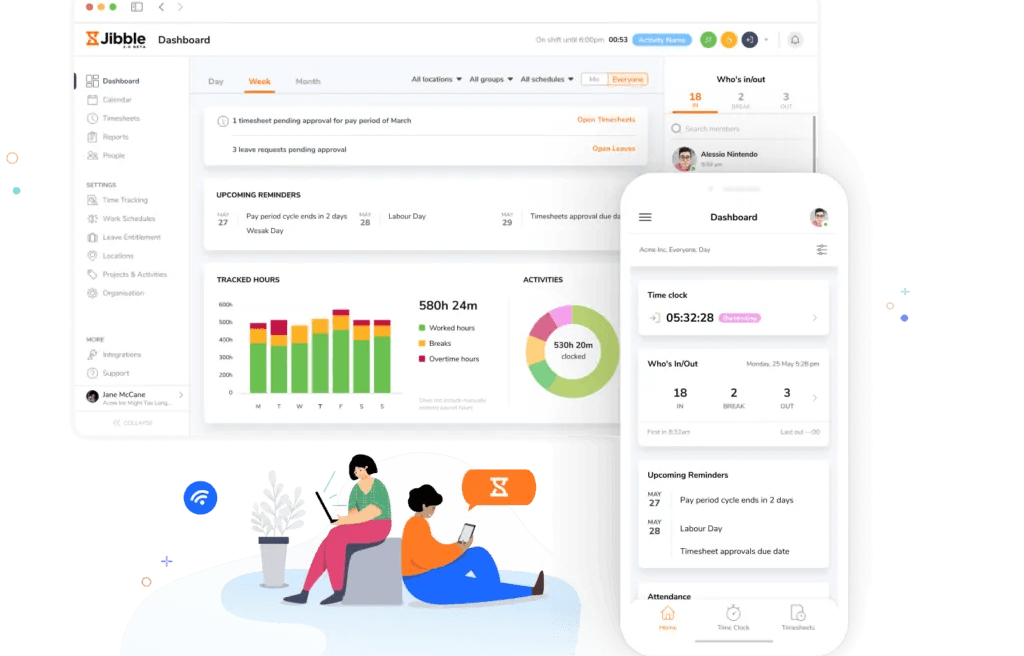
Jibble is built around attendance. If the main thing you need to know is who clocked in and from where, that's exactly what it's designed for.
On the free plan, you can add as many employees as you like. They clock in and out from their phones, computers, or a shared kiosk, and if the signal drops, offline mode saves the entry and syncs it once they’re back online.
Jibble's standout feature is its identity checks: Geofence-based time entries, GPS tracking, selfie capture, facial recognition, PIN verification, and NFC or RFID are available, but the free plan only allows two locations.
The free plan’s limitation is that you get a tracked time report, which covers the basics but stops short of full attendance reporting.
The free plan suits businesses with on-site, remote, or field employees that need to track attendance. You’ll need to upgrade to access features like clock-in reminders, group activity assignments, timesheet approvals, and full attendance reports.
"It’s an intuitive site thats easy to use. It keeps tracks of projects and upcoming events which makes it easy to use."
- Yamilex V., Intake Coordinator
"The icons for pausing, stopping and starting the timer do not match the actions very well."
- Yamilex V., Intake Coordinator
3. TimeCamp: Best for AI-powered time tracking
Price:
- Free (Unlimited users)
- $5.49 - $13.99 per user (paid monthly)
- $3.99 - $9.99 per user, per month (paid annually)
- Custom pricing available for Enterprise
Available on: Web, desktop, browser extensions, iOS & Android
- Unlimited users and projects
- Automatic time tracking and GPS location tracking on the free plan
- AI Time Tracker with usage-based credits
- No online invoice payments
- Screenshots and timesheet approvals are on the Ultimate plan
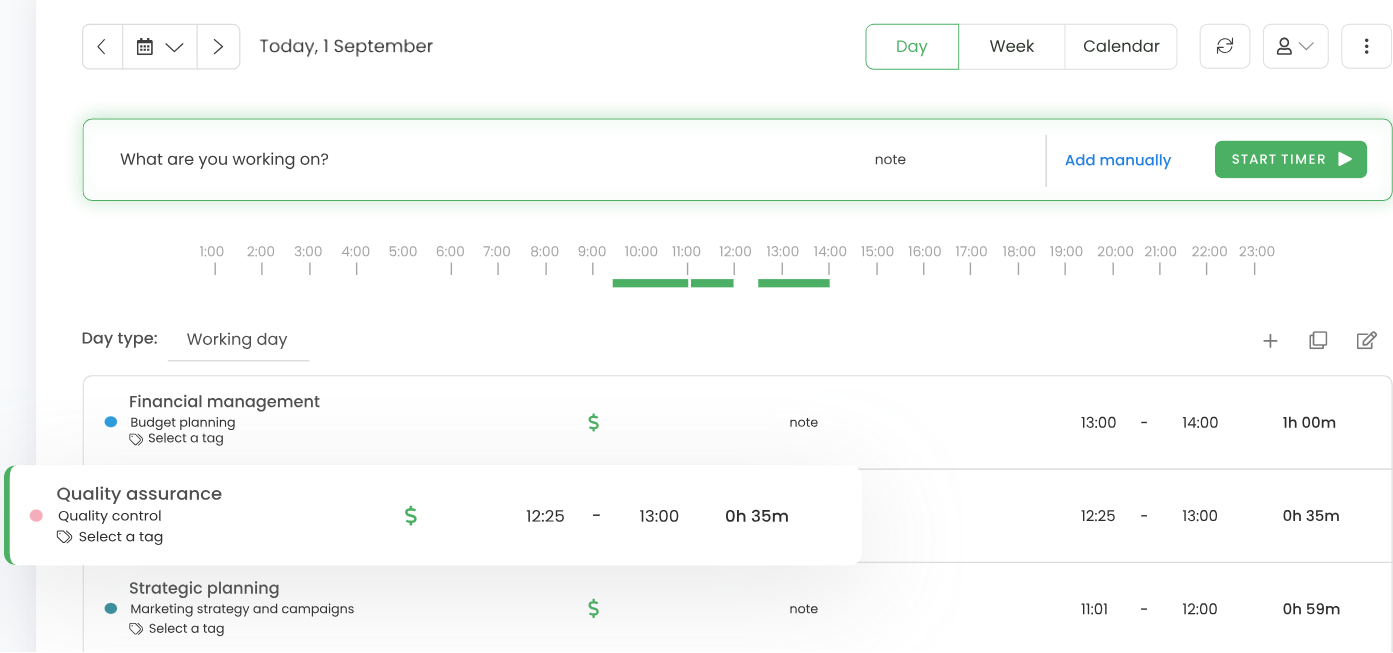
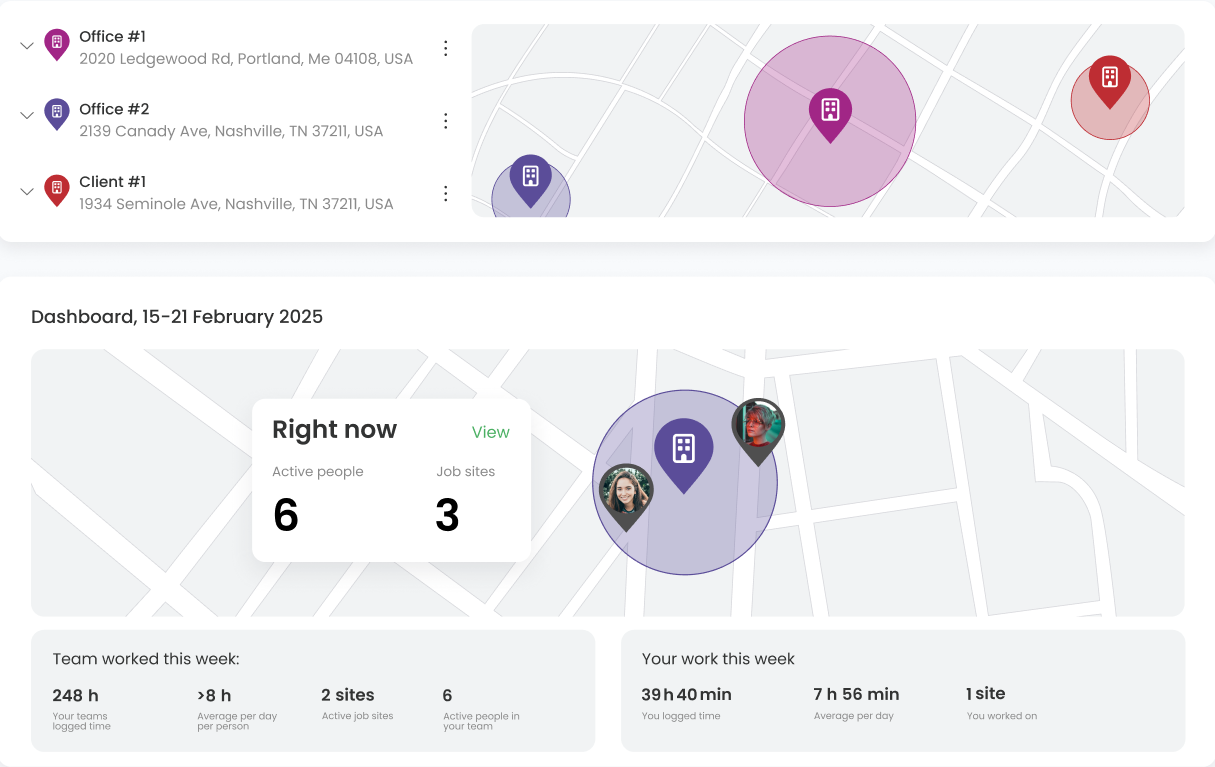
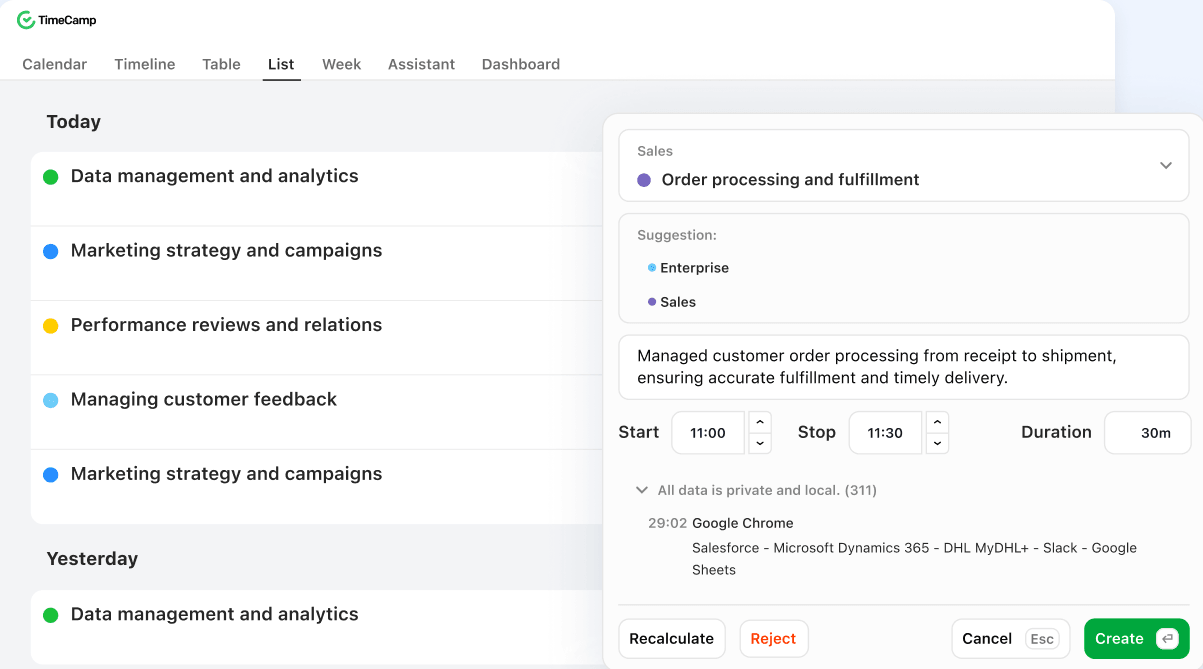
TimeCamp gives you several ways to track time with AI, including an AI time tracker that runs in the background, an AI time tracking agent, and AI timesheets.
There’s also an official MCP server, so you can log hours, start timers, or pull reports from tools like Claude and ChatGPT just by prompting. The server is free for every TimeCamp user.
On the free plan, there’s no cap on users or projects. You get weekly timesheets, idle time tracking, GPS location tracking, and 10+ time tracking reports you can export as PDFs.
The free plan suits teams of any size that want AI to handle most of the logging. You’ll want to upgrade once you need billable time and invoicing, attendance and time off tracking, resource planning, or more tasks than the free plan allows, though.
"What stood out right away with TimeCamp is how it handles time tracking with less friction: the automatic tracking, keyword/desktop window detection and integrations (with tools like Trello, Jira, Slack) meant I spent far less time asking "what did I work on this morning?" and more time just doing work."
- Dominic Y. Consultant
"The mobile experience and some of the “on-the-go” features didn’t feel as polished — I had bumps like timers hanging, geofencing or offline entries being a bit unpredictable, which is a drag when team members aren’t always desk-bound."
- Dominic Y. Consultant
4. Clockify: Best for multilingual teams
Price:
- Free (Up to 5 users)
- $4.99 - $15.99 per user (paid monthly)
- $3.99 - $12.99 per user, per month (paid annually)
- Enterprise pricing available
Available on: Web, browser extension, desktop, iOS & Android
- Free gives you unlimited tracking, unlimited projects, tasks, and clients
- Idle detection and reminders on the free plan
- Support for 5 languages
- API access (30 requests per hour) and up to 3 webhooks on the free plan
- No task boards or dependencies
- Some features moved to paid plans in April 2026
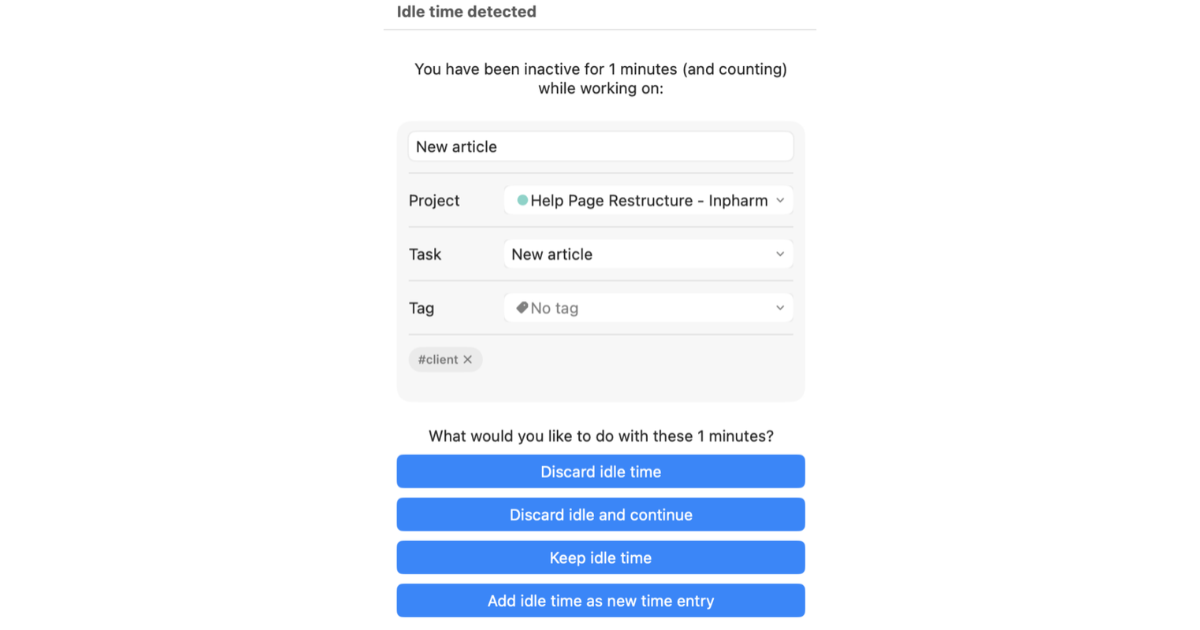
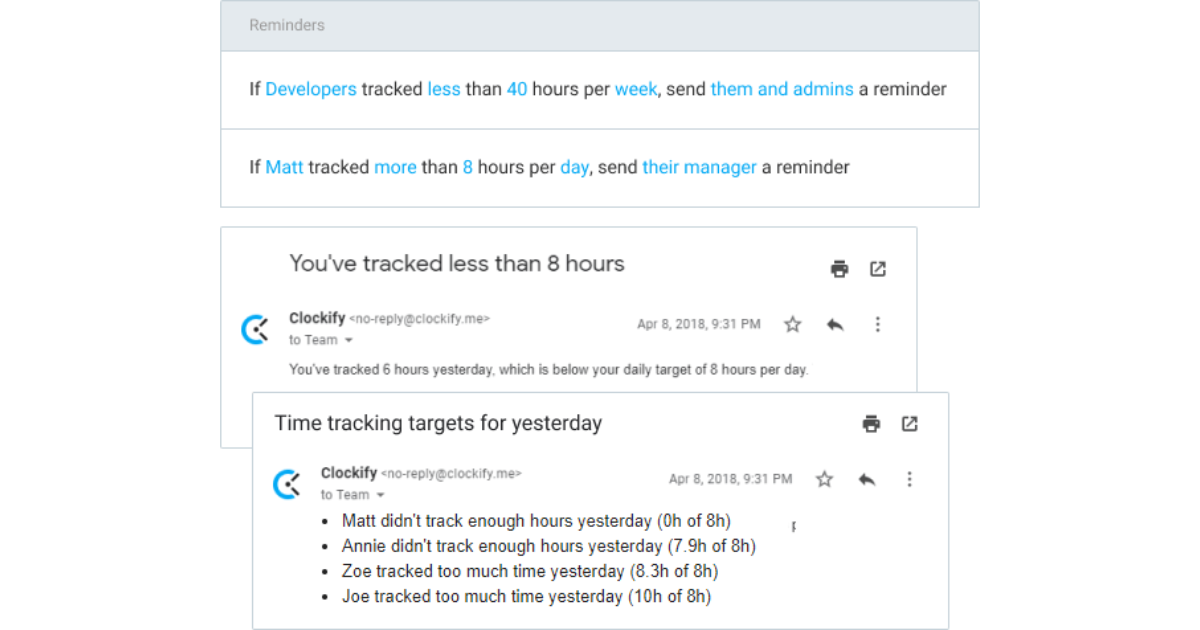
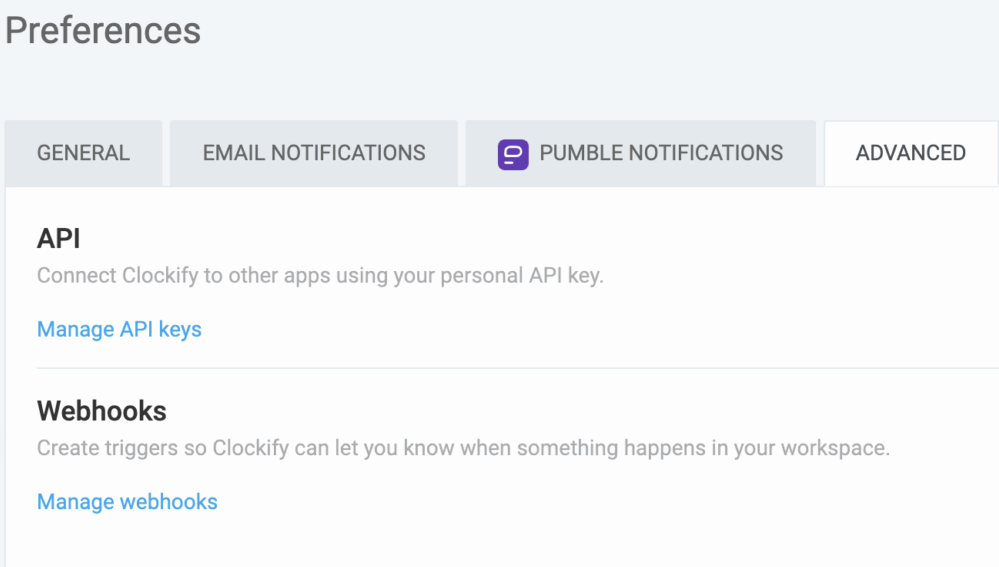
Clockify's free plan covers the basics well, and you can use it in English, German, Spanish, French, or Portuguese, which helps teams that don’t all work in the same language.
Up to five people can use a timer or enter hours, then review them in timesheets and reports. You can also use the "Team Activity" feature to see exactly where staff spend their time and what they’re busy working on.
The free plan also includes unlimited projects, tasks, and clients, plus idle detection and reminders to catch forgotten timers.
Free got leaner in April 2026, though. Billable rates, project time estimates, and CSV and Excel exports moved to paid plans, so reports now export as PDFs only.
Clockify is a good option for multilingual teams who want basic timekeeping. You'll want to upgrade once you add a sixth user or need to bill clients for your time, approve timesheets, track time off, or let staff clock in from a shared kiosk.
"I love how easy it is to use! It’s easy to assign time to projects. You can also have multiple projects going at once."
- AG D., Digital Marketing Specialist
"It can be janky at times. Sometimes it doesn’t register you’re clocking in or sometimes it will keep running even after you’ve clocked out."
- AG D., Digital Marketing Specialist

5. TrackingTime: Best for project tracking for large teams
Price:
- Free (Unlimited users)
- $6 - $13.50 per user (paid monthly)
- $4.50 - $10 per user, per month (paid annually)
Available on: Web, desktop, iOS & Android, browser extensions
- Unlimited users, tasks, clients, and projects
- Track time across 50+ apps
- Task and project management
- User groups, supervisors, and audit logs are only available on the highest plan (Business)
- Invoicing and expense tracking from Pro plan
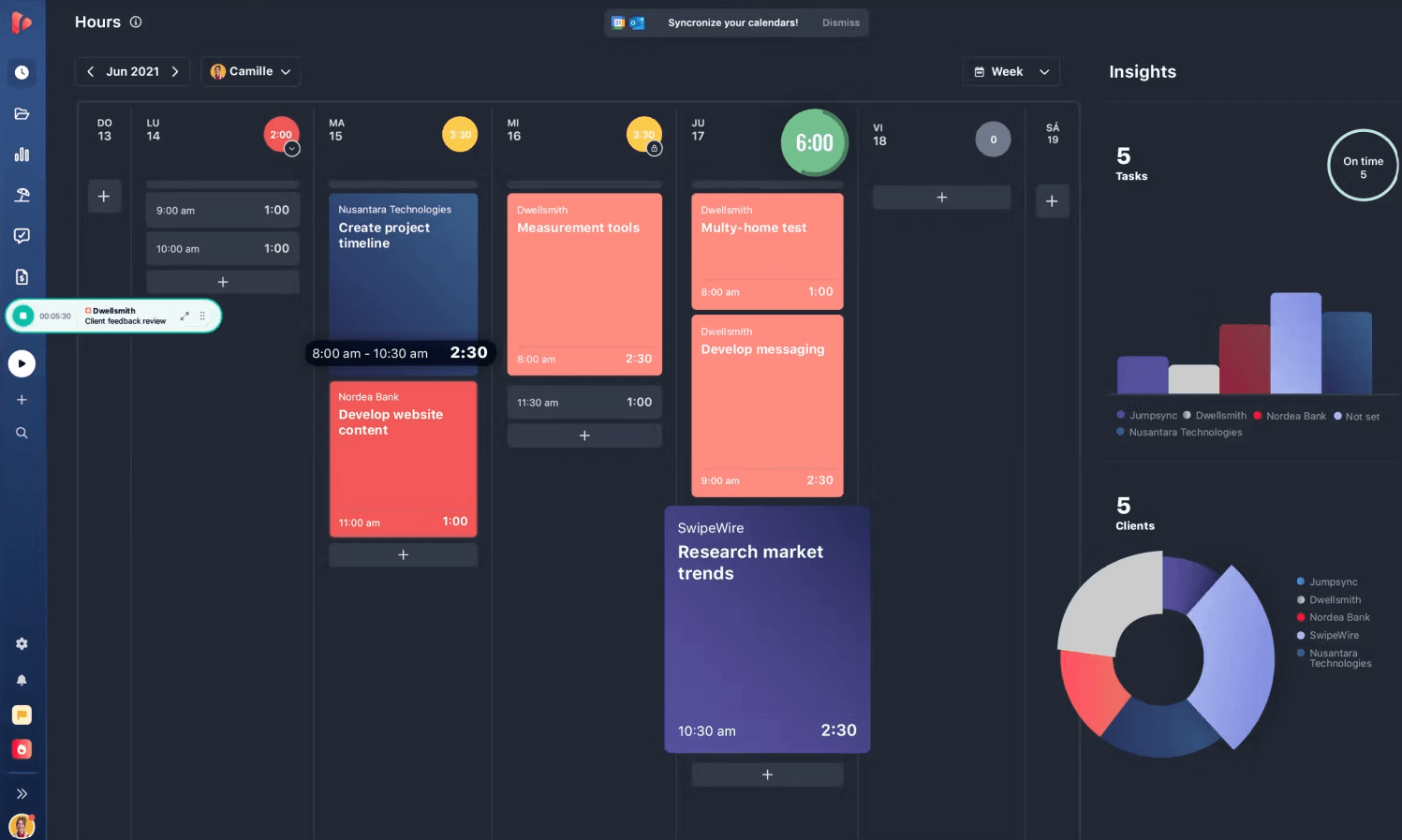
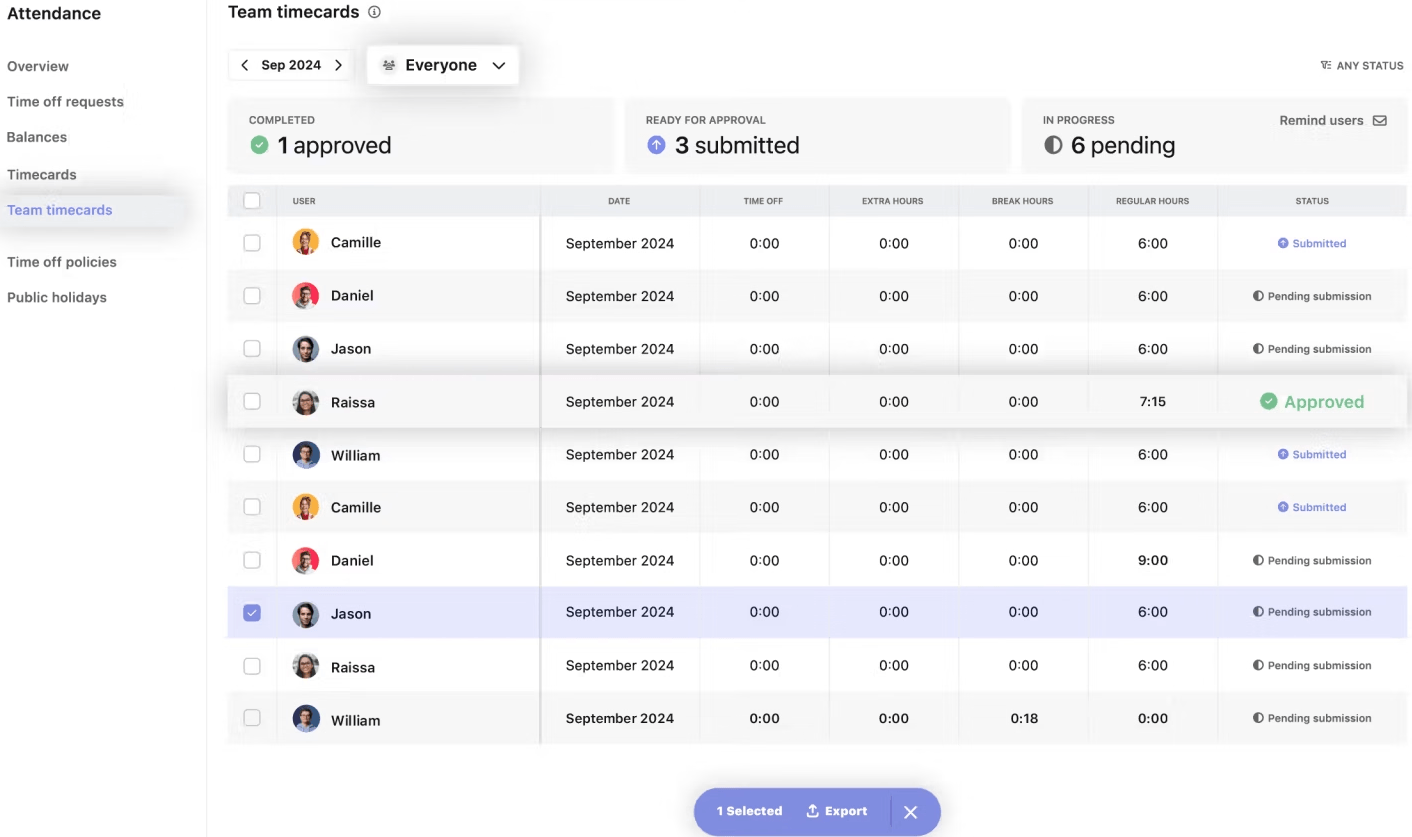
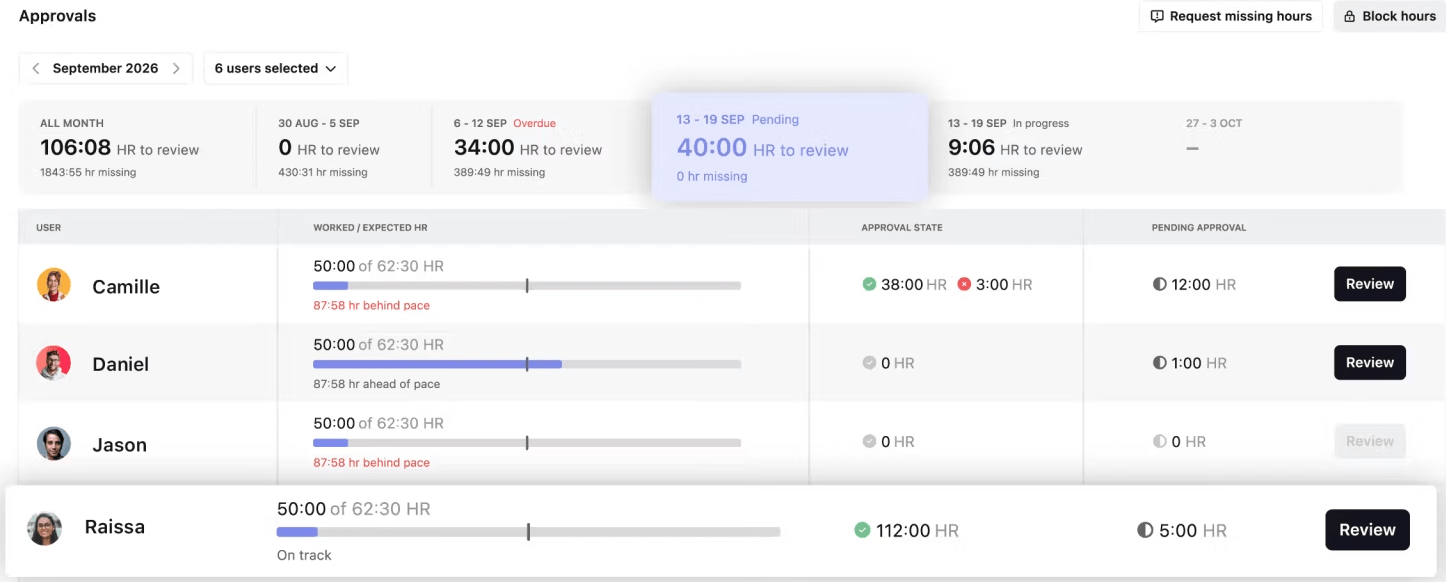
TrackingTime's free plan has no user cap, so no matter how large your team is, everyone can track time.
Also, there’s no limit on the number of tasks, clients, or projects that you can add.
The platform pairs time tracking with task and project management, so you can see how long each task and project takes. Reports export to PDF at no cost.
You can track hours in real time, add entries manually, or start a timer inside 50+ supported apps through the browser extension.
The free plan suits teams of any size that mainly need to see where project time goes. Need CSV or Excel exports, billable rates and invoicing, or timesheet approvals? Then you’ve hit the free plan’s limit and need to move to a paid plan.
"It has a reporting capabilities coupled with task progress tracking using time-sheet workflow that enables our firm to stay compliant with all the internal processes."
- Ciro R., Procurement Manager
"I have no dislikes since we received the best customer support and the tool worked effectively for us."
- Ciro R., Procurement Manager
How We Chose the Best Free Time Tracking Apps for 2026
We compared official pricing pages, product documentation, and user reviews on sites such as G2 and Capterra. We focused on what each free plan actually offers, where its limits kick in, and which features require an upgrade.
Every app had to meet these criteria:
- A free plan or free version you can keep using with no time limit (free trials didn't count)
- Practical options for tracking hours, including timers, manual entries, and timesheets.
- At least one major free feature, such as unlimited users, billable rates, invoicing, or open-source self-hosting
- Clearly published pricing for paid plans, so you know what an upgrade will cost
Disclaimer: Yes, we included My Hours on this list.
So why is this list still credible? Because no single free plan fits every team. We gave each app a "Best for" label based on what its free plan does well, and we listed where each one falls short, My Hours included.
Additional 7 free time tracking apps we recommend

actiTIME: Best for time tracking with leave planning
Price:
- Free (Up to 3 users)
- Online:
- Annual billing: $6/user/month (1-40 users), $5/user/month (41-200 users), or $1,250/month (200+ users)
- Monthly billing: $7/user/month (1-40 users), $6/user/month (41-200 users), or $1,250/month (200+ users - Self-hosted: One-time payment of $120/user (up to 200 users) or $25,000 (200+ users)
Available on: Web, iOS & Android, Chrome extension
- Free plan for up to 3 users with unlimited projects (Online)
- CSV report exports (Online and self-hosted)
- No QuickBooks integration or API access on the free plan
- No Chrome extension on the free plan (Online)
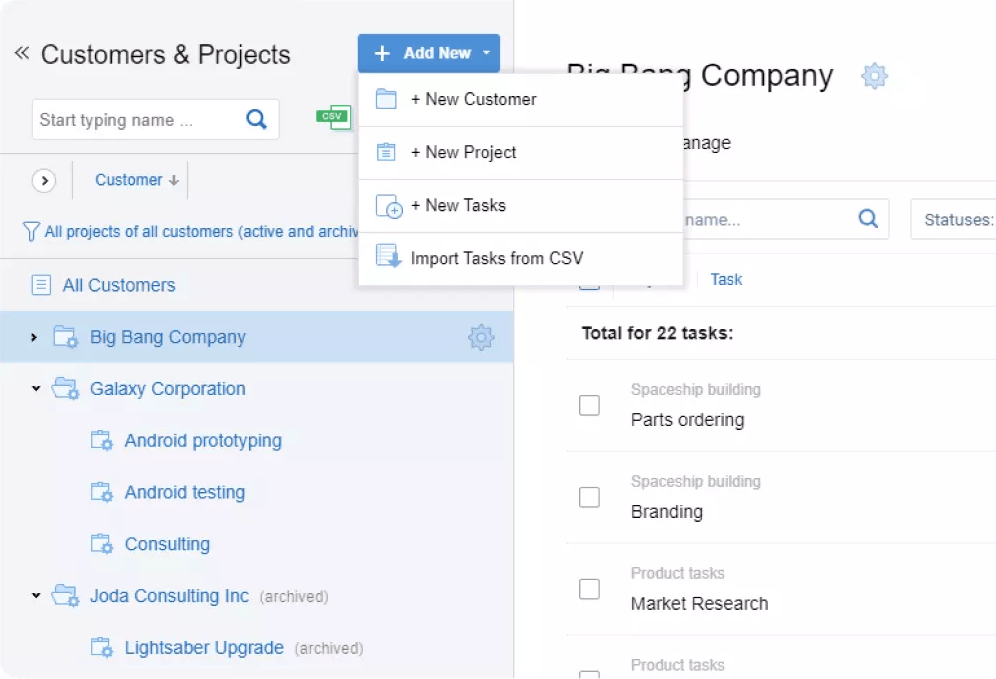
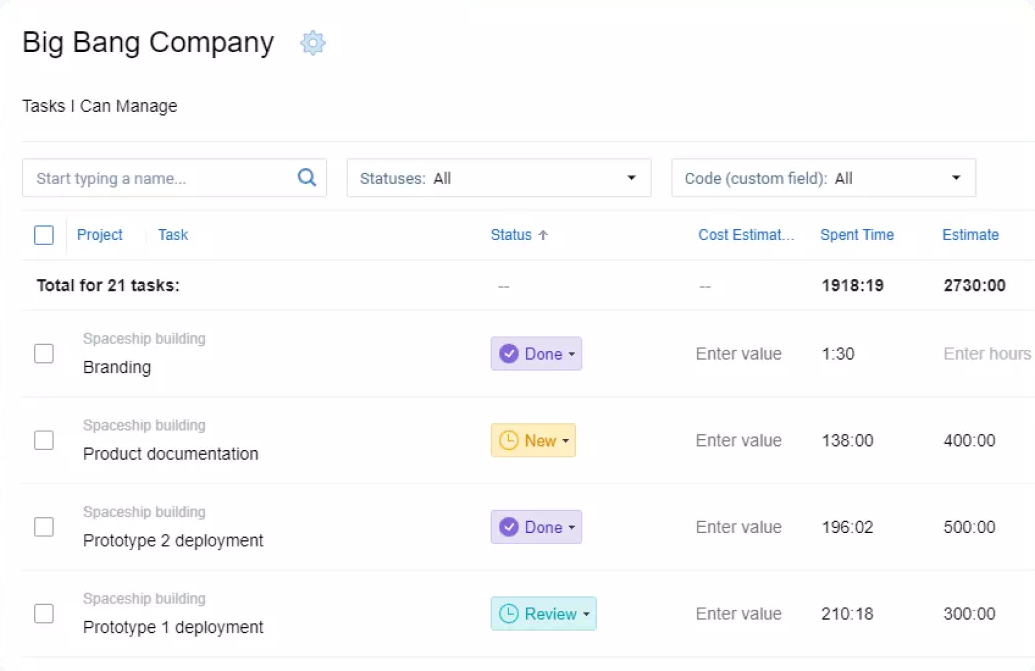
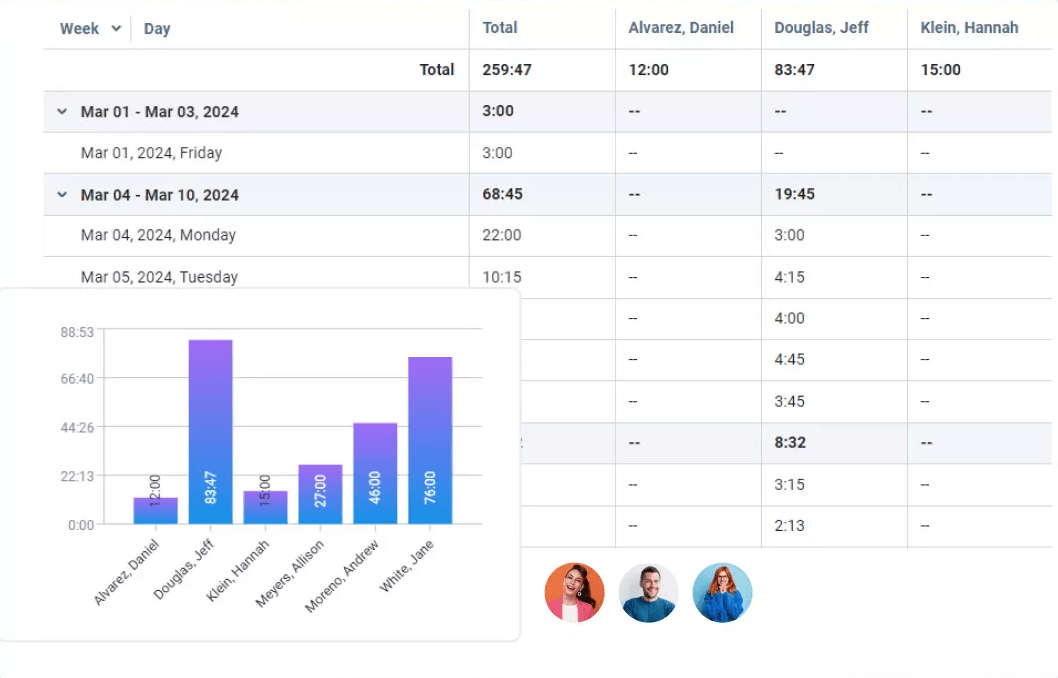
actiTIME keeps time tracking and leave planning in one place.
The free plan connects to actiPLANS and includes invoicing, billing, project and leave management. You can also minimize risks with automatic alerts without switching tools.
The Online version’s free plan gives you up to three users and unlimited projects, mobile app access, and CSV exports.
It's best to stick with the online version, since the self-hosted option doesn’t have a free plan.
Overall, actiTIME’s free tier is a good fit for freelancers and small teams. Moving to a paid plan is key once you add a fourth user or need the Chrome extension, QuickBooks integration, or API access.

Everhour: Best for free reports and data exports
Price:
- Free (Up to 5 seats)
- Paid plans require a minimum of 5 seats
- $10 per seat (paid monthly)
- $8.50 per seat, per month (paid annually)
- Custom pricing available for 50+ seats
Available on: Web, Mac, iOS & Android, browser extensions
- Free plan covers 5 seats
- Reports and data export on the free plan
- Team plan requires at least 5 seats
- Budgeting, invoicing, and billing require the paid plan
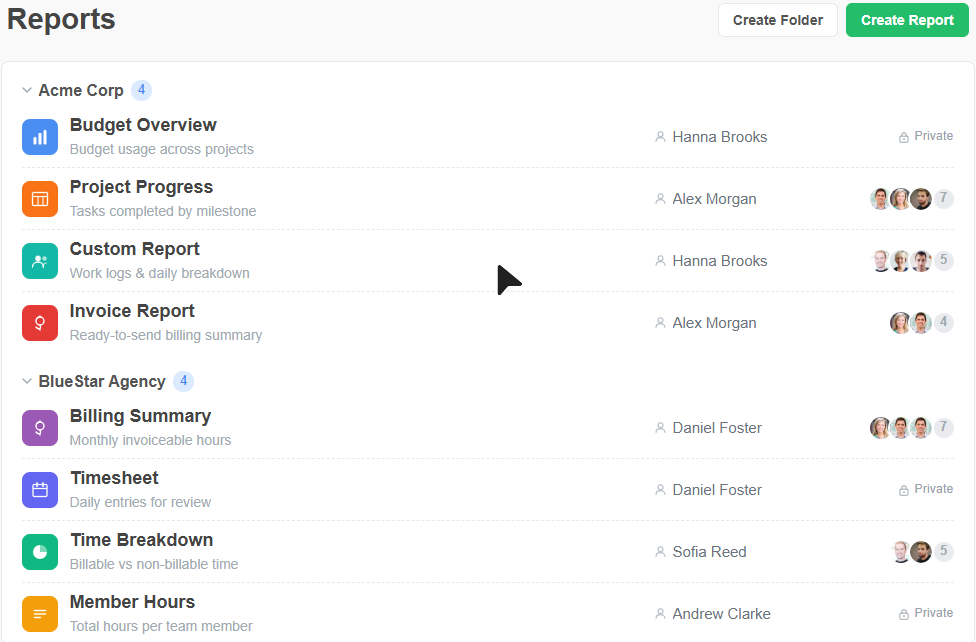
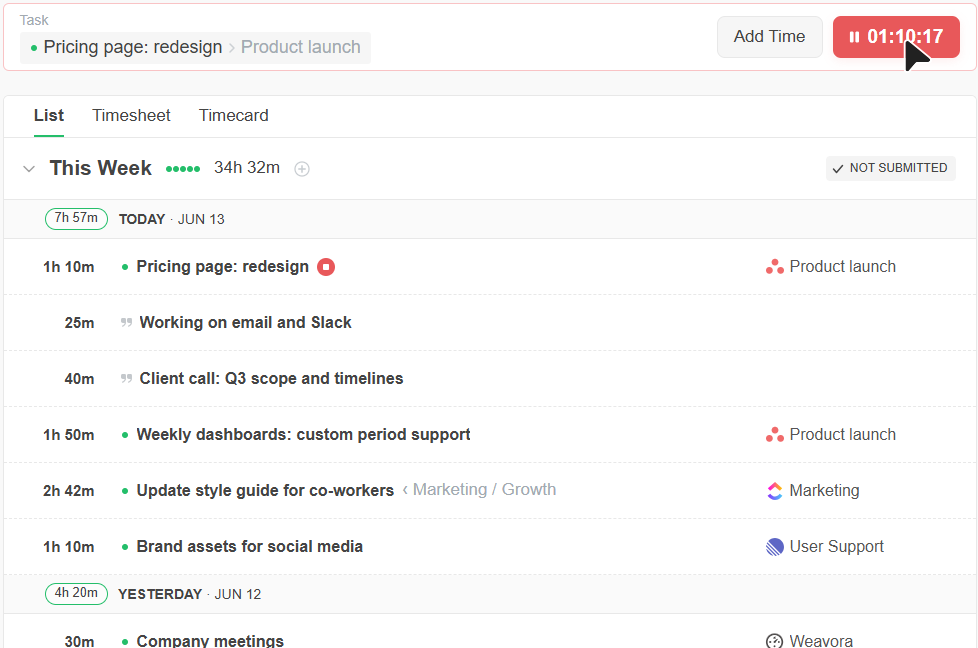
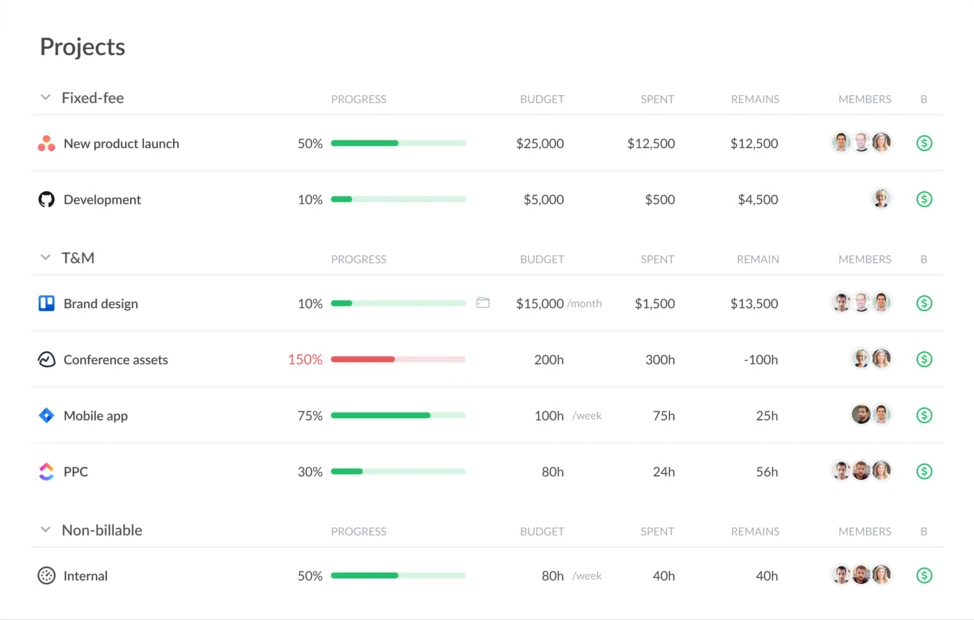
Everhour keeps its free plan simple. Up to five people can track time against projects and tasks, then pull it into reports and export the data to use elsewhere.
That’s enough for a small team that wants a clear record of its hours without much setup.
What you miss on the free plan includes native integrations, budgeting, billing, and invoicing. Those come with the Team plan at $8.50 per seat per month, billed yearly. The plan has a five-seat minimum, though, so even a team of two pays for five seats.
Toggl: Best for automated time tracking
Price:
- Free (Up to 3 users)
- $12 - $24 per user (paid monthly)
- $9 - $16 per user, per month (paid annually)
- Custom pricing available for Enterprise
Available on: Desktop, web, browser extension, iOS & Android
- Free plan for up to 3 users with unlimited projects
- Automated tracking from calendar events and idle time detection
- Timesheet approvals and profitability reports only on Premium
- Capacity Management ($5/user/month) and Time Off Management ($2/user/month) are paid add-ons on every paid plan
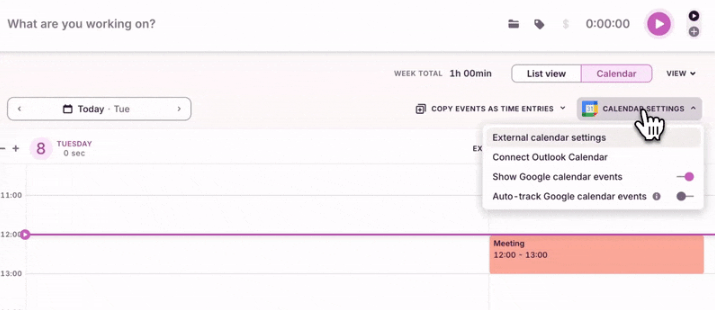
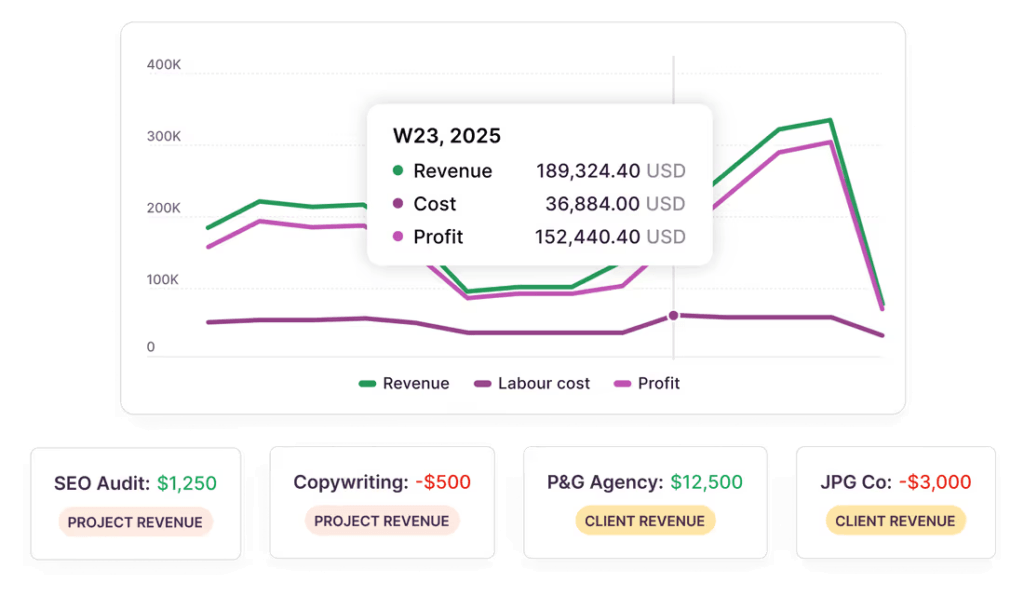
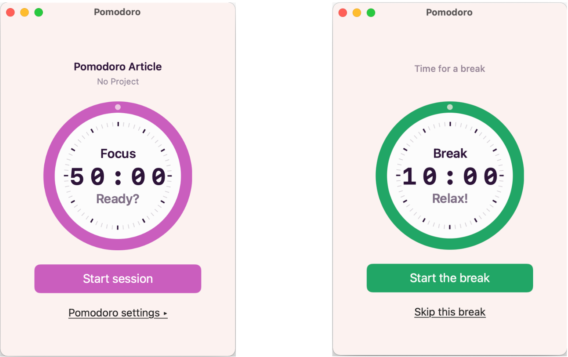
Toggl’s free plan does a lot of the logging for you.
The platform can create time entries from your Google and Outlook calendar events, track selected pages through the browser extension, match activity to projects using keywords, and flag idle time.
Up to three users get unlimited projects, plus task and board views, recurring tasks, and personal and summary reports you can export as PDFs. A Pomodoro timer and personal tracking goals help if you like keeping yourself on pace.
Billable rates and timesheet approvals are paid features, so you'll have to upgrade to access them, among others.

Harvest: Best for client invoicing
Price:
- Free (1 seat; 2 projects)
- $11 - $17.50 per seat (billed monthly)
- $9 - $14 per seat, per month (billed annually)
- Custom pricing available for Enterprise Plus
- Note: Harvest charges usage-based fees for additional invoices, projects, clients, and tasks on its paid plans.
Available on: Web, desktop, iOS & Android
- One seat, two projects, invoicing, and expense tracking on the free plan
- Online invoice payments through Stripe and PayPal on paid plans
- Timesheet approvals and profitability reporting require Enterprise
- Usage-based fees for extra invoices, projects, clients, and tasks on paid plans
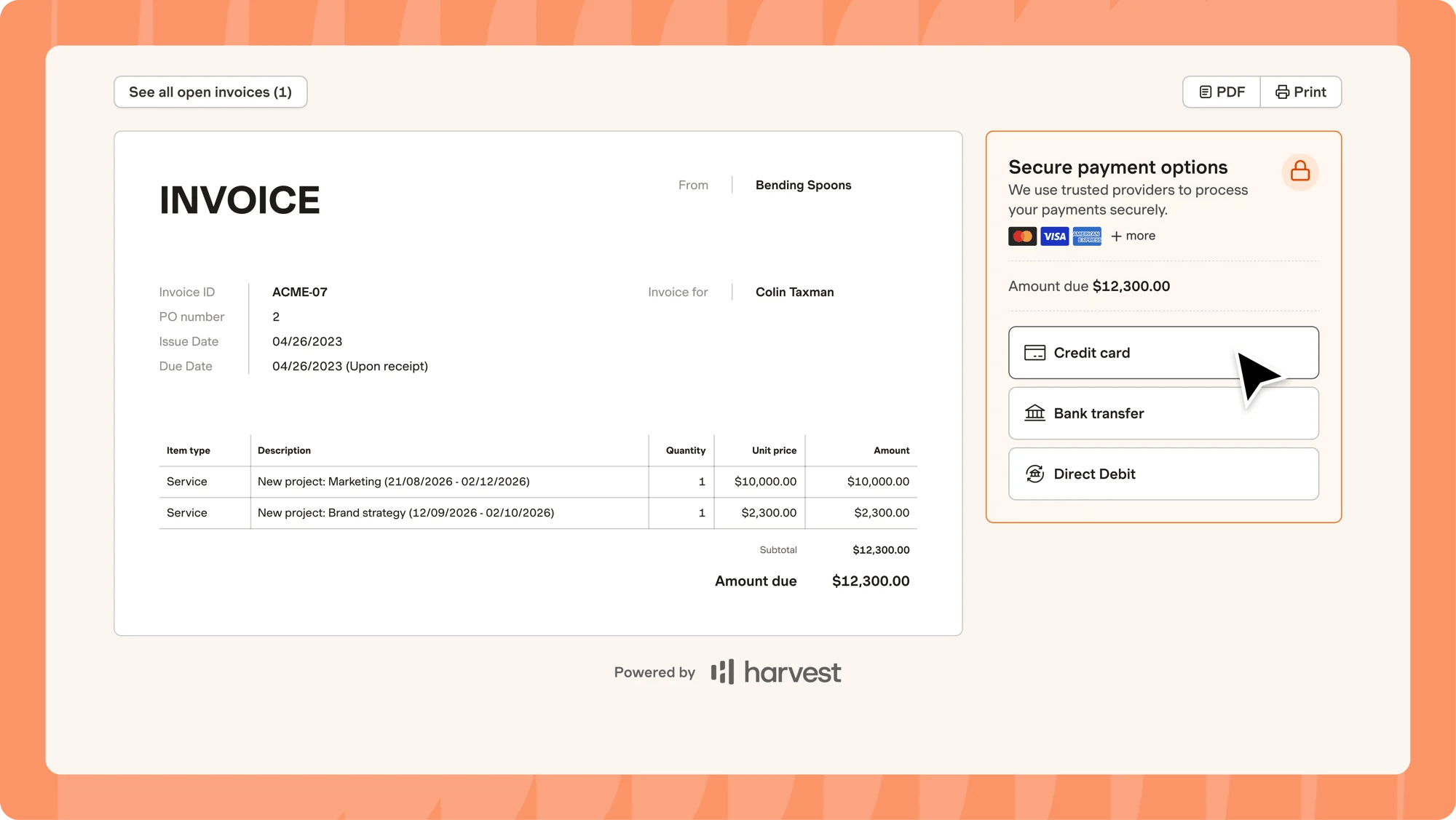
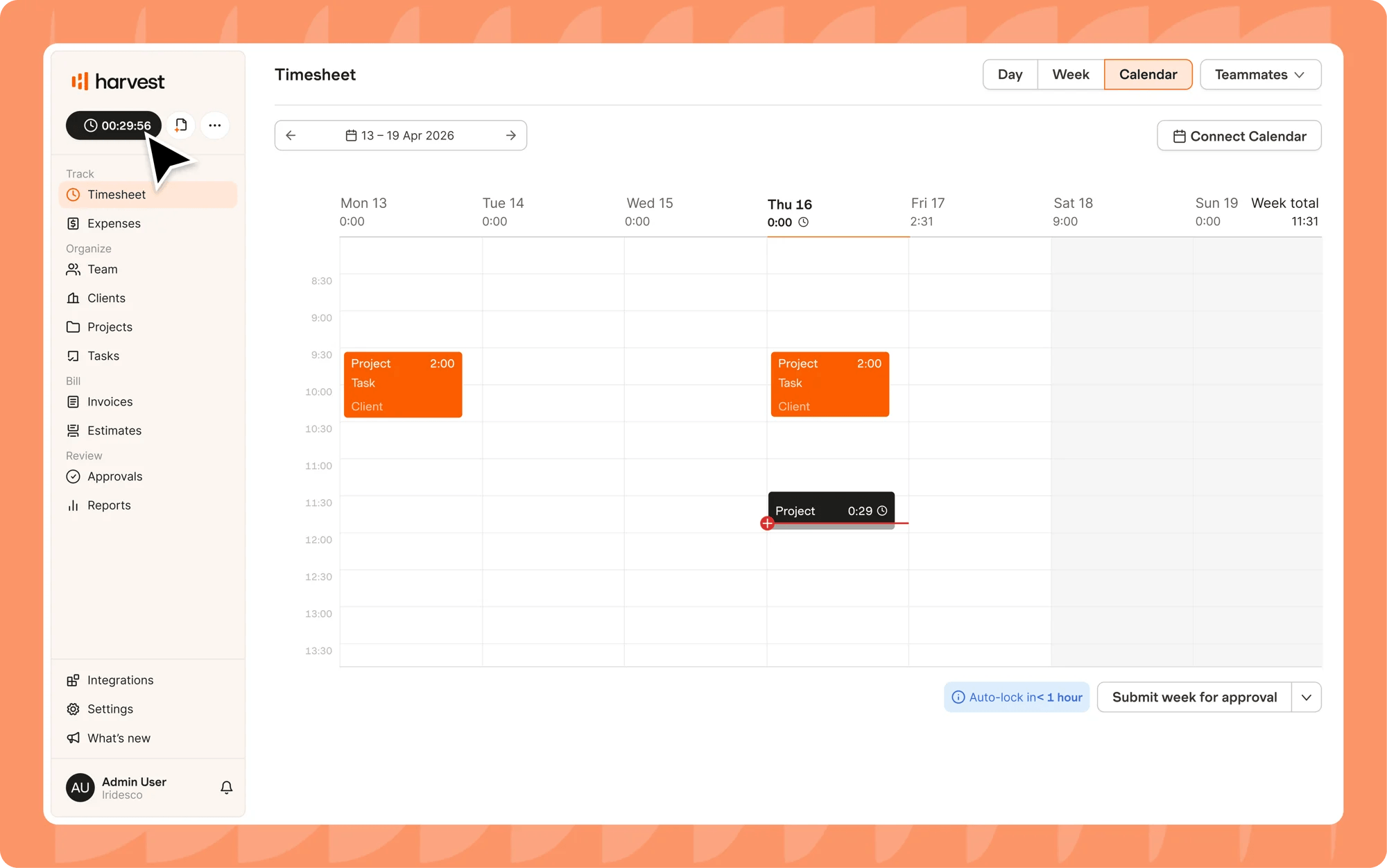
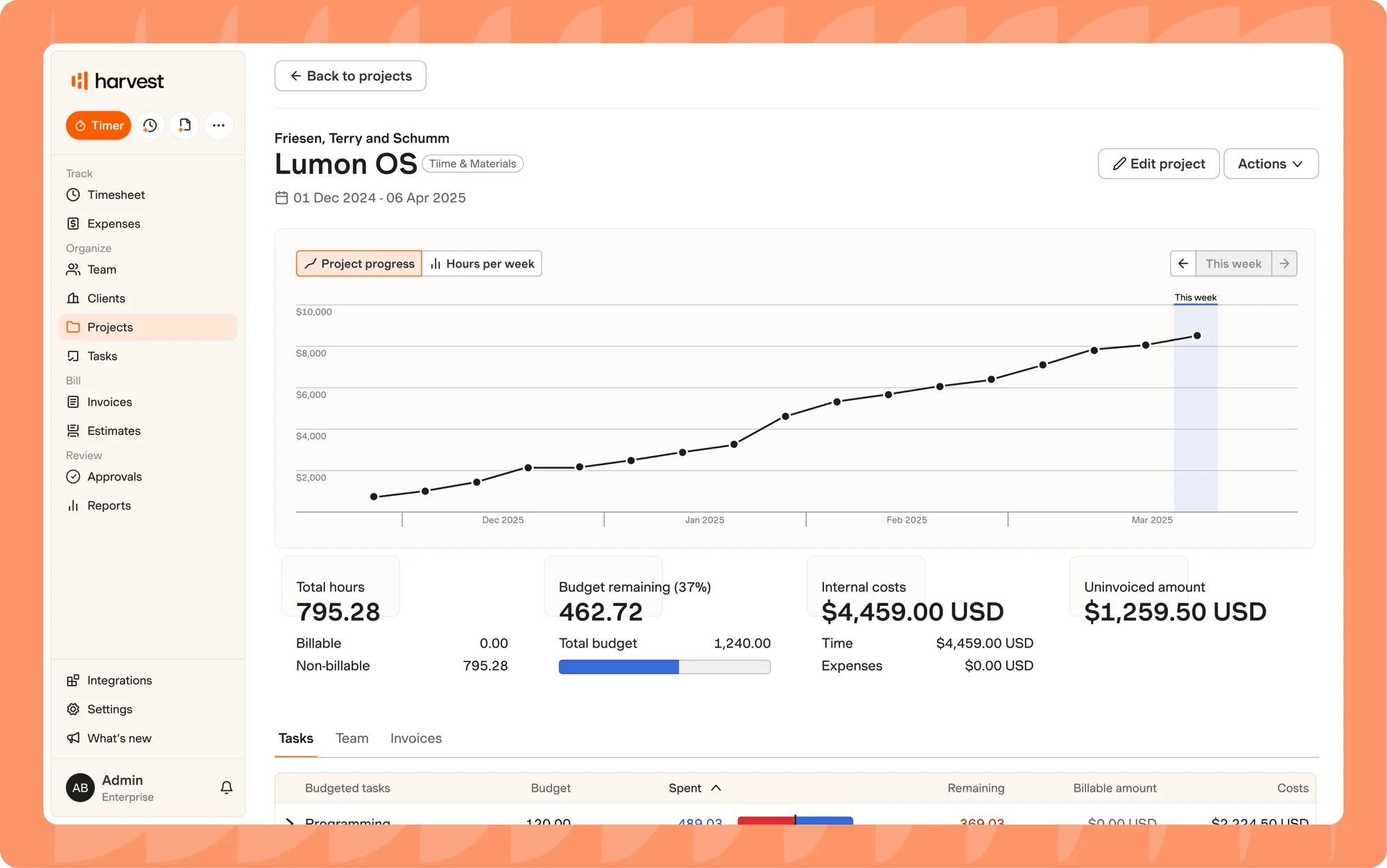
Harvest lets you bill clients for free. You can track hours and expenses, turn them into invoices, and monitor which ones have been paid, all on the free plan.
One major downside is that the free plan covers only one seat and two projects, plus basic reports. So, it's only ideal for freelancers with a small client list.
Moving to Teams adds unlimited seats, team reporting, QuickBooks and Xero sync, and online payments through Stripe and PayPal.
Besides the base fee, Harvest also charges usage-based fees for extra projects, clients, tasks, and invoices. So keep that in mind as you budget for the upgrade, since a busy month can cost more than the per-seat price.

Paymo: Best for combining time tracking with task management
Price:
- Free (1 user)
- $9.90 - $23.90 per user (paid monthly). Additional discount for the first three months.
- $5.90 - $16.90 per user, per month (paid annually)
Available on: Desktop, web, iOS & Android
- Unlimited tasks, time tracking, and invoices on the free plan
- Kanban board and Gantt chart available on paid plans
- Free plan is limited to 1 user, 1 client, and 2 projects
- Mobile app limited to time tracking and basic task views
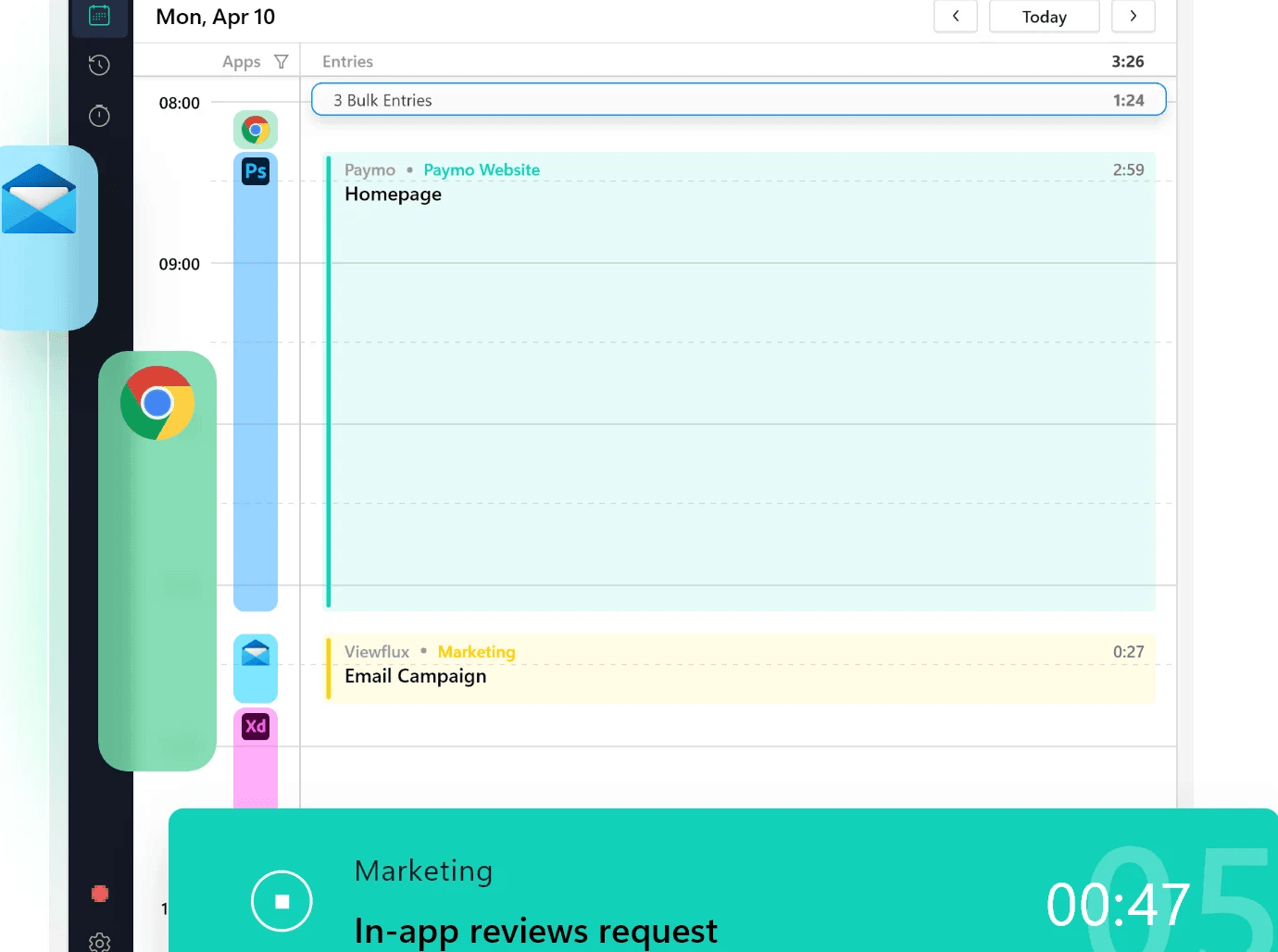
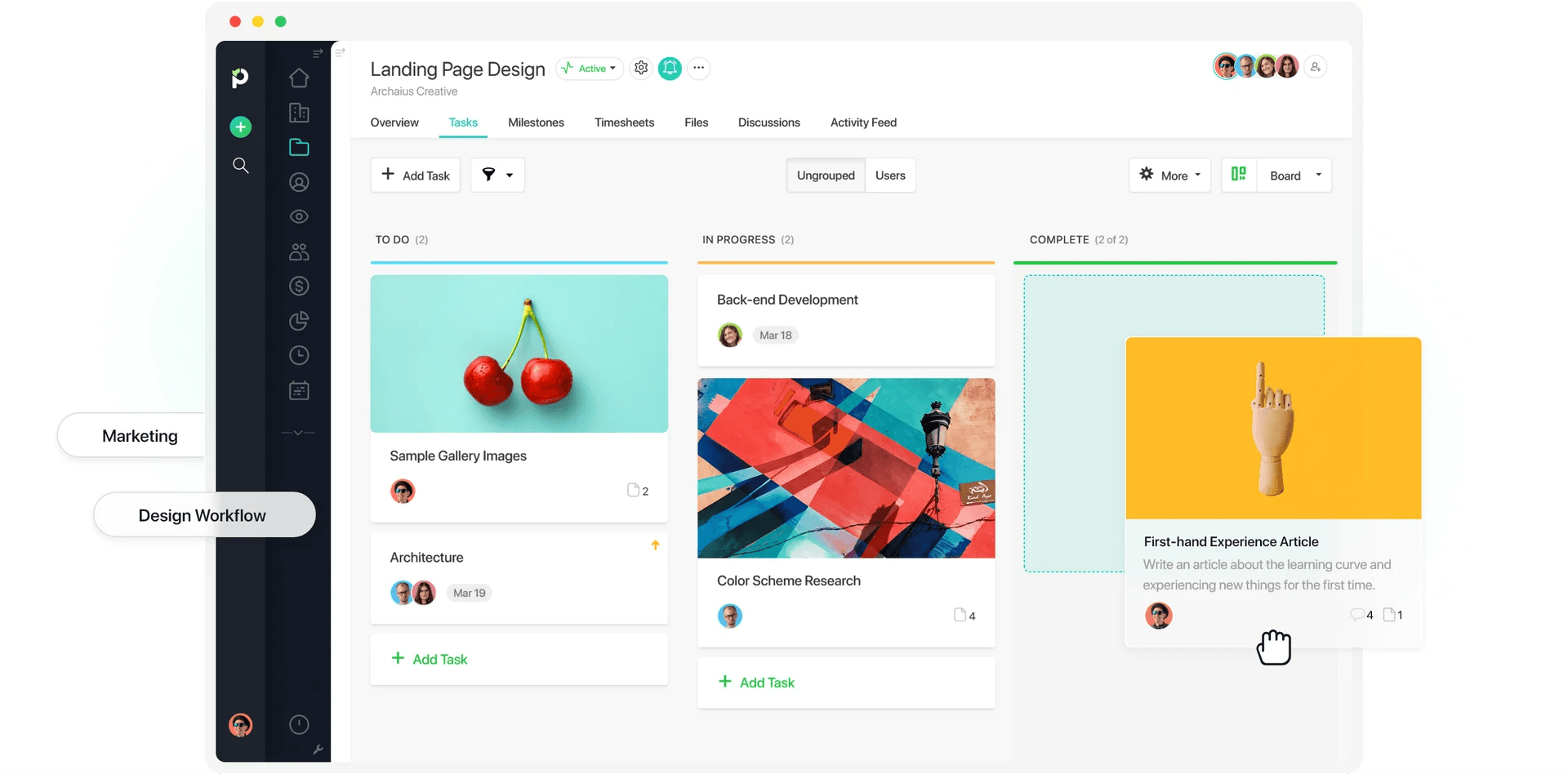
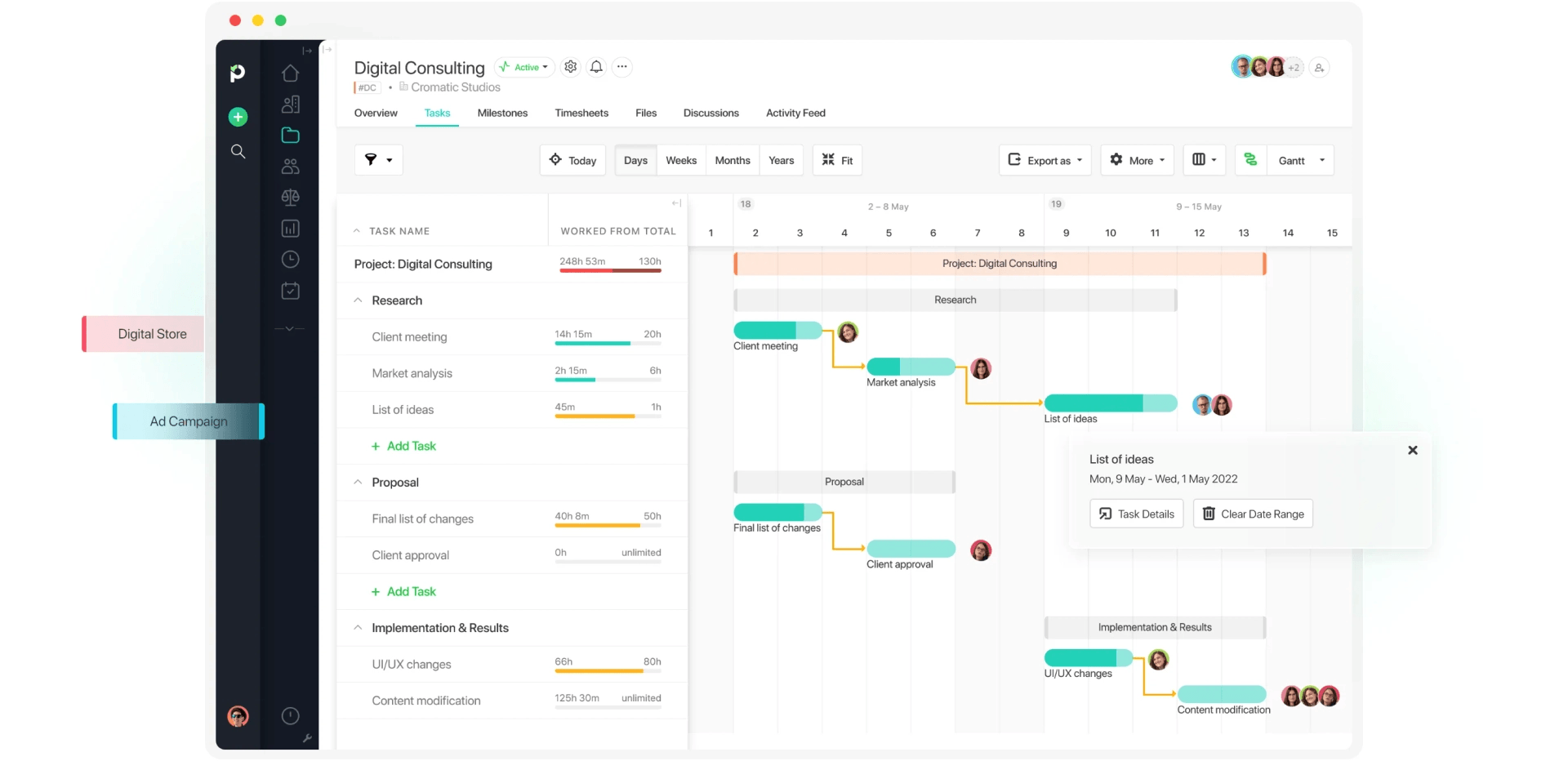
Paymo combines task management, time tracking, and invoicing, so you can plan work, track it, and bill for it without switching apps.
On the free plan, you get unlimited tasks, time entries, and invoices, with a task list view to keep your work organized. The hours you log against a task can go straight onto that client’s invoice.
The main downside with the free plan is that it covers one user, one client, and two projects. So, it’ll only be useful for a freelancer with one main client.
Once you outgrow it, paid plans add more clients and projects, retainer and flat-rate projects, expense tracking, a leave planner, reports, timesheet approvals, and bulk time entries.
Kimai: Best open-source free time tracker
Price:
- Free (If self-hosted)
- No Cloud free plan, only a 30-day trial
- Cloud: €3.99 - €4.99 (~$4.49 - $5.61) per user (paid monthly)
- Cloud: €2.99 - €3.99 (~$3.36 - $4.49) per user, per month (paid annually)
Available on: Desktop, web, browser extension
- Free, open-source self-hosted version with unlimited users
- Invoicing with customizable templates in PDF and DOCX
- Self-hosting requires server setup and maintenance
- Expense tracking is a paid plugin in the self-hosted version
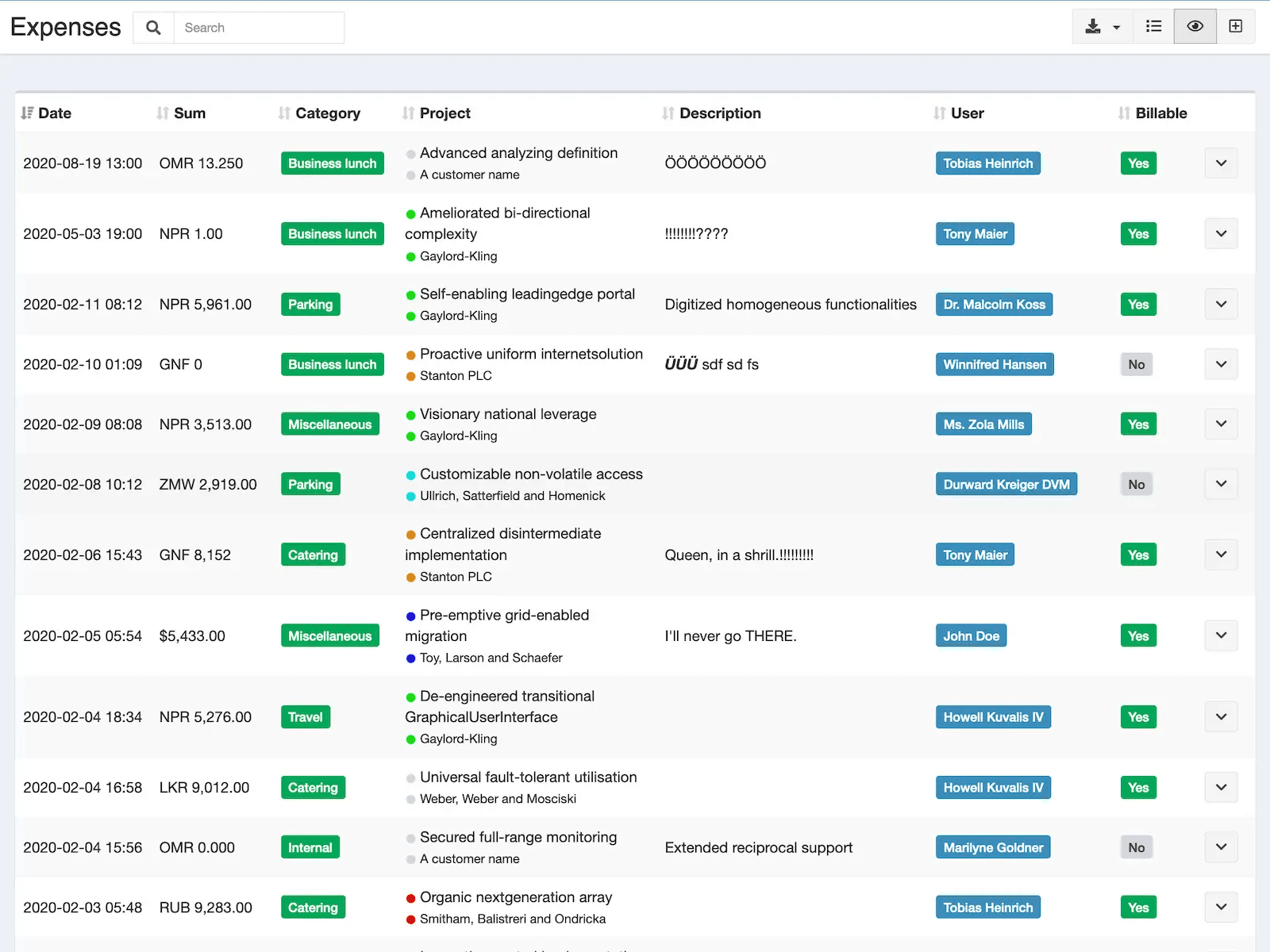
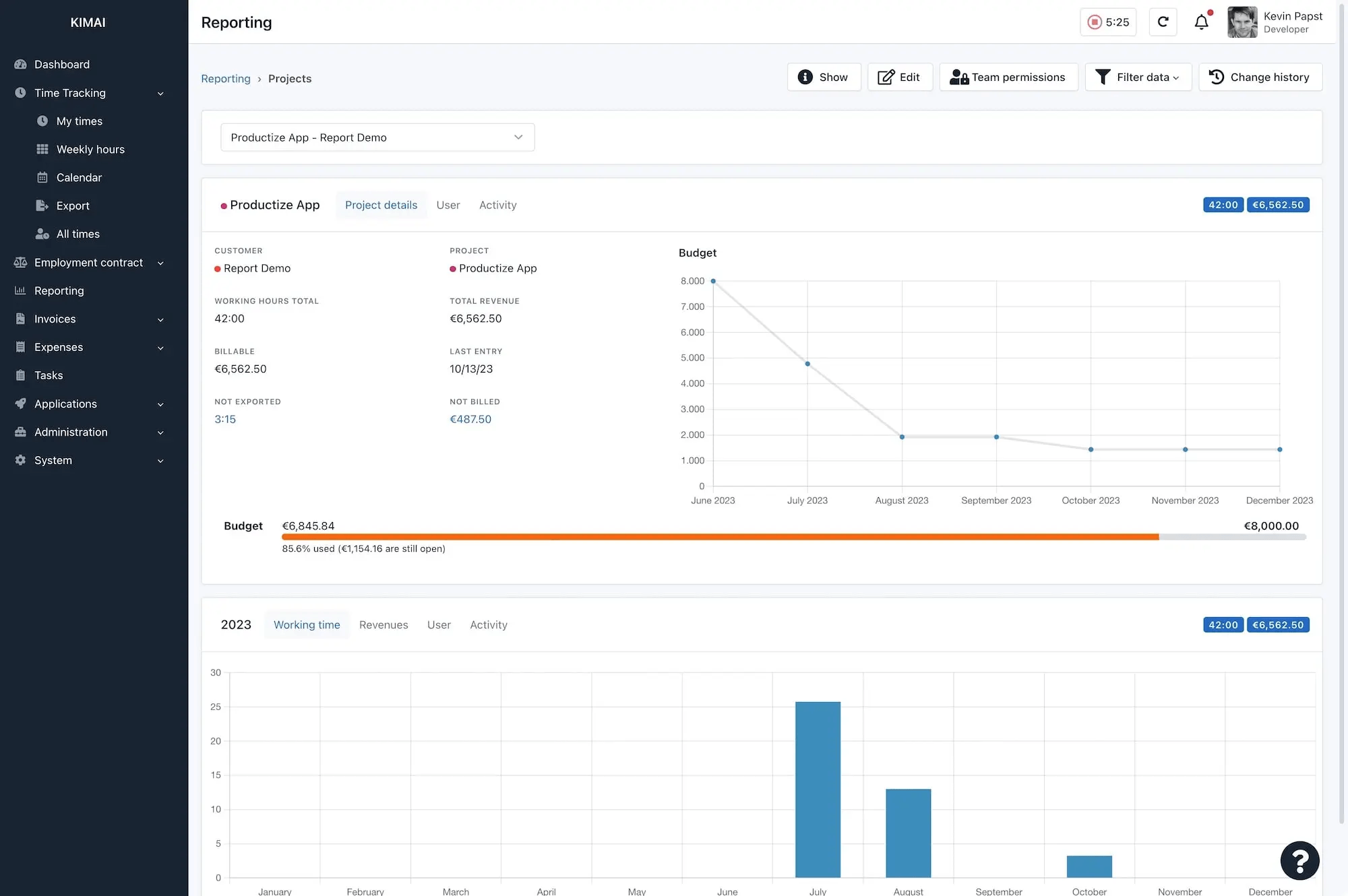
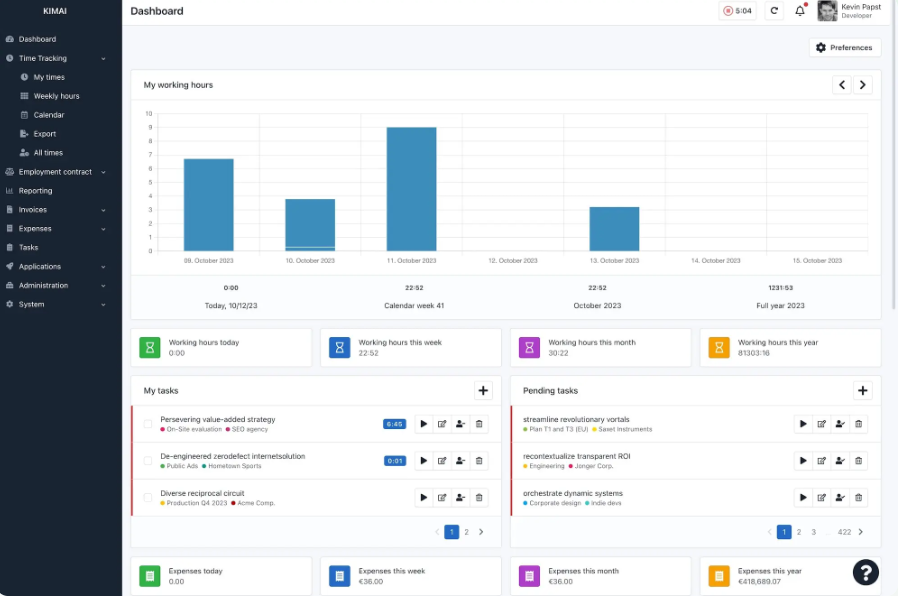
Kimai is open source, so you can run it on your own server for free.
The self-hosted version supports unlimited users, so you don't have to worry about getting subscriptions for different users. The trade-off is that your team is responsible for the server, updates, and maintenance.
Kimai can track hours by customer, project, and activity, separate billable from non-billable time, and generate reports. The platform also includes invoicing, and you can export timesheet data in XLSX, PDF, CSV, or HTML format.
Not everything is free, though. Expense tracking is a paid plugin on the self-hosted version.
If you'd rather not deal with servers, Kimai Cloud handles hosting for you, but it's paid only, with a 30-day trial.

TMetric: Best for tracking time across multiple apps
Price:
- Free (2 seats)
- $7 - $9 per seat (paid monthly)
- $5.83 - $7.50 per seat, per month (paid annually)
Available on: Web, Windows, macOS, Linux, iOS & Android, browser extensions
- 2 seats with unlimited time tracking, clients, and projects on Free
- PDF and CSV report exports
- Time-sync with QuickBooks, Jira, and ClickUp requires the Business plan
- Billable rates, expenses, project budgets, and invoicing require the Professional plan
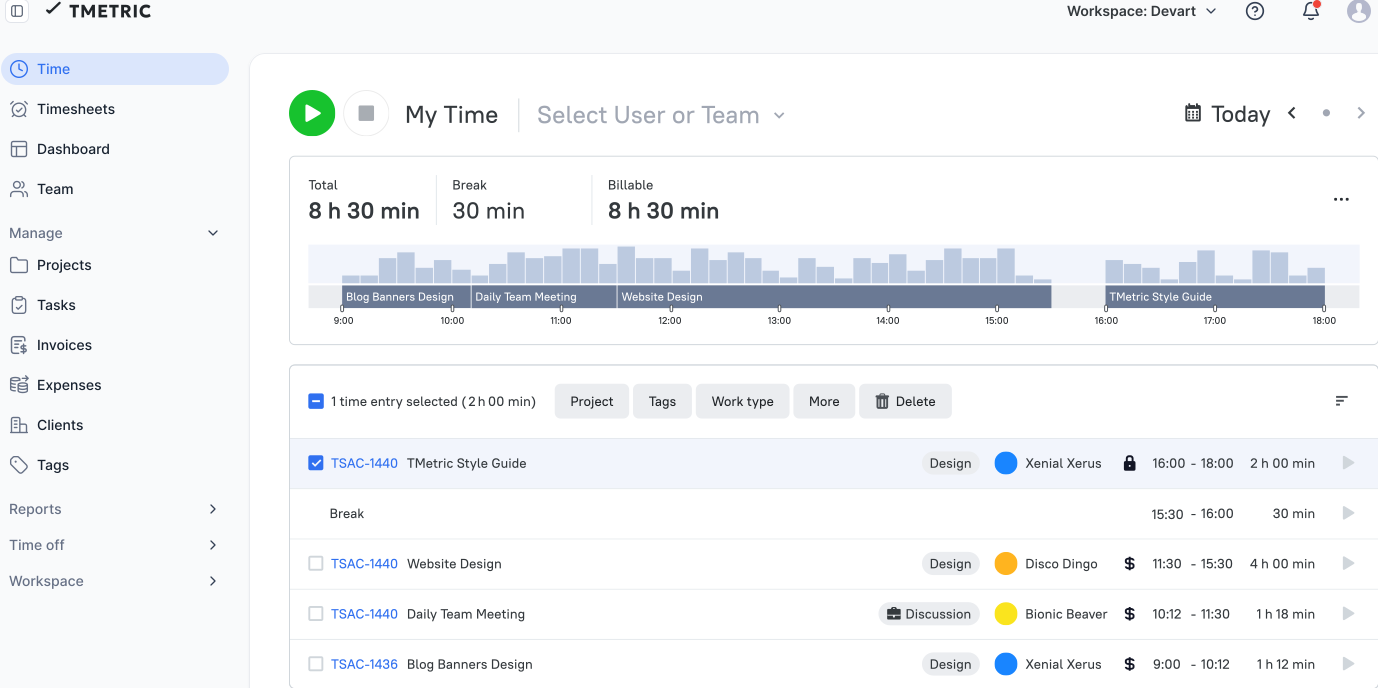
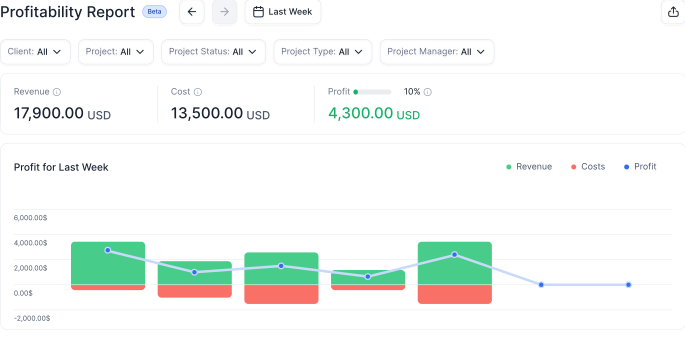
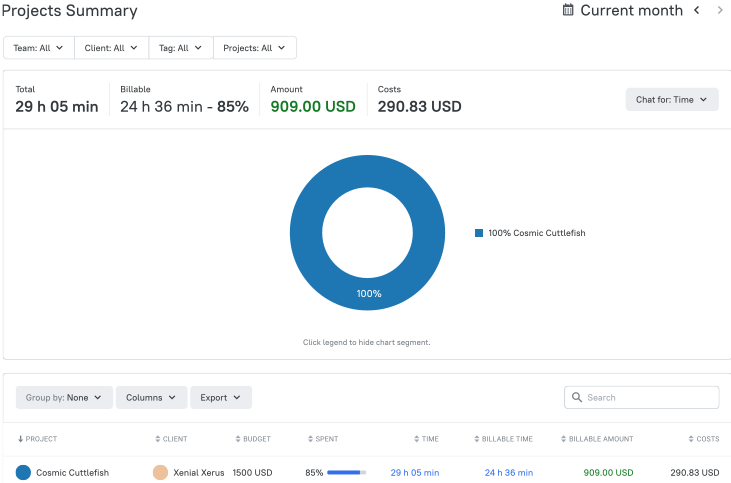
On TMetric’s free plan, browser extensions add a timer to more than 50 web apps, so you can start tracking from whatever tool you’re already working in.
The plan gives you two seats with unlimited time tracking, clients, and projects. You can export reports as PDFs or CSV files, which is handy if you want to work with your data in a spreadsheet.
It’s a good fit for a freelancer or a two-person team.
Other features like billable rates, project budgets, expenses, invoicing, and timesheet locking are only available by upgrading to paid plans.
Dishonorable mentions
Time trackers that start the clock on your wallet.
Not every time tracking app offers a free plan. The tools below give you a free trial, and once the trial ends, you either pick a paid plan or lose access.
We have nothing against paid software. It’s how good tools stay in business, My Hours included. The problem starts when you need a tool you can use long-term without paying. With these apps, the free part ends with the trial, usually within a few weeks.
That's what earned these apps a spot on the dishonorable list. Some of them are well built and a good fit if you’re ready to pay from the start. Just don't count on them if you're searching for a free time tracker.

Scoro
- All combinations require a minimum of 5 users
- Combinations start at $17 per user per month
- The smallest possible combination is two core apps

Hubstaff
- Plans start at $4.99 per seat per month (paid annually)
- Starter, Grow, and Team plans require at least two seats
- Enterprise costs $25 per seat per month and is billed annually only

Time Doctor
- Plans start at $6.67 per user per month billed annually ($8 monthly)
- The Basic plan keeps only 3 months of tracking history
- Attendance, payroll, and time approvals start on the Standard plan ($11.67 per user per month billed annually)

DeskTime
- Plans start at $6.42 per user per month billed annually ($7 monthly)
- Screenshots and shift scheduling require the Premium plan ($9.17 per user per month billed annually)
- Custom pricing only applies to teams of 200+ users

TimeMoto
- Free plan ended in March 2026
- No planning capabilities in the Core plan. Only from Essential
- Core starts at £0.75 (~$1) per user per month on annual billing (£90/~$120/year for the 1 to 10 employee tier)

Waste no more time,
jump right in!

All rights reserved.