


8 Paymo Alternatives (Free & Paid) for 2026
The eight best alternatives for Paymo users seeking a more suitable, affordable, or differently featured option.
With Paymo, you get time tracking, task management, and invoicing bundled into one platform, making it a solid choice for freelancers and small agencies.
While it’s a good option, it's not the right tool for everyone, and as teams grow, many users start looking for Paymo alternatives with more advanced features. To help you find the right fit, we’ve reviewed eight platforms that prove their worth.
*Last Updated: September 2026*
Content overview

- My Hours: Best for freelancers and small teams
- Toggl Track: Best for integrations
- Harvest: Best for client payments
- Clockify: Best for simple time tracking
- ClickUp: Best all-in-one alternative
- Productive: Best for agency budgeting
- Teamwork.com: Best for complex client projects
- Avaza: Best for retainer and recurring billing
Top 6 Paymo Alternatives at a Glance
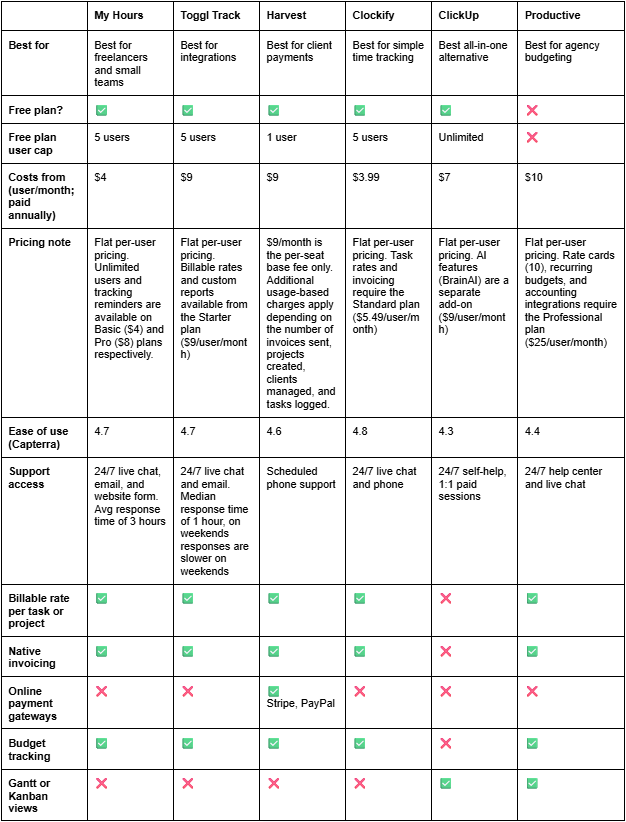

1. My Hours: Best for freelancers and small teams
Price:
- Free (5 users)
- $5 - $9/per user (paid monthly)
- $4 - $8/per user, per month (paid annually)
- Enterprise pricing available
Available on: Desktop, Web, browser extension, iOS & Android
Pros:
 Free plan covers 5 users, not just 1
- 24/7 live customer support
- DCAA and GDPR compliant
- Customizable reporting
- No minimum seat count on paid plans
- Flexible billing rates by user, project, or task
- Automated approval workflows
- No employee surveillance
Cons:
 No Gantt charts or Kanban boards
- No AI time tracking
- Basic task management compared to full-fledged PM tools
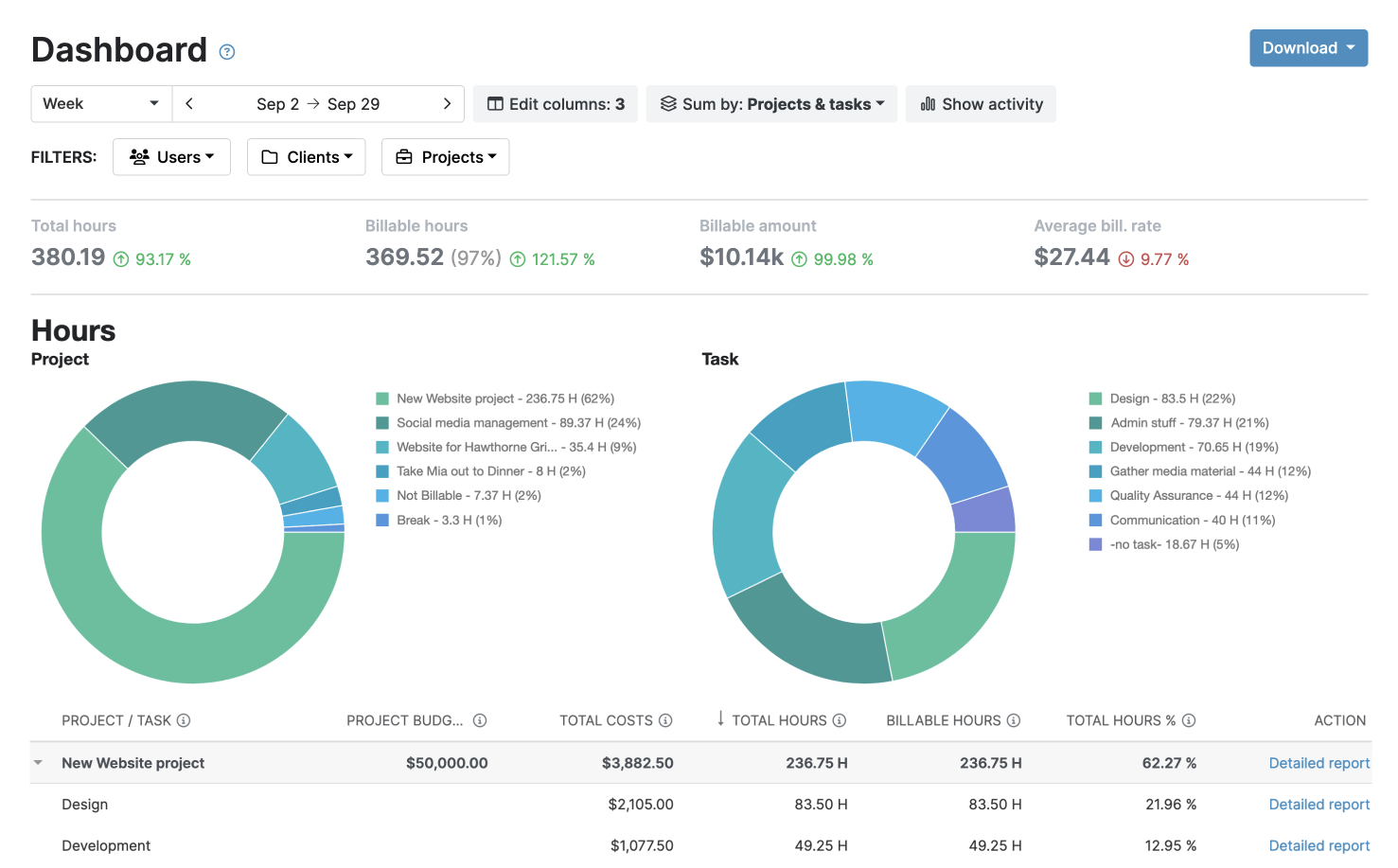
My Hours has more than 20 years of experience behind it and was built to keep your projects profitable through accurate time tracking and clear project insights. The free plan includes unlimited projects, tasks, and clients, making My Hours the best price-performance app on the market.
My Hours also supports DCAA-compliant timekeeping. Timesheet approval hierarchies, a full audit log of every change, customizable detailed reports, and custom tags for labeling time entries keep your records audit-ready.




Why choose My Hours over Paymo?
If you’re stuck on Paymo’s 1-user free plan, or you want consistent billing rates, here’s where My Hours gives you more room.
My Hours’ free plan covers up to 5 users with unlimited clients, projects, and tasks. In contrast, Paymo limits you to a single user on both its Free plan (1 client and 2 projects) and its paid Solo plan (3 clients and 5 projects).
Billing is flexible, too. My Hours supports multiple ways to bill a project, whether that’s a flat project fee or hourly rates set at the user, project, or task level. The platform also captures labor costs, so you can see profitability at every step.
My Hours also keeps a full rate history. Raising a rate only affects new time logs going forward, while past entries hold the rate they were originally tracked under. That way, your old invoices always match your old reports.
On top of that, every plan includes approval workflows with data locking and a full audit log, so you always have a record of who changed a time entry and why.
Reporting is highly customizable, with filters that compare everything from labor costs to expenses. Budget alerts flag when spending approaches your limit, and budgets update as your team logs time, so you always know where a project stands.
If your priority is multi-currency invoicing volume or built-in Gantt charts and task dependencies, consider Paymo’s highest plan (Pro). However, if you want predictable billing and room to grow past a single user, My Hours gives you that stability.
Paymo drawbacks:
1. Single-user Free and Solo plans
Paymo’s Free plan is limited to just one user, one client, and two projects, and even the paid Solo tier has that 1-user limit.
How My Hours solves this: The free plan covers up to 5 users with unlimited clients and projects, so if you have a small team, you can start executing before paying anything.
2. Expensive as your team grows
You'll have to switch to the Plus plan to include more team members. After the 3-month promotional period ends, you're stuck paying $15.90 per user/per month, which can quickly become costly for teams on a tight budget.
How My Hours solves this: My Hours offers flat, transparent per-user pricing. Basic and Pro plans cost $4 and $8 per user/per month, so you always know what new hires will add to the bill.
3. Features have moved behind paywalls over time
Long-term users have reported that features like Gantt charts have been moved to a paid tier.
How My Hours solves this: My Hours’ free and paid plans provide the same core feature set, so nothing you already rely on gets pulled behind a new paywall later.
Bottom line comparison

 Free plan (1 user only)
- Recurring invoices in 85+ currencies and multiple languages
- Online payment gateways built in
- Task dependencies, Gantt charts, and Kanban boards
- Free plan (max five users)
- Flexible billing rates by user, project, or task
- Automated approval workflows and audit log
- No minimum seat requirement on paid plans
- 10 native integrations, 1000+ additional tools via Zapier and custom integrations on the Enterprise plan.
- Easy to get started

2. Toggl Track : Best for integrations
Price:
- Free (5 users)
- $12 - $20/per user (paid monthly)
- $9 - $18/per user, per month (paid annually)
- Enterprise pricing available
Available on: Desktop, Web, browser extension, iOS & Android
Pros:
- 100+ native integrations
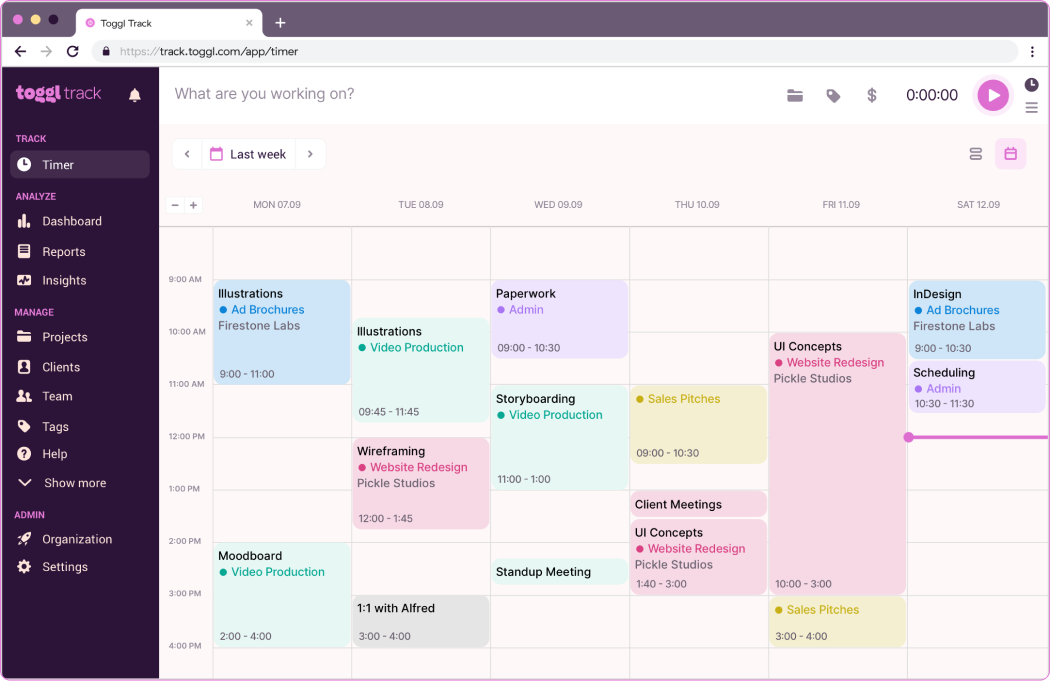
- Clean, minimal interface
- Built-in calendar integrations
- Idle time detection
- Pomodoro timer
Cons:
- Invoicing is basic, with no accounting-software sync
- Free plan caps at 5 users, same as Paymo’s paid tiers require
- Budget alerts and forecasting are Premium-tier features


Why choose Toggl over Paymo?
Toggl Track is one of the most user-friendly time trackers around, with a clean, minimal interface that new team members pick up quickly.
What stands out most, though, are the integrations. The platform connects with 100+ tools, including QuickBooks, Jira, and Salesforce, covering everything from accounting to project management.
Paymo, on the other hand, has just 11 tools in its integration library, and you'll need the Plus plan to access them.
Toggl Track also captures billable rates and can turn your time reports into branded PDF invoices in a few clicks.
Just bear in mind that budget tracking isn't its strong suit. Forecasts and alerts that flag a project at 80% of its estimate are locked behind the Premium plan, and Toggl Track’s invoices don’t sync automatically to an accounting system the way Paymo's QuickBooks integration allows.
Overall, Toggl Track is perfect if you want fast, low-friction tracking that feeds data into other tools. If you'd rather have billing and budgets handled in one place, Paymo may be better suited.

3. Harvest: Best for client payments
Price:
- Free (1 user)
- $11 - $17.50/per user (paid monthly)
- $9 - $14/per user, per month (paid annually)
Available on: Desktop, Web, iOS & Android
Pros:
- Native Stripe and PayPal payment integrations
- Clients can pay directly from the web invoice
- ACH bank transfer is supported for US-based businesses
- Recurring payments for recurring invoices
- 50+ integrations
Cons:
- Free plan limited to 1 user and 2 projects
- Processing fees apply on top of Stripe or PayPal's standard rates
- Limited project-management depth
Why choose Harvest over Paymo?
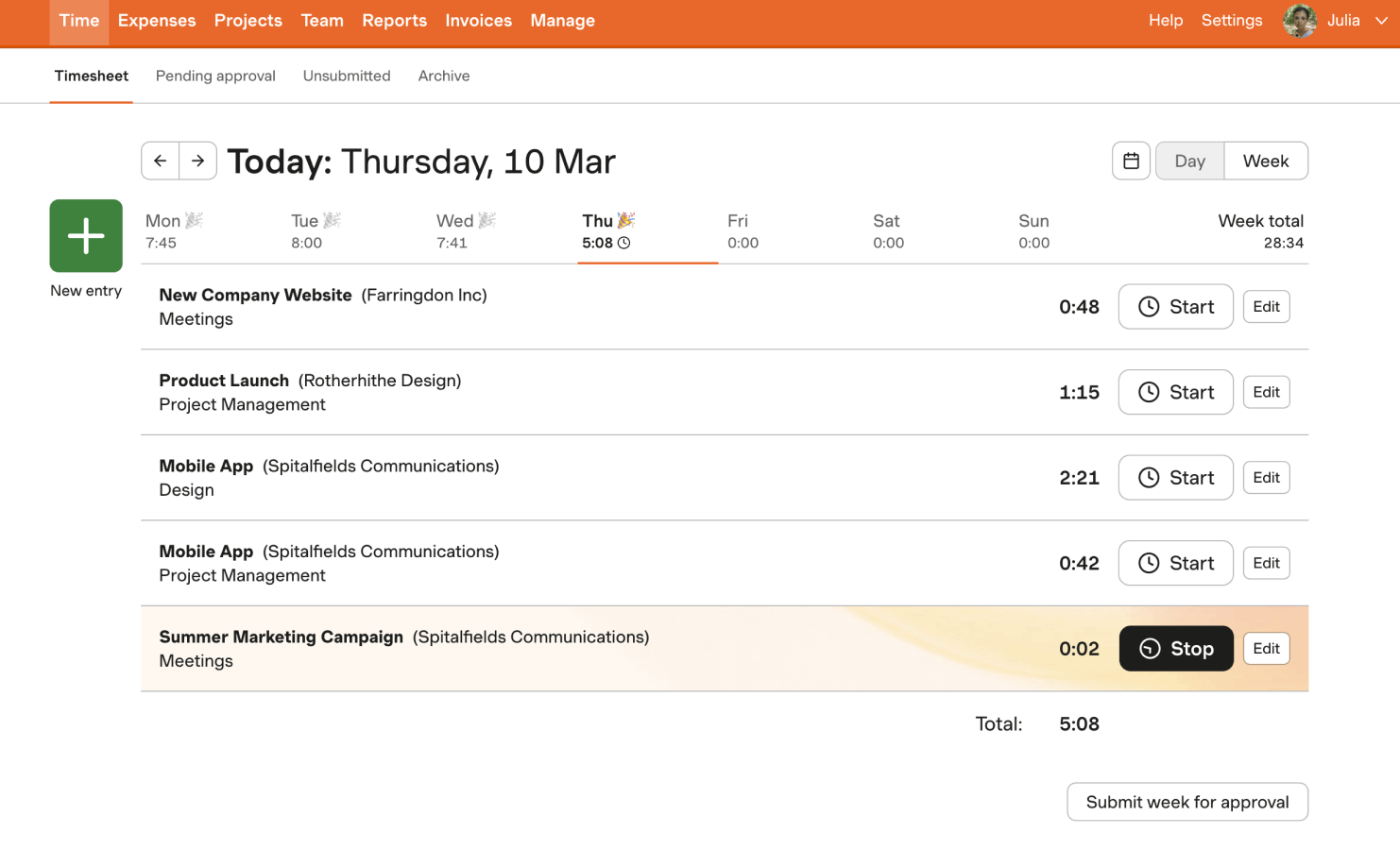
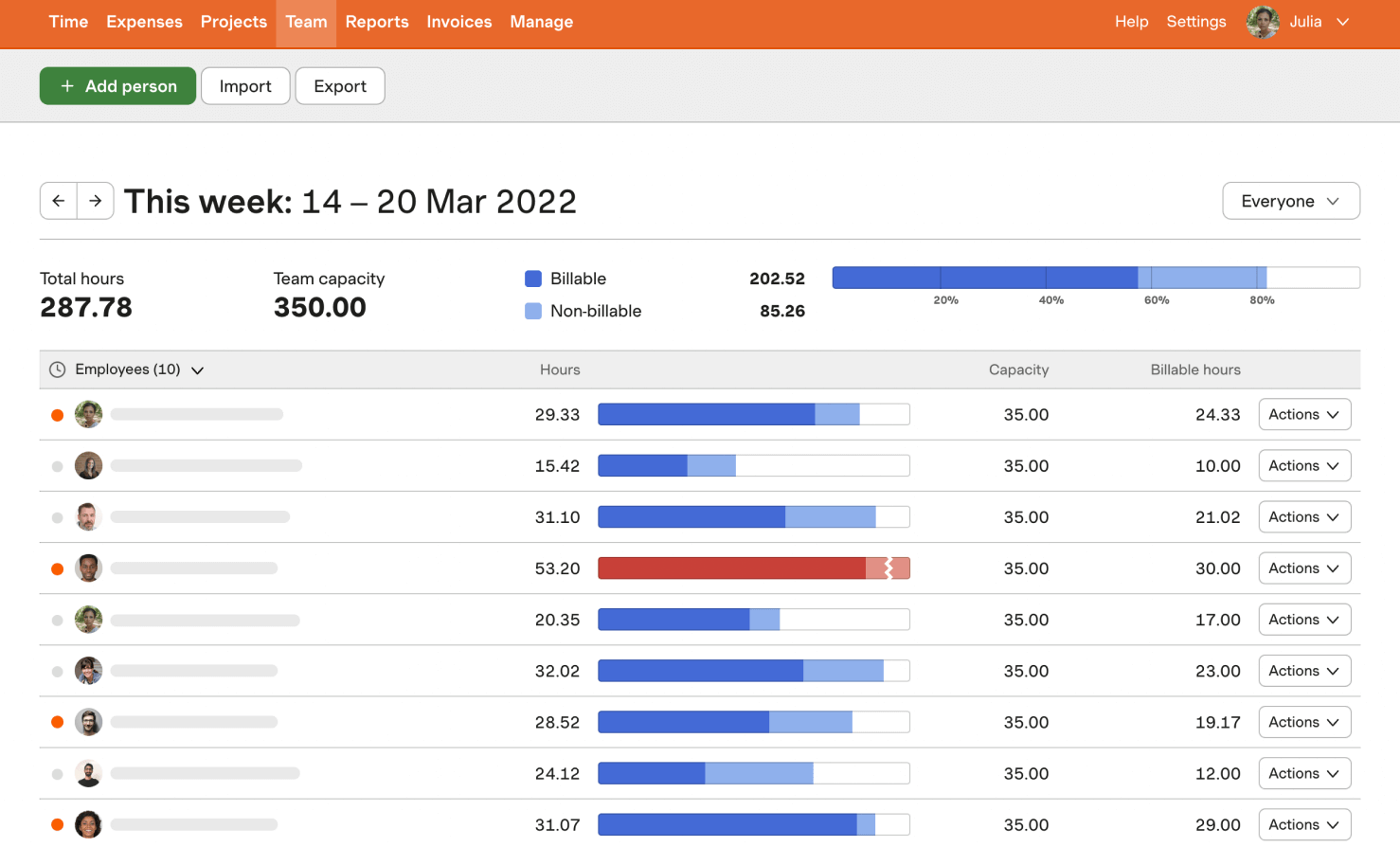
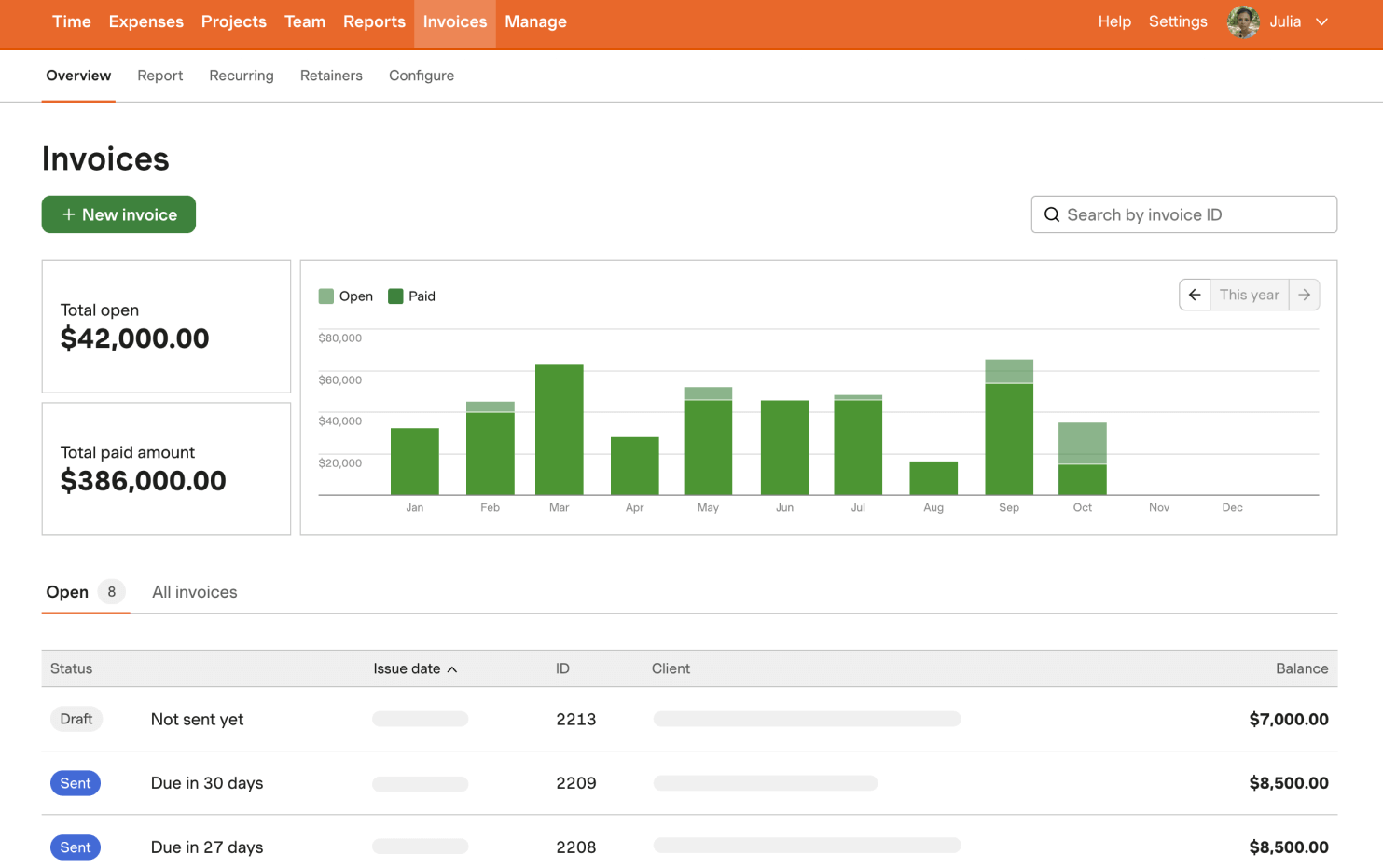
Both tools let clients pay online. The difference is that with Paymo, payments are just one of its many features, while Harvest makes invoicing and payment collection its core job.
Stripe and PayPal connect directly to the web invoice, so clients can pay you without needing an account with either provider.
If you're a US business, you can also accept ACH bank transfers at a lower processing fee than card payments. Recurring invoices collect payment automatically, so you don't have to chase retainer payments; it's all hands-off. Harvest even lets you decide whether to absorb the processing fee or pass it on to the client.
Just bear in mind that Harvest’s free plan has the same 1-user cap as Paymo, along with a 2-project limit, so it won’t fix a team-size problem. Project management is also limited compared with Paymo’s Gantt charts and task dependencies.
What Harvest solves is getting you paid quickly once you send an invoice. That makes it a strong pick if your main frustration is chasing money rather than managing projects.

4. Clockify: Best for simple time tracking
Price:
- Free (5 users)
- $4.99 - $15.99/per user (paid monthly)
- $3.99 - $12.99 per user, per month (paid annually)
Available on: Desktop, Web, browser extension, iOS & Android
Pros:
- Free plan covers 5 users
- Invoicing available from the Standard tier
- 100+ integrations, including on the free plan
- Kiosk mode and GPS tracking on higher tiers
Cons:
- Some features were moved to paid plans in April 2026
- Free plan lacks timesheet approvals and time-off tracking
- No project management features at any tier
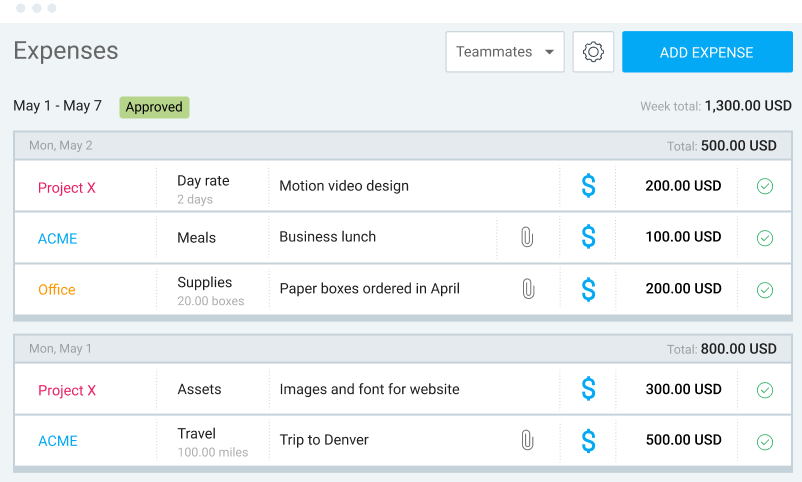
Why choose Clockify over Paymo?
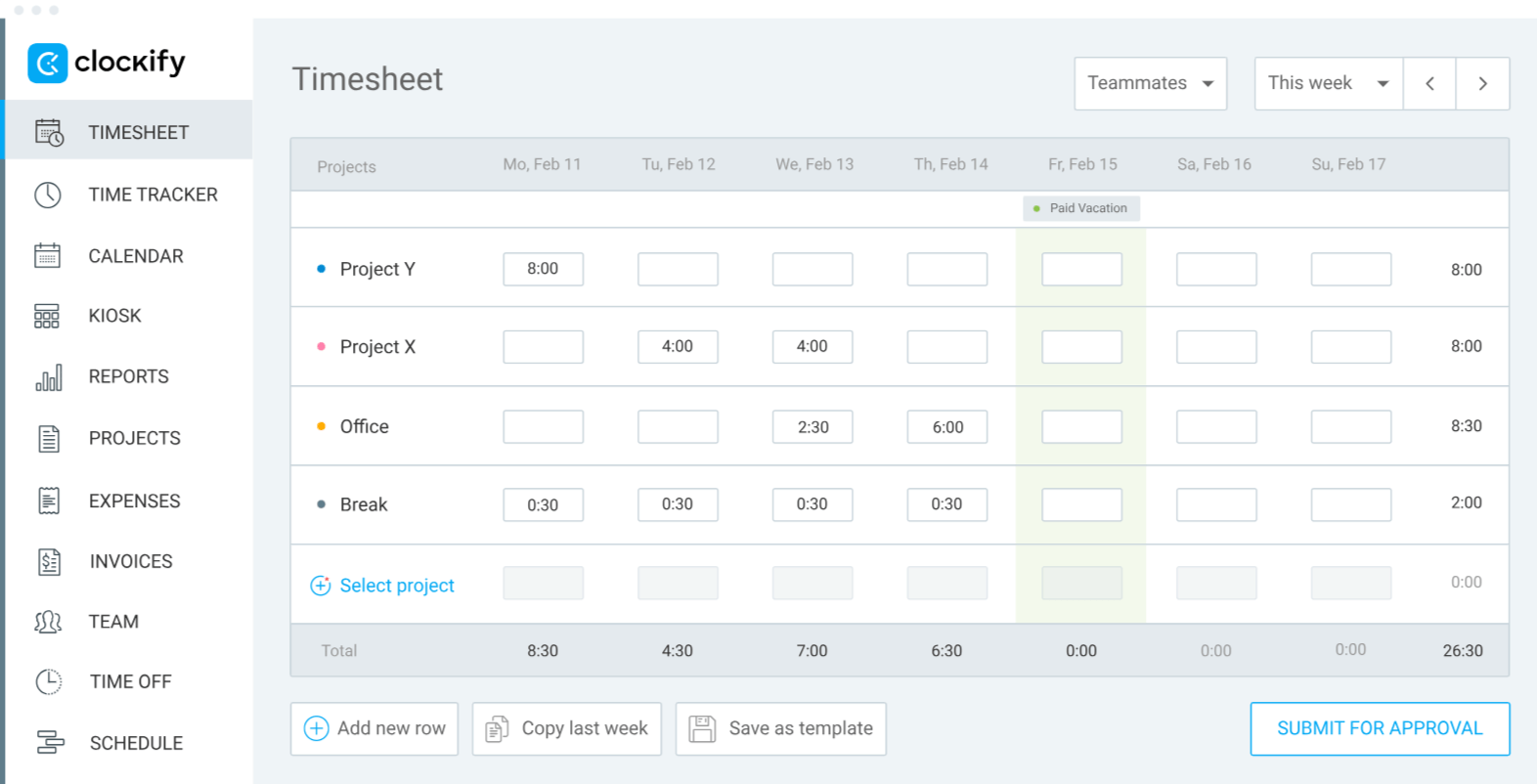
Clockify does one thing well: simple, straightforward time tracking across your whole team.
The platform works across desktop, mobile, and the browser. If you mainly use Paymo to log hours, a small team can switch over without losing much.
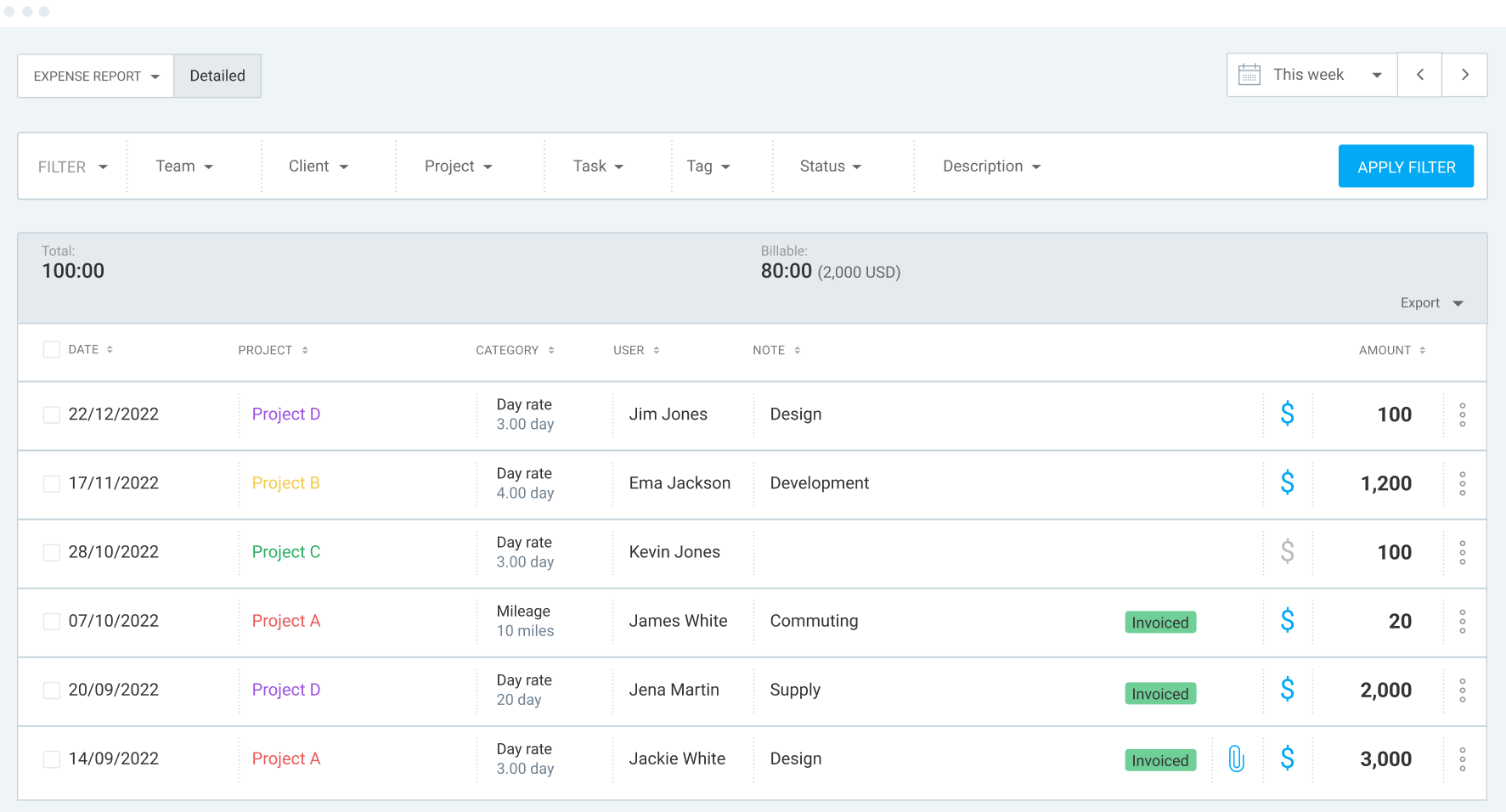
Higher tiers add a clocking kiosk and GPS tracking for field teams, and the Standard plan brings in invoicing and QuickBooks integration for those that need it.
Just keep in mind that Clockify’s free plan lost several features in April 2026. Billable rates, the kiosk, shared reports, and private projects all moved to paid plans.
Clockify also has no project management features at any tier, so there are no task dependencies, Kanban boards, or Gantt charts to replace Paymo's.
As such, Clockify works best if you want simple, reliable tracking first and can live without built-in project planning.

5. ClickUp: Best all-in-one alternative
Price:
- Free (unlimited users)
- $10 - $19/per user (paid monthly)
- $7 - $12 per user, per month (paid annually)
- Enterprise pricing available
Available on: Desktop, Web, browser extension, iOS & Android
Pros:
- Unlimited free members
- 15+ project views, including Gantt and Kanban
- Native time tracking, docs, and dashboards in one workspace
- Broad automation library
- 1,000+ integrations
- Brain AI built in for task management and writing
Cons:
- No native billable rates, invoicing, or budget tracking without an integration
- Steep learning curve for new teams
- AI features are paid add-ons
Why choose ClickUp over Paymo?
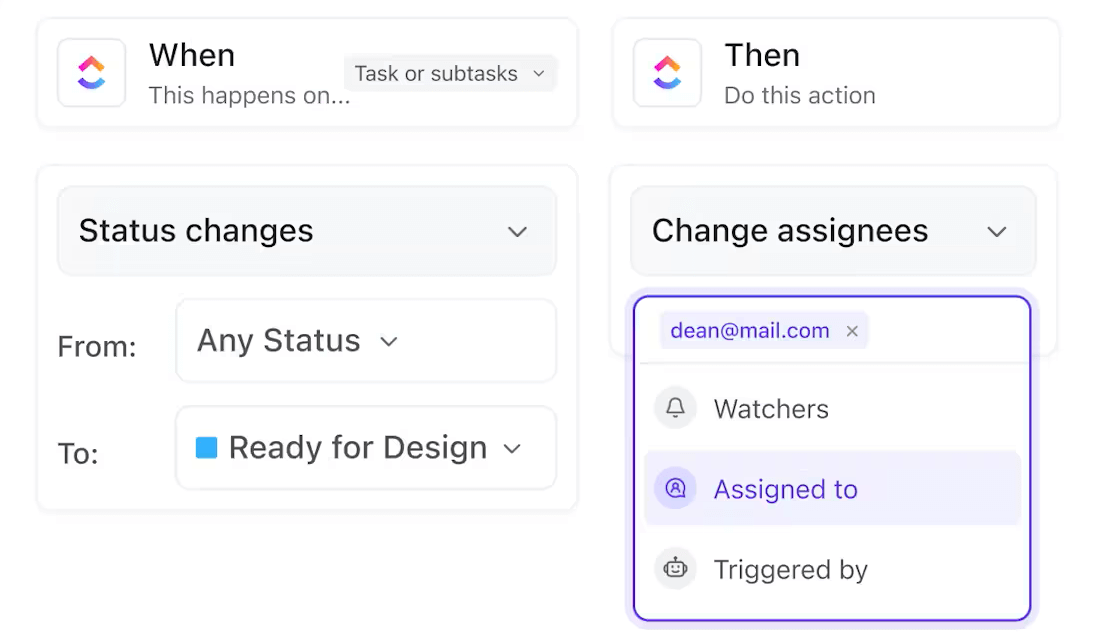
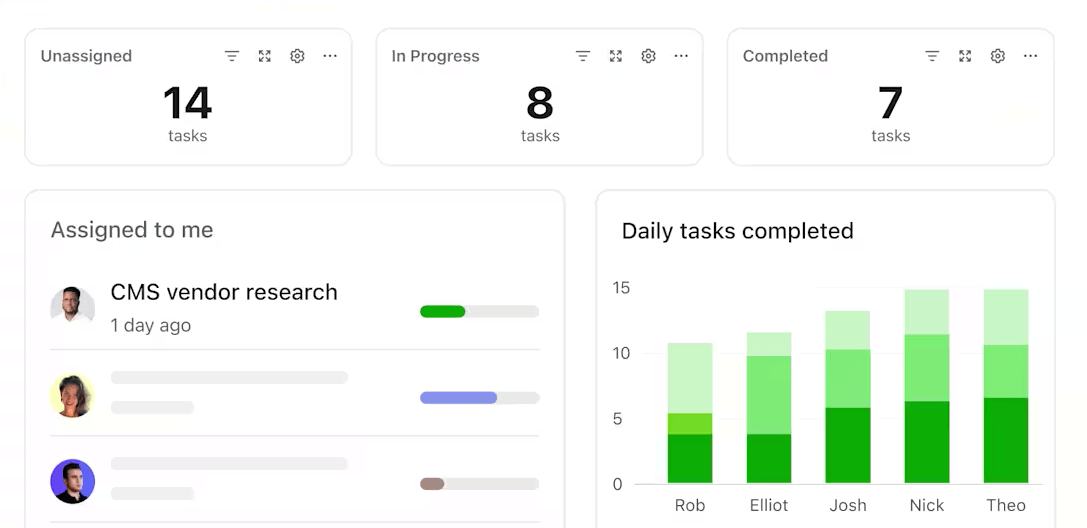
What makes ClickUp stand out is the sheer number of tools. Docs, whiteboards, dashboards, chat, and more are available alongside task management and time tracking, so it can replace several apps at once, including Linear, Slack, and Trello.
You can view projects in 15+ formats, including Gantt charts, Kanban boards, and timelines, which go well beyond Paymo’s five project views. ClickUp also lets you choose from 1,000+ integrations, cutting down on repetitive admin work.
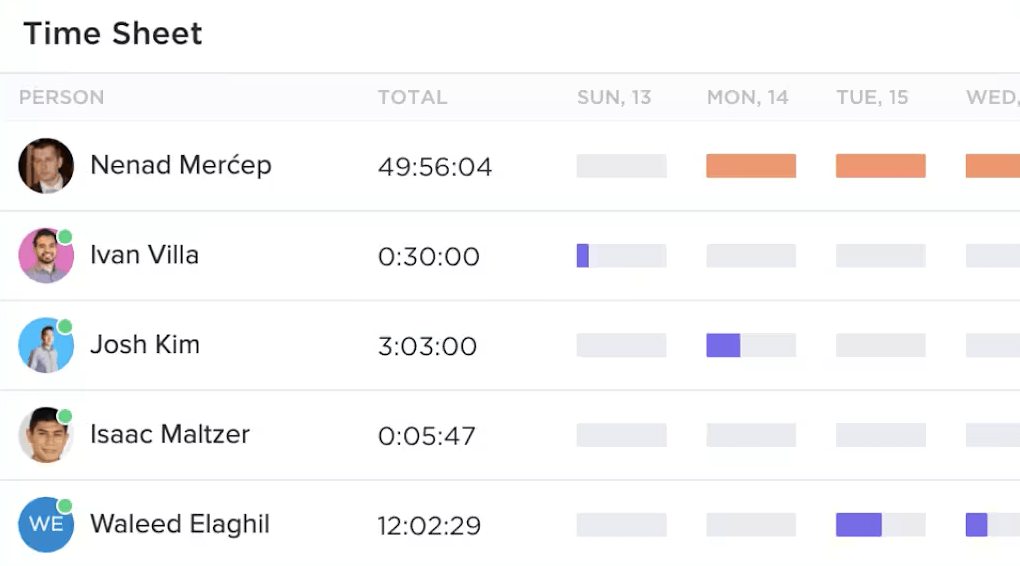
Time tracking is native, and the free plan supports unlimited members.
However, billing is where ClickUp falls short. Time tracking only marks whether hours are billable or non-billable. There’s no built-in rate management, invoicing, or budget module, so you’ll have to pair ClickUp with a dedicated billing tool.
You should also budget time for setup. ClickUp is highly customizable, which can make it harder to get started with than Paymo.
Overall, ClickUp is a good option if you've outgrown Paymo’s project management side. If you want one workspace for everything and are okay with using a separate invoicing integration, then ClickUp makes a good alternative.

6. Productive: Best for agency budgeting
Price:
- No free plan, 14-day free trial
- $12 - $29/per user (paid monthly)
- $10 - $25 per user, per month (paid annually)
- Enterprise pricing available
Available on: Desktop, Web, Android & iOS
Pros:
- Budgeting, resource planning, and time tracking included (Essential)
- Rate cards and recurring budgets (Professional and up)
- Revenue forecasting and scenario building (Ultimate)
- Billable time and expense approvals
Cons:
- No free plan, only a 14-day trial
- 3-user minimum rules out solo freelancers
- Advanced reporting and rate cards sit behind the Professional tier
Why choose Productive over Paymo?
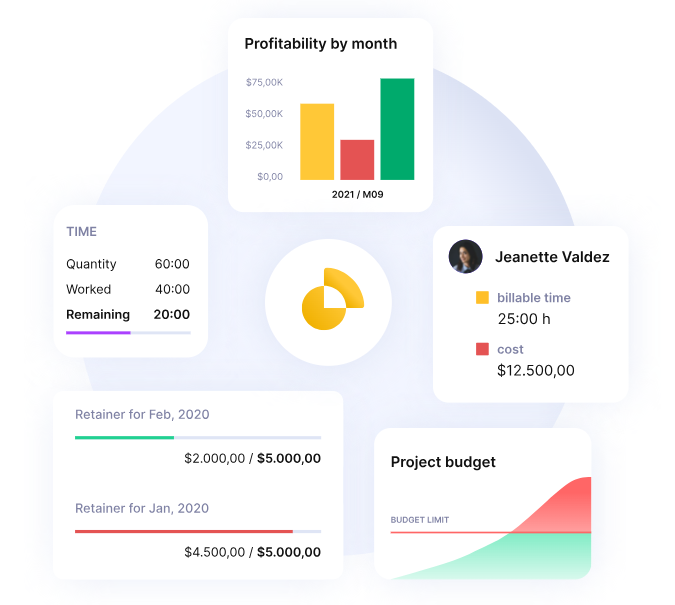
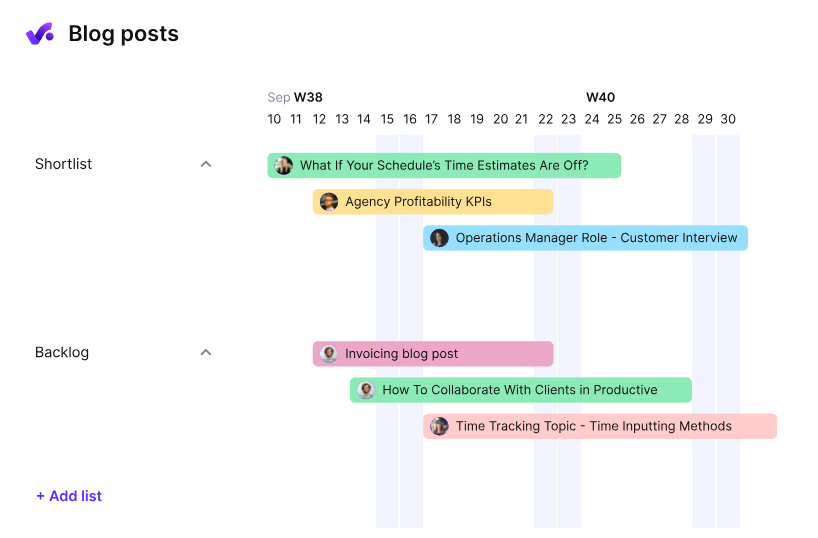
Productive is built for agencies that want to manage budgets and profitability in the same place they manage projects.
Even the entry-level Essential plan includes budgeting, resource planning, expense management, and time off tracking alongside project and task management.
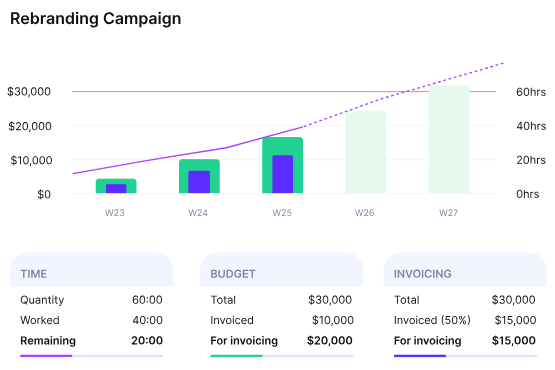
The Professional tier adds rate cards and recurring budgets, which are great for retainer work, plus approvals for billable time and expenses. The Ultimate plan brings revenue forecasting and scenario building if your agency plans further ahead.
The big difference from Paymo is how budgets behave. Paymo tracks them at the project level, while Productive updates them as your team logs time. So you can see whether a product is still profitable right now, rather than after you run a report.
It’s worth noting that there’s no free plan, only a 14-day trial. Paid plans also require at least three seats, so it's not a good option for solo freelancers.
For an agency that has outgrown spreadsheet budgeting, though, Productive is a great alternative to Paymo.
More Paymo alternatives

7. Teamwork: Best for complex client projects
Price:
- Free (5 users, 5 projects)
- $13.99 - $29.99/per user (paid monthly)
- $9.99 - $24.99 per user, per month (paid annually)
- Enterprise pricing available
Available on: Desktop, Web, iOS & Android
Pros:
- Work organized by client from the free plan up
- Workload and live capacity planning on the Accelerate tier
- Client invoices built directly from logged time on the Accelerate tier
- Financial and multi-currency budget tracking on the Optimize tier
Cons:
- Workload planning and invoice-from-time-logged sit behind the Accelerate tier
- Per-user pricing adds up for larger client-facing teams
- Some reviewers note a longer setup than Paymo
Why choose Teamwork over Paymo?
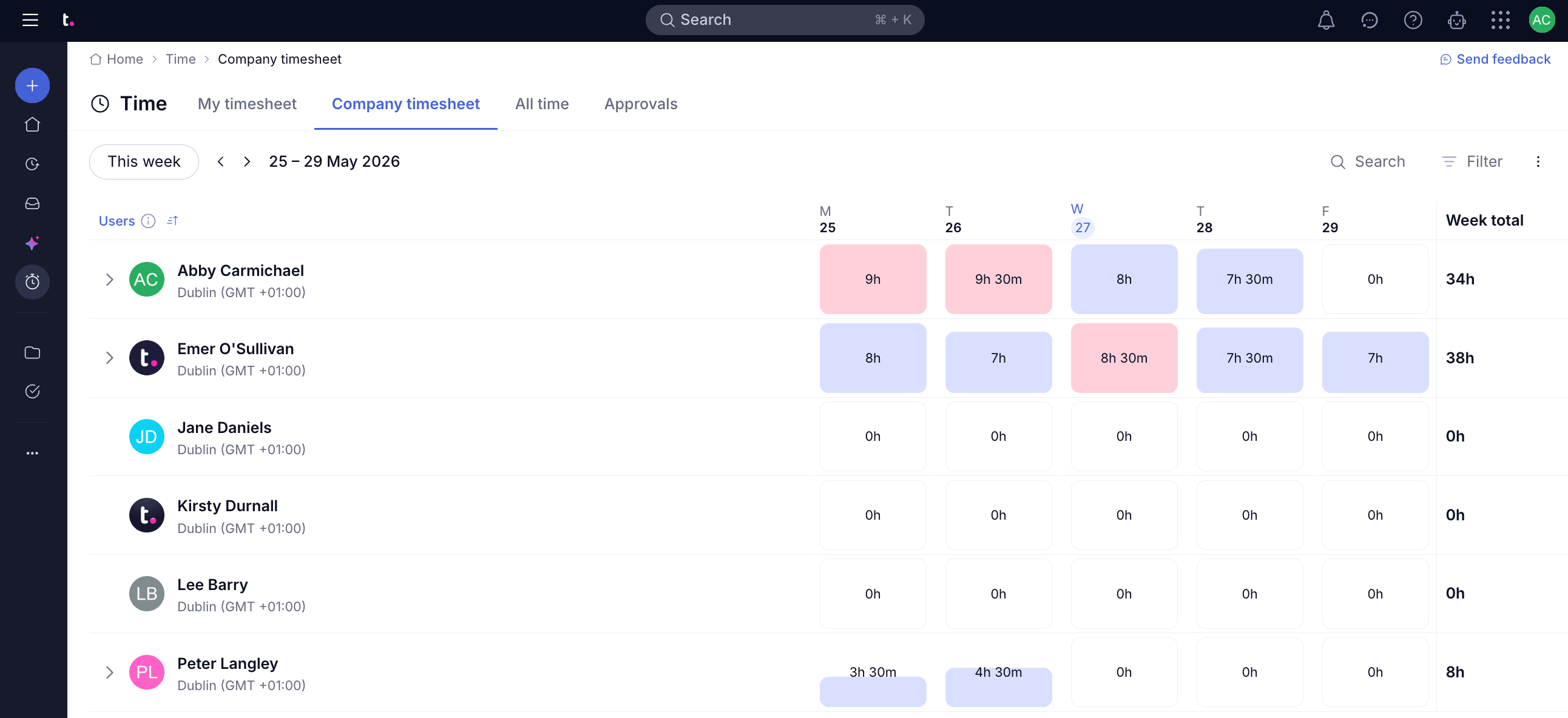
Teamwork.com is built around agencies running multiple client accounts at once, and it shows in how the platform is organized. Work is grouped by client, so you'll find every project, task, and time entry under the account it belongs to.
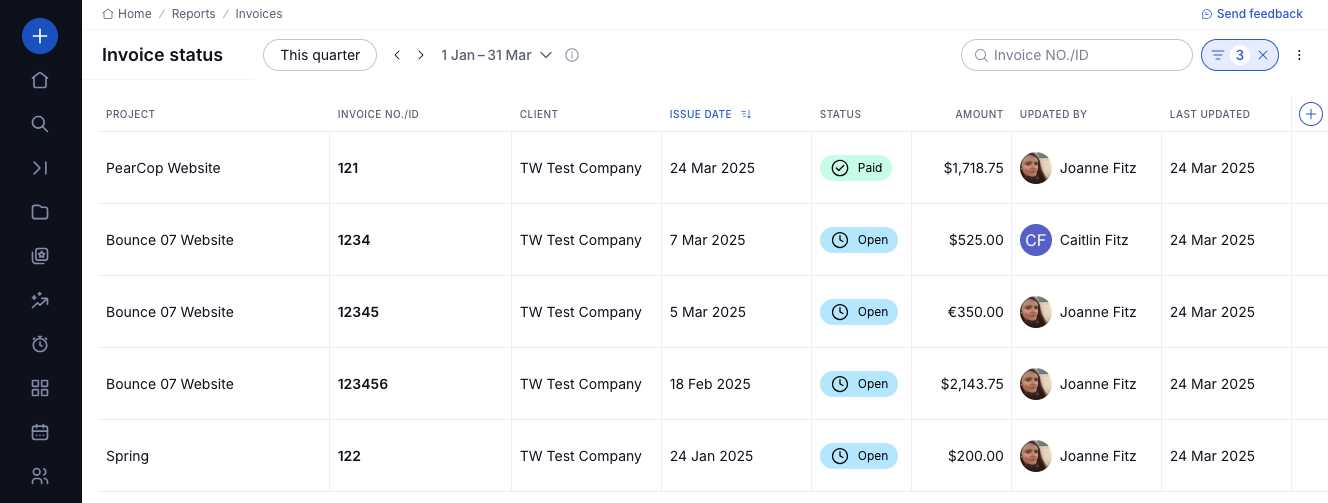
The Accelerate tier adds Live capacity planning, so you can see which team member is overbooked before they miss a deadline. You can also build a client invoice directly from logged time. This way, billing flows naturally from the work itself.
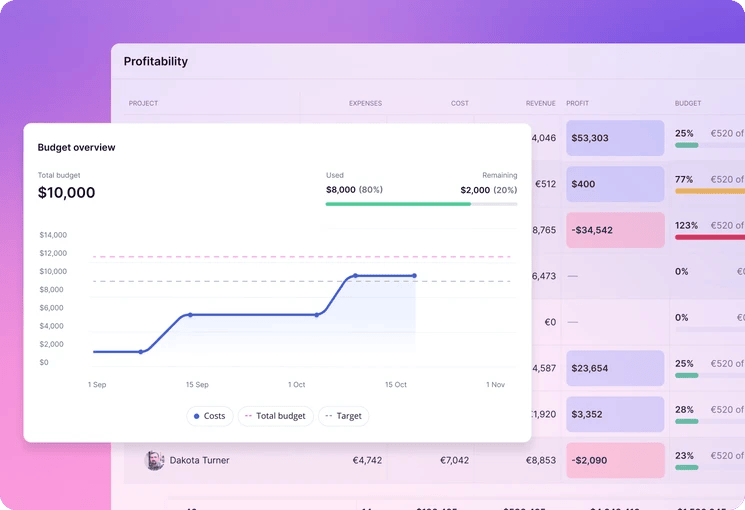
On the Optimize plan, you get financial budget tracking and multi-currency support, which matters if you bill clients internationally.
It’s best to stick with Paymo if task dependencies and Gantt charts are all you really need, because its Pro plan covers those at a lower price. Teamwork.com’s $24.99 per user/per month is only worth it when the client management depth is what you’re after.
Overall, Teamwork.com makes the most sense if your biggest friction with Paymo is juggling many client relationships inside one workspace.

8. Avaza: Best for retainer and recurring billing
Price:
- Free (1 admin user)
- $11.95 - $47.95 per month (flat rate, additional user roles priced separately)
Available on: Web, iOS & Android
Pros:
- PayPal, Stripe, and Payoneer payment gateways
- Auto-charge for recurring and retainer invoices
- Gantt charts, Kanban boards, and resource scheduling included
- Credit notes and partial payments supported
Cons:
- Free plan caps out at 5 invoices per month
- Pricing model adds per-role costs for extra admin, scheduling, or chat users
- Month-by-month subscriptions with no discount for longer commitments

Why choose Avaza over Paymo?
Avaza's edge over Paymo is in automated payment collection.
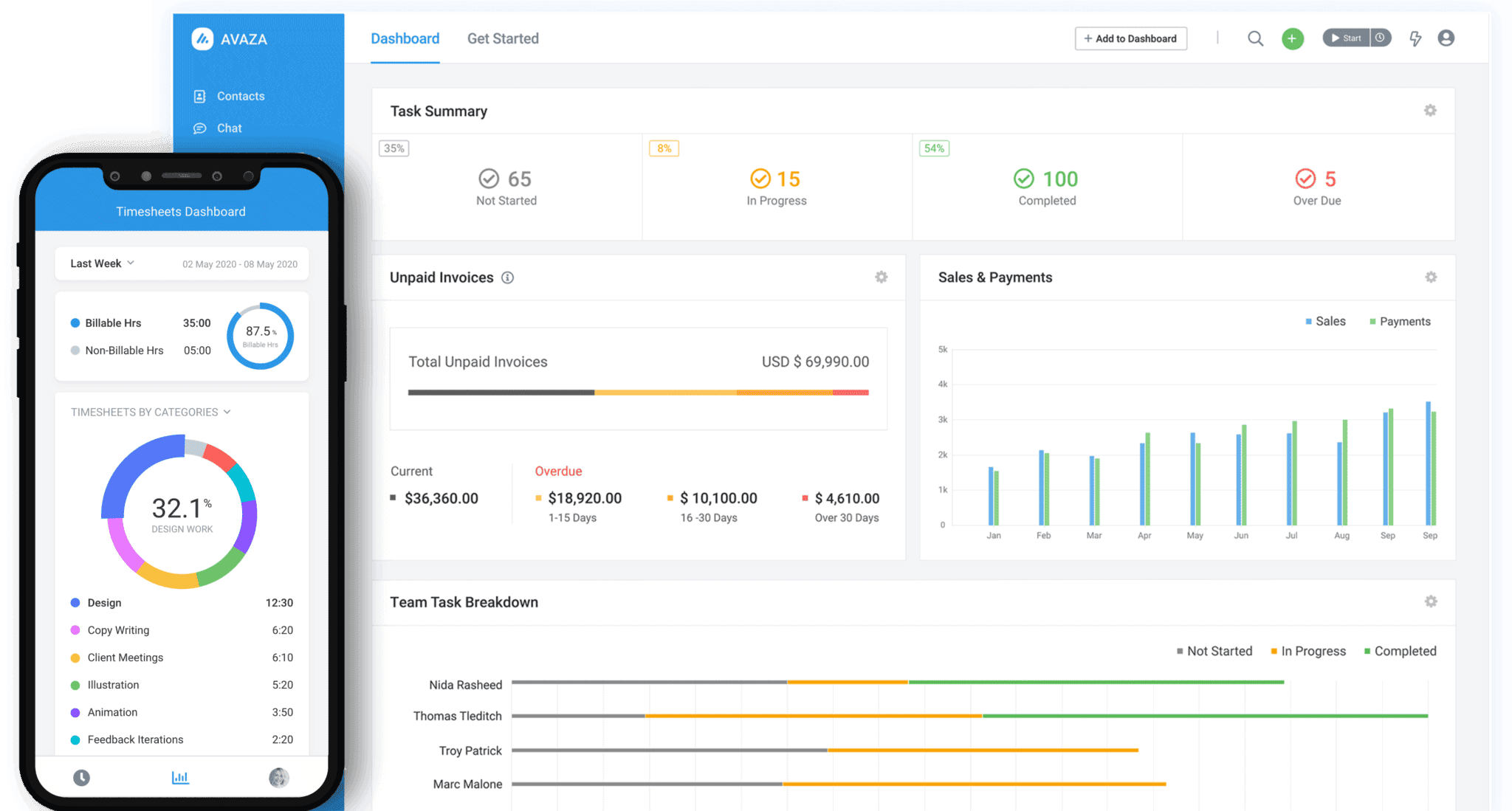
Auto-charge bills your client’s saved payment method automatically for recurring and retainer invoices, so regular billing runs itself with no follow-up needed. Paymo automates the sending of recurring invoices, but your client still has to make each payment themselves.
The retainer module is built for ongoing client work. Payments are held as credits, applied against invoices as work is delivered, and summarized in retainer statements that your clients can follow.
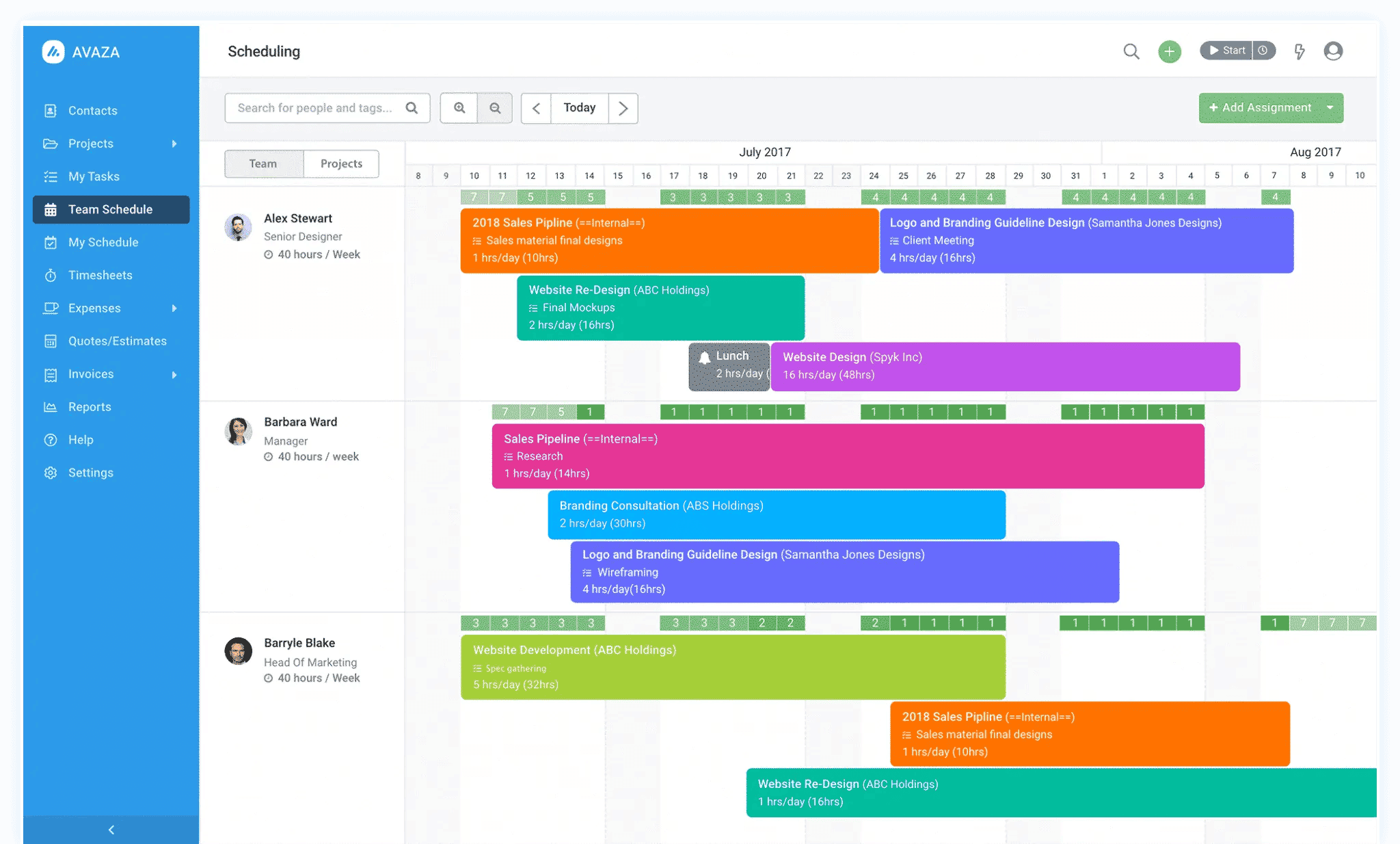
Avaza also does a great job on project planning. Gantt charts, Kanban boards, and resource scheduling are all included, so switching doesn’t mean giving up the organizational tools you rely on in Paymo.
The free plans work differently between the two. Paymo caps you at 1 user, while Avaza caps volume instead, with 5 invoices per month, 5 active projects, and 10 customers.
Paymo is still a strong invoicing tool in its own right. Like Paymo, Avaza supports online payment gateways and automatic invoice reminders. However, unlike Paymo, it doesn’t offer partial invoicing for down payments or ACH payments for US clients through PM Payments.
So the decision comes down to how you bill. If your work runs on retainers and subscriptions, Avaza automates more of it for you. If you invoice project by project, Paymo’s own tools already cover most of what you need.
Best Paymo Alternatives by Team Type and Size
There is no one-size-fits-all time tracking app. Therefore, matching features to team type and size is essential if you want a tool that your employees will use consistently.
Best Paymo Alternatives for Agencies (6-20 people)
Small to mid-sized agencies usually need a balance between client billing, project visibility, and ease of use.
My Hours is particularly strong for client billing and budget tracking, with flat per-user pricing that stays predictable as the team grows. Teamwork.com is a solid fit for agencies juggling multiple client accounts, with capacity planning to keep workloads balanced.
Choose Harvest if fast online payments collection matters most, and Toggl Track if the agency already runs a wide tool stack and needs something that connects cleanly with everything else.
Clockify also suits teams that only need basic tracking for now and want to keep their costs minimal.
Best Paymo Alternatives for Consultancies (5-25 People)
Consultancies typically need more than basic time tracking. Strong billing, detailed project costing, and compliance-friendly timesheets are usually non-negotiable.
My Hours is a particularly good fit here, with flexible billing rates, customizable reporting, and approval workflows that keep time data audit-ready.
Productive is suitable for budget oversight and profitability tracking across multiple engagements.
For larger consulting firms that have outgrown simpler tools, Productive’s rate cards and revenue forecasting go further than what Paymo offers at scale.
Best Paymo Alternatives for Freelancers and Solo Users (1-5 People)
Freelancers typically need something inexpensive, easy to set up, and capable of handling client invoicing without much overhead.
My Hours covers the full workflow for free, with unlimited projects, tasks, and clients on its free plan. Harvest is the go-to if getting paid online quickly matters most. Clockify suits freelancers who only need basic time logging and want to keep costs at zero for now.
Best Paymo Alternatives for Enterprise Teams (30+ people)
Enterprise teams benefit from deeper reporting, granular permissions, and pricing that scales predictably.
My Hours' Enterprise plan works well for organizations in regulated industries that need DCAA-compliant timekeeping, a full audit log, and timesheet approval workflows at scale, alongside a dedicated customer success manager and custom integrations.
ClickUp’s Enterprise plan suits organizations consolidating multiple tools into one workspace, with unlimited custom roles, SSO, and advanced permission controls.
Productive’s higher plans are built for agencies that need revenue forecasting and financial reporting across many projects at once.
Toggl Track’s Enterprise plan stands out if the goal is company-wide time tracking that teams actually adopt. It comes with custom reporting and a dedicated customer success manager.
How to Choose the Right Paymo Alternative: Checklist Guide
There are numerous time tracking and project management platforms on the market to choose from, and there’s no one-size-fits-all solution. Once you’ve defined why you want to switch, the checklist below can help guide your evaluation process.
1. Define your use case and requirements
- How many people need seats, and are you looking for something suited to a solo user, a small team, or a larger organization?
- Do you have to track billable time?
- Do you need to bill clients directly from the platform, or is a separate invoicing tool acceptable?
- Do clients need to pay online, and if so, through which gateway?
- Are you required to track PTO and other types of time off?
- Do you run multiple client projects and need a way to organize deliverables?
- Do you need Gantt charts, Kanban boards, or task dependencies, or is a simpler task list enough?
- Does your billing rate need to stay fixed on past invoices once it changes?
- Will the tool need to integrate with your existing accounting or project management stack?
- Are you required to generate and send regular reports on time and cost data?
2. Prioritize the right features and tools: what does your time-tracking tool need to do?
- Automatic or manual time tracking plus manual time entry
- Tracking via a mobile app, browser extension, or desktop
- Client, project, and task organization
- Tracking available on and offline
- Billable rates set at the user, project, or task level
- Expense tracking with receipt uploads
- Labor cost tracking
- Budget setting and tracking tools
- Inbuilt invoicing
- Timesheet approval workflows with data locking
- Calendar or timeline overviews
- Online payment gateways
- Kanban boards or Gantt charts for project planning
- Granular user controls and permissions
- Third-party integrations
- Customized reporting and analytics
3. Compare your shortlist on:
- Pricing: Does the free plan actually fit your team size, or does it force an upgrade the moment you add a second person?
- Ease of use: How much training does a new team member need before they’re tracking time correctly?
- Support and onboarding: Can you reach customer support easily, and is onboarding available?
- Data migration: Can existing clients, projects, and past time logs be imported, with billing rates carrying over correctly?
- Security: Are there up-to-date security protocols for data privacy and protection?
- Online review scores: Are reviews mostly positive, or are there widely reported issues?
- Compliance: Does the platform support any regulatory standards your business needs to meet, such as DCAA and GDPR?
Frequently Asked Questions
How do I choose the best Paymo alternative?
Start by identifying why you’re considering leaving Paymo, whether it’s the 1-user free plan, cost as your team grows, or a project management feature it’s missing. Then compare alternatives on pricing, features, support, and ease of use.
Before committing to one, test it with a free trial or plan using a real project and your actual team, rather than deciding on feature lists alone.
Which Paymo alternative is most affordable?
The most affordable Paymo alternative is one with a free plan that doesn’t force you to upgrade the moment a second person joins. My Hours and Clockify both cover up to 5 users for free, a meaningful boost from Paymo’s 1-user limit on the Free and Solo plans.
Once you outgrow a free plan, My Hours, Clockify, and Toggl Track charge a flat per-user rate that doesn’t jump after a promotional period the way Paymo’s pricing does.
Which Paymo alternative is best for freelancers?
My Hours and Harvest both suit solo freelancers tracking billable time and sending invoices. My Hours has a more generous free plan if a second person joins later, while Harvest's Stripe and PayPal integration make it easier to get paid.
Should I switch from Paymo or upgrade to the Plus plan?
If you're the only person on the account, Paymo's Free or Solo plans are sufficient, and there's no need to upgrade.
You have two options the moment a colleague or contractor joins. The first is to move to the Plus plan, which removes the 1-user cap but comes with per-seat billing. The second is to switch to a tool like My Hours or Clockify, both of which offer free plans covering up to 5 users, so a small team can keep working without paying for that extra seat.

Waste no more time,
jump right in!

All rights reserved.