
Time tracking for marketing agencies
See exactly where every client hour goes, so nothing slips through unbilled
 See billable hours broken down by client, campaign, and channel
- Charge different rates for strategy, media, and account work
- Turn tracked billable time straight into client-ready invoices
- Keep a full record of every change, for your team and your clients
Content overview

- Organize Work by Client and Campaign
- Manage Multiple Clients and Retainers
- Tag Time by Channel, Platform, or Deliverable
- Track Time From the Office, a Client Call, or on the Go
- Connect Time Tracking to the Tools Your Team Already Uses
- Separate Billable From Non-Billable Time
- Bill Differently Across Roles and Service Lines
- Keep Campaign Budgets From Slipping
- Track Every Expense
- Approve Time Before It Reaches a Client Invoice
- Client Reporting
- Streamlined Invoicing

Trusted by more than 100.000 businesses worldwide


Timesheet software for marketing agencies

Client work moves fast, and untracked hours move faster. Many agencies don't notice an account has gone over budget until they’ve sent out invoices.
A single week at a marketing agency might involve five clients, a dozen deliverables, and several different billing arrangements.
Time that isn't logged carefully can end up counted against the wrong campaign, or a retainer can run over budget without anyone noticing until the invoice goes out.
My Hours helps marketing agencies keep client and campaign time organized, apply the right rate to the right work, watch retainer budgets as they're spent, and see profitability across every account in one place.
Organize Work by Client and Campaign
An agency might run four campaigns for one client, and a dozen more for everyone else on the roster.
Every hour needs to be logged against the right client and project, or reporting turns into guesswork later.
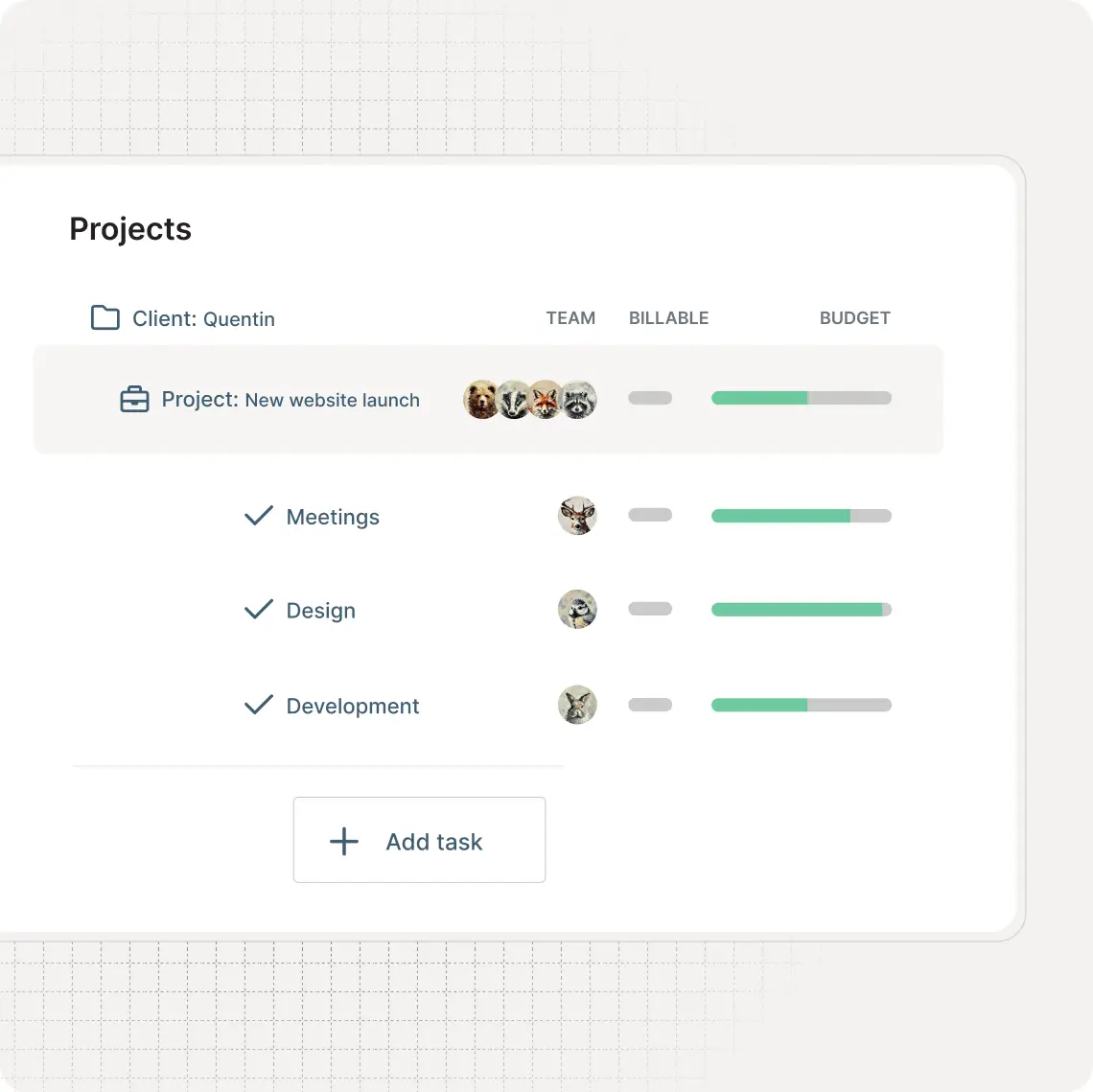
Break a campaign into its individual deliverables, such as ad creative, copy, or reporting, using tasks.

"As a freelance editor, I use My Hours daily to track my hours across multiple projects. Some of my projects need only an hour or 2 each day, this tool is so helpful regarding invoicing at the end of the month."
Manage Multiple Clients and Retainers
Marketing agencies don’t work with a single client, and each account usually has its own pricing model.

Retainer budgets reset monthly. Nobody has to deal with the repetitive admin work.
"Dashboard, Insights, and team management work well for project collaboration. Custom columns and budget tracking (monthly/fixed) give good flexibility for managing multiple projects. Time tracking core functionality is reliable, and the learning curve is low for new team members."

Tag Time by Channel, Platform, or Deliverable
A single campaign can span across several channels at once. Tracking time by client and project alone won’t tell you which activities consume the most time.
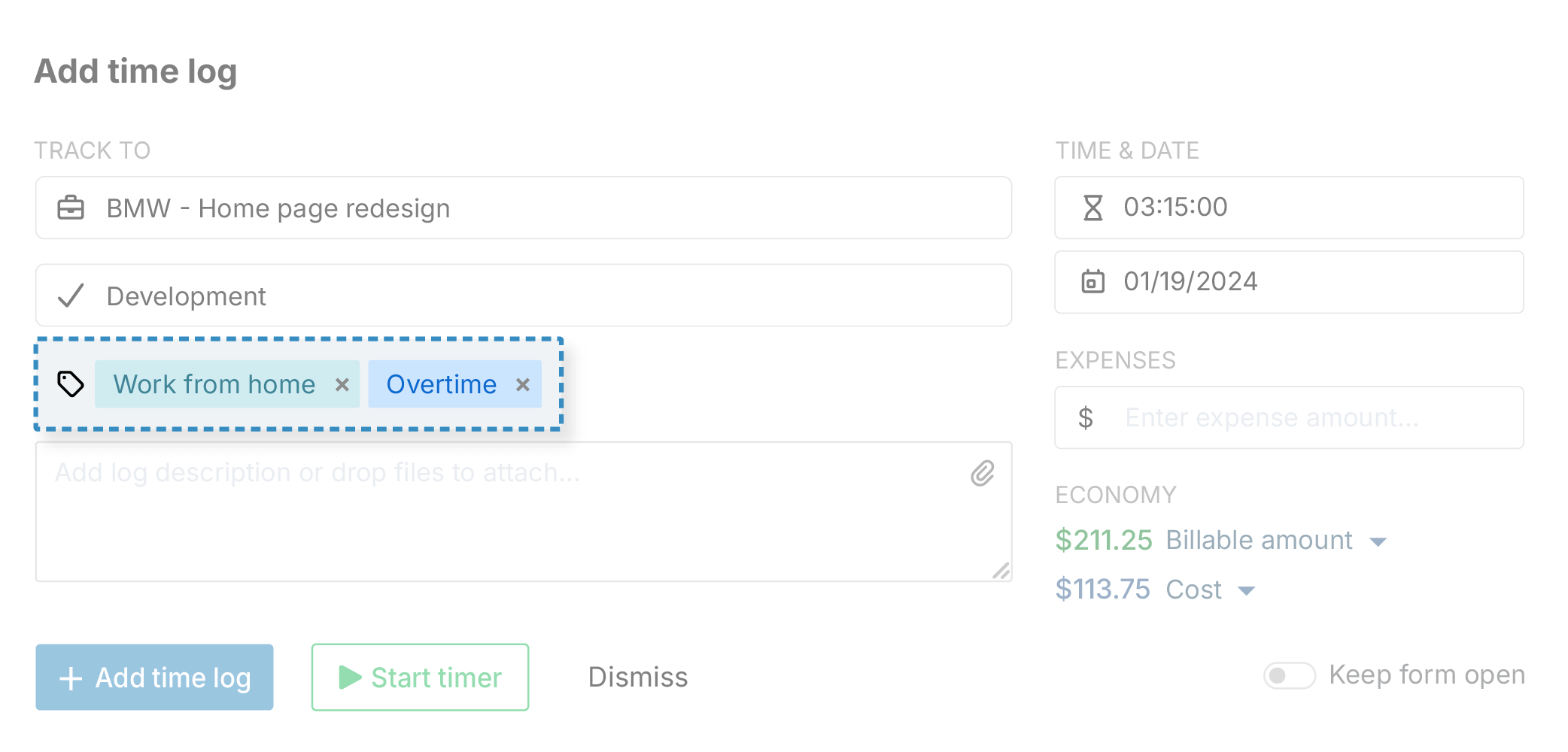
"The fact that you can create customers, activities, and tags that you can then easily filter on the analytics works very well for me. Also, the Week view where you can see all the activities and also the stopwatch option to track activities on the go."
Track Time From the Office, a Client Call, or on the Go
Throughout the day, agency work can move from the office to a client meeting, or to working remotely.
.png)
If you prefer working from a desktop, use the Chrome and Firefox extension to start a timer without opening another tab or interrupting your workflow.
"I use it every day, I access it from my Computer or laptop and also from the app on my phone."
Connect Time Tracking to the Tools Your Team Already Uses
Campaign work usually lives in a project management tool, not in a separate time tracker, and re-entering the same tasks in two places wastes time an agency could be billing.
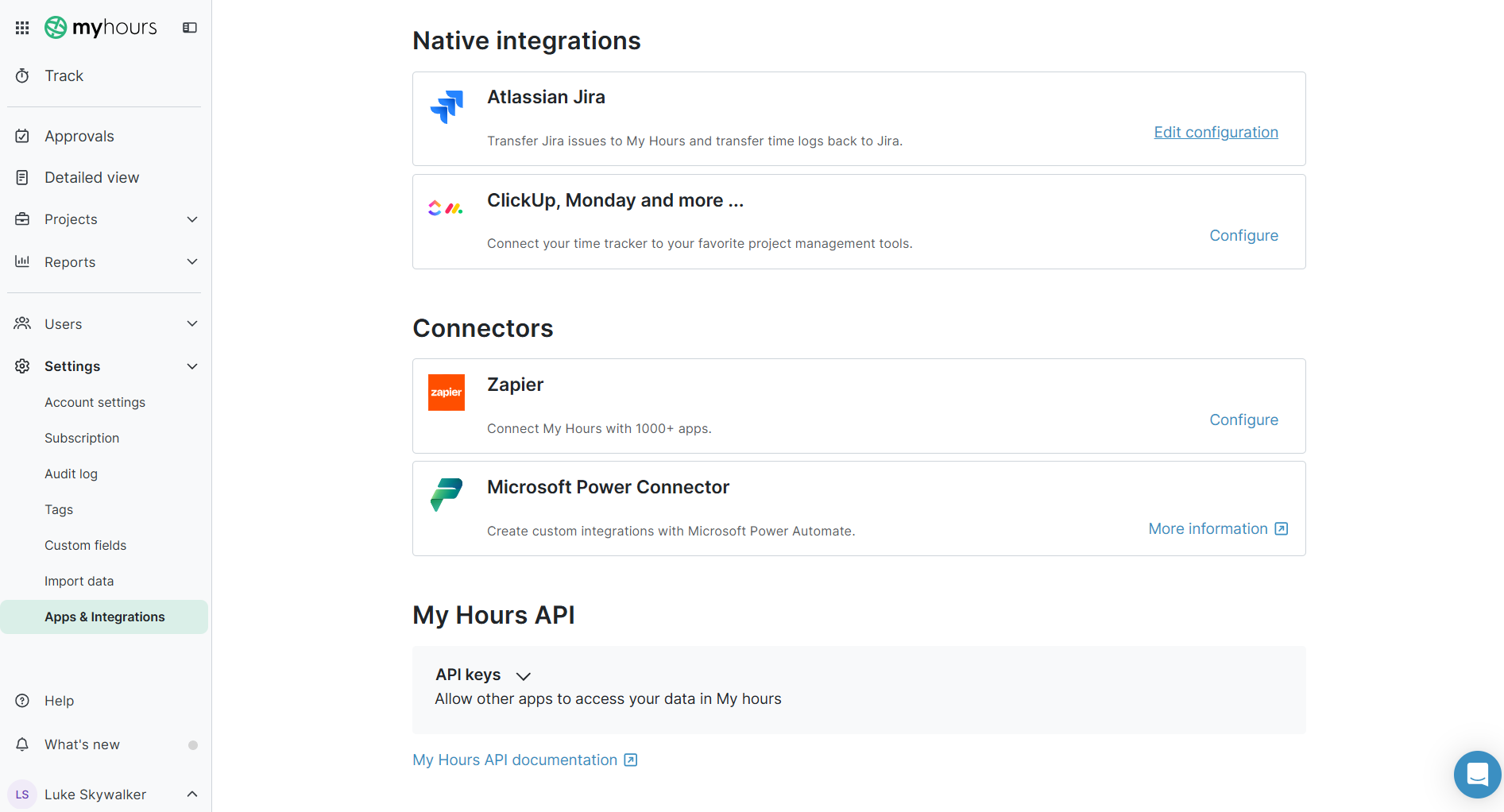
Use the REST API to build a custom connection for any tool not covered natively.
Separate Billable From Non-Billable Time
While activities like pitches, internal meetings, account admin, and professional development all take time, they don’t belong on a client’s invoice.
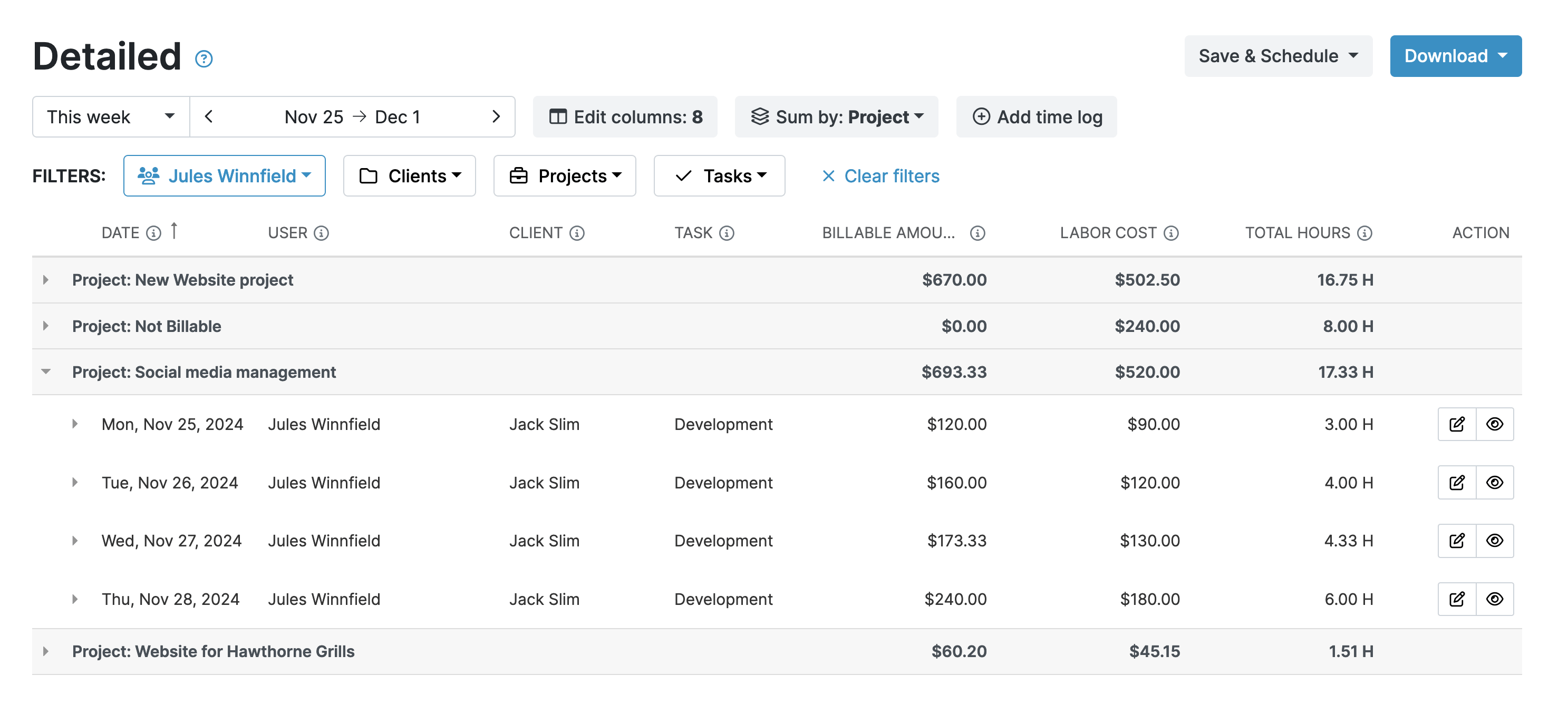
A billable rate only ever applies to billable work, so internal hours can’t be accidentally included in an invoice.
"We have been able to accurately track billable vs. non-billable hours, which is important to the overall bottom line. It helps us understand where we're spending the most time and how profitable each project is."
Bill Differently Across Roles and Service Lines
Whether it's a copywriter creating landing page content or an SEO specialist optimizing a client's site structure, marketing services don't cost the same. The rates you set for each task should reflect that.
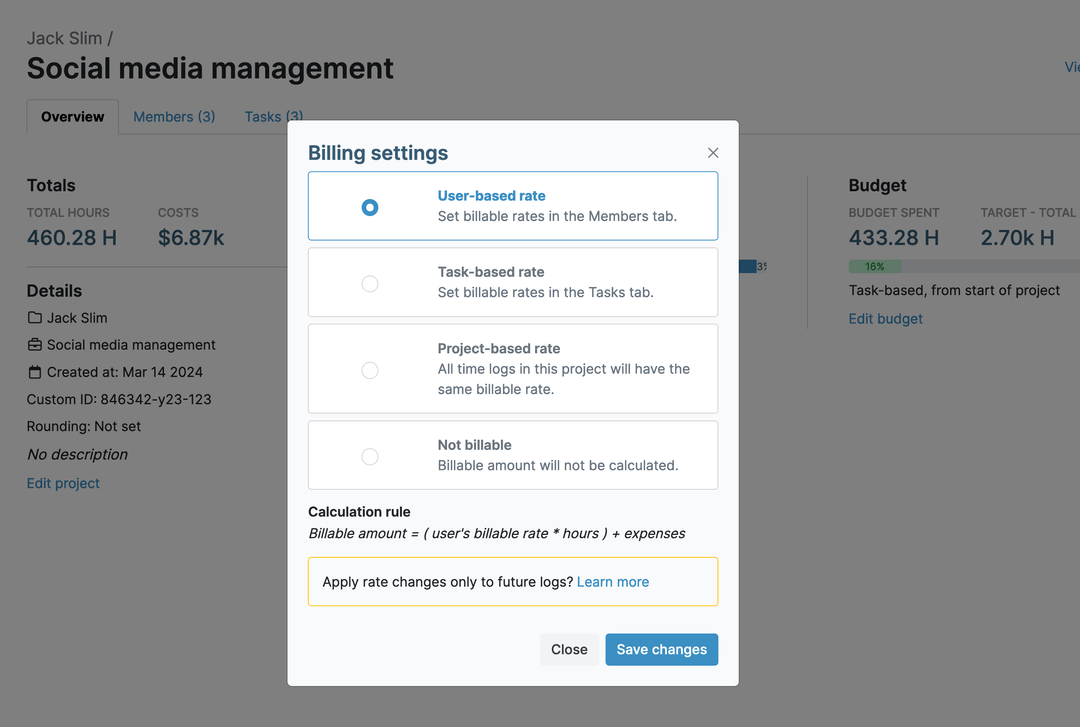
Attach rates to tasks for services that cost the same regardless of which team member handles them.
Set a flat fee for the entire project when a retainer or campaign is sold as a fixed package rather than billed hourly. Pull it straight into a client invoice once the work is done.
"As a freelancer, my ongoing success depends on my ability to get paid for my work. As such, an accurate and flexible time tracking software is quite possibly the most critical software function in my business. I cannot accurately bill my clients without it. My Hours does everything I need it to do, and is in an easy-to-use and functional format with a clean, uncluttered interface. It's become an indispensable tool for me."
Keep Campaign Budgets From Slipping
A retainer with plenty of hours left in January can be over budget by March if nobody's watching the hours against it.
Extra requests don’t usually come labeled as extra work. They just get folded into work your team is already doing.
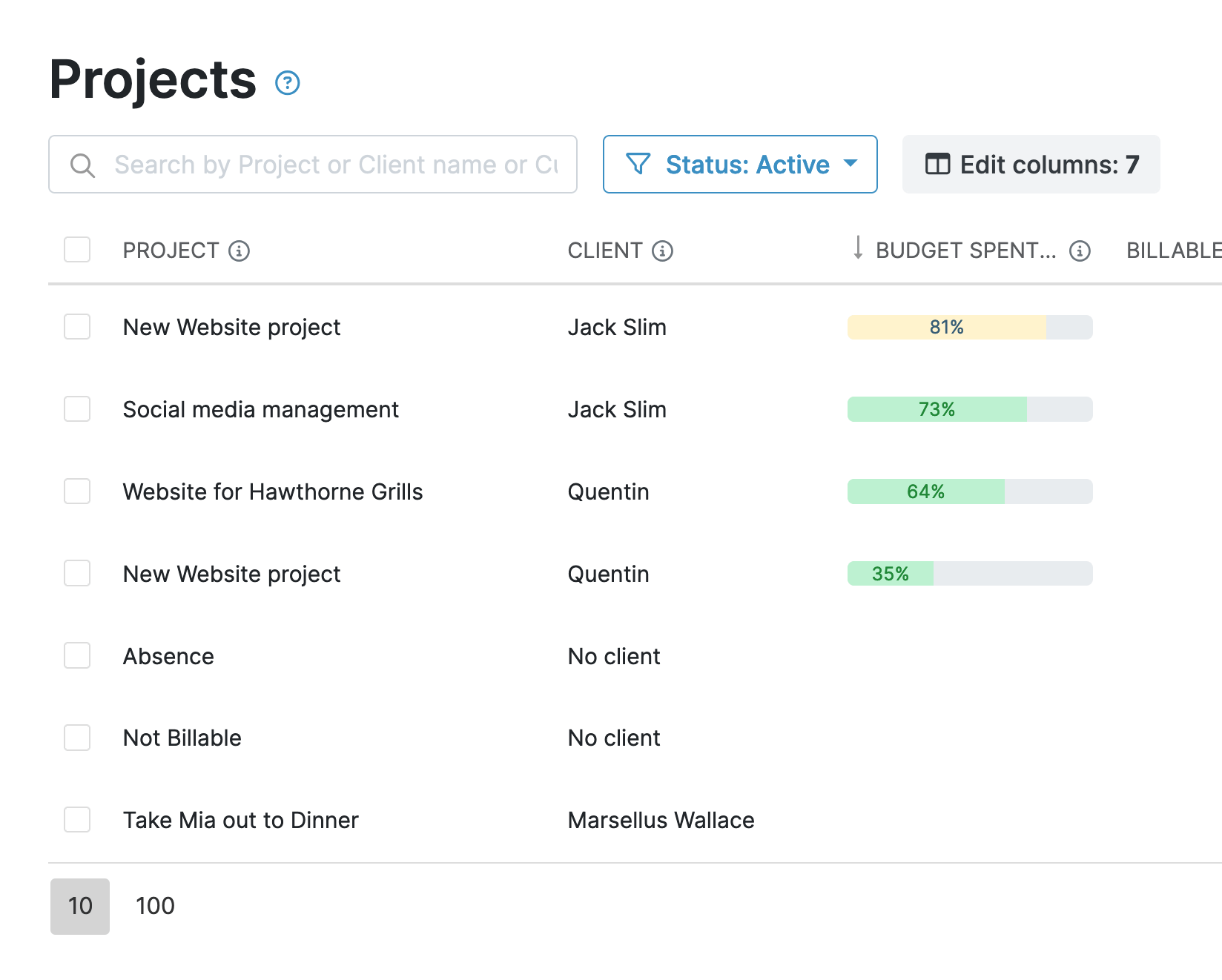
A progress bar on the project shows how much budget is left, without anyone having to calculate it.
Track Every Expense
Expenses like stock images, paid advertising, printing, software subscriptions, and travel all need to be tracked and billed the same way time is.
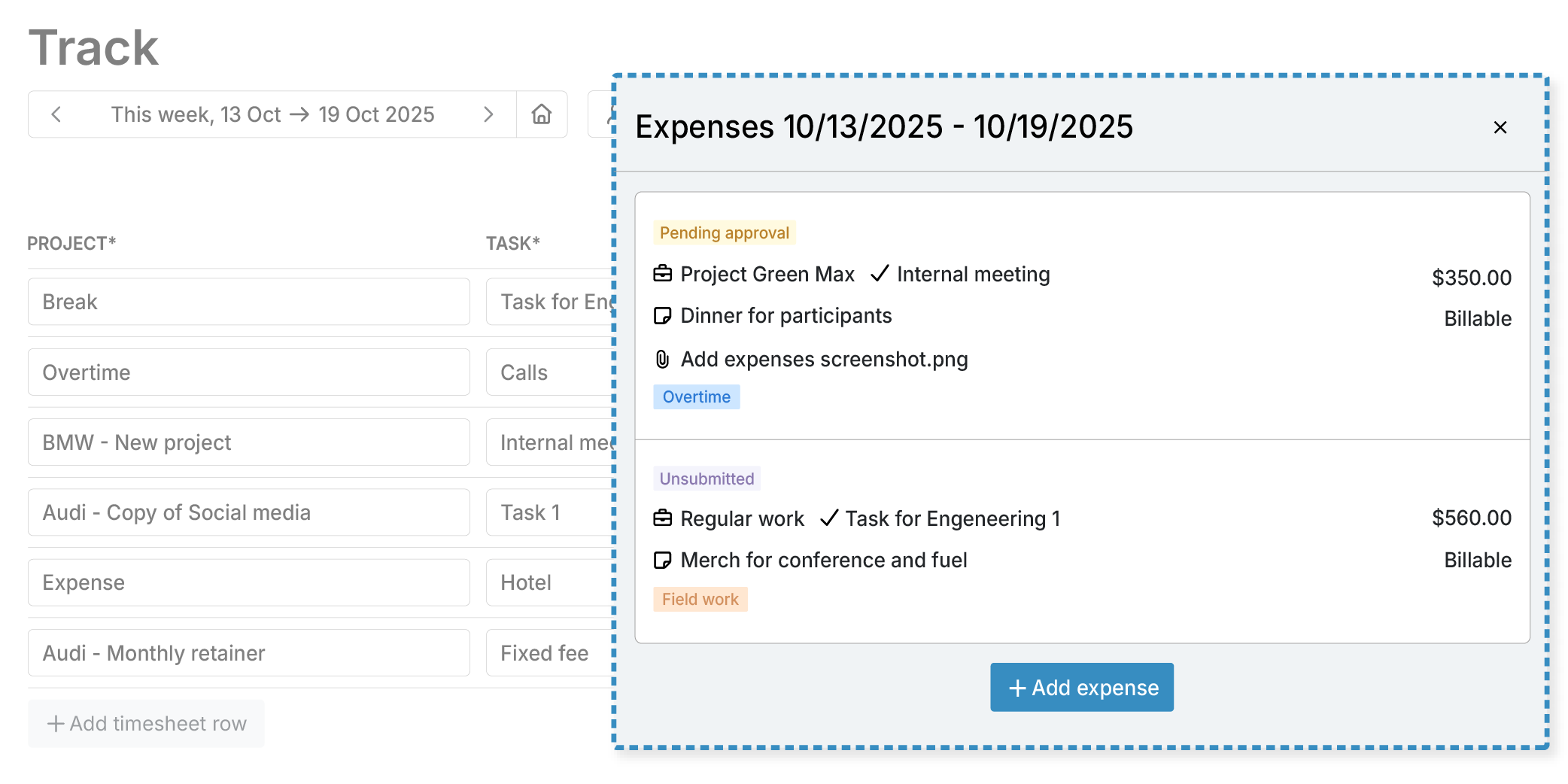
Attach receipts for easy recordkeeping.
Approve Time Before It Reaches a Client Invoice
Accurate invoices start with accurate timesheets.
.png)
Review individual entries or the entire timesheet and approve or reject them with a click.
"I've used My Hours for years to track hours put into projects, send and track invoices, and prepare annual docs for tax preparation. There are continual improvements and the team is always there to help in the rare instances I need help or advice."
Client Reporting
Clients want clear visibility into how their budget was spent and the progress made on their campaigns.
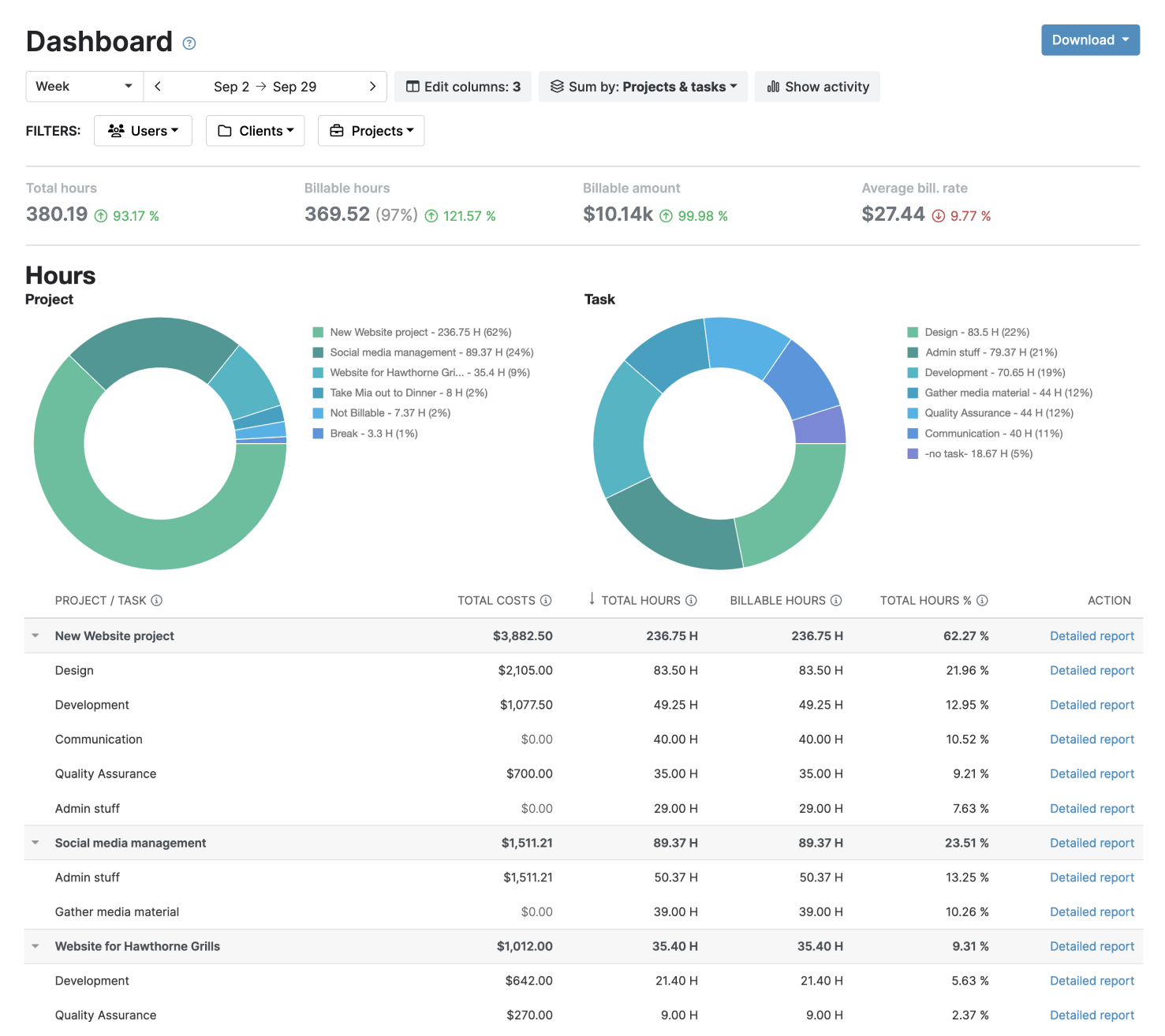
If you need more details, the Detailed report breaks down work by client, project, task, team member, or date.
Export reports either as PDF or XLS, or schedule them to be delivered via email.
"The software is so easy to use and is visually easy to read and isn't overbuilt to overcomplicate things. I'm able to enter my time quickly and run reports and be in and out of the software in no time to make my life easier."
Streamlined Invoicing
Don’t waste time copying billable hours and expenses into a separate invoicing tool.
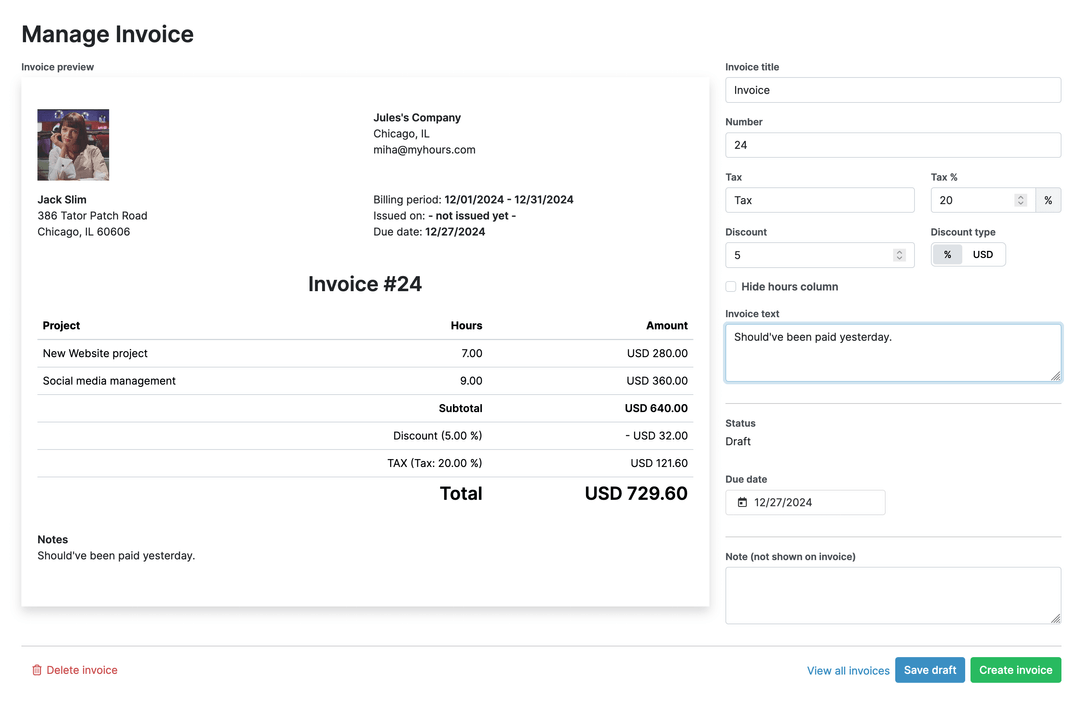
Edit the content fields to fit each invoice, then send it to your client from My Hours. For layout changes, export to Excel and download as PDF before sending.
Your data stays protected and compliant at every step.




Frequently Asked Questions
My Hours time tracking features

Timer or weekly timesheet
Track time with our seamless timer or enter your time through our keyboard-friendly timesheet. Add a description and custom inputs.

Set billable rates and budgets
Automate calculation of billable amounts by setting precise hourly rates by project, task or team member. Add a project budget to monitor its progress.

Analyze logged hours & expenses
With the Dashboard you’ll get a bird’s-eye view of billable vs non billable hours, earned income by project, under- or over-utilized employees and more.

Generate custom reports
Detailed reports are completely customizable and display as much information as needed. Print to PDF, export to XLS or send schedule it via email.

Manage tasks
Add and assign tasks with an estimated budget. Create templates when identical tasks appear across projects.

Submit and approve timesheets
Supervisors get email whenever timesheets are submitted. Each timesheet can be approved or rejected with an email message.

Set flexible roles
Invite your team to track time on their projects without seeing each other’s hours and rates. Designate managers to oversee their team and manage their work.

Prevent inconsistent reporting
Lock team’s time logs to prevent editing or adding new logs in a selected period. Download the audit log report to keep your books in order.

Streamline invoicing
Create numbered invoices straight from hours logged. Integrations with the most popular invoicing apps are available to all customers.

Integrate with other tools
Connect My Hours data with other tools or vice versa through Zapier connectors. Alternatively, use our API to develop your own integration.

Access from anywhere
My Hours is a cloud-based app with nothing to install. View and manage your hours from any web browser or install our native mobile apps.

Secure infrastructure
My Hours is hosted in Microsofts Azure cloud and we are proud of 99.95% uptime. We perform regular security checks to keep your data in safe hands.

Waste no more time,
jump right in!

All rights reserved.