

My Hours gives finance managers and controllers clear visibility into how time is recorded in one place, making it easier to track budgets, understand labor costs, and generate reports from the same underlying data.
With capabilities such as approval workflows and a full audit trail, the numbers reaching your desk have already been checked before you see them.
You can get full visibility across every team’s data, without disrupting how each department manager already works day to day.
"It’s great to be able to log time as you work, whether in the office or in the move. I’m sure being easy to do so means we capture more chargeable hours than we did using our old (very annoying) system."
Melanie L., Director, Accounting
One Source of Time and Cost Data Across Every Department
Five departments often keep five different spreadsheets, each formatted its own way. By the time someone tries to merge or reconcile them, the numbers rarely line up, and that's usually why finance leaders end up doubting their own labor cost data.
My Hours gives you one account instead. Set up a folder for each department or cost center, and every hour logged against it lands in the same account, formatted consistently.
- Assign the Admin permission level to yourself or your finance team, and get visibility into every hour logged across the organization.
- Let each department manager keep approving their own team's time, so nothing changes about how they already work.
- Pull one report that spans every department.
.png)
Time Data That Holds Up When a Department Disputes It
Conversations about an overspend go sideways fast when a department head says a cost was miscategorized after the report has already been sent.
My Hours cuts that off before it starts.
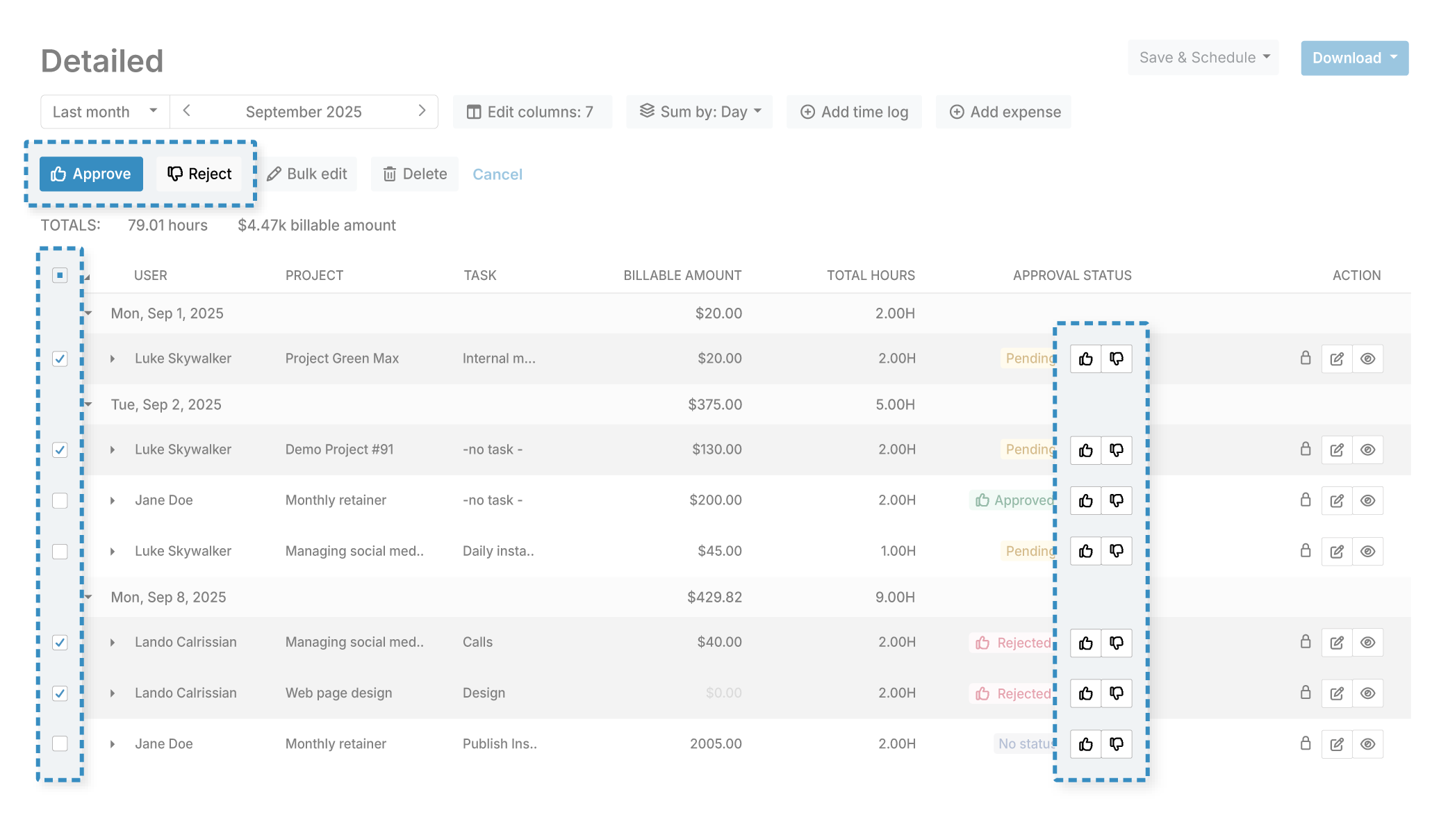
- You can require a manager to approve every timesheet before it's used for reporting and billing.
- Once approved, a timesheet entry locks for the person who submitted it, so they can't go back and change something that's already been signed off. That lock only applies to the individual entries themselves, not the whole week. Workers can still log new time during that period and send it through for approval.
- Admins keep edit access even after an entry's been approved, so a correction can still happen without reopening the whole process to the original submitter.
- To lock a period down completely, with no further logging or edits from anyone, set up automatic locking.
- My Hours keeps a full audit log of every change made in the account, who made it, and when, so all disputed numbers have a paper trail.
- Set fields on a time entry as mandatory, so no timesheet is partially filled when it gets to the approval stage.
Tip: My Hours only keeps 90 days of audit log history, so export a copy periodically if you need a longer paper trail for your records.
Catching Budget Overspend Before It Shows Up in the Month-End Report
Controllers who wait for the month-end report to catch a problem are already a month behind.
My Hours flags an overspend while there's still time to fix it.
Set a budget at the project or task level, and pick whichever type actually matches how that work gets measured:
- Total hours: Set a time-based budget, and My Hours tracks logged hours against it automatically.
- Billable amount: A fixed monetary budget that decreases as billable time is logged.
- Costs: A budget built from tracked time, labor rates, and expenses together.
- Restart budget: Set any of the above to restart automatically at the beginning of each month, with no leftover amount carried over from the month before.

You can set an alert anywhere from 50% to 100% of a budget, and My Hours will alert you the moment it crosses that threshold.
Labor Cost Allocation by Department and Cost Center
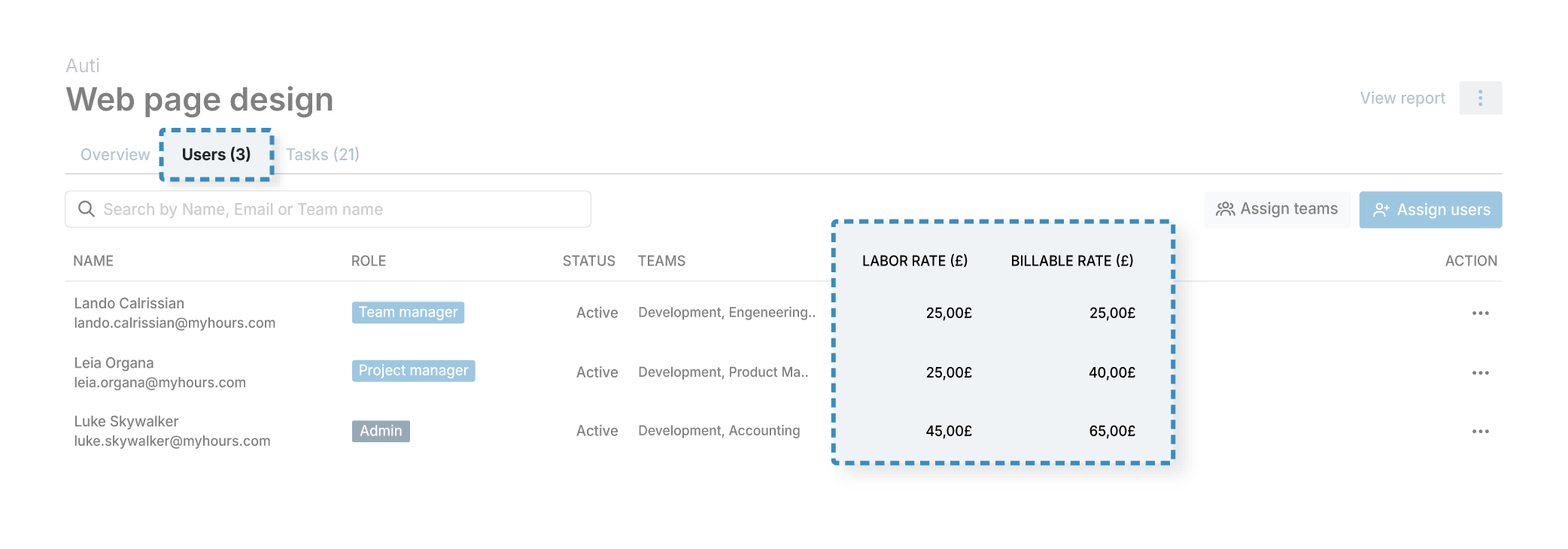
Assign every user an hourly labor rate. My Hours calculates the cost of their time the moment it's logged, no separate spreadsheet required.
- Track billable rates separately from labor rates, so incoming revenue and internal cost aren't mixed.
- Add a cost center code to the default Custom ID field on any project or task, so it's labeled correctly from the start.
- Custom tags cover the rest. Use them to separate allowable and non-allowable work, useful if any of that time also needs to support an R&D tax credit claim.
"As a consultant, I work with billable hours and rely on My Hours to keep track of my hours. I know it has many other functionalities, but that's the only one I use."
Barbara D., Associate, Accounting
CapEx and OpEx Classification for Capital Reporting
Capital work and operational work rarely use the same budget. Mixing them together makes both harder to report on accurately.
With My Hours, you can set up a separate project for a capital initiative, with its own budget, distinct from the operational work happening around it.
The platform enables you to tag time entries as CapEx or OpEx as they're logged, so the classification is already done by the time a report gets pulled.
Filter any report by that tag to see the labor split between a capital asset and the ongoing work around it.
Internal Controls and Permission Levels
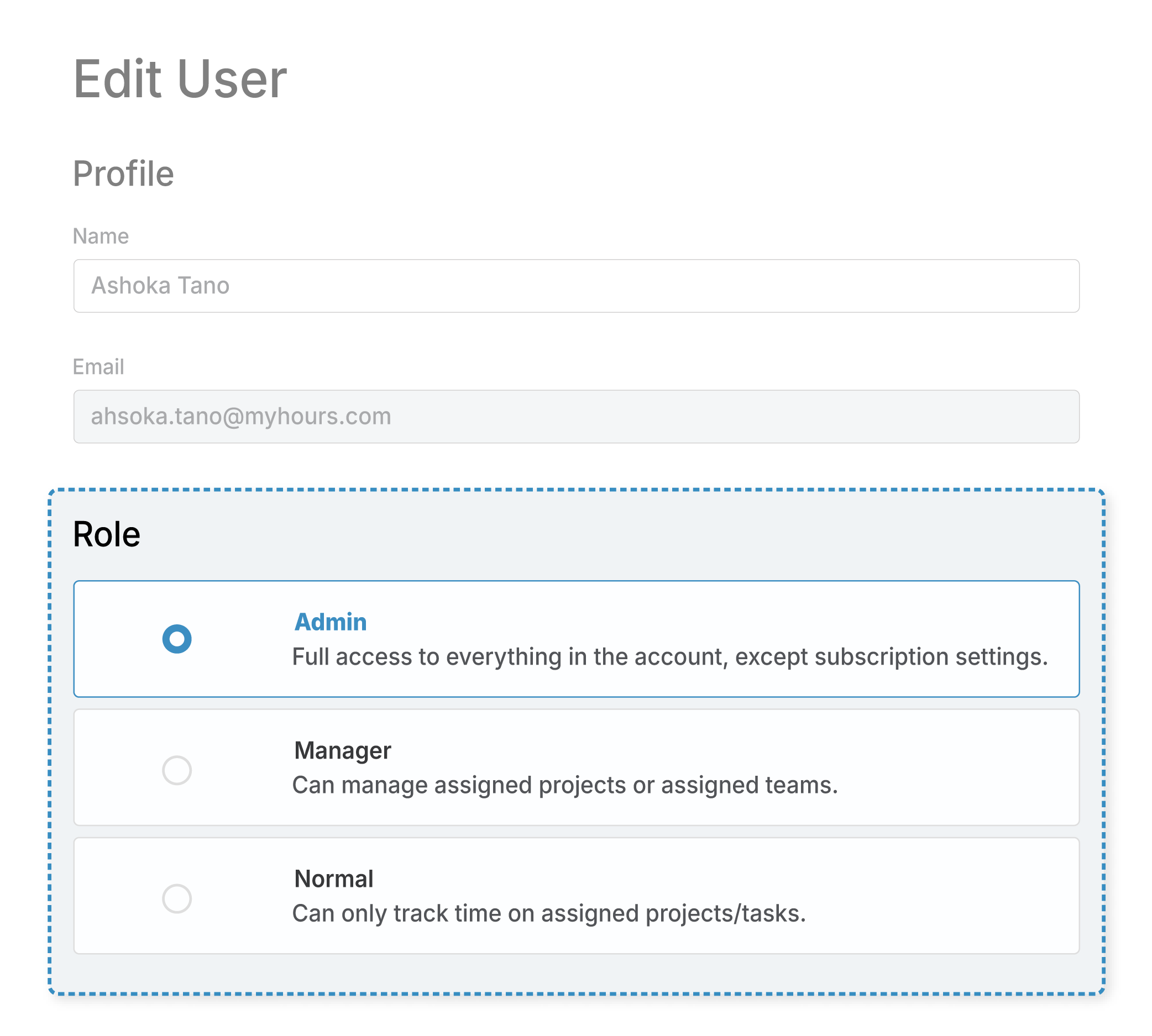
Segregation of duties is important, and My Hours has four permission levels built for exactly that.
- Normal users can only track time against their own assigned projects and tasks.
- Team managers can view and approve time logged by their own team, and project managers can do the same for the projects they oversee.
- Admins get full access to every setting, report, and time log across the account.
- Reviewing who has access to what takes one look at the permissions list.
Reporting for Leadership and the Board
The same data behind a budget alert can also become the board-ready material leadership asks for.
- Pull a Detailed report filtered by department, tag, or budget when a specific number needs a specific answer.
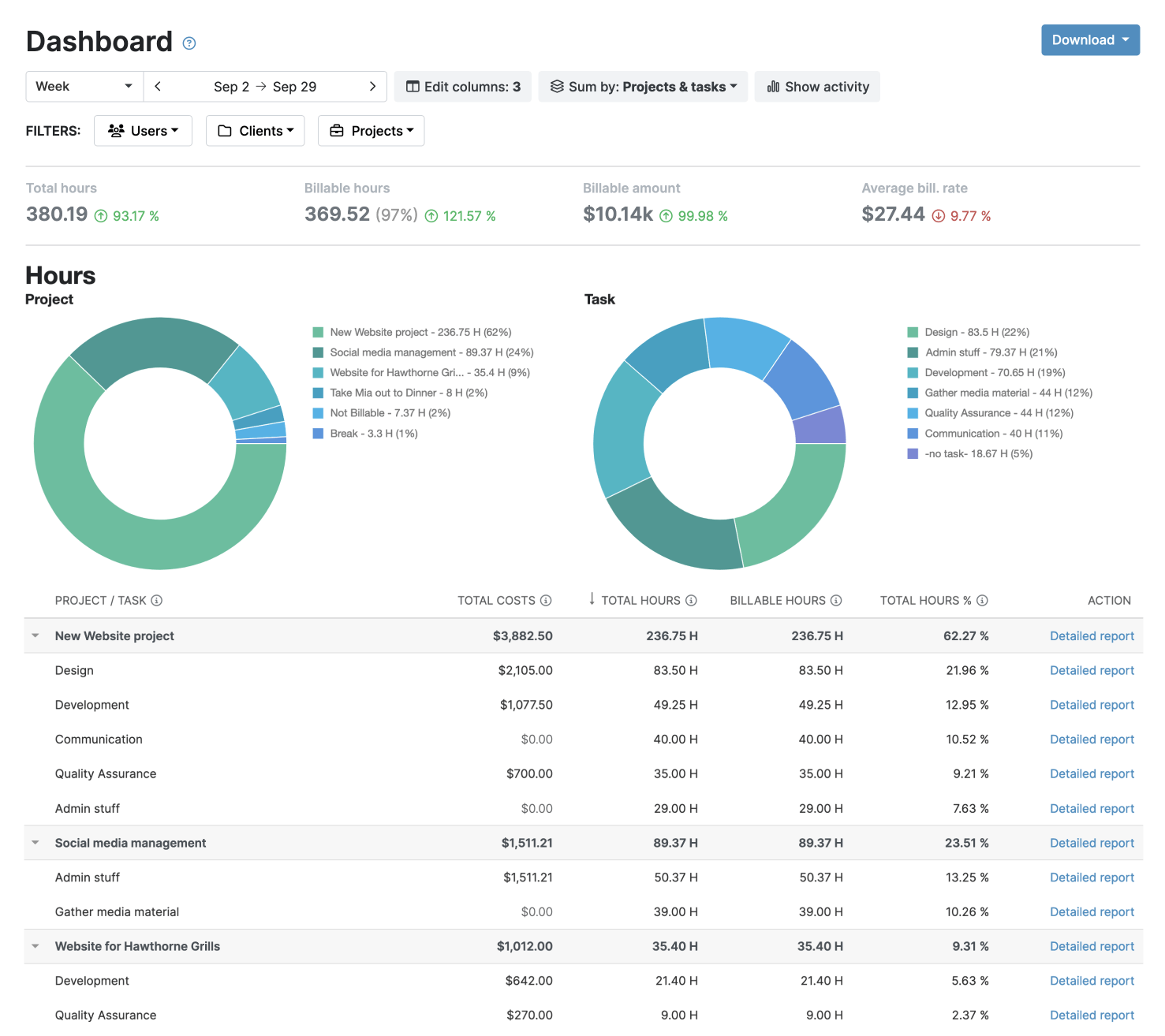
- Use a Dashboard report for a quick visual summary during leadership check-ins.
- A Timesheet report is also available if a stakeholder ever wants to see hours broken down by person or team, though it's used less often at this level than the two above.
- Save either as a template, then export to PDF or XLS on demand, or set an automatic schedule so the same report lands in the right inbox as programmed.
Integrations with Accounting and Financial Systems
My Hours connects directly to QuickBooks and Xero, so approved time and cost data flows straight into the accounting system finance already runs on.
Power BI supports deeper analysis, while Zapier lets you connect My Hours with more than 100 additional apps.
Capacity Data Without Watching the Clock
Getting a clear read on where time is going doesn't require watching how anyone spends their day minute by minute.
My Hours measures hours, tasks, and budgets. It doesn’t use keystroke logging, screenshots, mouse tracking, or GPS tracking, and never will.
Departments tend to report time more accurately when nobody's watching over their shoulder to make them do it.
Try My Hours for Free
My Hours has tracked time for over 250,000 people across more than 100,000 businesses since 2002.
Backed by multiple ISO 27001 certifications (27001:2022, 27017, and 27018), 24/7 live customer support, and a 14-day free trial, My Hours gives finance managers and controllers one place to review numbers that they can trust.
"We now consider this to be an imperative tool to track time and the tasks being undertaken; from this data we can then monitor team efficiency. The platform is incredibly easy to use."
Kerry S., Account Manager


