
My Hours gives HR managers a structured, single source of truth that captures employee time and labor.
Scalable to organizations of any size, HR can maintain oversight without invasive monitoring or complicated manual processes.
“My Hours time-tracking software provides everything we need as a small business, both for our payroll time-tracking and for customer billing. Our employees are happy using My Hours for their hours and tasks on a variety of projects. I haven't had one complaint! The administrator features are flexible and easy to use. Overall, a very positive experience with this product, and I can certainly recommend it as a cost-effective product for time-tracking.”
- Caroline G., Operations Manager
Attendance and Total Hours Tracking
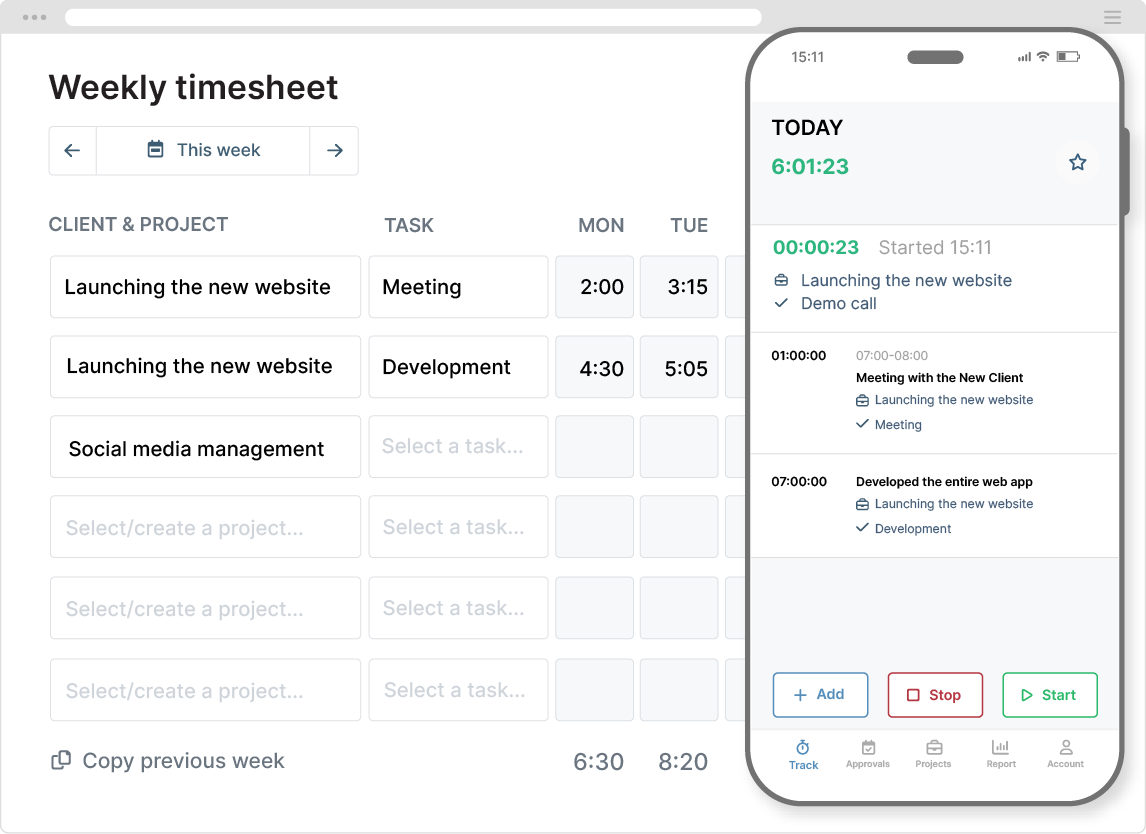
Employees track their time in real time and on any device (including offline). Timesheets are automatically updated, giving you a reliable view of total hours worked to support working time rules and labor policies.
- Users track time against projects and tasks, giving you insight into working patterns.
- The fully-featured mobile app enables remote and field worker time capture.
- The platform also supports manual time entry, useful for capturing sick leave, PTO, and other absences.
Custom Fields and Tags for HR Data Capture
Often, HR has to capture more information than just the number of hours worked. In this case, set up the time entry form according to compliance and internal requirements.
Custom fields let you capture crucial HR data, such as job codes, work locations, and cost centers:
- Add custom fields to time entries, clients, projects, tasks, and users.
- You can include up to three custom fields per entity.
- Multiple custom field types are available, including dropdown lists, date, and text.
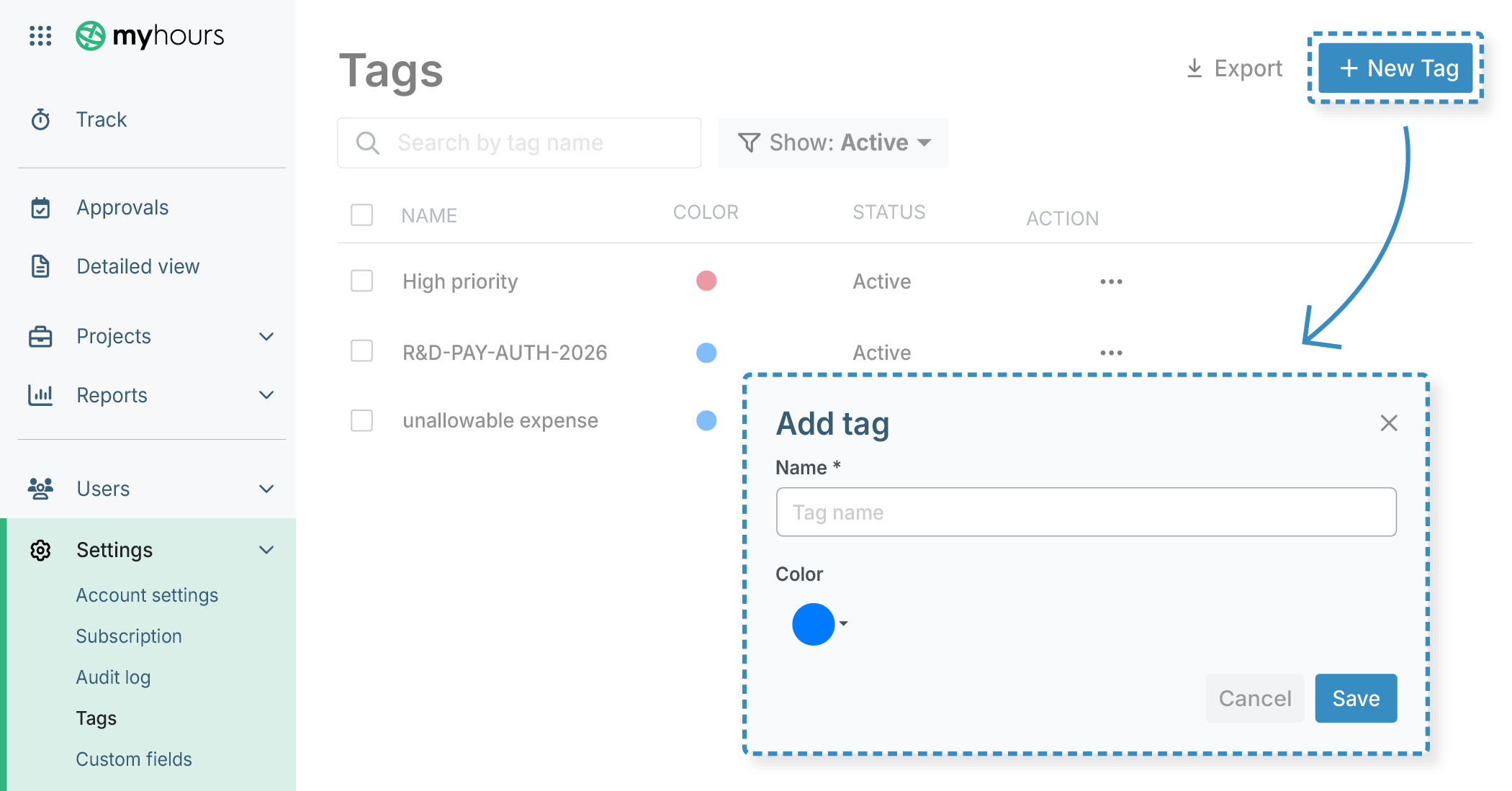
Custom tags allow users to label their time entries. From an HR perspective, these are most useful for labeling time by type. For instance, vacation time, overtime, remote work, and sick leave.
- My Hours allows an unlimited number of tags.
- Tags can be color-coded to identify different data groups.
Custom tags and fields can be used to filter reports and reveal specific insights. For example, you can filter by time-off tags to quickly see how much vacation or sick leave employees are taking, helping HR monitor absences and identify patterns.
Tip: You can also create separate projects and tasks for different types of leave, making it easier for workers to track time in the right places.
Scalable Team Organization
Regardless of how the organization is structured, you can mirror multi-departmental setups in My Hours. Each team gets the tools to manage their own projects and time, while data and reporting remain centralized and viewable by HR:
- Set up teams that match departments.
- Assign users to teams along with their respective managers or supervisors.
- Employees can belong to multiple teams when they contribute across departments.
- Each team can have multiple managers where oversight is shared.
To support inter-departmental collaboration, users can be assigned to any project and task, regardless of which team initially set them up.
As HR, you get global oversight of all time logged across the organization. View this as a whole or break it down by team or user to better understand work patterns.
“It is incredibly easy and simple to use, both from a user's perspective and an admin's perspective. We have been able to have our contractors and employees log their hours using My Hours, and everyone is as satisfied as they can be when it comes to tracking hours.”
- Tim B., Partner
Granular User Roles and Permissions
Sensitive workforce data must be handled carefully, and My Hours gives you the ability to control who sees what.
Granular permissions allow you to restrict editing rights and maintain confidentiality among employees. The following user roles are supported:
- Administrator: Have access to all platform tools, reports, and can view and manage all data. This role would be typically assigned to HR teams.
- Team manager: Can view, manage, and approve the timesheets of each team member they manage.
- Project manager: Can view, manage, and approve the timesheets related to the projects they are assigned to.
- Normal user: Can only view and manage their own time data and can only track time against their assigned projects and tasks.

For additional confidentiality, hide labor rates and costs so that normal users and managers cannot view this information. If your organization also uses billing rates, you can hide these, too.
Additionally, you can control whether or not managers can add and edit projects or edit the time logs of other users.
These tight controls allow you to align the platform with internal policies and maintain compliance with data laws and regulations.
Target Hours and Alerts for Overtime Tracking
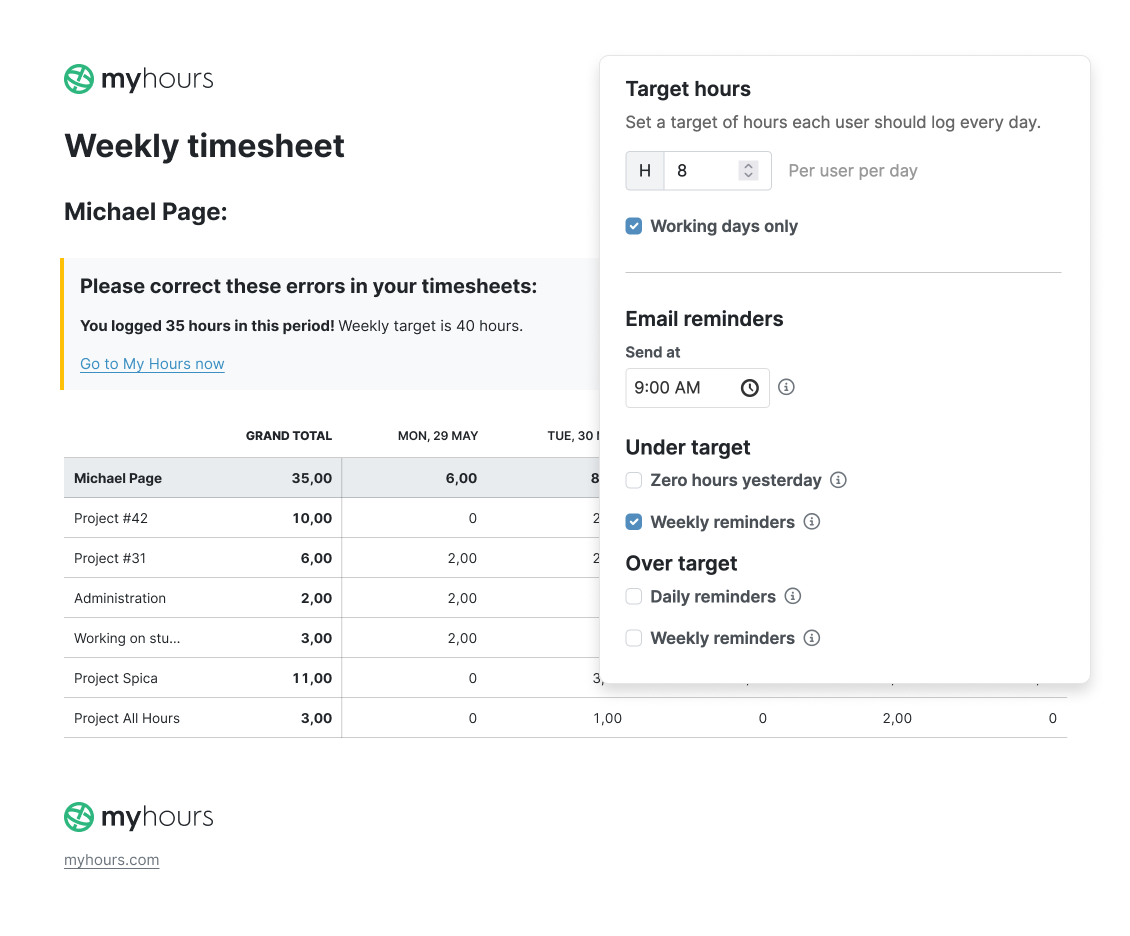
To help workers meet their expected working hours and track overtime efficiently, you can set up each user with a daily target number of hours:
- Create universal daily target hours that apply to the whole organization, or
- Each user can have a unique number of target hours (useful for part-time and shift workers)
Automated email alerts tell users when they have logged over or under their target hours, helping them stay on track.
Use the reporting tool to compare actual hours with expected hours to spot workload and resource imbalances. Additionally, the reporting tool will identify workers who exceeded their target hours and, therefore, qualify for overtime pay.
Timesheet Approvals and Data Locking
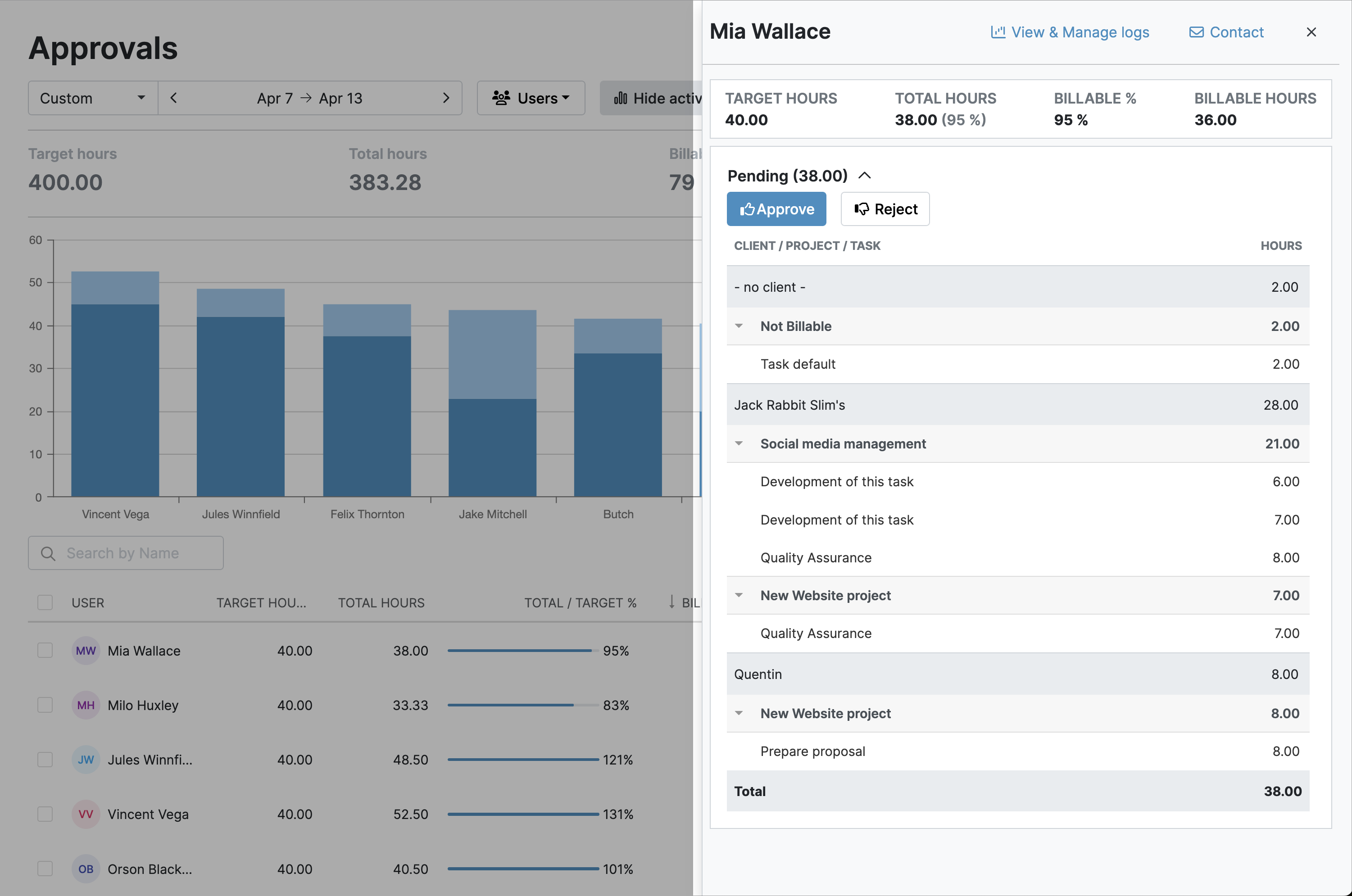
Use the approval workflows to confirm that the submitted time has been checked and verified before it reaches payroll.
- Require managerial approval for every timesheet.
- Managers can approve or deny timesheets (or individual time entries) in one click.
- All time entry corrections are documented and timestamped for compliance and transparency.
To prevent retroactive or unauthorized edits, timesheet data can be locked daily, weekly, or monthly.
By locking data and using approvals, you also prevent inconsistent reporting and reduce the likelihood of experiencing employee disputes.
Payroll-Ready Timesheets and Reports
My Hours automatically tracks labor costs alongside time worked and provides you with payroll-ready reports. With everything recorded in one system, it removes the need to consolidate multiple data sources or manually calculate totals.
This works by assigning each user an hourly labor rate. As time is tracked, so is the labor cost, down to the second.
This is how reports are generated within the system:
- Use the Detailed View report builder to set up and save the report settings.
- Schedule the report to send daily, weekly, or monthly to align with the organization’s payroll runs.
- Choose the report format: PDF or XLS.
- My Hours will automatically email the report to payroll according to the schedule.

Identify and Remedy Capacity Issues
Timesheet data reveals which teams and deliverables are over- or under-capacity.
Clean, Traceable Audit Trail
If your team needs to investigate a discrepancy or respond to internal or external audit requests, then the audit log is ready and waiting.
- All platform actions, changes, and adjustments are captured, documented, and timestamped, regardless of user role.
- Filter the audit log by date range, users, and operation type.
- Export in XLS format.
My Hours maintains a 90-day audit log history, so you only have to download it quarterly.

Accurate Records Without Surveillance
My Hours believes that accountability has to be balanced with trust. Our time tracking is focused on hours, workload, and validation, not invasive methods like screenshots and activity monitoring.
This supports compliance and data accuracy, without damaging worker morale.
Our platform can help you maintain a healthy workplace culture, giving you the visibility you need while still respecting worker autonomy and privacy.
Try My Hours for Free
My Hours includes the ability to add unlimited users and teams, making it a scalable solution for HR teams that need to maintain oversight over hours worked.
Platform data remains secure thanks to top-tier security, including Single Sign-On, and tight user controls. Customers particularly appreciate the 24/7 live customer support, its ease of use, and simple setup process.
Trusted by over 100,000 clients, try out the enterprise-level features with a 14-day free trial and see how they fit your organization.

