


8 Tempo Alternatives (Free & Paid) for 2026
The eight best alternatives for Tempo Timesheets users seeking a more suitable, affordable, or differently featured option.
Tempo Timesheets is the best-known time tracking app built specifically for Jira. For teams that live entirely inside the Atlassian ecosystem, it's often the default pick. But Tempo has no free plan, and it bills by total Jira license count rather than by who actually logs time, so a Jira license full of stakeholders and observers who never open a timesheet still adds to the bill.
The eight tools below split into two directions: platforms that sync with Jira but bill and report independently of it, and native Jira plugins built to replace Tempo without moving the data anywhere else.
*Last updated: September 2026*
Content overview
- 1. My Hours: Best for client billing and budgets alongside Jira
- 2. Toggl Track: Best for reporting and capacity planning outside Jira
- 3. Everhour: Best for budget alerts on Jira billing
- 4. Clockify: Best for free Jira time tracking at scale
- 5. Harvest: Best for simple invoicing tied to Jira work
- 6. TMetric: Best for two-way Jira sync with budget alerts

Why Look for a Tempo Alternative?
Tempo doesn't have a free plan.
- Pricing is based on total Jira license count, not the number of users logging in, and your Tempo license size must match your Jira license size. So, a Jira license full of people who never open a timesheet still counts toward what you pay, since Tempo doesn't distinguish between someone actively logging hours and someone who simply has access to Jira.
- You’ll have to purchase additional features in its suite separately, as there’s no umbrella subscription that gives you access to all capabilities.
- Budgets, revenue tracking, and CapEx/OpEx reporting require the separate Financial Manager solution and team capacity planning and forecasting are only on Capacity Planner.
If your team is between 1 and 10 users, Tempo Timesheets costs $10 monthly ($1/per user per month on average, or $100 a year (user tier: 1-10).
Add an eleventh person? The price jumps straight to $57.31 per month, or $781.50 a year (user tier: 11-15), a 473% increase for one more user.
The Financial Manager has a similar pricing story. You pay up to $10 monthly for 1 to 10 users (roughly $1/user on average). The 11-user tier is roughly $3.03 per user a month, so 11 people would cost you $33.33, a 233% increase for one additional user.
Tempo’s Capacity Planner and reporting systems all follow the same pattern: separate fees with considerable cost spikes the more users you add.
None of that makes Tempo a bad tool. Teams that are fully locked into the Jira ecosystem get a capable system.
But if you only need essential time-tracking capabilities without paying separately for each feature or facing steep price increases as your team grows, it’s worth considering Tempo alternatives.
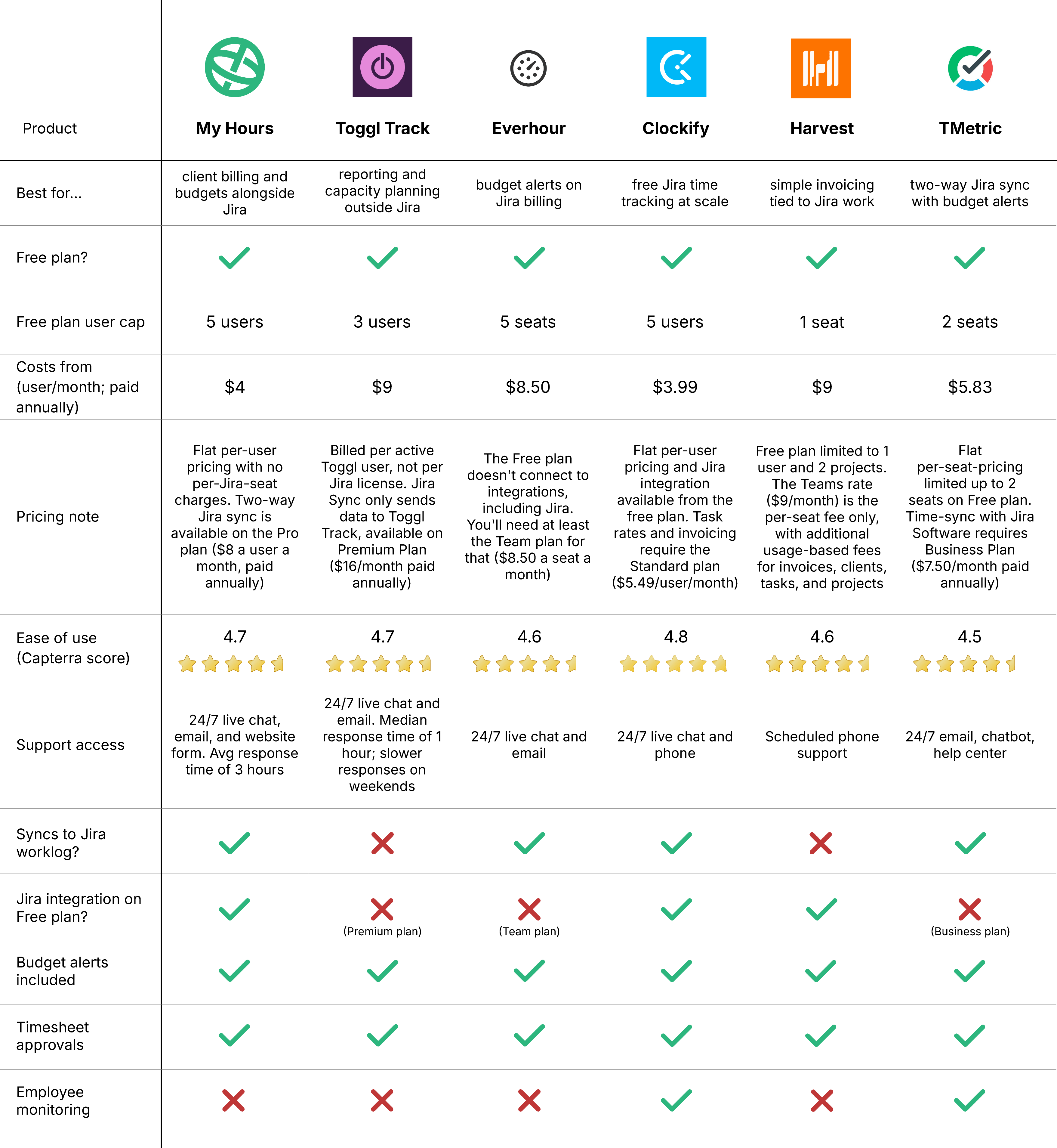
Top 6 Tempo Alternatives at a Glance

1. My Hours: Best for client billing and budgets alongside Jira
Price:
- Free (5 users)
- $5 - $9/per user (paid monthly)
- $4 - $8/per user, per month (paid annually)
- Enterprise pricing available
Available on: Desktop, Web, browser extension, iOS & Android
Pros:
 Free plan includes billable rates
- Jira issues import automatically, and logged time pushes back out to Jira as worklogs
- Billed by active My Hours users, not by your total Jira license count
- Unlimited projects, tasks, and clients on every plan
- Flexible project costing and billing
- Automated approval workflows
Cons:
 Two-way Jira sync requires the Pro plan
- Extended support is only available on the paid plan
- Limited third-party integrations outside Zapier
My Hours has been tracking project time and cost since 2002. It isn't trying to replace Jira for engineering work, and it doesn't sync every Jira field there is.
Instead, it picks up where Jira's own time tracking stops, turning logged hours into billable time that you can use for project budgets and client invoices.
You can set up the Jira integration for free. It imports Jira epics as My Hours projects and issues as tasks. Existing Jira issues are imported the moment you connect the integration, while new issues sync automatically after that.
Then, on the Pro plan, you can turn on time tracking sync to send logged hours back to Jira as worklogs.
This means the relevant parties can keep working in Jira while the rest of the business gets the billing and budgeting tools.




Why choose My Hours over Tempo?
If you've just watched your Jira license cross 10 users and your Tempo bill jump from $10 to $57 a month, here's where My Hours offers a steadier alternative.
Tempo bills by total Jira license count. My Hours bills by the people actually tracking time in it, so a Jira license full of stakeholders and observers who never touch a timesheet doesn't inflate your bill.
Also, with My Hours, billing, budgets, approvals, and other time-tracking capabilities are all baked into its subscriptions. With Tempo, you’d have to pay for each solution separately.
Both tools offer team-level and project-level approvals, but there are some key differences.
In Tempo, team-level approval is part of the base Timesheets product, but you can only assign one reviewer per timesheet. If you need project-level approval, you must purchase the Financial Manager first.
Also, Tempo's project-level approval doesn't actually lock or change anything once it's activated. Project time approval has no effect on time tracking or billing in Timesheets.
The project hours get marked “approved”, but that approval doesn’t stop anyone from continuing to add, change, or bill time on the timesheet those hours came from.
With My Hours, you can lock a timesheet at both levels once it's approved.
Approval locks the specific entries that were submitted, so no one can edit those. However, the period itself stays open so someone can still add new time and submit that for approval too.
If you want the whole period closed off entirely, that's a separate setting: automatic locking. Turn it on, and no new entries can be added at all. Admins keep edit access either way, even on locked entries.
Tempo Drawbacks:
1. Pricing scales with Jira licenses, not active trackers:
Tempo charges for every user in your Jira license who could log time, whether or not they ever do.
How My Hours solves this: My Hours charges per active user of My Hours itself. A large Jira license with a small billing team pays for that billing team, not the whole company.
2. Budgets and capacity planning cost extra:
Tempo Timesheets on its own doesn't include financial reporting or capacity planning. Both are separate products, Financial Manager and Capacity Planner, each sold on its own and priced on top of what you already pay for Timesheets.
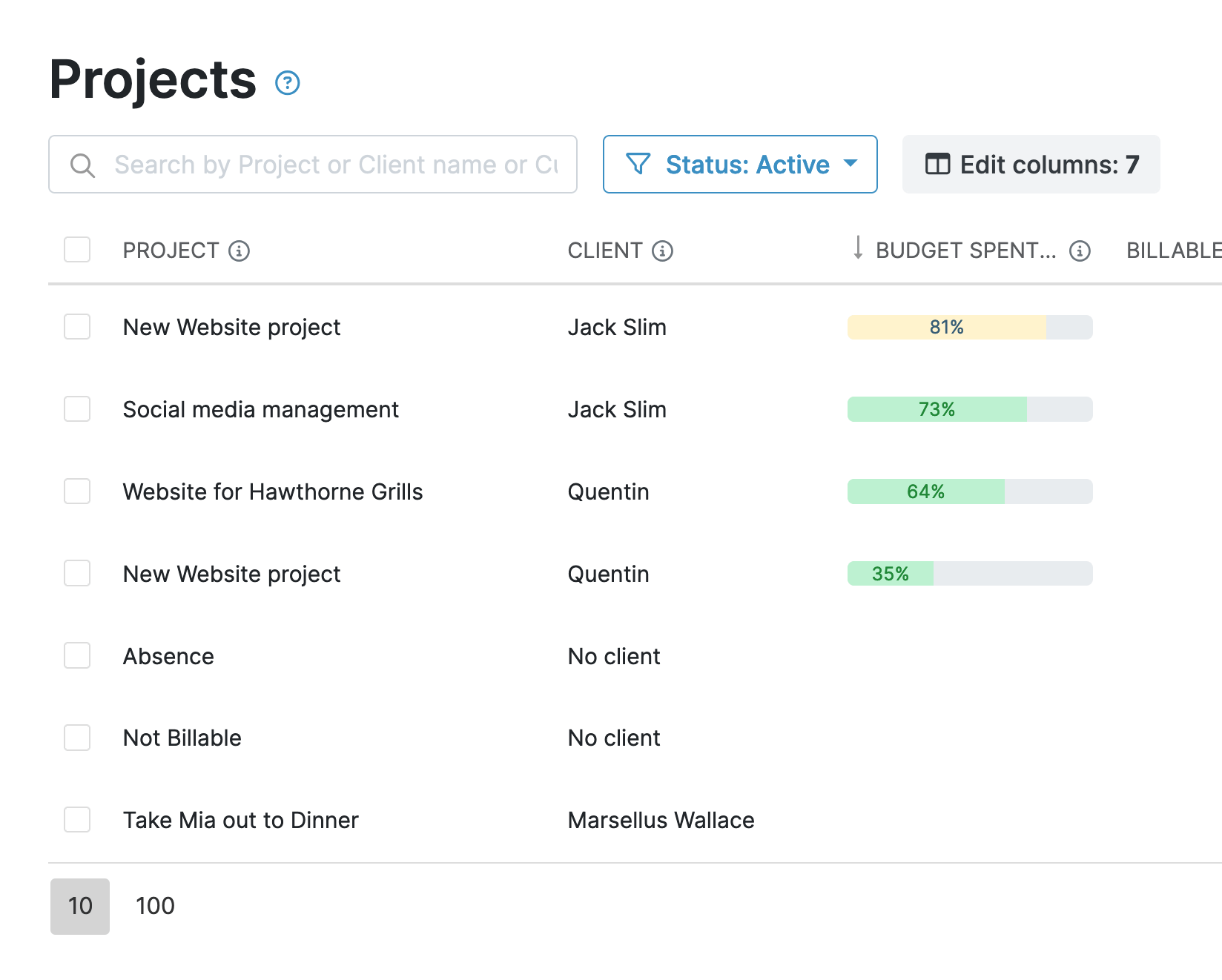
How My Hours solves this: Budget tracking, billable and labor rate reporting, and profitability views are part of the core Pro plan, with no second app to buy or configure.
3. Project-level approvals cost extra and don’t lock anything:
Project-level approvals require the Financial Manager, and even then, approving a project's hours doesn't stop anyone from making edits and logs against that same timesheet.
How My Hours solves this: Project-level approval comes with the Pro plan, no second product required. And it comes with a real lock. Those specific entries get closed off the moment they're approved.
Bottom line comparison

 No free plan
- Pricing based on total Jira users
- Deep native Jira worklog integration
- Team-level approvals included; project-level needs Financial Manager and doesn't lock anything
- Budgets and capacity planning are separate paid products
- Free plan (5 users)
- Pricing based on active My Hours users
- Jira issues import automatically, and logged time is synced back as worklogs
- Approvals by team and project, both included, and both lock the approved entries
- Budgets, billing, and rates included in Pro

2. Toggl Track: Best for reporting and capacity planning outside Jira
Price:
- Free (3 users)
- $12 - $24/per user (paid monthly)
- $9 - $16 per user, per month (paid annually)
- Enterprise pricing available
Available on: Desktop, Web, browser extension, iOS & Android
Pros:
- Free browser extension adds a Toggl timer directly inside Jira issues
- Jira sync imports projects, issues, and labels from Jira automatically
- Deep reporting and capacity planning outside Jira
- User-friendly platform and good user experience
- 8 native integrations, including Jira
Cons:
- Jira Sync, profitability reporting, and timesheet approvals are all locked behind the Premium plan
- Jira Sync only imports data from Jira; nothing tracked in Toggl exports back to Jira as a worklog
- Limited project management features
Why choose Toggl Track over Tempo?
You can bring your entire Jira project structure, issues, labels, and all, into Toggl via its Jira Sync system, which runs on a recurring schedule rather than in real time.
It's a premium feature, so if you’d rather stick with the free plan for starters, there’s also the browser extension, which lets you add a timer directly on every Jira issue and track time one issue at a time.
One advantage Toggl has over Tempo is that its reporting is built around timesheets and worklogs.
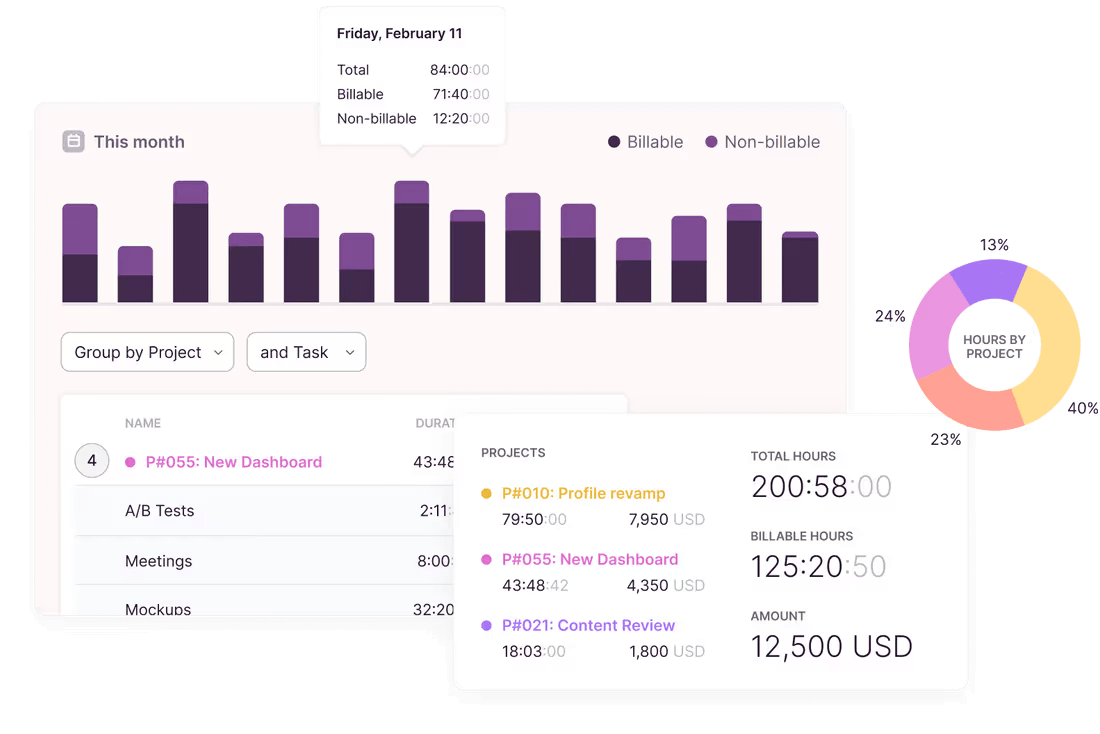
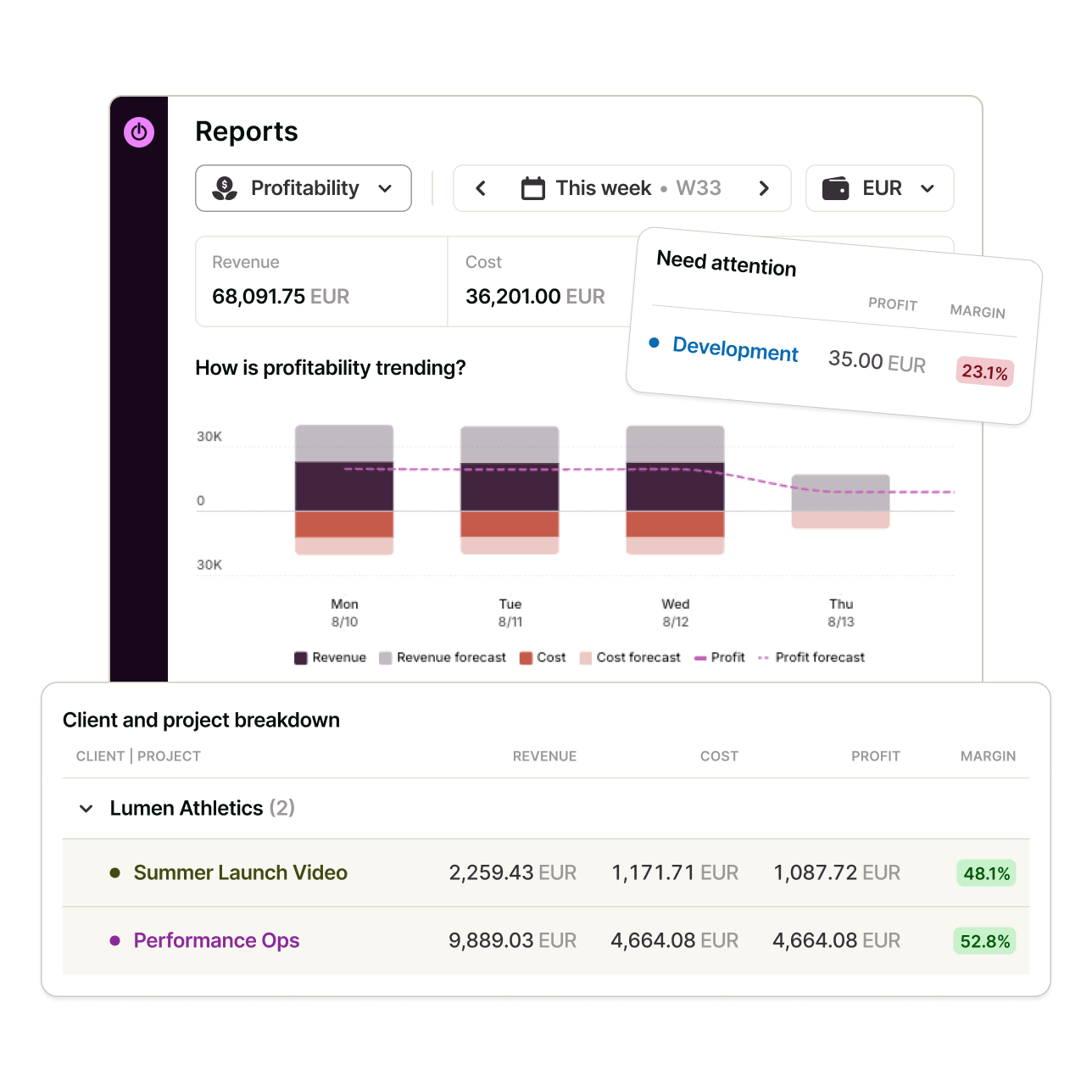
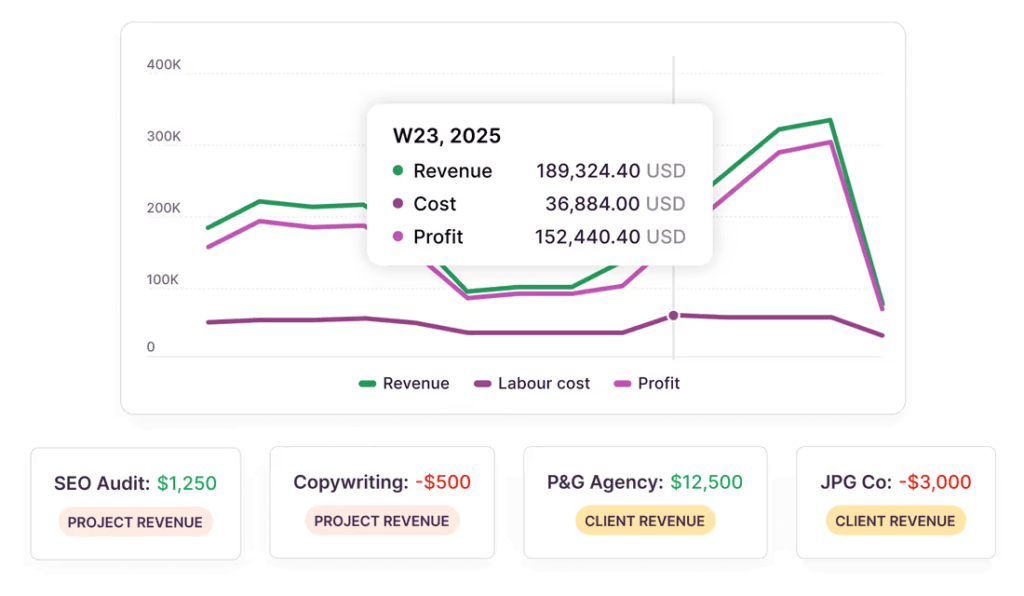
Toggl adds project profitability and utilization numbers on top of tracked time, showing whether a project is on budget and whether the team has capacity for more work.
These are numbers that neither Jira nor Tempo show natively.
Pricing is also based on active Toggl users rather than Jira license count, so costs are lower than you’d have if working with Tempo.

3. Everhour: Best for budget alerts on Jira billing
Price:
- Free (5 seats)
- $10/per seat (paid monthly)
- $8.50/per seat, per month (paid annually)
- Enterprise pricing available
Available on: Desktop, Web, iOS & Android
Pros:
- Time logged syncs into Jira's worklog
- Budget alerts at different thresholds
- Strong billing, budgeting, and invoicing workflow
- Seamless integration with popular project management tools
Cons:
- Paid plan requires a minimum of 5 seats
- The Jira integration is only available on the Team plan
- Time entries originating from Jira never sync into Everhour
Why choose Everhour over Tempo?
You only need to pay for the Jira users who would be using Everhour to track time, not everyone in your Jira license.
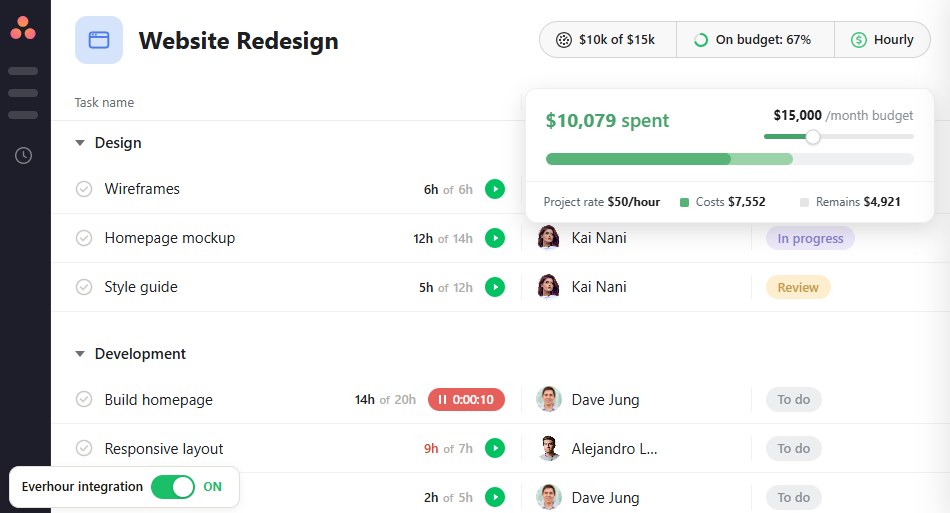
Also, if you set a budget in hours or dollars, one-time or recurring, Everhour emails an alert at 50%, 80%, or custom thresholds of the budget.
Besides being a standalone product, Tempo's Financial Manager has no equivalent alert system, making it hard for users to track budget without one.
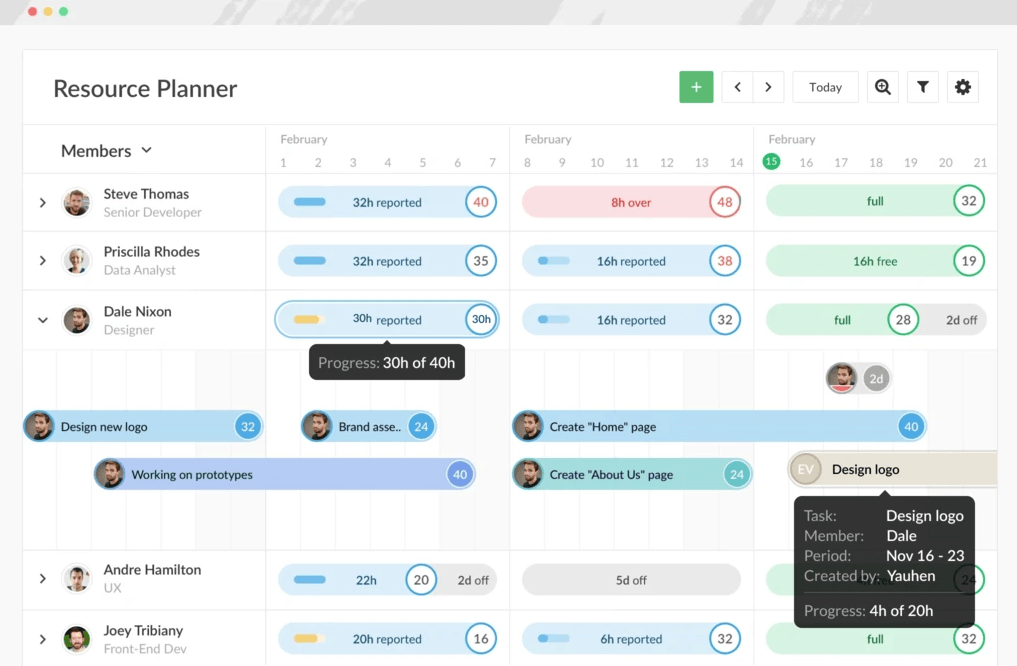
Beyond Tempo, Everhour can also replace Jira's own built-in time tracking interface. An admin activates this inside Jira's settings, and from there, every hour logged through Everhour writes into Jira's worklog automatically.
However, time logged directly in Jira never shows up in Everhour.
There’s only one exception: if an entry starts in Everhour and someone later edits it inside Jira, that edit syncs back.

4. Clockify: Best for free Jira time tracking at scale
Price:
- Free (5 seats)
- $4.99 - $15.99/per seat (paid monthly)
- $3.99 - $12.99 per seat, per month (paid annually)
- Enterprise pricing available
Available on: Desktop, Web, browser extension, iOS & Android
Pros:
- Free 2-way Jira sync plugin
- Native invoicing on paid tiers
- Automatic time tracking
- Supports both Cloud and Server Jira, as well as Jira Service Desk
Cons:
- Some features (billable rates, invoicing) were moved to paid plans in April 2026
- Deleting a time entry in Clockify doesn't remove the matching work log in Jira, and vice versa
- Time tracked outside the Jira plugin, like Clockify's mobile app, never creates a Jira work log, and time logged directly in Jira never shows up in Clockify
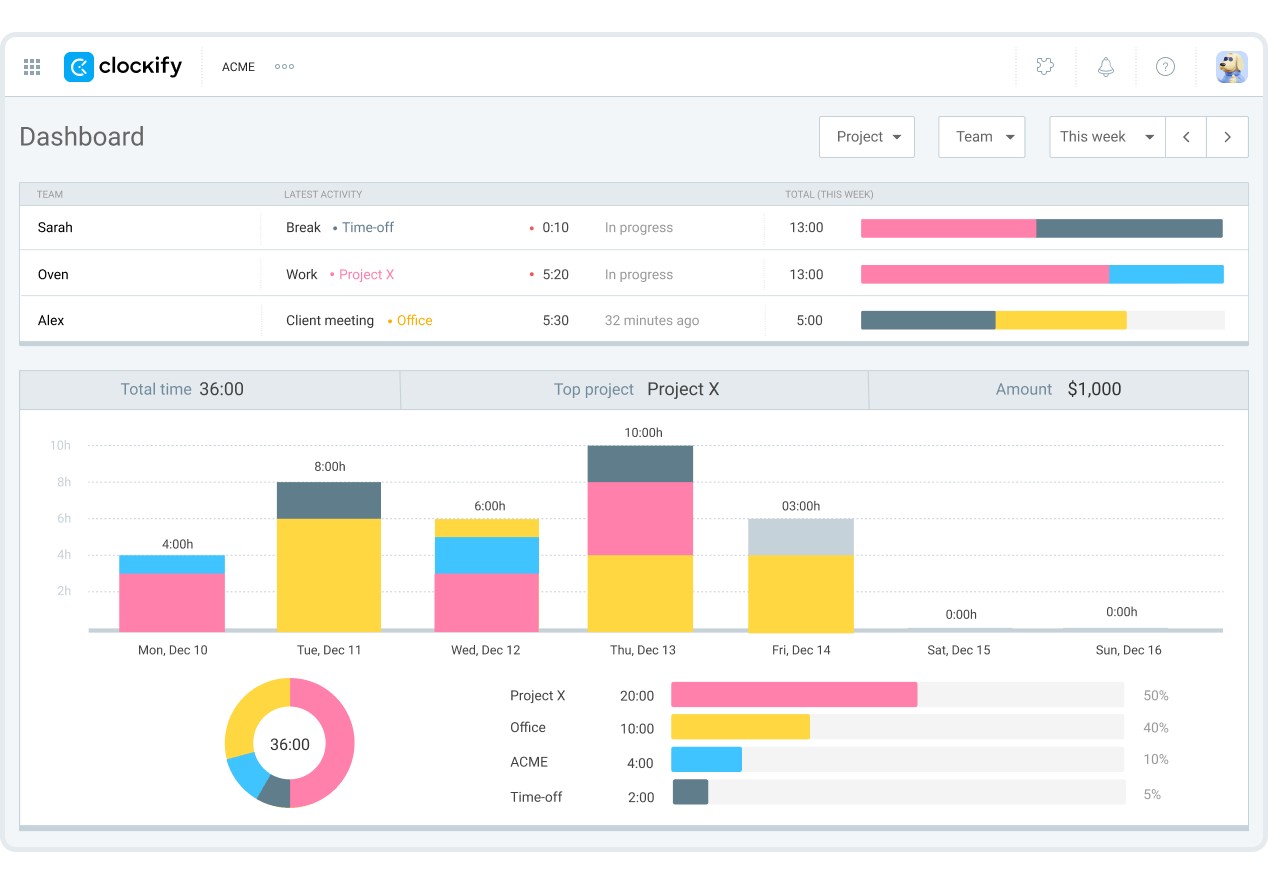
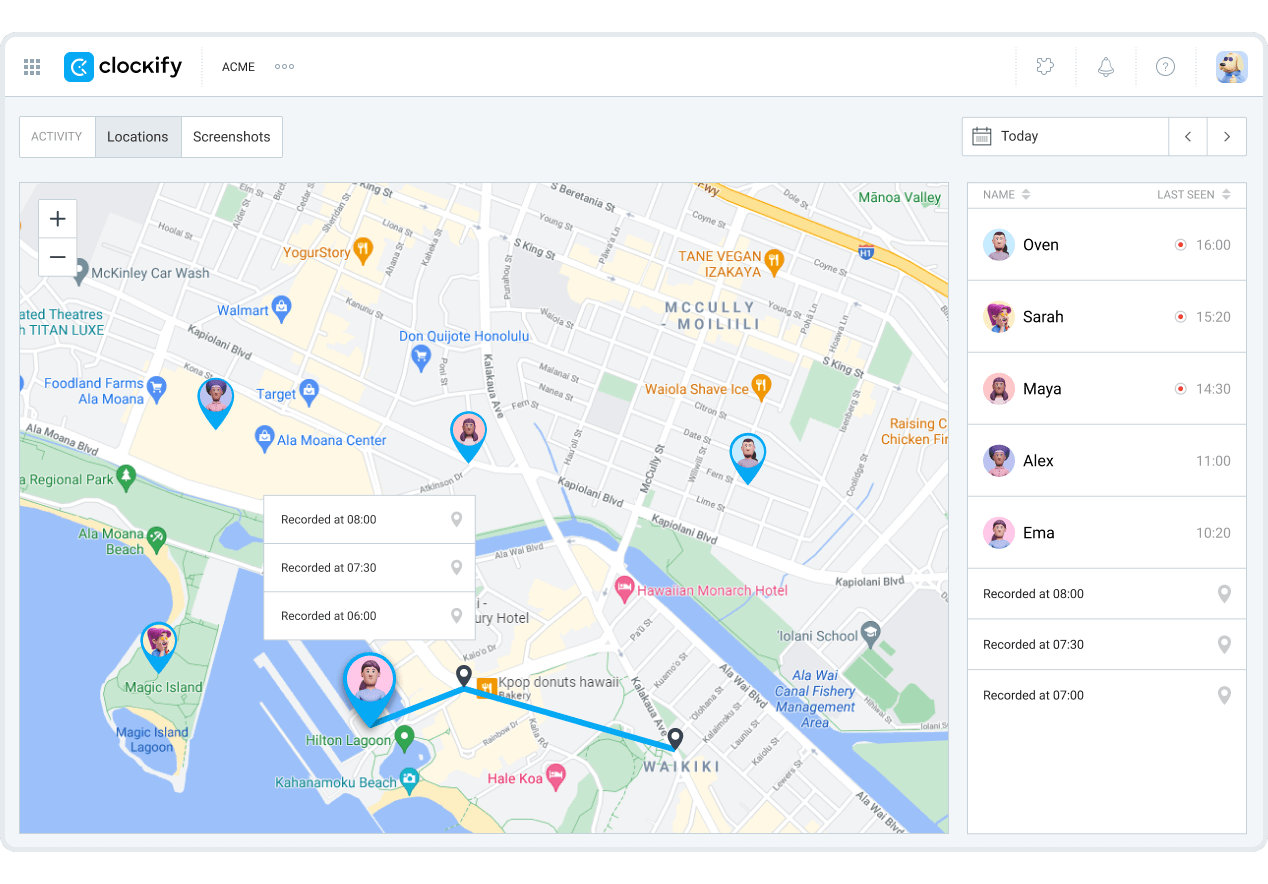
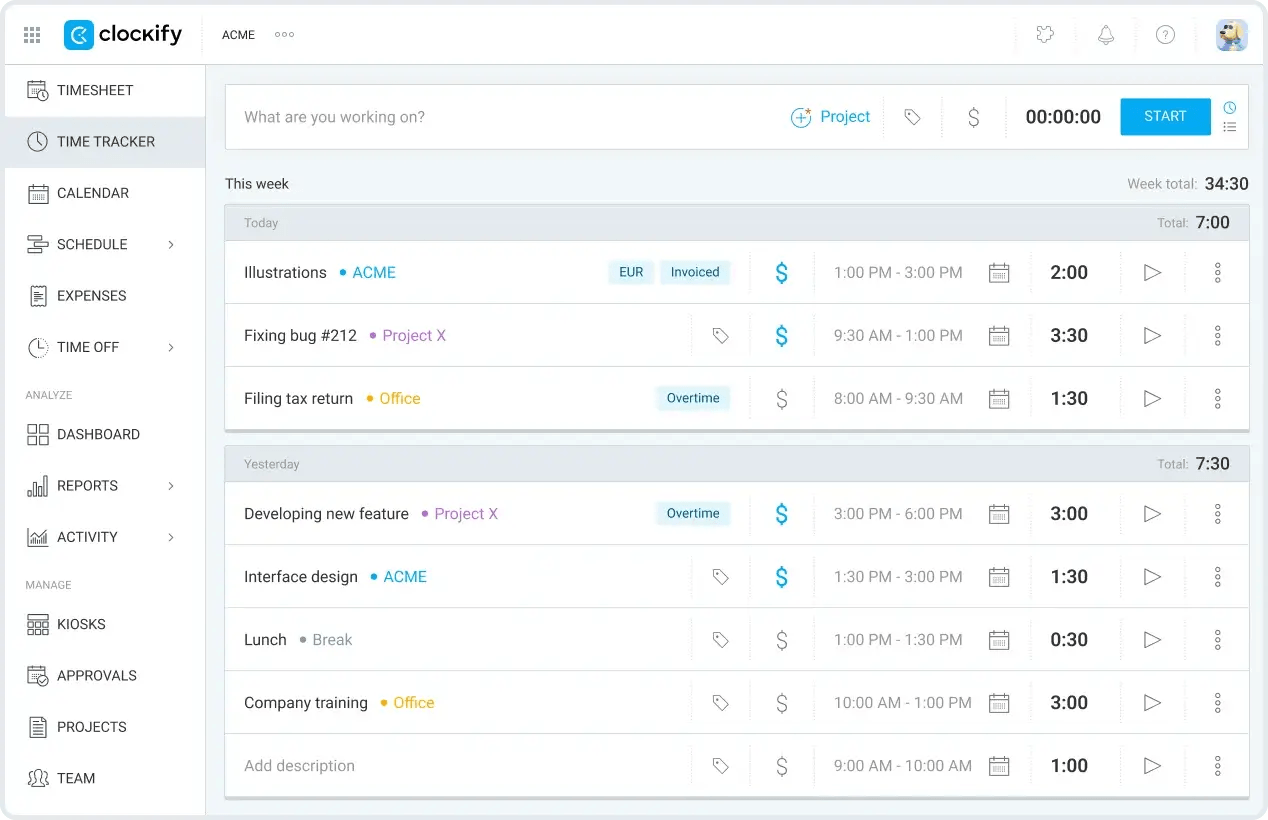
Why choose Clockify over Tempo?
Clockify's Jira plugin is free to install.
Starting a timer on a Jira issue creates a matching time entry in Clockify, and stopping it writes a work log back to Jira.
However, there’s a limit to the two-way sync. Deleting a time entry in either platform never removes it from the other, so you must handle that manually on both ends.
Also, any time you track outside the plugin, like using Clockify's mobile app, doesn't create a Jira work log, and time logged directly in Jira never shows up in Clockify.
Unlike Tempo, there's no charge tied to Jira license count. Clockify only bills you by the number of users.
If only a portion of your team needs billing and reporting, then switching to Clockify is more cost-effective than paying Tempo for every Jira seat.

5. Harvest: Best for simple invoicing tied to Jira work
Price:
- Free (1 user, 2 projects)
- $11 - $17.50/per user (paid monthly)
- $9 - $14/per user, per month (paid annually)
- Additional usage-based charges for invoices, clients, and tasks
- Enterprise pricing available
Available on: Desktop, Web, iOS & Android
Pros:
- Free-to-install Jira Cloud timer add-on
- Time entries link back to the originating Jira issue
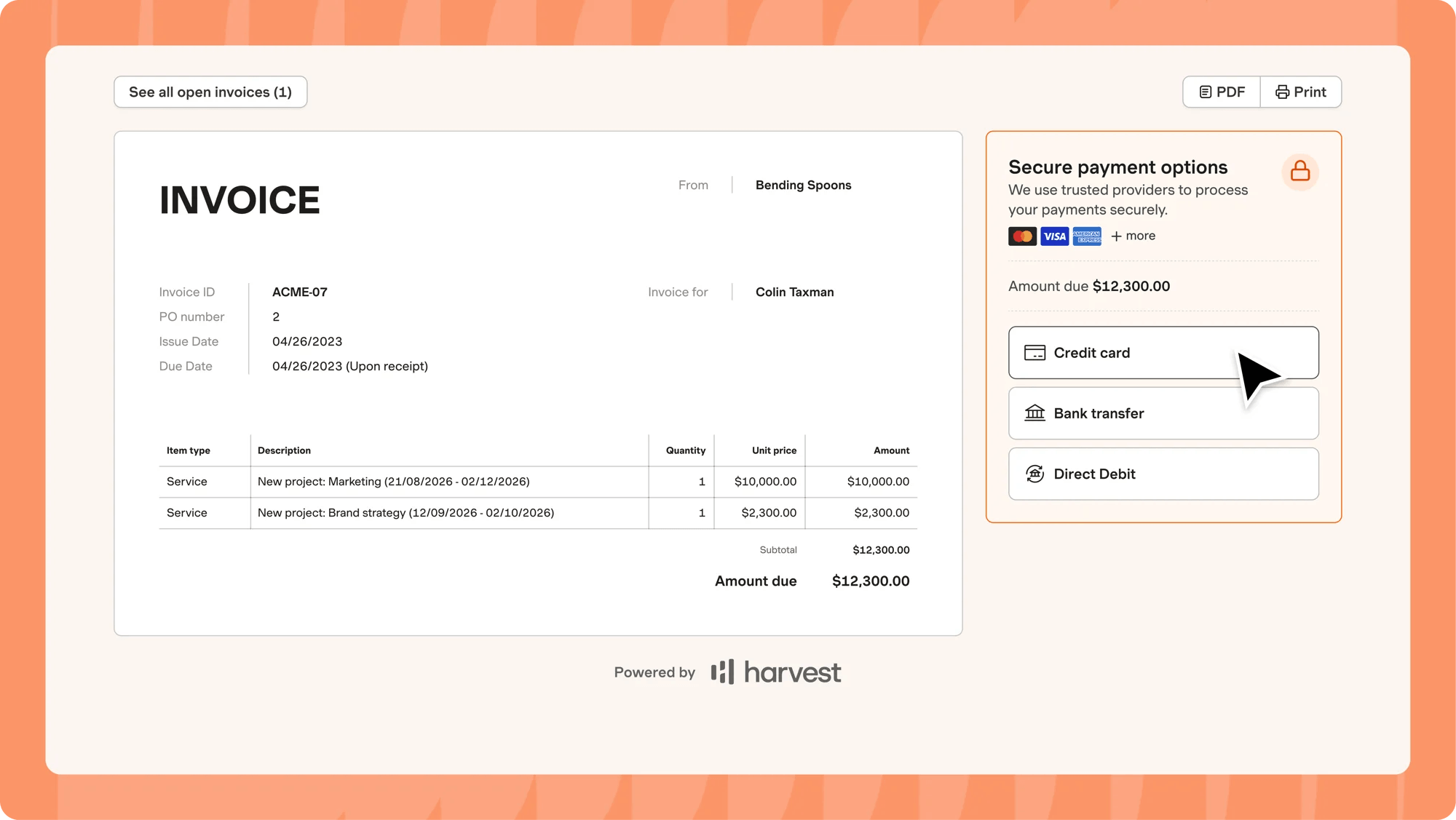
- Generate, send, and track invoices
- Accepts online payments via Stripe, PayPal, credit cards, or bank transfer
- ACH bank transfer is supported for US-based businesses
Cons:
- Free plan limited to 1 user and 2 projects
- Accounting and payment integrations available on paid plans (Teams)
- Jira integration only works with Jira Cloud products, not Data Center or Server
- Base seat rate covers core features only; extra invoices, projects, clients, and tasks add to the bill as usage grows
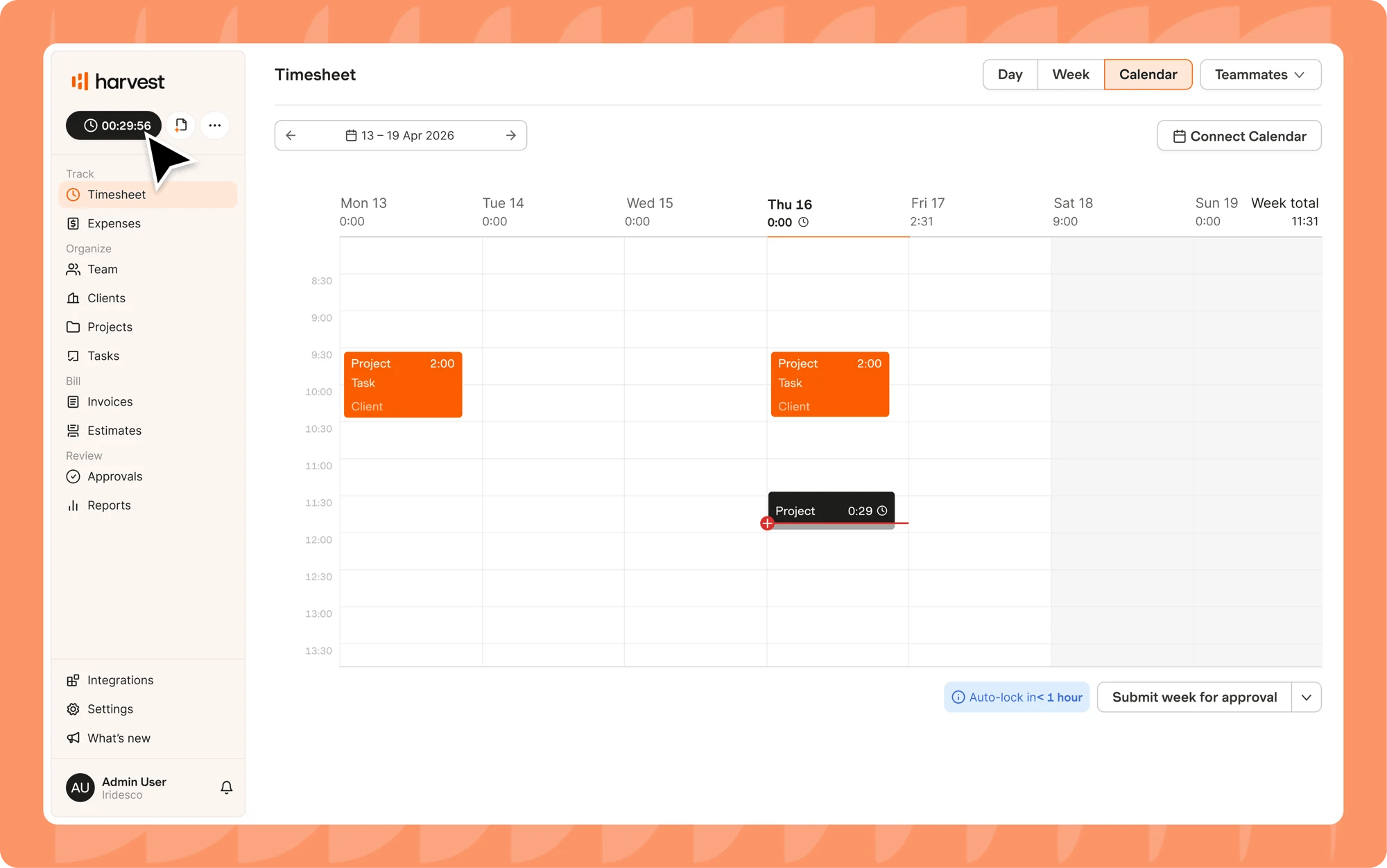
Why choose Harvest over Tempo?
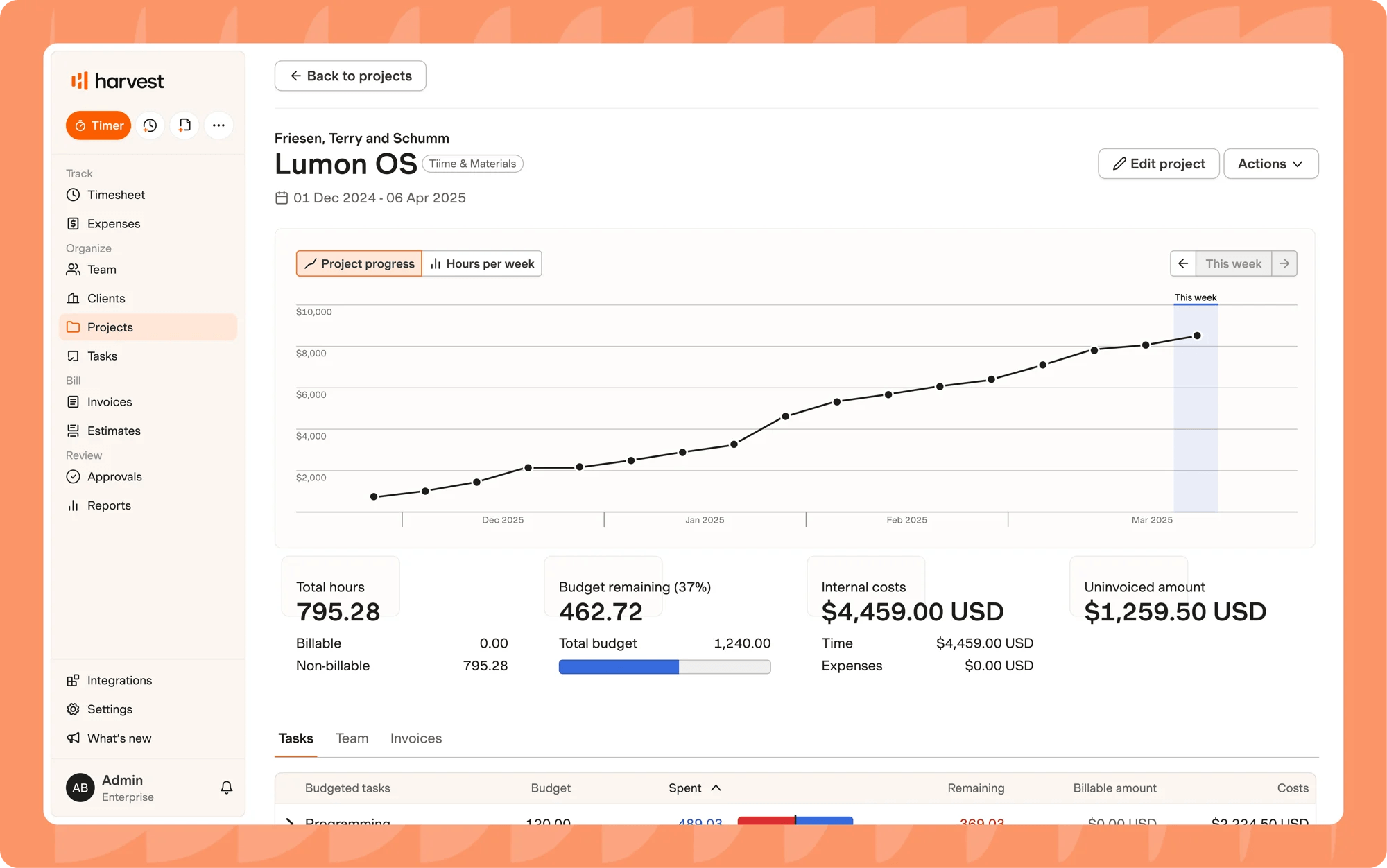
Harvest's Jira add-on puts a timer in the right-hand column of every Jira issue.
The add-on automatically includes the Jira issue ID and title in the time’s notes field, plus a link back to the original issue for reference.
However, the integration only works with Jira Cloud and not Jira Data Center or Server.
You can use Tempo's Timesheets system to export logged time as XLS, CSV, or PDF reports, which you can then feed into third-party accounting platforms, but there's no native invoicing.
With Harvest, you can build the invoice directly within the platform, add a payment link, and send it straight to clients.
One thing Harvest lacks in comparison is the depth of project management functions that Tempo has, such as Epic and project trackers. Although you’d have to get the Structure PPM solution for that, yet another separate product.

6. TMetric: Best for two-way Jira sync with budget alerts
Price:
- Free (2 seats)
- $7 - $9/per seat, per month (paid monthly)
- $5.83 - $7.50 per seat, per month (paid annually)
- Enterprise pricing available
Available on: Desktop, Web, browser extensions, iOS & Android
Pros:
- Two-way Jira sync sends logged time straight into Jira's work log
- Unlimited projects and clients included from the free plan
- Detailed reports available on all plans
- Offline mode available
Cons:
- Time-sync with Jira software only on the Business plan
- Free plan limited to 2 users
- Timesheet locking only available from the Business plan
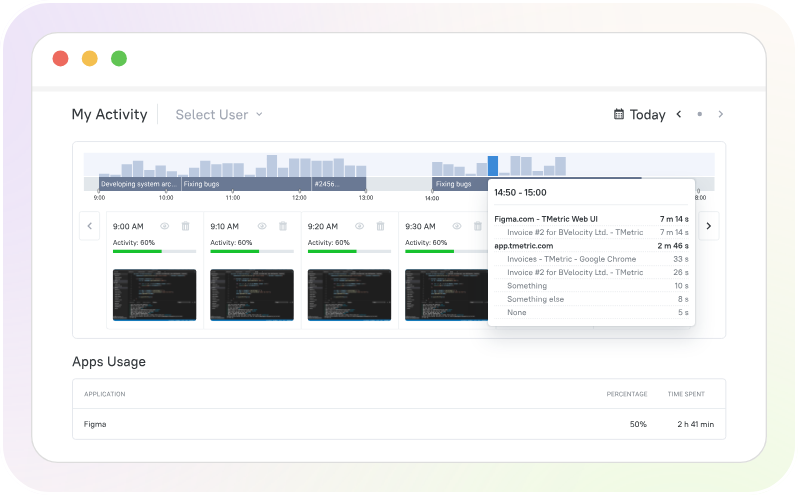
Why Choose TMetric Over Tempo?
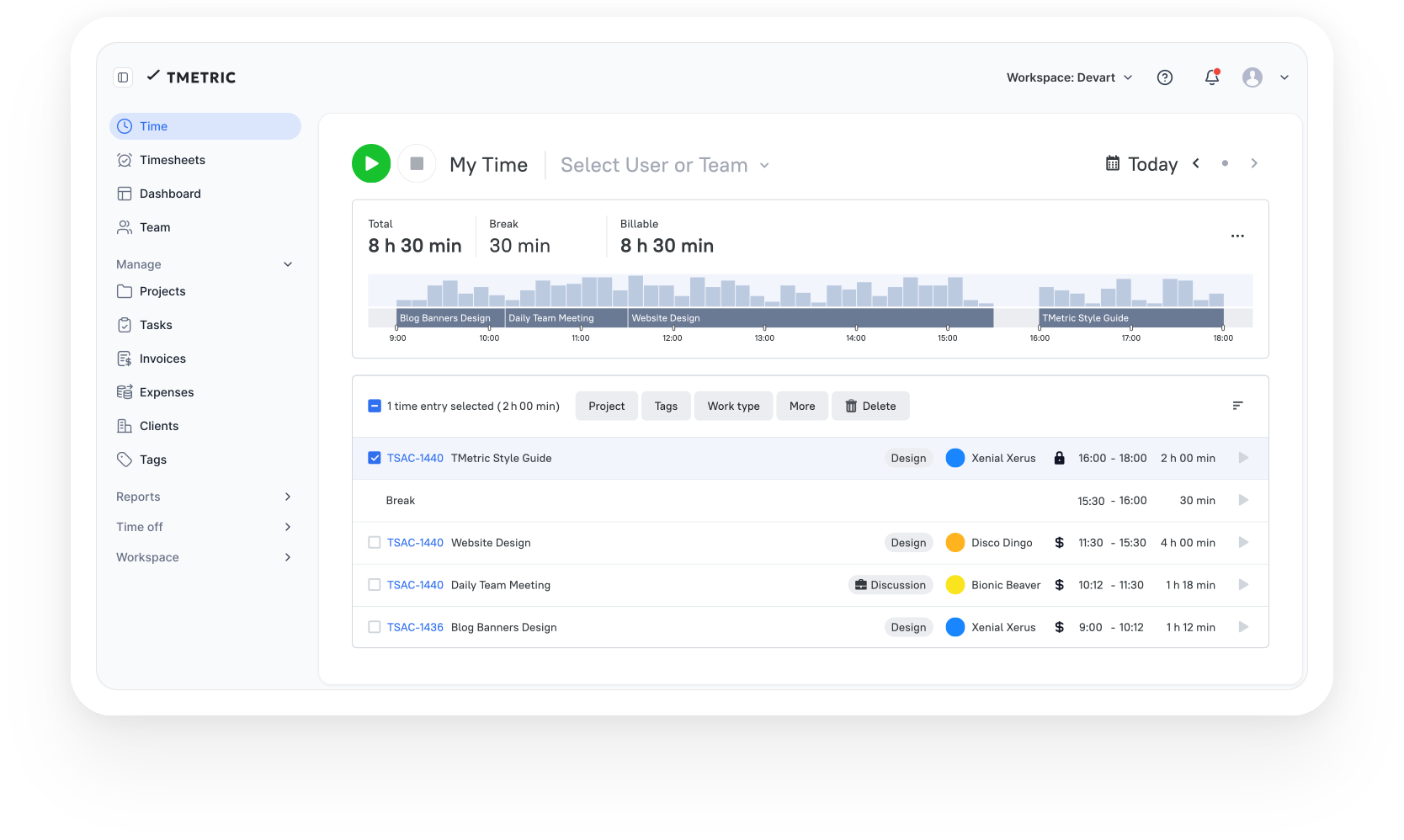
TMetric offers an efficient two-way sync: starting the timer on a Jira issue pulls in the issue name, ID, project, and labels automatically, and every hour, logged time lands back in Jira's own work log.
The downside is that you have to get the Business plan to access the Jira integration. Whether that actually costs more than Tempo depends on your team size.
If you have a large Jira license with a small group tracking time, TMetric would still be cheaper than Tempo, as its most expensive plan, Business, costs $7.50/user/month billed annually.
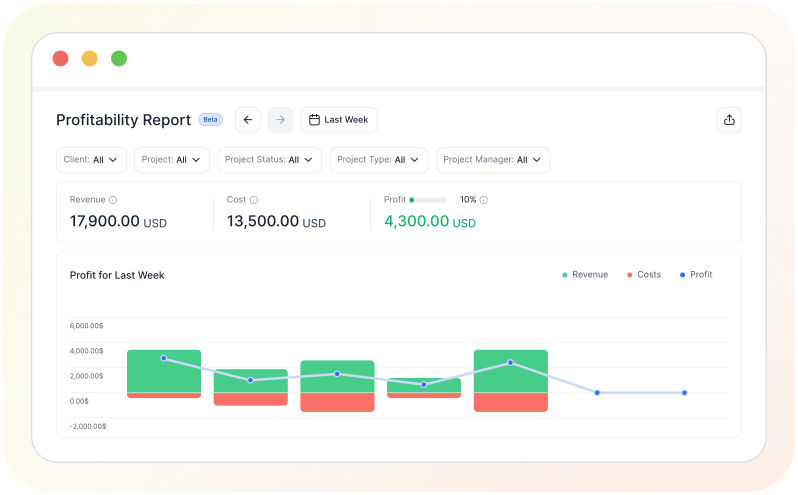
Another upside with TMetric is that its budgeting system (available from the Professional plan) sends you alerts when a project reaches its expense limit, something Tempo's Financial Manager doesn’t have.
More Tempo Alternatives

7. ActivityTimeline: Best for timesheets and capacity planning in one Jira plugin
Price:
- No free plan (30-day free trial available)
- Starts at $1 per user for 10 users (paid monthly)
- Pricing scales with total Jira user count, up to 100,000 users. Use the price calculator for an exact quote
- Standard support: $1,000/year; chat and email support (10 requests per month, 1 person)
- Advanced support: $3,000/year; chat and email support (30 requests per month, up to 2 people)
- Enterprise support: custom pricing; chat, email, and voice support (unlimited number of requests, up to 3 people)
Note: The person limit applies to who can submit support requests, not to how many people on a team can use the ActivityTimeline platform itself.
Available on: Jira Cloud, Jira Server, Jira Data Center as a native Atlassian Marketplace plugin
Pros:
- Provides timesheets and resource capacity planning in a single plugin
- Two-way Jira sync, worklogs update in both directions
- Built-in integration with Tempo Timesheets
- Vacations, sick leave, and bookings tracked on the same timeline as Jira issues
Cons:
- No permanent free tier, only a free trial. No credit card required
- Pricing scales with total Jira user count, just as with Tempo
- No standalone app outside Jira
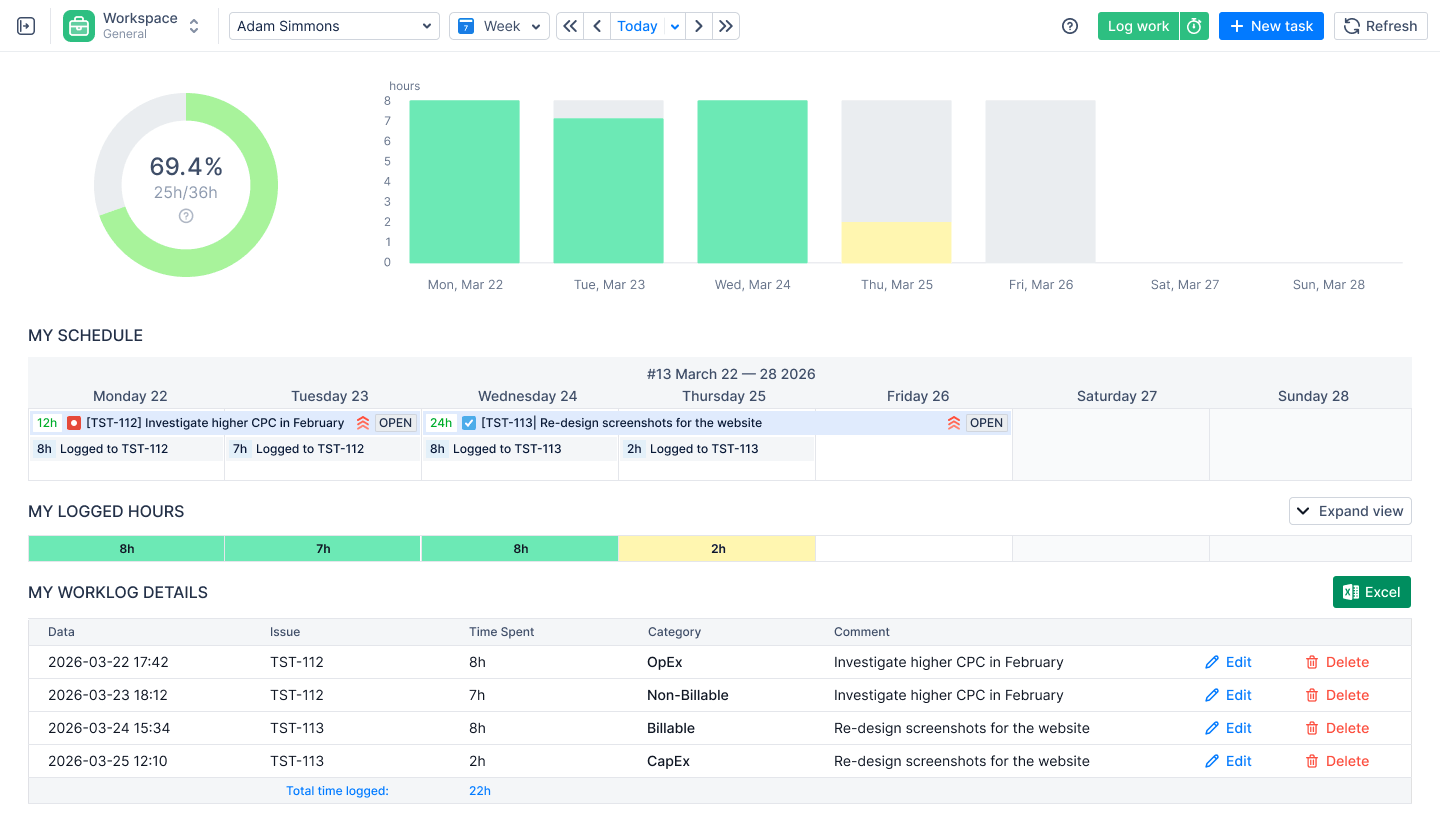
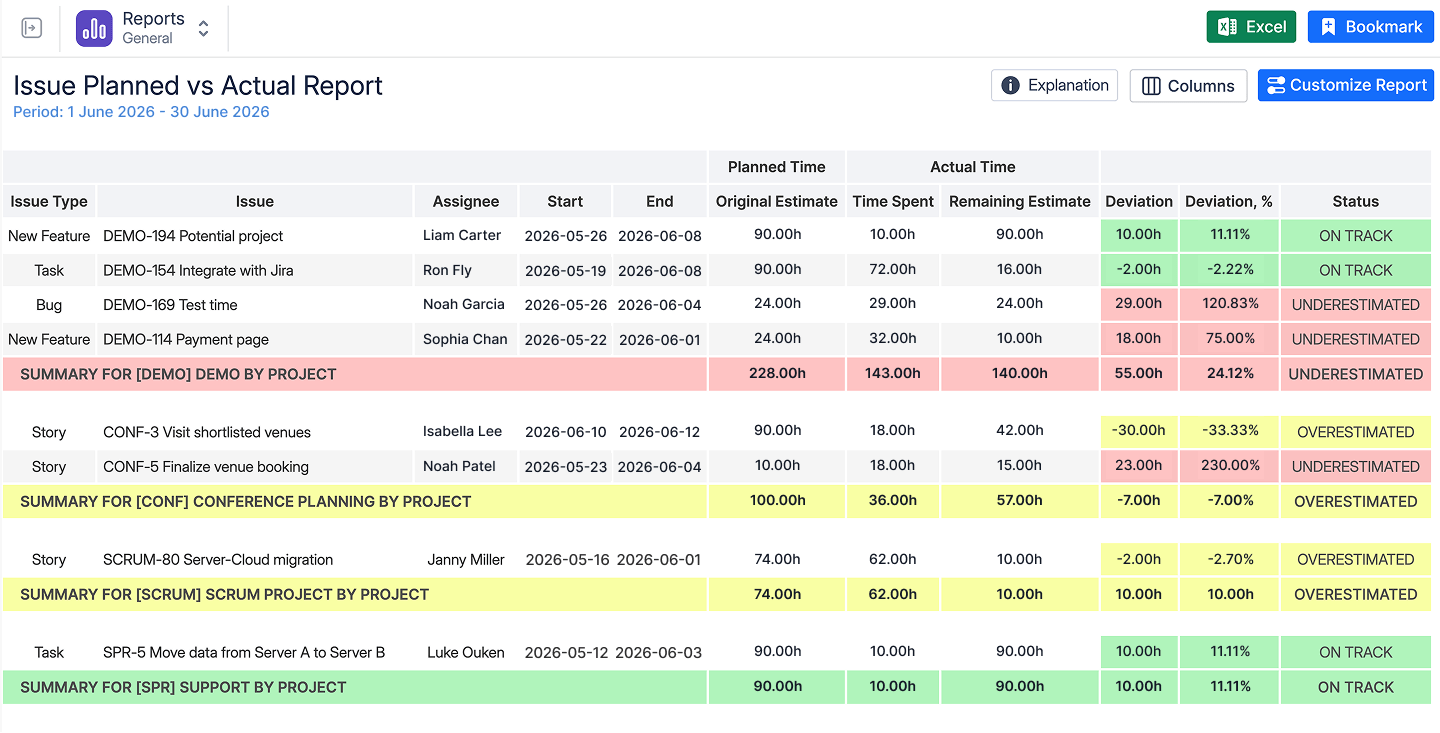
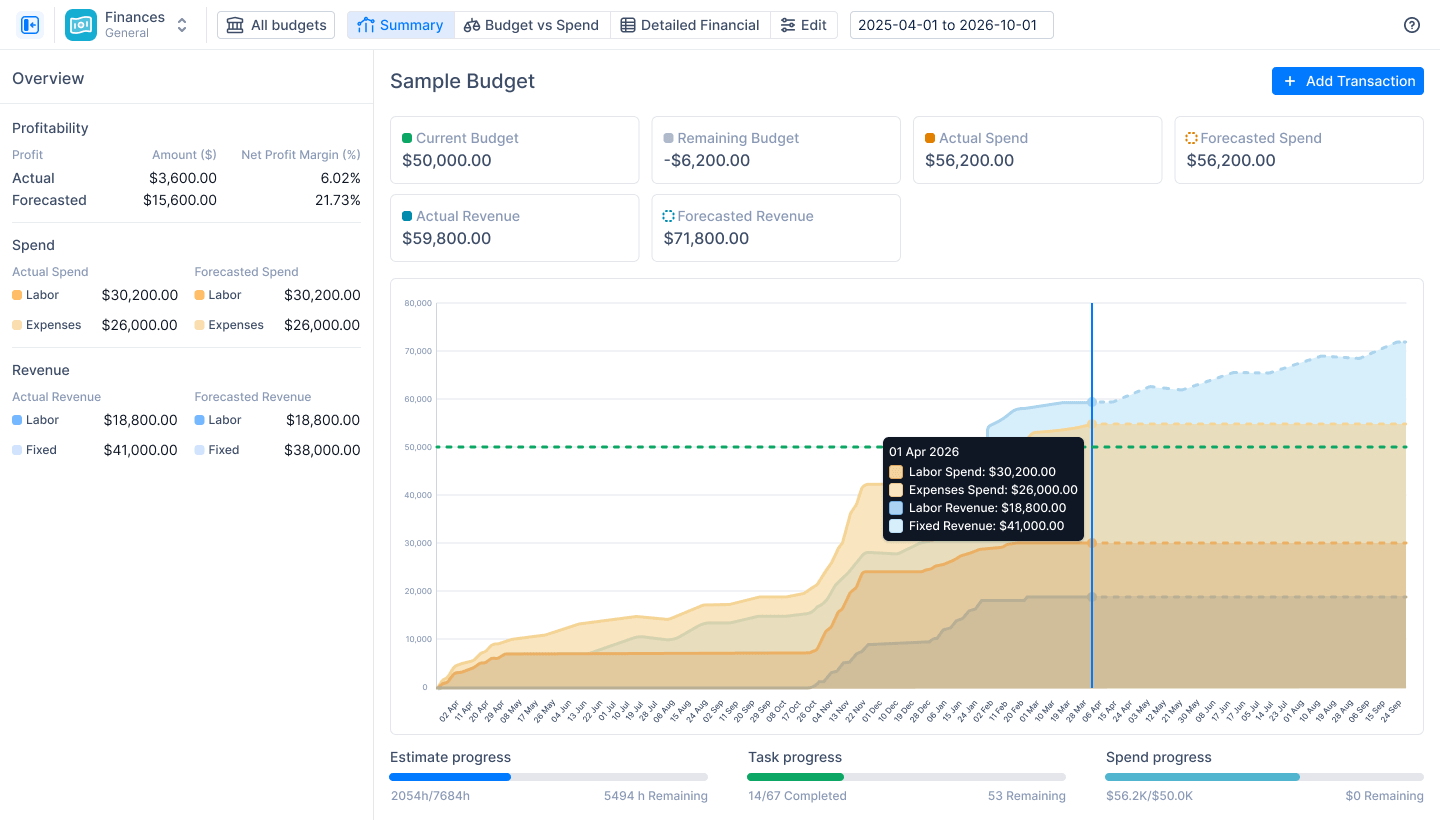
Why Choose ActivityTimeline Over Tempo?
Where Tempo splits timesheets and capacity planning into two separate paid products, ActivityTimeline bundles both into one plugin.
ActivityTimeline syncs both ways with Jira, so worklogs created in one system show up in the other.
There are two ways it performs calculations for capacity planning: Balance Mode, which evenly distributes hours for a set period, and Liquid Mode, for checking the earliest a task could actually get finished.
The major downside is that it has the same Jira-user-count billing system as Tempo, so it doesn't solve the licensing-cost problem.
It's the better fit if your main complaint with Tempo is having to pay for Capacity Planner as a separate product, not if you’re trying to get away from per-Jira-seat pricing altogether.

8. Clockwork Pro: Best for keeping time data inside Jira's native worklog format
Price:
- Free (up to 10 users)
- Starts at $1.30/per user for 11-102 users (paid monthly)
- Pricing scales with total Jira user count, up to 100,000 users. Use the price calculator for an exact quote
Available on: Jira Cloud (native Atlassian Marketplace plugin)
Pros:
- Free for teams up to 10 users
- Stores time entries in Jira's native worklog format
- Automatic timers start and stop with Jira issue status
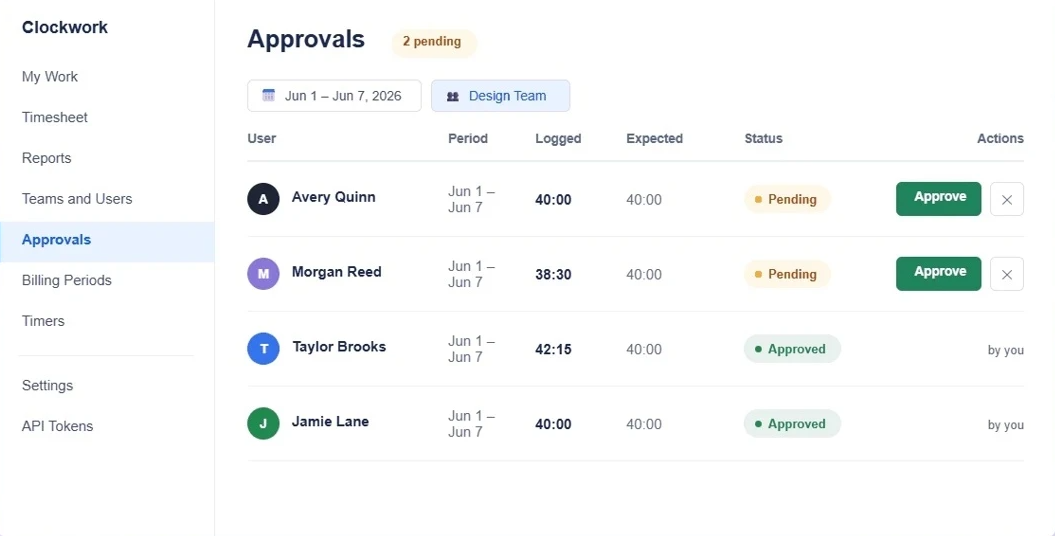
- Timesheet approvals turn on with a single setting
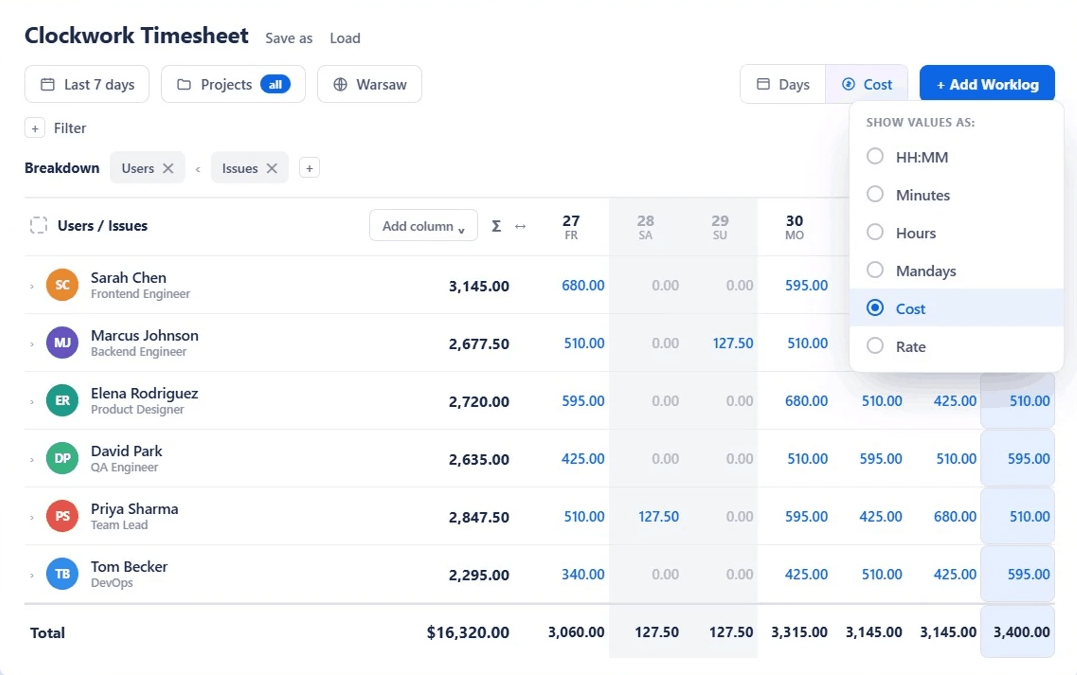
- Tracks costs and billing rates alongside logged time
Cons:
- Resource capacity planning sold as a separate product
- Still billed by total Jira user count, the same pricing model as Tempo
- No standalone app outside Jira
Why Choose Clockwork Pro Over Tempo?
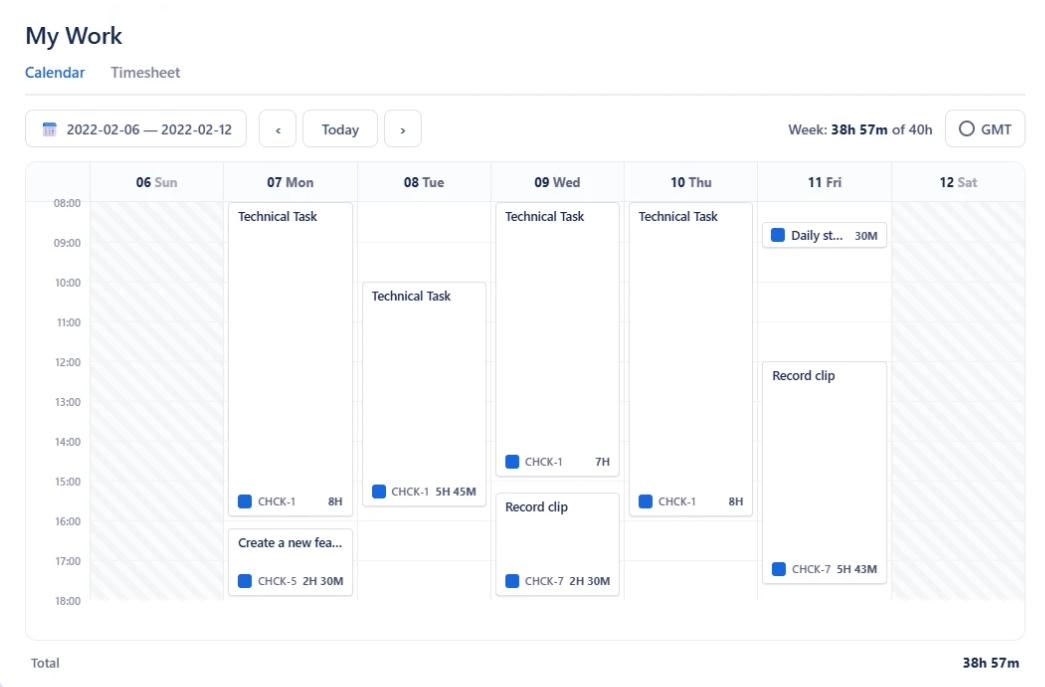
Unlike Tempo, which stores time entries in its own separate database, Clockwork Pro logs time straight into Jira’s Work Log field.
That means the data belongs to Jira itself, not to Clockwork Pro, so your team keeps every hour ever logged even if you later uninstall the app.
You don’t have to worry about someone forgetting to track time because Clockwork Pro automates that based on Jira issue status.
Once an assigned issue’s status is active, the timer starts counting and stops when the status changes.
Tempo makes you install and configure Financial Manager just to get project-level approvals, but not Clockwork Pro. Once a period is approved, its worklogs lock right inside Clockwork's own interface.
One downside is that Capacity planning isn't part of Clockwork Pro. HeroCoders sells that separately, just like how Tempo has different products.
Also, Clockwork Pro is still billed by total Jira user count, so that aspect doesn’t change.
Best Tempo Alternatives by Team Type and Size
There is no one-size-fits-all alternative to Tempo Timesheets. The right choice depends on your team size and the features needed.
Best Tempo Alternatives for Small Dev Teams (1-10 People)
Small development teams usually need simple time tracking that fits into their existing Jira workflow without adding unnecessary complexity.
For teams that need to track time for client work, My Hours or Toggl Track are stronger choices. There are no Jira user count issues with these platforms.
Clockwork Pro is a good option for teams that want to keep everything inside Jira. It’s free for up to 10 users and stores time entries in Jira's native worklog format.
ActivityTimeline is worth considering if capacity planning is a priority. It combines timesheets and resource planning in a Jira plugin, so small teams can manage work without purchasing separate products.
Best Tempo Alternatives for Agencies and Consultancies Using Jira (5-25 People)
Agencies and consultancies often use Jira for project delivery but need more advanced tools for client billing, project budgets, and profitability.
My Hours is particularly well suited to this type of team.
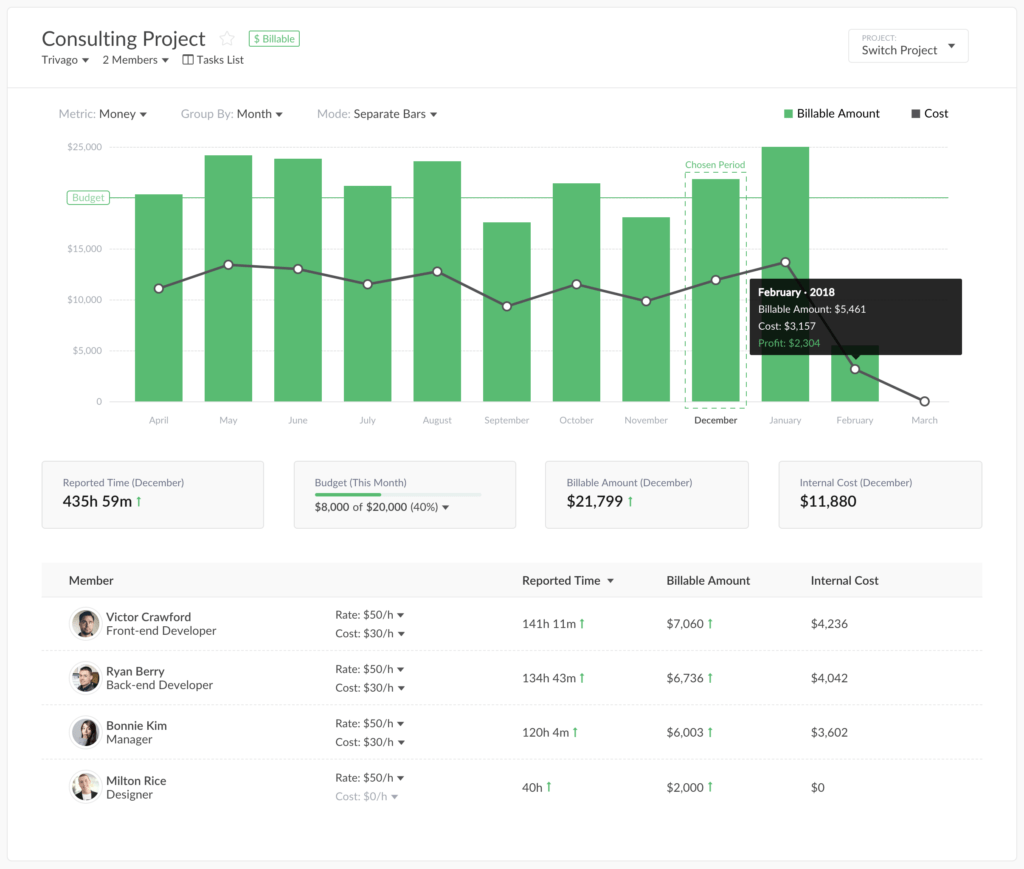
It combines Jira time tracking with billable rates, project budgets, and profitability reporting, so time logged against imported Jira tasks automatically becomes billing data.
Everhour is another good option for teams that want to keep time tracking closely connected to Jira. Its Jira integration lets users track time directly from issues and sync those entries into Jira's worklog.
If invoicing is a core concern, then pick Harvest. It connects tracked time to Jira issues and can convert hours into client invoices while also collecting payments.
Best Tempo Alternatives for Large, Multi-Team Jira Licenses (30+ People)
Companies with many Jira users must pay attention to how their time tracking software charges for users. If only a small part of the team actually tracks time, paying for every Jira user can quickly become expensive.
My Hours, Toggl Track, and Clockify are good options for teams that want to avoid paying based on their total number of Jira users.
They all charge based on the users who use their platform, so companies don't have to pay for Jira users who never log hours.
TMetric is another option for larger teams that need time tracking alongside productivity and activity monitoring. Its Business plan includes Jira integration, and its pricing is based on TMetric users rather than the total number of Jira users.
How to Choose the Right Tempo Alternative: Essential Checklist
There's no single best Tempo replacement, and deciding which to choose can feel overwhelming.
Use this checklist to narrow things down, match features to your goals and team’s needs, and find a tool that fits your workflow.
1. Define your use case:
- How many people actually need to track time in Jira?
- Do you need to bill clients for tracked time?
- Do you need to track project budgets and costs?
- Do you need project-level or team-level timesheet approvals?
- Does your team need capacity or resource planning?
- Do you need to keep time tracking inside Jira, or would a standalone app work?
- Do people outside Jira, such as freelancers, account managers, or finance teams, need to track or review time?
2. Features and tools: What does your time-tracking tool need for the right functionality?
- Two-way Jira integration for syncing issues and worklogs
- Billable and labor rates by user, project, or task
- Invoicing and billing tools
- Project budgets and budget alerts
- Timesheet approval workflows
- Capacity and resource planning
- Mobile, desktop, and browser apps
- Employee monitoring features, if required
By now, you should have a good idea of what you need from a Tempo alternative. After narrowing down your options, compare the following:
- Pricing model: Does the platform charge based on active users or the total number of Jira users? That can make a big difference as your team grows.
- Migration: Tempo lets you export worklogs as CSV files. Check how much historical data you need to migrate and whether the new platform can import it.
- User experience: Is the platform easy for your team to use? Will they be able to start tracking time without changing their workflow too much?
- Support: Is customer support available through live chat, email, or phone? Are these options included in the plan you need?
- Security and compliance: Does the software meet your organization's security and compliance requirements, such as ISO 27001 certifications: 27001:2022, 27017, and 27018?
Most importantly, try the tool before you switch. Start with a small group and run it alongside Tempo for a few weeks.
Test the Jira integration, reporting, approvals, and time tracking to make sure everything works as expected. This way, you can identify any problems before moving the rest of your team over.
Frequently Asked Questions

Waste no more time,
jump right in!

All rights reserved.