
Time Tracking Software for Government Contractors
Maximize billable hours and profitability on government projects
 Track hours against clients projects and tasks
- Stay on top of budgets
- Customize and export reports
- Automated reminders and validation rules keep the whole team compliant
- Full audit log for transparency and compliance

Trusted by more than 100.000 businesses worldwide


Timesheet software for government contractors

Using GovCon timekeeping software ensures accurate tracking in line with DCAA and FAR regulations.
GovCon time tracking comes with strict rules that often create challenges for organizations. The key is to make time and work tracking simple and convenient for employees while staying compliant.
For a detailed overview of DCAA requirements, see our DCAA timekeeping guide.
Ensure Total Time Accounting (TTA)
Although federal contractor timekeeping doesn’t explicitly require TTA, it is expected during audits and reviews.
This means that ALL time must be tracked, including:
- Paid and unpaid hours, plus breaks
- Overtime hours
- Hours worked that are directly or indirectly related to the contract
- All leave types (vacation, sick, etc.)
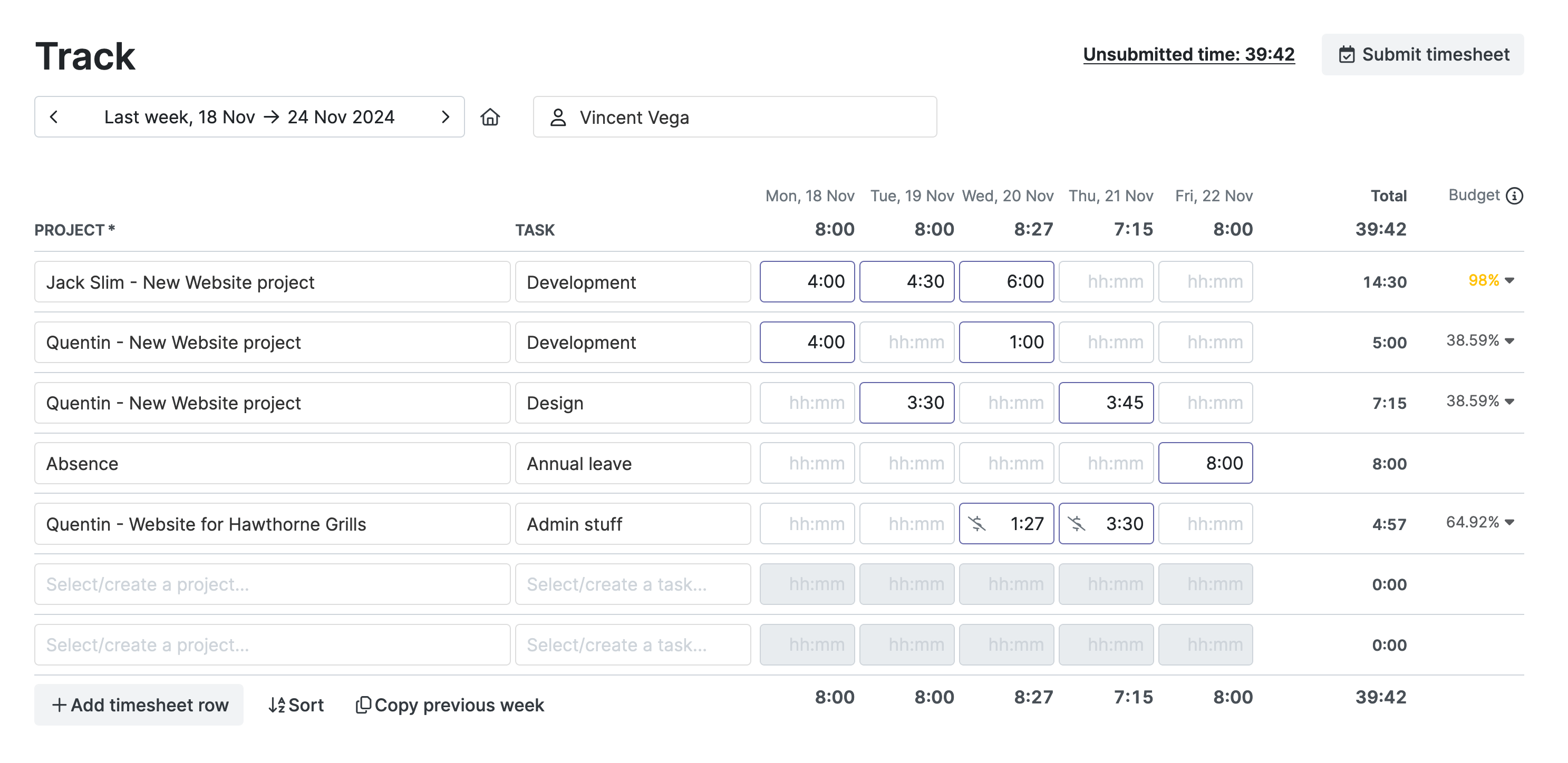
Separate direct vs. indirect labor
My Hours lets you add unlimited users and organize them into teams based on departments.

Compliant timesheet approval workflows
For a compliant timesheet approval workflow, government contractors must verify and approve each submitted timesheet. If an error or inconsistency is found, it is up to the supervisor to fix it.

Email alerts notify supervisors when timesheets are awaiting approval.
Manage remote compliance
Your remote workers need a simple way to track time from anywhere, whether they have connectivity or not. And supervisors need access to current timesheet data, whenever required.
.png)
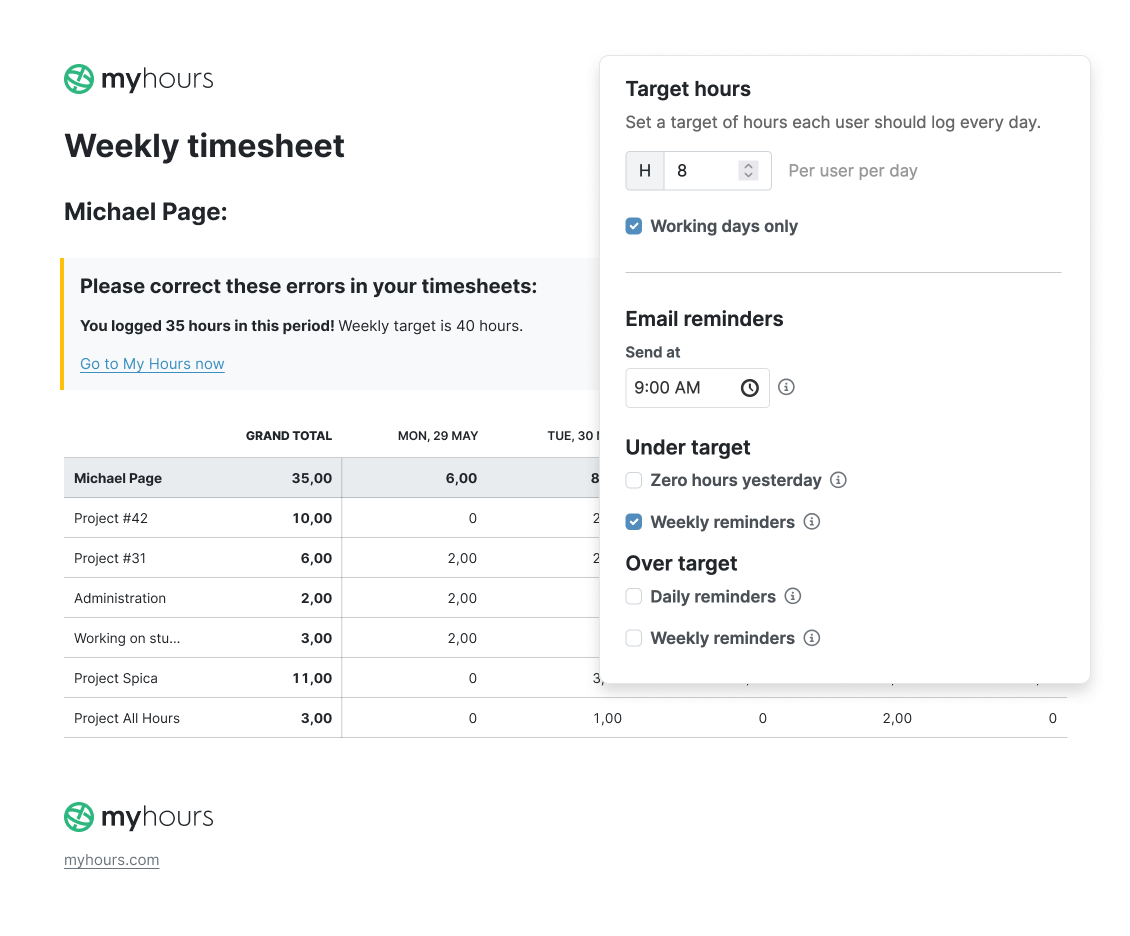
Solve incomplete or forgotten timesheets
My Hours helps users submit complete timesheets before each deadline.
CLIN/WBS time tracking
More complex projects likely have contract line item numbers (CLIN) and work breakdown structures (WBS). Every time log must include this information so the correct codes get assigned to the right deliverables.
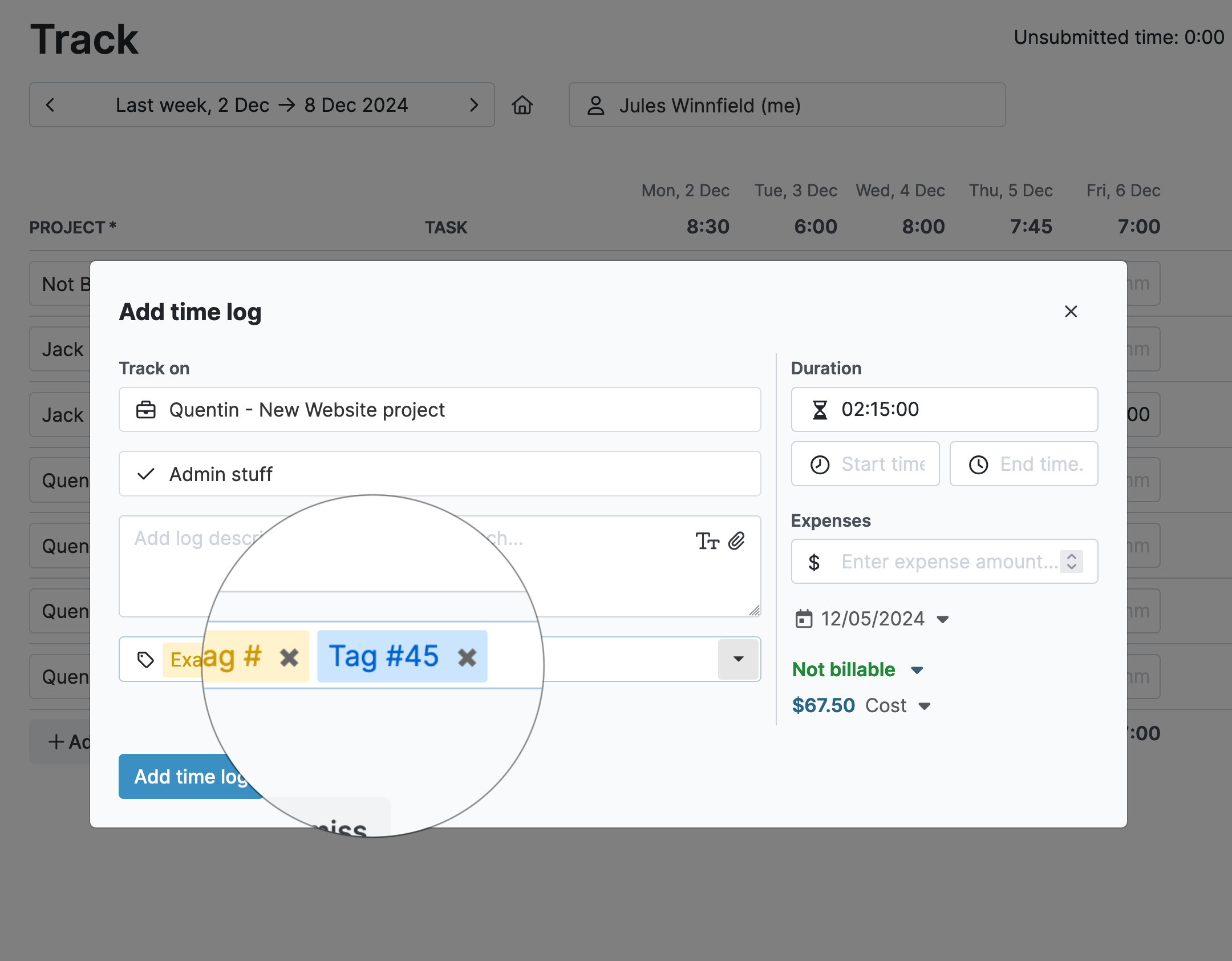
Tip: We recommend using custom tags for CLIN codes because users don't have to type codes manually.
Manage time and materials, and cost-plus billing
Accurate time and cost tracking prevents overbilling and fraud while protecting profit margins on cost-plus contracts.
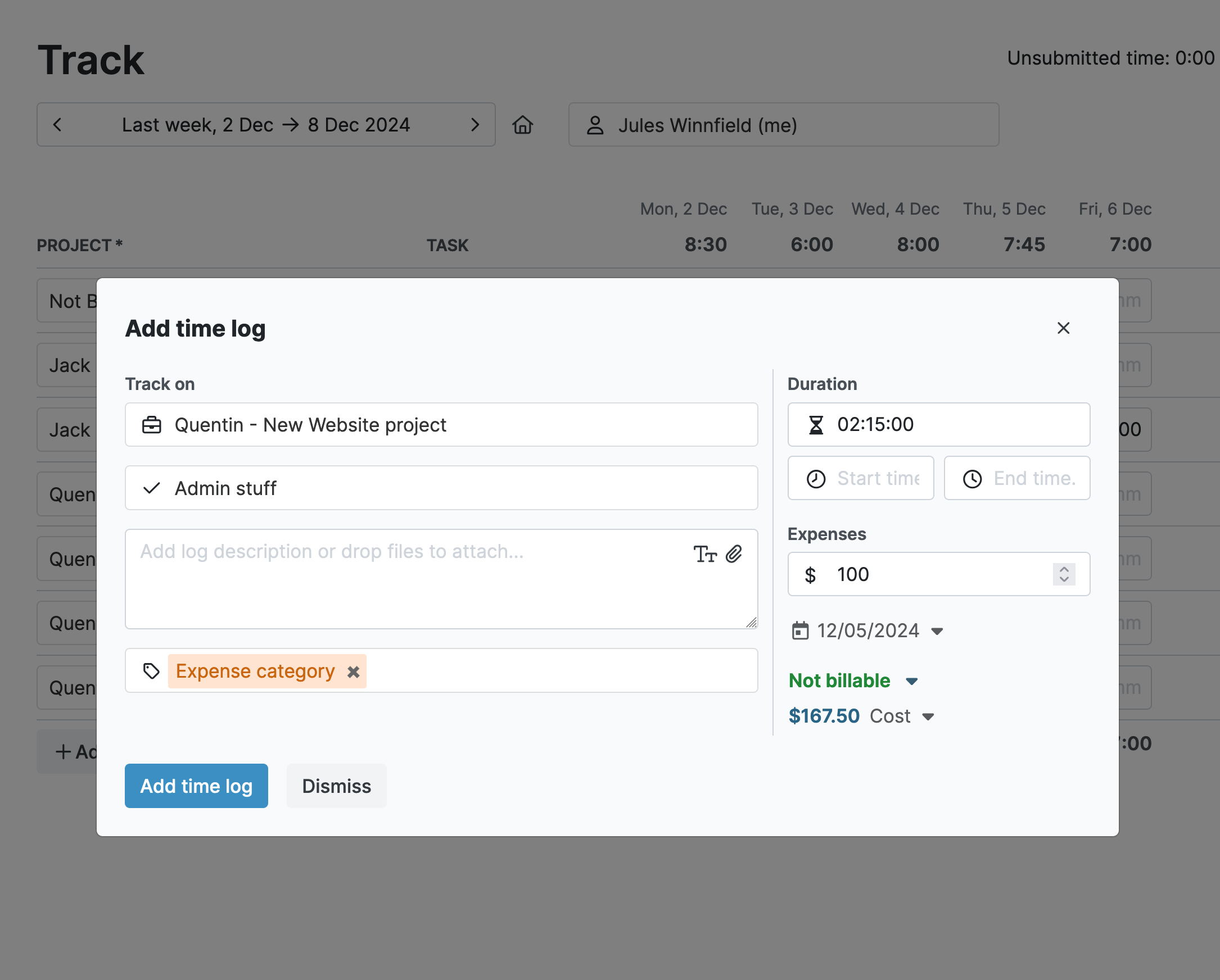
Proving allowable costs
You have to be able to prove each cost and maintain detailed records that support them as genuine, allowable, and allocable.

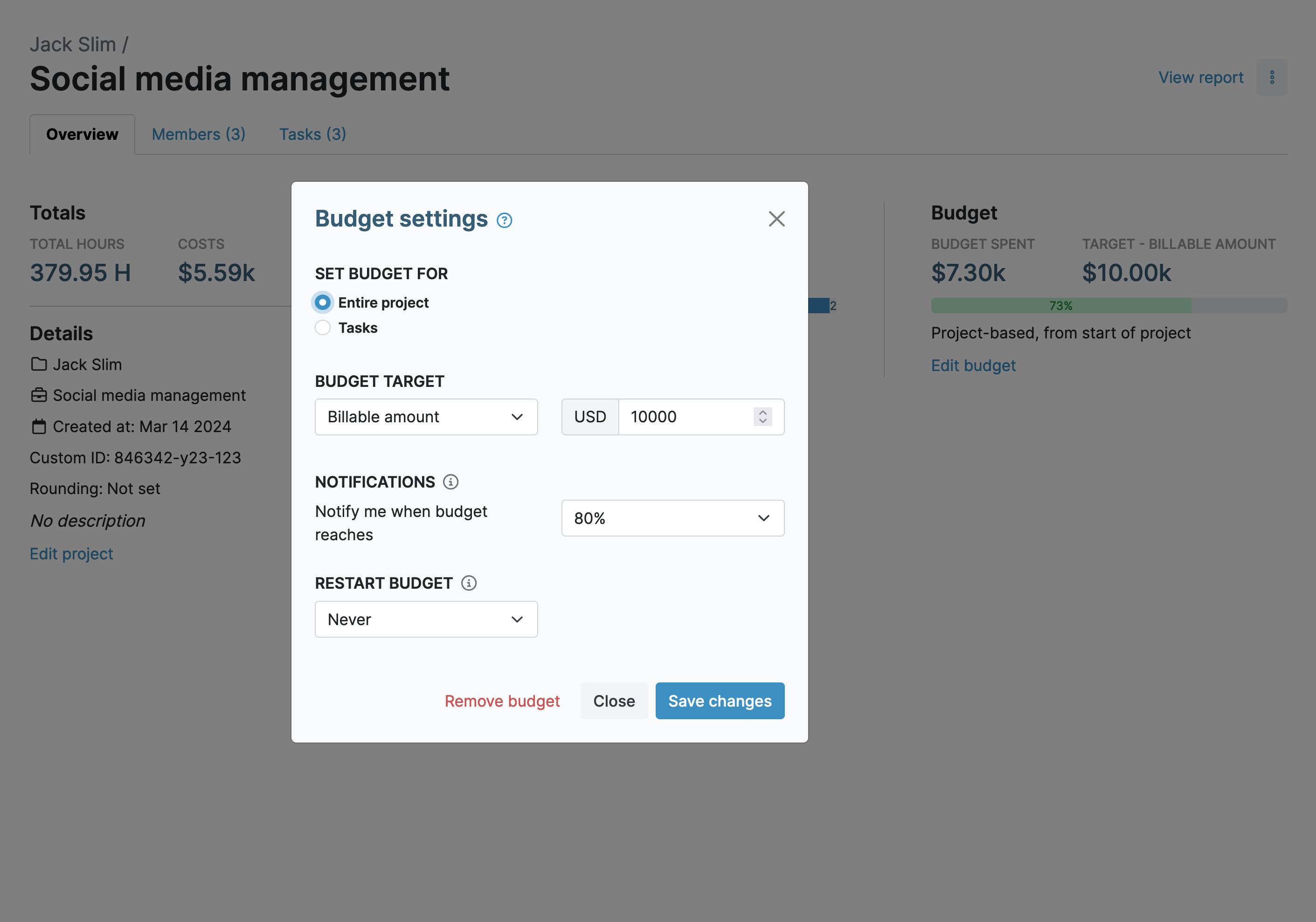
Stay within budget
Many government contracts specify line-item budgets along with clauses that require prior approval for overruns.
Accurate reporting
All government contractors are obligated to provide regular reports on cost and time. However, each contract will have unique reporting requirements, depending on its type.
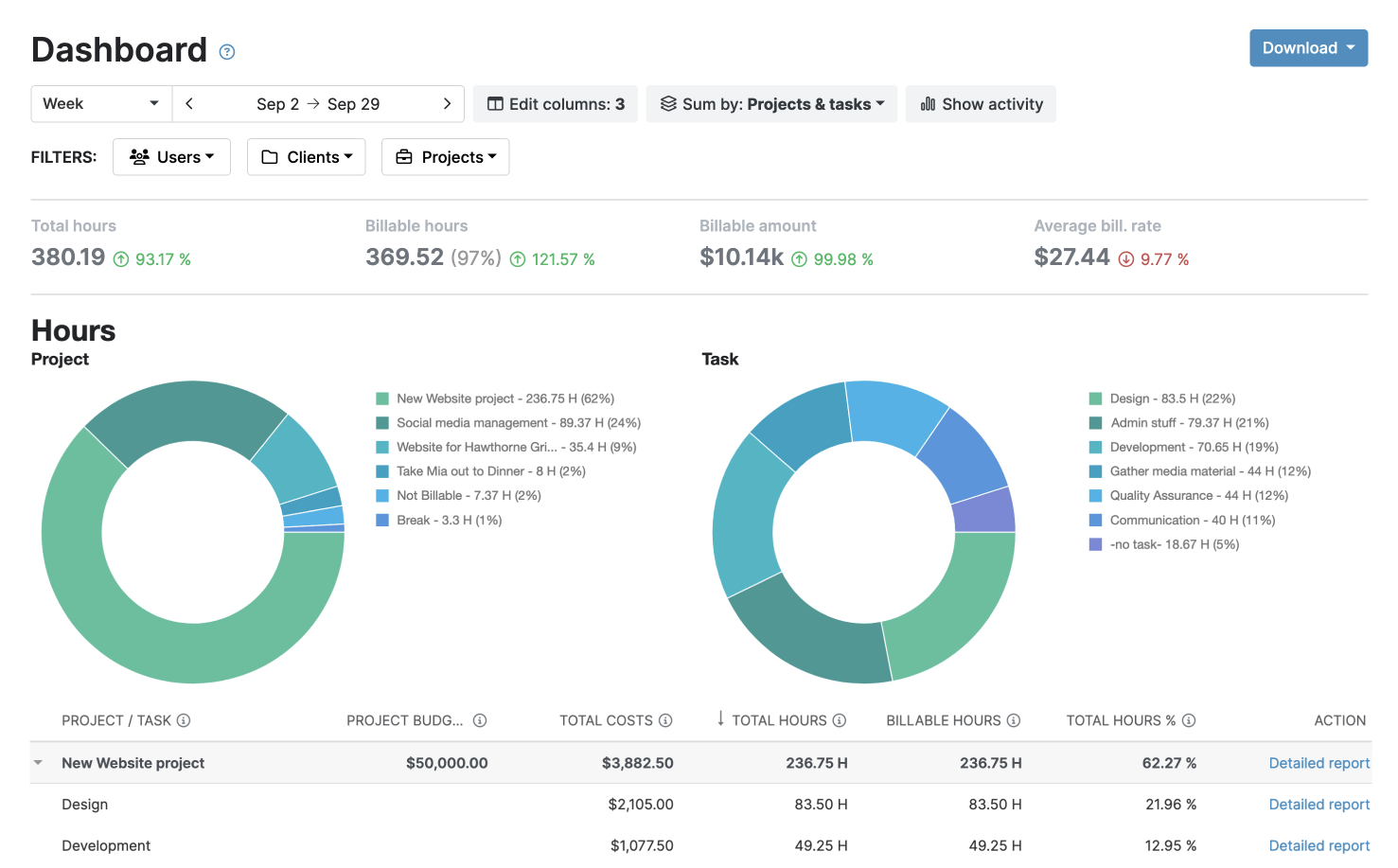
The Detailed report: the most data.
The Timesheet report: insights into each team’s time and activities.
Passing surprise floor checks
My Hours provides DCAA-aligned time tracking, and making full use of the features will keep your organization compliant with federal requirements.
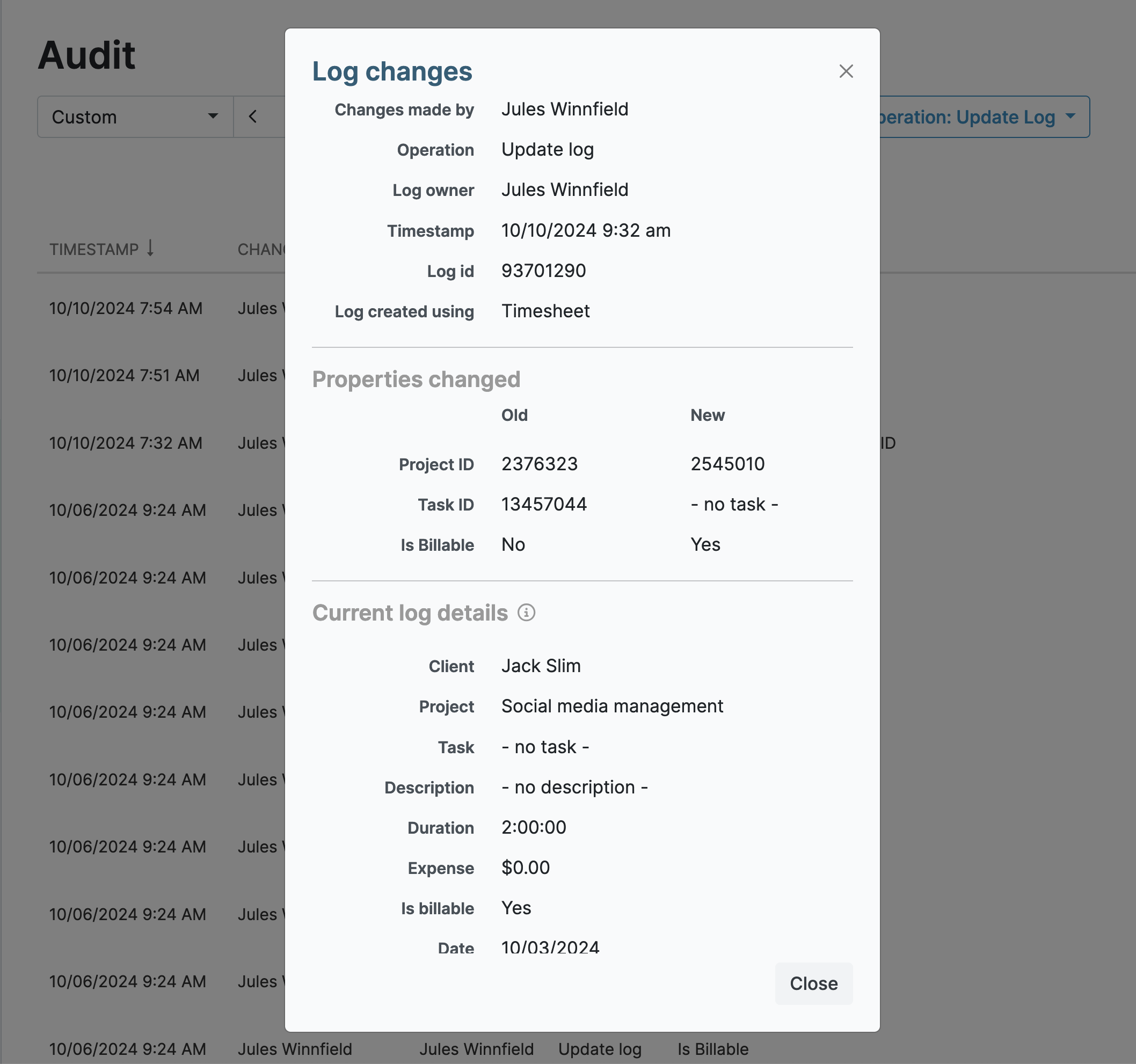
Your data stays protected and compliant at every step.


Frequently Asked Questions
My Hours time tracking features

Timer or weekly timesheet
Track time with our seamless timer or enter your time through our keyboard-friendly timesheet. Add a description and custom inputs.

Set billable rates and budgets
Automate calculation of billable amounts by setting precise hourly rates by project, task or team member. Add a project budget to monitor its progress.

Analyze logged hours & expenses
With the Dashboard you’ll get a bird’s-eye view of billable vs non billable hours, earned income by project, under- or over-utilized employees and more.

Generate custom reports
Detailed reports are completely customizable and display as much information as needed. Print to PDF, export to XLS or send schedule it via email.

Manage tasks
Add and assign tasks with an estimated budget. Create templates when identical tasks appear across projects.

Submit and approve timesheets
Supervisors get email whenever timesheets are submitted. Each timesheet can be approved or rejected with an email message.

Set flexible roles
Invite your team to track time on their projects without seeing each other’s hours and rates. Designate managers to oversee their team and manage their work.

Prevent inconsistent reporting
Lock team’s time logs to prevent editing or adding new logs in a selected period. Download the audit log report to keep your books in order.

Streamline invoicing
Create numbered invoices straight from hours logged. Integrations with the most popular invoicing apps are available to all customers.

Integrate with other tools
Connect My Hours data with other tools or vice versa through Zapier connectors. Alternatively, use our API to develop your own integration.

Access from anywhere
My Hours is a cloud-based app with nothing to install. View and manage your hours from any web browser or install our native mobile apps.

Secure infrastructure
My Hours is hosted in Microsofts Azure cloud and we are proud of 99.95% uptime. We perform regular security checks to keep your data in safe hands.
Highest praise from our customers


Waste no more time,
jump right in!

All rights reserved.