


10 Scoro Alternatives (Free & Paid) for 2026
The ten best alternatives for Scoro users looking for a simpler, more affordable, or differently featured option.
Scoro is a comprehensive platform that brings project management, CRM, quoting, resource planning, time tracking, invoicing, and more into a single platform. That makes it a strong fit for agencies and consultancies that want to manage their client work and business operations in one place.
While Scoro is a good option, it has no free plan, and every plan requires at least five users. If you don't need the full CRM-to-invoice bundle, a simpler or more focused platform may be a better fit.
We've reviewed 10 Scoro alternatives that can help you track time, bill clients, and manage project budgets without the shortcomings of Scoro.
*Last updated: September 2026*
Content overview
- My Hours: Best for freelancers and small teams needing flexible client billing
- Productive: Best for agency management and built-in CRM
- Hubstaff: Best for payroll payouts and remote team tracking
- Teamwork.com: Best for agencies managing multiple client accounts
- Harvest: Best for invoices clients can pay directly
- Paymo: Best for project management and billing in one place

Why Look for a Scoro Alternative?
Scoro has moved away from its old tiered plans (Core, Growth, and Performance) to a modular pricing model.
Instead of choosing from three fixed plans, you now build your setup by combining eight core apps with a platform tier, plus 35+ optional extras and integrations that are priced separately.
The switch doesn’t make Scoro’s pricing unpredictable, but you have to do more work upfront to arrive at your final price than you would with a simple three-tier pricing model.
Besides that, price is still a major concern because Scoro doesn’t have a free plan, and every plan requires a minimum of 5 paid seats.
The cheapest combination, Time-billing, costs $17 per user per month (paid annually). That means you’d spend at least $85 monthly even if only 2 or 3 people are actually using it.
Choose Projects & Resources or the Quote to Cash combinations, and the price rises to $29 per user, which is about 71% more than Time-billing. End-to-end, Scoro’s most complete combination, costs $57 per user per month, more than 3X the starting price. And that’s before adding any of the 35+ extras, some of which cost up to $212.
Yes, the more expensive combinations let you access more capabilities such as resource planning, a full CRM and sales pipeline, expense and bill management, and more detailed financial reporting. However, that's anything but cheap.
None of this makes Scoro a bad tool. Teams that want a CRM and all these systems in one place will benefit from this.
However, if you mainly need time tracking, billing, budgets, resource planning, and reporting, without having to deal with high costs and a 5-seat minimum, then the Scoro alternatives we cover are worth exploring.
Top 6 Scoro Alternatives at a Glance
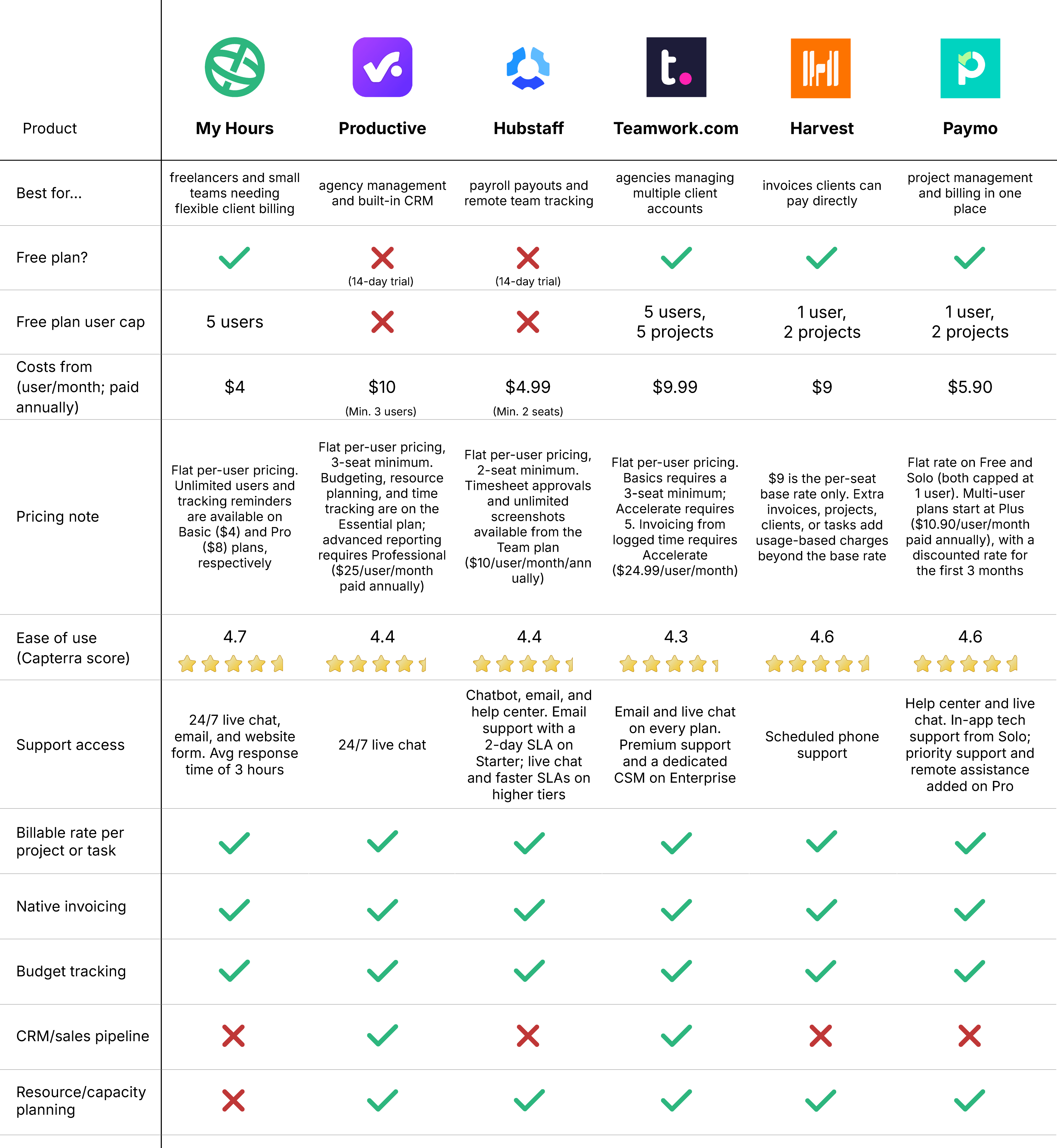

1. My Hours: Best for freelancers and small teams needing flexible client billing
Price:
- Free (5 users)
- $5 - $9/per user (paid monthly)
- $4 - $8/per user, per month (paid annually)
- Enterprise pricing available
Available on: Desktop, Web, browser extension, iOS & Android
Pros:
 Free plan covers 5 users, with no minimum seat count on paid plans
- 24/7 support on all plans
- Flexible billing rates by user, project, or task
- Unlimited clients, projects, or tasks
- Minimal setup required
- User-friendly interface
Cons:
 Free plan limited to five users
- No CRM or sales pipeline
- No Gantt charts or cross-project resource planning
- No multi-entity forecasting for larger organizations
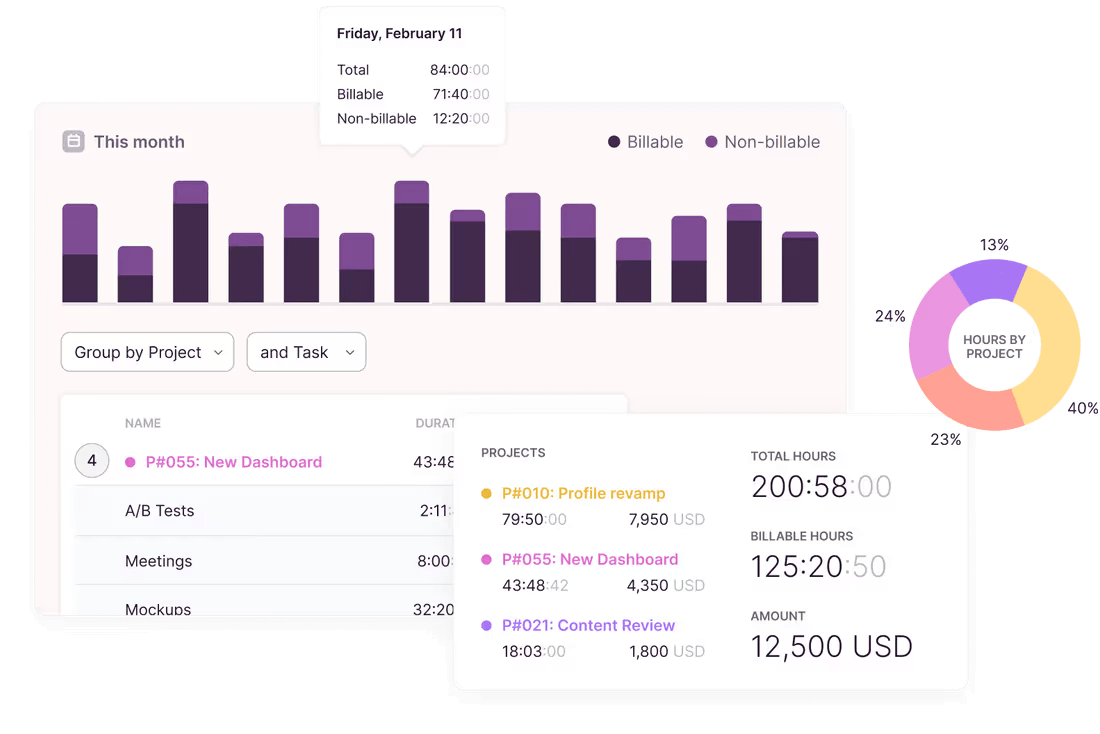
Since 2002, My Hours has spent more than two decades working around one job: tracking time accurately so you can run profitable projects.
The free plan covers 5 users, with unlimited projects, tasks, and clients. That makes it possible to test My Hours with a real workload before committing to a paid plan.


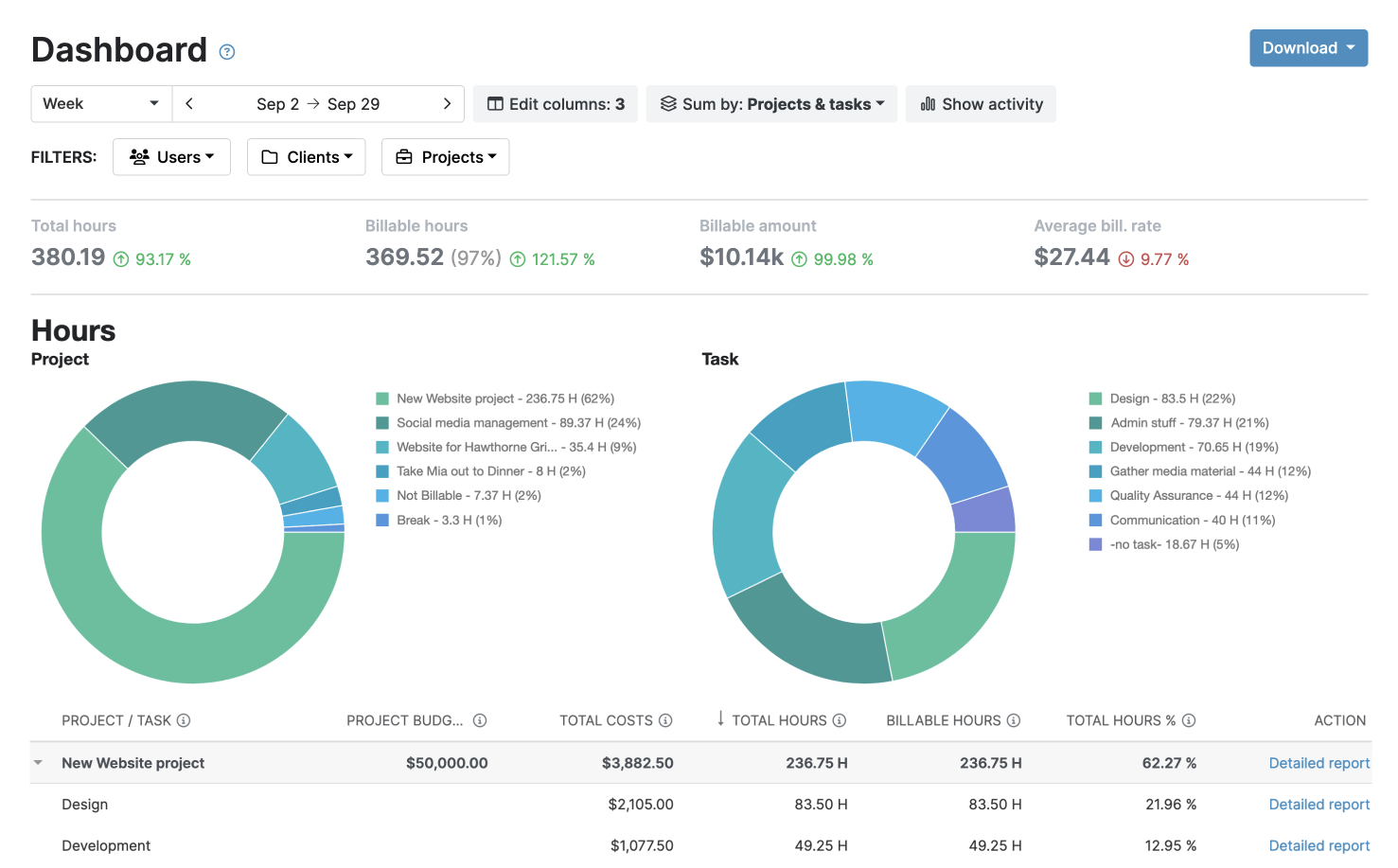


Why choose My Hours over Scoro?
My Hours is considerably cheaper than Scoro, especially for small teams. The free plan supports up to 5 active users, with unlimited projects, tasks, and clients.
Once you need more, paid plans start at $4 per user per month when billed annually, and there is no minimum number of seats.
Scoro is different. Its cheapest setup, the Time-billing combination, costs $17 per user per month, and like the other setups, you have to deal with the 5-user minimum. That means you're paying at least $85 a month before you've added anything beyond time tracking and invoicing.
My Hours lets you set billing rates by user, project, or task, and you can also use a flat fee for an entire project. Scoro’s $17 starting combination offers billable time and labor cost rates too, but the same functionality still costs roughly four times as much per seat.
Scoro offers Project and Resource combination starts at $29 per user per month, and enables users to plan projects, assign resources, and see what time means in revenue.
While My Hours doesn’t have any built-in forward-looking resource planning capabilities, users can set daily and weekly hour targets per user or teams to track progress. The utilization metrics and analytics can also show which team members are overworked and who has time to spare.
Overall, My Hours is faster to set up and cheaper to run for accurate time tracking, flexible billing, and a simpler way to keep project costs and employee time under control.
Try My Hours for yourself - no credit card needed.
Scoro drawbacks:
1. A five-user minimum on every plan
Scoro requires a minimum of five paid users, which means that smaller teams would pay for seats they don’t need.
How My Hours solves this: The free plan covers up to five users, and paid plans don’t require a minimum seat count. You only pay for the people actually using the platform.
2. No free plan
Scoro offers a 14-day free trial, but there’s no free tier for small teams that are satisfied with the base features and would rather not get a paid plan just to access the platform.
How My Hours solves this: My Hours’ free plan supports unlimited projects, tasks, and clients for up to five users. Teams can stay on the free plan for as long as it meets their needs, even for years.
3. More capabilities than some teams need
Scoro’s app-based system lets you pick only what you need, but with eight core apps, two platform tiers, and 35+ paid extras to choose from, building the right combination and understanding the final cost takes real work upfront.
How My Hours solves this: With My Hours, you can get started in minutes without configuring anything. The platform is lightweight and focused on tracking, project management, billing, budgeting, and profitability.
Bottom line comparison

 No free plan; 14-day trial and a 5-user minimum on every paid plan
- Modular pricing built from core apps and paid extras, rather than fixed plans
- CRM, sales pipeline, quoting, and financial management
- Resource and capacity planning across projects and portfolios
- Broad professional services automation for teams that want everything in one platform
- Can be overwhelming and time-consuming to set up
- Easy to get started
- Free plan for up to 5 users, with no minimum seat count on paid plans
- Flexible billing rates by user, project, or task
- Timesheet approvals, data locking, and audit trails
- Focused on time tracking, project costs, billing, and profitability
- 11 native integrations across analytics, project management, CRM, and more. More than 1,000+ additional apps available via Zapier. Enterprise plan allows for custom integrations.

2. Productive: Best for agency management and built-in CRM
Price:
- No free plan, 14-day free trial
- $12 - $29/per user (paid monthly)
- $10 - $25 per user, per month (paid annually)
- Enterprise pricing available
Available on: Desktop, Web, iOS & Android
Pros:
- Clients added to the account aren't billed as seats
- AI Assistant and AI Time tracking on every plan
- Includes project management tools
- Budgeting, resource planning, and time tracking included on the Essential plan
- Supports automating workflows for routine work
- Has a sales pipeline management system
Cons:
- No permanent free plan; only a 14-day trial
- All plans require at least 3 seats
- Advanced reporting and approval workflows require the Professional plan
Why choose Productive over Scoro?
Productive is more cost-effective than Scoro.
Productive's base plan, Essential, costs $10 per user per month (billed annually) with a 3-seat minimum, so you’re looking at $30 a month to start.
Scoro's most affordable setup, the Time-billing combination, costs $17 per user per month with a 5-user minimum, putting the starting cost at $85 a month.
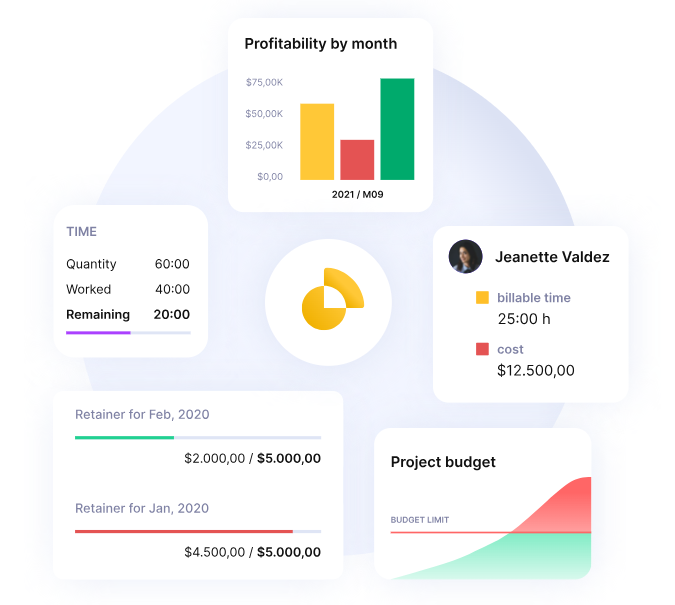
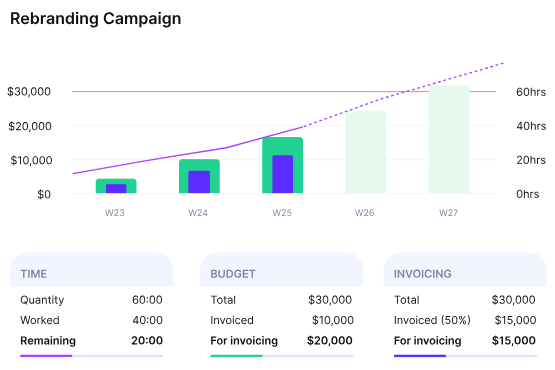
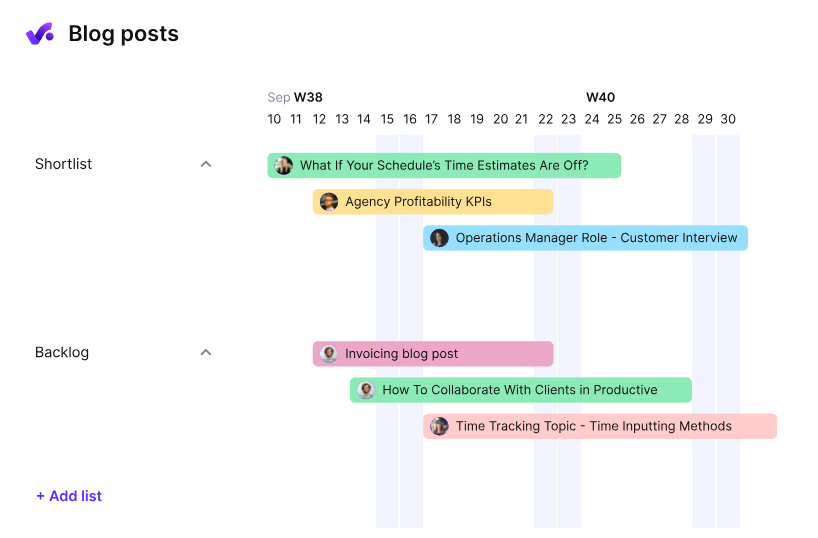
Right from day one, Productive’s Essential plan gives you access to budgeting, alerts on budget spend, and bookings (assigning a team member's time to a project or task). No configuration required on your end.
Productive and Scoro both have CRMs, but Productive offers more sales-management functionality. Scoro’s Sell app covers the basics of sales pipeline management, with a visual pipeline, deals weighted by closing probability, and proposal templates.
Productive goes further with various features, including multiple sales pipelines, a Scenario Builder, the ability to convert a won deal directly into a project, and to monitor the reason why you lost a deal.

3. Hubstaff: Best for payroll payouts and remote team tracking
Price:
- No free plan, 14-day free trial
- $7 - $12/per user (paid monthly)
- $4.99 - $10/per user, per month (paid annually)
- $25/per user per month for the Enterprise plan; only available as an annual package
Available on: Desktop, Web, iOS & Android, browser extension
Pros:
- Time off and overtime managed through the same payroll system
- Automated payroll from approved timesheets, no manual export needed
- Embedded invoicing system
- Budget tracking from Grow Plan
- Payroll payouts through Deel, Wise, Gusto, Payoneer, PayPal, or Bitwage
Cons:
- No free plan, only a 14-day free trial
- All plans require at least 2 seats
- Many capabilities are add-ons and can lead to more costs
Why choose Hubstaff over Scoro?
Hubstaff is cheaper than Scoro.
Its base plan (Starter) costs $4.99 per seat/month, billed annually. Even though there’s a 2-seat minimum, that's only $9.98 a month to get started, roughly 8.5X less than the $85 a month Scoro's Time-billing combination costs to begin with.
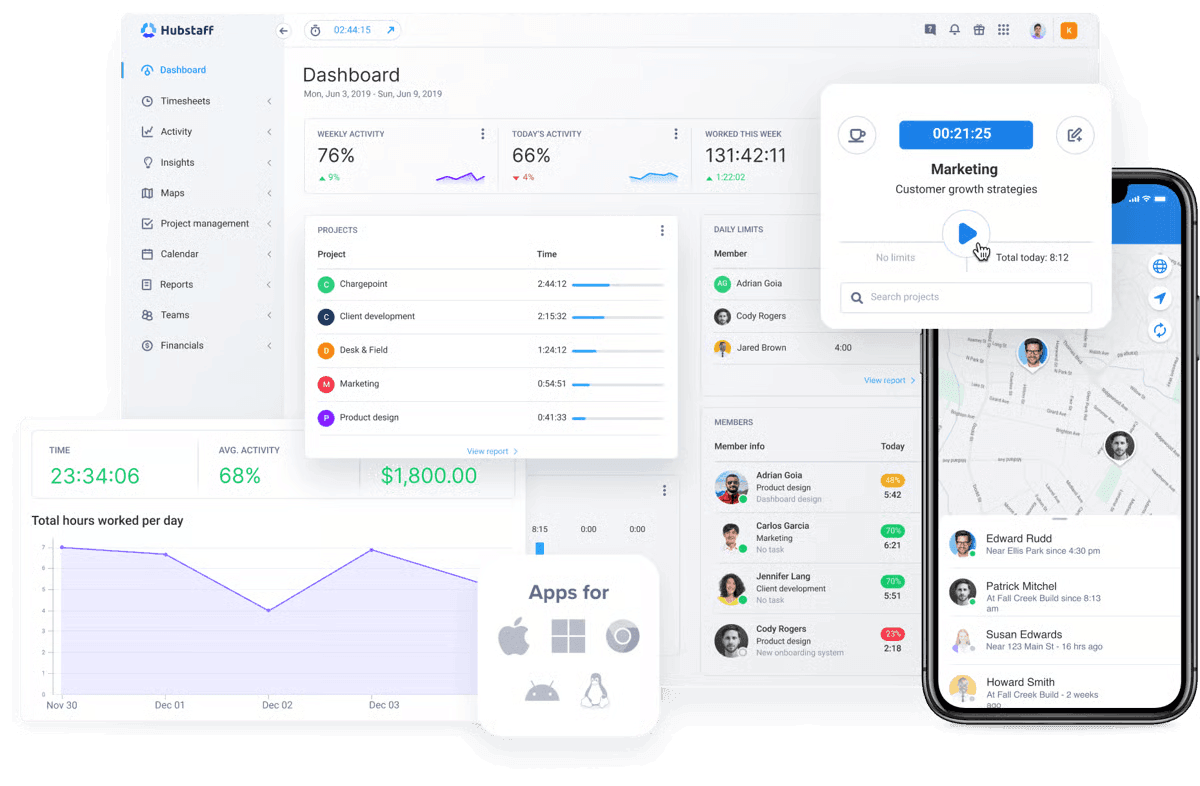
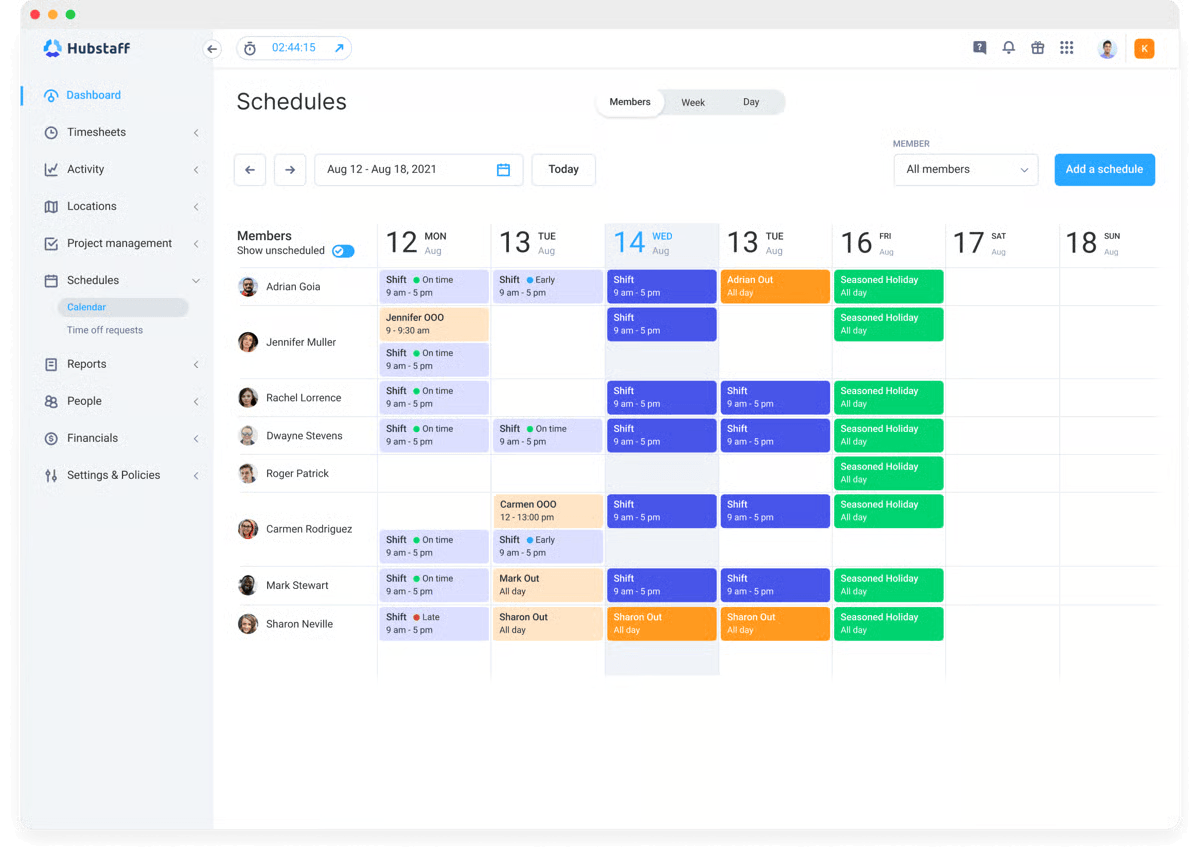
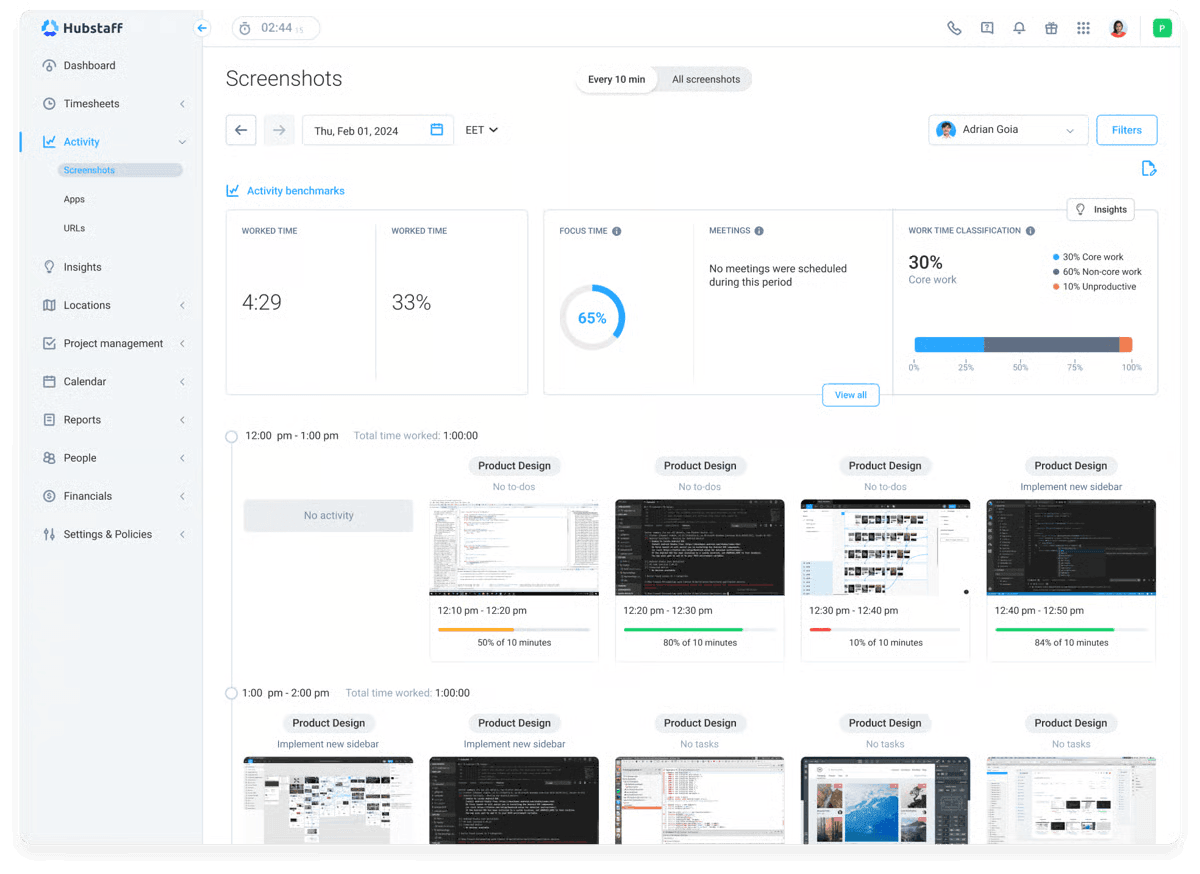
One thing you get with Hubstaff that Scoro doesn't have is monitoring solutions, such as GPS location, privacy-first screenshots, and idle time tracking.
With Scoro, you can receive payments from clients natively, then use third-party solutions like QuickBooks to handle payroll. However, with Hubstaff, payroll is baked into the platform.
Team members set up their preferred provider’s account, such as Deel, Gusto, Wise, or PayPal, and receive payments there. You can set different rates (one-off, hourly, or fixed), and payouts can run manually or automatically once timesheets are approved.
The payroll system also handles time off, overtime, and bonuses.
Hubstaff is great if you need one system for paying and monitoring employees. However, heads up: there are different add-ons for capabilities like Insights, extra screenshots, Tasks, and Locations.
Hubstaff has add-ons that cost between $1.67 and $3.33 per user per month (billed annually), but even that costs less than Scoro’s. For example, Scoro’s leave management extra costs $5.50 per user per month.

4. Teamwork.com: Best for agencies managing multiple client accounts
Price:
- Free (5 users, 5 projects)
- $13.99 - $29.99/per user (paid monthly)
- $9.99 - $24.99 per user, per month (paid annually)
- Enterprise pricing available
Available on: Desktop, Web, iOS & Android
Pros:
- Free plan includes up to 5 users and 5 projects
- Tracked hours can feed directly into client invoicing on higher plans like Accelerate
- Workload and capacity planning for managing team utilization (Accelerate plan)
- Teamwork AI in all paid plans; usage-based credits from September 2026
- US and EU data hosting
- Has a CRM pipeline
Cons:
- 3-user minimum for Basics plan and 5-user minimum for Accelerate
- Native invoicing requires paid plan (Accelerate Plan)
- Pricing increases as teams add more users and features
- Advanced resource and profitability features are available on higher plans
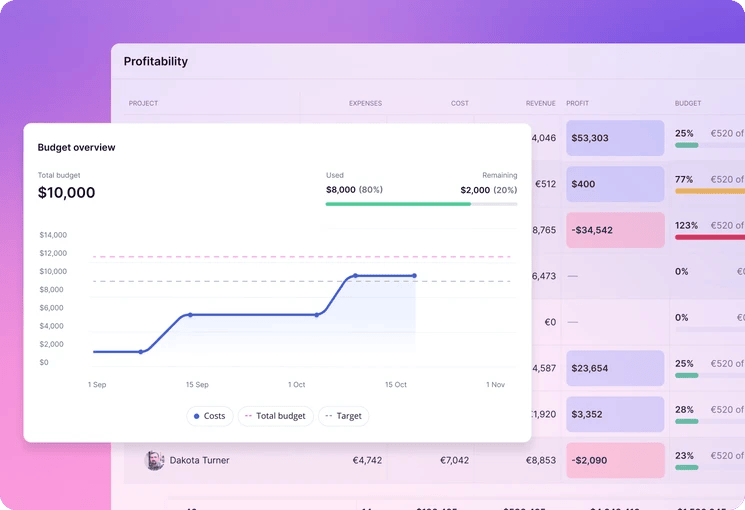
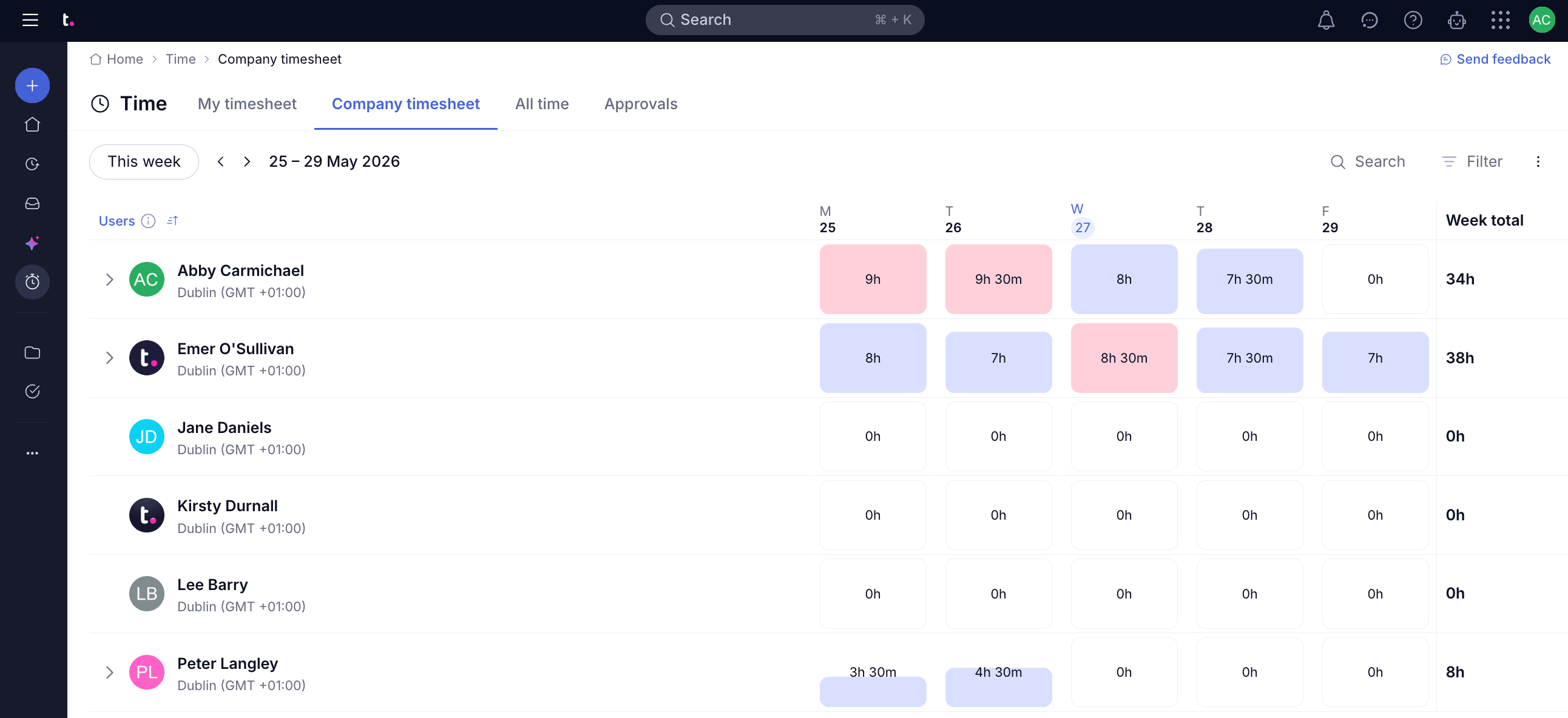
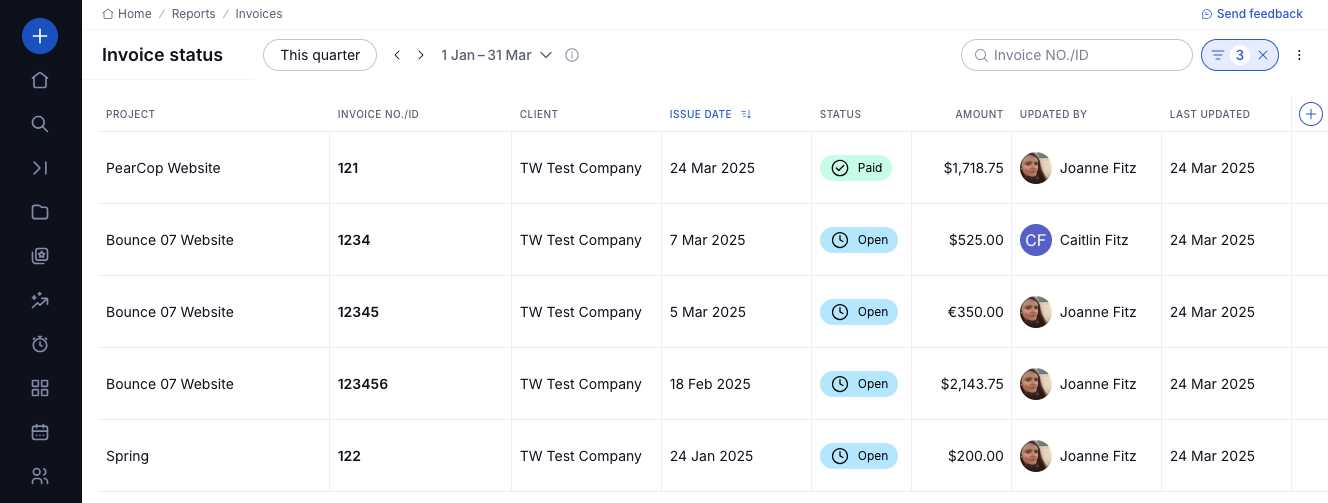
Why choose Teamwork.com over Scoro?
Teamwork has a generous free plan that gives you 5 users and 5 projects, ideal if you have a small team.
The platform is also great for managing projects. You can set up subtasks, task dependencies, and up to 100 automations from the free plan, as well as toggle between views like Gantt, Table, List, and Board.
If the free plan won’t meet your needs, Teamwork.com’s Basics plan, which costs $9.99/user when billed annually, is still more cost-effective than Scoro. You have to get at least 3 seats, so that’s $29.97 a month, well under Scoro's $85 starting cost at its 5-user minimum.
One interesting feature is Proofs. Instead of digging through email threads or Slack messages to see what a client said, you upload the file itself (a PDF, doc, image, or a link to one) into a dedicated proofing tool.
Reviewers and approvers leave comments pinned directly to the spot on the file they're referring to. This way, every comment about a deliverable is stored in one hub. Every version gets saved too, with a full history showing how a file has changed since the first draft.
Teamwork.com also has a CRM called Teamwork CRM. They don’t advertise it on the main site, but it exists as part of the platform, and site administrators can turn it on from site settings. There are also integrations for tools like HubSpot and Salesforce.So switching to Teamwork.com from Scoro doesn't mean giving up CRM functionality.
So switching to Teamwork.com from Scoro doesn't mean giving up CRM functionality.

5. Harvest: Best for invoices clients can pay directly
Price:
- Free (1 user, 2 projects)
- $11 - $17.50/per user (billed monthly)
- $9 - $14/per user, per month (billed annually)
- Enterprise/Enterprise Plus pricing available
Available on: Desktop, Web, iOS, Android
Pros:
- ACH bank transfer is supported for US-based businesses
- Native Stripe and PayPal integrations
- Unlimited seats on all paid plans
- Invoicing and expense tracking included from the Free plan
Cons:
- Free plan is limited to 1 seat and 2 projects
- $9/user/month (paid annually) is only the base rate. Extra invoices, projects, clients, or tasks add usage-based charges
- Resource planning requires Forecast integration (additional $5/person/month, billed annually)
- Processing fees apply on top of Stripe/PayPal rates
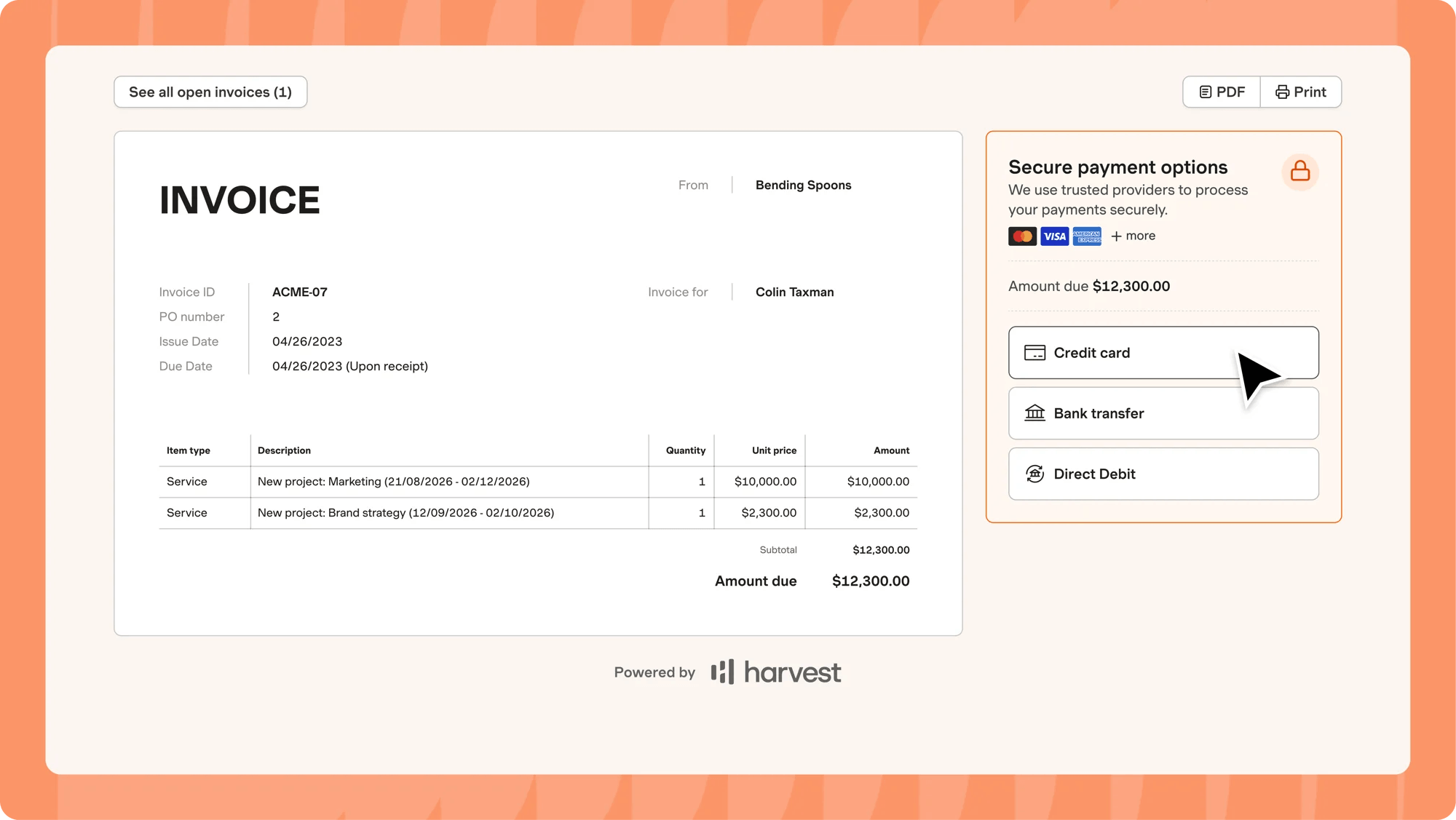
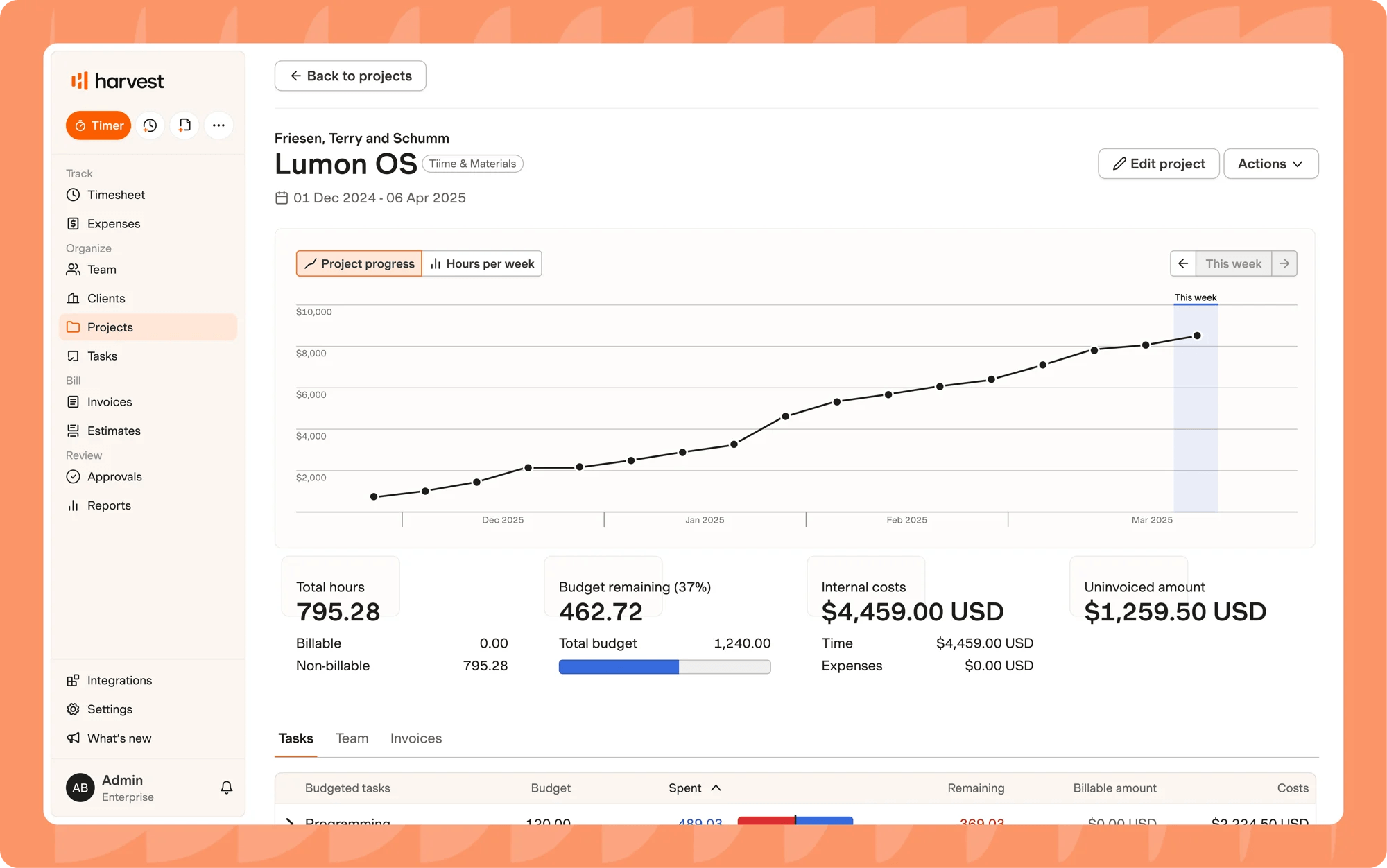
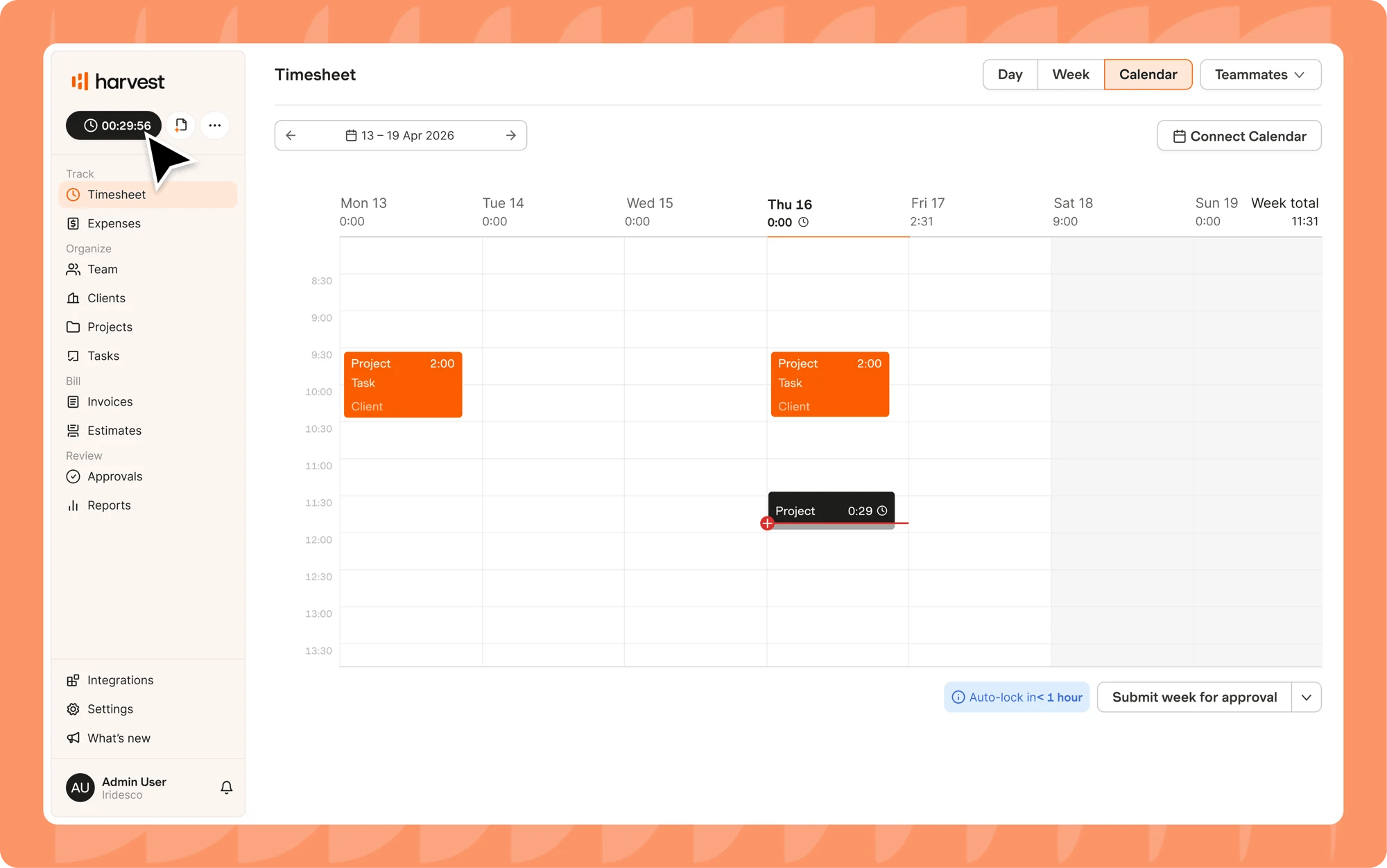
Why choose Harvest over Scoro?
Harvest keeps things simple and doesn't try to do everything.
It focuses on core time-tracking capabilities, including budgeting, recording expenses, reports, and managing invoices. And it does this well.
There's no CRM, quoting matrix, or sales pipeline. Just a timer, a clean set of reports, and invoices clients can pay from.
Also, Harvest’s paid plans start at $9/seat/month when billed annually, which is still cheaper than Scoro.
However, Harvest has usage-based fees for extra invoices, projects, clients, or tasks, so you have to watch out for those as your team and customer base grow.
It's a great solution if all you need is accurate time tracking and a system that allows you to receive payments.

6. Paymo: Best for project management and billing in one place
Price:
- Free for 1 user
- $9.90 - $23.90/per user (paid monthly). Additionally, a reduced rate is provided for the first three months
- $5.90 - $16.90/per user (paid annually)
Available on: Desktop, Web, Android & iOS
Pros:
- Automatically records time across apps in the background
- Gantt charts, Kanban boards, and task dependencies on paid plans
- File proofing lets clients mark up and approve designs
- Supports generating invoices in 15 languages
- Native Stripe, PayPal, and Authorize.net integrations for online payments
Cons:
- Free and Solo plans limited to only one user
- Billable rates per project or task available from Solo plan
- No CRM or sales pipeline
- Gantt charts, dependencies, and employee scheduling require the Pro plan
- Mobile app limited to time tracking and basic task views
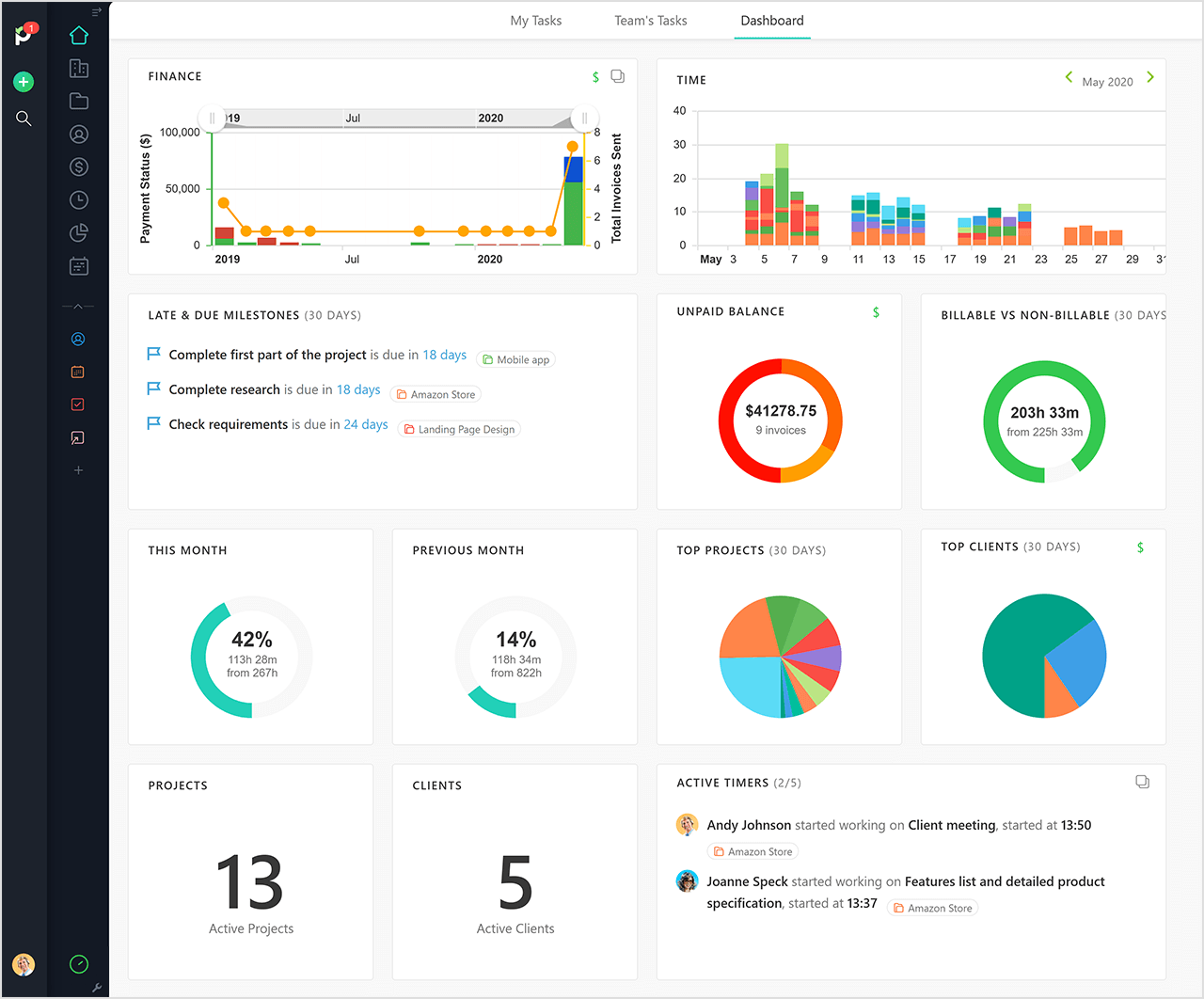
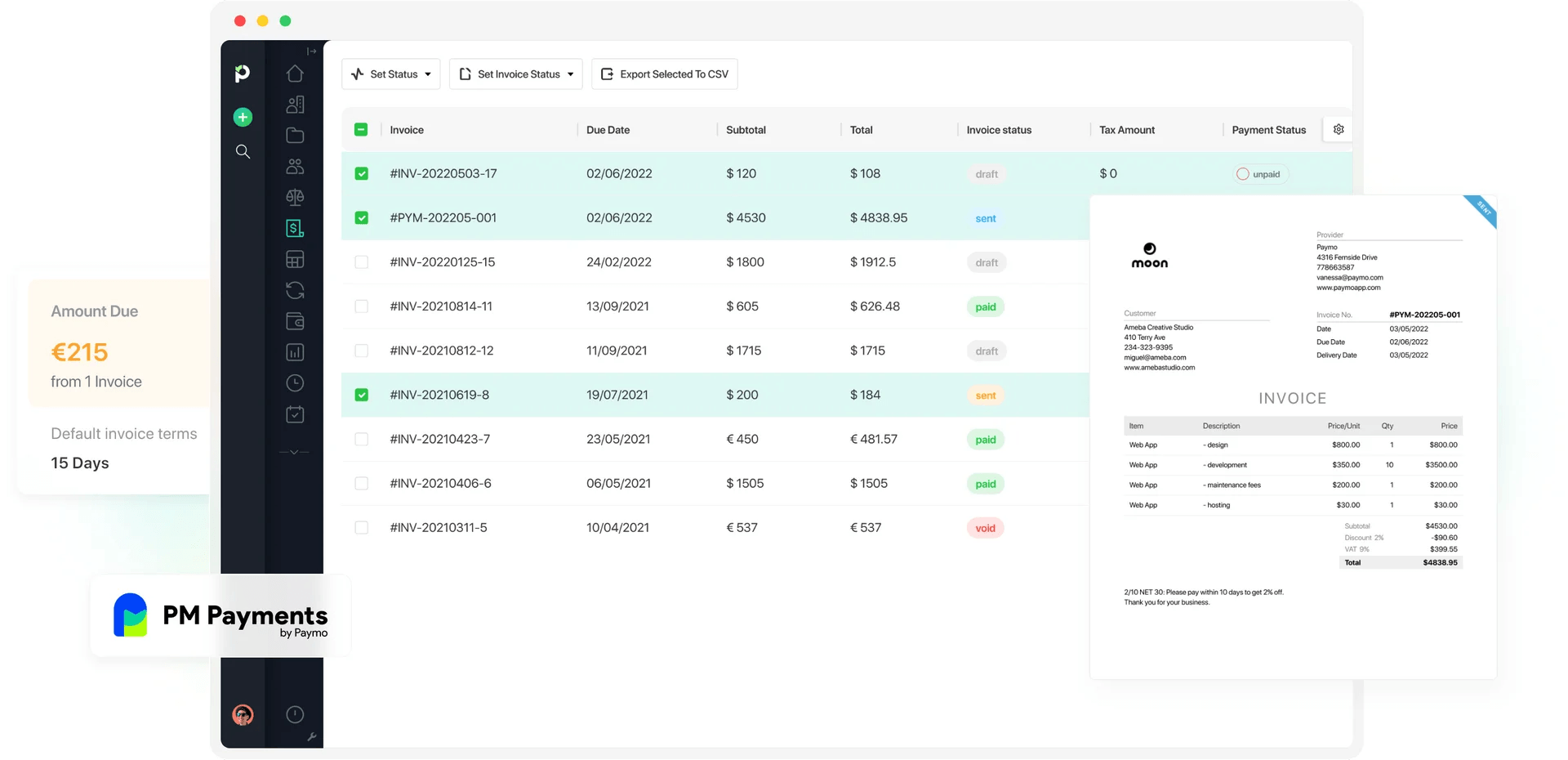
Why choose Paymo over Scoro?
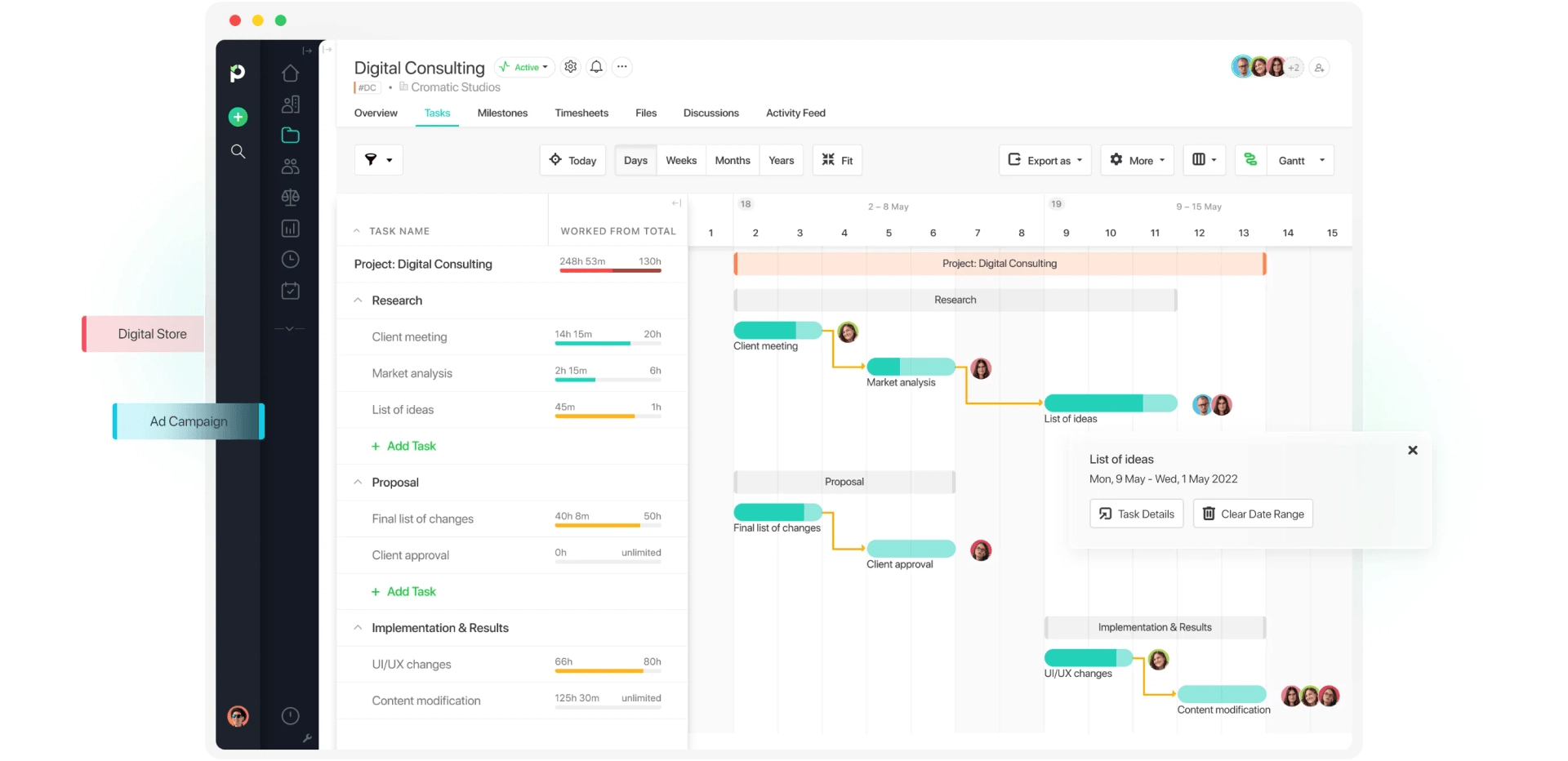
Paymo gives you time tracking, Kanban boards, Gantt charts, task management, invoicing, online payments, and team planners, all while being way cheaper than Scoro’s entry point, the Time-billing combination, at $17 per user per month.
There’s no sales CRM, but it's comprehensive yet budget-friendly.
Paymo’s Solo plan costs $5.90/month (billed annually), but is sadly limited to one user. The next plan costs $10.90 (billed annually), but that’s still cheaper than Scoro’s base plan.
Additionally, there's no five-seat minimum, so you only pay for the seats you use.
Overall, Paymo is a good fit as long as you don’t need a CRM or have a separate dedicated vendor for tracking deals.
Also, unlike Scoro, Paymo doesn’t have any AI capabilities, which may or may not be a hiccup depending on how you work.
More Scoro Alternatives

7. ClickUp: Best for highly customizable workflows with deep integrations
Price:
- Free (unlimited users)
- $10 - $19/per user (paid monthly)
- $7 - $12 per user, per month (paid annually)
- Enterprise pricing available
Available on: Desktop, Web, browser extension, iOS & Android
Pros:
- Unlimited users on the free plan
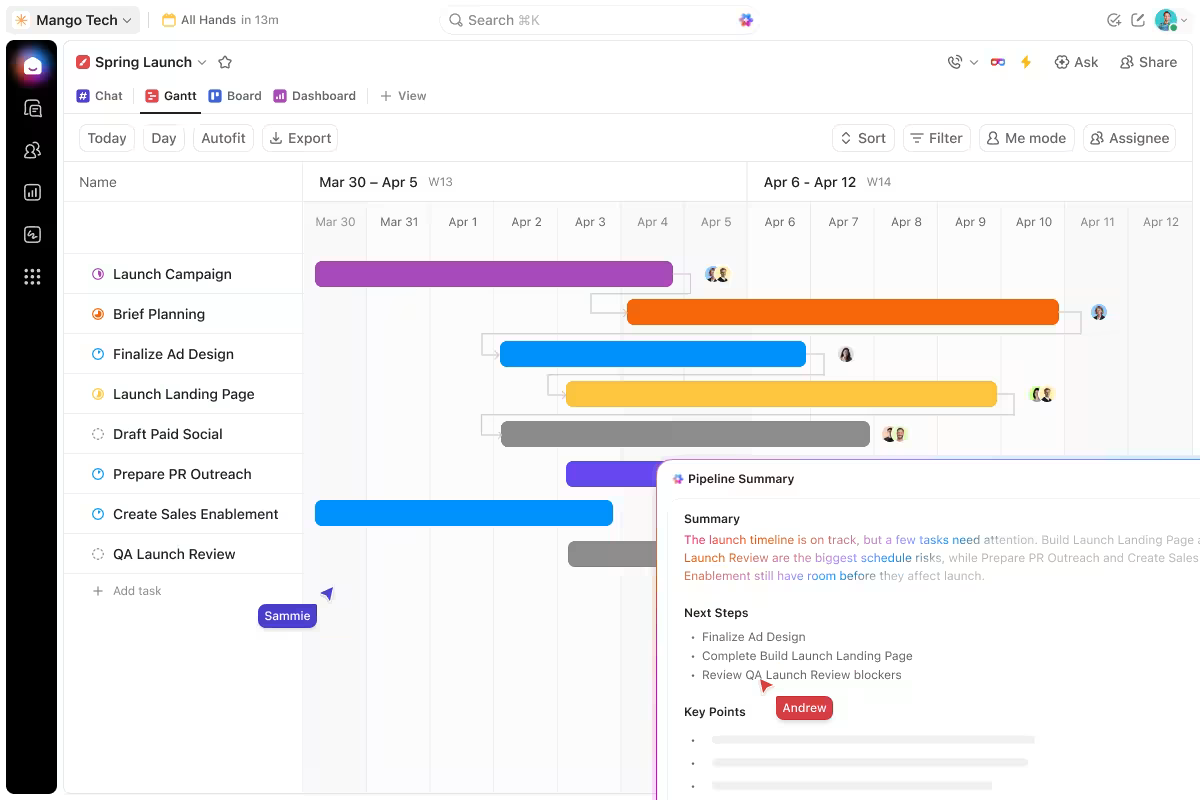
- 15+ project views, including Gantt and Kanban
- Billable and non-billable time tracking
- Automations and 1,000+ integrations available
- Highly customizable workflows
Cons:
- No time tracking on the Free plan (only a trial)
- No way to handle billing rates, invoicing, or budget without integrations
- Provides many features that take time to learn
Why choose ClickUp over Scoro?
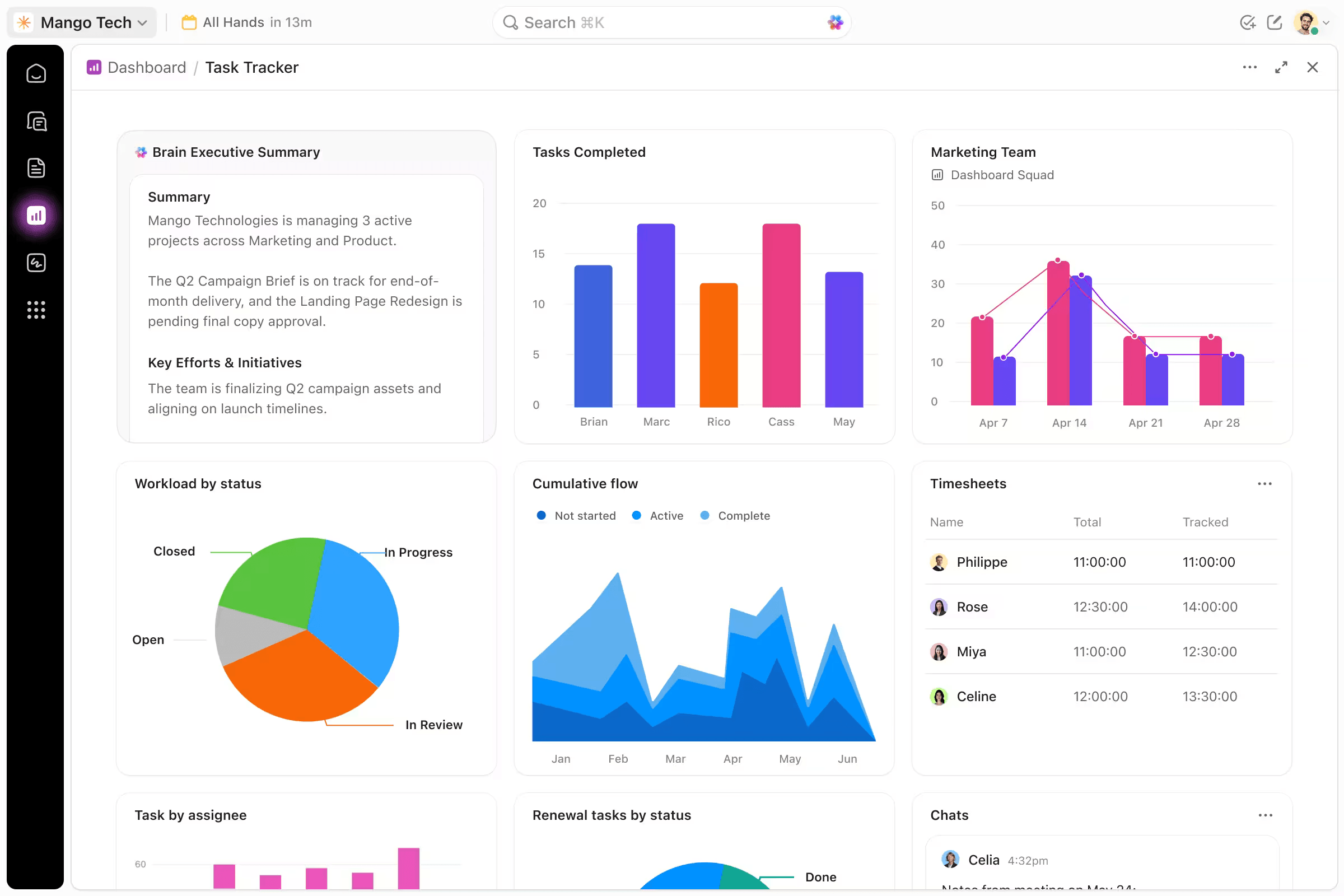
One nice thing about ClickUp is that its free plan supports unlimited users, making it an attractive option for growing teams that want to keep their initial costs low.
However, the free plan doesn’t include time tracking. That’s only available from the Unlimited Plan, which costs $7 per user per month, billed yearly. Still, that’s even cheaper than Scoro’s starting combination at $17 per user.
In fact, ClickUp’s most expensive plan costs $12 (per user/month, billed yearly), and that is still inexpensive compared to Scoro, especially when you account for the 5-seat minimum.
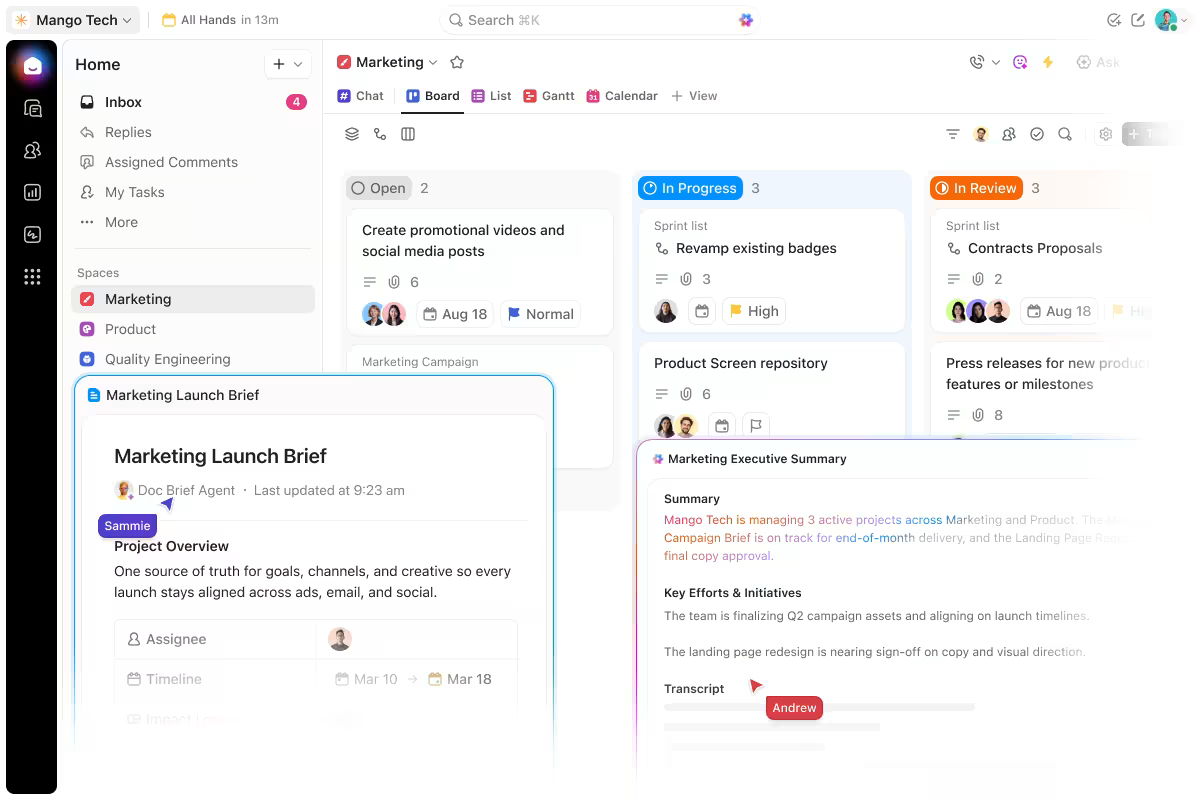
You can use ClickUp to create custom workflows for different activities. A marketing team could set up their own task stages, like “brief” and “client review,” while a sales team has a different process. It's all in the same account, and no team is forced into the same flow.
The main trade-off with ClickUp is the financial side. Yes, you can track time and mark hours as billable or not, but there are no native systems for handling rate management, quoting, or invoicing. You’ll have to use third-party integrations, and there are over 1,000 to choose from.
ClickUp is great if you work with different tools and don’t mind the integration route. However, it falls short if you need an all-in-one system with all the key features.

8. Toggl Track: Best for easy time tracking with in-depth reporting
Price:
- Free (3 users)
- $12 - $24/per user (paid monthly)
- $9 - $16 per user, per month (paid annually). Premium starts at $14/license/month for year one, then renews at $18/license/month
- Enterprise pricing available
Available on: Desktop, Web, browser extension, iOS & Android
Pros:
- Easy to get started with
- Automatically flags idle time
- Calendar meetings can become logged hours with one click
- Tracks activity in the background, but nothing becomes a time entry unless the person adds it
- Pomodoro timer
Cons:
- Timesheet approvals and fixed-fee projects only on Premium plan
- No sales pipeline or quoting tools
- Invoicing is only a downloadable PDF; no sending or online payment from the app
Why choose Toggl Track over Scoro?
Toggl Track is worth considering if you want to make time tracking easier and reduce missed entries.
Its automated time tracking records app and website activity in the background and stores it locally on the user's device.
Team members decide which activities to turn into time entries, while everything else stays private. Say goodbye to missed time entries because someone forgot to start a timer.
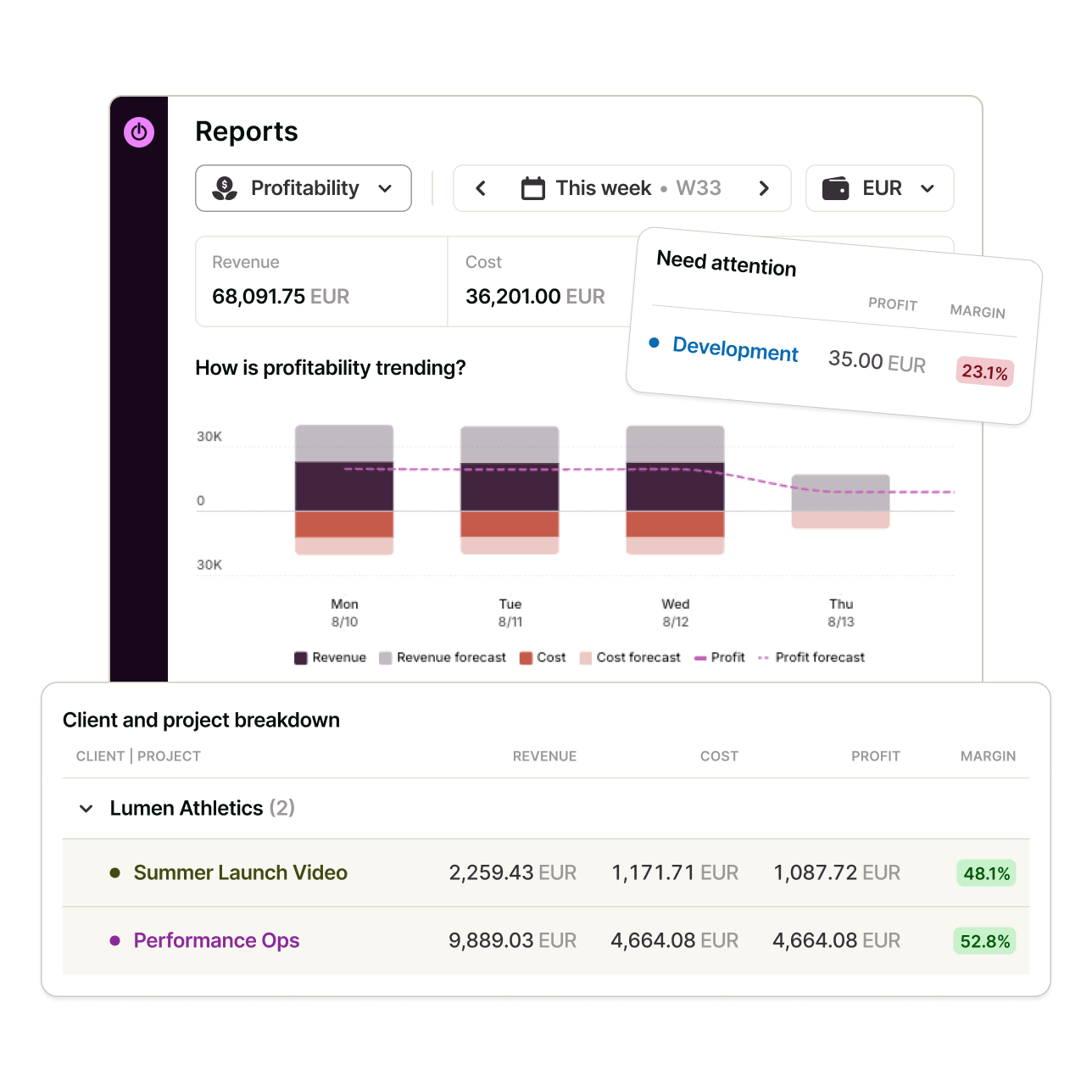
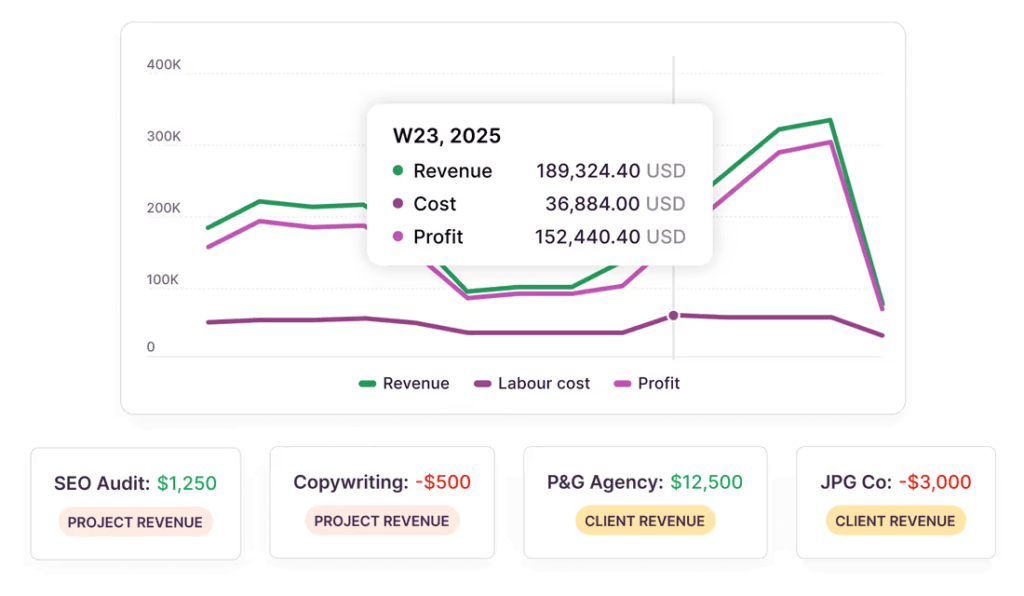
Toggl Track also has strong reporting capabilities, so you won’t lose that if you switch from Scoro. Premium includes profitability reports, labor costs, utilization reports, workload reports, and fully customizable reporting.
It’s also inexpensive compared to Scoro. Toggl Track’s highest tier plan (Premium) costs $14 per user/month when billed annually. That’s still way cheaper than Scoro’s Time-billing bundle, its most affordable option, especially since Scoro also has the 5-seat minimum.
There are two downsides with Toggl Track: no sales or CRM systems, and invoicing is just a PDF you download and send to clients.
Scoro's invoicing system is better and includes a built-in Stripe integration, so clients can pay directly from the invoice, without needing a separate payment workflow.

9. Clockify: Best for field team clock-ins
Price:
- Free (5 users)
- $4.99 - $15.99/per user (paid monthly)
- $3.99 - $12.99 per user, per month (paid annually)
- Enterprise pricing available
Available on: Desktop, Web, browser extension, iOS & Android
Pros:
- Free for up to 5 users
- Clock-in kiosk and GPS on paid plans
- Pomodoro timer on all plans
- Auto Tracker records activity privately and locally
- Billable rates, invoicing, and recurring invoices on higher tiers
Cons:
- No task boards or dependencies
- No timesheet approvals or time-off tracking on free plan
- No project management capabilities
- Some features moved to paid plans in April 2026
Why choose Clockify over Scoro?
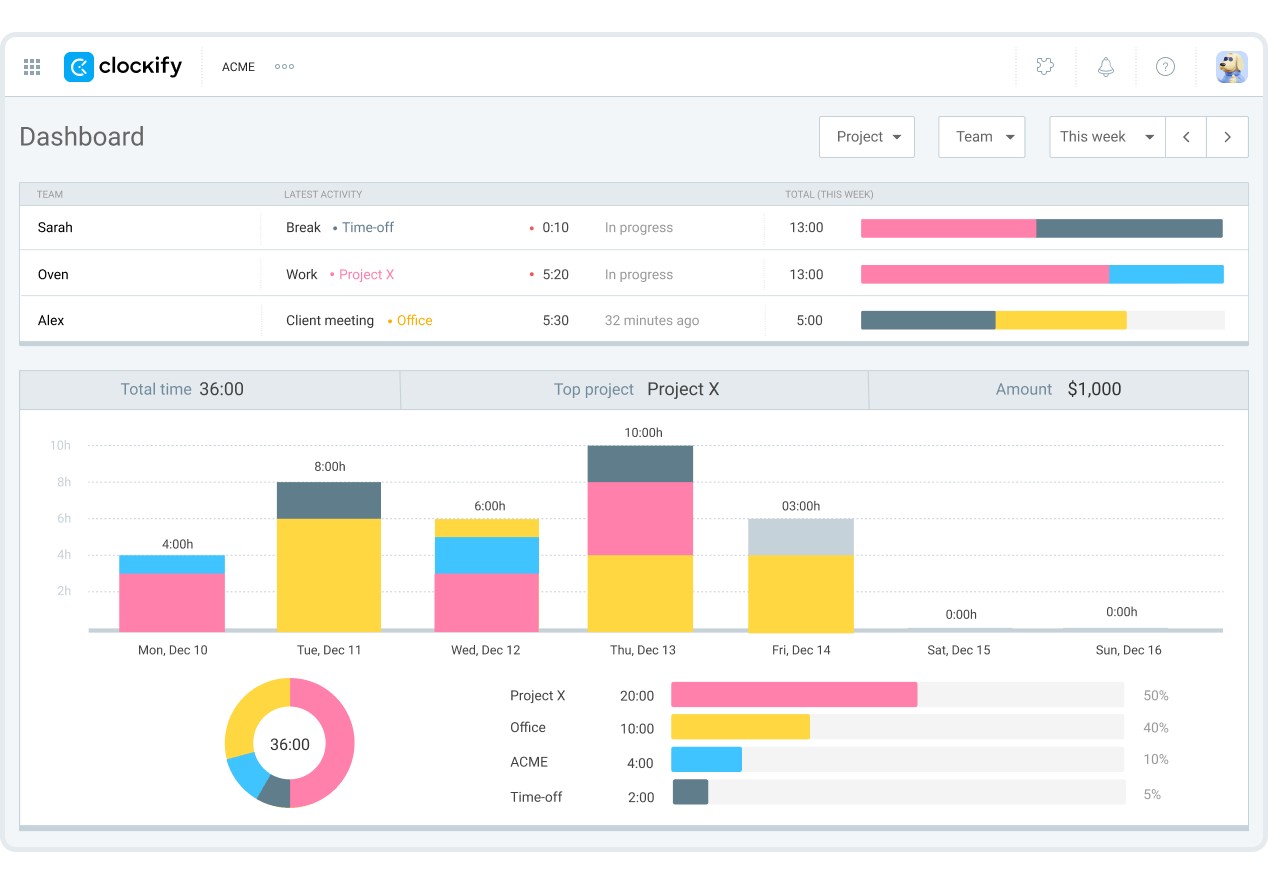
Clockify is a good option if you only want to track time, bill clients, and manage team hours, and don’t want to pay for a full professional services platform.
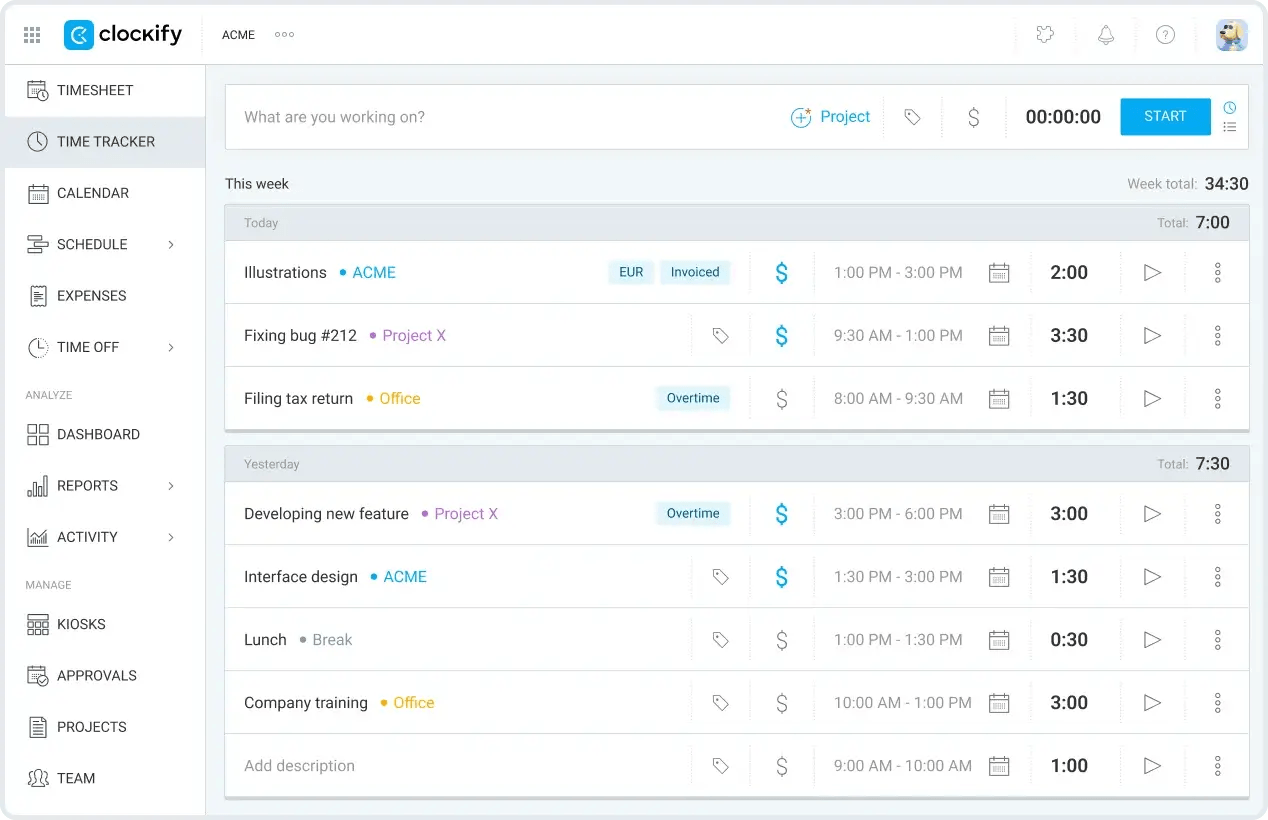
The free plan is generous. It supports five users and includes unlimited tracking, a Pomodoro timer, auto-tracking, idle detection and reminders, unlimited projects, and reports.
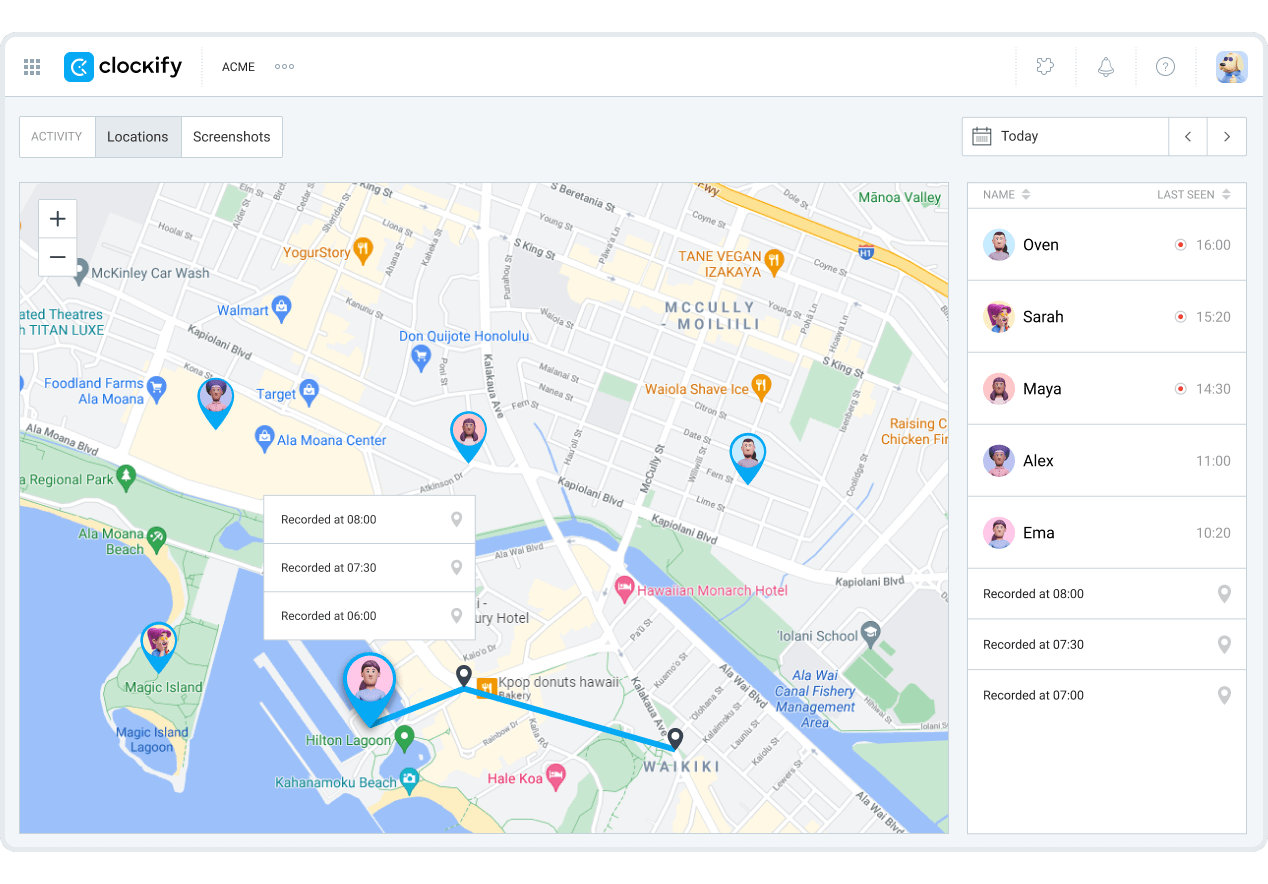
Clockify is great for field teams too. Paid plans add a clock-in kiosk and GPS tracking, so employees can clock in from a shared device or log hours while working in the field.
Clockify is also a lot cheaper than Scoro. The most expensive plan, Productivity Suite, costs $12.99/seat/month when billed annually, making the platform a cost-saving Scoro alternative.
There are some caveats, though. Clockify doesn’t have the CRM, project management, or quoting capabilities that Scoro has.

10. Beebole: Best for resource planning and project cost reporting
Price:
- Free (up to 5 users)
- $10 - $20 per user (paid monthly)
- $9 - $18 per user, per month (paid annually)
Available on: Web, iOS & Android
Pros:
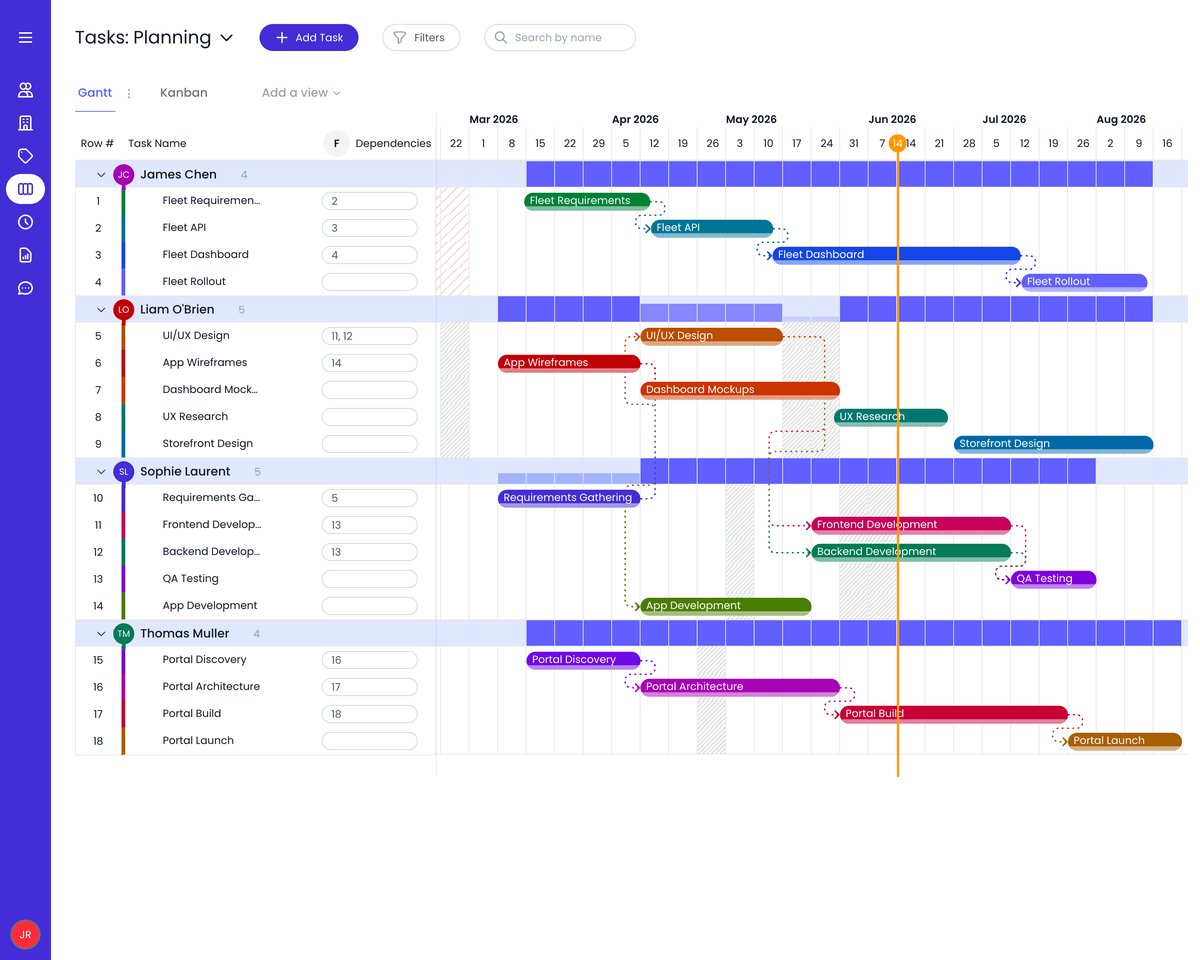
- Resource planning, Kanban, and Gantt included in the free plan
- Planned tasks can appear as timesheet entries
- Custom reports available even on the free plan
- No minimum seat requirement for paid plans
Cons:
- Billing rates and revenue tracking only on the Essential plan
- No embedded invoicing system
- No time tracking automation; hours have to be logged manually
Why choose Beebole over Scoro?
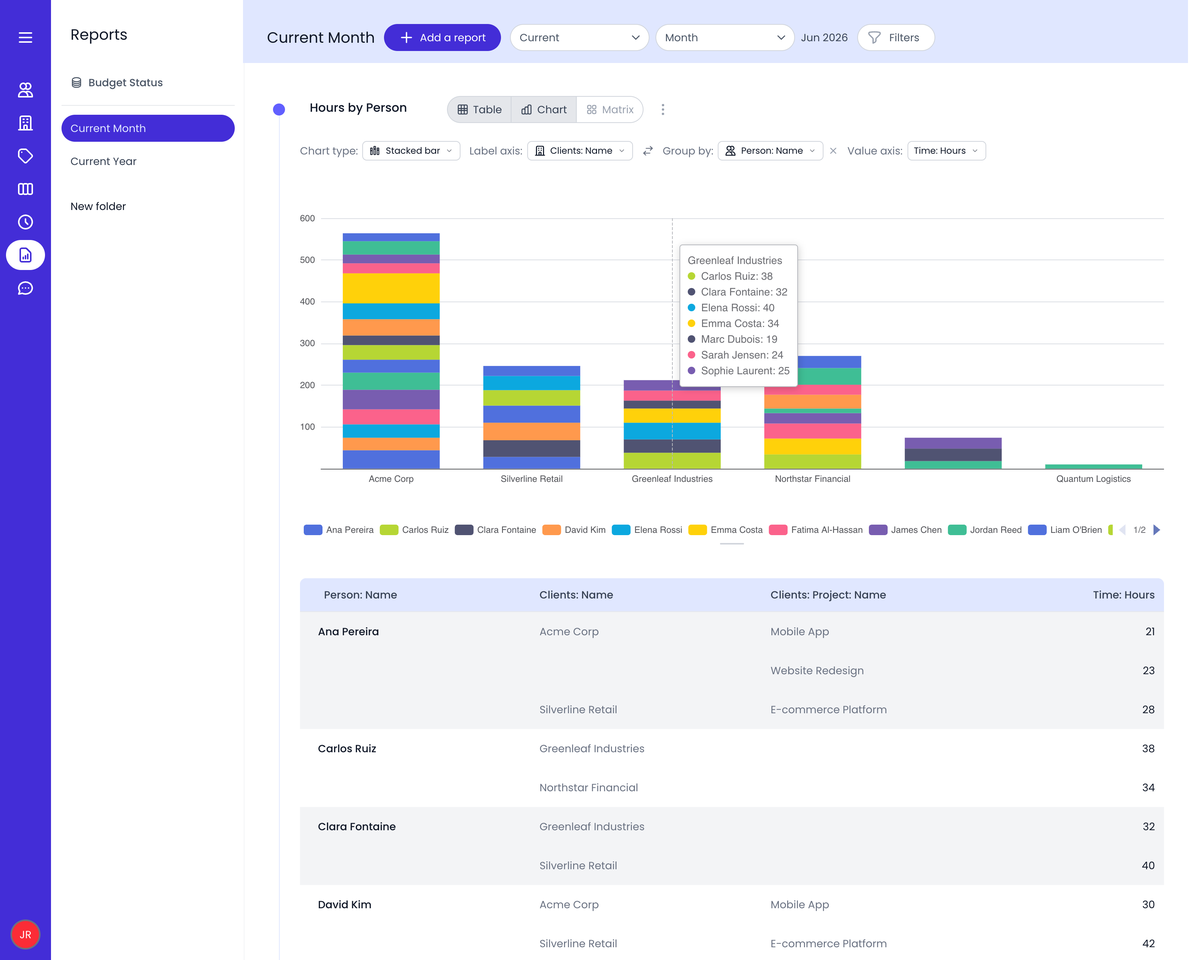
With Beebole, you can plan work, assign it to team members, and have those planned tasks turn into timesheet entries.
Approved time off also shows up in resource planning, so you can see who is available before assigning new work.
The free plan includes both features, along with project time tracking and custom reports, for up to five users.
Some features, such as billing rates and integrations with HR systems, are locked behind the Essential plan, which costs $9 per user, per month (paid annually).
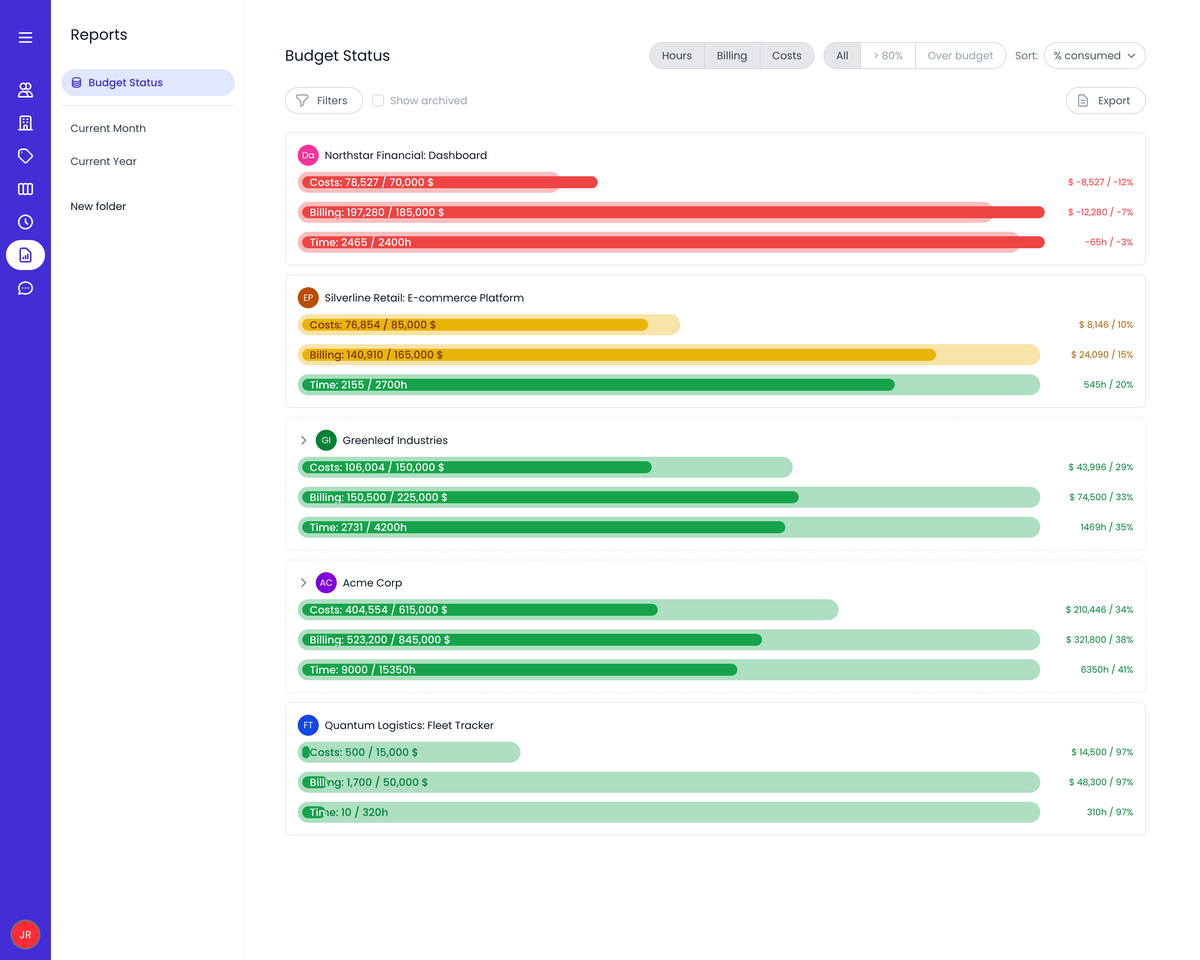
But that’s not a hiccup because all of Beebole’s paid plans are a major cost-saving compared to Scoro. In fact, you can access all its capabilities by getting the highest plan, Advanced, for $18 per user per month (billed annually). And that is still cheaper than Scoro’s lowest plan.
Advanced adds cost tracking, project budgets, and custom roles that Scoro's entry-level Time-billing combination doesn't include.
One downside with Beebole is that it doesn't handle invoices natively. You’ll have to integrate with accounting systems like Xero and opt for the Essential plan. However, you can access Invoicing from Scoro’s base combination.
Best Scoro Alternatives by Team Type and Size
There is no one-size-fits-all business platform that serves as an alternative to Scoro. The right platform depends on your team size, how you bill clients, and how much of your business operations you want to manage from one system.
Best Scoro alternatives for agencies (5-20 people)
Small to mid-sized agencies usually need a balance between project visibility, time tracking, client billing, and pricing that scales with the team.
My Hours is a strong choice if time tracking, project costs, and profitability are the priority. Its free plan covers up to five users, with paid plans starting at $4 per user per month when billed annually. Clockify is worth considering too, since its free plan also supports up to five users.
Productive is a solid choice if you want broader agency management, including budgeting, resource planning, financial reporting, and a genuine CRM alongside delivery.
Teamwork.com suits agencies juggling several client accounts at once, with work organized by client from the free plan up, and Proofs for handling design feedback and approvals.
Paymo is worth a look if you want a comprehensive toolkit, Gantt charts, Kanban boards, invoicing, and online payments, at a price well under Scoro's.
Best Scoro alternatives for consultancies (5-25 people)
Consultancies need accurate, flexible rates and structured client organization.
Need time tracking, budgeting, expenses, and profitability without the distraction of a CRM? Then, consider My Hours.
Productive is great when budgeting, resource planning, expenses, and financial reporting need to sit in the same system.
Teamwork.com and Beebole are solid picks if you’re juggling several client accounts.
Harvest and Paymo fit consultancies that mainly want fast, simple billing, a timer, clean invoices, and Stripe or PayPal payments.
Best Scoro alternatives for larger professional services firms (50+ people)
Larger firms need resource forecasting, utilization reporting, financial visibility, and integrations across a larger portfolio.
My Hours and Toggl Track still work at this scale for firms that only need the time tracking and billing layer, without paying for capacity planning or forecasting they won't use.
Productive is great if you need resource planning and financial reporting, and it also has a sales and CRM system.
Teamwork.com's Optimize and Enterprise plans add workload planning, utilization insights, and financial reporting suited to firms running many client accounts.
Hubstaff is worth considering for large distributed or field-based teams that also need payroll payouts and location tracking alongside time data.
How to Choose the Right Scoro Alternative: Essential Checklist
With so many business platforms available, it’s easy to feel stuck comparing feature lists.
Focus on what your business actually needs. You can use this checklist to find a tool that fits your workflow.
1. Define your use case:
Ask yourself:
- How many people need access, and does the platform’s minimum seat requirement match your team size?
- Do you bill clients hourly, by fixed fee, retainers, or a mix of all three?
- Do you need CRM and sales pipeline tools built in, or does that happen elsewhere?
- Do you quote and invoice clients from the same platform you use for project delivery?
- Do you need resource or capacity planning across multiple projects and departments?
- Do you need time tracking and timesheet approvals?
- Do you need invoicing inside the platform?
- Do you need detailed financial reporting, like profitability, utilization, or revenue forecasting?
- How much setup and onboarding time can your team realistically handle?
- Will the platform need to connect with your existing accounting software?
The answers to these questions will help narrow down your options.
2. Features and tools: what does your alternative need to cover?
Don’t compare every feature on every platform. Focus on the ones your team will actually use.
- Client, project, and task management
- Billable rates by user, project, or task
- Native invoicing and payment collection
- Budget and profitability tracking
- CRM and sales pipeline management
- Resource and capacity planning
- Timesheet approvals and audit trails
- Third-party integrations with accounting tools
- Mobile and desktop access
- Customizable dashboards and reports
3. Compare your shortlist on:
- Pricing: Look beyond the advertised per-user rate. Does the platform have a free plan or seat minimum that changes the cost for your team size?
- User experience: A platform can have every feature you need and still be a poor fit if your team doesn’t want to use it. How long will it take your team to learn and use it daily?
- Support: Check what support actually comes with each plan. Does live chat and phone support require a higher tier?
- Data migration: Find out how easily you can move your existing data from Scoro. Can you import your existing clients, projects, time entries, and billing data? For larger teams, check whether the vendor offers migration assistance.
- Online reviews: A high overall rating doesn’t automatically make a platform the right choice. Check recent Capterra and G2 reviews and pay attention to consistent comments about ease of use, setup, and value for money. Confirm if the same complaints keep coming up.
Frequently Asked Questions
How do I choose the best Scoro alternative?
Start with why you're considering leaving Scoro, whether it's the 5-user minimum or the fact that you may not need a fraction of the capabilities it offers.Then compare it with alternatives like My Hours, Productive, Teamwork.com, etc., to find a better and more cost-effective fit.Don’t forget to test your top choice with a free trial or plan before switching.
What is the most affordable Scoro alternative?
My Hours is one of the most affordable Scoro alternatives. Its free plan supports up to five users and gives you unlimited projects, tasks, and clients. Paid plans start at $4 per user per month when billed annually.
Similarly, Clockify and Beebole offer free plans for up to five users, while their paid plans start at $3.99 and $9 per user per month, respectively, when billed annually.
You can also consider ClickUp’s free plan, which supports unlimited users. Its Unlimited plan is budget-friendly and costs $7 per user per month when billed annually.
Does Scoro have a free plan?
No, Scoro only offers a 14-day free trial, not a free plan.
Its most affordable setup, the Time-billing combination, starts at $17 per user per month, and every configuration requires at least 5 seats.
For a free Scoro alternative, look at My Hours, Teamwork.com, Harvest, Paymo, ClickUp, Toggl Track, Clockify, and Beebole. They all offer free plans, although the features and user limits vary.
Should I switch from Scoro or stay on it?
It depends on how much of Scoro your team actually uses. If you want CRM, sales, quoting, and reporting in one professional services platform and Scoro fits your budget, there is no need to switch.
But if Scoro is being underused and you’re paying for fewer capabilities and seats than you need, then consider switching. Especially if all you want is a platform for time tracking, project management, billing, or project costs.

Waste no more time,
jump right in!

All rights reserved.