


7 Time Doctor Alternatives (Free & Paid) for 2026
The seven best alternatives for Time Doctor users who want simpler time tracking.
Time Doctor is built for teams that want clear visibility into how employees spend their work hours. It pairs time tracking with screenshots, app and website usage, attendance, and payroll tools, and it does that job well.
Still, a few gaps cause teams to look elsewhere. There's no permanent free plan, only a 14-day trial, and project expenses can't be logged alongside your hours. Some features cost extra on top of the per-user price, depending on the plan you choose.
We've reviewed 7 Time Doctor alternatives that address these shortcomings.
*Last updated: October 2026*
Content overview

- Teamwork.com: Best for client project management with built-in billing
- TimeCamp: Best for free automatic time tracking at any team size
Why Look for a Time Doctor Alternative?
Time Doctor is designed for teams that need visibility into how employees spend their work hours.
Alongside time tracking, it records screenshots and app and website usage. It also includes attendance, productivity reports, and payroll tools.
It's a great platform, but there are some reasons users would need an alternative:
- No permanent free plan: Time Doctor offers a 14-day trial with access to all Premium features, but you need a paid plan to keep using the platform afterwards.
- No client billing rates: Time Doctor lets you set pay rates for payroll, but not billing rates for clients or projects. To invoice clients, you have to send your tracked hours to a tool like QuickBooks or FreshBooks.
- No expense tracking: Plans don’t list project expenses, so costs like travel or materials usually have to live in a separate tool.
- Add-ons increase the price: Some features cost extra on top of the per-user fee.
Time Doctor can still be a good fit for teams that want time tracking, employee monitoring, attendance, productivity reporting, and payroll-related tools in one platform.
The table below gives a quick overview of the Time Doctor alternatives covered in this guide.
Top 5 Time Doctor Alternatives at a Glance
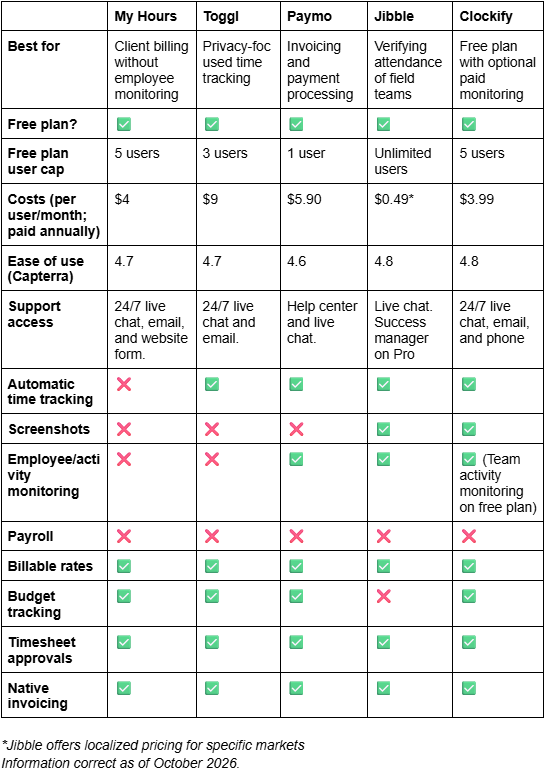

1. My Hours: Best for client billing without employee monitoring
Price:
- Free (5 users)
- $5 - $9 per user (paid monthly)
- $4 - $8 per user, per month (paid annually)
- Enterprise pricing available
Available on: Desktop, Web, browser extension, iOS & Android
Pros:
 No minimum paid seat requirement
- Project budgets with alerts on paid plans
- Unlimited projects, tasks, and clients
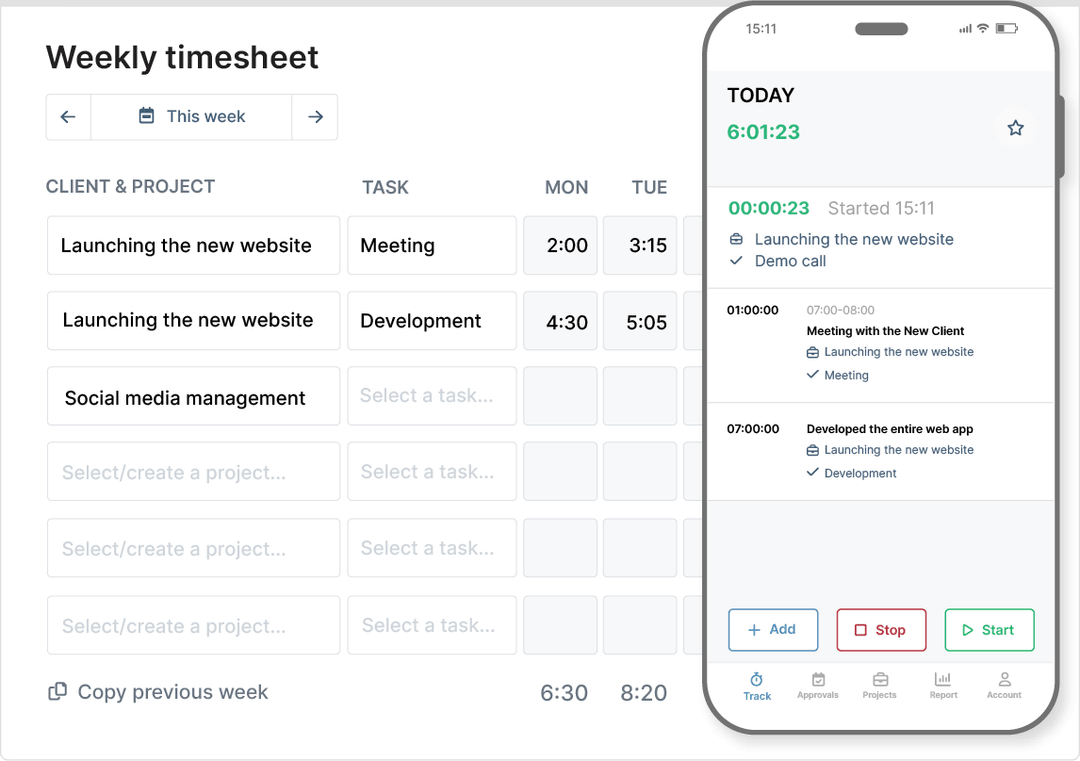
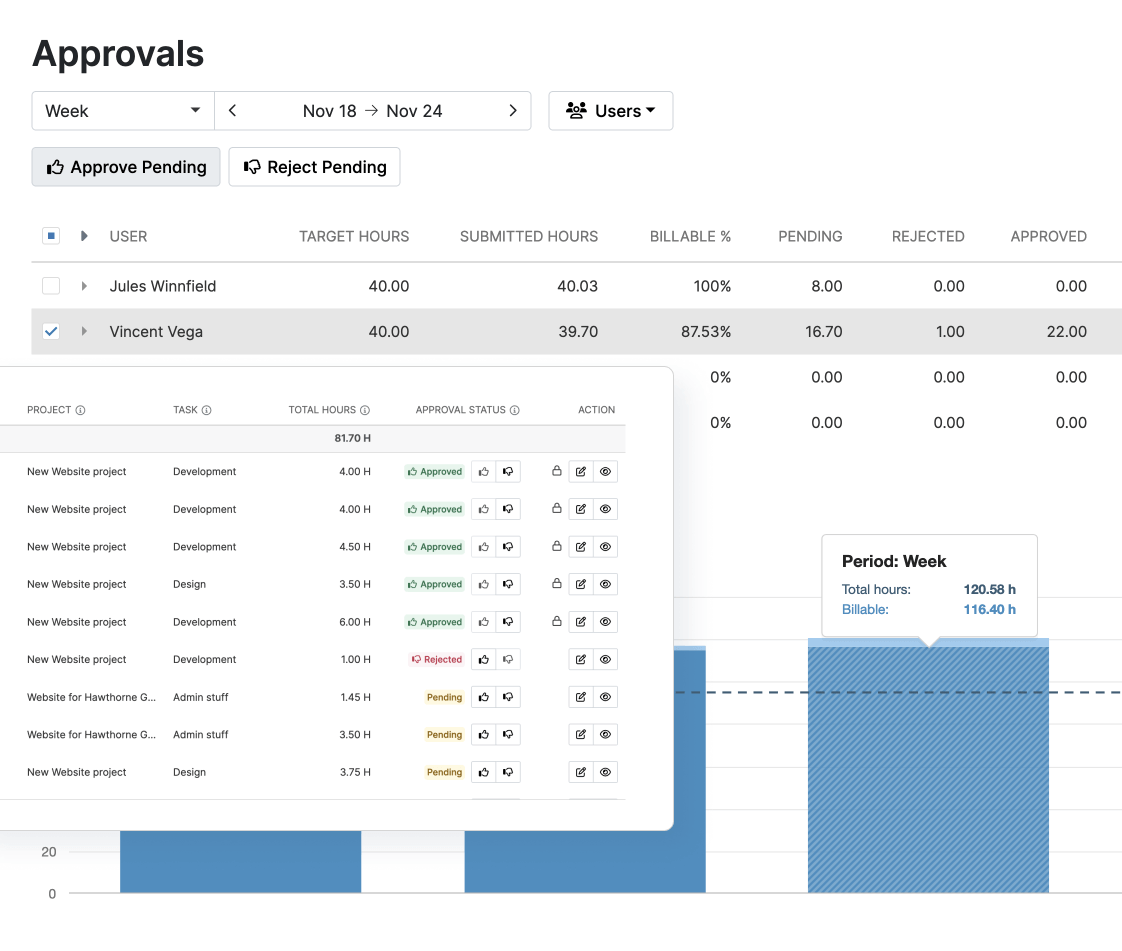
- Timesheet approvals and tracking reminders
- No screenshots or employee activity monitoring
Cons:
 No dedicated payroll system
- Fewer workforce management features than Time Doctor
With over 20 years of time tracking experience, My Hours is built around project time and cost data. You can set billing rates by user, task, or project, then use tracked time to calculate billable amounts, labor costs, and project profitability.



Why choose My Hours over Time Doctor?
A big factor is cost: Time Doctor has no free plan (only a 14-day trial), and adding more features can quickly increase your bill. My Hours lets you start for free with up to five users for an unlimited time. When you upgrade, the price per user is transparent, with no add-ons stacked on top.
Another reason is what you need the platform to do. Time Doctor shows you how employees spend their time and gives teams more visibility into employee activity; My Hours focuses on the connection between tracked time, project costs, billable amounts, and profitability.
If you bill clients hourly, My Hours lets you set different rates for each user, task, or project and calculate billable amounts as time is logged. You can also use labor rates to see what the work costs your business.
Time Doctor doesn't handle this part on its own. Its rates only cover payroll, so turning tracked hours into a client bill means exporting them to another tool.
Expenses sit right next to your hours, too. Log a cost against a project, attach the receipt from your phone, and it appears in your reports alongside the time. That makes My Hours a good fit for agencies and professional services teams that need accurate project billing without screenshots or activity monitoring.
Try My Hours for yourself - no credit card needed.
Time Doctor Drawbacks:
1. No permanent free plan
Time Doctor gives you 14 days of free access to its Premium features. After that, you need a paid plan to keep using it.
How My Hours solves this: My Hours is free for up to five users, with unlimited projects, tasks, and clients.
2. No client billing rates
Time Doctor lets you set pay rates for payroll, but not billing rates for clients or projects.
How My Hours solves this: You can set a billable rate per project from the Basic plan. On Pro, you can also set rates by user or task, track labor costs, and see profit and loss for each project. Billable amounts are calculated as time is logged, and you can invoice that time straight from My Hours.
3. No expense tracking
Time Doctor doesn't give you a way to log project expenses. Costs like travel or materials have to be tracked somewhere else, away from your time data.
How My Hours solves this: You can log expenses against projects from the free plan and attach receipts straight from the mobile app. Hours and expenses show up in the same reports, and on Pro, expenses count toward project budgets.
4. Add-ons push up the price
Time Doctor's per-user price doesn't cover everything. Video screen recording and meeting insights cost an extra $3 and $2 per user each month, respectively, on Basic and Standard plans.
How My Hours solves this: My Hours doesn't sell features as add-ons. Everything that’s stated on your plan is included in the per-user price, which starts at $4 per user per month, billed annually.
Bottom line comparison

 No free plan, only a 14-day free trial
- Employee monitoring alongside time tracking
- Screenshots, app, and website usage tracking
- Productivity and attendance reporting
- Payroll-related tools and integrations
- Free plan (max five users)
- Flexible billing rates and project budgets
- Timesheet approvals and an attendance report
- No screenshots or employee activity monitoring
- 11 native integrations across analytics, project management, CRM, and many more.

2. Toggl: Best for privacy-focused time tracking
Price:
- Free (3 users)
- $12 - $24 per user (paid monthly)
- $9 - $16 per user, per month (paid annually)
- Enterprise pricing available
Available on: Desktop, Web, browser extension, iOS & Android
Pros:
- Free for up to 3 users
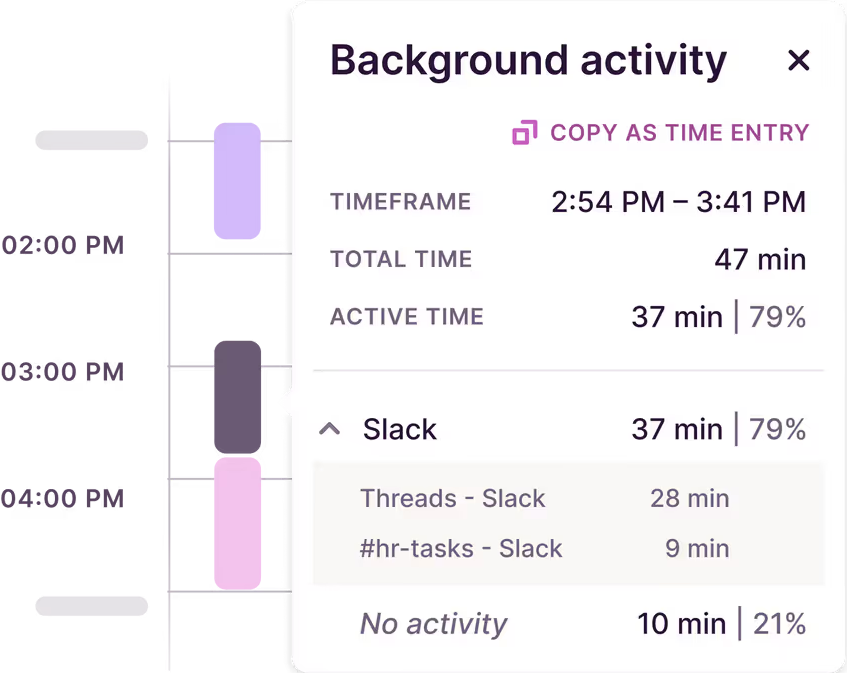
- Private desktop activity tracking to help fill timesheet gaps
- Manual, real-time, and automated time tracking
- Pomodoro timer and idle time detection from free plan
- Board views on every plan, with a Gantt-style timeline from Starter
Cons:
- Invoicing is only a downloadable PDF
- Timesheet approvals and profitability reports need Premium
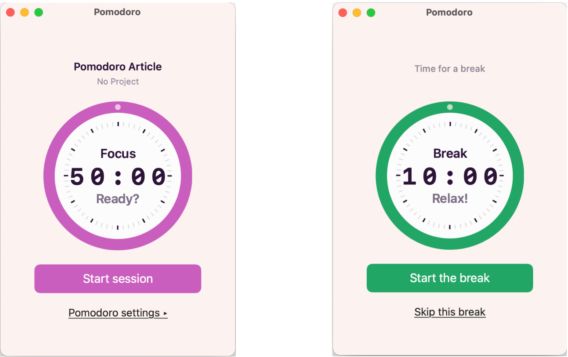
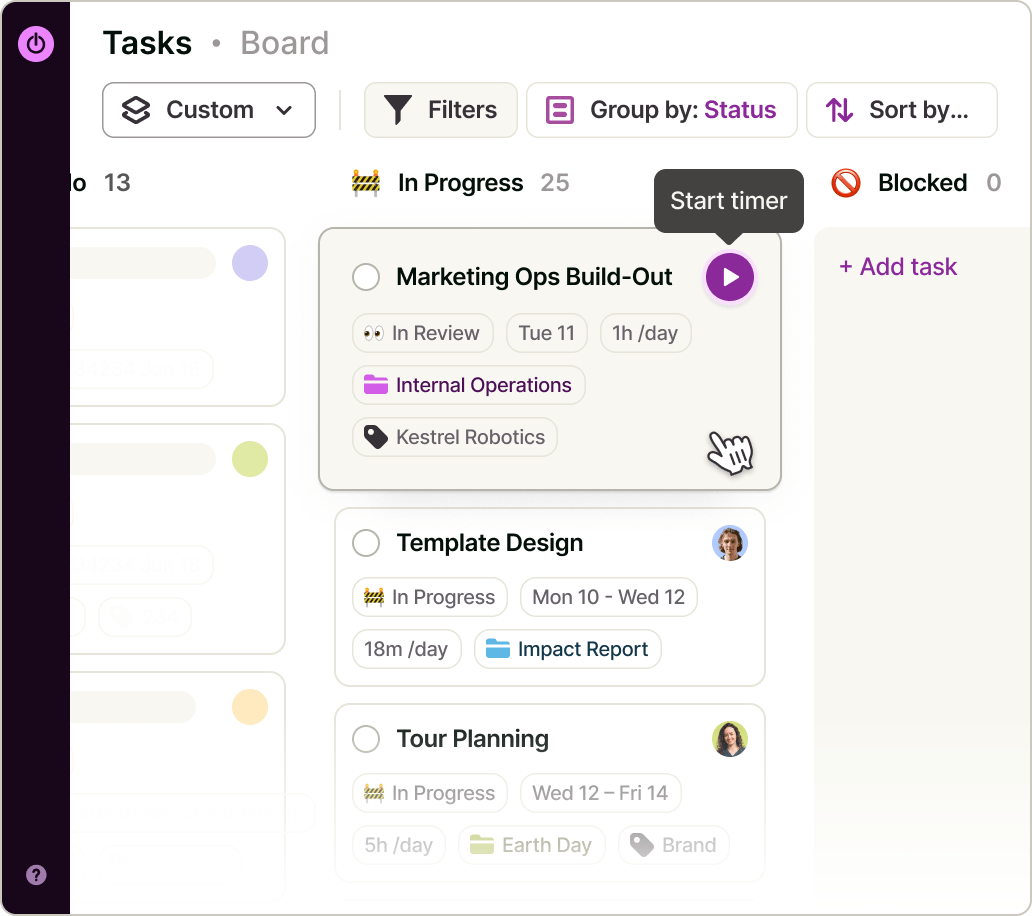
Why choose Toggl over Time Doctor?
Toggl gives you time tracking without employee monitoring. It doesn't take screenshots or track location, and managers can't see what anyone does on their screen.
You can start for free with up to 3 users, making it ideal for a small team.
In Toggl, you can set billable rates at the workspace, member, or project level, or for a specific member on a specific project. Every hour logged has its value, so reports and invoices add up without extra spreadsheet work. When it's time to bill, you can create an invoice from your reports and download it as a PDF.
Time Doctor works differently. You can set pay rates for payroll, but not billing rates for clients, so invoicing means sending your hours to a separate tool.
If you bill clients for your time and want to know which projects make money, Toggl keeps that data right where you track hours.

3. Paymo: Best for invoicing and payment processing in one place
Price:
- Free (1 user; 2 projects)
- $9.90 - $23.90 per user (paid monthly). Additionally, a reduced rate is provided for the first three months.
- $5.90 - $16.90 per user (paid annually)
Available on: Desktop, Web, iOS & Android
Pros:
- A free plan with unlimited time tracking and tasks
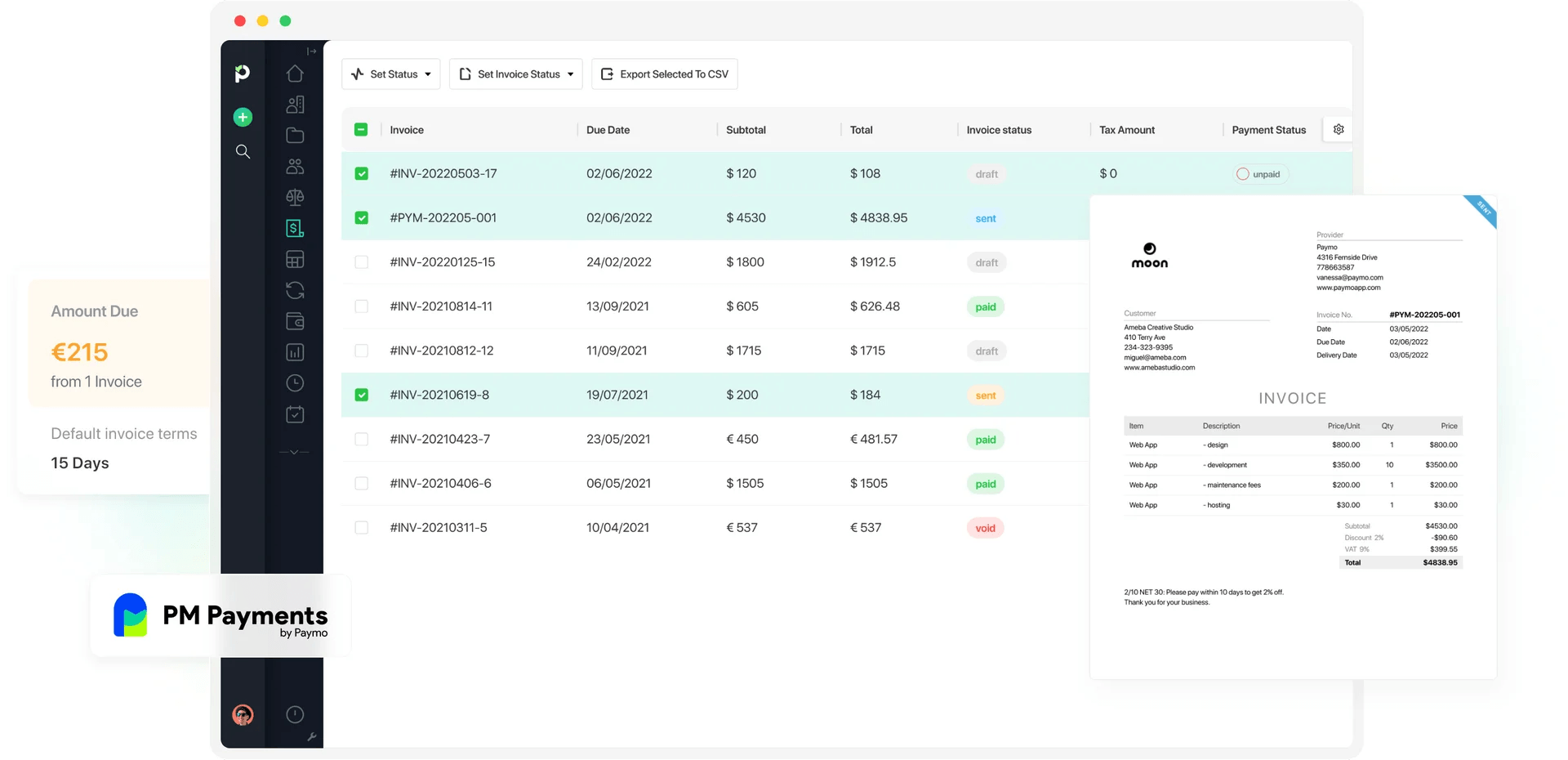
- Tracked time converts into invoices, even on Free
- Automatic background time tracking on desktop
- Invoices available in 15 languages, with online payments through Stripe, PayPal, or Authorize.net
Cons:
- Free and Solo plans are limited to one user
- No reports on the Free plan
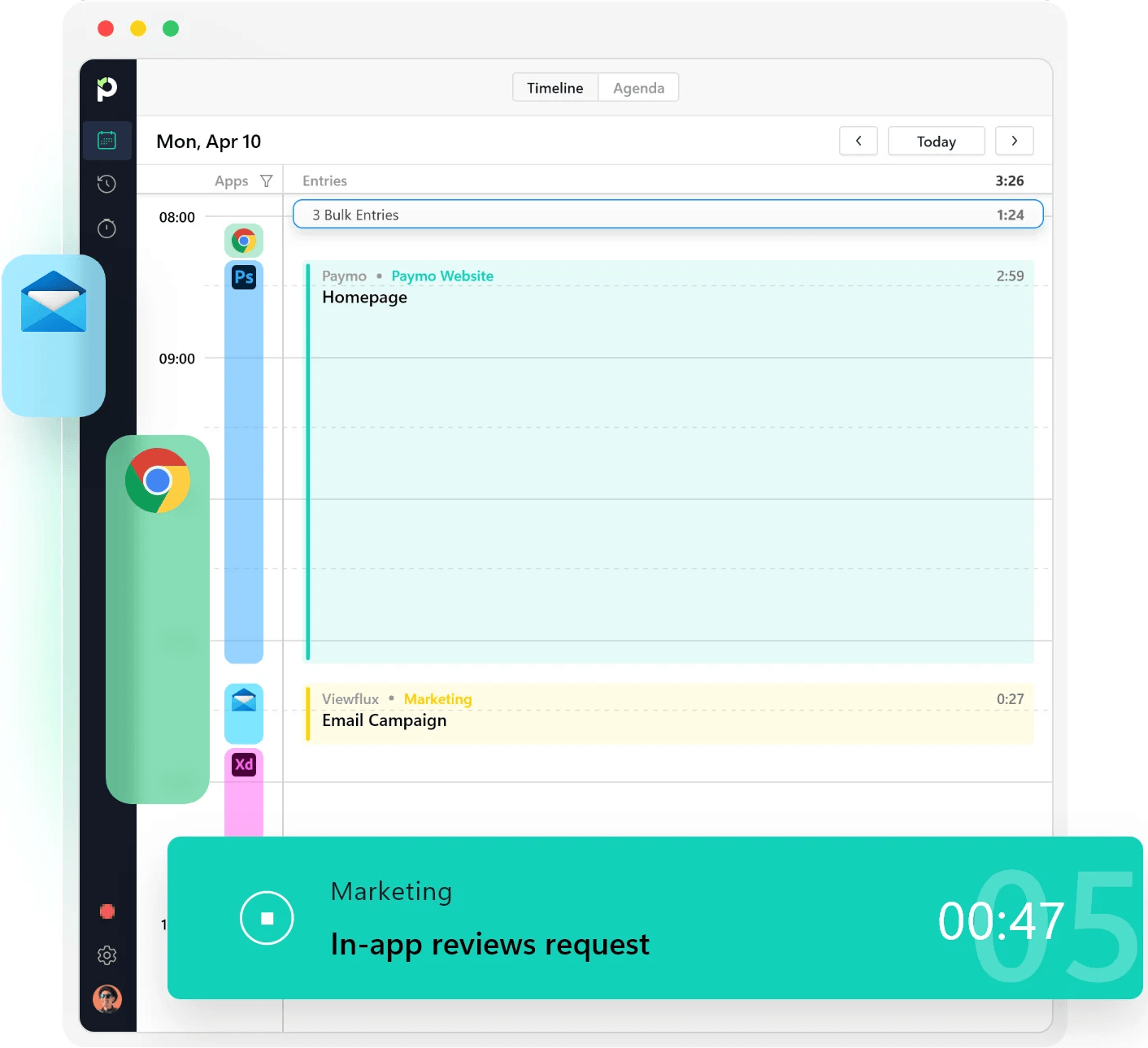
Why choose Paymo over Time Doctor?
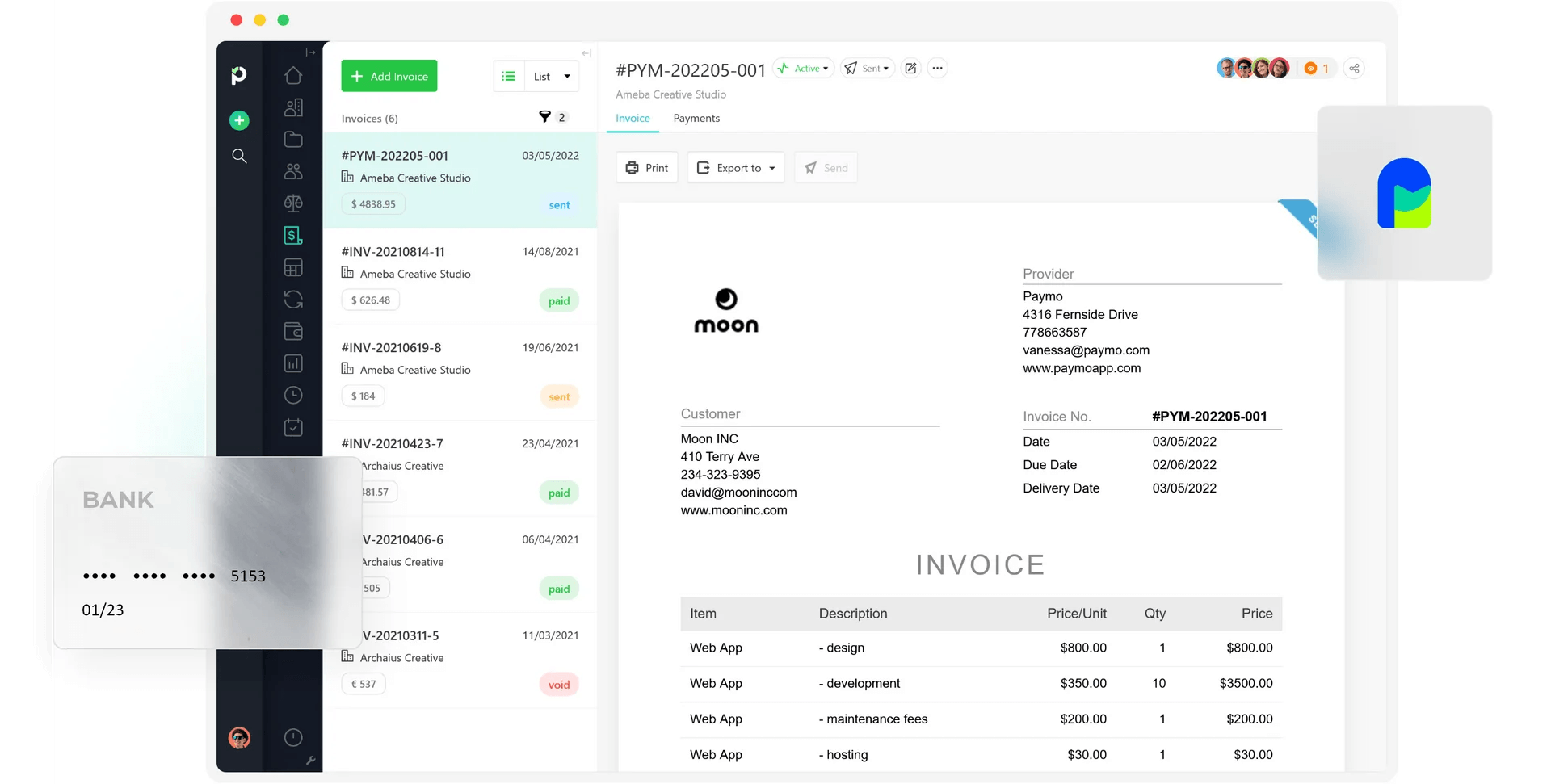
Paymo has a free plan you can keep using, though it only covers one user with one client and two projects, so it suits a solo freelancer more than a team. Time Doctor gives you a 14-day trial after which you must subscribe to keep using the platform.
The pricing is straightforward, with no add-on costs that can make the total fees balloon.
With Paymo, logged hours turn straight into an invoice. You can send it in 15 languages, bill in 85+ currencies, and clients pay online through Stripe, PayPal, and Authorize.net.
You can track project costs, too. Log an expense against a project, tag it, and it shows up next to your time. Time Doctor can't record expenses, so those costs would otherwise sit in a separate spreadsheet.
Planning is built into Paymo as well. Its resource load chart shows each person's workload and availability, so you can see who has room before you assign new work.
You can start for free and keep using it. The free plan covers one user, one client, and two projects, so it's made for solo freelancers. Expense tracking starts on the Plus plan, and scheduling comes with Pro.

4. Jibble: Best for verifying attendance of field teams
Price:
- Free (Unlimited users)
- $0.79 - $2.49 per user (paid monthly)
- $0.49 - $1.99 per user/month (paid annually)
- Note: Jibble offers localized pricing for specific markets
Available on: Desktop, Web, browser extension, iOS & Android, kiosk
Pros:
- Free plan with unlimited users
- Geofence-based time entries, Selfie capture, and facial recognition on Free plan
- Kiosk clock-ins with PIN or NFC/RFID
- Offline mode
- Custom time off policies and a holiday calendar
Cons:
- Billable rates are currently not available
- Approvals, reminders, and automatic clock-out are only on paid plans
Why choose Jibble over Time Doctor?
Jibble has a free plan with no user limit, so you can track attendance and hours for your whole team at no cost.
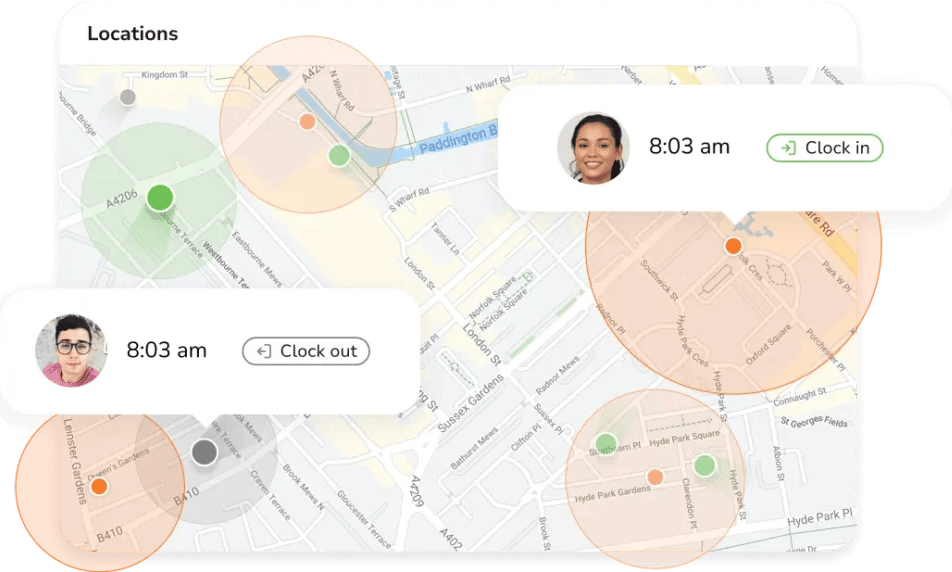
Jibble also helps you confirm who clocked in and where; however, you can only add 2 locations on the free plan.
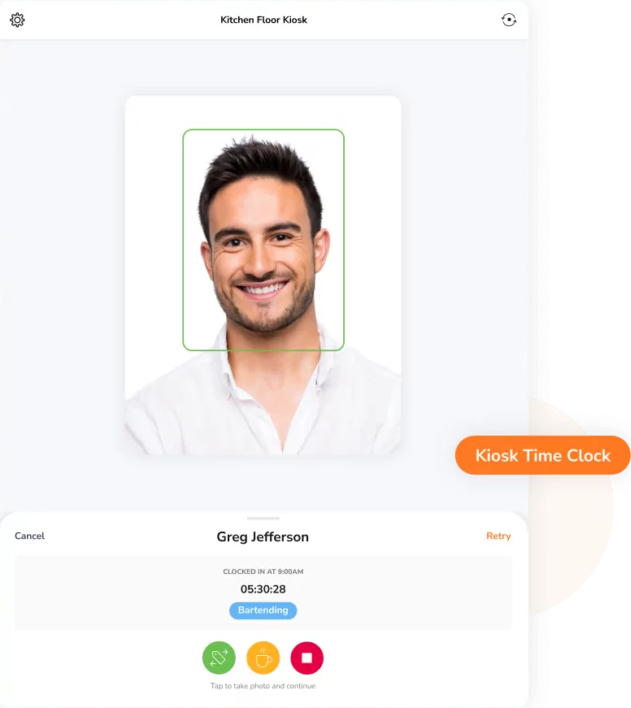
The Free plan includes geofence-based time entries, selfie capture, and facial recognition. That makes it a good fit for field crews and distributed teams, where location and attendance matter as much as hours worked.
Workers can clock in at a shared kiosk with a PIN or an NFC/RFID card. Offline mode keeps clock-ins working when there's no connection.
Clock-ins become timesheets automatically, ready to export for payroll. You can set your own overtime rules, and breaks are logged with each shift. Pay periods can be weekly, bi-weekly, or monthly.
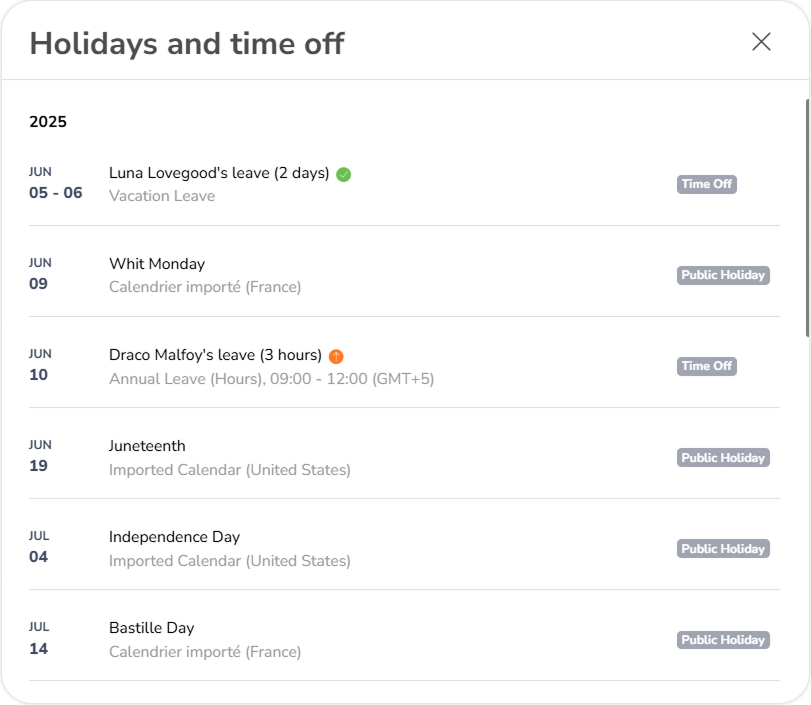
Time off is also managed in Jibble. Staff can request PTO or sick days, and regional public holidays are added to each team's calendar automatically.

5. Clockify: Best free plan with optional paid monitoring
Price:
- Free (Up to 5 users)
- $4.99 - $14.99 per user (paid monthly)
- $3.99 - $11.99 per user/month (paid annually)
- CAKE.com bundle: $15.99/user/month (billed monthly), or $12.99/user/month (billed annually)
- Enterprise pricing available
Available on: Desktop, Web, browser extension, iOS & Android
Pros:
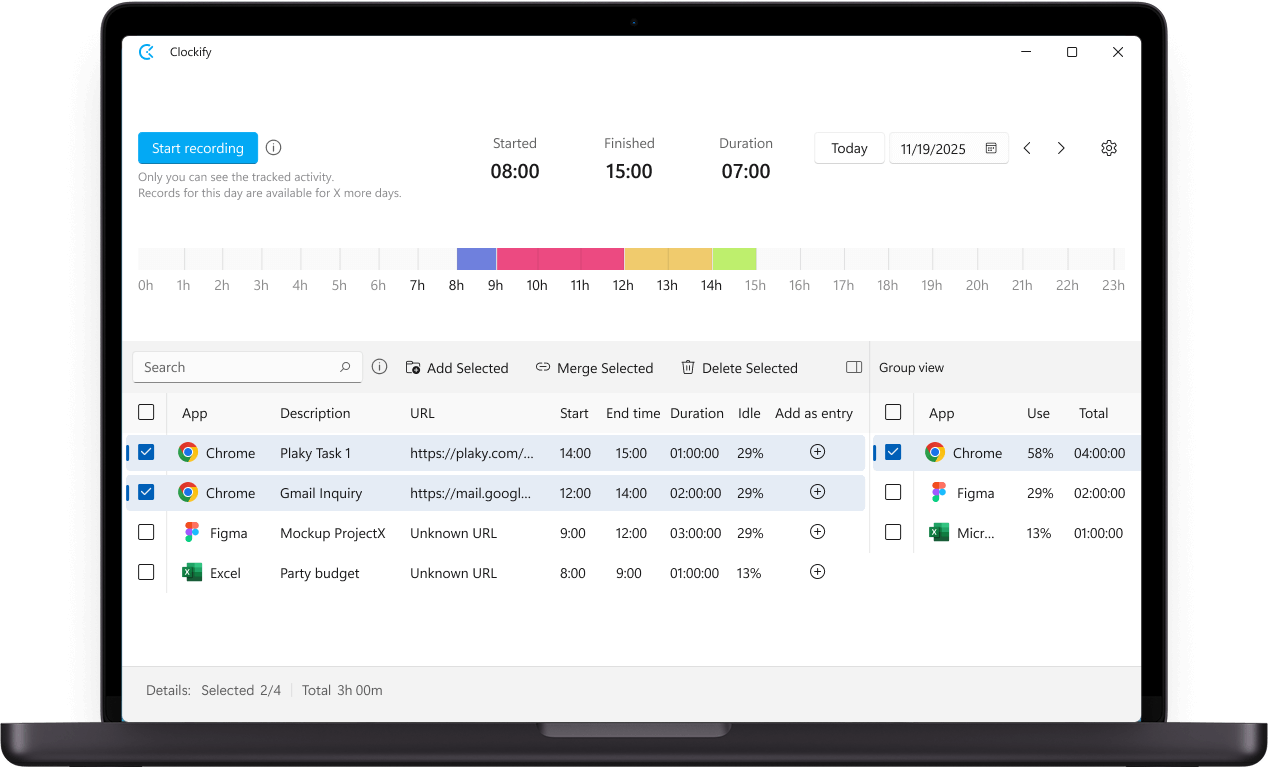
- Free plan with unlimited time tracking and team activity monitoring
- Auto tracker stays private until data is added to a timesheet
- Billable rates from Basic plan
- Invoicing, timesheet approvals, and attendance from the Standard plan
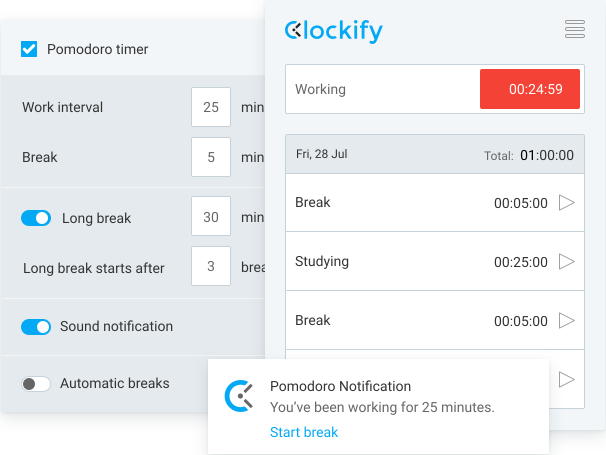
- Pomodoro timer on all plans
Cons:
- No task boards or dependencies
- Some features moved to paid plans in April 2026
- Features like forecasting, invoicing, and time audits spread across higher tiers
Why choose Clockify over Time Doctor?
Clockify has a free plan for up to five users, with unlimited time tracking, while Time Doctor only offers a 14-day trial.
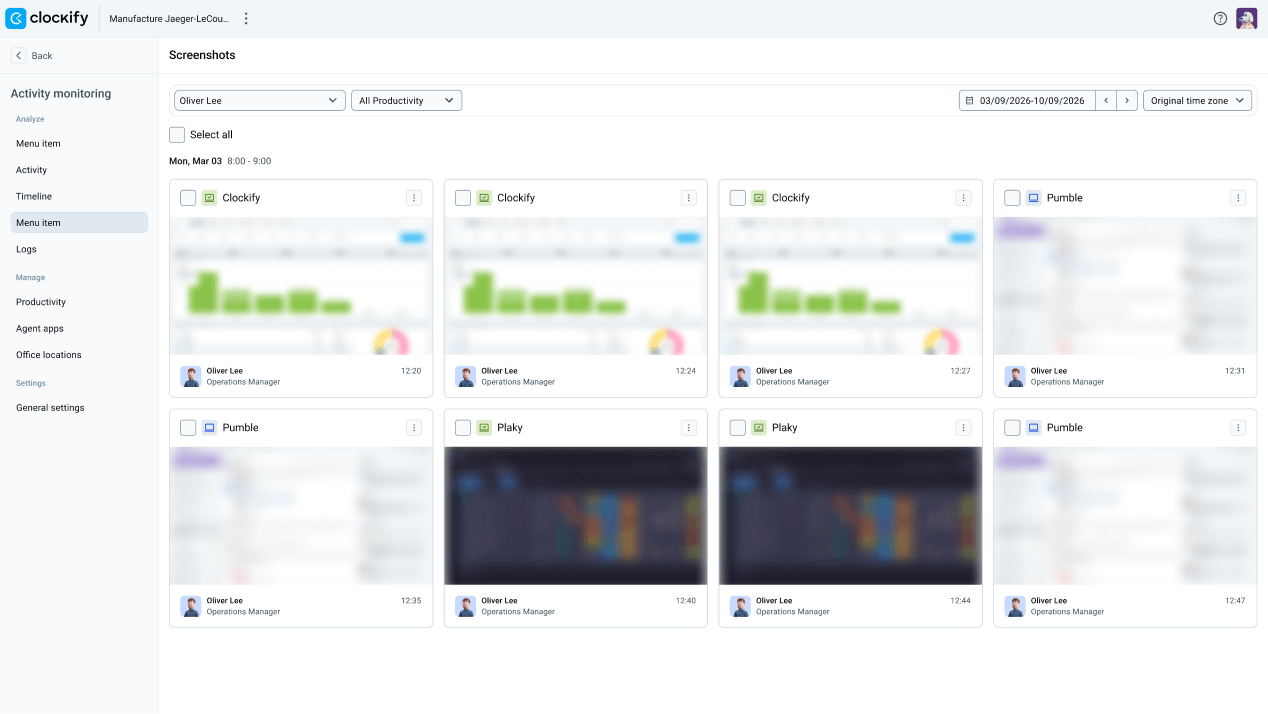
Clockify’s free plan does more than run a timer. It flags idle time, sends reminders, and includes Auto Tracker, which records the apps and websites you use on your own device. That activity stays private until you turn it into a time entry. Team activity monitoring is also a free feature where you can see what staff are currently working on.
Additional monitoring is there if you want it. Screenshots, activity monitoring, and GPS tracking are paid Pro features that an admin must switch on.
If you need basic time tracking at no cost, Clockify gives you a way to start for free and upgrade when you need more features.
More Time Doctor Alternatives

6. Teamwork.com: Best for client project management with built-in billing
Price:
- Free (5 users; 5 projects)
- $13.99 - $29.99/per user (paid monthly)
- $9.99 - $24.99 per user, per month (paid annually)
- Enterprise pricing available
Available on: Desktop, Web, iOS & Android
Pros:
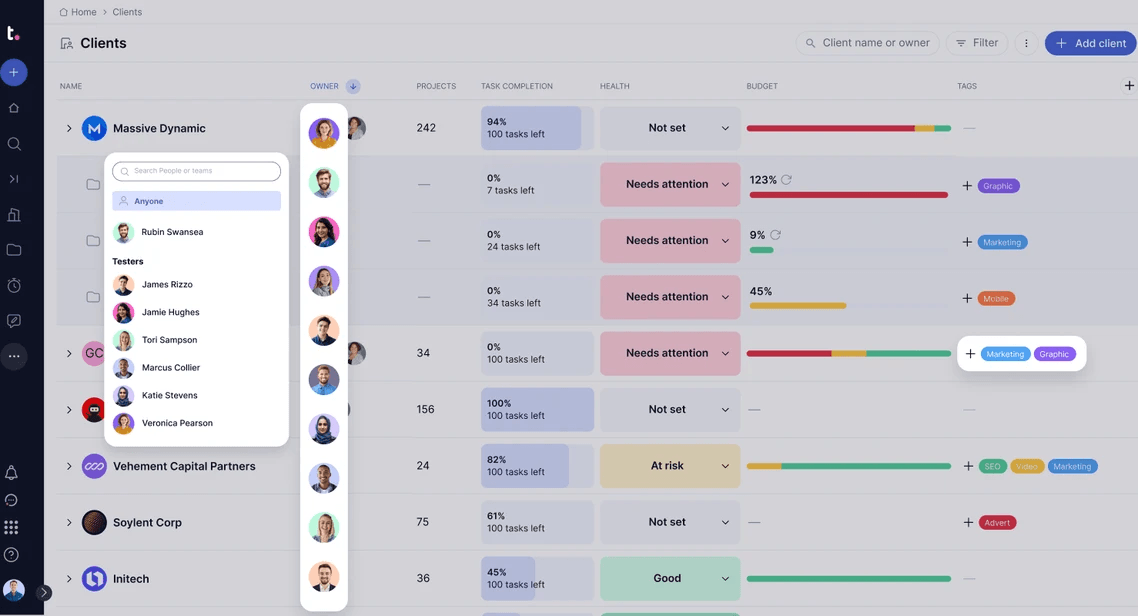
- Free plan for up to 5 users and 5 projects
- Gantt, Table, List, and Board views
- Optional built-in CRM (higher tiers)
- Track billable vs. non-billable time from the Free plan
- Teamwork AI in all paid plans; usage-based credits from November 2026
Cons:
- 3-user minimum on Basics and 5-user minimum on Accelerate plan
- Invoicing and capacity planning start on the Accelerate plan
- Revenue and profitability insights need the Optimize plan, which is custom-priced
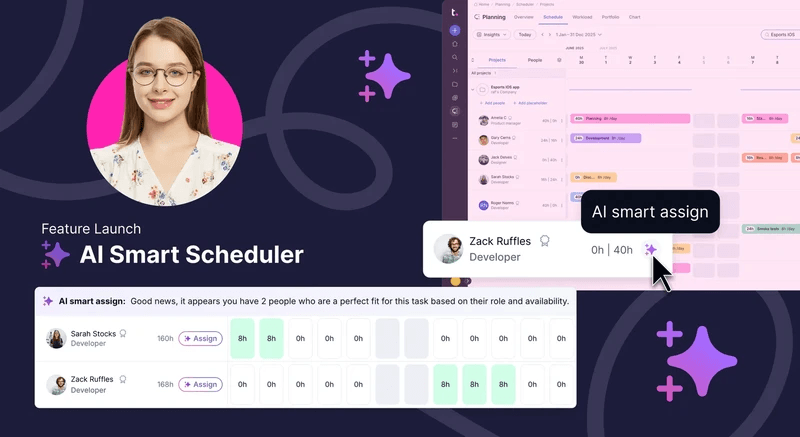
Why choose Teamwork.com over Time Doctor?
With Teamwork.com, you can start for free with up to 5 users and 5 projects.
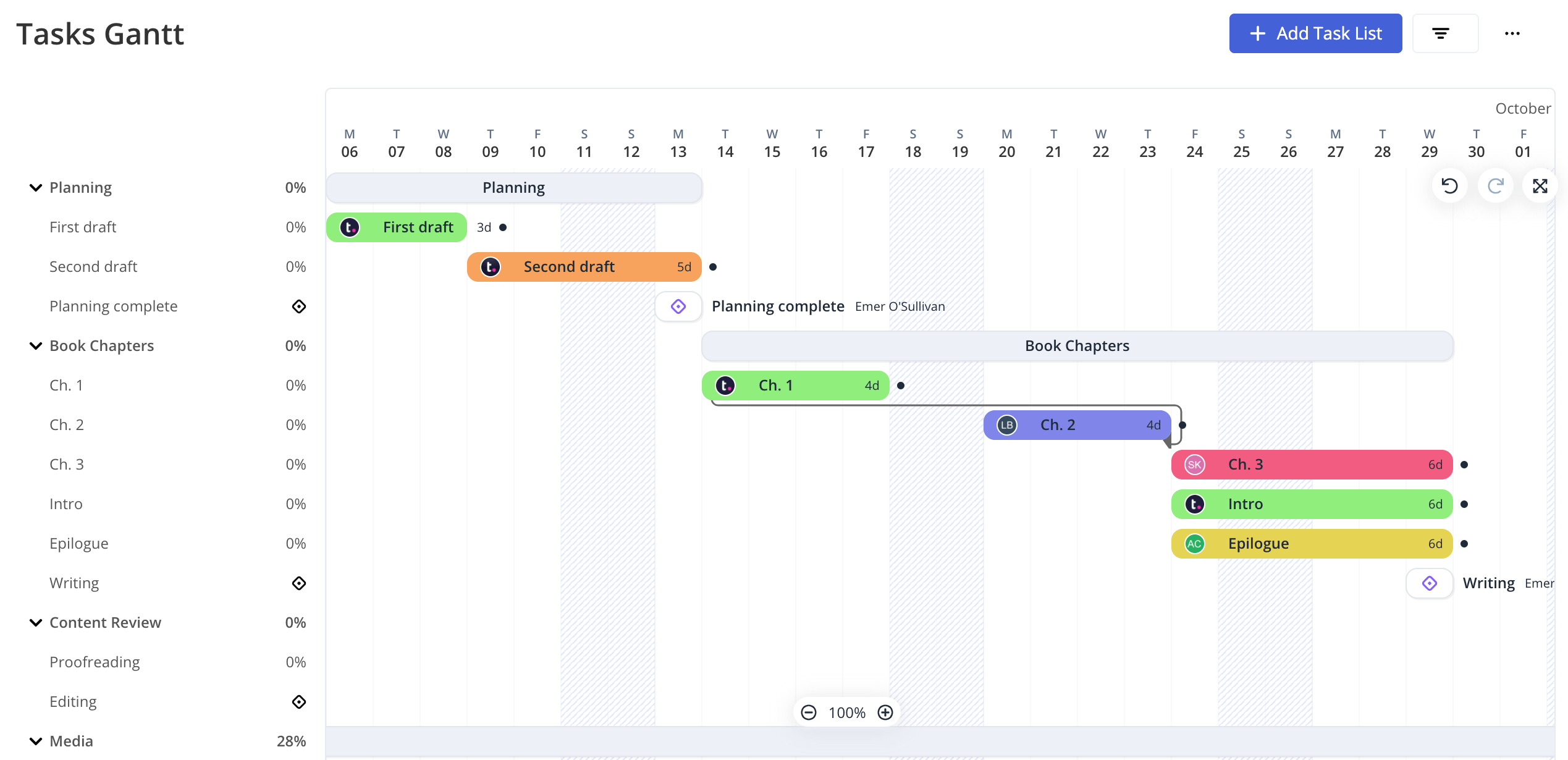
The Free plan is generous and gives you task dependencies, billable vs. non-billable time tracking, and Gantt chart or board views.
Besides a solid free plan and straightforward pricing, Teamwork.com has some interesting features.For example, it gives you a central place to store and track client feedback, called Proofs. You can invite clients into a proof, and they can click the exact part of a file or link they want to comment on. Each new upload is saved as a version, so you can see how a file changed from the first draft to final sign-off.
When you're ready to bill, the Accelerate plan turns logged hours into (basic) client invoices and adds time budgets and retainer management. However, that plan needs at least 5 seats.
Overall, Teamwork.com is a great Time Doctor alternative for agencies or service teams. It gives you one place to track your team's hours, manage client projects, and collect feedback through to approval.

7. TimeCamp: Best for free automatic time tracking at any team size
Price:
- Free (Unlimited users)
- $5.49 - $13.99 per user (paid monthly)
- $3.99 - $9.99 per user/month (paid annually)
- Enterprise pricing available on request
Available on: Desktop, Web, browser extension, iOS & Android
Pros:
- Unlimited users and projects on the free plan
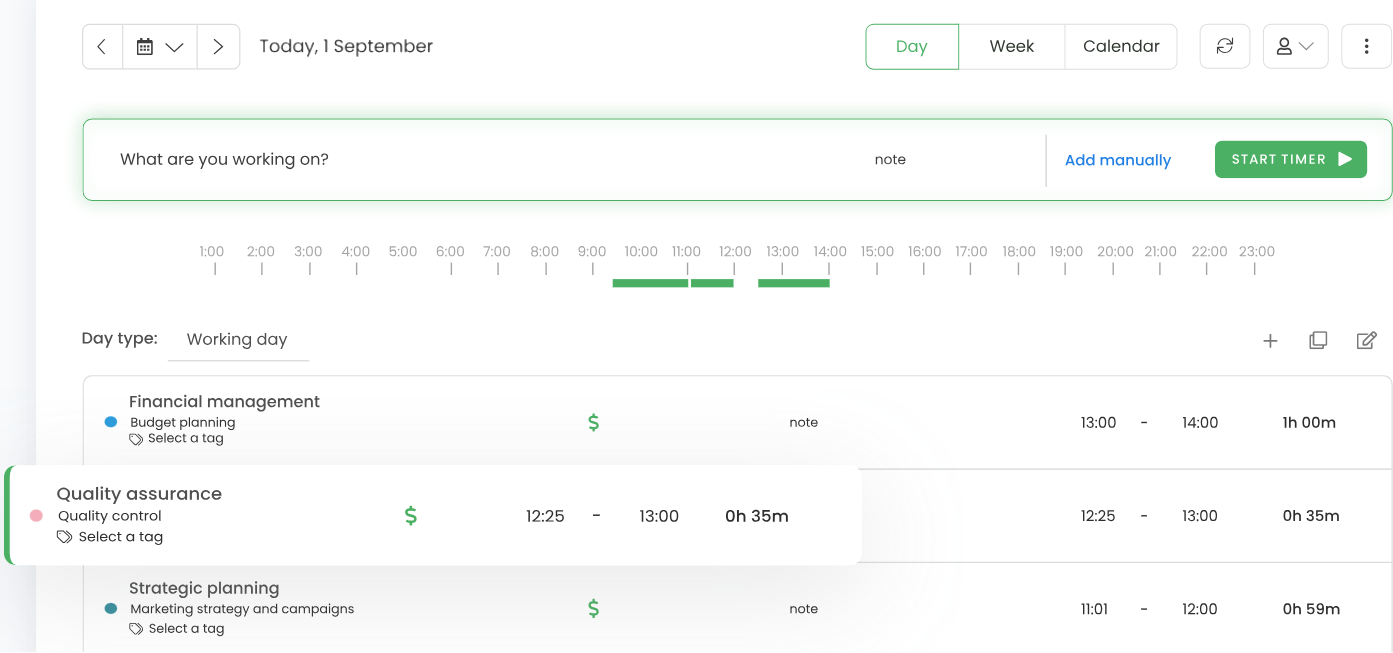
- Automatic time tracking
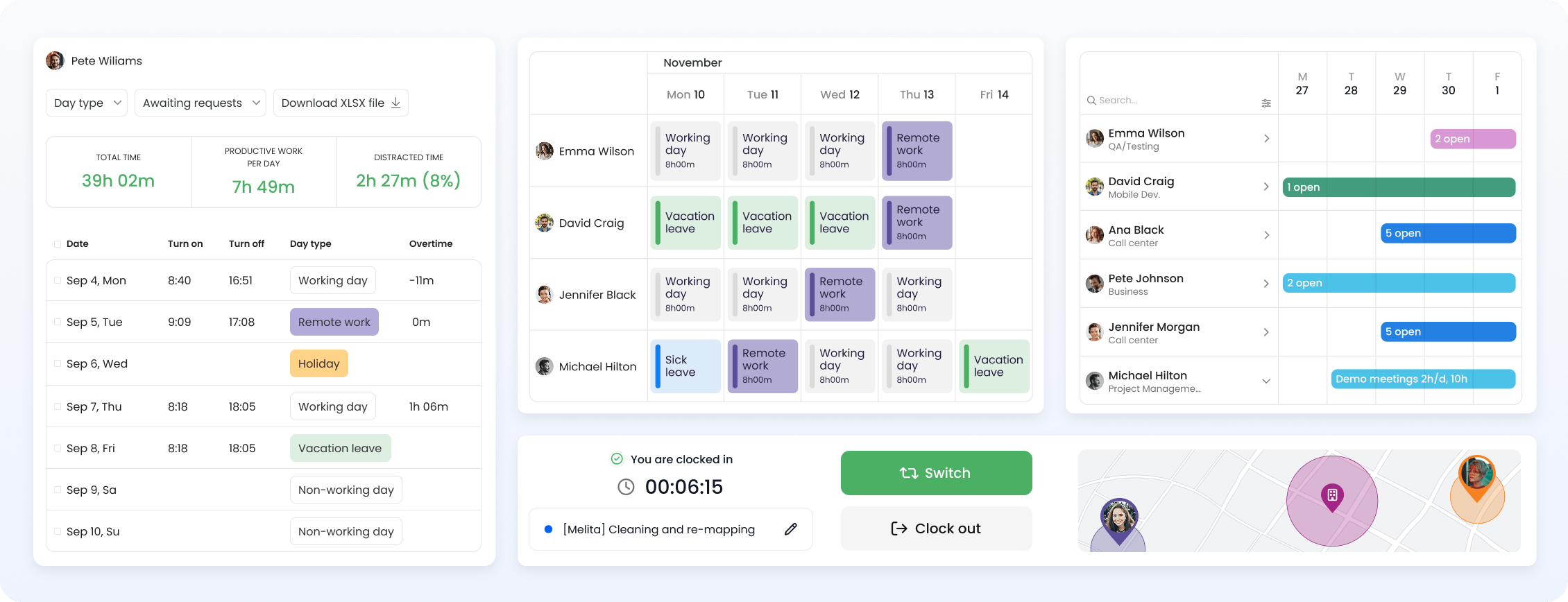
- Attendance, overtime, and time-off tracking from the Starter plan
- GPS location tracking from the Free plan
- AI Time Tracker with usage-based credits
Cons:
- Screenshots and timesheet approvals are on the Ultimate plan
- Advanced billing and workforce features require paid plans
- AI Time Tracker comes at an extra cost
Why choose TimeCamp over Time Doctor?
TimeCamp's free plan has no cap on users or projects, so your whole team can track time without paying.
GPS location tracking is also included on the Free tier, which helps if part of your team works away from a desk.
Paid plans add features in stages. Starter brings invoicing, along with attendance and time off tracking. Premium adds billable time and budgets, so you can compare tracked hours with what you charge clients.
The AI Time Tracker suggests time entries for you, but it's billed separately by token usage. TimeCamp estimates about $6 per user each month for typical use.
If you want a free tracker your whole team can use, with extra features that you can add later, TimeCamp gives you room to grow.
Best Time Doctor Alternatives by Team Type and Size
Which alternative fits depends on your team size, how you bill clients, and whether you need activity tracking at all.
Best Time Doctor alternatives for freelancers and small teams (1-5 people)
Most small teams don't need monitoring. They need a tracker that's quick to use and costs nothing while the team is small.
My Hours is free for up to five users, with unlimited projects, tasks, and clients. It suits freelancers and small teams that bill by the hour and want to see what each project brings in.
Paymo's free plan is made for one person. A solo freelancer with a single client can track time and turn it into an invoice without paying anything.
Clockify and TimeCamp both track time automatically on their free plans. Clockify stops at five users, while TimeCamp has no cap on users or projects.
Toggl's free plan works for three users who want simple time tracking with no monitoring.
Best Time Doctor alternatives for agencies and consultancies (5-25 people)
At this size, the real question is how tracked time turns into invoices and project margins.
My Hours handles that on the Pro plan. Rates by user, task, or project calculate billable amounts as hours come in, and labor costs show what the work costs you. Expenses appear in the same reports.
Teamwork.com suits agencies running several client accounts at once. Proofs keeps client feedback attached to the file, and the Accelerate plan turns logged hours into invoices, though it needs at least five seats.
Paymo's paid plans fit teams that want invoicing and payment collection in one place. Invoices go out in 15 languages, and clients can pay online through Stripe, PayPal, or Authorize.net.
Toggl's Premium plan adds labor costs, profitability reports, and timesheet approvals for teams that want billing data without monitoring.
Best Time Doctor alternatives for remote and distributed teams (30+ People)
Per-user pricing adds up quickly at this size, so free plan limits and seat costs matter more.
Jibble and TimeCamp both have free plans with no user limit.
Jibble is built for field and distributed teams that need to confirm attendance, with geofencing, selfie capture, facial recognition, and kiosk clock-ins.
TimeCamp suits office or hybrid teams that want automatic time tracking without a per-seat bill, and its free plan includes GPS tracking.
Clockify fits larger teams that still want some oversight. Screenshots, activity monitoring, and GPS tracking come with the Pro plan, but the admin has to switch them on.
My Hours scales with you too. On Pro, team and project managers approve timesheets for their own groups, and approved entries lock automatically.
How to Choose the Right Time Doctor Alternative: Essential Checklist
Before comparing plans and features, identify the processes your teams need to support.
Use this checklist to narrow down your options:
1. Define your use case
Start with what you need from time entries, whether that's:
- Employee monitoring, or simply accurate time tracking
- Screenshots
- Automatic time capture
- Client billing for tracked time
- Project budgets and profitability data
- Built-in payroll or exported report
- Attendance or PTO tracking
- GPS or geofencing
- Invoices and online payments
- Necessary integrations
2. Compare your shortlist
Once you’ve narrowed your shortlist to options that fit your basic requirements, compare the details that can affect your daily processes and experience:
- Pricing: Look beyond the advertised starting price. Check free plan limits, seat requirements, add-ons, and usage-based charges.
- Monitoring: Find out what the platform tracks, including screenshots, apps, websites, keystrokes, locations, and other activity. You can also confirm if those features are optional and who can access the collected data.
- Support: Check whether live chat, email, or phone support is available on every plan or only on the higher tiers. If your team depends on fast support, or dedicated account assistance is limited to certain plans.
- Data migration: Find out what can be moved from your current platform, including projects, clients, users, and historical time data. Check if you can export your existing data before switching.
- Security and privacy: Review security certifications, data-hosting arrangements, access controls, retention policies, and employee privacy settings. This is important if the tool collects screenshots, app usage, location data, or other activity information.
Most importantly, test the platform with your team before committing. Use the free plans to see how well the tracker fits your team’s workflow before paying.
Frequently Asked Questions
How do I choose a Time Doctor alternative?
Start with what you need the time data for.
If you bill clients, look at My Hours, Paymo, or Teamwork.com. My Hours ties tracked hours to billing rates, budgets, and project costs. Paymo and Teamwork.com combine billing with project management, and Paymo adds online payments.
If you need to confirm who's working and where, Jibble verifies attendance with geofencing, selfie capture, and facial recognition, even on its free plan.
If you still want some activity monitoring, Clockify offers screenshots and activity tracking on its Pro plan. An admin has to switch them on first.
Is there a free alternative to Time Doctor?
Yes. My Hours, Toggl, Paymo, Jibble, Teamwork.com, Clockify, and TimeCamp all have free plans, but the limits vary a lot:
- My Hours and Clockify are free for up to five users.
- Teamwork.com's free plan covers five users and five projects.
- Toggl is free for up to three users.
- Paymo's free plan is limited to one user.
- TimeCamp and Jibble have free plans with no user limit.
Time Doctor gives you 14-days of free access to its Premium features, but it has no permanent free plan.
Which Time Doctor alternatives don’t take screenshots?
My Hours, Toggl, and Paymo don't take screenshots of employees.
My Hours is a trust-based platform that tracks time against projects and tasks and connects it to billing and costs, with no screenshots or activity monitoring.
Toggl’s desktop app can log the apps and websites you use, but only to help you (the user) fill gaps in your own timesheet. Admin and other workspace members can't see that record.
Paymo doesn’t monitor employees, and instead offers unlimited time tracking to see where workers’ time went.

Waste no more time,
jump right in!

All rights reserved.