
Time Tracking Software for Accountants and Bookkeepers
Track billable costs, client work, and maintain firm profitability
 Track hours against clients, projects, and tasks
- Set billable rates for different services
- Create accurate invoices from approved time
- Monitor budgets for recurring client work
- Customize reports and monitor profitability
Content overview


Trusted by more than 100.000 businesses worldwide


Timesheet software built for accountants and bookkeepers

Accounting and bookkeeping teams juggle multiple clients, services, and billing structures at once.
Accurate time tracking helps accounting firms bill clients fairly, understand team workload, and protect profitability.
When time isn’t tracked accurately, firms end up underbilling or losing visibility into where staff time is really going.
My Hours gives accounting and bookkeeping teams a simple way to track billable and non-billable work across each client. With structured workloads and custom data capture, you can clearly see how time is spent, project margins, and scale workloads without losing control.
Organized Clients and Services
Accountants and bookkeepers need to track time against the specific services they deliver to each client. Without an organized system, it’s easy to log time to the wrong client or service, leading to billing errors and lost revenue.
clients > projects > tasks hierarchy. Clients act as separate workspaces where you create projects for each service or package. Tasks further break down services into specific deliverables.

"I use this software daily (and all day, at that) both at home and when I'm working from the road. I cannot recommend it enough for tracking where I spend my time for my clients and what I need to invoice them at the end of each month."

Separate Billable and Non-Billable Work
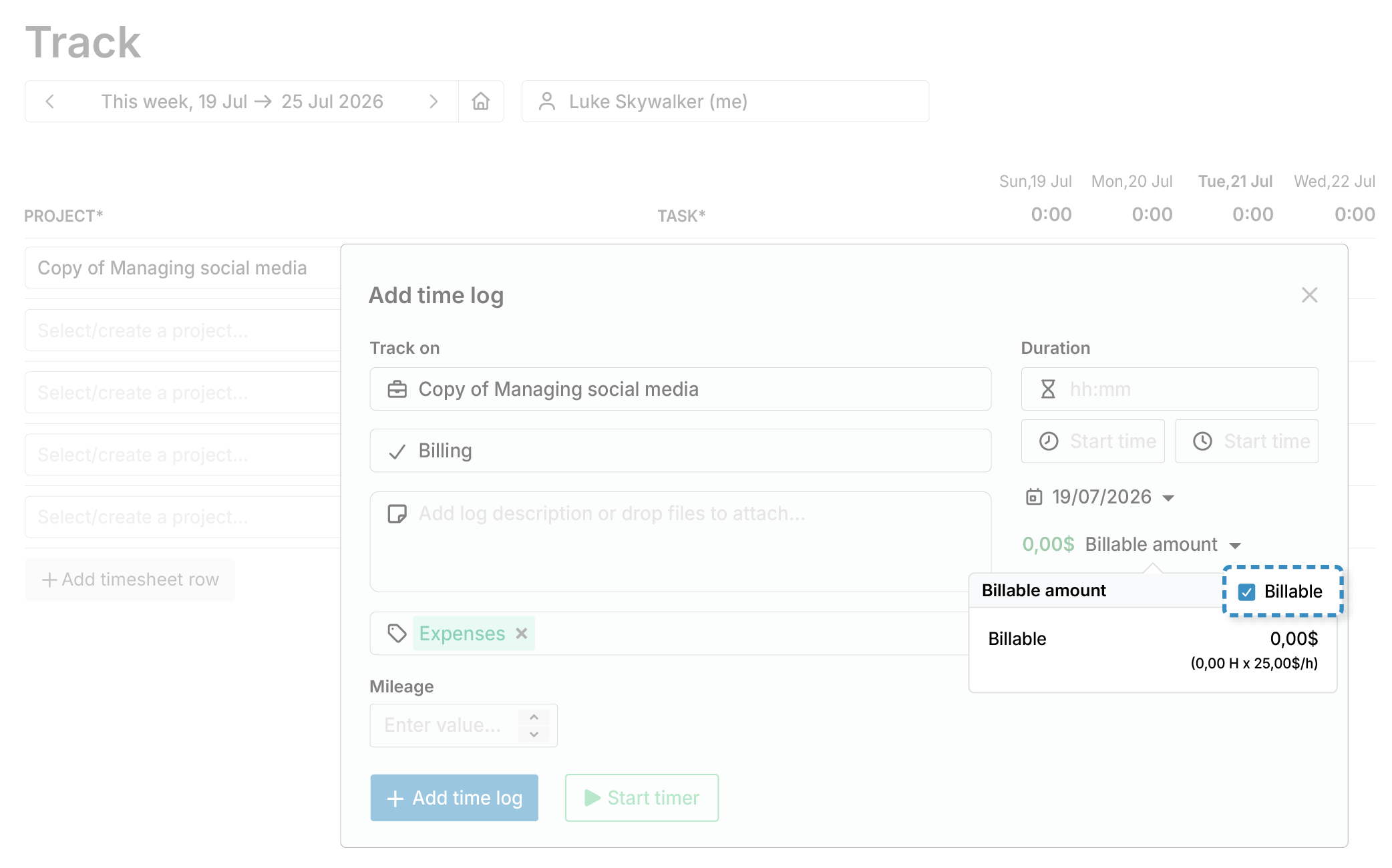
Not all accounting work is billable to the client. Financial professionals must be able to distinguish between billable time and internal labor costs.
Flexible Billing Options
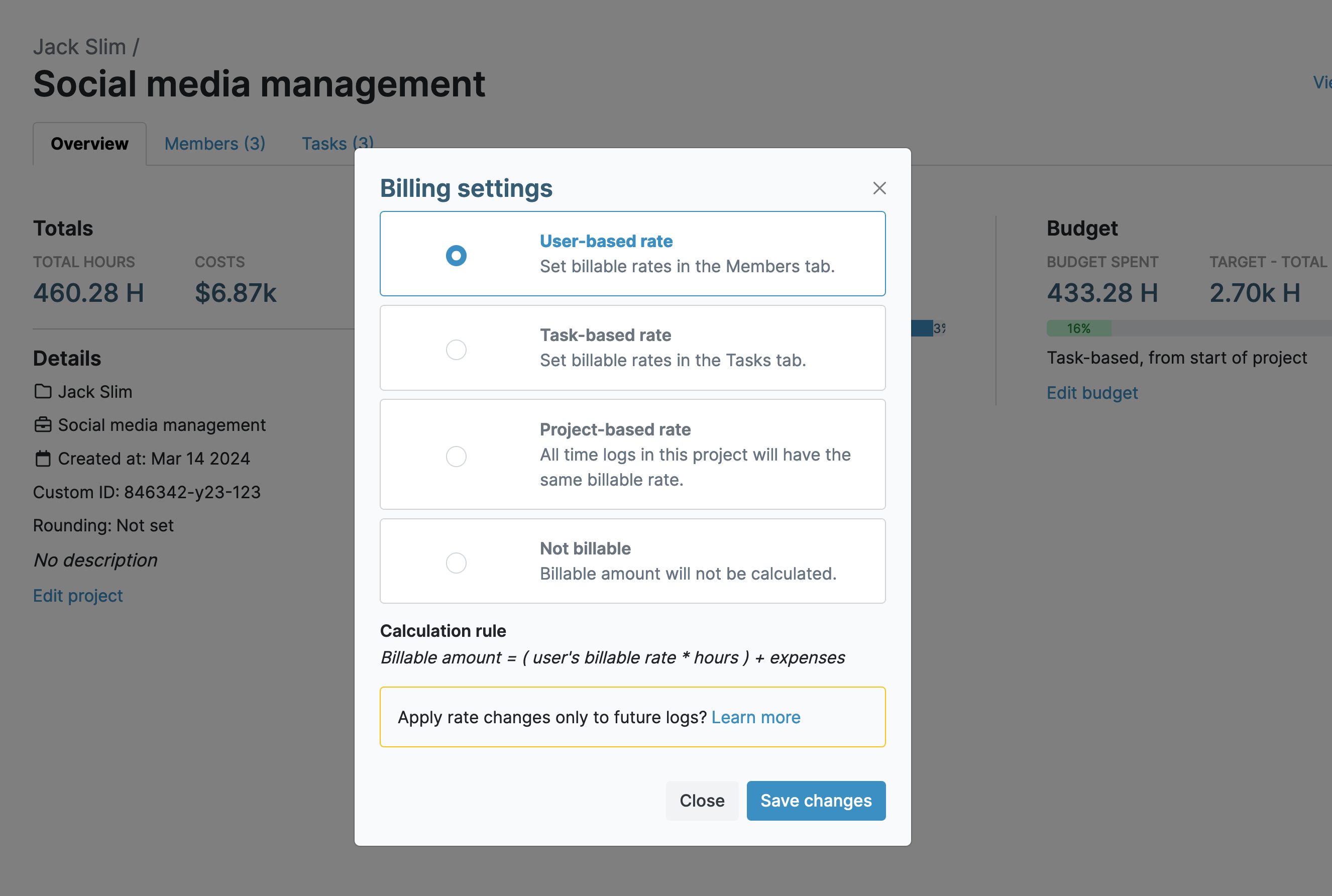
Some accounting and bookkeeping firms charge a set hourly fee for specific services or projects. Alongside user billable rates, which allow users to record billable amounts for each timelog based on their hourly rate, My Hours also lets you adjust billing options as needed.
"My Hours is saving me lost hours of billable time! Very impressed with the thoughtful design of the input functions and the customized reporting features right down to individual clients."
Manage Monthly Retainers and Fixed-Fee Clients
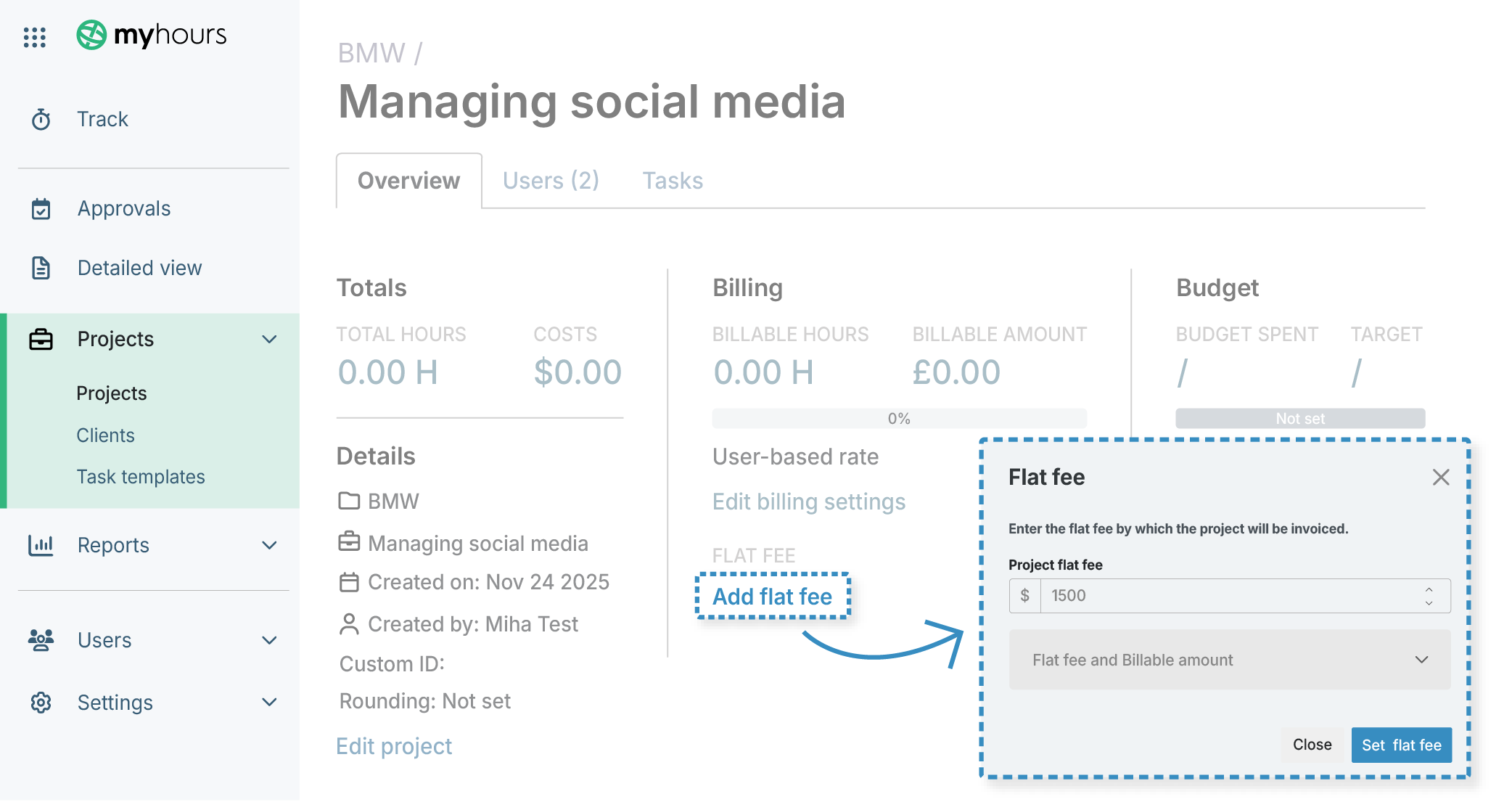
Accountants and bookkeepers who operate using fixed-fee packages or monthly retainers also have the ability to track costs and bill accordingly.
"Custom columns and budget tracking (monthly/fixed) give good flexibility for managing multiple projects. Time tracking core functionality is reliable, and the learning curve is low for new team members."
Task Templates
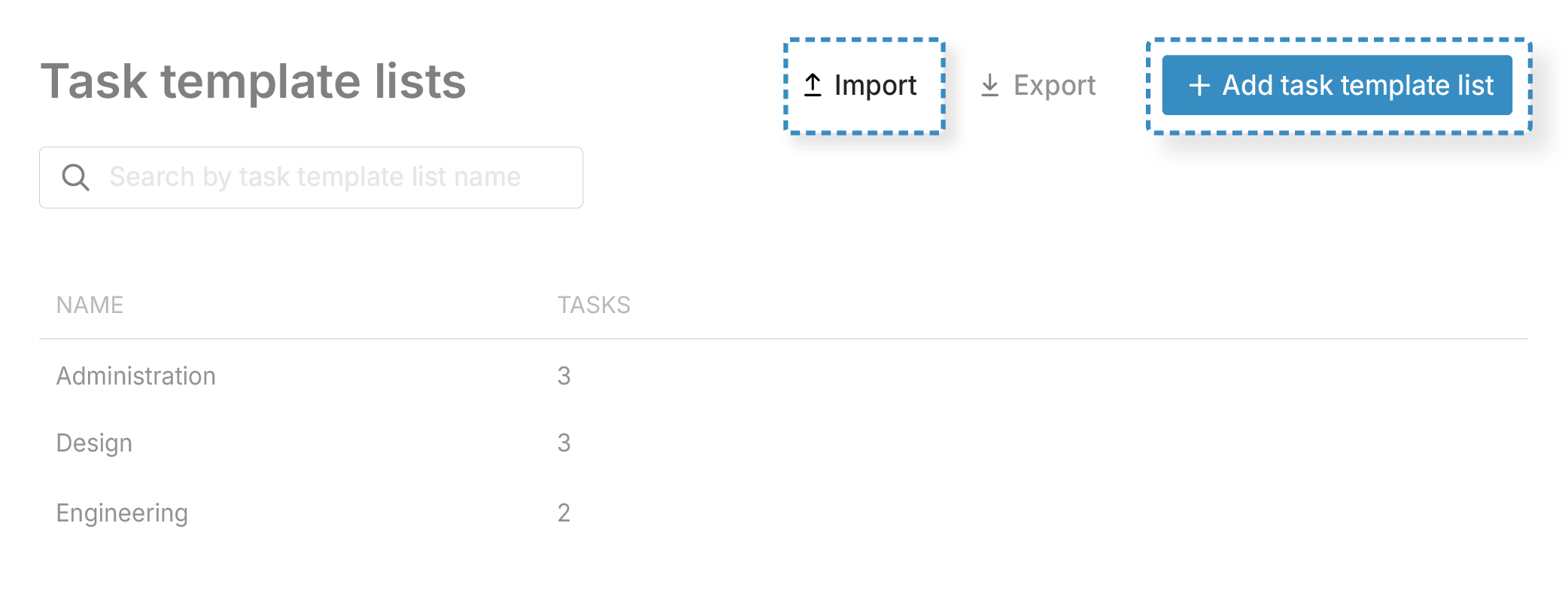
Accounting and bookkeeping often involve repeatable workflows. Additionally, many offer set packages to their clients that have a defined number of services.
"I like that it's simple. I also like that Tasks that have the same name across different Projects are grouped together - it helps me see how much I'm in meetings, doing individual tasks, or doing field work."
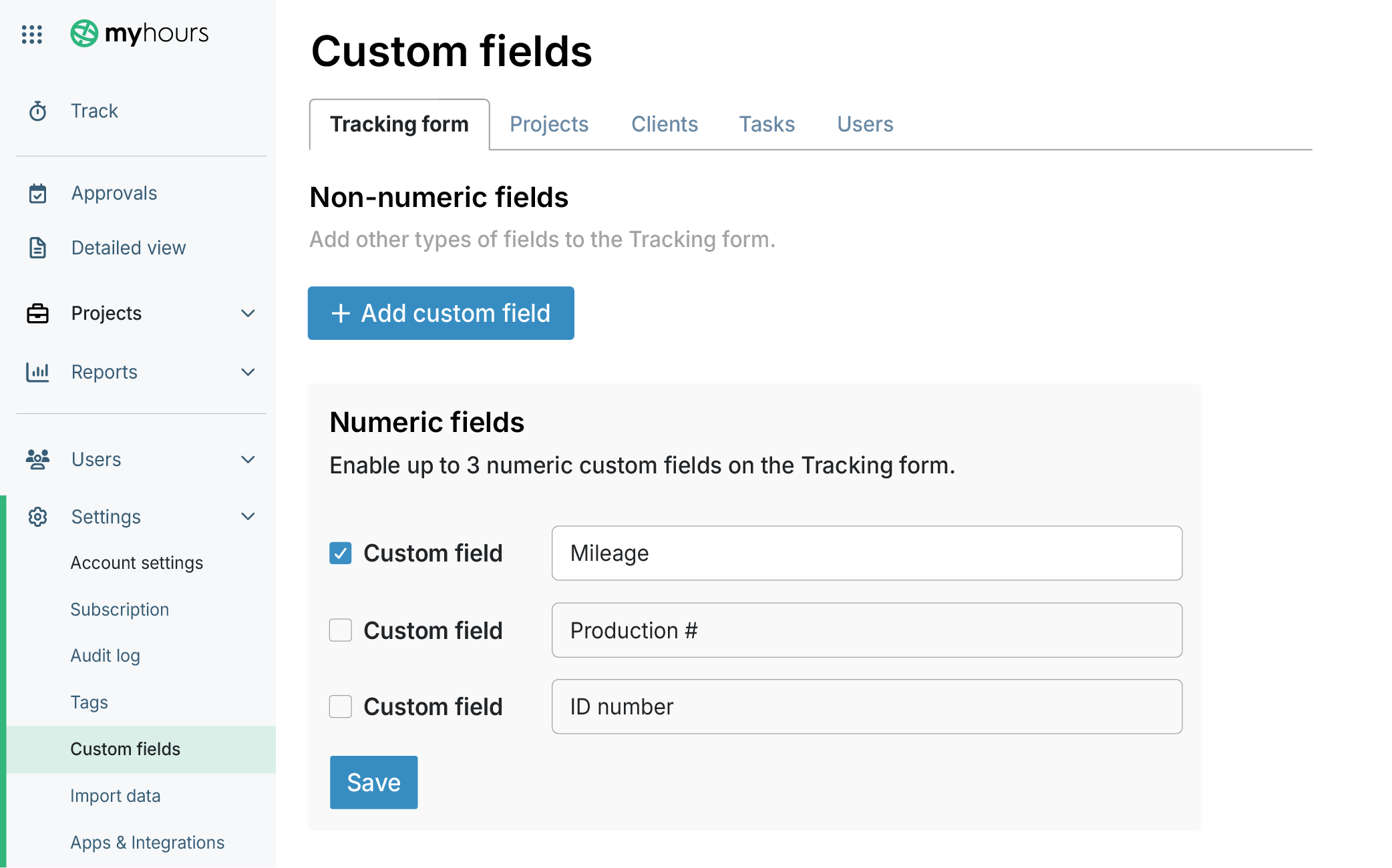
Custom Data Capture
Financial professionals often need more than hours worked. My Hours lets you add custom data as needed to capture important information, like client codes, service categories, and more.
Approve Time Before Billing
Incorrect billing data leads to damaged client relations and loss of business. My Hours includes an efficient validation workflow to check for data accuracy before it reaches invoicing.
.png)
Customized Client Reporting
Every accounting firm tracks performance differently, but one thing remains the same. Clients need regular and reliable reports to stay updated on progress.
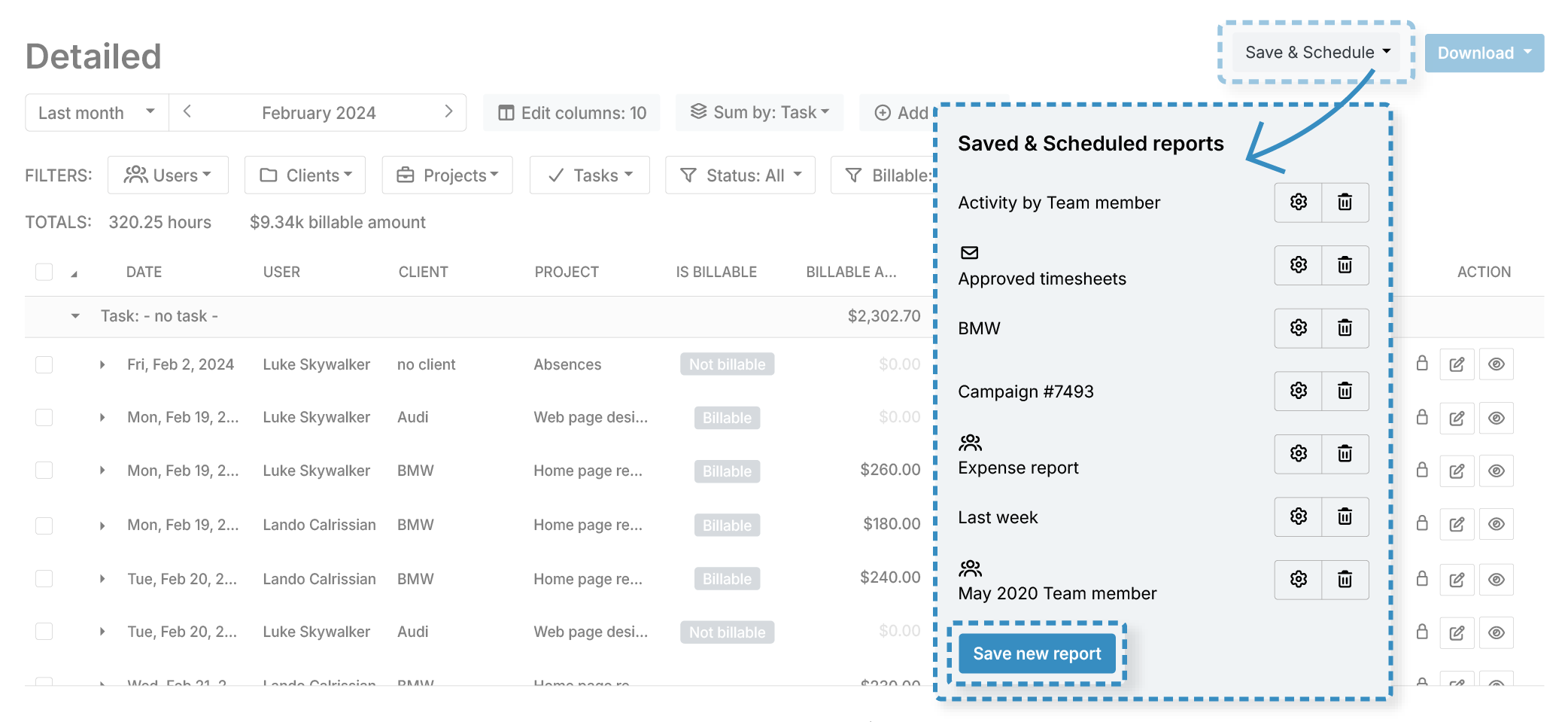
"The ability to tailor it to our specific needs and tasks. It's really been beneficial to dive into specific projects and departments to get a better understanding of our efforts and costings."
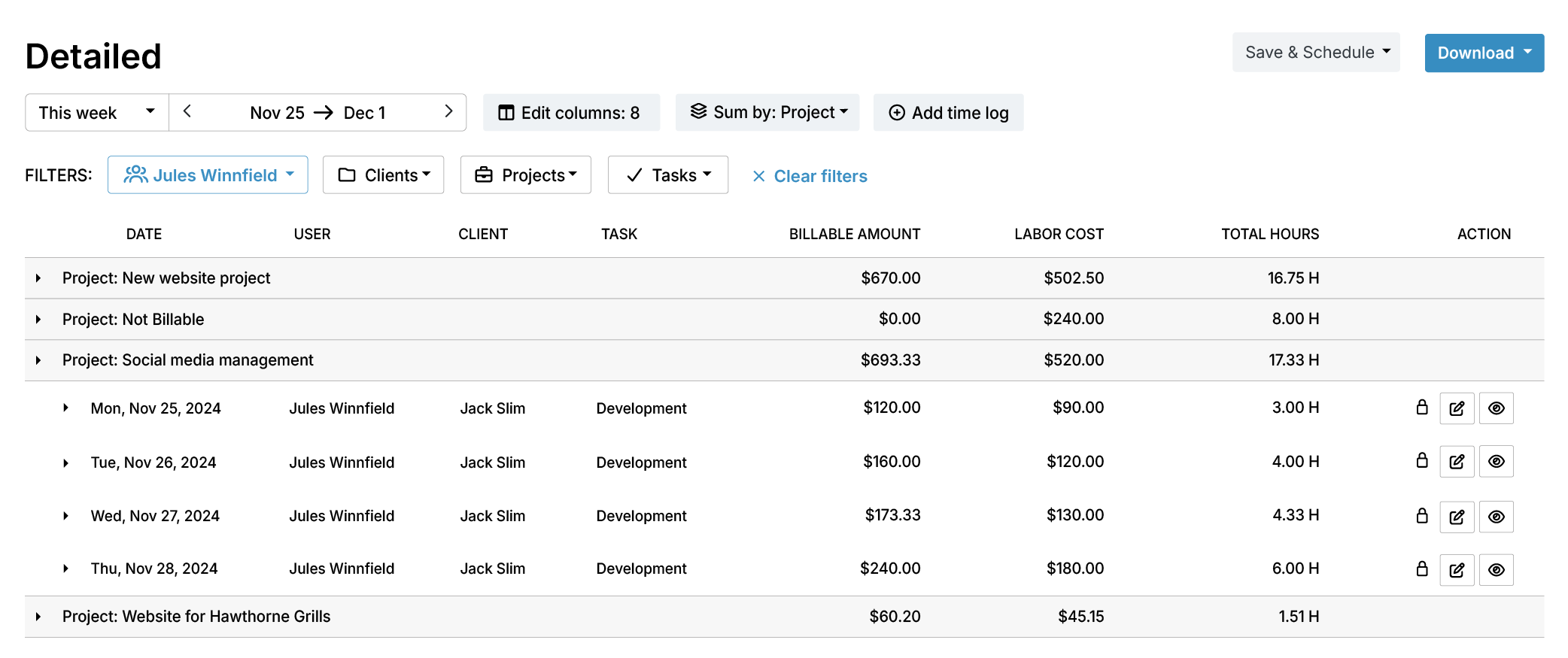
Workload Insight
To maintain efficient working processes across clients, accounting and bookkeeping firms need a way to understand capacity and workload distribution.
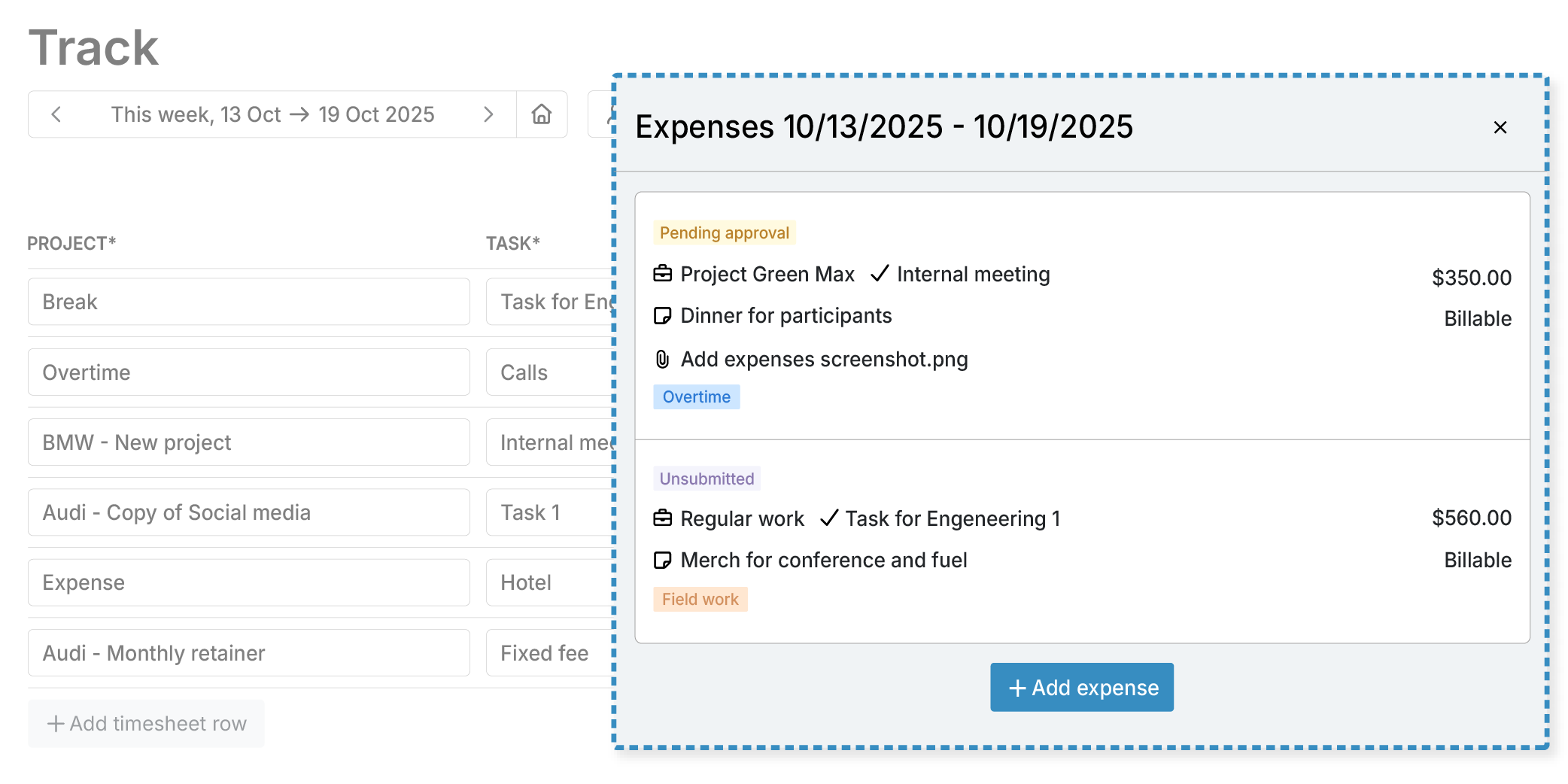
Track Expenses Alongside Time
Client work can include reimbursable expenses, such as mileage, software fees, and more. Tracking expenses alongside time removes the need to use separate systems and keeps data centralized.
Streamlined Invoicing
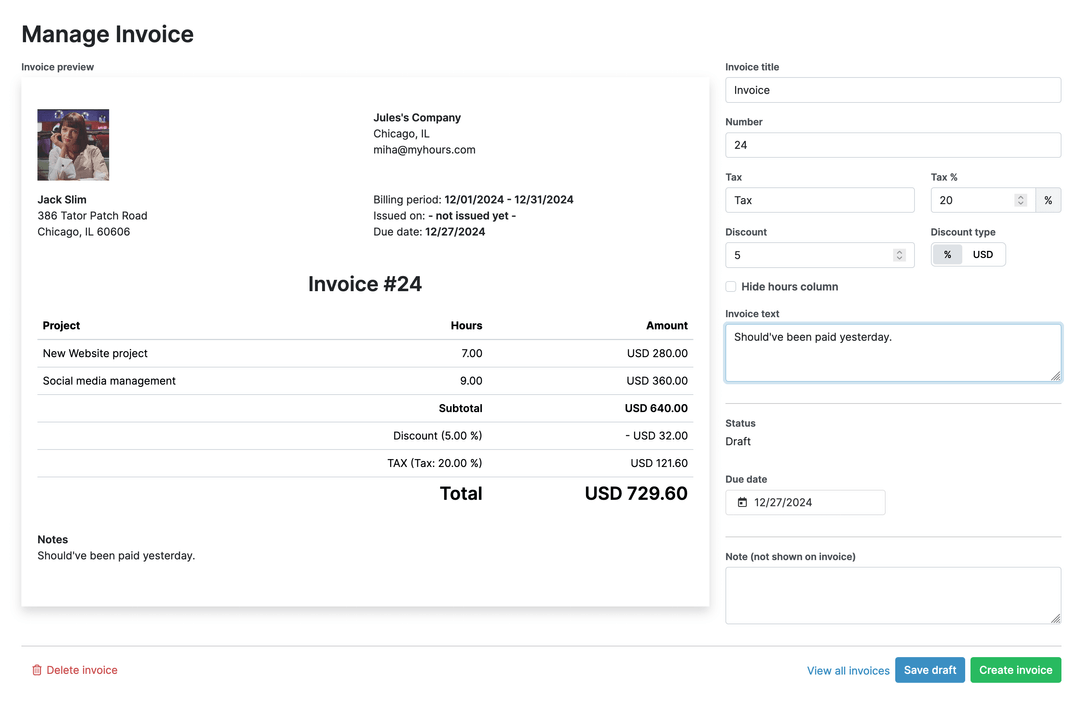
For efficient and on-time invoicing, My Hours includes a simple invoicing tool.
Your data stays protected and compliant at every step.




Frequently Asked Questions
My Hours time tracking features

Timer or weekly timesheet
Track time with our seamless timer or enter your time through our keyboard-friendly timesheet. Add a description and custom inputs.

Set billable rates and budgets
Automate calculation of billable amounts by setting precise hourly rates by project, task or team member. Add a project budget to monitor its progress.

Analyze logged hours & expenses
With the Dashboard you’ll get a bird’s-eye view of billable vs non billable hours, earned income by project, under- or over-utilized employees and more.

Generate custom reports
Detailed reports are completely customizable and display as much information as needed. Print to PDF, export to XLS or send schedule it via email.

Manage tasks
Add and assign tasks with an estimated budget. Create templates when identical tasks appear across projects.

Submit and approve timesheets
Supervisors get email whenever timesheets are submitted. Each timesheet can be approved or rejected with an email message.

Set flexible roles
Invite your team to track time on their projects without seeing each other’s hours and rates. Designate managers to oversee their team and manage their work.

Prevent inconsistent reporting
Lock team’s time logs to prevent editing or adding new logs in a selected period. Download the audit log report to keep your books in order.

Streamline invoicing
Create numbered invoices straight from hours logged. Integrations with the most popular invoicing apps are available to all customers.

Integrate with other tools
Connect My Hours data with other tools or vice versa through Zapier connectors. Alternatively, use our API to develop your own integration.

Access from anywhere
My Hours is a cloud-based app with nothing to install. View and manage your hours from any web browser or install our native mobile apps.

Secure infrastructure
My Hours is hosted in Microsofts Azure cloud and we are proud of 99.95% uptime. We perform regular security checks to keep your data in safe hands.
Highest praise from our customers


Waste no more time,
jump right in!

All rights reserved.