
.png)
What Exactly Is an Audit Trail?
An audit trail is a complete, time-stamped record of all actions tied to time and cost data. It shows what happened, when it happened, and who made the change.
Its purpose is simple: transparency. A reliable audit trail must be:
- Complete: Every entry, edit, approval, and correction is captured
- Tamper-proof: Records cannot be deleted or silently changed
- Accessible: Data is searchable and retrievable for audits
What Is an Audit Log?
An audit log is a record of every change made to a time entry. It shows what changed, who changed it, and when. In a time tracker, that means you can see when logs were added, when they were edited, and who approved or rejected them.
Where an audit trail is the full history of your time and cost data, the audit log is the report where you actually read those changes, entry by entry.
Common Audit Trail Red Flags (What Auditors Hate)
Auditors focus on patterns that indicate weak controls or unreliable data. These are the most common red flags:
Undocumented retroactive edits
Changes made after submission without a recorded reason or approval.
The audit log will show that the entry was changed, but if there’s no reason given or approval for it, this is cause for concern because it may indicate that time was manipulated for cost purposes.
Missing approvals
Timesheet approvals add an extra layer of security to validate that the data has been checked and verified for accuracy. Plus, some regulatory frameworks, like the Defense Contract Audit Agency (DCAA), mandate timesheet approvals as part of their compliance requirements.
If approvals are missing for costs, time, or even policy changes, this lack of documented view raises a red flag because it suggests there is no independent verification that records are complete or accurate.
Manual or fragmented records
Time and cost data that exists on manual spreadsheets or multiple systems (like email, personal drives, PDFs, etc.) is notoriously unreliable.
When data exists on fragmented records, there is a higher risk of transcription errors, undocumented changes, missing entries, inconsistent usage, and other issues.
Overwritten data
Systems that replace old entries instead of creating version histories are also a big problem.
This not only eliminates the audit trail needed to verify what was originally recorded, but it could also violate recordkeeping laws.
When historical data no longer exists, how can you prove that reported costs are reliable or that labor charges haven’t been manipulated?
This is precisely why auditors want original timesheets preserved along with any subsequent revisions.
Deleted or missing records
For the same reasons outlined above, if time data has been deleted or simply isn't there, then there’s no way to verify it.
Missing records prevent auditors from confirming that all labor hours were recorded accurately and consistently. And incomplete datasets make it impossible to reconcile timesheets with payroll and/or billing.
Auditors may view missing data as a potential indicator of a control failure or an unsupported labor charge.
Why These Issues Trigger Further Investigation
Audit trails exist to demonstrate how your organization exercises control and consistency. If data is missing or unclear, it’s not just a sign of a technical problem; it also indicates a potential breakdown in governance.
If your timekeeping system allows any or all of the red flags mentioned above, auditors will interpret it as a clear sign of weak oversight and poor internal controls.
Remember, auditors audit to ensure that business records are accurate, reliable, and supported by internal controls.
When they can’t find evidence of this, they will likely investigate further.
What are the consequences?
The consequences of failing an audit can range from hugely inconvenient to legal implications and a business shutdown.
At the hugely inconvenient end of the scale, you will be asked to spend time reconstructing records or provide alternative evidence to justify past entries.
You will also face ongoing, increased oversight from regulatory authorities. Expect to “enjoy” more frequent audits with longer cycles, ongoing monitoring, and increased documentation requirements.
Financial consequences are also common. These can involve the payment of adjusted costs or the loss of reimbursable expenses or billable time. You may also have to pay previously accepted costs.
Additionally, you could be handed a fine, which, depending on the severity of the audit failure, could run into the thousands.
At the other end of the scale, expect a loss of certification for regulated industries, prosecution, and irreparable damage to your business reputation.
How to Build and Maintain a Clean, Compliant Audit Trail
Strong audit trails are built from disciplined processes and the use of modern tools that essentially automate transparency.
For timekeeping, this is going to involve the following:
- A written timekeeping policy (and training): A written policy confirms the process, and training ensures everyone knows what’s expected of them.
- Daily time entry: Employees should enter their data while it’s still fresh in their minds.
- Single source of truth: Use one centralized system for all employees to capture their time.
- Controlled editing: Use a system that requires reasons and timestamps for all timesheet revisions.
- Approval workflows: All timesheet data should enter an approval process after submission.
- Correction procedures: Mistakes happen, so timesheet corrections must follow a consistent and documented process.
- Tamper-proof data: Once timesheets have been validated, there should be no way for anyone to access the data and adjust it without getting explicit approval first.
- Appropriate retention: All documentation must be kept long enough to satisfy labor law and regulatory recordkeeping retention periods.
- Access controls: Only authorized users should be able to access or export time data.
- Internal reviews: Don’t wait for an auditor to test your consistency and control.
- Data backup and recovery: Timekeeping data should be backed up regularly and stored securely so records can be recovered if systems fail.
Digital Tools are Your Friend
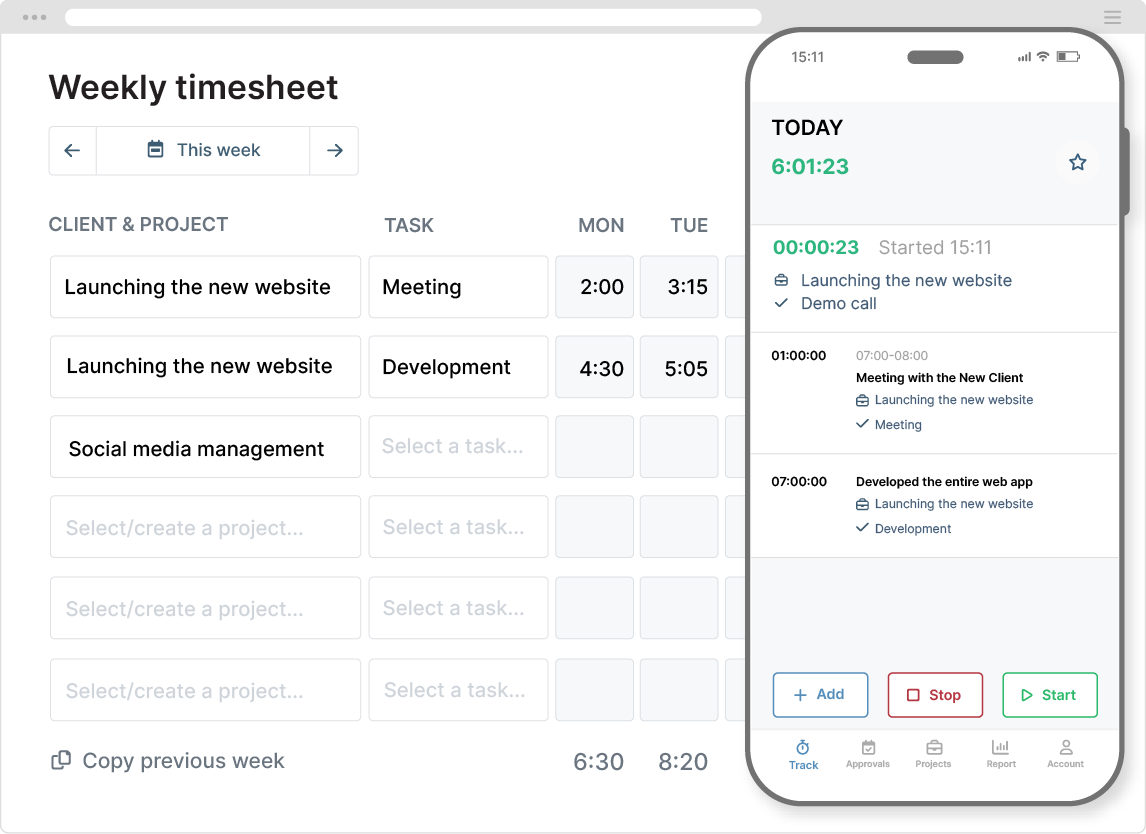
There are plenty of reasons why spreadsheets fail as effective timekeeping tools, and given the multitude of digital time tracking options, there’s no longer any need to rely on this outdated method.
The thing is, digital timekeeping software is designed with compliance in mind. The software provides everything we’ve talked about, and more!
You get immutable logs and version history, without loading any additional admin work onto anyone’s plate. In fact, because the software is designed to be efficient, it actually takes less work to maintain and oversee.
Other advantages of using digital tools include:
- Helpful alerts to remind users to log their time
- Track labor and billable rates, plus expenses, alongside time
- Assign time entries to deliverables and other critical information
- Automatic timesheet submission
- User authentication for secure logins
- Quick and easy reporting features
Essentially, effective time tracking software turns audit trails into a built-in safeguard, not something you have to hastily assemble when auditors come knocking.
Final Thoughts
All businesses face audits at some point or another. How well you navigate yours will depend on the processes and controls you have put in place.
Strong audits do more than pass compliance tests; they demonstrate that you’re a reliable and trustworthy organization to do business with.
Start by designing your systems so the audit trail works for you, not against you. The rest will fall into place in a seamless, transparent workflow.


